
On this page
A mobile app idea dies in a slide deck, because nobody can tap a screenshot and tell you where they got stuck. Figma is the pick that turns the idea into something testable: design and interactive prototypes in one browser tool, with a free Starter plan to start. This guide compares eight prototyping tools for mobile apps, from $10 to $29 a month, with live 2026 prices, free plans and trials, so a team can pick by fidelity and budget.
How we researched this
We read the pricing page of every vendor on this list on November 26, 2026, and kept only tools that publish a real dollar price for mobile prototyping. Each tool had to build clickable mobile prototypes and offer a free plan or trial. We compared entry prices, seat and site meters, and how the bill grows as editors and projects are added.
Compare the tools
| Name | Best for | Starting price | Free plan | |
|---|---|---|---|---|
 Figma | Teams that design and prototype together in one browser tool | $16/editor/month | Free Starter plan (3 files) | Visit |
 Framer | Teams that want the prototype to become a live website | $10/month | Free plan | Visit |
 Proto.io | Non-designers who need realistic mobile prototypes without code | $24/month | 15-day free trial | Visit |
 Sketch | Mac-only teams that want a fast native design tool | $12/editor/month | 30-day free trial | Visit |
 Axure RP | UX teams that test complex flows, forms and logic | $29/user/month | 30-day free trial | Visit |
 Justinmind | Teams that validate forms, data and conditional flows | $19/editor/month | Free plan (1 project) | Visit |
 Uizard | Founders and PMs who prototype fast with AI | $12/creator/month | Free plan (3 AI generations) | Visit |
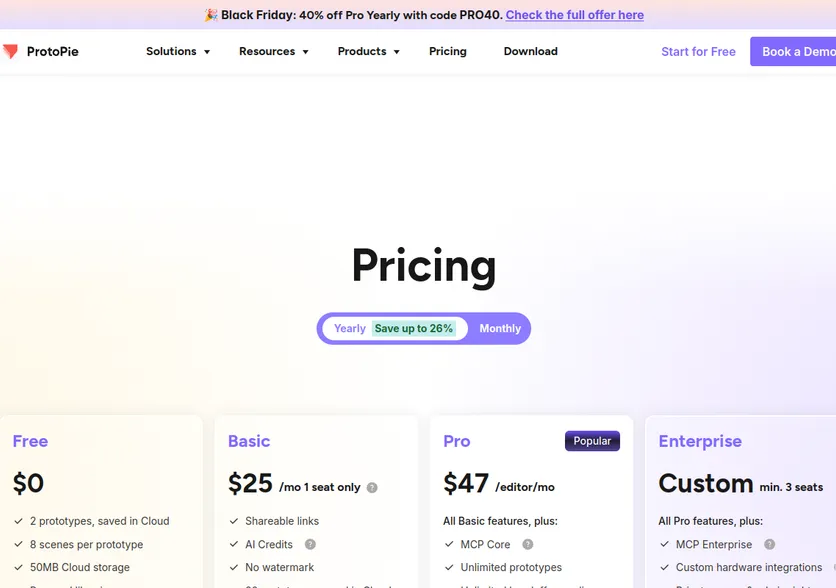
 ProtoPie | Teams that test gestures, motion and device features | $25/month | Free plan (2 prototypes) | Visit |
The prototyping tools, compared
1. Figma
Best for: Teams that design and prototype together in one browser tool
Paid tool Starting price: $16/editor/month · Professional Full seat at $16 per editor a month billed annually ($20 monthly); Dev seats are $12 and Collab seats $3; Starter plan is free with 3 design files
Free plan: Free Starter plan (3 files)
Figma is the industry standard for mobile app prototyping, with design and interactive prototypes in one browser tool that the whole team can open. This Figma Professional plan costs $16 per full editor seat a month billed annually, which unlocks unlimited files, shared libraries and version history. It fits teams that design and prototype together and want developers to inspect the same file the designers just finished.

What we like
- Design and prototype in one file
- Real-time collaboration built in
- Developers inspect the same file
Watch out for
- Full seats cost more than Dev seats
- Dev Mode is a paid add-on
How to try it
- Start the free Starter plan from the Figma pricing page
- Design the first screens and link them into a flow
- Share the prototype link and watch testers tap through it
2. Framer
Best for: Teams that want the prototype to become a live website
Paid tool Starting price: $10/month · Basic plan at $10 a month per site billed annually ($15 monthly); Pro is $30 a month; extra editors cost $20 a month each; free plan covers design work
Free plan: Free plan
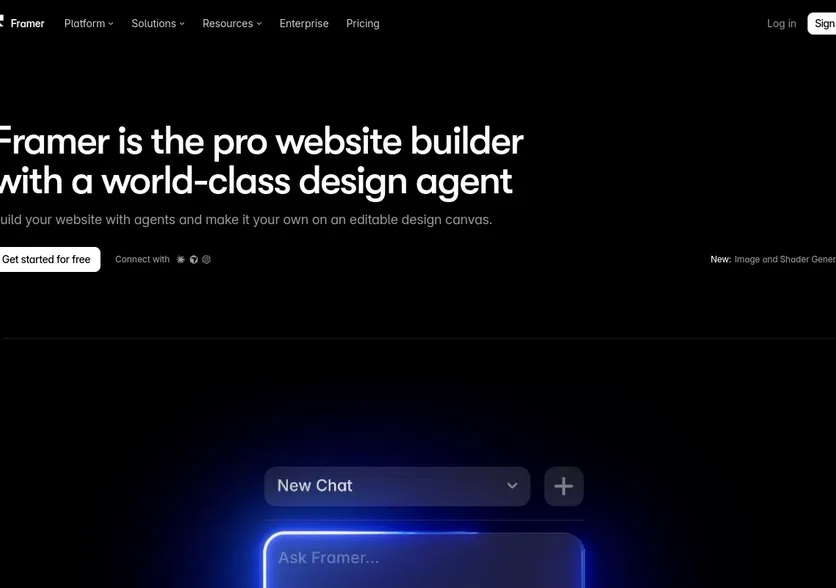
Framer turns prototypes into live websites, so a mobile app concept can be tested as a real page that stakeholders open on their phones. This Framer Basic plan costs $10 a month per site billed annually, which covers publishing, hosting and the motion controls that make a prototype feel real. It fits teams that want the prototype to become the landing page, with no handoff between design and publish.
What we like
- Prototype publishes as a real site
- Motion and interactions built in
- Free plan covers design work
Watch out for
- Price is per site, not per team
- Extra editors cost $20 a month each
How to try it
- Start the free plan from the Framer pricing page
- Design the screens and add interactions
- Publish to a live URL and share it with testers
3. Proto.io
Best for: Non-designers who need realistic mobile prototypes without code
Paid tool Starting price: $24/month · Freelancer plan at $24 a month billed annually ($29 monthly); Startup is $40, Agency $80 and Corporate $160; 15-day free trial, no permanent free plan
Free plan: 15-day free trial
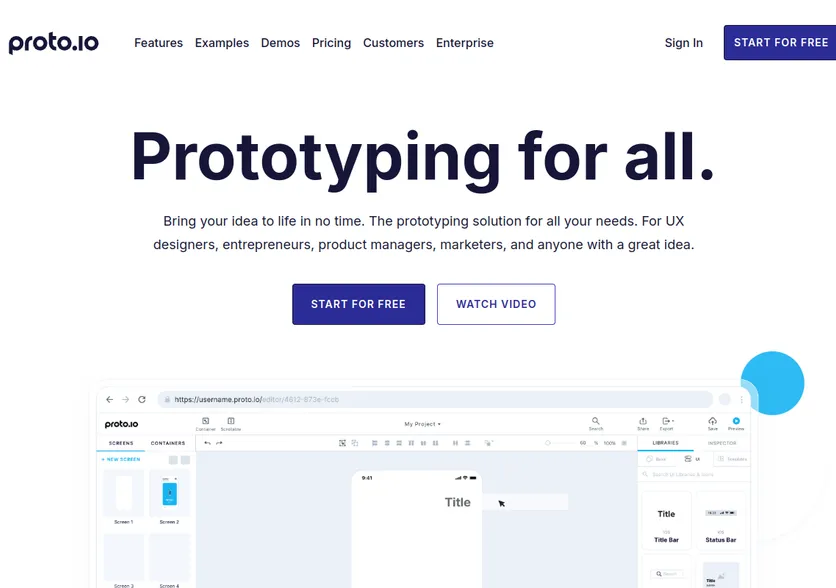
Proto builds realistic mobile prototypes without code, with device frames, gestures and a component library that makes a concept feel like the finished app. This Proto Freelancer plan costs $24 a month billed annually for one user, which covers the full interaction builder and mobile preview. It fits non-designers who need to validate a mobile flow with real users before a developer writes a line of code.
What we like
- Realistic mobile gestures built in
- No code needed for interactions
- Device frames make testing real
Watch out for
- No permanent free plan
- One user on the Freelancer tier
How to try it
- Start the 15-day trial from the Proto.io pricing page
- Import screens or build from components
- Share the preview link and watch users tap through it
4. Sketch
Best for: Mac-only teams that want a fast native design tool
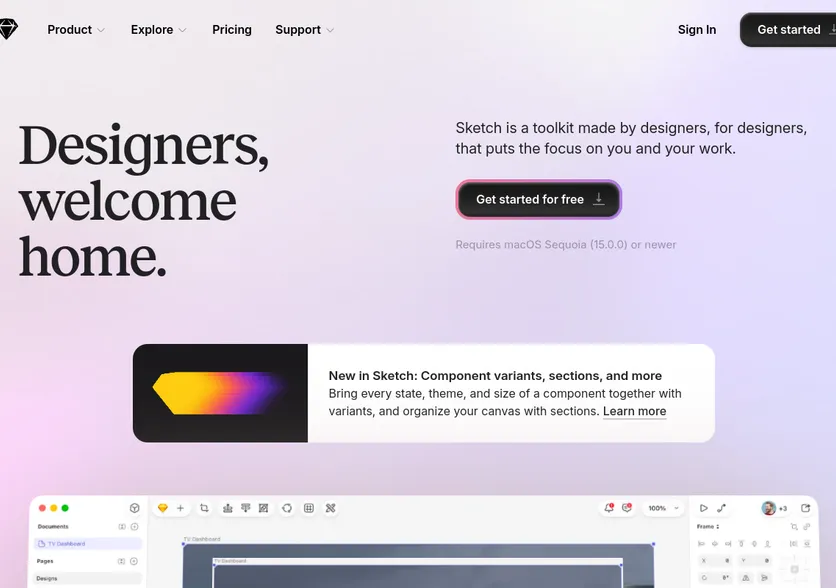
Paid tool Starting price: $12/editor/month · Standard plan at $12 per editor a month billed annually ($14 monthly); Professional is $24 and Enterprise $44; 30-day free trial; Mac-only licence is $120 one-time
Free plan: 30-day free trial
Sketch is the native Mac pick for mobile app design, with vector tools, shared libraries and prototyping that feel fast because the app runs locally. This Sketch Standard plan costs $12 per editor a month billed annually, which covers real-time collaboration, unlimited documents and free viewers. It fits Mac-only teams that want a focused design tool and a one-time licence option for solo editors.
What we like
- Fast native Mac app
- Cheaper per editor than Figma
- One-time licence option exists
Watch out for
- Mac only for editing
- No permanent free plan
How to try it
- Start the 30-day trial from the Sketch pricing page
- Design screens with symbols and shared libraries
- Link screens into a prototype and share it
5. Axure RP
Best for: UX teams that test complex flows, forms and logic
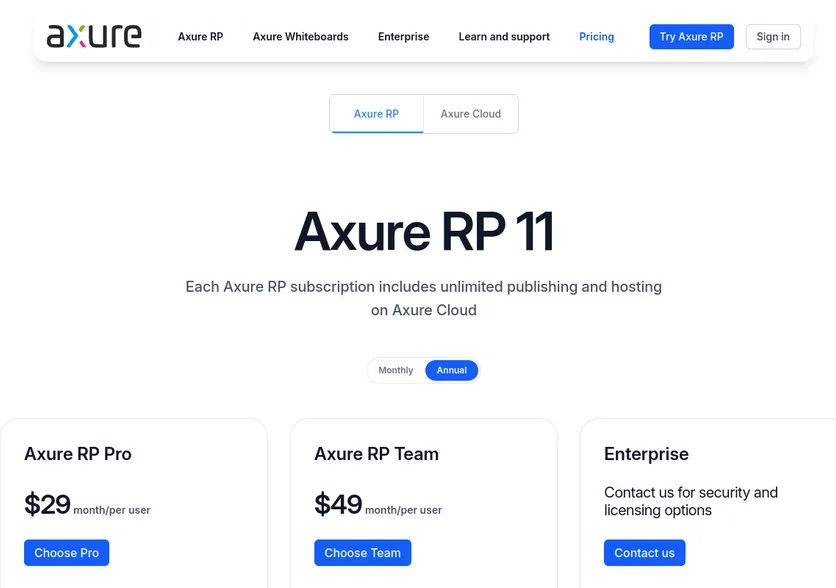
Paid tool Starting price: $29/user/month · Pro plan at $29 per user a month billed annually ($34 monthly); Team is $49 and adds co-authoring; Enterprise is quoted; 30-day free trial
Free plan: 30-day free trial
Axure RP is the specialist pick for mobile prototypes that must behave like real software, with variables, conditions and data driving every screen. This Axure RP Pro plan costs $29 per user a month billed annually, which covers unlimited prototypes, reviewers and projects on Axure Cloud. It fits UX teams that test complex flows, forms and logic before development starts.
What we like
- Real logic with variables and conditions
- Unlimited prototypes and reviewers
- Wireframes and docs in one file
Watch out for
- Highest entry price on this list
- Team plan needed for co-authoring
How to try it
- Start the 30-day trial from the Axure pricing page
- Build screens with variables and conditions
- Publish to Axure Cloud and share the link
6. Justinmind
Best for: Teams that validate forms, data and conditional flows
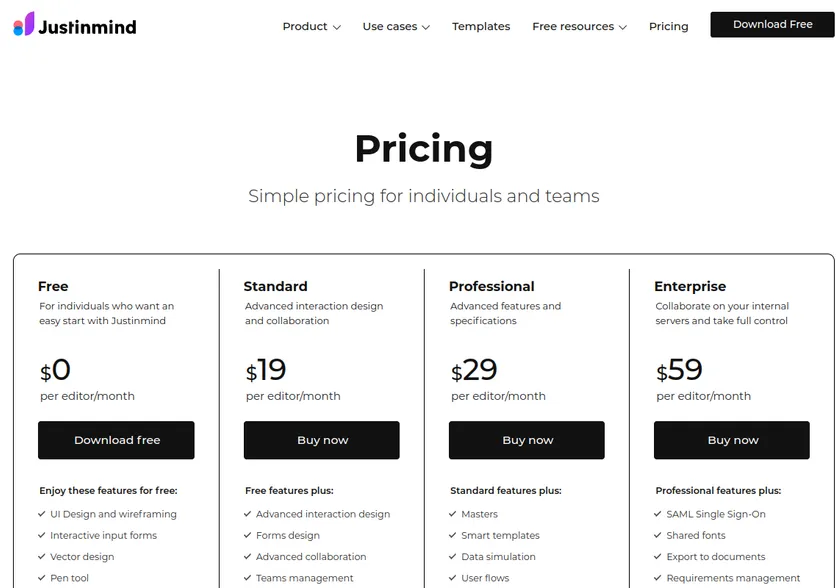
Paid tool Starting price: $19/editor/month · Standard plan at $19 per editor a month; Professional is $29 and Enterprise $59; free plan covers 1 project
Free plan: Free plan (1 project)
Justinmind is the pick for form-heavy mobile prototypes, with data-driven screens, variables and device previews that test real user input. This Justinmind Standard plan costs $19 per editor a month, which covers the core prototyping tools a UX team needs for app flows. It fits teams that validate forms, data and conditional flows before a developer builds them.
What we like
- Strong form and data prototyping
- Device preview built in
- Free plan for one project
Watch out for
- Interface feels dated next to Figma
- Collaboration is lighter than rivals
How to try it
- Start the free plan from the Justinmind pricing page
- Design screens with forms and data lists
- Preview on a device and share the link
7. Uizard
Best for: Founders and PMs who prototype fast with AI
Paid tool Starting price: $12/creator/month · Pro plan at $12 per creator a month billed annually ($19 monthly); Business is $39; Enterprise is custom; free plan includes 3 AI generations a month
Free plan: Free plan (3 AI generations)
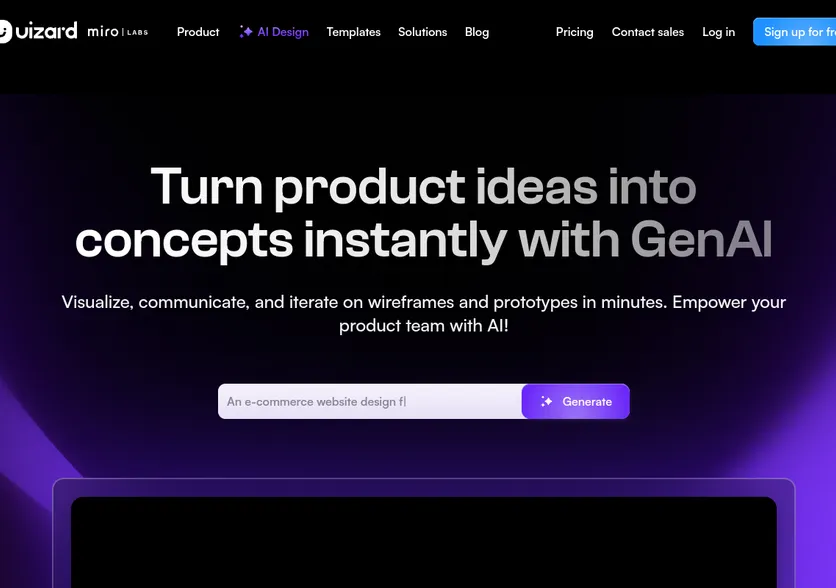
Uizard turns a prompt or a sketch into editable mobile screens in minutes, which suits founders and product managers who prototype before hiring a designer. This Uizard Pro plan costs $12 per creator a month billed annually, which unlocks more AI generations, projects and templates. It fits non-designers who need a clickable mobile concept fast and want to iterate before committing to a design team.
What we like
- AI generates screens in minutes
- Sketch-to-screen conversion
- Cheapest AI-first option here
Watch out for
- AI output needs cleanup
- Free plan allows few generations
How to try it
- Start the free plan from the Uizard pricing page
- Generate screens from a prompt or a sketch
- Link the screens and share the prototype
8. ProtoPie
Best for: Teams that test gestures, motion and device features
Paid tool Starting price: $25/month · Basic plan at $25 a month billed yearly ($29 monthly); Pro is $47 per editor billed yearly; free plan covers 2 prototypes in the cloud
Free plan: Free plan (2 prototypes)
ProtoPie is the pick for mobile prototypes with real interaction, including sensors, haptics and hardware-connected flows that other tools cannot fake. This ProtoPie Basic plan costs $25 a month billed yearly, which covers the interaction builder and cloud sharing for a small team. It fits teams that test gestures, motion and device features before building the native app.
What we like
- Sensors and hardware interactions
- Realistic motion and gestures
- Free plan covers 2 prototypes
Watch out for
- Pro tier needed for team libraries
- Learning curve for advanced triggers
How to try it
- Start the free plan from the ProtoPie pricing page
- Build an interaction with triggers and responses
- Test on a real device and share the prototype
Prices above were checked on each vendor’s own website on Nov 26, 2026 and can change — the vendor’s page is the final word. Vendor links are editorial: nobody paid to be listed or ranked here. Vendors who want a featured listing can see how it works on our Get listed page.
How to pick a prototype that tests the real thing
Prototypes fail when they test the wrong thing, so match the tool to the question you need answered. A click-through flow needs a simple tool with device frames, while a form-heavy app needs logic, variables and real input handling. Check the seat meter before you buy: some tools charge per editor, one charges per site, and a team of five editors can cost five times the headline price. Test the prototype on a real phone with real users, not on a desktop screen, and watch where fingers hesitate instead of asking what people think.
Before you buy
- Decide what you need to test before comparing tools, because fidelity needs differ widely.
- Check whether the price counts editors, sites or projects, since each meter bills differently.
- Confirm device preview and sharing links work on real phones, not just desktops.
- Test the free plan with a real flow before paying for a team.
- Ask whether the prototype exports to developer handoff or stays a picture.
Official websites
Official websites of the products reviewed above. Features and prices were checked against these sites when this guide was written, and they can change, so confirm on the vendor site before you buy.
Frequently asked questions
What is the cheapest prototyping tool for mobile apps?
Framer Basic costs $10 a month per site billed annually, and Sketch Standard and Uizard Pro both cost $12 a month. Figma Professional costs $16 per full editor seat a month. The cheapest pick depends on the meter: per-site pricing wins for one app, and per-editor pricing wins when the whole team designs.
Do prototyping tools offer free plans?
Yes. Figma, Framer, Justinmind, Uizard and ProtoPie all have free plans, and Proto.io, Sketch and Axure RP offer free trials of 15 to 30 days. Free plans are best for testing one flow with real users before paying. Trials are usually long enough to build and test a full prototype.
Can I test a prototype on a real phone?
Yes. Figma, Proto.io, Sketch, Justinmind and ProtoPie all offer mobile preview or a viewer app for phones. Share the prototype link and watch users tap through it on their own devices, because desktop testing hides the friction that matters. Record where fingers hesitate and fix those screens first.
What is the difference between Figma and Proto.io?
Figma designs and prototypes in one file, so the team works in a single tool from sketch to handoff. Proto.io focuses on realistic interactive prototypes with gestures and device frames, and most users import screens from Figma or Sketch. Pick Figma to design and prototype together, and Proto.io to validate a finished flow with users.
Which prototyping tool is best for a small mobile team?
Figma is the strongest small-team pick here, with a free Starter plan and Professional at $16 per editor a month. Proto.io is the other strong option at $24 a month for realistic mobile testing. Both let a small team design, prototype and test without an enterprise contract or a long setup.
Sketching the next app? Try free design and productivity tools on Toolsvine right in your browser.
Browse Productivity Tools tools


