
On this page
A freelance UX designer lives or dies by the prototype, because a client who can click through a flow approves work faster than one staring at static screens. The eight tools below run from ten dollars a month to about thirty dollars a seat a month, and every price was checked on the vendor site on November 26, 2026. Most offer a free plan or a trial, so you can test a client project before paying. Figma is our first pick — seats from sixteen dollars an editor a month with a free Starter plan that covers small jobs.
How we researched this
We started with the prototyping tools freelance UX designers actually buy, then read each price on the vendor pricing page on November 26, 2026 and noted the free plan or trial each one carries. We judged them for a solo designer who needs clickable flows, easy client sharing and a price that fits one seat. We kept only tools with a published price and dropped any tool whose price we could not verify, including InVision, which shut down, and Adobe XD, which is no longer sold on its own.
Compare the tools
| Name | Best for | Starting price | Free plan | |
|---|---|---|---|---|
 Figma | Freelancers who need clients and developers in the same file | $16/editor/month | Free Starter plan for up to 3 design files | Visit |
 Framer | Freelancers who want prototypes that become live websites | $10/month | Free plan for a hobby site with Framer branding | Visit |
 Sketch | Mac designers who already work in Sketch | $12/editor/month | No free plan; 30-day free trial | Visit |
 ProtoPie | Freelancers pitching mobile apps that must feel real | $25/month | Free plan with limited prototypes | Visit |
 Axure RP | Freelancers documenting complex enterprise workflows | $29/user/month | No free plan; 30-day free trial | Visit |
| UXPin | Freelancers working inside a client design system | $29/seat/month | No free plan; 14-day free trial | Visit |
 Balsamiq | Freelancers who need a client to approve structure fast | $16/editor/month | No free plan; 30-day free trial | Visit |
 Justinmind | Freelancers who want capable prototyping at a modest price | $19/user/month | Free plan for one prototype | Visit |
The prototyping software, compared
1. Figma
Best for: Freelancers who need clients and developers in the same file
Paid tool Starting price: $16/editor/month · Professional plan, $16 an editor a month billed annually
Free plan: Free Starter plan for up to 3 design files
Figma is the default workspace for freelance UX work because clients, developers and stakeholders can all open the same file in a browser without installing anything. This Figma Professional plan turns static screens into clickable prototypes with smart animate transitions, shared libraries and live comments. A solo designer can run a client project from one file and hand developers a link instead of a pile of exports.

What we like
- Browser-based, so clients open files with no install
- Shared libraries keep a client brand consistent
- Comments live on the canvas where the work happens
Watch out for
- Full seats cost sixteen dollars an editor a month
- Offline work is limited without a connection
How to try it
- Open the Figma pricing page and start the free Starter plan
- Build a frame flow and link the screens into a prototype
- Share the link with your client and collect comments on frames
2. Framer
Best for: Freelancers who want prototypes that become live websites
Paid tool Starting price: $10/month · Basic plan, $10 a month billed annually; $15 billed monthly
Free plan: Free plan for a hobby site with Framer branding
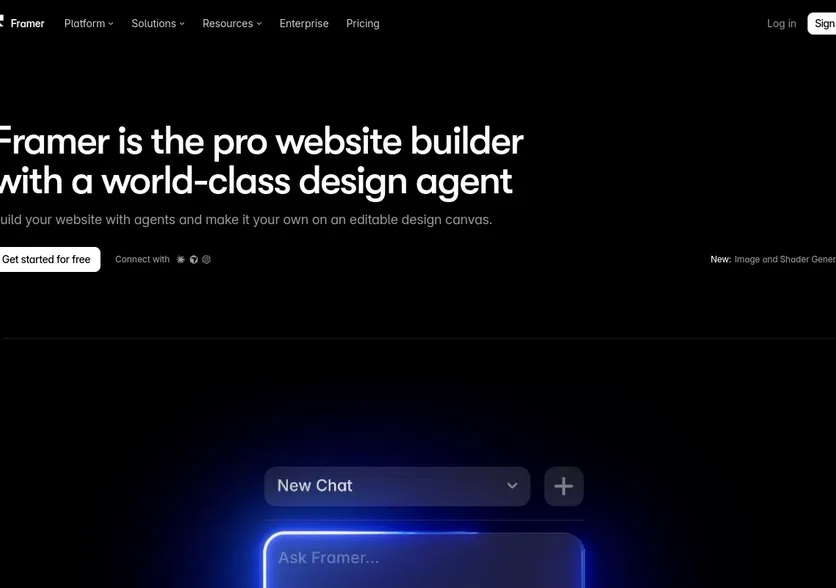
Framer is the fastest route from a prototype to something a client can open on a real web address, because the tool is both a design canvas and a site publisher. This Framer Basic plan builds interactive pages with animations, forms and content tools, then publishes them without a developer in the loop. A freelancer who sells landing pages can prototype, present and ship the finished page from one subscription.
What we like
- Prototypes publish as real live websites
- Animations and forms work without code
- Cheapest entry plan on this list
Watch out for
- Basic covers one site, so extra sites cost more
- Design depth is lighter than Figma for big systems
How to try it
- Open the Framer pricing page and start the free plan
- Design the page and add animations and forms
- Publish the site and send the live link to your client
3. Sketch
Best for: Mac designers who already work in Sketch
Paid tool Starting price: $12/editor/month · Standard plan, $12 an editor a month billed annually; $14 billed monthly
Free plan: No free plan; 30-day free trial
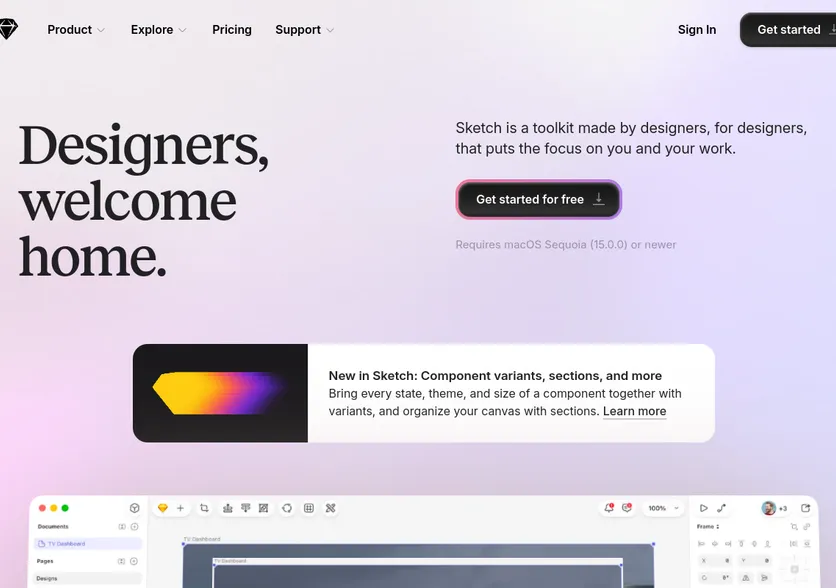
Sketch is the veteran Mac design tool that many agencies still build their systems in, and its prototyping stays close to the design file instead of living in a separate app. This Sketch Standard plan links artboards into clickable flows, shares them through a browser link and keeps symbols and styles in sync across a project. A designer on a Mac who already works in Sketch can add prototyping without learning a new tool.
What we like
- Prototyping lives inside the design file
- Symbols and styles stay in sync across a project
- Long track record with agencies and design systems
Watch out for
- Mac only, so Windows clients cannot edit files
- No free plan, only a trial before paying
How to try it
- Open the Sketch pricing page and start the free trial
- Link your artboards into a clickable flow
- Share the browser link with your client for review
4. ProtoPie
Best for: Freelancers pitching mobile apps that must feel real
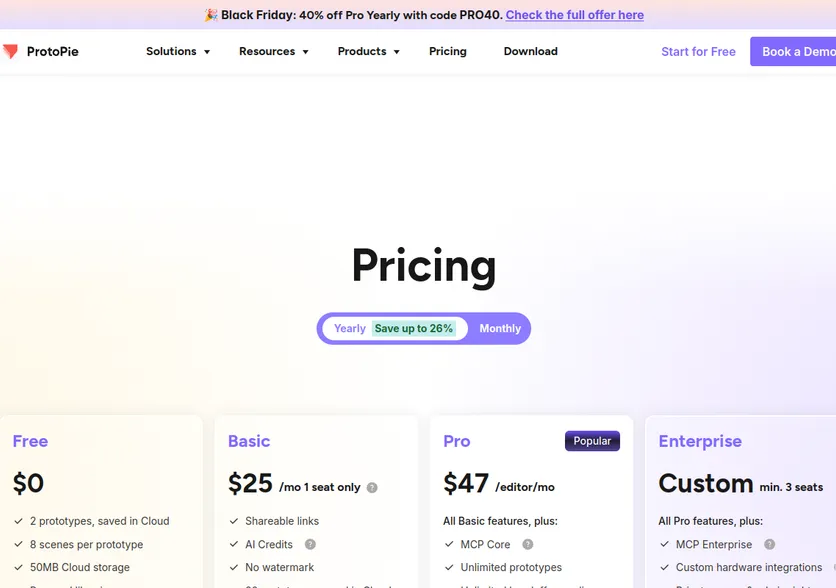
Paid tool Starting price: $25/month · Basic plan, $25 a month billed annually for one seat; Pro is $47 an editor a month
Free plan: Free plan with limited prototypes
ProtoPie is the pick when a prototype must feel like a real app, with conditional logic, sensors and realistic motion that a simple click-through cannot fake. This ProtoPie Basic plan builds interactions from triggers and responses, tests them on a real phone and shares them with a link. A freelancer pitching a mobile app can show a client exactly how a swipe, a shake or a voice command will behave.
What we like
- Realistic motion, sensors and conditional logic
- Tests on a real phone, not just a desktop preview
- Free plan covers a first prototype
Watch out for
- Basic covers one seat, so team work costs more
- Learning curve is steeper than a click-through tool
How to try it
- Open the ProtoPie pricing page and start the free plan
- Build an interaction from triggers and responses
- Test it on your phone and share the link with your client
5. Axure RP
Best for: Freelancers documenting complex enterprise workflows
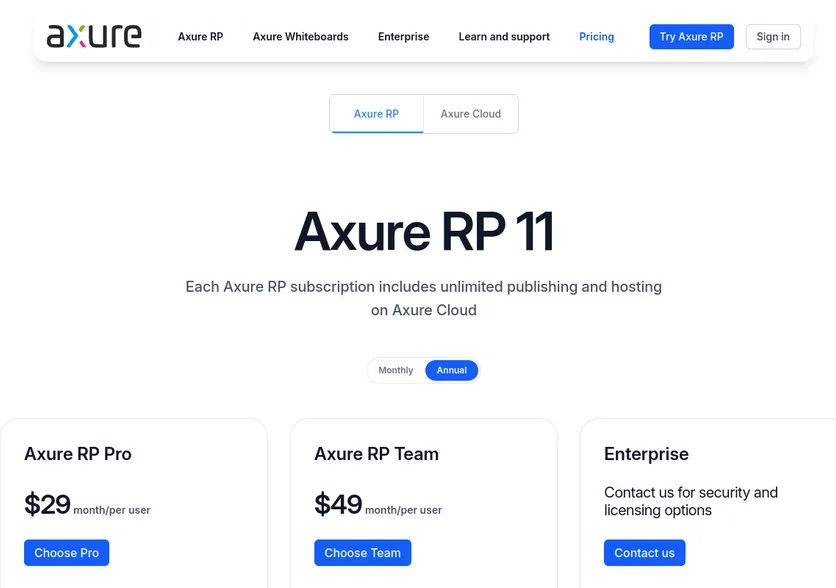
Paid tool Starting price: $29/user/month · Pro plan, $29 a user a month billed annually; $34 billed monthly; Team is $49
Free plan: No free plan; 30-day free trial
Axure RP is the heavyweight for complex flows, where conditional logic, variables and data-driven screens matter more than pretty visuals. This Axure RP Pro plan builds working prototypes with dynamic panels, repeaters and math functions that mimic a real product. A freelancer documenting an enterprise workflow can prove the logic works before a developer writes a line of code.
What we like
- Conditional logic and variables that mimic real products
- Data-driven screens from repeaters and lists
- Strong documentation for complex workflows
Watch out for
- Pro costs twenty-nine dollars a user a month
- Interface feels dated next to newer design tools
How to try it
- Open the Axure pricing page and start the free trial
- Build the flow with dynamic panels and variables
- Publish the prototype and walk your client through the logic
6. UXPin
Best for: Freelancers working inside a client design system
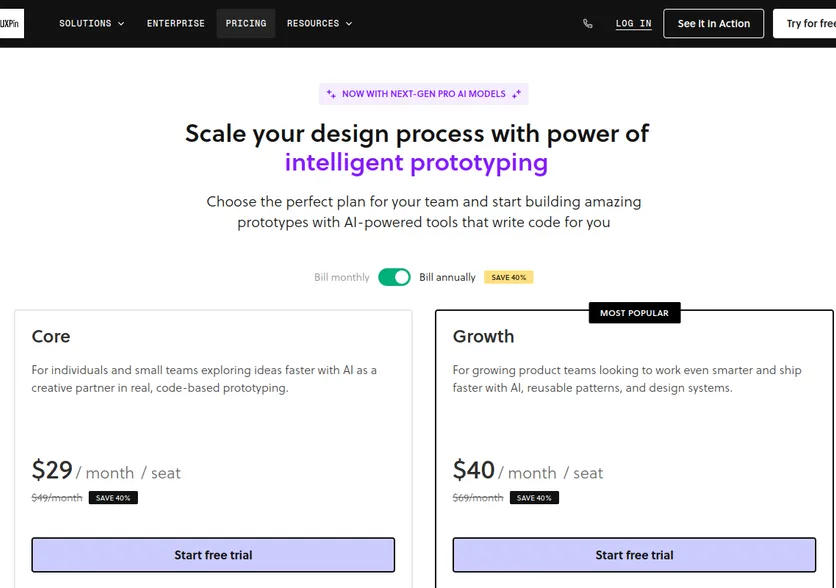
Paid tool Starting price: $29/seat/month · Core plan, $29 a seat a month billed annually; the vendor lists $49 a seat a month as the standard rate
Free plan: No free plan; 14-day free trial
UXPin is built for teams that design with real data and real code components, so a prototype behaves like the finished product instead of a picture of it. This UXPin Core plan pulls live data into designs, uses coded components from a library and hands developers specs straight from the canvas. A freelancer working inside a client design system can prototype with the same components the engineers will ship.
What we like
- Coded components match what engineers ship
- Live data makes prototypes feel like real products
- Developer specs come straight from the canvas
Watch out for
- Core costs twenty-nine dollars a seat a month
- Overkill for simple marketing page mockups
How to try it
- Open the UXPin pricing page and start the free trial
- Import the client design system components
- Build the prototype with live data and share it for review
7. Balsamiq
Best for: Freelancers who need a client to approve structure fast
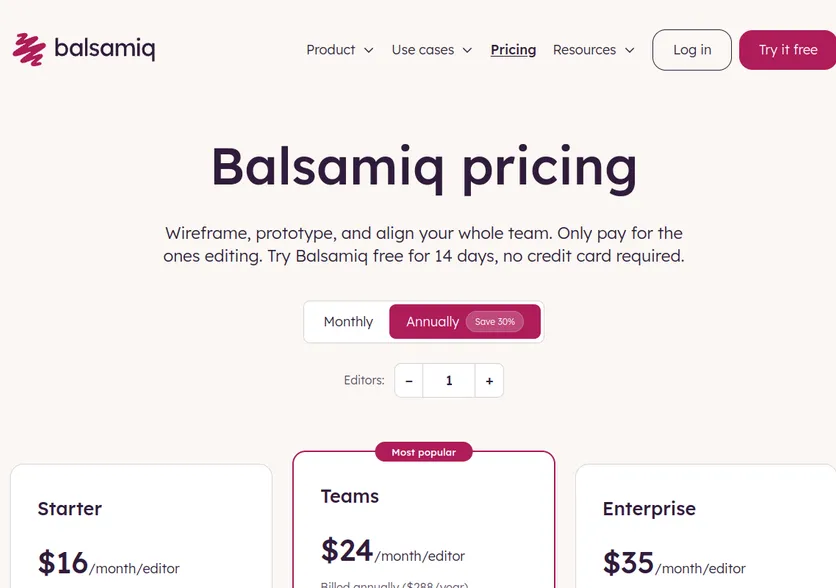
Paid tool Starting price: $16/editor/month · Starter plan, $16 an editor a month billed annually
Free plan: No free plan; 30-day free trial
Balsamiq is the fastest way to sketch an idea in front of a client, because its hand-drawn style keeps the conversation on the flow instead of the fonts. This Balsamiq Starter plan turns rough wireframes into clickable mockups in minutes, with no learning curve and no setup. A freelancer who needs a client to approve structure before polish can get a yes in the first meeting.
What we like
- Rough style keeps clients focused on structure
- Wireframes take minutes, not hours
- No learning curve for new users
Watch out for
- Hand-drawn style never looks like a finished product
- No free plan, only a trial before paying
How to try it
- Open the Balsamiq pricing page and start the free trial
- Sketch the screens as rough wireframes
- Link them into a flow and walk the client through it
8. Justinmind
Best for: Freelancers who want capable prototyping at a modest price
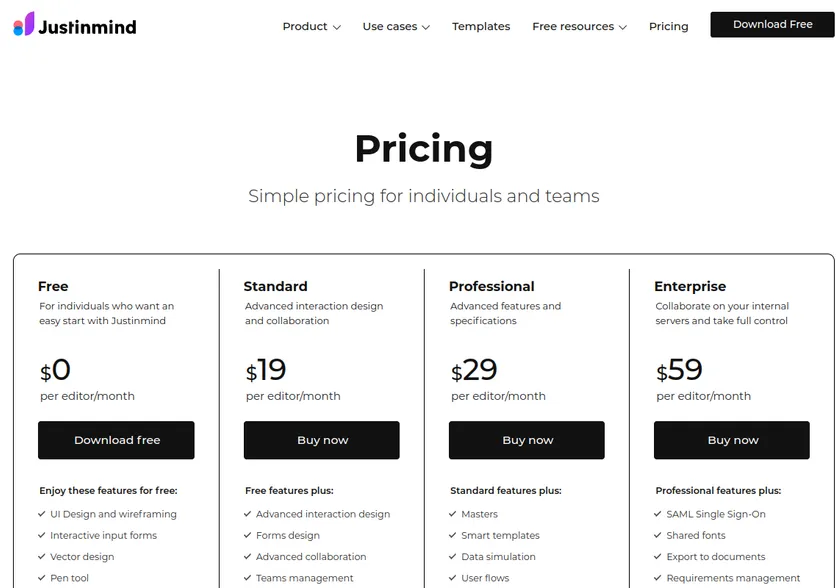
Paid tool Starting price: $19/user/month · Standard plan, $19 a user a month; Professional is $29
Free plan: Free plan for one prototype
Justinmind is a solid all-rounder for web and mobile prototypes, with interactions, gestures and data lists that cover most client projects without extra tools. This Justinmind Standard plan builds clickable flows from screens, adds conditional navigation and shares them for comment in a browser. A freelancer who wants a capable prototyping tool at a modest seat price will find it covers the brief.
What we like
- Gestures, data lists and conditional navigation included
- Covers web and mobile in one tool
- Free plan covers a first prototype
Watch out for
- Smaller community than Figma or Framer
- Interface takes a day to learn properly
How to try it
- Open the Justinmind pricing page and start the free plan
- Build your screens and link them into a flow
- Add interactions and share the prototype for comments
Prices above were checked on each vendor’s own website on Nov 26, 2026 and can change — the vendor’s page is the final word. Vendor links are editorial: nobody paid to be listed or ranked here. Vendors who want a featured listing can see how it works on our Get listed page.
What prototyping software costs a freelancer in 2026
Most freelancers pay for one seat, so the per-editor price is the whole budget and the cheapest plan is not always the cheapest deal. This list runs from ten dollars a month for Framer Basic to about thirty dollars a seat a month for Axure Pro, and every figure is the list price on the vendor site, checked on November 26, 2026. Free plans cover small jobs on Figma, Framer, ProtoPie and Justinmind, while the rest offer trials, so you can test a real project before paying.
Start with two tools on a real client brief and compare how fast each one turns a sketch into a clickable flow your client understands. The tool that wins the client meeting is the one worth paying for, even when it is not the cheapest on the list.
Before you buy
- Count the seats first, because most plans here charge per editor and a freelancer feels every extra seat on the invoice.
- Check the free plan limits, because a free tier that caps files or screens can force an upgrade mid-project.
- Test client sharing early, because a prototype your client cannot open without an account slows every review round.
- Ask whether the tool fits your device: Sketch needs a Mac, while Figma, Framer and ProtoPie run in a browser.
- Add up the handoff value, because a tool that gives developers specs and assets saves hours of export work.
Official websites
Official websites of the products reviewed above. Features and prices were checked against these sites when this guide was written, and they can change, so confirm on the vendor site before you buy.
Frequently asked questions
Which prototyping software is best for a UX freelancer in 2026?
Figma, at sixteen dollars an editor a month on Professional, is the safest default because clients and developers open the same file in a browser with no install. Framer is better when you sell landing pages, since prototypes publish as live sites from ten dollars a month. ProtoPie wins for mobile apps that need realistic motion and sensors.
What is the cheapest prototyping software for freelancers?
Framer Basic, at ten dollars a month billed annually, is the cheapest paid plan here and publishes real websites. Figma, ProtoPie and Justinmind all offer free plans that cover small jobs, so a freelancer can start at no cost. Sketch Standard, at twelve dollars an editor a month, is the cheapest paid plan for Mac designers.
Can I prototype for free as a freelancer?
Yes, on four of these eight tools. Figma, Framer, ProtoPie and Justinmind all offer free plans that cover a first prototype or a small client job. Sketch, Axure RP, UXPin and Balsamiq offer free trials instead, from fourteen to thirty days. Start on a free plan, then pay only when a client project outgrows it.
Do I need a Mac for prototyping software?
Only for Sketch, which runs on Mac and shares files through a browser link for everyone else. Figma, Framer, ProtoPie, Axure RP, UXPin, Balsamiq and Justinmind all run on Windows and Mac, mostly in the browser. If your clients use Windows, pick a browser-based tool so nobody needs to install anything.
Which prototyping tool is best for mobile app prototypes?
ProtoPie is the strongest pick for mobile apps, because it adds conditional logic, sensors and realistic motion that a click-through cannot fake, and it tests on a real phone. Figma handles mobile flows well when the design system already lives there. Justinmind covers gestures and data lists for standard app screens at a lower seat price.
Need everyday design help too? Try Toolsvine's free web design tools right in your browser.
Browse CSS & Web Design Generators tools


