On this page
Construction firms juggle jobs, crews, subcontractors and invoices at the same time, so the practice software has to hold all of it without slowing the site down. The seven tools below cover that job for builders of every size, from a nine-dollar workspace for a small crew to a full PSA suite for firms that bill by phase. BigTime leads because construction billing runs on phases, and its phase-based invoicing matches how builders actually charge. The rest are ranked on how well they turn site hours into invoices for the price.
How we researched this
We checked every price on the vendor pricing page on November 28, 2026, and only included tools with a published US dollar list price. The big construction platforms that sell by quote, including Procore, Buildertrend and Jonas, publish no prices, so they are not in this list. Prices change, so confirm the current figure on the vendor site before you buy.
Compare the tools
| Name | Best for | Starting price | Free plan | |
|---|---|---|---|---|
 ClickUp | Construction firms that want one flexible workspace | $9/user/month | Free plan | Visit |
 monday.com | Construction teams that want visual boards | $9/seat/month | Free plan (up to 2 seats) | Visit |
 Teamwork | Teams that run client work in one shared space | $9.99/user/month | Free plan (up to 5 users) | Visit |
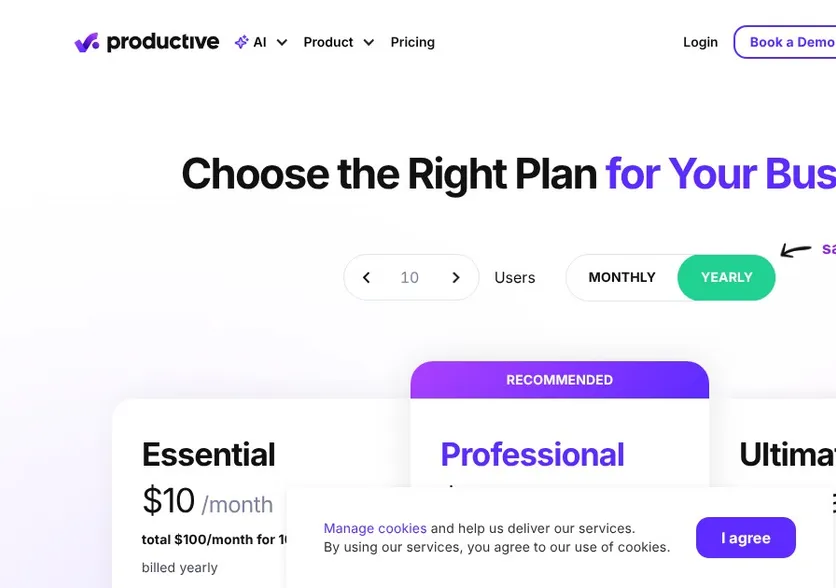
 Productive | Small firms that want one tool for everything | $10/user/month | No free plan; 14-day free trial | Visit |
 Asana | Construction teams that need clear task ownership | $10.99/user/month | Free plan (Personal, up to 2 users) | Visit |
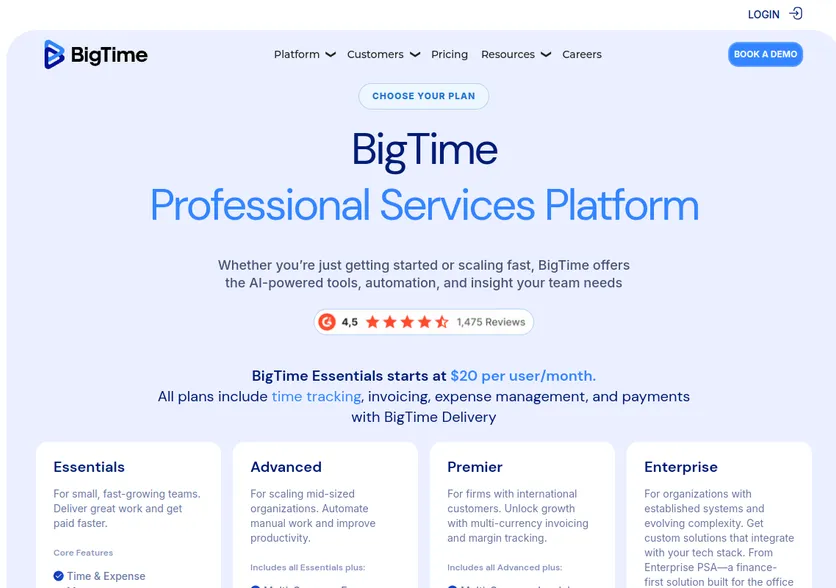
 BigTime | Finance-led firms that bill by phase | $20/user/month | No free plan; free demo | Visit |
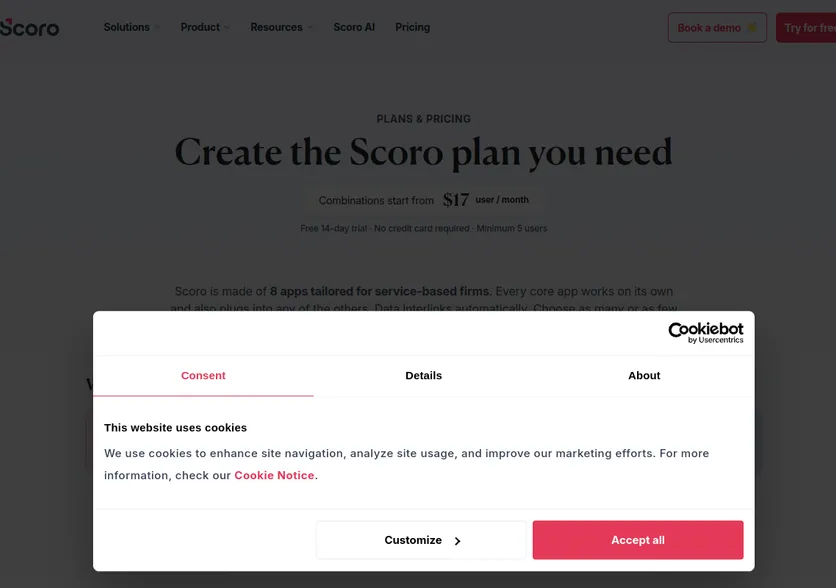
 Scoro | Firms that want quoting, delivery and money in one place | $29/user/month | No free plan; 14-day free trial | Visit |
The PSA software for construction firms, compared
1. ClickUp
Best for: Construction firms that want one flexible workspace
Paid tool Starting price: $9/user/month · Nine dollars per user a month billed annually on Core (twelve dollars monthly); Business is seventeen dollars a user a month billed annually; free plan included
Free plan: Free plan
For a construction firm that wants one workspace for every job, this ClickUp plan costs nine dollars per user a month billed annually, and it holds docs, tasks, time and chat in the same place. Custom views fit any workflow, from a single custom build to a dozen jobs running at once. The free plan lets a small firm test it on a real project before paying.

What we like
- Docs, tasks, time and chat in one workspace
- Custom views fit any construction workflow
- Low entry price with a generous free plan
Watch out for
- The flexibility means setup takes real time
- Advanced reporting sits on the Business tier
How to try it
- Create a space for the project with lists per phase
- Add tasks, owners and deadlines for each stage
- Track time on tasks and report progress to the client
2. monday.com
Best for: Construction teams that want visual boards
Paid tool Starting price: $9/seat/month · Nine dollars per seat a month billed annually on Basic (twelve dollars monthly); Standard is twelve dollars; three-seat minimum; free plan covers up to two seats
Free plan: Free plan (up to 2 seats)
A builder that needs the whole crew to read the plan at a glance will like this monday.com plan, which costs nine dollars per seat a month billed annually on Basic. Visual boards show phases, owners and dates without a training session, and automations cut the repetitive status updates. It is the easiest tool in this list for a site team to pick up.

What we like
- Visual boards that anyone on site can read
- Automations cut repetitive status updates
- Hundreds of templates for construction workflows
Watch out for
- Real PSA depth needs higher tiers and add-ons
- Per-seat pricing climbs fast on big crews
How to try it
- Pick a construction template and add the project phases
- Assign tasks to the crew with dates and owners
- Track progress on the board and share it with the client
3. Teamwork
Best for: Teams that run client work in one shared space
Paid tool Starting price: $9.99/user/month · Nine dollars and ninety-nine cents per user a month billed annually on Basics (thirteen dollars and ninety-nine cents monthly); Accelerate is twenty-four dollars and ninety-nine cents; Optimize and Enterprise are quoted; free plan covers up to five users; the vendor renamed Deliver to Basics in 2026
Free plan: Free plan (up to 5 users)
When the client wants to follow progress without daily calls, this Teamwork plan costs nine dollars and ninety-nine cents per user a month billed annually, and it shares projects, time and invoices in one workspace. The free plan covers five people, so a small firm can run a job on it before paying. It suits builders who want the client inside the project, not outside it.

What we like
- Clean project views that clients can follow too
- Time tracking and invoicing built into projects
- Free plan covers a five-person team
Watch out for
- Full PSA features sit in the quoted Optimize tier
- AI runs on monthly credits that can run out
How to try it
- Create a project and invite the team and the client
- Assign tasks with deadlines and track time on each one
- Invoice from tracked time when the work is done
4. Productive
Best for: Small firms that want one tool for everything
Paid tool Starting price: $10/user/month · Ten dollars per user a month billed annually on Essential (twelve dollars billed monthly); Professional is twenty-five dollars; Ultimate is quoted; three-seat minimum; one November 2026 read derives nine dollars from a ten-user total, which the vendor ladder does not support
Free plan: No free plan; 14-day free trial
A construction firm moving off spreadsheets gets projects, budgets and invoicing in one subscription here, since this Productive plan costs ten dollars per user a month billed annually. Budget tracking shows the profit on each job while it is still running, which matters when margins are thin. It is the simplest all-in-one in this list for a firm that wants one bill.
What we like
- Projects, time, budgets and invoicing in one place
- Low entry price with a clear upgrade path
- Budget tracking shows profit per project live
Watch out for
- CRM integrations and the MCP need the quoted Ultimate plan
- The three-seat minimum rules out solo users
How to try it
- Create a project and set its budget and rate card
- Track time and expenses against the project daily
- Invoice the client from the tracked work and check profitability
5. Asana
Best for: Construction teams that need clear task ownership
Paid tool Starting price: $10.99/user/month · Ten dollars and ninety-nine cents per user a month billed annually on Starter (thirteen dollars and forty-nine cents monthly); Advanced is twenty-four dollars and ninety-nine cents; Personal is free for up to two users
Free plan: Free plan (Personal, up to 2 users)
For a construction team that needs every task owned and dated, this Asana plan costs ten dollars and ninety-nine cents per user a month billed annually on Starter. Timelines and dependencies keep phases in order, and forms route site paperwork to the right person. It fits firms where clear task ownership matters more than deep billing.

What we like
- Timelines and dependencies keep phases in order
- Forms and approvals route site paperwork
- Wide integration library for construction tools
Watch out for
- Time tracking and invoicing need integrations or higher tiers
- Costs rise quickly once the whole crew is added
How to try it
- Build the project timeline with phases and dependencies
- Assign each task to an owner with a due date
- Review progress weekly and reassign work as dates move
6. BigTime
Best for: Finance-led firms that bill by phase
Paid tool Starting price: $20/user/month · Twenty dollars per user a month on Essentials, the only published price; Advanced, Premier and Enterprise are quoted; the vendor page states no minimum seat count or billing period, so confirm both before you buy; free demo only, no trial
Free plan: No free plan; free demo
Construction firms that bill by phase need time tied to the fee schedule, and this BigTime plan costs twenty dollars per user a month on Essentials, with invoicing and payments in the same workflow. The QuickBooks and Sage Intacct links keep the back office in step with the job record. It leads this list because phase billing is what construction firms actually do.
What we like
- Phase-based billing ties time to fees cleanly
- Strong QuickBooks and Sage Intacct integrations
- Invoicing and payments sit in the same workflow
Watch out for
- Only the entry price is published, so higher tiers need a sales call
- Resource management is a separate module
How to try it
- Set up projects with phases that match the fee schedule
- Log billable time against each phase every day
- Generate invoices from approved time and send them for payment
7. Scoro
Best for: Firms that want quoting, delivery and money in one place
Paid tool Starting price: $29/user/month · Twenty-nine dollars per user a month billed annually on the Projects and Resources bundle; Time-billing is seventeen dollars, Quote to Cash is twenty-nine dollars and End-to-end is fifty-seven dollars; five-user minimum on every plan; the older Essential plan at twenty-six dollars is superseded by the new bundle ladder
Free plan: No free plan; 14-day free trial
For a construction firm that wants quoting, delivery and money in one suite, this Scoro plan costs twenty-nine dollars per user a month billed annually on the Projects and Resources bundle. Real-time profitability reports show which jobs make money and which ones quietly lose it. It is the strongest all-rounder here for a firm past the ten-person mark.
What we like
- Quotes, projects, capacity and invoices in one suite
- Real-time profitability reports per project
- CRM and quoting sit beside delivery work
Watch out for
- The five-user minimum makes the real floor one hundred and forty-five dollars a month
- Add-ons push the bill up as modules are added
How to try it
- Set up a quote and turn it into a live project
- Plan capacity across the team on the resource board
- Track time and invoice from the same project record
Prices above were checked on each vendor’s own website on Nov 28, 2026 and can change — the vendor’s page is the final word. Vendor links are editorial: nobody paid to be listed or ranked here. Vendors who want a featured listing can see how it works on our Get listed page.
How to pick PSA software for a construction firm
Start with the billing model, because a firm that bills by phase needs different software from one that bills by the hour. Check whether the tool handles subcontractors, since a crew of ten with twenty subcontractors needs more than a simple task list. Test the accounting link on a real job, because a broken QuickBooks sync creates more work than the tool saves. Watch the per-seat maths on a big crew, since nine dollars a seat is cheap for five people and expensive for fifty. Finally, run a trial on one live job with real hours and real invoices, and only pay once the numbers match the old spreadsheet.
Before you buy
- Confirm the tool handles subcontractors, not just employees, in time tracking and billing
- Check whether phase billing and progress claims are built in or need an add-on
- Ask if the accounting integration syncs both ways with QuickBooks or Sage Intacct
- Make sure the per-seat price still works when the whole crew is added
- Test the tool on one live job with real hours before paying for a full year
Official websites
Official websites of the products reviewed above. Features and prices were checked against these sites when this guide was written, and they can change, so confirm on the vendor site before you buy.
Frequently asked questions
What is PSA software for construction firms?
It is software that runs the business side of a building firm: jobs, phases, crews, subcontractors, time tracking, invoicing and profitability in one system. Good tools tie hours to phase budgets, so a manager sees whether a job is making money while it is still running. The best options also connect to the accounting software the firm already uses, so billing and books stay in step.
How much does BigTime cost for a construction firm?
BigTime costs twenty dollars per user a month on Essentials, the only published price, with Advanced, Premier and Enterprise quoted. The vendor page states no minimum seat count or billing period, so confirm both before you buy. There is no free trial, only a free demo, so ask for a guided walkthrough on a real job first.
Can a small construction firm use PSA software for free?
Yes, with ClickUp, monday.com and Teamwork, which all offer free plans for small teams. ClickUp and monday.com cover up to two seats free, while Teamwork covers up to five users. All three include projects and task tracking, so a small crew can run a real job without paying. Larger firms will outgrow any free plan quickly.
Which PSA tool is best for a small construction firm?
ClickUp is the best value for a small firm, at nine dollars a user a month billed annually, with docs, tasks, time and chat in one workspace. monday.com is the easier pick if the crew needs visual boards they can read at a glance. BigTime is the better choice once the firm bills by phase and needs proper invoicing.
Why are Procore and Buildertrend not in this list?
Both platforms publish no prices, so buyers must go through a sales call before any budget figure exists. We only include tools with a published US dollar list price, so quote-only tools are excluded even when builders ask about them. Ask each vendor for a scoped quote before shortlisting either one.
Compare the seven tools above, then start with a free trial or the free ClickUp plan on the tool that matches how the firm bills, before paying for a full year.
Browse Business Tools tools