On this page
A cleaning business sells trust, so every clean needs a schedule, a checklist and a record that the job was done. The eight tools below quote, schedule, dispatch and inspect the work, and they start at nine dollars a seat a month. Jobber Core leads because it covers quoting, scheduling and invoicing for the price of one tool, and the cheaper tools cover the crews that only need one job done well.
How we researched this
We checked every price on the vendor pricing page on November 28, 2026, and only included tools with a published US dollar list price. ServiceTitan publishes no prices, so it is not in this list. Prices change, so confirm the current figure on the vendor site before you buy.
Compare the tools
| Name | Best for | Starting price | Free plan | |
|---|---|---|---|---|
 Jobber Core | Cleaning and contracting crews that quote and schedule jobs | $29/month | No free plan; 14-day free trial | Visit |
 Housecall Pro Basic | Larger cleaning and contracting crews with dispatch needs | $59/month | No free plan; 14-day free trial | Visit |
 Fieldwire Pro | Field teams that run checklists on drawings | $39/user/month | Free Basic plan (5 users, 3 projects) | Visit |
 SafetyCulture | Teams that run inspections and audits in the field | $24/seat/month | Free plan (up to 10 users) | Visit |
 Connecteam Basic | Cleaning crews that need scheduling and chat in one app | $29/month | Free Small Business plan (up to 10 users) | Visit |
 Monday.com Basic | Teams that want visual boards for quality work | $9/seat/month | Free plan (up to 2 seats) | Visit |
 Asana Starter | Teams that run quality checklists as projects | $10.99/user/month | Free Personal plan (up to 2 users) | Visit |
 Smartsheet Pro | Teams that manage quality in spreadsheets with controls | $9/member/month | No free plan; 30-day free trial | Visit |
The quality management software for cleaning businesses, compared
1. Jobber Core
Best for: Cleaning and contracting crews that quote and schedule jobs
Paid tool Starting price: $29/month · Twenty-nine dollars a month on Core billed annually; the price is per business, not per user, so adding crew does not add seats
Free plan: No free plan; 14-day free trial
Cleaning crews that quote, schedule and invoice from one app start here, because this Jobber Core plan costs twenty-nine dollars a month billed annually, priced per business rather than per user. Clients book and pay online, and the crew sees the day's jobs on one schedule. It is the best all-round tool in this list for a cleaning business that wants to grow.

What we like
- Quoting, scheduling and invoicing in one app
- Client portal with online booking and payments
- Priced per business, not per user
Watch out for
- No free plan, only a fourteen-day trial
- Advanced features need the dearer tiers
How to try it
- Add services and set prices
- Quote a job and send it to the client
- Schedule the crew and invoice on completion
2. Housecall Pro Basic
Best for: Larger cleaning and contracting crews with dispatch needs
Paid tool Starting price: $59/month · Fifty-nine dollars a month on Basic billed annually; some trade views of the vendor page show seventy-nine dollars, so confirm the plan at checkout
Free plan: No free plan; 14-day free trial
Bigger cleaning crews that dispatch all day need a board, and this Housecall Pro Basic plan costs fifty-nine dollars a month billed annually. The dispatch board shows every job and technician, and online booking and payments come included. It is the best pick in this list for a cleaning business with several crews on the road.

What we like
- Dispatch board shows every job and tech
- Online booking and payments included
- Strong review and marketing tools built in
Watch out for
- Basic tier is limited for bigger operations
- Price shown varies by trade view on the vendor page
How to try it
- Add technicians and their service areas
- Set up online booking for clients
- Dispatch jobs from the board each morning
3. Fieldwire Pro
Best for: Field teams that run checklists on drawings
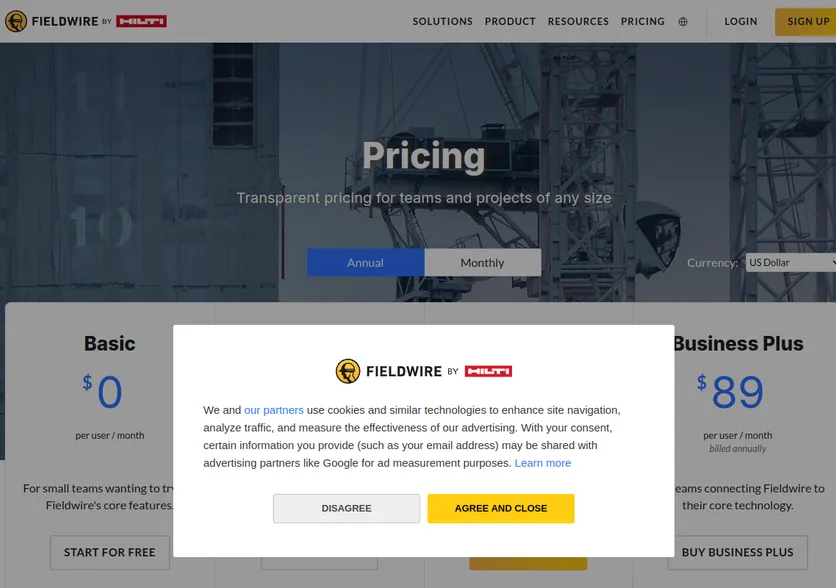
Paid tool Starting price: $39/user/month · Thirty-nine dollars per user a month on Pro billed annually, fifty-four dollars month to month; Business is sixty-four dollars a month billed annually; Business Plus is eighty-nine dollars
Free plan: Free Basic plan (5 users, 3 projects)
Crews that work from floor plans need checklists on the drawing, and this Fieldwire Pro plan costs thirty-nine dollars per user a month billed annually. Tasks pin to exact spots on the plan, and the free Basic plan covers five users and three projects. It is the best site tool in this list for a cleaning business that cleans big buildings.
What we like
- Drawings and checklists on one mobile app
- Tasks pinned to exact spots on the plan
- Free Basic plan for small teams
Watch out for
- Pro is per user, so big crews pay a lot
- Reporting depth needs the Business tier
How to try it
- Upload the drawings and set up the project
- Create checklists and assign them to the crew
- Pin tasks to the plan as issues appear
4. SafetyCulture
Best for: Teams that run inspections and audits in the field
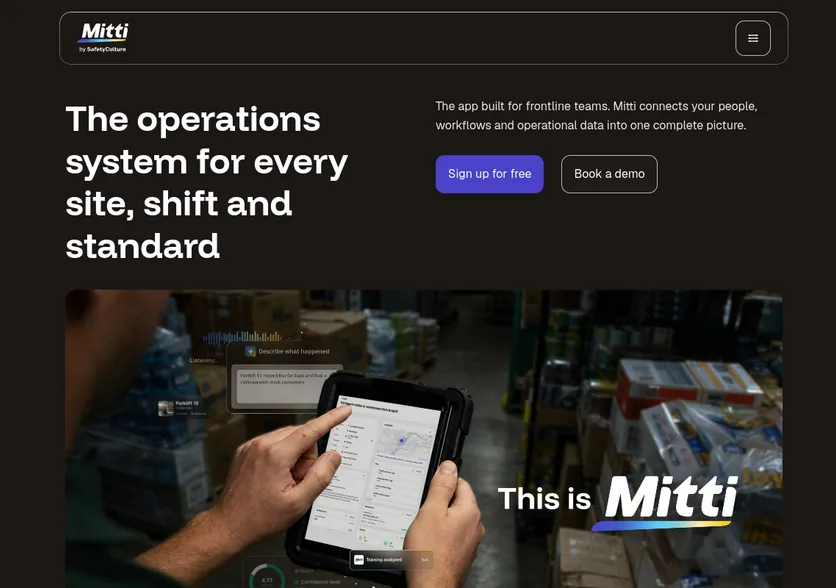
Paid tool Starting price: $24/seat/month · Twenty-four dollars per seat a month on Premium billed annually, twenty-nine dollars month to month; Enterprise is quoted; Lite seats are five dollars a seat a month; the vendor rebranded to Mitti in August 2026 and safetyculture.com now leads to the new brand, while the product keeps the SafetyCulture name
Free plan: Free plan (up to 10 users)
Cleaning teams that prove the job was done properly use inspections, and this SafetyCulture plan costs twenty-four dollars per seat a month billed annually on Premium. Checklists run on a phone, failed items become fix tasks, and the free plan covers ten users. It is the best inspection tool in this list for a cleaning business that sells quality.
What we like
- Checklists and inspections built for the field
- Free plan covers ten users and five templates
- Issues flow straight from inspection to fix
Watch out for
- Premium is per seat, so large crews pay a lot
- The rebrand to Mitti may confuse buyers
How to try it
- Pick a template or build a checklist
- Run the inspection on the mobile app
- Assign the failed items for fixing
5. Connecteam Basic
Best for: Cleaning crews that need scheduling and chat in one app
Paid tool Starting price: $29/month · Twenty-nine dollars a month per hub on Basic billed annually for the first thirty users, thirty-five dollars month to month; Advanced is forty-nine dollars a month billed annually; Expert is ninety-nine dollars; hubs are priced separately, so all three hubs on Basic cost eighty-seven dollars a month
Free plan: Free Small Business plan (up to 10 users)
Crews that need scheduling, time clock and chat in one phone app get it here, since this Connecteam Basic plan costs twenty-nine dollars a month per hub billed annually for the first thirty users. The free plan covers ten users across all hubs, and the mobile design is one the crew actually opens. It is the best team app in this list for a cleaning business with staff on site.

What we like
- Scheduling, time clock and chat in one app
- Free plan covers ten users across all hubs
- Mobile-first design the crew actually uses
Watch out for
- Each hub is billed separately, so costs stack
- Extra users after thirty cost more per head
How to try it
- Add the crew and set their schedules
- Turn on the time clock for shifts
- Post updates in the team chat
6. Monday.com Basic
Best for: Teams that want visual boards for quality work
Paid tool Starting price: $9/seat/month · Nine dollars per seat a month on Basic billed annually, twelve dollars month to month, with a three-seat minimum; Standard is twelve dollars a seat a month billed annually; Pro is nineteen dollars; Enterprise is quoted
Free plan: Free plan (up to 2 seats)
Cleaning managers that run quality on visual boards will like this, since this Monday.com Basic plan costs nine dollars per seat a month billed annually. Each site gets a board with status and owner columns, and automations chase overdue cleans without a phone call. It is the cheapest board tool in this list for a cleaning business that manages by sight.

What we like
- Boards and automations are easy to build
- Templates cover most quality workflows
- Free plan for two seats to try it
Watch out for
- Basic lacks time tracking and formula columns
- Per-seat pricing grows with the team
How to try it
- Pick a quality template and add the team
- Build a board with status and owner columns
- Set an automation to chase overdue items
7. Asana Starter
Best for: Teams that run quality checklists as projects
Paid tool Starting price: $10.99/user/month · Ten dollars and ninety-nine cents per user a month on Starter billed annually, thirteen dollars and forty-nine cents month to month; Advanced is twenty-four dollars and ninety-nine cents billed annually; Enterprise is quoted; seats are sold in blocks of five above five seats
Free plan: Free Personal plan (up to 2 users)
Cleaning teams that turn every site visit into a task get a tidy system here, because this Asana Starter plan costs ten dollars and ninety-nine cents per user a month billed annually. Recurring tasks cover the weekly cleans, and rules hand work between the crew and the supervisor. It is the best task tool in this list for a cleaning business that runs on checklists.

What we like
- Timeline and list views suit quality plans
- Rules automate handoffs between reviewers
- Strong integrations with the tools teams already use
Watch out for
- Starter caps at the basics, so dashboards need Advanced
- Seat blocks of five can waste licences
How to try it
- Create a project from the quality template
- Assign tasks with due dates and owners
- Set rules to move work between stages
8. Smartsheet Pro
Best for: Teams that manage quality in spreadsheets with controls
Paid tool Starting price: $9/member/month · Nine dollars per member a month on Pro billed annually, twelve dollars month to month, for one to ten members; Business is nineteen dollars a member a month billed annually; Enterprise is quoted; the old free plan is discontinued for new signups
Free plan: No free plan; 30-day free trial
Managers that track cleaning quality in spreadsheets get controls here, since this Smartsheet Pro plan costs nine dollars per member a month billed annually. Forms collect site reports from the crew without logins, and approval workflows sign off each clean. It is the best spreadsheet tool in this list for a cleaning business that reports to clients.

What we like
- Grid view feels familiar to spreadsheet users
- Forms collect field reports without logins
- Proofing and approval workflows built in
Watch out for
- No free plan for new signups, only a trial
- Business tier needed for serious dashboards
How to try it
- Build a sheet for the quality checklist
- Add a form for field reports
- Set approval rules for each row
Prices above were checked on each vendor’s own website on Nov 28, 2026 and can change — the vendor’s page is the final word. Vendor links are editorial: nobody paid to be listed or ranked here. Vendors who want a featured listing can see how it works on our Get listed page.
How to prove every clean happened without chasing the crew
Begin with the checklist, because a clean without a list depends on whoever shows up that day. Give each site its own checklist with photos, and make the crew tick each room off on the phone as they finish it. Check the failed items the same day, and send the fix back to the same crew while the site is fresh in their mind. Share the completed checklist with the client, because a record of the work is worth more than a promise. Review the repeat failures each month, and fix the process that keeps producing them.
Before you buy
- Confirm the tool covers quoting, scheduling and invoicing in one price
- Check whether the price is per business or per user
- Ask if checklists and inspections work offline on a phone
- Make sure clients can book and pay online without a phone call
- Test the tool with a real crew on a real site
Official websites
Official websites of the products reviewed above. Features and prices were checked against these sites when this guide was written, and they can change, so confirm on the vendor site before you buy.
Frequently asked questions
What is quality management software for cleaning businesses?
It is software that helps a cleaning business run quality across sites, from quoting and scheduling to checklists, inspections and client reporting. It proves each clean happened, flags the sites that failed and keeps the record for the client. For a cleaning business it replaces the clipboard and the phone call with a system the crew actually uses.
How much does Jobber cost for a cleaning business?
Jobber Core costs twenty-nine dollars a month billed annually, and the price is per business rather than per user, so adding crew does not add seats. There is no free plan, only a fourteen-day free trial. Housecall Pro Basic follows at fifty-nine dollars a month billed annually for larger crews with dispatch needs.
Can a cleaning business manage quality for free?
Partly, with SafetyCulture, which offers a free plan for up to ten users, Connecteam, which offers a free plan for up to ten users, and Fieldwire, which offers a free Basic plan for five users. The paid tiers add the scheduling, dispatch and reporting features a growing business needs. A small crew can start free and pay later.
What is the cheapest quality tool for cleaning businesses?
Monday.com, Asana and Smartsheet all start at nine to eleven dollars per seat or user a month billed annually, which makes them the cheapest paid options in this list. Jobber costs twenty-nine dollars a month per business. SafetyCulture Premium costs twenty-four dollars per seat a month for full inspections.
Which tool is best for a cleaning business?
Jobber is the best overall pick for a cleaning business, at twenty-nine dollars a month per business with quoting, scheduling and invoicing in one app. Housecall Pro suits a larger crew that needs dispatch. SafetyCulture is the best pick if the business sells quality through inspections.
Compare the eight tools above, then start with the free plan or trial on the tool that matches how the cleaning business already schedules crews before paying for a full year.
Browse Business Tools tools