On this page
Receipts are the least glamorous part of freelancing and the most expensive to ignore, because every lost receipt is a deduction your accountant cannot claim. The eight tools below run from three dollars a user a month to about twenty-five dollars a month, and every price was checked on the vendor site on November 26, 2026. Most offer a free plan or a trial, so you can scan a real month of receipts before paying. Expensify is our first pick — receipt scanning and reports from five dollars a user a month.
How we researched this
We started with the receipt tracking tools freelancers actually buy, then read each price on the vendor pricing page on November 26, 2026 and noted the free plan or trial each one carries. We judged them for a solo worker who photographs receipts, tracks mileage and needs clean records at tax time. We kept only tools with a published price and dropped any tool whose price we could not verify on the vendor site.
Compare the tools
| Name | Best for | Starting price | Free plan | |
|---|---|---|---|---|
 Expensify | Freelancers who bill expenses back to clients | $5/user/month | Free trial available | Visit |
 Dext | Freelancers clearing a pile of paper receipts | $25.21/month | Free trial; no free plan | Visit |
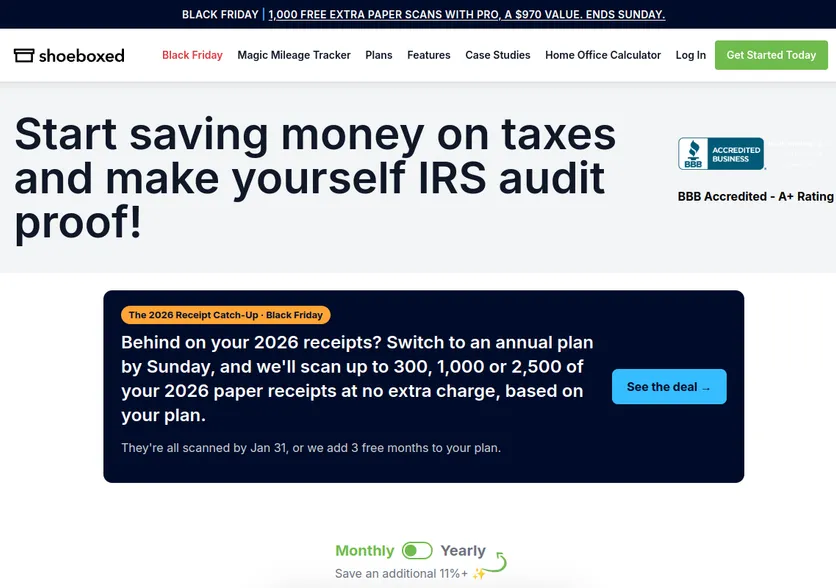
 Shoeboxed | Freelancers who would rather mail receipts than scan them | $9/month | 30-day free trial; no free plan | Visit |
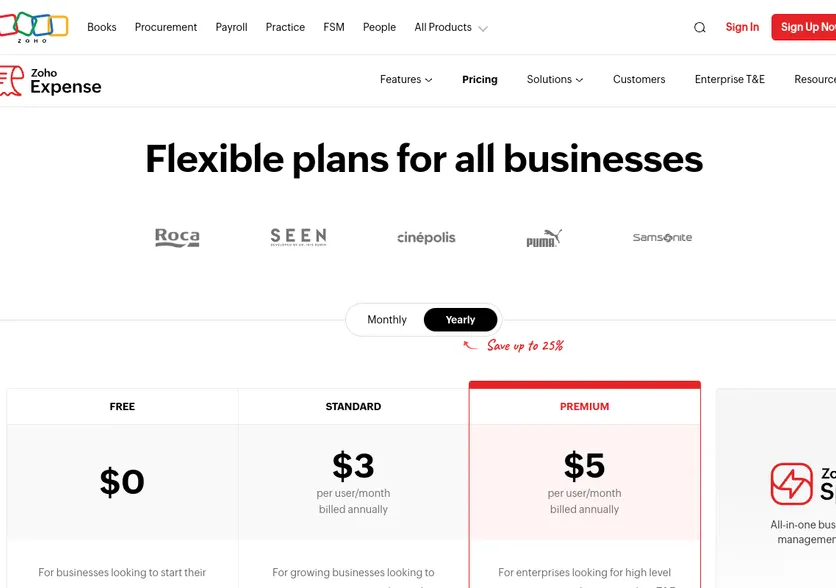
 Zoho Expense | Freelancers who want proper expense control at the lowest price | $3/user/month | Free plan for up to 3 users | Visit |
 FreshBooks | Freelancers who already invoice in FreshBooks | $23/month | 30-day free trial; no free plan | Visit |
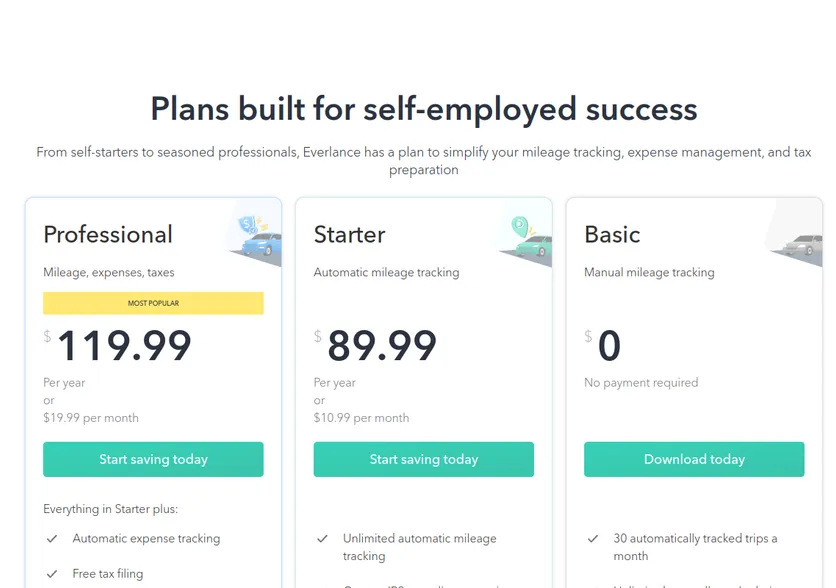
 Everlance | Freelancers who drive for work and claim mileage | $10.99/month | Free plan with limited automatic trips | Visit |
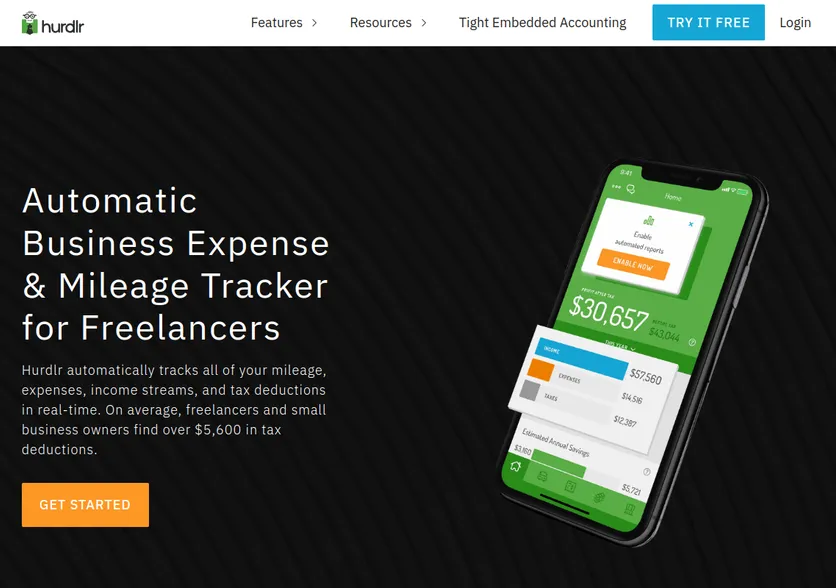
 Hurdlr | Freelancers who want a live estimate of their tax bill | $9.99/month | Free plan with limited mileage tracking | Visit |
 Keeper Tax | Freelancers who want deductions found and returns filed | $16.58/month | Free expense tracking; filing is paid | Visit |
The receipt tracking software, compared
1. Expensify
Best for: Freelancers who bill expenses back to clients
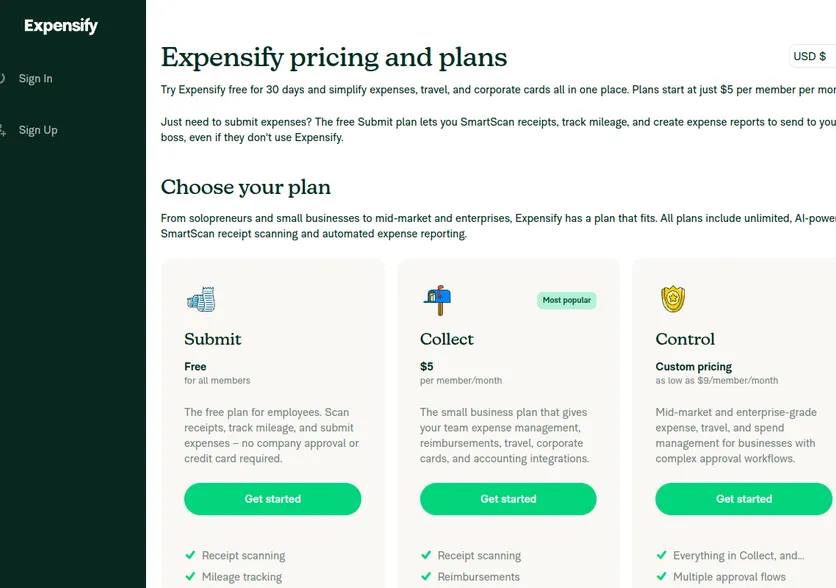
Paid tool Starting price: $5/user/month · Collect plan, $5 a user a month on a pay-per-use basis for each unique member
Free plan: Free trial available
Expensify is the receipt tool most freelancers meet first, because it turns a photo of a receipt into an expense report with almost no typing. This Expensify Collect plan scans receipts, matches them to bank transactions and exports them to your accounting tool. A freelancer who bills expenses to clients can photograph a receipt at lunch and send the report before dinner.
What we like
- Receipt photos become reports with almost no typing
- Matches receipts to bank transactions
- Exports to common accounting tools
Watch out for
- Collect costs five dollars a user a month
- Pay-per-use billing varies with team size
How to try it
- Open the Expensify pricing page and start a trial
- Photograph a receipt and check the scanned details
- Export the expense report to your accounting tool
2. Dext
Best for: Freelancers clearing a pile of paper receipts
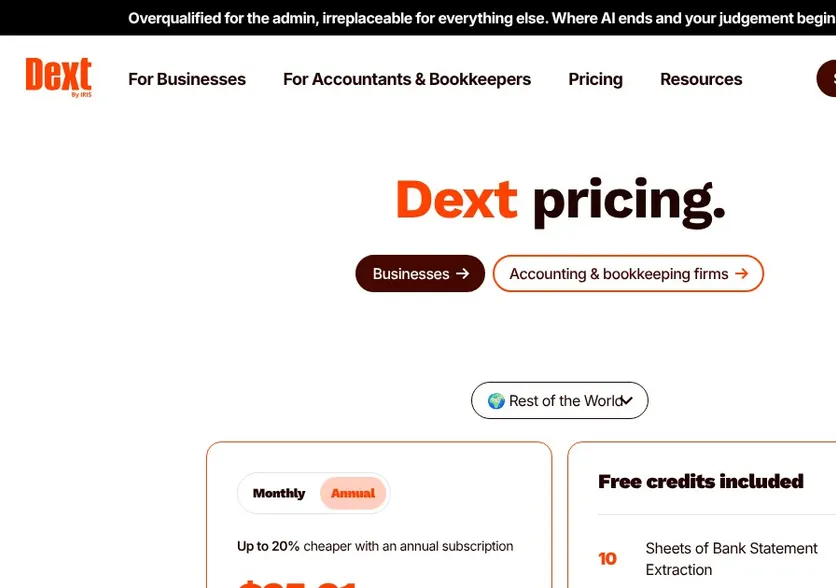
Paid tool Starting price: $25.21/month · $25.21 a month billed annually for 250 documents and 5 users; $31.50 billed monthly
Free plan: Free trial; no free plan
Dext is built for the shoebox problem, turning a pile of paper receipts and invoices into clean digital records. This Dext plan extracts data from receipts, invoices and bank statements, then pushes the results into your accounting software. A freelancer with a stack of paper at tax time can clear it in an afternoon instead of a weekend.
What we like
- Extracts data from receipts, invoices and bank statements
- Pushes clean records into accounting software
- Handles high document volumes well
Watch out for
- Plan caps documents at two hundred fifty a month
- Costs about twenty-five dollars a month
How to try it
- Open the Dext pricing page and start a trial
- Upload a batch of receipts and invoices
- Check the extracted data and send it to your accounting tool
3. Shoeboxed
Best for: Freelancers who would rather mail receipts than scan them
Paid tool Starting price: $9/month · Starter plan, $9 a month or $97 a year
Free plan: 30-day free trial; no free plan
Shoeboxed is the old-school answer to paper receipts, with a mail-in service for freelancers who would rather post an envelope than scan one. This Shoeboxed Starter plan scans receipts you upload or mail in, extracts the details and stores them in a searchable archive. A freelancer drowning in paper can empty the drawer and find any receipt in seconds.
What we like
- Mail-in scanning for people who hate scanners
- Searchable archive of every receipt
- Simple flat price for starters
Watch out for
- Starter costs nine dollars a month
- Mail-in scanning takes days, not minutes
How to try it
- Open the Shoeboxed pricing page and start the free trial
- Upload or mail in a batch of receipts
- Search the archive for any receipt by vendor or date
4. Zoho Expense
Best for: Freelancers who want proper expense control at the lowest price
Paid tool Starting price: $3/user/month · Standard plan, $3 a user a month billed annually; $4 billed monthly; Premium is $5
Free plan: Free plan for up to 3 users
Zoho Expense is the budget pick that still behaves like a grown-up expense tool, with approvals, policies and mileage built in. This Zoho Expense Standard plan tracks receipts, auto-categorizes spending and reports mileage from your phone. A freelancer who wants proper expense control for three dollars a user a month will find it hard to beat.
What we like
- Cheapest paid plan on this list
- Approvals and policies included at Standard
- Mileage reporting built in
Watch out for
- Standard costs three dollars a user a month
- Works best inside the Zoho ecosystem
How to try it
- Open the Zoho Expense pricing page and start the free plan
- Photograph receipts and let the app categorize them
- Submit the expense report and track mileage from your phone
5. FreshBooks
Best for: Freelancers who already invoice in FreshBooks
Paid tool Starting price: $23/month · Lite plan, $23 a month for 5 billable clients; Plus is $43 and Premium is $70; a Black Friday promo cuts the list price for four months and is ignored here
Free plan: 30-day free trial; no free plan
FreshBooks is an invoicing tool first, but its receipt tracking is the reason many freelancers never buy a separate expense app. This FreshBooks Lite plan photographs receipts, attaches them to expenses and matches them to client projects. A freelancer who already invoices in FreshBooks can keep receipts in the same place as the money they bill.

What we like
- Receipts live beside invoices and payments
- Matches expenses to client projects
- Familiar invoicing workflow for freelancers
Watch out for
- Lite covers only five billable clients
- Costs twenty-three dollars a month
How to try it
- Open the FreshBooks pricing page and start the free trial
- Photograph a receipt and attach it to an expense
- Match the expense to a client project for billing
6. Everlance
Best for: Freelancers who drive for work and claim mileage
Paid tool Starting price: $10.99/month · Starter plan, $10.99 a month billed monthly or $89.99 a year; Professional is $19.99 a month
Free plan: Free plan with limited automatic trips
Everlance is built for freelancers who drive, because it logs mileage automatically and pairs each trip with the receipt that goes with it. This Everlance Starter plan tracks trips in the background, captures receipts and builds the mileage log your accountant wants. A freelancer who claims mileage every year can stop guessing distances and start proving them.
What we like
- Mileage logged automatically in the background
- Trips pair with receipts for proof
- Mileage log your accountant can use
Watch out for
- Starter costs about eleven dollars a month
- Automatic trips are limited on the free plan
How to try it
- Open the Everlance premium page and start the free plan
- Drive with trip tracking on in the background
- Review the trips, add receipts and export the mileage log
7. Hurdlr
Best for: Freelancers who want a live estimate of their tax bill
Paid tool Starting price: $9.99/month · Premium plan, $9.99 a month or $100 a year; the pricing page lists plan names with no dollar figures, so the price is confirmed from the vendor help center and app store listing
Free plan: Free plan with limited mileage tracking
Hurdlr is a tax tracker for freelancers that treats receipts as part of the bigger job of knowing what you owe. This Hurdlr Premium plan captures receipts, tracks income and expenses in real time and estimates your tax bill as you go. A freelancer who hates the April surprise can watch the tax number grow all year and save for it.
What we like
- Live tax estimate as income arrives
- Receipts, income and expenses in one place
- Free plan covers basic tracking
Watch out for
- Premium costs about ten dollars a month
- Tax estimates are guides, not filings
How to try it
- Open the Hurdlr site and start the free plan
- Capture receipts and connect your bank accounts
- Watch the live tax estimate and set money aside
8. Keeper Tax
Best for: Freelancers who want deductions found and returns filed
Paid tool Starting price: $16.58/month · Standard plan, $16.58 a month or $199 a year billed annually; Bookkeeping Only is $20 a month with no filing
Free plan: Free expense tracking; filing is paid
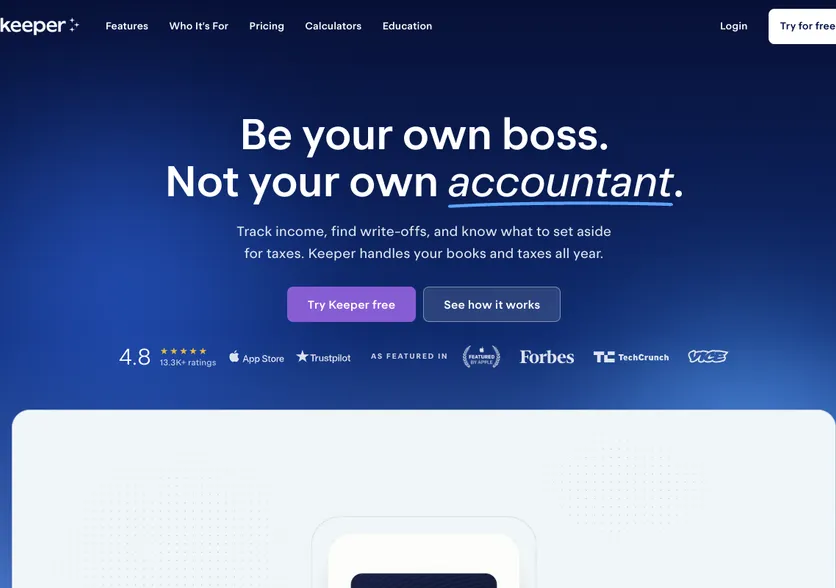
Keeper Tax is the receipt tracker that ends in a filed return, because it finds write-offs in your spending and files for you. This Keeper Tax Standard plan scans receipts, flags deductions a freelancer might miss and files federal and state returns. A freelancer who wants the deduction hunt handled can let the tool find the money and file the forms.
What we like
- Finds deductions freelancers often miss
- Files federal and state returns
- Receipt scanning built into the workflow
Watch out for
- Standard costs about seventeen dollars a month
- Built for US taxes, not other countries
How to try it
- Open the Keeper Tax pricing page and start tracking
- Scan receipts and let the app flag deductions
- Review the found write-offs and file your return
Prices above were checked on each vendor’s own website on Nov 26, 2026 and can change — the vendor’s page is the final word. Vendor links are editorial: nobody paid to be listed or ranked here. Vendors who want a featured listing can see how it works on our Get listed page.
What receipt tracking software costs a freelancer in 2026
Most freelancers pay for one seat, so the per-user price is the whole budget and the cheapest plan is not always the cheapest deal. This list runs from three dollars a user a month for Zoho Expense Standard to about twenty-five dollars a month for Dext, and every figure is the list price on the vendor site, checked on November 26, 2026. Free plans cover basic tracking on Zoho Expense, Everlance and Hurdlr, while the rest offer trials, so you can scan a real month of receipts before paying.
Start with the receipts from last month and run them through two tools, then compare which one your accountant accepts without corrections. The tool that makes tax time boring is the one worth paying for, even when it is not the cheapest on the list.
Before you buy
- Count the documents first, because plans like Dext cap the number of receipts and overage fees add up fast.
- Check the mileage tracking, because a tool that logs trips automatically saves more than the subscription costs.
- Test the export early, because receipts your accountant cannot import are just pretty pictures.
- Ask whether the tool files taxes, because Keeper Tax files returns while the rest only track spending.
- Add up the deductions found, because a tool that spots write-offs can pay for itself in a single return.
Official websites
Official websites of the products reviewed above. Features and prices were checked against these sites when this guide was written, and they can change, so confirm on the vendor site before you buy.
Frequently asked questions
Which receipt tracking software is best for a freelancer in 2026?
Expensify, at five dollars a user a month on Collect, is the safest default because it scans receipts, matches bank transactions and exports clean reports. Zoho Expense is better on price, at three dollars a user a month with approvals and mileage included. Dext wins when the job is clearing a large pile of paper receipts and invoices.
What is the cheapest receipt tracking software for freelancers?
Zoho Expense Standard, at three dollars a user a month billed annually, is the cheapest paid plan here and still includes approvals, policies and mileage. Expensify Collect, at five dollars a user a month, is the cheapest per-user plan from a dedicated receipt tool. Shoeboxed Starter, at nine dollars a month, is the cheapest flat plan for paper receipts.
Can I track receipts for free as a freelancer?
Yes, on three of these eight tools. Zoho Expense offers a free plan for up to three users, Everlance offers a free plan with limited automatic trips, and Hurdlr offers a free plan with limited mileage tracking. The other five tools offer free trials, from thirty days on Shoeboxed and FreshBooks to trials on Expensify, Dext and Keeper Tax.
Which receipt tracker is best for mileage?
Everlance is the strongest pick for mileage, because it logs trips automatically in the background and pairs each trip with the receipt that goes with it. Zoho Expense and Hurdlr also track mileage from your phone, but they need more manual input. Everlance builds the mileage log your accountant wants without you remembering to start a trip.
Do receipt tracking apps find tax deductions?
Only Keeper Tax on this list, which scans your spending, flags deductions a freelancer might miss and files federal and state returns for sixteen dollars fifty-eight cents a month. Hurdlr estimates your tax bill live as income arrives, but it does not file. The rest track receipts and expenses, and leave the return to you or your accountant.
Need everyday money help too? Try Toolsvine's free finance calculators right in your browser.
Browse Finance Calculators tools