On this page
Event planners troubleshoot technology under pressure: a registration laptop that will not boot, a venue screen with no signal, a vendor who cannot join the call. The fix has to happen while guests are arriving, so the support tool must connect in seconds and work on whatever network the venue provides. The eight tools below cover that job, from ticketed support at scale to instant screen sharing. Zendesk leads because it organises the flood of event-day questions into tickets for nineteen dollars per agent a month, and the rest are ranked on how fast they get event technology working again.
How we researched this
We checked every price on the vendor pricing page on November 28, 2026, and only included tools with a published US dollar list price. LogMeIn Rescue, GoTo Resolve and N-able Take Control publish no usable prices, so they are not in this list. Prices change, so confirm the current figure on the vendor site before you buy.
Compare the tools
| Name | Best for | Starting price | Free plan | |
|---|---|---|---|---|
 Zendesk | Ticketed client service for event planners | $19/agent/month | 14-day free trial | Visit |
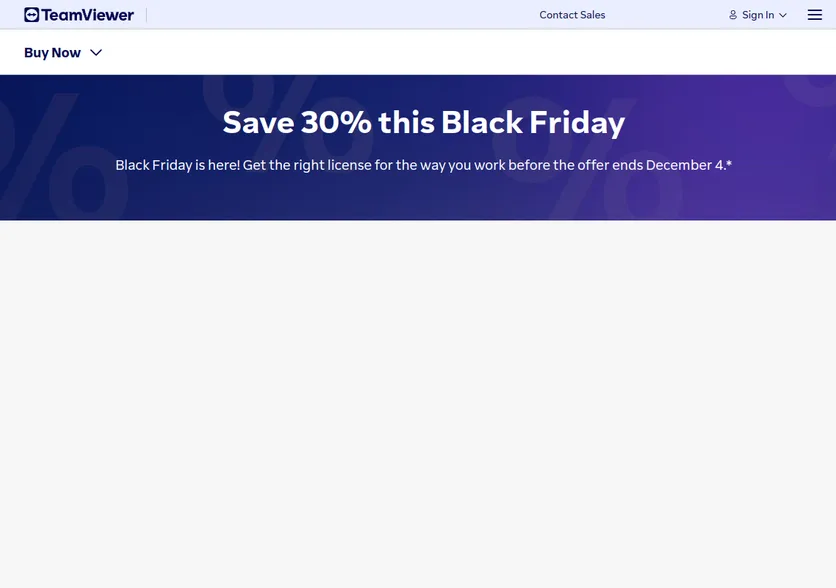
 TeamViewer | Remote support for event planners with mixed devices | $24.90/month | Free plan (personal use); 14-day free trial | Visit |
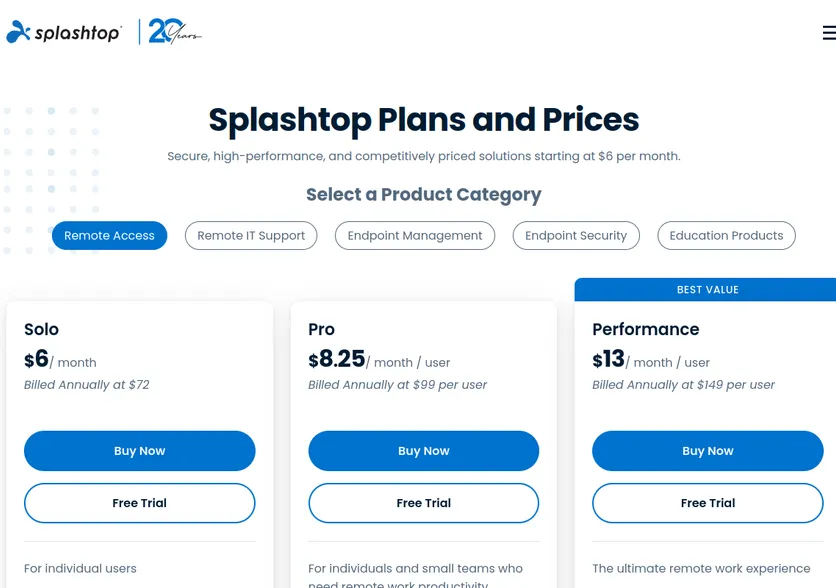
 Splashtop Business Access | Budget remote access for event planners | $6/month | 14-day free trial | Visit |
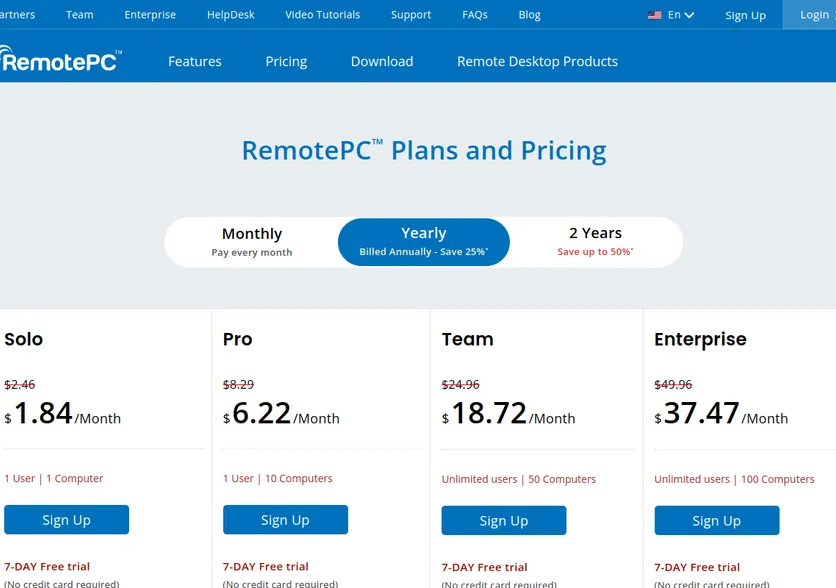
 RemotePC | Simple remote access for event planners | $22.12/year | 7-day free trial | Visit |
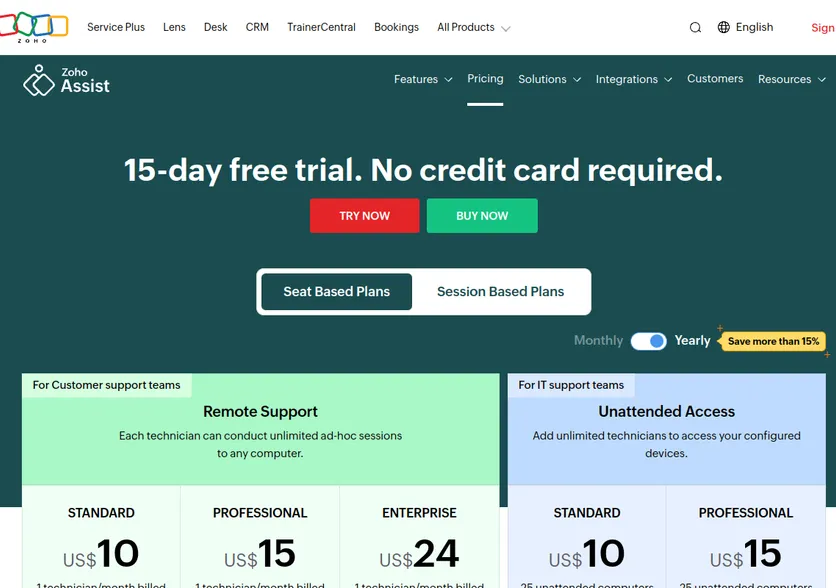
 Zoho Assist | Support desks serving event planners | $10/technician/month | Free plan (1 technician, 5 computers); 15-day free trial | Visit |
| RustDesk | Self-hosted remote access for event planners | $11.88/month | Free plan (open-source client and server) | Visit |
 AnyDesk | Fast remote sessions for event planners | $28.90/month | Free plan (personal use only) | Visit |
 ConnectWise ScreenConnect | Managed support for event planners | $30/month | 14-day free trial | Visit |
The remote support software for event planners, compared
1. Zendesk
Best for: Ticketed client service for event planners
Paid tool Starting price: $19/agent/month · Nineteen dollars per agent a month billed annually on Support Team (twenty-five dollars billed monthly); Suite Growth starts at fifty-five dollars per agent a month billed annually; AI add-ons such as Copilot cost extra
Free plan: 14-day free trial
When attendees, vendors and venues all message at once on event day, this Zendesk plan costs nineteen dollars per agent a month billed annually, and it turns that flood into organised tickets with AI agents resolving the routine ones. Email, chat and a help centre share one workspace, so nothing gets lost between inboxes. It fits a planning team that fields a steady stream of questions and wants measurable service rather than ad-hoc replies.

What we like
- AI agents resolve routine questions end to end
- Ticketing, email, chat and help centre in one workspace
- More than a thousand marketplace integrations are available
Watch out for
- It manages conversations, not remote desktop control
- AI extras such as Copilot add fifty dollars per agent
How to try it
- Set up a support inbox and connect email and chat channels
- Build ticket views and automations for common requests
- Review AI resolutions weekly and tune the answers that miss
2. TeamViewer
Best for: Remote support for event planners with mixed devices
Paid tool Starting price: $24.90/month · Twenty-four dollars and ninety cents a month billed annually on Remote Access (one user, three managed devices); Business is fifty dollars and ninety cents a month billed annually; Premium is one hundred and twenty dollars and ninety cents; all plans bill yearly only
Free plan: Free plan (personal use); 14-day free trial
A registration laptop that dies an hour before doors open cannot wait for a ticket queue, and this TeamViewer plan costs twenty-four dollars and ninety cents a month billed annually for instant remote control of any machine on site. A technician can take over the laptop, fix the check-in software and hand it back while the queue keeps moving. It is the fastest hands-on fix in this list for live-event technology.
What we like
- Connects to Windows, Mac and mobile devices from one console
- Unattended access lets technicians fix machines after hours
- Session recording and file transfer are built into every plan
Watch out for
- Only one session runs at a time on the cheaper plans
- Business use needs a paid licence, so the free plan does not cover it
How to try it
- Install the TeamViewer client on the computer you need to reach
- Start a session with the device ID and a one-time password
- End the session and check the connection log before closing the case
3. Splashtop Business Access
Best for: Budget remote access for event planners
Paid tool Starting price: $6/month · Six dollars a month billed annually at seventy-two dollars a year on Solo for one user and two computers; Pro is eight dollars and twenty-five cents per user a month billed annually; Performance is thirteen dollars
Free plan: 14-day free trial
Planners who work from venues with patchy wifi need connections that hold, and this Splashtop Business Access plan costs six dollars a month billed annually while keeping screen sharing fast and stable. Unattended access reaches the back-office computer even when nobody is sitting at it, and file transfer moves the run sheet where it is needed. For the price, no other tool here reaches as many machines as reliably.
What we like
- Fast, high-quality screen sharing even on slow connections
- Simple per-user pricing with no charge per device
- Unattended access, file transfer and remote printing included
Watch out for
- Business Access covers your own computers, not client fleets
- The SOS attended-support product is priced separately
How to try it
- Create your Splashtop account and install the Streamer on each computer
- Group computers by site or team in the web console
- Connect, help the user, and log the session when you finish
4. RemotePC
Best for: Simple remote access for event planners
Paid tool Starting price: $22.12/year · Twenty-two dollars and twelve cents a year is the first-year promotional price for Solo (one computer), renewing at twenty-nine dollars and fifty cents a year; SOHO is seventy-four dollars and sixty-two cents first year for ten computers; monthly billing is two dollars and ninety-five cents a month
Free plan: 7-day free trial
A planning team that runs on laptops and a single office desktop does not need an enterprise platform, and this RemotePC plan costs twenty-two dollars and twelve cents a year on the first-year promotion for simple, secure access to that machine. It works across PC, Mac, Linux and mobile, so a planner can check the registration system from a phone at the venue. The flat annual bill is easy to approve for a small team.
What we like
- Flat annual pricing with unlimited user licences on most plans
- Covers PC, Mac, Linux and mobile devices in one subscription
- Session recording and remote printing are included
Watch out for
- The headline rate is a first-year promotion, so renewals cost more
- Help desk features such as ticketing need the dearer plans
How to try it
- Install RemotePC on each computer and sign in with your account
- Organise computers into groups for each site or team
- Connect from any device and lock the screen when you disconnect
5. Zoho Assist
Best for: Support desks serving event planners
Paid tool Starting price: $10/technician/month · Ten dollars per technician a month billed annually on Remote Support Standard (twelve dollars billed monthly); Professional is fifteen dollars billed annually; Enterprise is twenty-four dollars
Free plan: Free plan (1 technician, 5 computers); 15-day free trial
For a planning company with an in-house technician, this Zoho Assist plan costs ten dollars per technician a month billed annually and runs attended sessions from a browser with no software for the guest to install. Monthly billing means the team can pay for the busy season and scale back after it, and the free tier covers a single technician. It is the most flexible support-desk option here for seasonal work.
What we like
- Monthly billing with no annual lock-in on paid plans
- A genuinely free tier covers one technician and five computers
- Unattended access and session transfer work from a browser
Watch out for
- Remote Support and Unattended Access are sold as separate plans
- Concurrent sessions are capped at two on the Standard plan
How to try it
- Open the Zoho Assist console and invite the user to a session
- Share the session link and take control once they approve it
- Transfer files, restart the machine, and close with session notes
6. RustDesk
Best for: Self-hosted remote access for event planners
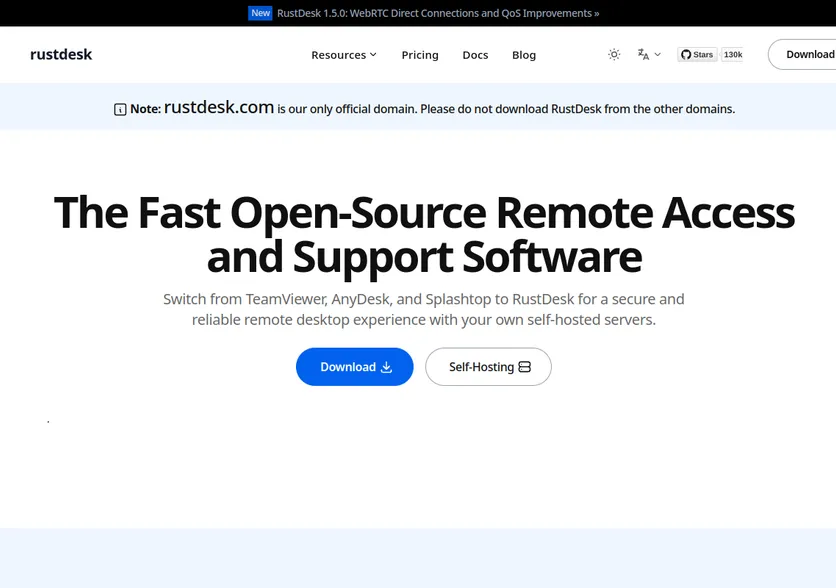
Paid tool Starting price: $11.88/month · Eleven dollars and eighty-eight cents a month billed annually for Server Pro Individual (one login user, twenty managed devices); Basic is twenty-three dollars and eighty-eight cents a month; Pro licences do not auto-renew; you still pay for the server you host it on
Free plan: Free plan (open-source client and server)
Some venues insist that remote access traffic stays inside their own network, and this RustDesk plan costs eleven dollars and eighty-eight cents a month billed annually for a self-hosted Pro console that keeps every session on infrastructure you control. The open-source client is free, and the console adds user accounts, audit logs and device groups. It suits a technical team that would rather run its own relay than trust a vendor cloud.
What we like
- Open-source client you can self-host with no vendor cloud
- A published Pro price, which is rare for self-hosted tools
- Runs on Windows, Mac, Linux, Android and iOS
Watch out for
- You must run and maintain your own relay and ID server
- The Pro console adds cost on top of the server you host
How to try it
- Install the RustDesk client on the computers you support
- Point the clients at your own ID and relay server
- Connect with the device ID and password, then end the session cleanly
7. AnyDesk
Best for: Fast remote sessions for event planners
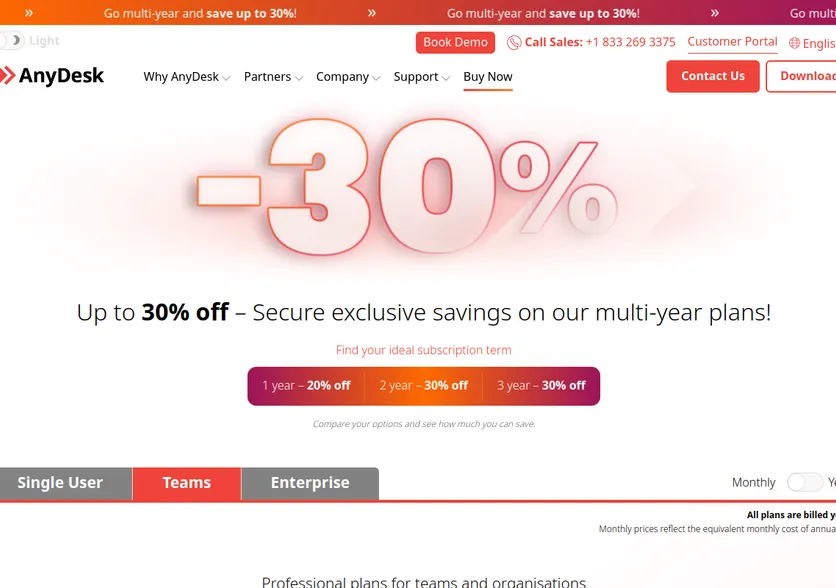
Paid tool Starting price: $28.90/month · Twenty-eight dollars and ninety cents a month billed annually on Solo (one licensed user, one connection, one hundred managed devices); a twenty percent first-year promotion cuts it to twenty-three dollars and twelve cents a month; Standard is forty-nine dollars and ninety cents and Advanced is one hundred and eleven dollars and ninety cents; older listings showing fourteen dollars and ninety cents are stale
Free plan: Free plan (personal use only)
When a vendor's laptop will not run the presentation software, a planner needs a connection that just works, and this AnyDesk plan costs twenty-eight dollars and ninety cents a month billed annually for low-latency access on modest bandwidth. The custom client can be branded for the planning company, and one seat reaches one hundred managed devices. Annual-only billing is the catch, so budget the full year up front.
What we like
- Quick connections with low latency on modest bandwidth
- A fixed device pool with no charge per session
- Custom client branding on Standard and above
Watch out for
- Every paid plan is billed annually with the full year up front
- Only one outgoing connection is included on Solo and Standard
How to try it
- Install AnyDesk on the support computer and the remote machine
- Connect with the remote address and wait for the user to accept
- Use file transfer and session recording, then close the connection
8. ConnectWise ScreenConnect
Best for: Managed support for event planners
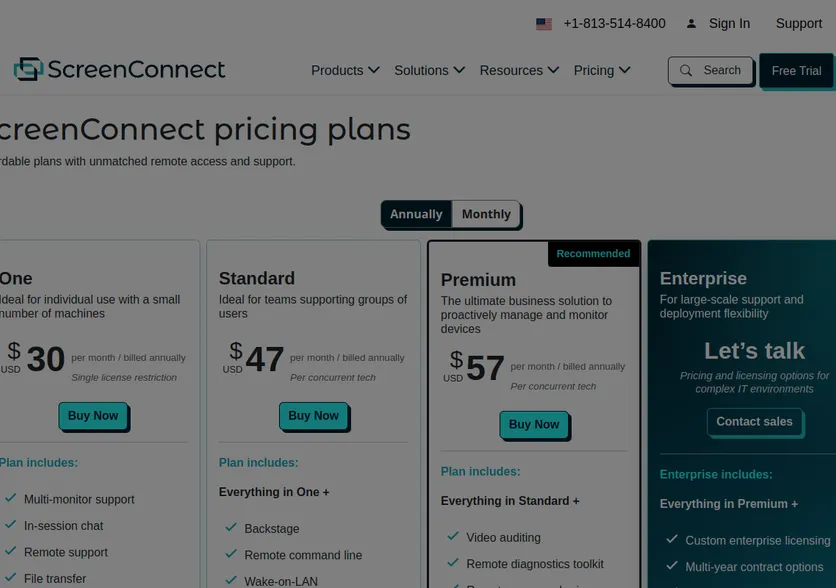
Paid tool Starting price: $30/month · Thirty dollars a month billed annually on One (one concurrent technician, one session, ten unattended agents); Standard is forty-seven dollars per concurrent technician a month billed annually (sixty-two dollars billed monthly); Premium is fifty-seven dollars; unattended-only Remote Access licences start at thirty-five dollars a month
Free plan: 14-day free trial
A planning firm that supports many venues from one office needs one console for all of them, and this ConnectWise ScreenConnect plan costs thirty dollars a month billed annually with unlimited unattended agents from the Standard plan up. Technicians can run attended sessions for vendors and unattended sessions for venue machines from the same screen, with recording for the event log. It is the most complete help-desk option here for a growing firm.
What we like
- Per-technician pricing, so one licence covers unlimited agents
- Session recording and remote command line from Standard up
- Works attended and unattended from the same console
Watch out for
- The entry One plan allows only one session at a time
- Privileged access management is a separate add-on
How to try it
- Install the ScreenConnect agent on the machines you manage
- Start an attended session with a code or join an unattended agent
- Record the session and file a note in your help desk when done
Prices above were checked on each vendor’s own website on Nov 28, 2026 and can change — the vendor’s page is the final word. Vendor links are editorial: nobody paid to be listed or ranked here. Vendors who want a featured listing can see how it works on our Get listed page.
How to keep event technology running when something breaks mid-event
Put the support tool on every event machine before the day starts, because installing software during a live event wastes the minutes you do not have. Give one person on the team the authority to approve remote sessions, so a technician never waits for a committee while guests queue. Keep a printed sheet of session codes and backup contacts in the production kit, in case the network drops entirely. After the event, review which machines needed help and fix the repeat offenders before the next one.
Before you buy
- Check which operating systems and devices the tool supports for your event technology
- Confirm security features such as encryption and access controls meet your venue requirements
- Verify whether the tool offers the specific remote support features you need, such as screen sharing or file transfer
- Review setup and administration requirements to ensure your team can deploy it in time for the event
- Check vendor documentation for any limits on concurrent sessions or supported devices
Official websites
Official websites of the products reviewed above. Features and prices were checked against these sites when this guide was written, and they can change, so confirm on the vendor site before you buy.
Frequently asked questions
What should event planners look for in remote support software?
Prioritise fast remote access, reliable screen sharing, and strong security to protect sensitive event data. The ability to support multiple device types and operating systems matters when working with vendors and venues. Also check whether the tool covers ticketing for attendee questions or only remote control, since many planners need both.
Is Zendesk suitable for event planners who need remote support?
Zendesk is best for organising support requests and using AI to resolve issues at scale, rather than direct remote desktop control. Planners who handle many inquiries from attendees and vendors will find it valuable alongside a remote access tool such as TeamViewer or Splashtop. Use Zendesk for the questions and a remote tool for the machines.
What is the cheapest remote support tool for event planners?
RemotePC is the cheapest paid option here at twenty-two dollars and twelve cents a year on its first-year promotion for one computer, and Splashtop costs six dollars a month billed annually. Zoho Assist has a free tier for one technician, and RustDesk is free if you host it yourself. For a small planning team, Splashtop is the best balance of price and speed.
How do enterprise tools like LogMeIn Rescue differ from simpler options?
LogMeIn Rescue offers advanced security, in-session features and customisation designed for enterprise IT support, and it publishes no prices, so it is not in this list. Simpler tools like RemotePC focus on basic remote access and are easier to set up for smaller planning teams. Choose Rescue only when security and custom session controls are essential for your events.
Can remote support software help with on-site event technology issues?
Yes, remote support software lets planners or IT staff connect to on-site computers to troubleshoot registration systems, presentation laptops and other event technology. Tools like TeamViewer and Splashtop are designed for quick remote access, while GoTo Resolve adds endpoint management for larger operations. Confirm compatibility with your venue network before relying on remote control.
Compare the eight tools above, then start with a free trial on the tool that matches whether the team needs ticketing, remote control, or both before paying for a full year.
Browse Business Tools tools