On this page
Schools need remote support tools that let IT staff help teachers and students on managed devices without setup times. A classroom laptop that fails before a lesson, a lab machine that needs software installed, a staff computer that will not print: all of them need a fix that arrives in minutes and works across a fleet. The eight tools below cover that job for single schools and whole districts. TeamViewer leads because it covers remote support and screen sharing in one platform for twenty-four dollars and ninety cents a month, and the rest are ranked on fit for campus life.
How we researched this
We checked every price on the vendor pricing page on November 28, 2026, and only included tools with a published US dollar list price. GoTo Resolve, N-able Take Control and LogMeIn Rescue publish no usable prices, so they are not in this list. Prices change, so confirm the current figure on the vendor site before you buy.
Compare the tools
| Name | Best for | Starting price | Free plan | |
|---|---|---|---|---|
 TeamViewer | Remote support for schools with mixed devices | $24.90/month | Free plan (personal use); 14-day free trial | Visit |
 Zoho Assist | Support desks serving schools | $10/technician/month | Free plan (1 technician, 5 computers); 15-day free trial | Visit |
 Splashtop Business Access | Budget remote access for schools | $6/month | 14-day free trial | Visit |
 RemotePC | Simple remote access for schools | $22.12/year | 7-day free trial | Visit |
| RustDesk | Self-hosted remote access for schools | $11.88/month | Free plan (open-source client and server) | Visit |
 AnyDesk | Fast remote sessions for schools | $28.90/month | Free plan (personal use only) | Visit |
 ConnectWise ScreenConnect | Managed support for schools | $30/month | 14-day free trial | Visit |
 Zendesk | Ticketed client service for schools | $19/agent/month | 14-day free trial | Visit |
The remote support software for schools, compared
1. TeamViewer
Best for: Remote support for schools with mixed devices
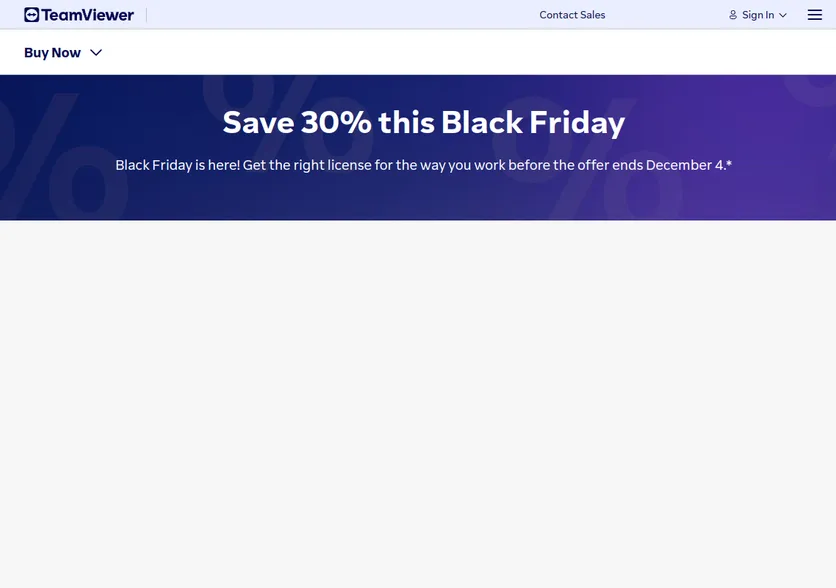
Paid tool Starting price: $24.90/month · Twenty-four dollars and ninety cents a month billed annually on Remote Access (one user, three managed devices); Business is fifty dollars and ninety cents a month billed annually; Premium is one hundred and twenty dollars and ninety cents; all plans bill yearly only
Free plan: Free plan (personal use); 14-day free trial
A teacher whose classroom laptop fails five minutes before a lesson needs help that arrives now, and this TeamViewer plan costs twenty-four dollars and ninety cents a month billed annually for instant remote control of any staff or lab machine. It covers Windows, Mac and mobile devices from one console, and the connection is simple enough for a teacher to accept in one click. It is the most practical all-round tool here for a school IT team.
What we like
- Connects to Windows, Mac and mobile devices from one console
- Unattended access lets technicians fix machines after hours
- Session recording and file transfer are built into every plan
Watch out for
- Only one session runs at a time on the cheaper plans
- Business use needs a paid licence, so the free plan does not cover it
How to try it
- Install the TeamViewer client on the computer you need to reach
- Start a session with the device ID and a one-time password
- End the session and check the connection log before closing the case
2. Zoho Assist
Best for: Support desks serving schools
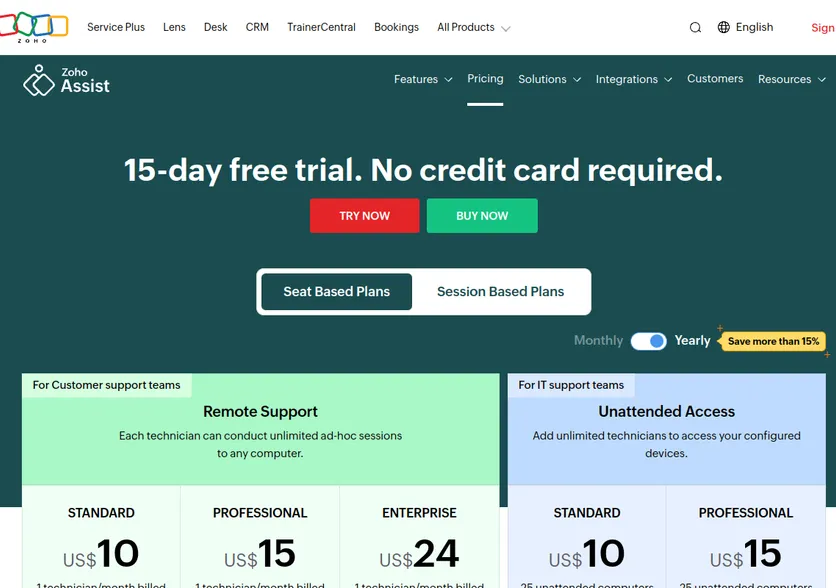
Paid tool Starting price: $10/technician/month · Ten dollars per technician a month billed annually on Remote Support Standard (twelve dollars billed monthly); Professional is fifteen dollars billed annually; Enterprise is twenty-four dollars
Free plan: Free plan (1 technician, 5 computers); 15-day free trial
A school help desk that answers tickets from classrooms and offices all day wants a focused support workflow, and this Zoho Assist plan costs ten dollars per technician a month billed annually for attended sessions that start from a browser link. The free tier covers one technician and five computers, monthly billing avoids a yearly lock-in, and session transfer hands a tricky case to a senior technician. It is the best fit here for a dedicated school help desk.
What we like
- Monthly billing with no annual lock-in on paid plans
- A genuinely free tier covers one technician and five computers
- Unattended access and session transfer work from a browser
Watch out for
- Remote Support and Unattended Access are sold as separate plans
- Concurrent sessions are capped at two on the Standard plan
How to try it
- Open the Zoho Assist console and invite the user to a session
- Share the session link and take control once they approve it
- Transfer files, restart the machine, and close with session notes
3. Splashtop Business Access
Best for: Budget remote access for schools
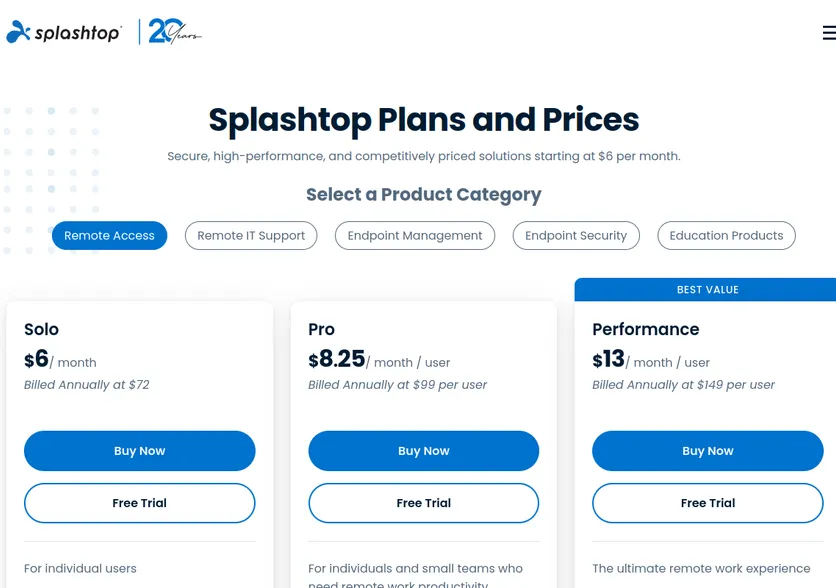
Paid tool Starting price: $6/month · Six dollars a month billed annually at seventy-two dollars a year on Solo for one user and two computers; Pro is eight dollars and twenty-five cents per user a month billed annually; Performance is thirteen dollars
Free plan: 14-day free trial
Schools support staff laptops, lab machines and classroom devices across several buildings, and this Splashtop Business Access plan costs six dollars a month billed annually for fast, secure access to all of them. It also covers remote learning scenarios, which matters when lessons move online, and unattended access reaches a lab PC without a teacher present. For a tight school budget, it is the cheapest dependable option here.
What we like
- Fast, high-quality screen sharing even on slow connections
- Simple per-user pricing with no charge per device
- Unattended access, file transfer and remote printing included
Watch out for
- Business Access covers your own computers, not client fleets
- The SOS attended-support product is priced separately
How to try it
- Create your Splashtop account and install the Streamer on each computer
- Group computers by site or team in the web console
- Connect, help the user, and log the session when you finish
4. RemotePC
Best for: Simple remote access for schools
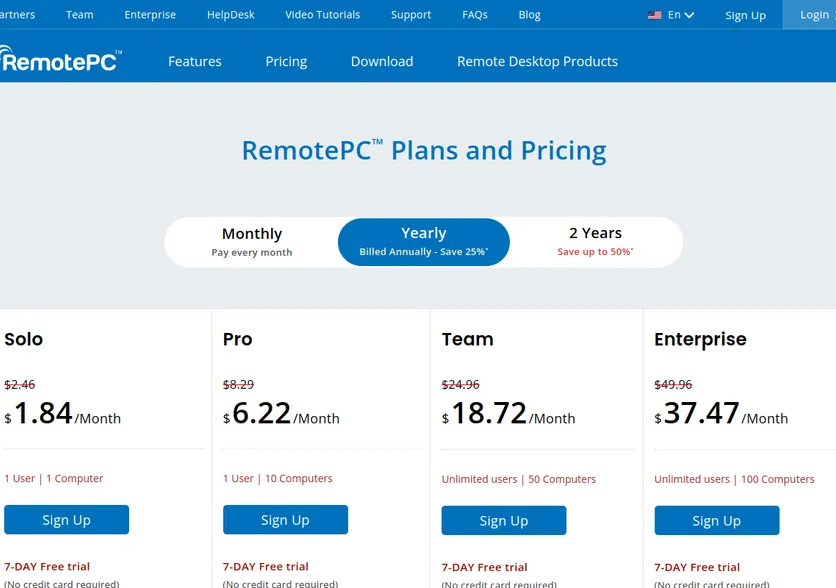
Paid tool Starting price: $22.12/year · Twenty-two dollars and twelve cents a year is the first-year promotional price for Solo (one computer), renewing at twenty-nine dollars and fifty cents a year; SOHO is seventy-four dollars and sixty-two cents first year for ten computers; monthly billing is two dollars and ninety-five cents a month
Free plan: 7-day free trial
A small school with a mixed fleet of donated and bought computers needs one tool that reaches all of them, and this RemotePC plan costs twenty-two dollars and twelve cents a year on the first-year promotion for access from any device. Flat annual pricing with unlimited user licences means every technician shares one plan, and it runs on PC, Mac, Linux and mobile. It is the simplest buy here for a school with no IT budget to spare.
What we like
- Flat annual pricing with unlimited user licences on most plans
- Covers PC, Mac, Linux and mobile devices in one subscription
- Session recording and remote printing are included
Watch out for
- The headline rate is a first-year promotion, so renewals cost more
- Help desk features such as ticketing need the dearer plans
How to try it
- Install RemotePC on each computer and sign in with your account
- Organise computers into groups for each site or team
- Connect from any device and lock the screen when you disconnect
5. RustDesk
Best for: Self-hosted remote access for schools
Paid tool Starting price: $11.88/month · Eleven dollars and eighty-eight cents a month billed annually for Server Pro Individual (one login user, twenty managed devices); Basic is twenty-three dollars and eighty-eight cents a month; Pro licences do not auto-renew; you still pay for the server you host it on
Free plan: Free plan (open-source client and server)
A district that wants student and staff device traffic to stay inside its own network can host this RustDesk plan, which costs eleven dollars and eighty-eight cents a month billed annually for a self-hosted Pro console with user accounts and audit logs. The open-source client is free, and the relay runs on a server the district controls. It suits a school with technical staff and strict rules about where data travels.
What we like
- Open-source client you can self-host with no vendor cloud
- A published Pro price, which is rare for self-hosted tools
- Runs on Windows, Mac, Linux, Android and iOS
Watch out for
- You must run and maintain your own relay and ID server
- The Pro console adds cost on top of the server you host
How to try it
- Install the RustDesk client on the computers you support
- Point the clients at your own ID and relay server
- Connect with the device ID and password, then end the session cleanly
6. AnyDesk
Best for: Fast remote sessions for schools
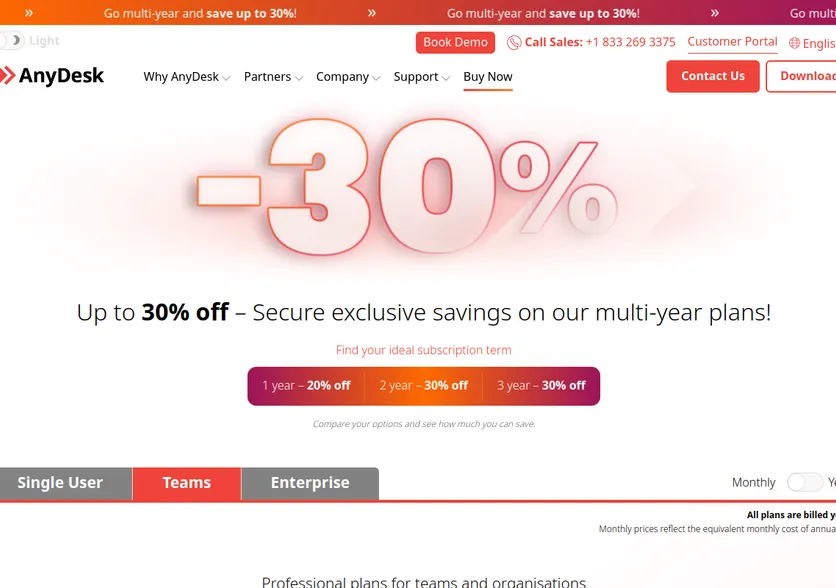
Paid tool Starting price: $28.90/month · Twenty-eight dollars and ninety cents a month billed annually on Solo (one licensed user, one connection, one hundred managed devices); a twenty percent first-year promotion cuts it to twenty-three dollars and twelve cents a month; Standard is forty-nine dollars and ninety cents and Advanced is one hundred and eleven dollars and ninety cents; older listings showing fourteen dollars and ninety cents are stale
Free plan: Free plan (personal use only)
When a teacher is mid-lesson and the projector computer freezes, the support call has to be short, and this AnyDesk plan costs twenty-eight dollars and ninety cents a month billed annually for low-latency sessions that connect in seconds. One seat reaches one hundred managed devices, which covers a whole campus of staff machines, and the custom client can carry the school branding. Annual-only billing is the main drawback for a school budget.
What we like
- Quick connections with low latency on modest bandwidth
- A fixed device pool with no charge per session
- Custom client branding on Standard and above
Watch out for
- Every paid plan is billed annually with the full year up front
- Only one outgoing connection is included on Solo and Standard
How to try it
- Install AnyDesk on the support computer and the remote machine
- Connect with the remote address and wait for the user to accept
- Use file transfer and session recording, then close the connection
7. ConnectWise ScreenConnect
Best for: Managed support for schools
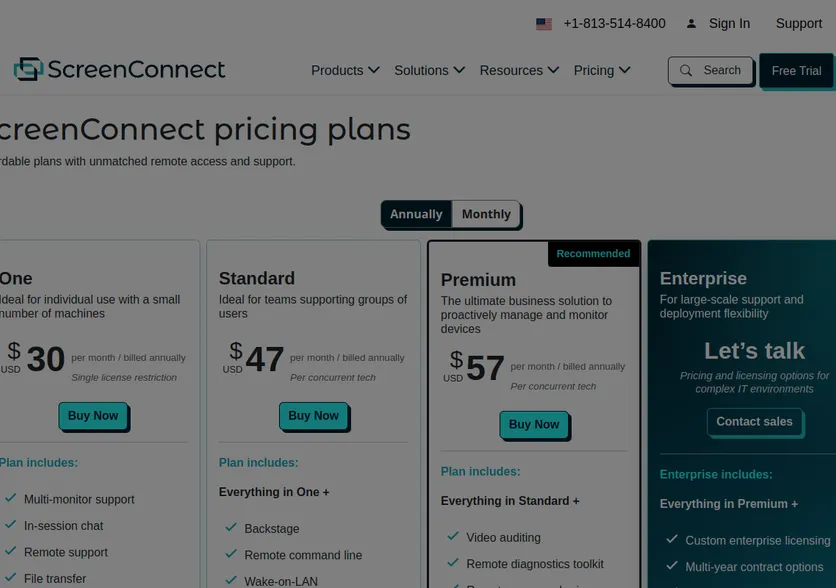
Paid tool Starting price: $30/month · Thirty dollars a month billed annually on One (one concurrent technician, one session, ten unattended agents); Standard is forty-seven dollars per concurrent technician a month billed annually (sixty-two dollars billed monthly); Premium is fifty-seven dollars; unattended-only Remote Access licences start at thirty-five dollars a month
Free plan: 14-day free trial
A district whose device count grows every term needs management and support in one place, and this ConnectWise ScreenConnect plan costs thirty dollars a month billed annually with unlimited unattended agents from the Standard plan up. Per-technician pricing means the cost stays flat as devices are added, and session recording gives the IT lead an audit trail. It is the best option here for a district that is still expanding.
What we like
- Per-technician pricing, so one licence covers unlimited agents
- Session recording and remote command line from Standard up
- Works attended and unattended from the same console
Watch out for
- The entry One plan allows only one session at a time
- Privileged access management is a separate add-on
How to try it
- Install the ScreenConnect agent on the machines you manage
- Start an attended session with a code or join an unattended agent
- Record the session and file a note in your help desk when done
8. Zendesk
Best for: Ticketed client service for schools
Paid tool Starting price: $19/agent/month · Nineteen dollars per agent a month billed annually on Support Team (twenty-five dollars billed monthly); Suite Growth starts at fifty-five dollars per agent a month billed annually; AI add-ons such as Copilot cost extra
Free plan: 14-day free trial
A school office that fields parent, student and staff questions across email and chat needs one organised queue, and this Zendesk plan costs nineteen dollars per agent a month billed annually while AI agents resolve routine questions end to end. Tickets, email and a help centre share one workspace, so a parent query never disappears into a personal inbox. It fits a school whose support load is mostly conversations rather than computers.

What we like
- AI agents resolve routine questions end to end
- Ticketing, email, chat and help centre in one workspace
- More than a thousand marketplace integrations are available
Watch out for
- It manages conversations, not remote desktop control
- AI extras such as Copilot add fifty dollars per agent
How to try it
- Set up a support inbox and connect email and chat channels
- Build ticket views and automations for common requests
- Review AI resolutions weekly and tune the answers that miss
Prices above were checked on each vendor’s own website on Nov 28, 2026 and can change — the vendor’s page is the final word. Vendor links are editorial: nobody paid to be listed or ranked here. Vendors who want a featured listing can see how it works on our Get listed page.
How to run school IT support without disrupting lessons
Give every teacher a one-click way to ask for help, because a support tool that needs a ticket form will not be used during a lesson. Agree with school leadership which devices technicians may access unattended and which need a teacher present, since student machines carry extra consent rules. Keep a separate group for lab machines in the console so a technician can update a whole room at once. Review licensing terms for educational and commercial use before standardising, and test the tool on the oldest machine in the building, not the newest, and on the slowest wifi in the school.
Before you buy
- Check how many technicians and endpoints your school needs to support at once
- Verify which operating systems and device types the tool covers on campus
- Confirm licensing terms for educational and commercial use
- Ask whether support sessions can be logged or integrated with your help desk
- Review security and data handling policies against school requirements
Official websites
Official websites of the products reviewed above. Features and prices were checked against these sites when this guide was written, and they can change, so confirm on the vendor site before you buy.
Frequently asked questions
What should schools look for in remote support software?
Prioritise cross-platform device coverage, simple session setup for teachers, and clear security policies. Also check how the tool fits your existing help desk and whether licensing suits educational use. Session logging matters, since schools must show who accessed which device and when.
Can remote support tools work for both staff and student devices?
Many tools can reach any managed computer, but school policies often govern student device access. Confirm consent and monitoring rules before enabling support sessions on student machines. Some schools limit unattended access to staff devices and require a teacher present for any session on a student machine.
Is a browser-based tool enough for a school help desk?
Browser-based access can handle simple one-off sessions, and Zoho Assist runs attended sessions from a browser for ten dollars per technician a month. A full help desk with many tickets usually benefits from a dedicated support platform with logging and broader device coverage, such as TeamViewer or ScreenConnect.
What is the cheapest remote support tool for a school?
RemotePC is the cheapest paid option here at twenty-two dollars and twelve cents a year on its first-year promotion, and Splashtop costs six dollars a month billed annually. Zoho Assist has a free tier for one technician and five computers, and RustDesk is free to self-host. For a school budget, Splashtop is the best balance of price and coverage.
How do schools with outside IT providers choose a tool?
If a managed service provider handles your IT, ask which remote support tool they use, since aligning with their platform avoids duplicate tooling. Providers often run ScreenConnect or TeamViewer. If the school runs its own help desk, pick the tool that fits the technicians you have, not the one the provider prefers.
Compare the eight tools above, then start with a free trial on the tool that matches the size of the school and the devices on campus before paying for a full year.
Browse Business Tools tools