On this page
Financial planning reports have to do two jobs at once: show a client where they stand today, and show the advisor what happens if the plan changes. The eight tools below cover that work from the planning side and the analytics side, from advisor platforms that model tax and retirement to dashboards that turn portfolio data into client-ready reports. RightCapital leads because it publishes full planning for one hundred and forty-nine dollars and ninety-five cents per advisor a month, and the rest are ranked on reporting depth for the price.
How we researched this
We checked every price on the vendor pricing page on November 28, 2026, and only included tools with a published US dollar list price. Advyzon, eMoney Advisor and the big enterprise planning platforms publish no prices, so they are not in this list. Prices change, so confirm the current figure on the vendor site before you buy.
Compare the tools
| Name | Best for | Starting price | Free plan | |
|---|---|---|---|---|
| RightCapital | Independent advisors who want full planning software | $149.95/advisor/month | No free plan; 14-day free trial | Visit |
| Wealthbox | Advisors who want a modern CRM behind reporting | $65/user/month | No free plan; 14-day free trial | Visit |
| Redtail CRM | Small firms that want the lowest CRM price | $39/user/month | No free plan; 30-day free trial | Visit |
| Nitrogen | Advisors who lead client meetings with risk scores | $99/month | No free plan; free demo | Visit |
| Asset-Map | Advisors who want visual one-page client reports | $149/month | No free plan; 30-day free trial | Visit |
| Holistiplan | Advisors who want fast tax return analysis | $749/year | No free plan; 7-day free trial | Visit |
 Tableau | Planning teams that want visual reports on any data | $75/user/month | 14-day free trial | Visit |
 Power BI | Firms already running Microsoft 365 | $14/user/month | Free plan (personal use, no sharing) | Visit |
The reporting software for financial planning, compared
1. RightCapital
Best for: Independent advisors who want full planning software
Paid tool Starting price: $149.95/advisor/month · One hundred and forty-nine dollars and ninety-five cents per advisor a month on Basic; Premium is two hundred and nine dollars and ninety-five cents and Platinum is two hundred and fifty-four dollars and ninety-five cents; annual commitment in the first year
Free plan: No free plan; 14-day free trial
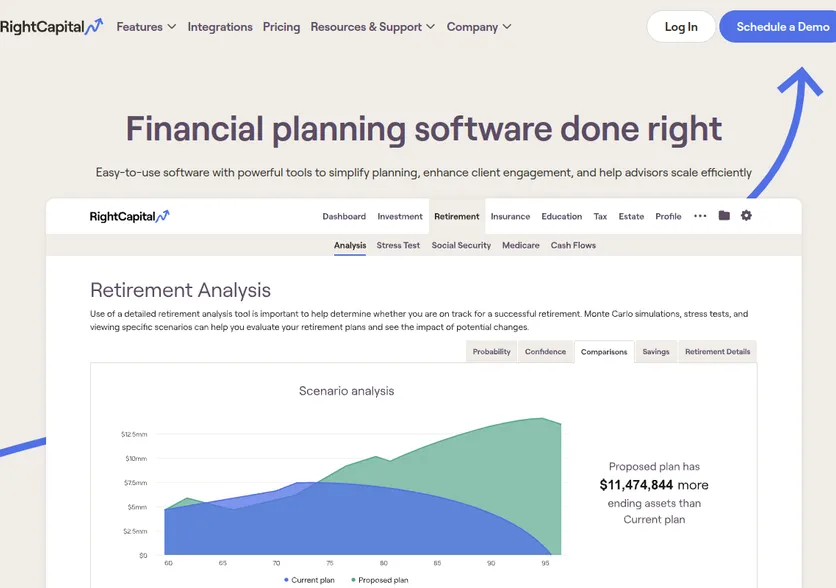
One hundred and forty-nine dollars and ninety-five cents per advisor a month on the Basic plan covers retirement, tax, insurance, investment, estate, business and college planning, with a client mobile app, document vault and custom branding from RightCapital. Premium at two hundred and nine dollars and ninety-five cents adds account aggregation and the Iris AI planning agent, and every plan needs an annual commitment in the first year. It is the clearest published planning price in this list.
What we like
- Tax-aware planning across retirement and estate
- Client mobile app and document vault included
- Published per-advisor pricing with no quote needed
Watch out for
- Annual commitment required for the first year
- Assistant seats cost $40 a month each on top
How to try it
- Set up the client household and link accounts
- Run retirement and tax scenarios in the plan
- Share the client-ready report and portal access
2. Wealthbox
Best for: Advisors who want a modern CRM behind reporting
Paid tool Starting price: $65/user/month · Sixty-five dollars per user a month on Basic; Pro is eighty-five dollars and Premier is one hundred and nineteen dollars; older November reads show fifty-nine dollars for Basic, superseded by the current vendor page; AI Notetaker is forty-nine dollars extra
Free plan: No free plan; 14-day free trial
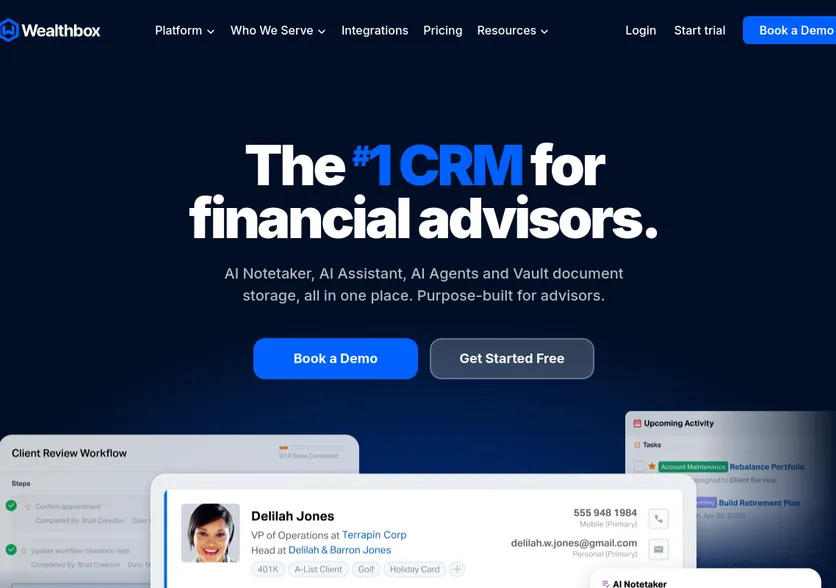
Sixty-five dollars per user a month on the Basic plan buys a modern advisor CRM where client records, tasks, calendar and household structure sit behind every report the firm produces from Wealthbox. Pro at eighty-five dollars adds workflows and two-way email sync, and Premier at one hundred and nineteen dollars adds custom dashboards. Older reads show fifty-nine dollars for Basic, but the vendor pricing page now lists sixty-five dollars, so confirm the current figure at checkout.
What we like
- Modern interface that advisors learn in days
- Households, tasks and calendar in one place
- Clear per-user pricing with a 14-day trial
Watch out for
- Basic lacks workflows, which most firms need
- AI Notetaker costs $49 per user a month extra
How to try it
- Import client households and contact records
- Track tasks, meetings and opportunities per client
- Build reports from the CRM data you already hold
3. Redtail CRM
Best for: Small firms that want the lowest CRM price
Paid tool Starting price: $39/user/month · Thirty-nine dollars per user a month billed annually on Launch, or forty-five dollars billed monthly, for up to five users; Growth is fifty-nine dollars billed annually with unlimited users
Free plan: No free plan; 30-day free trial
Thirty-nine dollars per user a month billed annually on the Launch plan, or forty-five dollars billed monthly, covers core CRM for up to five users, with contact and account management, compliant notes and archiving, and more than one hundred integrations from Redtail CRM. Growth at fifty-nine dollars a month billed annually adds unlimited users, automated workflows, imaging and compliant texting. It is the lowest published advisor CRM price per user in this list.

What we like
- Lowest published per-user price for advisor CRM
- Compliant note archiving built in
- More than 100 integrations with advisor tools
Watch out for
- Launch caps at five users with no workflows
- Reporting depth is lighter than planning platforms
How to try it
- Set up the database and import client records
- Log meetings and notes with compliant archiving
- Pull client lists for review meetings and reports
4. Nitrogen
Best for: Advisors who lead client meetings with risk scores
Paid tool Starting price: $99/month · Ninety-nine dollars a month per Center on annual terms for Income, Tax, Legacy or Insurance; Risk Center is one hundred and ninety-nine dollars, Research is one hundred and forty-nine dollars and the Complete Bundle is four hundred and ninety-five dollars
Free plan: No free plan; free demo
Ninety-nine dollars a month per Center on annual terms buys the Income, Tax, Legacy or Insurance Centers, while the Risk Center costs one hundred and ninety-nine dollars and the Research Center costs one hundred and forty-nine dollars from Nitrogen. The Risk Number gives every client a single risk score, and the platform turns that profile into proposals and client-ready reports. It suits an advisor who leads with risk conversations.
What we like
- Risk Number gives clients one clear risk score
- Proposals and reports built from the risk profile
- Modular Centers let you buy only what you need
Watch out for
- Full Complete Bundle costs $495 a month
- Team pricing is accounts-based and quoted
How to try it
- Run the risk questionnaire with the client
- Build the proposal from the Risk Number
- Share the client-ready report and review it together
5. Asset-Map
Best for: Advisors who want visual one-page client reports
Paid tool Starting price: $149/month · One hundred and forty-nine dollars a month on Professional, or one thousand six hundred and ninety-nine dollars a year; Elite is one hundred and ninety-nine dollars a month; G2 lists an annual-equivalent of one hundred and forty-two dollars a month
Free plan: No free plan; 30-day free trial
One hundred and forty-nine dollars a month on the Professional plan, or one thousand six hundred and ninety-nine dollars a year, turns a household's finances into a one-page visual map that opens discovery meetings better than a long report from Asset-Map. Elite at one hundred and ninety-nine dollars a month adds white labelling and onboarding support, and the Firm tier is custom for three or more advisors. G2 lists an annual-equivalent of one hundred and forty-two dollars a month, so confirm the billing basis at checkout.

What we like
- One-page visual map clients actually understand
- Structured discovery interview built in
- Signals flag gaps such as missing cover
Watch out for
- A single visual map is not a full plan
- Price rises with the Elite tier for branding
How to try it
- Map the household assets and liabilities visually
- Run Signals to spot planning gaps
- Share the visual report in the client meeting
6. Holistiplan
Best for: Advisors who want fast tax return analysis
Paid tool Starting price: $749/year · Seven hundred and forty-nine dollars a year on Basic Tax for up to thirty households; Premium Tax is one thousand four hundred and ninety-nine dollars a year for the same tier; price rises with household count
Free plan: No free plan; 7-day free trial
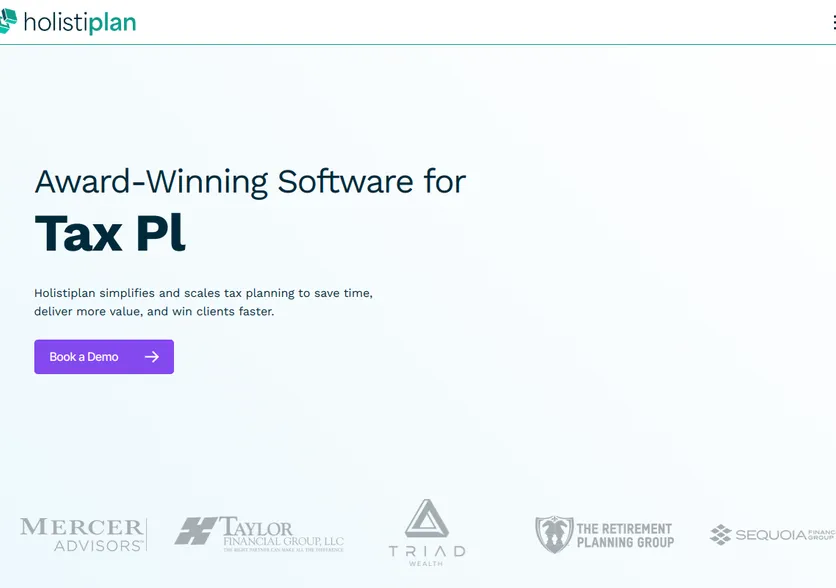
Seven hundred and forty-nine dollars a year on the Basic Tax plan for up to thirty households reads a client's federal tax return and produces a summary with planning observations and Roth conversion scenarios in under a minute from Holistiplan. Premium Tax at one thousand four hundred and ninety-nine dollars a year adds state analysis and multi-year projections, and the price climbs with household count. It is the fastest tax reporting in this list.
What we like
- Reads a tax return into a summary in under a minute
- Roth conversion scenarios built in
- Unlimited users on every plan
Watch out for
- Price climbs with household count
- Estate module is still on a waitlist
How to try it
- Upload the client federal tax return
- Review the summary and planning observations
- Run Roth conversion scenarios with the client
7. Tableau
Best for: Planning teams that want visual reports on any data
Paid tool Starting price: $75/user/month · Seventy-five dollars per user a month on Creator, Standard edition; Explorer is forty-two dollars and Viewer is fifteen dollars a user a month
Free plan: 14-day free trial
Seventy-five dollars per user a month on the Creator plan buys drag-and-drop analytics that connect to almost any database, while Explorer at forty-two dollars and Viewer at fifteen dollars cover the people who only read dashboards from Tableau. A planning team can turn portfolio, billing and client data into visual reports without heavy coding, and dashboards share with a click. It is the strongest analytics layer in this list for a firm with data in several systems.
What we like
- Drag-and-drop dashboards on almost any database
- Creator, Explorer and Viewer tiers fit every role
- Dashboards share with a click
Watch out for
- Advanced modelling needs skilled users
- Costs grow as more staff need Creator licences
How to try it
- Connect the portfolio and billing data sources
- Build the dashboard with drag-and-drop charts
- Share it with advisors and clients
8. Power BI
Best for: Firms already running Microsoft 365
Paid tool Starting price: $14/user/month · Fourteen dollars per user a month for Pro; Premium Per User is twenty-four dollars a user a month; some older pages still show ten dollars for Pro, which is the retired price
Free plan: Free plan (personal use, no sharing)
Fourteen dollars per user a month buys Power BI Pro, which turns planning and portfolio data into interactive reports and dashboards that share across the firm. Premium Per User at twenty-four dollars adds larger models and more frequent refreshes, and the free desktop app covers personal use without sharing. Some older pages still show ten dollars for Pro, but the current list price is fourteen dollars, so confirm it on the vendor page.
What we like
- Interactive dashboards that share across the firm
- Fits naturally with Excel and Microsoft 365
- Free desktop app for personal use
Watch out for
- Sharing needs a paid Pro licence for every reader
- Older pages still show the retired $10 price
How to try it
- Connect the planning and portfolio data
- Build the report with drag-and-drop visuals
- Publish it to the team workspace
Prices above were checked on each vendor’s own website on Nov 28, 2026 and can change — the vendor’s page is the final word. Vendor links are editorial: nobody paid to be listed or ranked here. Vendors who want a featured listing can see how it works on our Get listed page.
How to turn planning data into reports clients read
Start with the question the report must answer, not with the data you happen to have, because a report that lists everything answers nothing. Pull actuals from the accounting and portfolio systems first, then layer the plan on top so the gap between the two is visible at a glance. Keep one definition for each metric across the firm, since two versions of the same number destroy trust faster than any missing chart. Send the report before the meeting, and spend the meeting on decisions, not on reading numbers aloud. Keep one definition for each metric across the year, so the board compares like with like.
Before you buy
- Check how actuals flow from your accounting system into reports
- Confirm which planning, reporting and close capabilities are included
- Ask how data refresh and consolidation cycles are handled
- Review user roles, permissions and audit trails for reporting
- Verify integration options with your existing ERP and spreadsheets
Official websites
Official websites of the products reviewed above. Features and prices were checked against these sites when this guide was written, and they can change, so confirm on the vendor site before you buy.
Frequently asked questions
What should finance teams look for in reporting software?
Prioritise how actuals connect to plans, how easily reports refresh after changes, and how permissions and audit trails work. Also confirm integration with your ERP and spreadsheet tools, since reporting quality depends on clean, connected data, and check whether the tool models scenarios or only visualises history.
How much does RightCapital cost per advisor?
RightCapital costs one hundred and forty-nine dollars and ninety-five cents per advisor a month on the Basic plan, with Premium at two hundred and nine dollars and ninety-five cents and Platinum at two hundred and fifty-four dollars and ninety-five cents. Every plan needs an annual commitment in the first year, and assistant seats cost forty dollars a month each.
How does planning software differ from a BI tool?
Planning platforms model future scenarios and budgets, while BI tools mainly visualise existing data. RightCapital, Holistiplan and Nitrogen plan forward, while Tableau and Power BI visualise what already happened. Many firms pair one of each, keeping the planning tool as the source of the forecast and the BI tool as the reporting layer.
Can these tools replace spreadsheet-based reporting?
Several are designed to move teams beyond manual spreadsheets by adding connected data, governance and collaboration. RightCapital and Holistiplan replace the planning spreadsheet, while Tableau and Power BI replace the reporting spreadsheet. Confirm migration effort during evaluation, since a tool is only as good as the data feeding it.
Which tool is best for a solo advisor?
RightCapital Basic is the best all-round pick for a solo advisor, at one hundred and forty-nine dollars and ninety-five cents a month, because it covers planning, tax and retirement in one published price. Holistiplan at seven hundred and forty-nine dollars a year is the cheapest add-on for tax reporting, and Redtail at thirty-nine dollars a user a month covers the CRM side.
Compare the eight tools above, then trial RightCapital or Holistiplan on a real client household before paying for a full year.
Browse Business Tools tools