On this page
Startups run on a handful of people doing the work of twice as many, and one double-booked hire can stall the whole roadmap. The seven tools below track who is doing what across a small team, from a five dollar starter to a ten dollar platform with a free plan. ClickUp leads because its nine dollar Core plan pairs task tracking with a genuinely usable free plan, so a startup can start free and pay only when it grows, and the rest are ranked on how much planning power each dollar buys.
How we researched this
We checked every price on the vendor pricing page on November 28, 2026, and only included tools with a published US dollar list price. Kantata, Deltek and other quote-only platforms are not in this list. Prices change, so confirm the current figure on the vendor site before you buy.
Compare the tools
| Name | Best for | Starting price | Free plan | |
|---|---|---|---|---|
 Asana | Startups that want workload visibility as they grow | $10.99/user/month | Free plan (Personal, up to 10 users) | Visit |
| monday.com | Startups that want a flexible visual tracker | $9/seat/month | Free plan (up to 2 seats) | Visit |
 ClickUp | Startups that want one workspace for everything | $9/user/month | Free plan (Free Forever) | Visit |
 Wrike | Startups that want workload views with a free start | $9.80/user/month | Free plan (unlimited users) | Visit |
 Smartsheet | Startups that think in spreadsheets | $9/member/month | No free plan; 30-day free trial | Visit |
 Resource Guru | Startups that need a simple availability layer | $5/person/month | No free plan; 30-day free trial | Visit |
 Float | Startups that want a visual capacity timeline | $7/scheduled person/month | No free plan; 30-day free trial | Visit |
The resource management software for startups, compared
1. Asana
Best for: Startups that want workload visibility as they grow
Paid tool Starting price: $10.99/user/month · Ten dollars and ninety-nine cents per user a month billed annually on Starter (thirteen dollars and forty-nine cents billed monthly); Advanced is twenty-four dollars and ninety-nine cents per user a month billed annually; the free Personal plan covers up to ten users and Starter has a two-seat minimum
Free plan: Free plan (Personal, up to 10 users)
Ten dollars and ninety-nine cents per user a month billed annually buys Asana Starter, a work platform that shows a startup exactly who is overloaded before a launch slips. It tracks tasks across projects, sets timelines and goals, and reports on workload so a founder can rebalance work without a meeting. The free Personal plan covers up to ten users, so a tiny team can start without paying and upgrade when the workload view matters.

What we like
- Workload view shows who is overbooked across projects
- Timelines and goals link tasks to the bigger picture
- Free Personal plan for up to ten users
Watch out for
- Starter has a two-seat minimum, so solo founders pay for two
- Advanced capacity features need the twenty-five dollar plan
How to try it
- Start on the free Personal plan and set up the first project
- Add tasks and check the workload view for over-allocation
- Upgrade to Starter when the team needs timeline and goals
2. monday.com
Best for: Startups that want a flexible visual tracker
Paid tool Starting price: $9/seat/month · Nine dollars per seat a month billed annually on Basic (twelve dollars billed monthly); Standard is twelve dollars per seat a month billed annually and Pro is nineteen dollars; paid plans have a three-seat minimum
Free plan: Free plan (up to 2 seats)
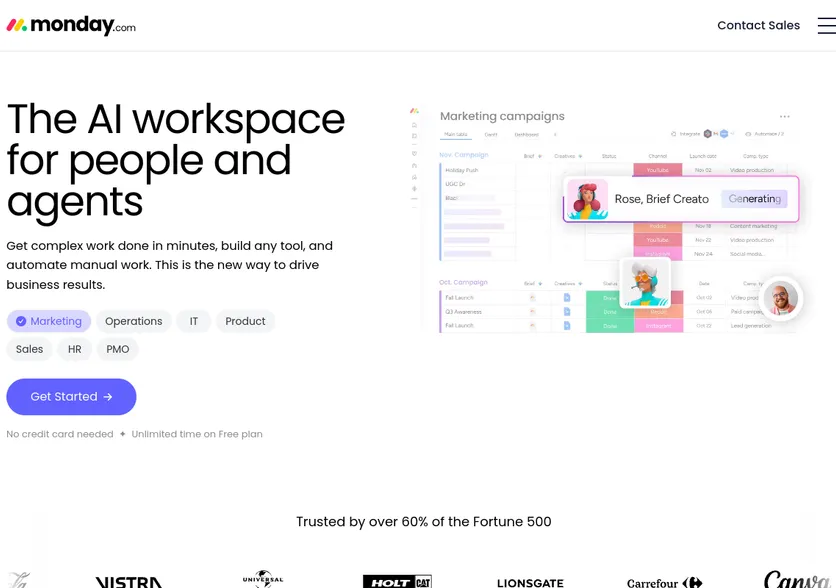
Nine dollars per seat a month billed annually buys monday.com Basic, a visual work platform that tracks a startup's projects on boards the whole team can read at a glance. It organizes work into customizable boards, automates routine updates and shows workload across the team, which suits a young company that wants flexibility without a rigid process. Paid plans have a three-seat minimum, so the smallest bill is twenty-seven dollars a month.
What we like
- Boards the whole team can read at a glance
- Automations handle routine updates without manual work
- Free plan for up to two seats
Watch out for
- Paid plans have a three-seat minimum
- Resource management is basic on Basic, deeper on Pro
How to try it
- Start on the free plan and build the first board
- Add the team and check the workload view
- Upgrade to Basic when the team passes two seats
3. ClickUp
Best for: Startups that want one workspace for everything
Paid tool Starting price: $9/user/month · Nine dollars per user a month billed annually on Core (twelve dollars billed monthly); Business is seventeen dollars per user a month billed annually; a November 2026 directory read still shows older Unlimited seven dollar and Business twelve dollar figures — the vendor ladder is the current source
Free plan: Free plan (Free Forever)
Nine dollars per user a month billed annually buys ClickUp Core, an all-in-one workspace that gives a startup tasks, docs, goals and workload views for one price. It organizes work into spaces and lists, shows who is overbooked and reports on capacity, so a small team can plan and track resources without buying a second tool. The free plan is genuinely usable, which makes it the easiest way for a startup to start without spending anything.

What we like
- Tasks, docs, goals and workload in one place
- Free plan is genuinely usable for small teams
- Workload view shows who is overbooked
Watch out for
- The feature set can feel large for a tiny team
- Some directory reads still show older seven dollar pricing
How to try it
- Start on the free plan and set up the first space
- Plan the next launch and check the workload view
- Upgrade to Core when the team needs advanced features
4. Wrike
Best for: Startups that want workload views with a free start
Paid tool Starting price: $9.80/user/month · Nine dollars and eighty cents per user a month billed annually on Team; Business is twenty-four dollars and eighty cents per user a month billed annually
Free plan: Free plan (unlimited users)
Nine dollars and eighty cents per user a month billed annually buys Wrike Team, a work platform that pairs task tracking with workload and resource views for a growing startup. It organizes work into folders and projects, shows who is overbooked and reports on capacity, so a founder can rebalance before a deadline slips. The free plan covers unlimited users, which makes it the easiest way to test the workflow with the whole team before paying.

What we like
- Free plan covers unlimited users
- Workload view shows who is overbooked
- Folders and projects keep a growing roadmap organized
Watch out for
- Resource management deepens on the Business plan
- Monthly billing price is not published, so confirm before buying
How to try it
- Start on the free plan and set up the first project
- Add tasks and check the workload view
- Upgrade to Team when the team needs advanced features
5. Smartsheet
Best for: Startups that think in spreadsheets
Paid tool Starting price: $9/member/month · Nine dollars per member a month billed annually on Pro (twelve dollars billed monthly); Business is nineteen dollars per member a month billed annually; Pro is capped at one to ten members and there is no free plan
Free plan: No free plan; 30-day free trial
Nine dollars per member a month billed annually buys Smartsheet Pro, a spreadsheet-style platform that tracks a startup's resources in grids the whole team can edit. It organizes projects into sheets, shows allocation across them and reports on capacity, which suits a founding team that thinks in rows and columns rather than boards. Pro is capped at one to ten members, so a startup that grows past ten moves to Business at nineteen dollars a member.

What we like
- Spreadsheet grids the whole team can edit together
- Resource allocation across projects in one view
- Thirty-day free trial to test the workflow
Watch out for
- Pro is capped at ten members
- No free plan, so the trial is the only way to test it
How to try it
- Start the thirty-day trial and build the first sheet
- Add resources and check allocation across projects
- Upgrade to Business when the team passes ten members
6. Resource Guru
Best for: Startups that need a simple availability layer
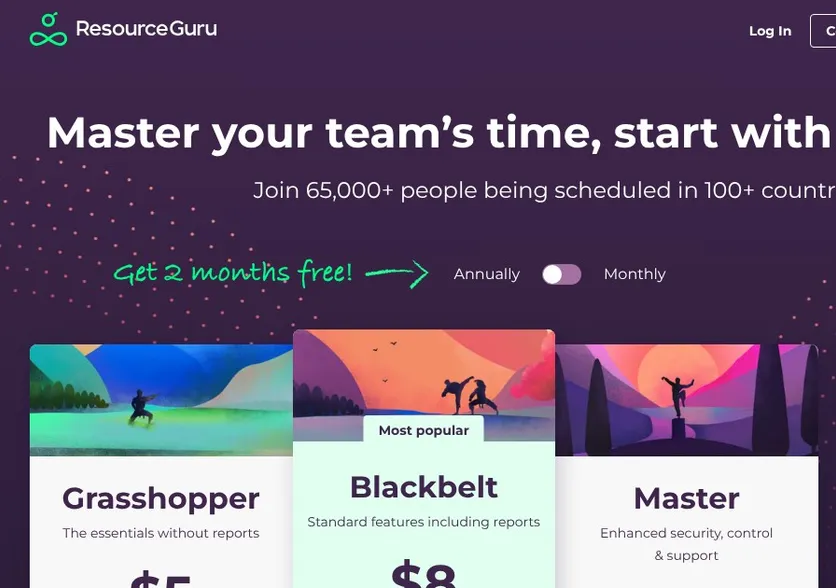
Paid tool Starting price: $5/person/month · Five dollars per person a month billed annually on Grasshopper (six dollars billed monthly); Blackbelt is eight dollars per person a month billed annually and Master is twelve dollars; the price rose effective July 1, 2026 and non-human resources are billed at half rate
Free plan: No free plan; 30-day free trial
Five dollars per person a month billed annually buys Resource Guru Grasshopper, a booking calendar that shows a startup who is free, who is booked and who is on leave in one clean view. It pairs well with a separate task tracker, giving a small team a clear availability layer without replacing the tool they already use. Non-human resources such as laptops and meeting rooms bill at half rate, so the same calendar covers the whole office.
What we like
- Cheapest availability calendar in this list
- Leave management and client portal included
- Non-human resources billed at half rate
Watch out for
- No task tracking, so it pairs with a separate tool
- Capacity forecasting needs the Blackbelt plan
How to try it
- Add the team and mark working hours and leave
- Book the next launch and check for clashes
- Share the availability calendar with the team
7. Float
Best for: Startups that want a visual capacity timeline
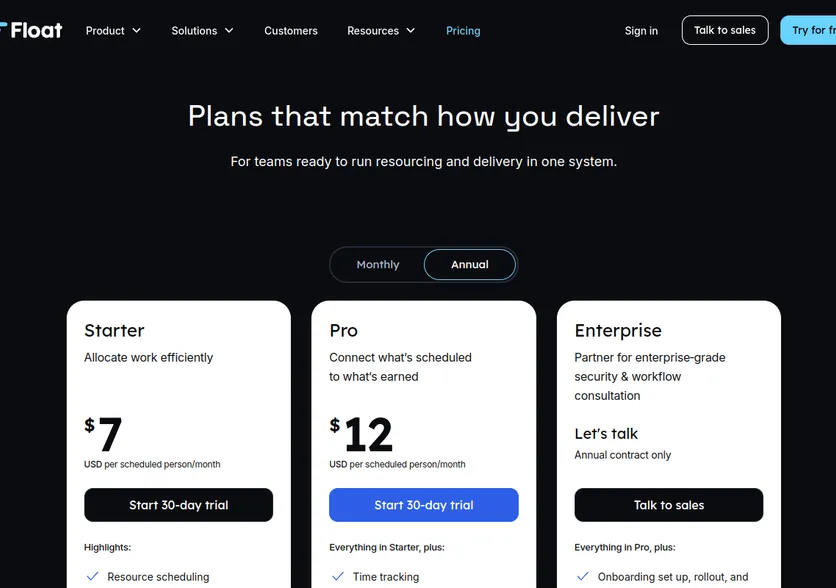
Paid tool Starting price: $7/scheduled person/month · Seven dollars per scheduled person a month billed annually on Starter (eight dollars and fifty cents billed monthly); Pro is twelve dollars per scheduled person a month billed annually; unscheduled guests are free and there is no free plan
Free plan: No free plan; 30-day free trial
Seven dollars per scheduled person a month billed annually buys Float Starter, a scheduler whose timeline makes a startup's capacity visible at a glance. Founders drag projects onto people, see clashes instantly and log time against the same schedule, so the plan and the actuals stay in sync as the team grows. Only scheduled people are billed, which keeps the cost honest for a startup with contractors and part-time help, and the thirty-day trial needs no card.
What we like
- Drag-and-drop timeline shows capacity at a glance
- Time tracking linked to the same schedule
- Only scheduled people are billed, guests are free
Watch out for
- No free plan, so the trial is the only way to test it
- Advanced reporting and forecasting need the Pro plan
How to try it
- Add the team and set working hours for each person
- Drag the next launch onto the timeline and check capacity
- Log time against the schedule and compare plan to actuals
Prices above were checked on each vendor’s own website on Nov 28, 2026 and can change — the vendor’s page is the final word. Vendor links are editorial: nobody paid to be listed or ranked here. Vendors who want a featured listing can see how it works on our Get listed page.
How to run a small team without burning out your best people
Start free and pay only when the team grows, because a startup's cash is better spent on the product than on software it has not outgrown yet. Check the workload view every week, and rebalance the moment one person crosses one hundred percent rather than waiting for them to say they are drowning. Keep the plan in one place that everyone can see: a hidden spreadsheet is how two people end up booked on the same launch. Review the bench every month, since a startup with idle hands is a startup that should be shipping faster.
Before you buy
- Confirm the tool has a free plan or trial the whole team can test, not just one user
- Check whether the entry price covers the whole team or only scheduled people
- Ask how the tool shows workload across projects, not just one board at a time
- Make sure leave and part-time hours reduce available capacity automatically
- Test the tool with the startup's actual roadmap during the free trial before paying
Official websites
Official websites of the products reviewed above. Features and prices were checked against these sites when this guide was written, and they can change, so confirm on the vendor site before you buy.
Frequently asked questions
What is resource management software for startups?
Resource management software shows who is available, who is overbooked and what each person can take on across the startup's projects. For a small team that usually means a work platform with a workload view, so the founder can plan launches from real capacity rather than headcount. The goal is to ship on time without burning out the handful of people doing the work.
How much does ClickUp cost?
ClickUp Core costs nine dollars per user a month billed annually, or twelve dollars billed monthly. Business is seventeen dollars per user a month billed annually. The free plan is genuinely usable for small teams, with tasks, docs and workload views included, so a startup can start without paying and upgrade when it needs advanced features.
What is the cheapest resource management software for startups?
Resource Guru is the cheapest at five dollars per person a month billed annually, with a thirty-day free trial, though it is an availability calendar rather than a full work platform. Among full platforms, monday.com, Smartsheet and ClickUp all start at nine dollars a month, with ClickUp and monday.com offering free plans. A startup should start free and pay only when the team outgrows the free tier.
Do startups need resource management software?
A startup with more than a few people does, because a double-booked hire can stall the whole roadmap. The workload view in ClickUp, Asana or Wrike shows who is overbooked before a launch slips, which is hard to see in a spreadsheet. Startups with two or three people can manage in a shared doc, but once the team passes five, a dedicated tool saves more time than it costs.
How does Asana compare to ClickUp for startups?
Asana Starter costs ten dollars and ninety-nine cents per user a month billed annually and focuses on workload visibility across projects with timelines and goals. ClickUp Core costs nine dollars a month and adds docs and goals in the same workspace with a more generous free plan. Startups that want a clean project view usually prefer Asana, while startups that want one workspace for everything usually prefer ClickUp.
Compare the seven tools above, then start with the free plan or trial on the tool that matches how your startup already works before paying for a full year.
Browse Business Tools tools