On this page
Revenue operations lives or dies on the forecast: the board plans hiring, spending and targets on a number that has to be right. The nine tools below build the forecast from a live CRM pipeline, from twelve dollars a seat to about fifty dollars a user a month, and each price was checked on the vendor site. HubSpot Sales Hub leads because it turns live pipeline data into a forecast without a second tool, and the rest are ranked on how honestly they predict what the team will actually close.
How we researched this
We checked every price on the vendor pricing page on November 28, 2026, and only included tools with a published US dollar list price. The dedicated forecasting platforms that sell by quote, including Clari, Gong Forecast, Aviso and BoostUp, publish no prices, so they are not in this list. Prices change, so confirm the current figure on the vendor site before you buy.
Compare the tools
| Name | Best for | Starting price | Free plan | |
|---|---|---|---|---|
 HubSpot Sales Hub | Revenue ops teams that want live pipeline forecasts | $20/seat/month | Free plan (up to 2 users) | Visit |
| Salesforce Sales Cloud | Teams that need the enterprise forecasting standard | $25/user/month | No free plan; 30-day free trial | Visit |
 Pipedrive | Teams that want forecasts from a visual pipeline | $49/user/month | No free plan; 14-day free trial | Visit |
 Zoho CRM | Zoho shops that want forecasting built in | $14/user/month | Free plan (up to 3 users) | Visit |
 Freshsales | Small companies starting forecasting on a budget | $15/user/month | Free plan (up to 3 users) | Visit |
 Insightly | Teams that want CRM and projects in one tool | $29/user/month | No free plan; 14-day free trial | Visit |
 Copper | Google Workspace teams that sell from Gmail | $23/seat/month | No free plan; 14-day free trial | Visit |
 monday sales CRM | Teams that want the clearest pipeline board | $12/seat/month | No free plan; 14-day free trial | Visit |
 Close | Teams that want calls, email and pipeline in one screen | $49/user/month | No free plan; 14-day free trial | Visit |
The sales forecasting software for revenue ops, compared
1. HubSpot Sales Hub
Best for: Revenue ops teams that want live pipeline forecasts
Paid tool Starting price: $20/seat/month · Twenty dollars per seat a month on Starter; Professional is $90 a seat a month billed annually ($100 billed monthly) plus a $1,500 one-time onboarding fee; Enterprise is $150 plus a $3,500 onboarding fee; the $7 new-customer offer is a promotion, not the list price
Free plan: Free plan (up to 2 users)
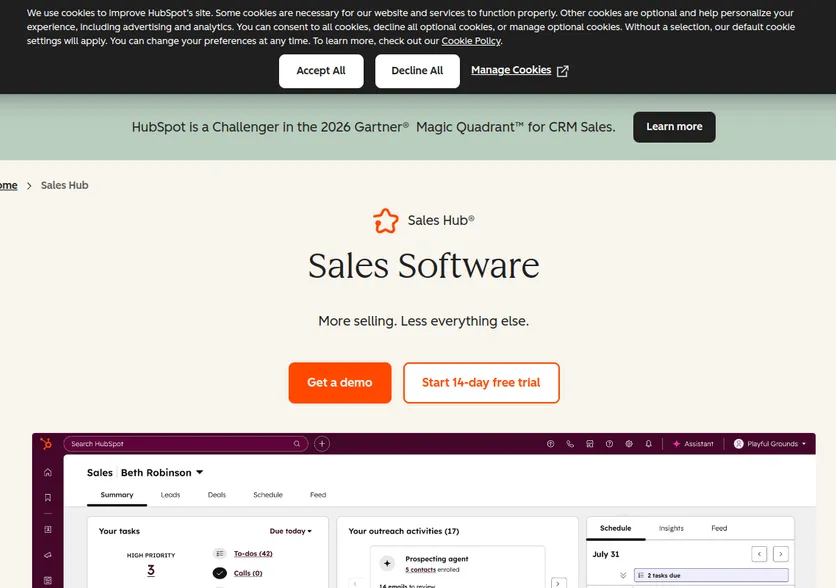
A revenue operations lead who needs forecasts that update from live pipeline data gets them here, because this HubSpot Sales Hub plan costs twenty dollars per seat a month for the Starter tier. Deals, quotes and activities all sit on one record, so the forecast reflects what reps actually did, not what they remembered to log. The free plan covers two users, and the Professional tier adds the forecasting tools, playbooks and automation that a growing team needs.
What we like
- Forecasts update from live pipeline data
- One record holds deals, quotes and activities
- Free plan covers two users to start
Watch out for
- Forecasting tools need the Professional tier, not Starter
- Onboarding fees apply on Professional and Enterprise
How to try it
- Import the pipeline and define a stage for each real selling step
- Set the close probability for every stage from past results
- Review the forecast weekly and update stages as deals move
2. Salesforce Sales Cloud
Best for: Teams that need the enterprise forecasting standard
Paid tool Starting price: $25/user/month · Twenty-five dollars per user a month billed annually on the Starter Suite, for up to ten users; Professional is $80 a user a month billed annually and adds collaborative forecasting; Enterprise is $165 and Unlimited is $330
Free plan: No free plan; 30-day free trial
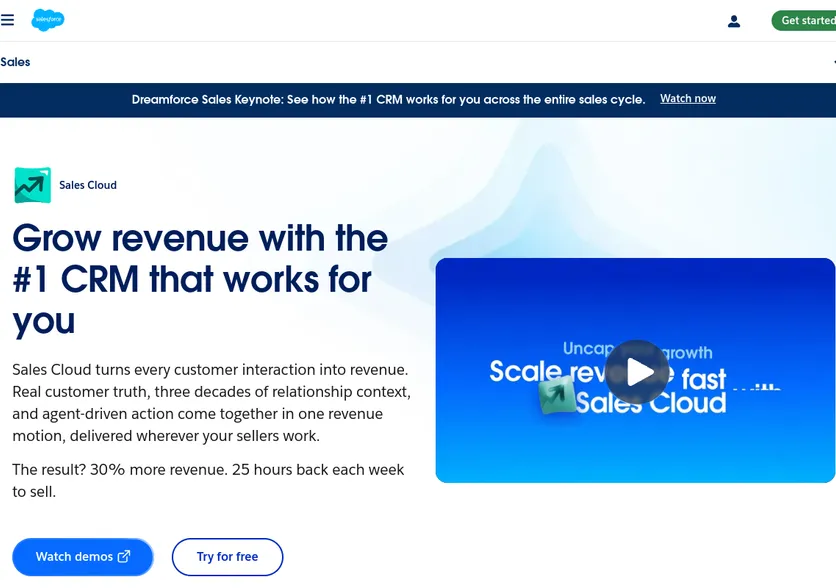
A revenue operations lead who wants the forecasting standard most enterprises already use gets it here, because this Salesforce Sales Cloud plan costs twenty-five dollars per user a month billed annually for the Starter Suite. The suite covers accounts, contacts and opportunities for up to ten users, and the Professional tier adds collaborative forecasting for teams that forecast together. It is the safe default when the board already asks for Salesforce numbers.
What we like
- The forecasting standard most enterprises already use
- Collaborative forecasting on the Professional tier
- Deep reporting and a huge integration ecosystem
Watch out for
- Collaborative forecasting needs the Professional tier
- The platform is heavy for a very small team
How to try it
- Set up opportunities with stages that match the sales process
- Enter the close date and probability for every open deal
- Run the forecast report weekly and share it with the board
3. Pipedrive
Best for: Teams that want forecasts from a visual pipeline
Paid tool Starting price: $49/user/month · Forty-nine dollars per user a month billed annually on Professional, which adds revenue forecasting; Essential is $14 a user a month billed annually ($24 monthly), Advanced is $29, Power is $64 and Enterprise is $99
Free plan: No free plan; 14-day free trial
A revenue operations lead who wants forecasts built from a pipeline the reps actually update gets them here, because this Pipedrive plan costs forty-nine dollars per user a month billed annually for the Professional tier, which adds revenue forecasting. The visual board makes it obvious which deals are slipping, and the forecasting view turns the pipeline into a number the board can plan around. Essential is cheaper, but it has no forecasting, so Professional is the real entry point.

What we like
- Visual board that reps actually keep updated
- Revenue forecasting turns the pipeline into a number
- Simple setup with no admin project needed
Watch out for
- Forecasting needs the Professional tier, not Essential
- Reporting is basic compared with the enterprise CRMs
How to try it
- Move deals across the board as they progress
- Set the expected close date and value for every deal
- Open the forecast view weekly and compare it with actuals
4. Zoho CRM
Best for: Zoho shops that want forecasting built in
Paid tool Starting price: $14/user/month · Fourteen dollars per user a month billed annually ($20 billed monthly) on Standard; Professional is $23 ($35 monthly), Enterprise is $40 ($50 monthly) and Ultimate is $52 ($65 monthly); forecasting is included from Standard
Free plan: Free plan (up to 3 users)
A revenue operations lead who already runs on Zoho apps gets forecasting inside the CRM they own, because this Zoho CRM plan costs fourteen dollars per user a month billed annually for the Standard tier. Forecasting is included from Standard, and the reports cover pipeline, sales and activity without a second tool. The free plan covers three users, and the dearer tiers add deeper analytics, workflow automation and AI assistance.

What we like
- Forecasting included from the Standard tier
- Reports cover pipeline, sales and activity in one place
- Free plan covers three users to start
Watch out for
- The interface takes time to configure well
- Advanced analytics sit on the dearer tiers
How to try it
- Turn on forecasting and set the targets for each rep
- Log every deal with a stage and an expected close date
- Review the forecast report weekly against actual closes
5. Freshsales
Best for: Small companies starting forecasting on a budget
Paid tool Starting price: $15/user/month · Fifteen dollars per user a month billed annually on Growth; Pro is $39 and Enterprise is $69; AI forecasting sits on Enterprise, so Growth buyers should check what they actually get
Free plan: Free plan (up to 3 users)
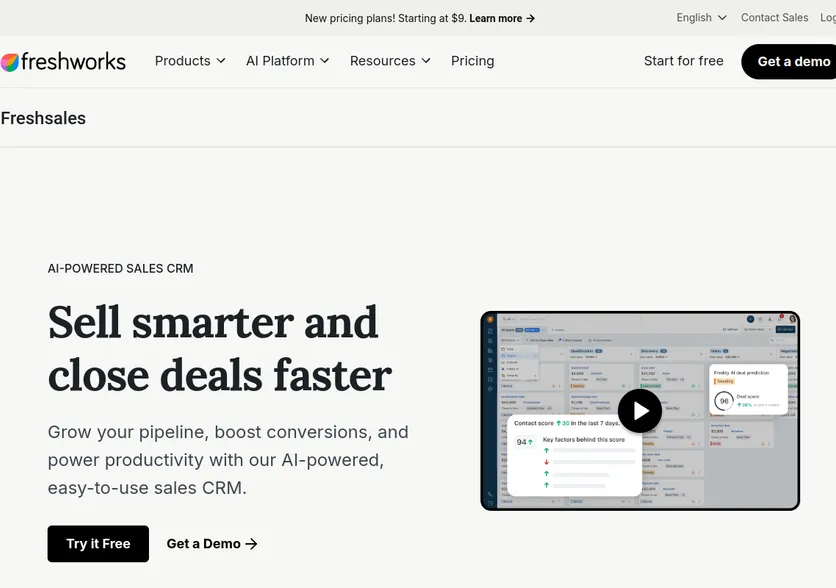
A revenue operations lead at a small company that wants forecasting without enterprise pricing gets a start here, because this Freshsales plan costs fifteen dollars per user a month billed annually for the Growth tier. The Growth tier covers deals, contacts and basic reporting, though the AI forecasting features sit on the Enterprise tier, so buyers should check what they actually get. The free plan covers three users, and the Pro tier adds more automation and reporting in between.
What we like
- Low entry price with a free plan for three users
- Clean interface that small teams learn fast
- Built-in phone and email keep activity on the record
Watch out for
- AI forecasting sits on the Enterprise tier, not Growth
- Reporting is lighter than the enterprise CRMs
How to try it
- Import the pipeline and set a stage for each deal
- Add the expected close date and value to every deal
- Review the forecast weekly and update stages as deals move
6. Insightly
Best for: Teams that want CRM and projects in one tool
Paid tool Starting price: $29/user/month · Twenty-nine dollars per user a month billed annually on Plus; Professional is $49 and Enterprise is $99; forecasting and reporting improve on the dearer tiers
Free plan: No free plan; 14-day free trial
A revenue operations lead who wants CRM and project tracking in one subscription gets both here, because this Insightly plan costs twenty-nine dollars per user a month billed annually for the Plus tier. Deals and projects share the same record, so the forecast can reflect delivery as well as sales, and the reporting improves on the dearer tiers. The fourteen-day trial is enough to test whether the combined workflow fits the team.
What we like
- CRM and project tracking in one subscription
- Deals and projects share the same record
- Good reporting for a mid-price CRM
Watch out for
- No free plan, only a fourteen-day trial
- The forecasting is lighter than the dedicated platforms
How to try it
- Create a pipeline with stages that match the sales process
- Link each deal to its project so delivery shows in the forecast
- Review the forecast report weekly against actual closes
7. Copper
Best for: Google Workspace teams that sell from Gmail
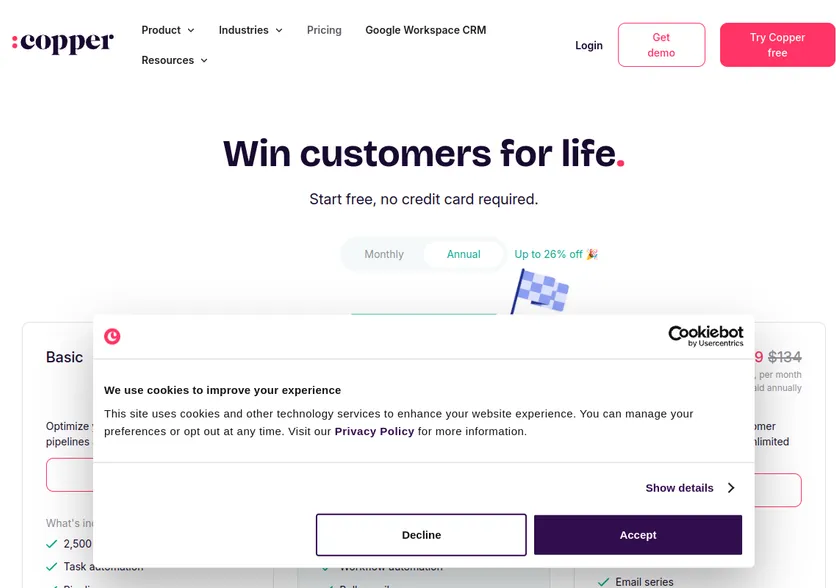
Paid tool Starting price: $23/seat/month · Twenty-three dollars per seat a month billed annually ($29 billed monthly) on Basic; Professional is $59 ($69 monthly) and Business is $99 ($134 monthly); Basic has no Leads or Opportunities, so Professional is the practical entry for forecasting
Free plan: No free plan; 14-day free trial
A revenue operations lead who runs the whole sales process inside Google Workspace gets a CRM built for it here, because this Copper plan costs twenty-three dollars per seat a month billed annually for the Basic tier. The Basic tier is cheap, but it has no Leads or Opportunities, so the Professional tier is the practical entry for forecasting. Professional adds the sales objects, automation and reporting that a revenue operations lead actually needs.
What we like
- Built for Google Workspace, no extra login needed
- Emails and meetings sync to the deal automatically
- Clean interface that Gmail users pick up fast
Watch out for
- Basic has no Leads or Opportunities, so forecasting needs Pro
- The price jumps sharply between Basic and Professional
How to try it
- Connect Copper to Google Workspace and import contacts
- Build the pipeline with stages that match the sales process
- Review the forecast weekly and update deal stages as they move
8. monday sales CRM
Best for: Teams that want the clearest pipeline board
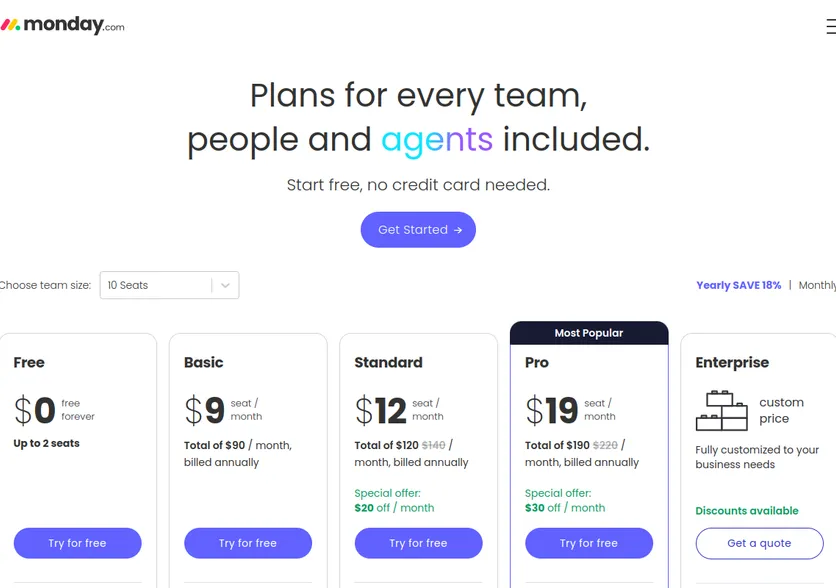
Paid tool Starting price: $12/seat/month · Twelve dollars per seat a month billed annually ($18 billed monthly) on Basic, with a three-seat minimum; Standard is $17 ($25 monthly) and Pro is $28 ($41 monthly) and adds sales forecasting; Ultimate is quoted
Free plan: No free plan; 14-day free trial
A revenue operations lead who wants a pipeline the whole team can see at a glance gets it here, because this monday sales CRM plan costs twelve dollars per seat a month billed annually for the Basic tier. The board view is the clearest in this list, and every seat costs the same low rate, though the three-seat minimum sets a real floor of thirty-six dollars a month. Sales forecasting arrives on the Pro tier, so buyers should budget for that step up.
What we like
- The clearest pipeline board in this list
- Low per-seat price with no hidden tiers at the start
- Automations keep the board updated without manual work
Watch out for
- Sales forecasting needs the Pro tier, not Basic
- The three-seat minimum raises the real monthly floor
How to try it
- Build a board with columns for each pipeline stage
- Add the value and expected close date to every deal
- Open the forecast view weekly and compare it with actuals
9. Close
Best for: Teams that want calls, email and pipeline in one screen
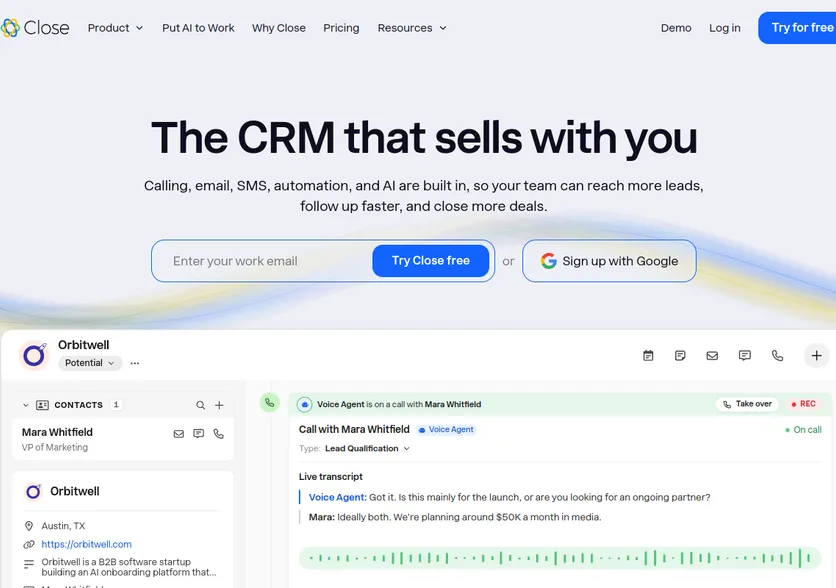
Paid tool Starting price: $49/user/month · Forty-nine dollars per user a month on Startup; Professional is $99 and Enterprise is $139; annual billing saves about seventeen percent; a November social post reports a new Solo, Essentials, Growth and Scale ladder, which is not verified on the vendor page
Free plan: No free plan; 14-day free trial
A revenue operations lead who wants calls, emails and pipeline in one screen without a separate dialer gets it here, because this Close plan costs forty-nine dollars per user a month. The built-in dialer and email keep every touch on the deal record, so the forecast is built from real activity, not from notes typed after the call. Annual billing saves about seventeen percent, and the dearer tiers add more automation and reporting.
What we like
- Built-in dialer and email in one screen
- Every touch is logged on the deal automatically
- Forecasts built from real activity, not typed notes
Watch out for
- No free plan, only a fourteen-day trial
- A new pricing ladder is reported but not verified on the vendor page
How to try it
- Import the pipeline and connect the team mailboxes
- Call and email from inside Close so every touch is logged
- Review the forecast weekly and update stages as deals move
Prices above were checked on each vendor’s own website on Nov 28, 2026 and can change — the vendor’s page is the final word. Vendor links are editorial: nobody paid to be listed or ranked here. Vendors who want a featured listing can see how it works on our Get listed page.
How revenue ops builds a forecast the board can trust
Start with a pipeline the reps actually update, because a forecast built from stale deals is fiction no matter how good the tool is. Define the stages in writing, with an exit rule for each one, so a deal only moves when something real happened. Weight each stage by its real close rate from the last two quarters, not by optimism, and review the weighted number every week against what actually closed. Write down who owns the forecast and when it is reviewed.
Before you buy
- Confirm forecasting is on the tier you are buying, not a dearer tier you have not budgeted for
- Check whether the forecast weights stages by real close rates or by guesswork
- Ask if the CRM updates the forecast from live activity, not from manual entry
- Make sure the pipeline stages match how the team actually sells, not a generic template
- Test the forecast on last quarter's deals first, and see how close it comes
Official websites
Official websites of the products reviewed above. Features and prices were checked against these sites when this guide was written, and they can change, so confirm on the vendor site before you buy.
Frequently asked questions
What is sales forecasting software for revenue ops?
It turns a live sales pipeline into a predicted revenue number, so revenue operations can plan hiring, spending and targets. It works by weighting each deal by its stage and close probability, then adding the deals up into a forecast. The tools in this list are CRMs with forecasting built in, because a forecast is only as honest as the pipeline it comes from.
How much does HubSpot Sales Hub cost for forecasting?
HubSpot Sales Hub costs twenty dollars per seat a month on the Starter tier, and the free plan covers two users. Forecasting tools sit on the Professional tier, which costs ninety dollars a seat a month billed annually, plus a one-time onboarding fee. Starter buyers who need forecasts should budget for that step up.
Which sales forecasting tool is cheapest for revenue ops?
monday sales CRM is the cheapest here, at twelve dollars per seat a month billed annually on the Basic tier, though the three-seat minimum sets a thirty-six-dollar floor. Forecasting arrives on the Pro tier at twenty-eight dollars a seat a month billed annually. Zoho CRM is the next cheapest at fourteen dollars per user a month billed annually, with forecasting from the Standard tier.
Why are Clari and Gong Forecast missing from this list?
Clari and Gong Forecast are dedicated forecasting platforms, but neither publishes a list price, so neither could be verified for this comparison. Both sell by annual contract through a sales call, and both are priced for larger teams. The same applies to People.ai, Aviso and BoostUp. Every tool in this list has a published US dollar price checked on the vendor site on November 28, 2026.
Can a small team forecast without enterprise software?
Yes, and most small teams should start in a CRM rather than a dedicated forecasting platform. A CRM like Pipedrive or Zoho CRM builds the forecast from the same pipeline the reps update daily, so the number stays honest. The key is discipline: define the stages, weight them by real close rates, and review the forecast weekly against what actually closed.
Compare the nine tools above, then start with a free trial or the free HubSpot Sales Hub plan on the tool that matches how the revenue team already sells before paying for a full year.
Browse Business Tools tools