On this page
A small business cannot afford to buy bad data: every bounced email is a wasted send, and every wrong number is a wasted call. Sales intelligence tools fix that by finding verified emails and phones before the first outreach, and the eight tools below do it from about thirty dollars to about one hundred and forty-seven dollars a month. Apollo.io leads because it pairs the contact database with the outreach sequences in one subscription, and the rest are ranked on how accurate their data is for the price.
How we researched this
We checked every price on the vendor pricing page on November 28, 2026, and only included tools with a published US dollar list price. The enterprise data platforms that sell by quote, including ZoomInfo, Cognism and Clearbit, publish no prices, so they are not in this list. Prices change, so confirm the current figure on the vendor site before you buy.
Compare the tools
| Name | Best for | Starting price | Free plan | |
|---|---|---|---|---|
 Apollo.io | Small businesses that want data and outreach in one | $49/user/month | Free plan | Visit |
 Lusha | Small teams finding contacts on LinkedIn | $29.90/user/month | Free plan (40 credits a month) | Visit |
 Hunter.io | Small businesses finding emails by company domain | $34/month | Free plan (50 credits a month) | Visit |
| UpLead | Small businesses that want verified emails and phones | $74/month | No free plan; 7-day free trial (5 credits) | Visit |
 RocketReach | Small businesses buying a few hundred contacts a year | $33/month | Free plan (5 lookups a month) | Visit |
| Seamless.AI | Small businesses that want AI-built prospect lists | $147/user/month | Free plan | Visit |
 Snov.io | Small businesses verifying lists before sending | $29.25/month | Free plan (50 credits a month) | Visit |
| Findymail | Small businesses that only pay for verified emails | $49/month | Free trial (10 credits) | Visit |
The sales intelligence software for small business, compared
1. Apollo.io
Best for: Small businesses that want data and outreach in one
Paid tool Starting price: $49/user/month · Forty-nine dollars per user a month billed annually ($65 billed monthly); Professional is $79 a user a month billed annually ($99 monthly) and Organization is $119, with a three-seat minimum
Free plan: Free plan
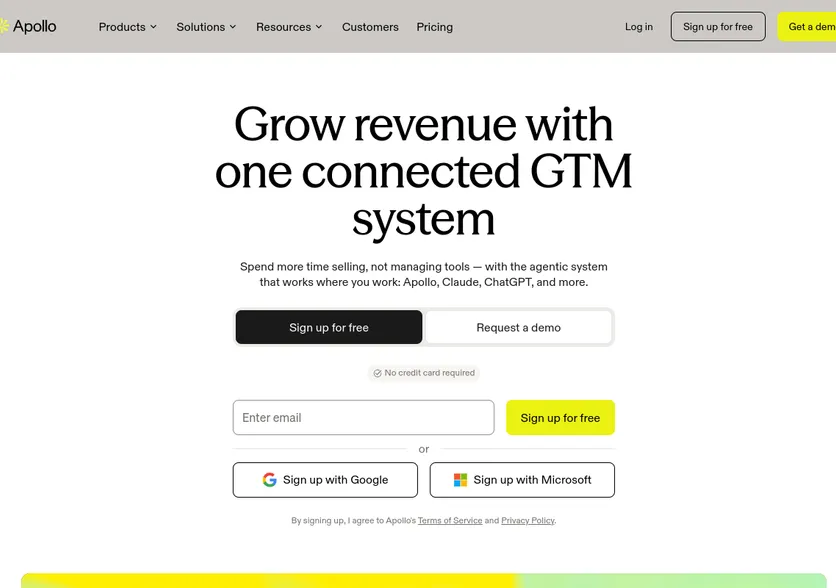
A small business that cannot afford a separate data vendor and a separate outreach tool gets both in one subscription here, because this Apollo plan costs forty-nine dollars per user a month billed annually. The database finds the contacts, the verifier checks the emails, and the sequences send the follow-up, all from one login. The free plan covers a small team testing the workflow, and the paid tiers add more credits and integrations as volume grows.
What we like
- Contact database and sequences in one subscription
- Verifier checks emails before the first send
- Free plan for testing the workflow before paying
Watch out for
- Credits cap how many contacts a team can enrich each month
- The cheapest paid tier limits some integrations
How to try it
- Search the database for companies that match the ideal customer
- Verify the emails, then add the list to a short sequence
- Watch replies and move warm leads to a call
2. Lusha
Best for: Small teams finding contacts on LinkedIn
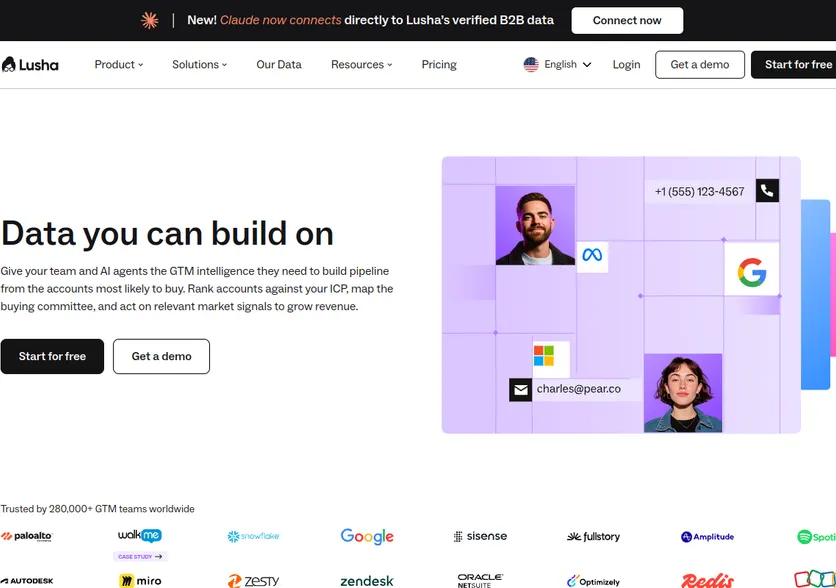
Paid tool Starting price: $29.90/user/month · Twenty-nine dollars and ninety cents per user a month billed annually ($39 billed monthly) on Pro; Premium is $52.45 a user a month billed annually ($69.90 monthly); the vendor also shows per-plan Starter $49.90 a month for one seat and Pro $69.90 for two seats, so confirm the per-seat rate at checkout
Free plan: Free plan (40 credits a month)
A small business that finds prospects on LinkedIn and needs their work emails and phones in one click gets them here, because this Lusha plan costs twenty-nine dollars and ninety cents per user a month billed annually for the Pro tier. The extension reveals contact details right on the profile, and the credits system keeps the cost predictable for a small team. The free plan covers forty credits a month, and the Premium tier adds intent data and bulk enrichment.
What we like
- Reveals emails and phones right on the profile
- Credits system keeps the cost predictable
- Free plan covers forty credits a month
Watch out for
- Per-seat and per-plan figures conflict, so confirm at checkout
- Credits reset monthly, so unused credits are lost
How to try it
- Install the extension and open a LinkedIn profile
- Reveal the work email and phone in one click
- Save the contact to the CRM and add it to a sequence
3. Hunter.io
Best for: Small businesses finding emails by company domain
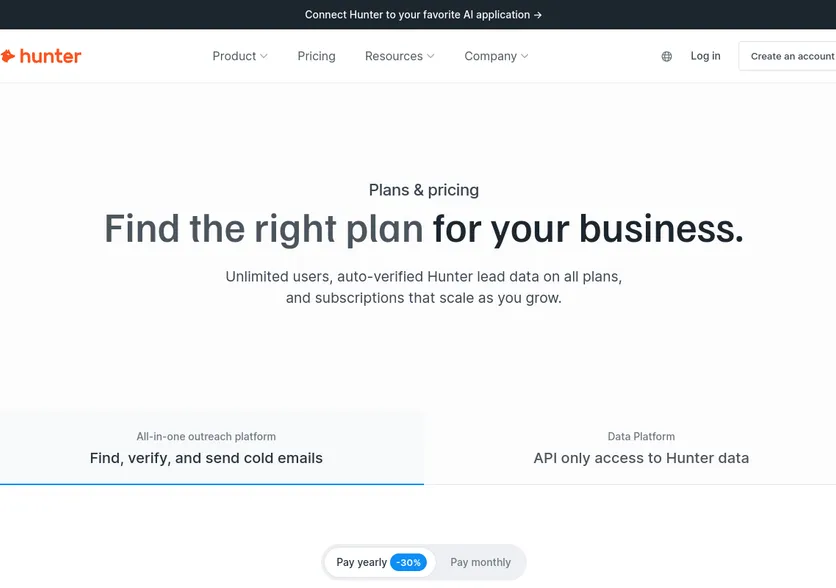
Paid tool Starting price: $34/month · Thirty-four dollars a month billed annually ($49 billed monthly) on Starter, for 2,000 credits a month; Growth is $104 a month billed annually ($149 monthly) for 10,000 credits; Scale is $209 ($299 monthly)
Free plan: Free plan (50 credits a month)
A small business that finds companies first and needs the email behind the name gets it here, because this Hunter plan costs thirty-four dollars a month billed annually for the Starter tier. The domain search finds every email at a company, the verifier checks them before sending, and the credits are shared across unlimited users. The free plan covers fifty credits a month, and the Growth tier raises the allowance to ten thousand credits.
What we like
- Domain search finds every email at a company
- Credits shared across unlimited users
- Verifier checks emails before the first send
Watch out for
- No phone numbers, so dialing needs a second tool
- Credits are the only meter, so heavy use costs more
How to try it
- Enter a company domain and list every email behind it
- Verify the emails, then export the clean list
- Send the first campaign and watch the bounce rate
4. UpLead
Best for: Small businesses that want verified emails and phones
Paid tool Starting price: $74/month · Seventy-four dollars a month billed annually ($99 billed monthly) on Essentials, for 170 credits a month; Plus is $149 a month billed annually ($199 monthly) for 400 credits; Professional is quoted; one credit buys one contact with email and mobile
Free plan: No free plan; 7-day free trial (5 credits)
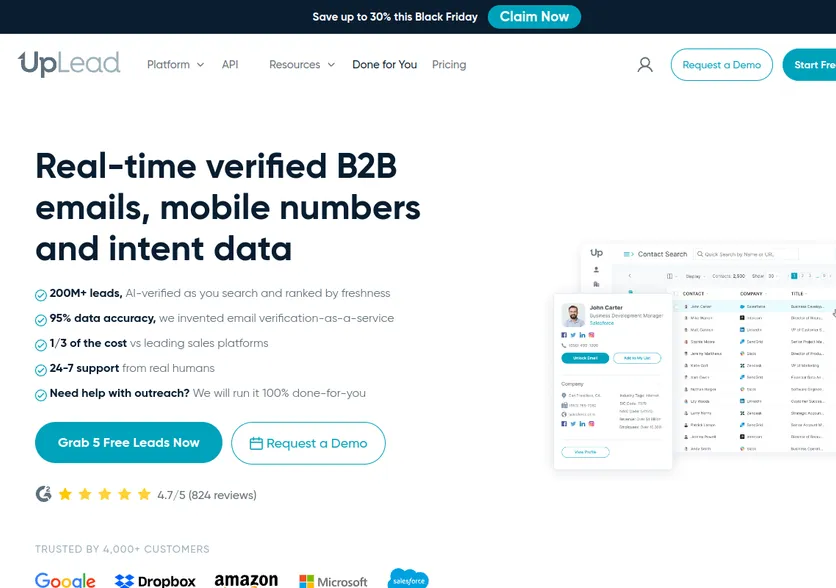
A small business that wants every email verified at the moment of download gets that guarantee here, because this UpLead plan costs seventy-four dollars a month billed annually for the Essentials tier. One credit buys one contact with both a verified email and a mobile number, and the database holds more than two hundred million leads. The seven-day trial covers five credits, and the Plus tier adds enrichment and advanced filters.
What we like
- Every email verified at the moment of download
- One credit buys an email and a mobile number together
- Database of more than two hundred million leads
Watch out for
- No free plan, only a seven-day trial with five credits
- The trial auto-switches to the annual plan if not cancelled
How to try it
- Search the database for the ideal customer profile
- Download the list with emails verified at that moment
- Import the contacts to the CRM and start the first campaign
5. RocketReach
Best for: Small businesses buying a few hundred contacts a year
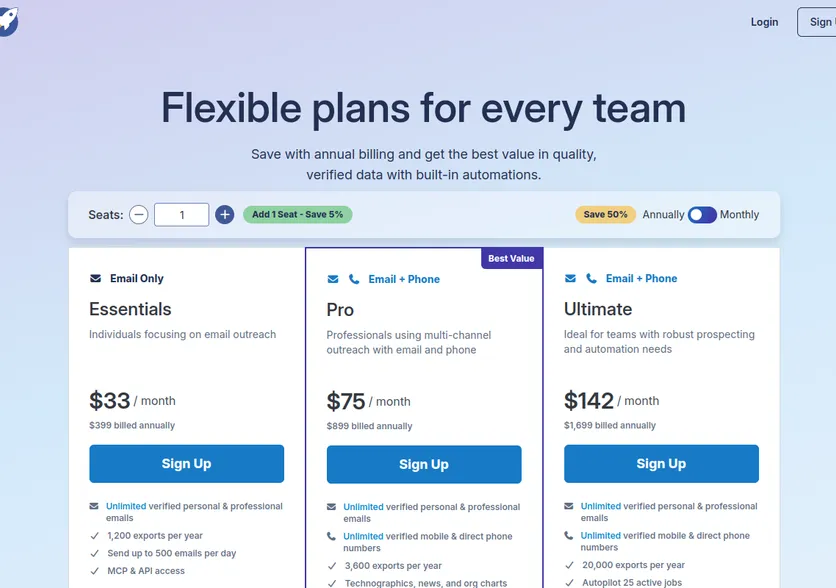
Paid tool Starting price: $33/month · Thirty-three dollars a month billed annually ($69 billed monthly) on Essentials, for 1,200 lookups a year, email only; Pro is $83 a month billed annually ($119 monthly) for 3,600 lookups with phones; Ultimate is $207 ($209 monthly)
Free plan: Free plan (5 lookups a month)
A small business that needs emails and phones for a few hundred prospects a year gets them cheaply here, because this RocketReach plan costs thirty-three dollars a month billed annually for the Essentials tier. The Essentials tier covers one thousand two hundred lookups a year for emails only, and the Pro tier adds phones and CRM integrations. The free plan covers five lookups a month, which is enough to test the data before paying.
What we like
- The cheapest entry price in this list
- Large database of profiles and companies
- Free plan covers five lookups a month
Watch out for
- Essentials covers emails only, so phones cost more
- Annual billing is required for the headline rate
How to try it
- Search the database for the target companies and roles
- Use a lookup to reveal the email for each contact
- Export the list and verify it before the first send
6. Seamless.AI
Best for: Small businesses that want AI-built prospect lists
Paid tool Starting price: $147/user/month · One hundred and forty-seven dollars per user a month on Basic, shown in the app; Pro is quoted and adds unlimited daily credits; daily credits expire at midnight, so unused credits do not roll over
Free plan: Free plan
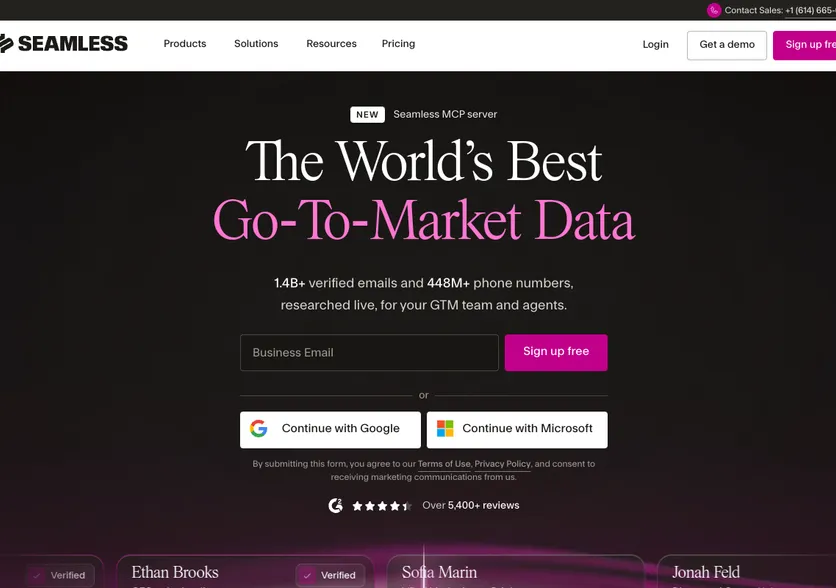
A small business that wants AI to build its prospect lists instead of searching by hand gets it here, because this Seamless plan costs one hundred and forty-seven dollars per user a month for the Basic tier. The AI finds emails and phones in real time as the team searches, and the Chrome extension works straight from LinkedIn. Daily credits expire at midnight, so the team should use them or lose them, and the Pro tier is quoted for heavier use.
What we like
- AI builds prospect lists in real time
- Chrome extension works straight from LinkedIn
- Emails and phones found together in one search
Watch out for
- Daily credits expire at midnight, so unused credits are lost
- The Pro tier is quoted, not published
How to try it
- Install the extension and search LinkedIn for prospects
- Let the AI find the emails and phones in real time
- Export the list to the CRM and start the first campaign
7. Snov.io
Best for: Small businesses verifying lists before sending
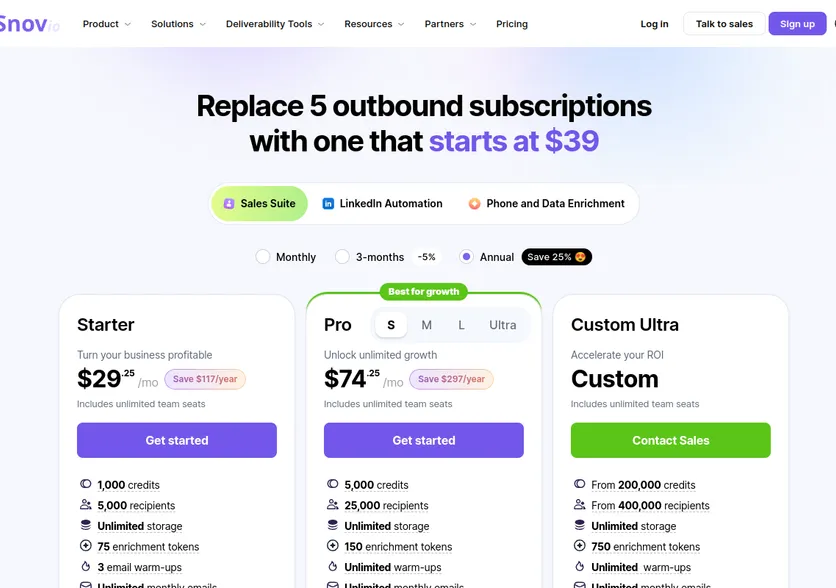
Paid tool Starting price: $29.25/month · Twenty-nine dollars and twenty-five cents a month billed annually ($39 billed monthly) on Starter; Pro S is $74.25 a month billed annually ($99 monthly), Pro M is $141.75 ($189 monthly) and Pro L is $276.75 ($369 monthly)
Free plan: Free plan (50 credits a month)
A small business that buys prospect lists needs to know the emails are real before sending, and this Snov plan costs twenty-nine dollars and twenty-five cents a month billed annually with verification included. The extension finds emails on profiles and domains, the verifier checks them before sending, and the built-in sequences run the follow-up. The free plan covers a small monthly allowance, and the dearer tiers raise credits and add team features.
What we like
- Finds and verifies emails from LinkedIn and domains
- Built-in sequences run the follow-up in the same tool
- Free plan covers a small monthly allowance
Watch out for
- Credit limits bite fast on bigger prospect lists
- Higher tiers are needed for serious team volume
How to try it
- Install the extension and collect emails from profiles
- Verify the list, then build a short follow-up sequence
- Track opens and replies, and refresh the list monthly
8. Findymail
Best for: Small businesses that only pay for verified emails
Paid tool Starting price: $49/month · Forty-nine dollars a month on Basic, for 1,000 Finder and 1,000 Verifier credits; Individual is $99 a month, Team is $399 and Scale is $999; one credit buys one email and ten buy one phone; only verified emails are charged
Free plan: Free trial (10 credits)
A small business that only wants to pay for emails that actually verify gets that deal here, because this Findymail plan costs forty-nine dollars a month for the Basic tier. One credit buys one email and ten buy one phone, and the tool only charges for verified results, so misses cost nothing. Unused credits roll over up to twice the monthly allowance, and the free trial covers ten credits.
What we like
- Only verified emails are charged, misses cost nothing
- Unused credits roll over up to twice the allowance
- One credit buys one email, ten buy one phone
Watch out for
- No free plan, only a ten-credit trial
- Phones cost ten credits each, so they drain the allowance fast
How to try it
- Upload a list of names and domains to enrich
- Let Findymail find and verify the emails
- Export the verified list and start the first campaign
Prices above were checked on each vendor’s own website on Nov 28, 2026 and can change — the vendor’s page is the final word. Vendor links are editorial: nobody paid to be listed or ranked here. Vendors who want a featured listing can see how it works on our Get listed page.
How a small business builds a prospect list that actually converts
Start with a tight definition of the ideal customer, then buy data for that list only, because a thousand random contacts are worth less than a hundred right ones. Verify every email before the first send, and drop any contact whose email or phone does not check out. Send a small test batch first, watch the bounce and reply rates, and only scale the list when the numbers prove the data is good. Keep the list fresh by re-verifying it every quarter, and delete the contacts that never engage, so the team stops paying to store dead leads.
Before you buy
- Confirm the price covers the credits the team actually needs, not just the entry allowance
- Check whether emails and phones are verified before download, or only after
- Ask if unused credits roll over, or expire at the end of the month
- Make sure the tool finds contacts in the markets and company sizes the business sells to
- Test the data on a small list first, and check how many emails actually verify
Official websites
Official websites of the products reviewed above. Features and prices were checked against these sites when this guide was written, and they can change, so confirm on the vendor site before you buy.
Frequently asked questions
What is sales intelligence software for small business?
It is software that finds verified business contact data, emails, phone numbers, company details and buying signals, so a small sales team can reach the right people. It works by searching a database of companies and contacts, then verifying each email and phone before the team sends anything. Small businesses need it because bad data wastes sends, calls and money, and the tools in this list all publish their prices.
How much does Apollo.io cost for a small business?
Apollo.io costs forty-nine dollars per user a month billed annually on the Basic plan, or sixty-five dollars billed monthly. That plan includes the contact database, email sequences and basic integrations, with a free plan for testing. Professional costs seventy-nine dollars a user a month billed annually and adds more credits, advanced sequences and deeper integrations for busier teams.
Which sales intelligence tool is cheapest for a small business?
Lusha is the cheapest here, at twenty-nine dollars and ninety cents per user a month billed annually on the Pro tier. It finds work emails and phones from LinkedIn profiles, with a free plan covering forty credits a month. Snov.io is the next cheapest at twenty-nine dollars and twenty-five cents a month billed annually, and it adds email verification and sequences.
Do small businesses need phone numbers or just emails?
Emails are enough to start, and most small teams should begin there, because email outreach is cheaper and easier to scale. Phone numbers matter when the deal is large or the buyer rarely answers email, and the Pro tiers of RocketReach, UpLead and Lusha add them. A small business should buy phones only for the accounts worth a call, not for the whole list.
Why are ZoomInfo, Cognism and Clearbit missing from this list?
ZoomInfo, Cognism and Clearbit are enterprise data platforms, but none publishes a list price, so none could be verified for this comparison. All three sell by annual contract through a sales call, with minimum contracts that run into five figures. Every tool in this list has a published US dollar price that was checked on the vendor site on November 28, 2026.
Compare the eight tools above, then start with a free trial or the free Apollo.io plan on the tool that matches how the small business already finds buyers before paying for a full year.
Browse Business Tools tools