
On this page
Security software for secure file sharing runs from six dollars to about twenty-three dollars a user a month, and the cheapest plan is rarely the cheapest total once your team grows. The seven tools below all cover encrypted sharing, permissions and admin controls, and every price was checked on the vendor site on November 26, 2026. Most offer a free plan or a free trial, so compare the whole cost rather than the monthly rate alone. Box is our first pick — the best all-round file sharing for teams.
How we researched this
We started with the file sharing tools teams actually buy, then read each price on the vendor pricing page on November 26, 2026 and noted the free plan or trial each one carries. We judged them for a team that needs encrypted sharing, permissions and admin controls in one system, and we kept only tools with a published price on the vendor site. We dropped Kiteworks because it is quote-only.
Compare the tools
| Name | Best for | Starting price | Free plan | |
|---|---|---|---|---|
 Box | Teams who want the most popular business file sharing with unlimited storage | $15/user/month | Free Individual plan available (10 GB) | Visit |
 Sync.com | Small teams who want the cheapest secure sharing with end-to-end encryption | $6/user/month | Free plan available (5 GB); 30-day money-back guarantee | Visit |
 Tresorit | Teams who want the strongest privacy with end-to-end encryption and Swiss hosting | $23.20/user/month | Free plan available (Basic, 5 GB); 14-day free trial | Visit |
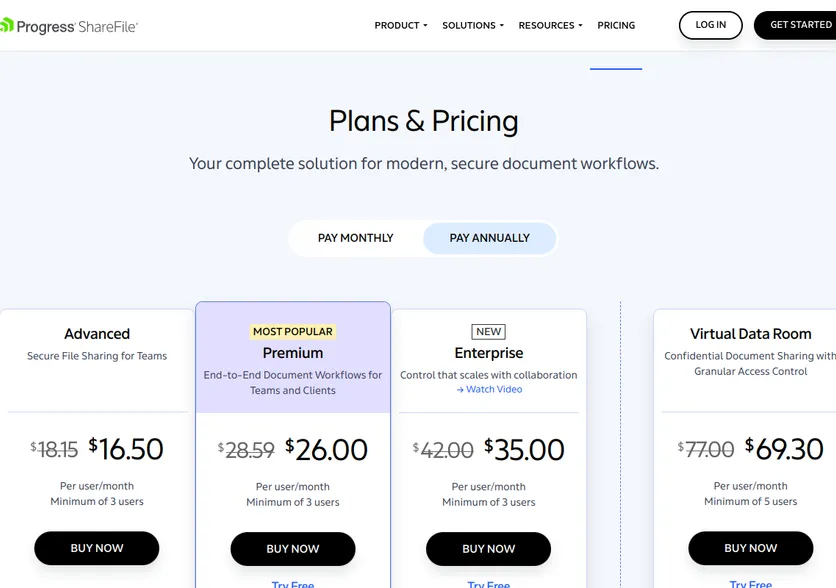
 Progress ShareFile | Teams who want secure file sharing with e-signatures and client portals built in | $16.50/user/month | No free plan; 14-day free trial on Premium and Enterprise | Visit |
 Egnyte | Teams who want file sharing with governance and compliance built in | $10/user/month | No free plan; free trial available | Visit |
 pCloud Business | Small teams who want a low price with one terabyte per user | $7.99/user/month | No free Business plan; 30-day free trial | Visit |
 Dropbox Business | Teams who want the most familiar file sharing with pooled team storage | $15/user/month | No free Business plan; 30-day free trial | Visit |
The security software for secure file sharing, compared
1. Box
Best for: Teams who want the most popular business file sharing with unlimited storage
Paid tool Starting price: $15/user/month · Business billed annually; Business Starter five dollars annual, Business Plus twenty-five dollars and Enterprise thirty-five dollars a user a month annual; monthly rates are higher
Free plan: Free Individual plan available (10 GB)
Box is the business file sharing platform for teams, with unlimited storage on the Business plan and the admin controls that IT teams need. This Box Business plan costs fifteen dollars a user a month billed annually, with a three-user minimum and unlimited storage. A team that shares large files every day will like the unlimited storage that never caps.

What we like
- Unlimited storage on the Business plan
- Most popular business file sharing in this list
- Admin controls and integrations built in
Watch out for
- Business is fifteen dollars a user a month with a three-user minimum
- The free plan is for one person, not a team
How to try it
- Open the Box pricing page and compare Business and Business Plus
- Claim the free Individual plan and test sharing
- Start a Business trial with your real team
2. Sync.com
Best for: Small teams who want the cheapest secure sharing with end-to-end encryption
Paid tool Starting price: $6/user/month · Teams one terabyte billed annually; Teams two terabytes nine dollars and Teams ten terabytes fifteen dollars a user a month annual; monthly rates are higher; Enterprise is quote-based
Free plan: Free plan available (5 GB); 30-day money-back guarantee
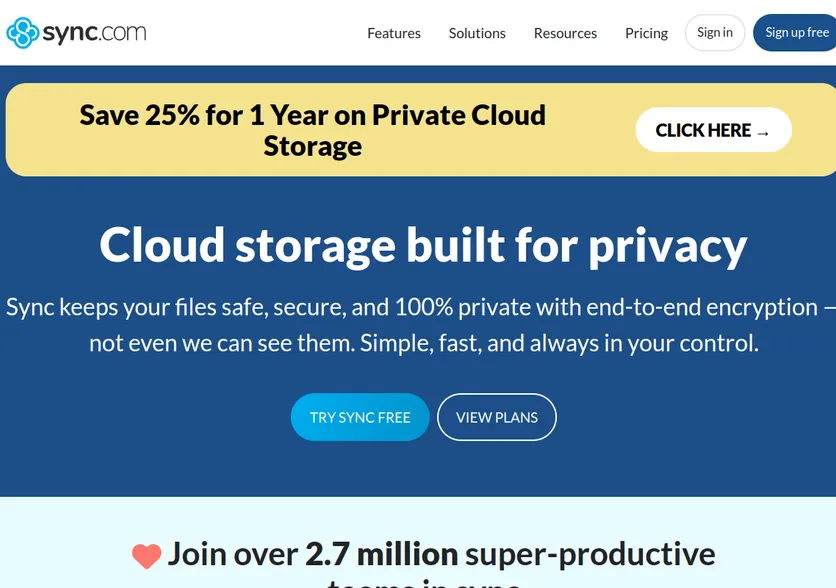
Sync is the end-to-end encrypted file sharing platform for small teams, with privacy built in and the cheapest price in this list. This Sync Teams one terabyte plan costs six dollars a user a month billed annually, with a three-user minimum and end-to-end encryption. A small team that wants privacy first will like the encryption that even Sync cannot read.
What we like
- Cheapest price in this comparison
- End-to-end encryption on every plan
- Thirty-day money-back guarantee
Watch out for
- Teams is six dollars a user a month with a three-user minimum
- The four dollars fifty first-year rate is a promo, not the list price
How to try it
- Open the Sync pricing page and compare the Teams plans
- Claim the free plan and test sharing with a teammate
- Start a Teams trial with your real files
3. Tresorit
Best for: Teams who want the strongest privacy with end-to-end encryption and Swiss hosting
Paid tool Starting price: $23.20/user/month · Business billed annually; Professional thirty-two dollars a month flat for one user annual; Business Pro twenty-eight dollars eighty annual; Enterprise custom; free Basic plan with five gigabytes
Free plan: Free plan available (Basic, 5 GB); 14-day free trial
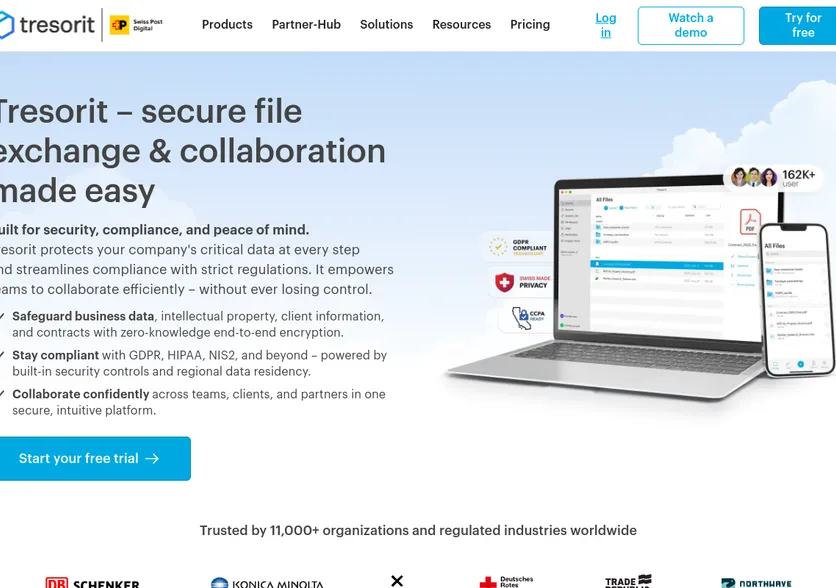
Tresorit is the end-to-end encrypted file sharing platform for teams that need the strongest privacy, with Swiss hosting and zero-knowledge encryption. This Tresorit Business plan costs twenty-three dollars twenty a user a month billed annually, with a three-user minimum and full admin controls. A team that handles sensitive files will like the encryption that keeps even Tresorit out.
What we like
- End-to-end encryption with Swiss hosting
- Zero-knowledge privacy on every plan
- Free Basic plan with five gigabytes
Watch out for
- Business is twenty-three dollars twenty a user a month with a three-user minimum
- The euro prices on some pages are the European storefront, not the US price
How to try it
- Open the Tresorit pricing page and compare Business and Business Pro
- Claim the free Basic plan and test sharing
- Start the fourteen-day trial with your real team
4. Progress ShareFile
Best for: Teams who want secure file sharing with e-signatures and client portals built in
Paid tool Starting price: $16.50/user/month · Advanced billed annually; Premium twenty-six dollars and Enterprise thirty-five dollars a user a month annual; Virtual Data Room sixty-nine dollars thirty annual; monthly rates are higher; three-user minimum
Free plan: No free plan; 14-day free trial on Premium and Enterprise
Progress ShareFile is the secure file sharing platform for teams, with e-signatures, client portals and document tracking built in. This ShareFile Advanced plan costs sixteen dollars fifty a user a month billed annually, with a three-user minimum and unlimited storage. A team that sends contracts and files to clients will like the e-signatures that live next to the sharing.
What we like
- E-signatures and client portals built in
- Unlimited storage on the Advanced plan
- Fourteen-day trial on Premium and Enterprise
Watch out for
- Advanced is sixteen dollars fifty a user a month with a three-user minimum
- No free plan, only a trial
How to try it
- Open the ShareFile plans page and compare Advanced and Premium
- Start the fourteen-day trial with your real files
- Test the e-signature on a real document
5. Egnyte
Best for: Teams who want file sharing with governance and compliance built in
Paid tool Starting price: $10/user/month · Team plan paid annually for one to ten users and one terabyte; Business twenty-two dollars, Enterprise Lite thirty-nine and Elite forty-eight dollars a user a month; Ultimate custom; all plans paid annually
Free plan: No free plan; free trial available
Egnyte is the secure file sharing platform for teams that need governance, with content classification and compliance controls built in. This Egnyte Team plan costs ten dollars a user a month paid annually for one to ten users and one terabyte. A team that handles regulated files will like the governance that flags risky sharing.

What we like
- Governance and compliance built in
- Content classification on every plan
- Clear upgrade path from ten to forty-eight dollars a user a month
Watch out for
- Team is ten dollars a user a month paid annually, with no monthly option
- No free plan, only a trial
How to try it
- Open the Egnyte pricing page and compare Team and Business
- Start a trial with your real files
- Test the governance controls on a sensitive folder
6. pCloud Business
Best for: Small teams who want a low price with one terabyte per user
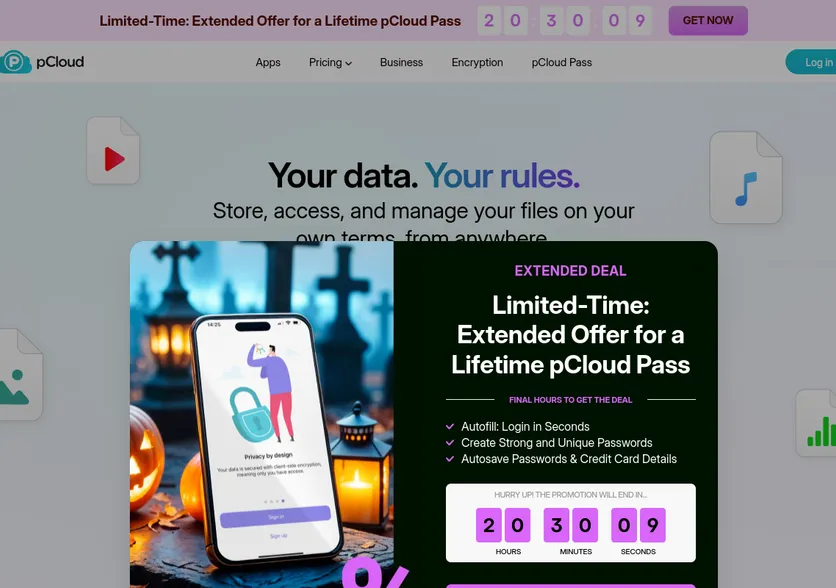
Paid tool Starting price: $7.99/user/month · Business billed annually, one terabyte per user, three-user minimum; Business Pro two terabytes is fifteen dollars ninety-eight annual list, currently shown at eleven dollars ninety-eight as a new-account promotion
Free plan: No free Business plan; 30-day free trial
pCloud Business is the secure file sharing platform for small teams, with one terabyte per user and a low price that fits a small budget. This pCloud Business plan costs seven dollars ninety-nine a user a month billed annually, with a three-user minimum and one terabyte per user. A small team that wants a terabyte each will like the low price with no storage worries.
What we like
- One terabyte per user on the Business plan
- Low price with a thirty-day trial
- Crypto folder option for extra encryption
Watch out for
- Business is seven dollars ninety-nine a user a month with a three-user minimum
- The eleven dollars ninety-eight Business Pro rate is a promo, not the list price
How to try it
- Open the pCloud Business page and check the per-user storage
- Start the thirty-day trial with your real files
- Test the Crypto folder on a sensitive file
7. Dropbox Business
Best for: Teams who want the most familiar file sharing with pooled team storage
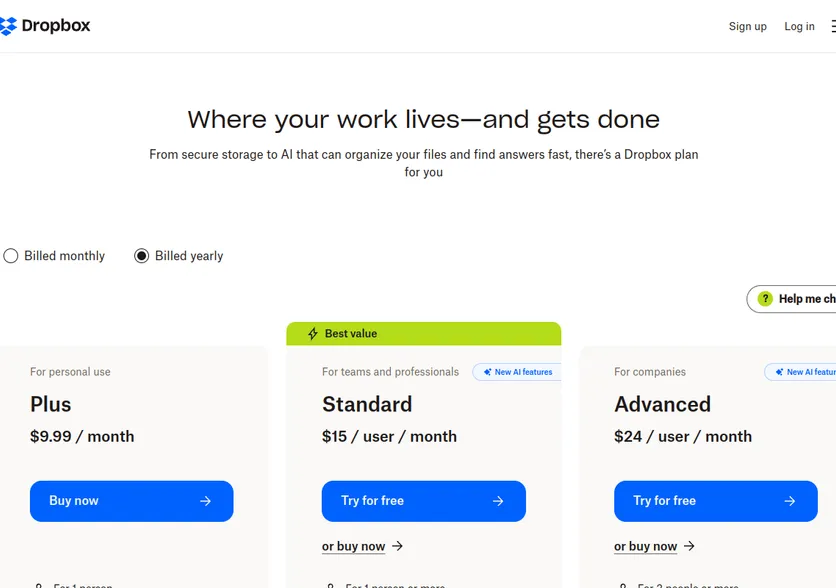
Paid tool Starting price: $15/user/month · Standard billed annually, three terabytes pooled team storage; Advanced twenty-four dollars annual, fifteen terabytes, three-user minimum; Enterprise custom; the twelve-dollar rate is a three-free-months promo, not the list price
Free plan: No free Business plan; 30-day free trial
Dropbox Business is the most familiar file sharing platform for teams, with pooled storage and the sync that every employee already knows. This Dropbox Business Standard plan costs fifteen dollars a user a month billed annually, with three terabytes pooled across the team. A team that shares files every day will like the sync that just works.
What we like
- Most familiar file sharing in this list
- Three terabytes pooled across the team
- Thirty-day trial on every plan
Watch out for
- Standard is fifteen dollars a user a month with no free Business plan
- The twelve-dollar rate is a three-free-months promo, not the list price
How to try it
- Open the Dropbox Business plans page and compare Standard and Advanced
- Start the thirty-day trial with your real team
- Test pooled storage with a large shared folder
Prices above were checked on each vendor’s own website on Nov 26, 2026 and can change — the vendor’s page is the final word. Vendor links are editorial: nobody paid to be listed or ranked here. Vendors who want a featured listing can see how it works on our Get listed page.
What secure file sharing costs a team in 2026
Secure file sharing charges per user, and the right plan depends on how many people share and how much storage you need. A team of five pays about thirty dollars a month on a six-dollar plan, while the same team pays about one hundred sixteen dollars a month on a twenty-three-dollar plan. This list runs from six dollars to about twenty-three dollars a user a month, and the headline plan each vendor shows on its own pricing page is the number in the table above, checked on November 26, 2026.
Start with the free plan or free trial on two tools and share your real files through each for two weeks, from first upload to final download. Compare how fast a large file syncs, how the permissions look to a teammate, and whether e-signatures need a second app. Pick the tool your team reaches for first, because a system they avoid is money wasted.
Before you buy
- Count your users first, because per-user pricing beats pooled storage only above a certain team size.
- Check the user minimums, because Box, Sync, Tresorit, ShareFile and pCloud all need three users.
- Use the free plans, because Box, Sync and Tresorit let you start without paying anything.
- Compare annual and monthly billing, because most tools here cut the price by a fifth or more on annual plans.
- Confirm the promo prices, because Sync and Dropbox both show first-year rates that are not the list price.
Official websites
Official websites of the products reviewed above. Features and prices were checked against these sites when this guide was written, and they can change, so confirm on the vendor site before you buy.
Frequently asked questions
Which security software is best for secure file sharing in 2026?
Box, at fifteen dollars a user a month billed annually, is the safest default because unlimited storage and admin controls cover most teams. Sync is the cheapest start, at six dollars a user a month with end-to-end encryption. Tresorit is the best privacy pick, at twenty-three dollars twenty a user a month with Swiss hosting.
How much does secure file sharing cost a team?
Most tools in this list cost between six and twenty-three dollars a user a month, before any add-ons. A team of five pays about thirty dollars a month on the cheapest plan and about one hundred sixteen dollars a month on the dearest. Annual billing cuts most monthly rates by a fifth or more, and free plans cover the basics for the smallest teams.
Is there free secure file sharing software?
Box offers a free Individual plan with ten gigabytes, Sync offers a free plan with five gigabytes, and Tresorit offers a free Basic plan with five gigabytes. The other four tools offer free trials of fourteen to thirty days instead of a permanent free plan. A free plan is enough to share real files with a teammate before you pay anything.
Should I choose Box or Sync?
Box wins for teams that want unlimited storage and the most popular platform at fifteen dollars a user a month. Sync wins for teams that want end-to-end encryption and the cheapest price at six dollars a user a month. Try both free plans with your real files, since your team decides which one gets used.
What should I look for in secure file sharing software?
Look for encrypted sharing, permissions and admin controls in the same login, plus a price that fits your team size. Check the user minimums and the storage caps, because a cheap plan with a three-user minimum costs more than a flat plan. Test the whole week with real files before you buy, since your team decides whether the tool gets used.
Need everyday business help too? Try Toolsvine's free business tools for secure file sharing right in your browser.
Browse Business Tools tools


