
On this page
Session replay shows exactly what visitors did on your site, but in Europe that recording is personal data, so the tool you pick has to handle consent, masking and storage properly. The seven tools below run from twenty-nine dollars a month to about one hundred ninety-nine dollars a month, and every price was checked on the vendor site on November 26, 2026. Most include data masking and a free plan, so you can test privacy controls before you pay. LogRocket is our first pick for GDPR-conscious teams.
How we researched this
We started with the session replay tools teams actually buy, then read each price on the vendor pricing page on November 26, 2026 and noted the free plan or trial each one carries. We judged them for a team that records real visitors under European privacy rules, and we kept only tools with a published price and clear privacy controls. We dropped quote-only vendors and tools that stopped selling, because a compliance decision cannot rest on a price you cannot see.
Compare the tools
| Name | Best for | Starting price | Free plan | |
|---|---|---|---|---|
 LogRocket | Product teams that want AI to explain why users struggle | $83/month | Free plan; 1,000 sessions a month, 14-day free trial | Visit |
 Lucky Orange | Small teams that want recordings, heatmaps and live chat in one cheap plan | $32/month | Free plan available; 7-day free trial | Visit |
 Contentsquare Experience Analytics | Teams that want enterprise-grade analytics with a generous free plan | $39/month | Free plan; 200,000 monthly sessions | Visit |
 Inspectlet | Teams that want every feature on every plan, including the free one | $39/month | Free plan; 2,500 sessions a month | Visit |
 Crazy Egg | Marketers who want heatmaps, recordings and A/B testing in one place | $29/month | Free plan; 30-day free trial | Visit |
 FullSession | UX teams that want unlimited seats and domains on every paid plan | $39.20/month | Free plan; 1,000 sessions a month, 14-day free trial | Visit |
 OpenReplay | Teams that want full data ownership with self-hosting | $199/month | Free self-hosted edition; 7-day free trial | Visit |
The session replay software for GDPR compliance, compared
1. LogRocket
Best for: Product teams that want AI to explain why users struggle
Paid tool Starting price: $83/month · Core plan from $83 a month for 10,000 sessions billed annually; Pro from $292 a month for 10,000 sessions; final price depends on seats and retention; 14-day free trial
Free plan: Free plan; 1,000 sessions a month, 14-day free trial
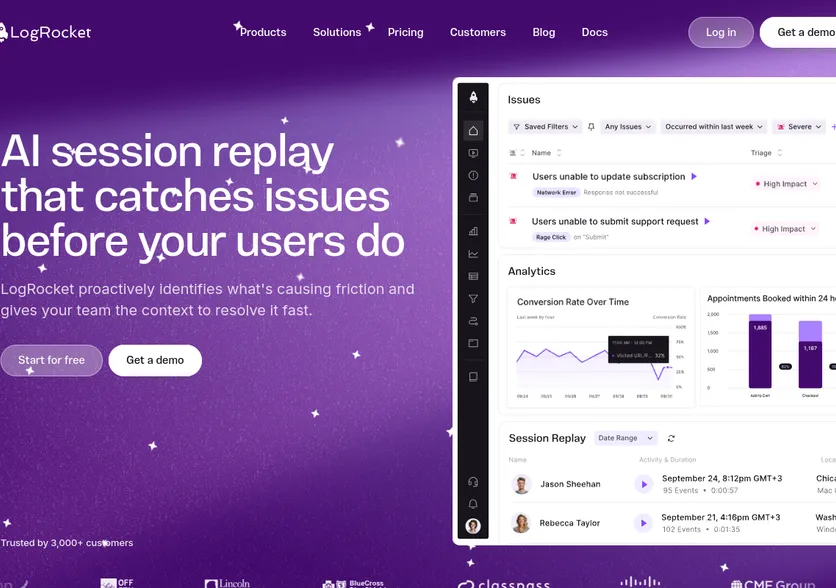
LogRocket pairs session replay with AI that watches every session, ranks the issues hurting users most, and explains what caused them. This LogRocket Core plan starts at eighty-three dollars a month for ten thousand sessions on annual billing, with unlimited analytics, error and log events. A product team that wants answers instead of raw video will find it the smartest replay tool here.
What we like
- AI explains why each issue happened
- Unlimited analytics, error and log events
- Covers web, iOS, Android and React Native
Watch out for
- Price climbs steeply as sessions grow
- AI features need the Pro plan
How to try it
- Open the LogRocket pricing page and start the 14-day trial
- Add the LogRocket snippet to your site and record real sessions
- Check the Galileo AI findings and fix the top-ranked issue
2. Lucky Orange
Best for: Small teams that want recordings, heatmaps and live chat in one cheap plan
Paid tool Starting price: $32/month · Build plan $32 a month billed annually or $39 billed monthly for 3,500 sessions; Grow $72 a month billed annually for 10,000 sessions; free plan available
Free plan: Free plan available; 7-day free trial
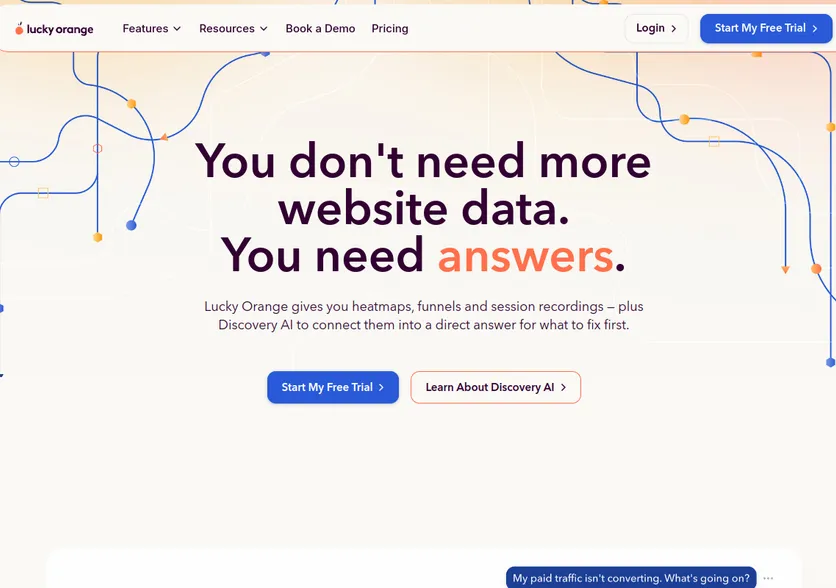
Lucky Orange bundles session recordings, dynamic heatmaps, funnels, surveys and live chat into a single plan with no feature gating. This Lucky Orange Build plan costs thirty-two dollars a month on annual billing for three thousand five hundred sessions, with every feature included. A small team that wants the whole conversion toolkit for one low price will find it the best value here.
What we like
- Every feature included on every paid plan
- Live chat and surveys built in
- Visitor data is never sold or profiled
Watch out for
- Session caps are lower than bigger rivals
- Discovery AI costs extra as an add-on
How to try it
- Open the Lucky Orange pricing page and pick the Build plan
- Add the tracking code to your site
- Watch a day of recordings and check the heatmaps
3. Contentsquare Experience Analytics
Best for: Teams that want enterprise-grade analytics with a generous free plan
Paid tool Starting price: $39/month · Growth plan $39 a month with annual billing; Free plan includes 200,000 monthly sessions; Pro and Enterprise are quoted; Voice of Customer is a separate purchase
Free plan: Free plan; 200,000 monthly sessions
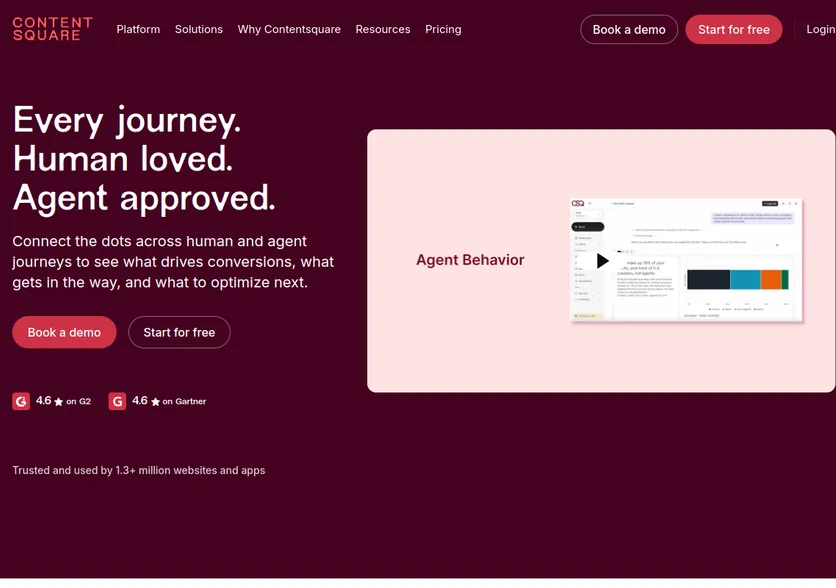
Contentsquare is the experience analytics platform behind Hotjar, with session replays, heatmaps, funnels and AI insights in one system. This Contentsquare Growth plan costs thirty-nine dollars a month with annual billing, and the free plan covers two hundred thousand monthly sessions. A team that wants serious analytics without enterprise budgets will find it the most generous starting point here.
What we like
- Free plan covers two hundred thousand sessions
- Built in Europe with privacy in mind
- Journeys and zone-based heatmaps on Growth
Watch out for
- Growth price rises with session volume
- Voice of Customer costs extra on top
How to try it
- Open the Contentsquare pricing page and start with the free plan
- Add the tag to your site and let sessions collect
- Upgrade to Growth when you need journeys and AI insights
4. Inspectlet
Best for: Teams that want every feature on every plan, including the free one
Paid tool Starting price: $39/month · Micro plan $39 a month; Startup $79, Growth $149 and Accelerate $299 a month; annual plans save about 15 percent; free plan includes 2,500 sessions a month
Free plan: Free plan; 2,500 sessions a month
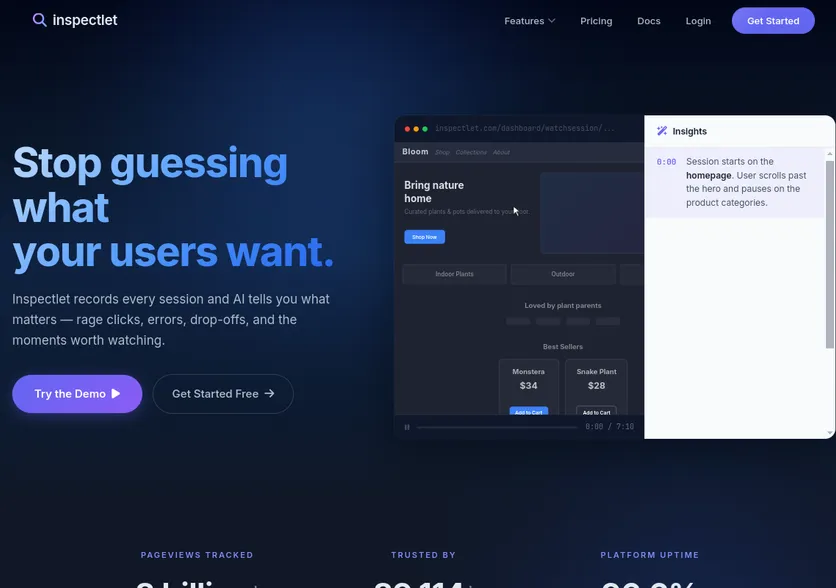
Inspectlet gives you session replay, heatmaps, AI insights, A/B testing, form analytics and error logging on every plan, with no feature gates anywhere. This Inspectlet Micro plan costs thirty-nine dollars a month, and the free plan includes two thousand five hundred sessions with every feature turned on. A team that hates upsells will find it the most honest pricing here.
What we like
- All features included on every plan
- Free plan has no feature gates
- AI reviews every session automatically
Watch out for
- Session caps are modest on the cheaper plans
- Smaller brand than LogRocket or Contentsquare
How to try it
- Open the Inspectlet pricing page and start with the free plan
- Add the Inspectlet code to your site
- Ask the AI to surface the sessions worth watching
5. Crazy Egg
Best for: Marketers who want heatmaps, recordings and A/B testing in one place
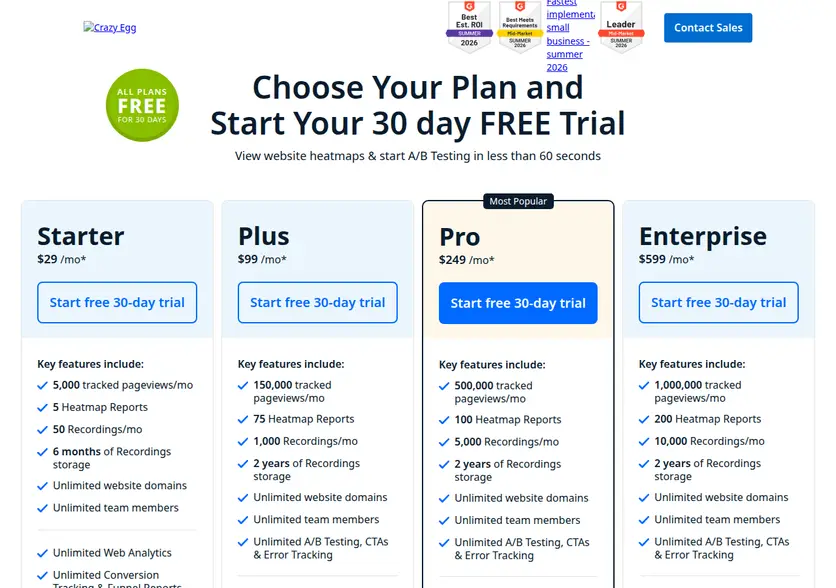
Paid tool Starting price: $29/month · Starter plan $29 a month billed annually for 5,000 tracked pageviews and 50 recordings; Plus $99, Pro $249 and Enterprise $599 a month billed annually; no monthly billing option
Free plan: Free plan; 30-day free trial
Crazy Egg covers the full conversion loop, with heatmaps, session recordings, funnels and native A/B testing from one dashboard. This Crazy Egg Starter plan costs twenty-nine dollars a month on annual billing, with five thousand tracked pageviews and fifty recordings a month. A marketer who wants to diagnose and test fixes without a second tool will find it the simplest loop here.
What we like
- Heatmaps, recordings and A/B testing in one tool
- No overages, collection simply pauses at the cap
- Unlimited domains and team members on every plan
Watch out for
- Only fifty recordings a month on Starter
- A/B testing needs the Plus plan
How to try it
- Open the Crazy Egg pricing page and pick the Starter plan
- Add the Crazy Egg script to your site
- Run a heatmap on your top landing page and watch the recordings
6. FullSession
Best for: UX teams that want unlimited seats and domains on every paid plan
Paid tool Starting price: $39.20/month · Growth plan $39.20 a month billed annually or $49 billed monthly for 10,000 sessions; Professional from $279.20 a month billed annually; free plan includes 1,000 sessions a month
Free plan: Free plan; 1,000 sessions a month, 14-day free trial
FullSession combines session replay, heatmaps, funnels, feedback and error monitoring in one platform priced purely by sessions. This FullSession Growth plan costs thirty-nine dollars and twenty cents a month on annual billing for ten thousand sessions, with unlimited seats and domains. A UX team that adds people often will find the flat per-session pricing easy to budget.
What we like
- Unlimited seats and domains on paid plans
- Clear per-session pricing with no hidden fees
- GDPR, CCPA and PCI DSS compliance listed
Watch out for
- AI features need the Professional plan
- Mobile plans cost more than web plans
How to try it
- Open the FullSession pricing page and start the 14-day trial
- Add the tracker to your site and record real sessions
- Build a funnel for your checkout and watch where users drop off
7. OpenReplay
Best for: Teams that want full data ownership with self-hosting
Paid tool Starting price: $199/month · Dedicated plan from $199 a month billed hourly; open-source self-hosted edition is free; Enterprise is quoted
Free plan: Free self-hosted edition; 7-day free trial
OpenReplay is an open-source session replay platform you can run on your own servers, so visitor data never leaves infrastructure you control. This OpenReplay Dedicated plan starts at one hundred ninety-nine dollars a month for a fully managed instance with no limits on users, recordings or retention. A team with strict data rules will find self-hosting the strongest privacy answer here.
What we like
- Self-hosting keeps data on your own servers
- No limits on users, recordings or retention
- Co-browsing and DevTools built in
Watch out for
- Highest starting price in this list
- Self-hosting needs your own infrastructure
How to try it
- Open the OpenReplay pricing page and compare Dedicated with self-hosting
- Start the seven-day trial of the Dedicated instance
- Point the tracker at your site and check the data residency settings
Prices above were checked on each vendor’s own website on Nov 26, 2026 and can change — the vendor’s page is the final word. Vendor links are editorial: nobody paid to be listed or ranked here. Vendors who want a featured listing can see how it works on our Get listed page.
What GDPR-compliant session replay costs in 2026
Most session replay tools charge by the number of sessions you record each month, so the first job is counting your traffic, because a site with ten thousand visits pays very differently from one with a million. This list runs from twenty-nine dollars a month to about one hundred ninety-nine dollars a month, and free plans cover between five hundred and two hundred thousand sessions. Annual billing usually cuts the monthly rate by about a fifth, so compare the yearly total before you buy.
Start with a free plan on two tools and record real visitors with consent, then check what the replay actually shows: are passwords masked, are IP addresses hidden, and can you delete one visitor on request. Compare how long recordings are kept and where the data lives, because storage location matters under European rules. Pick the tool whose privacy settings you can explain to a regulator, because compliance is a process, not a checkbox.
Before you buy
- Check that sensitive fields are masked by default, because a replay that shows passwords is a breach waiting to happen.
- Confirm where recordings are stored, because European rules care about data location and transfer.
- Count your monthly sessions first, because per-session pricing climbs fast once traffic grows.
- Test the deletion tools, because you must be able to erase one visitor on request.
- Read the data processing agreement, because a tool without one cannot legally process European visitor data.
Official websites
Official websites of the products reviewed above. Features and prices were checked against these sites when this guide was written, and they can change, so confirm on the vendor site before you buy.
Frequently asked questions
Which session replay software is best for GDPR compliance in 2026?
LogRocket, at eighty-three dollars a month for ten thousand sessions on annual billing, is the safest default because its AI explains why issues happen and its privacy controls mask sensitive data. Lucky Orange wins on value at thirty-two dollars a month with every feature included. Contentsquare is the best free start, with two hundred thousand monthly sessions at no cost.
How much does session replay software cost?
Most tools in this list cost between twenty-nine and about one hundred ninety-nine dollars a month, with the price set by how many sessions you record. Free plans cover between five hundred and two hundred thousand sessions a month, so small sites may pay nothing. Expect the bill to rise with traffic, and check whether annual billing cuts the monthly rate.
Is session replay legal under GDPR?
Yes, session replay is legal under European rules when it is set up properly, but a recording of a visitor is personal data, so you need a lawful basis, a data processing agreement with the vendor, and masking for sensitive fields. Most teams rely on consent collected through a cookie banner. This is general guidance, not legal advice, so check with your own counsel.
Do I need consent before recording sessions?
In most cases, yes. Consent is the safest lawful basis for recording visitors, and the tools here are built to work with consent banners, recording only visitors who agree. Some teams use legitimate interest instead, but that needs a documented assessment. Either way, passwords and payment fields must be masked before a single session is stored.
What should I look for in GDPR-compliant session replay software?
Look for automatic masking of passwords and payment fields, a data processing agreement, clear data storage locations, and tools to delete one visitor on request. Check how long recordings are kept and whether you can host data in Europe. The best tool is the one whose privacy settings you can explain plainly to a regulator.
Need more privacy help too? Try Toolsvine's free security tools right in your browser.
Browse Security & Privacy tools


