On this page
A soft photo is usually a deleted photo, but the right sharpener can save it, and the eight tools below cover every kind of rescue from a single blurred frame to a whole wedding shoot. Some sharpen with AI in one click, others pair sharpening with a full raw workflow, and a few do nothing but rescue out-of-focus shots. Topaz Photo AI leads because it sharpens, denoises and upscales in one pass for one hundred and ninety-nine dollars one time, and the rest are ranked on how much detail they recover for the price.
How we researched this
We checked every price on the vendor pricing page on November 28, 2026, and only included tools with a published US dollar list price. The old standalone Sharpen AI is no longer sold, so it is not in this list, and free sharpening filters inside phone apps were left out because they are not desktop tools. Prices change, so confirm the current figure on the vendor site before you buy.
Compare the tools
| Name | Best for | Starting price | Free plan | |
|---|---|---|---|---|
| Topaz Photo AI | Photographers who want one-click AI sharpening | $199 one-time | 30-day free trial | Visit |
 DxO PhotoLab | Raw shooters who want lens-corrected sharpening | $229 one-time | 30-day free trial | Visit |
 Adobe Lightroom | Photographers who organise and edit in one place | $11.99/month | 7-day free trial | Visit |
| ON1 NoNoise AI | Photographers who want fast noise and sharpening fixes | $69.99 one-time | 30-day free trial | Visit |
| Luminar Neo | Photographers who want AI editing with sharpening built in | $119 one-time | 7-day free trial | Visit |
 Capture One | Studio and tethered photographers who need precise colour | $18/month | 30-day free trial | Visit |
 ACDSee Photo Studio | Photographers who want editing and asset management together | $119.99 one-time | 30-day free trial | Visit |
| Focus Magic | Photographers rescuing blurred or out-of-focus shots | $95 one-time | Free trial with watermarked output | Visit |
The sharpening software for photography, compared
1. Topaz Photo AI
Best for: Photographers who want one-click AI sharpening
Paid tool Starting price: $199 one-time · One hundred and ninety-nine dollars one time, including one year of upgrades; the renewal is ninety-nine dollars a year after that; the old standalone Sharpen AI is no longer sold, so sharpening now lives inside Photo AI
Free plan: 30-day free trial
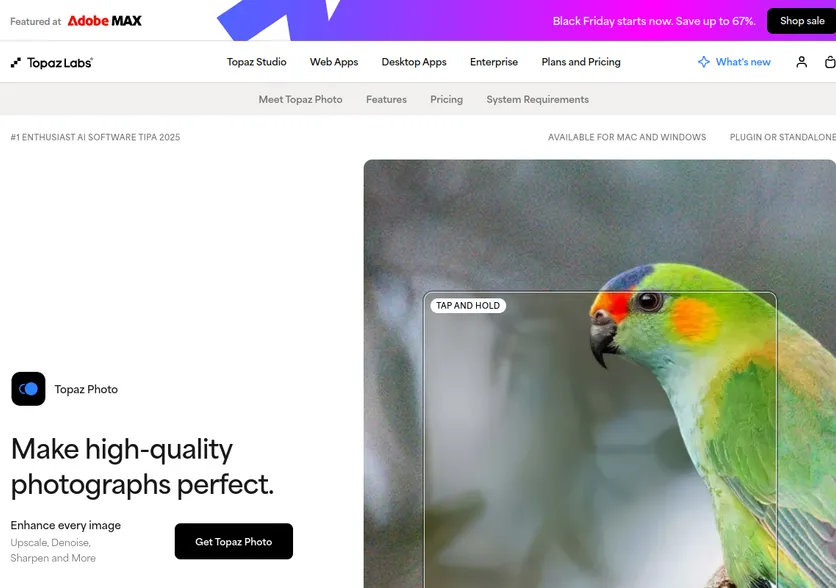
A photo that came back soft from a long lens gets a second chance here, because this Topaz Photo AI licence costs one hundred and ninety-nine dollars one time and sharpens, denoises and upscales in a single pass. Its Autopilot reads each image and applies just the sharpening the file needs, while Face Recovery rebuilds soft facial detail that a global sharpening slider would smear. It works standalone or as a plugin, so it fits a Lightroom catalogue without changing the rest of the workflow.
What we like
- AI sharpening, denoise and upscaling in one pass
- Face Recovery sharpens soft portraits automatically
- Works standalone or as a Lightroom and Photoshop plugin
Watch out for
- The one-time price covers only one year of upgrades
- Needs a fairly powerful computer for large raw files
How to try it
- Open the photo and let Autopilot analyse sharpness and noise
- Adjust the sharpening strength and preview the result at full size
- Export the sharpened file or send it back to Lightroom
2. DxO PhotoLab
Best for: Raw shooters who want lens-corrected sharpening
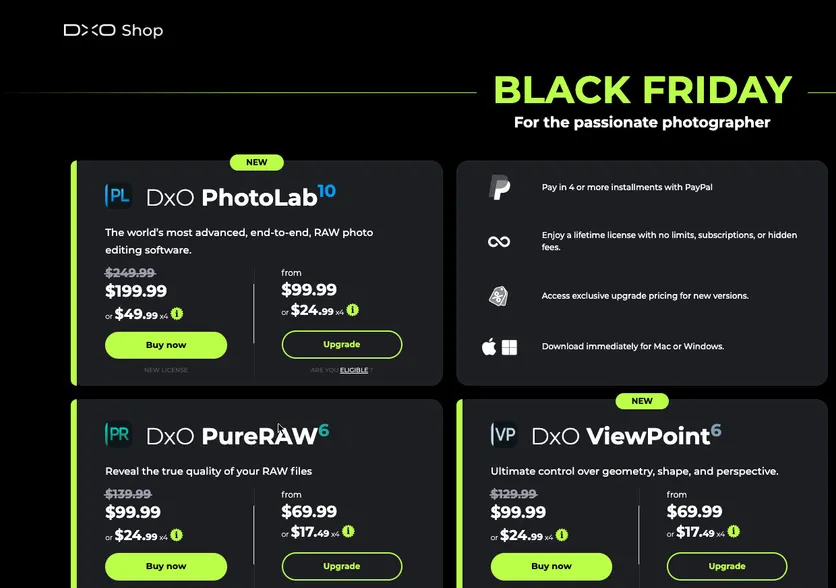
Paid tool Starting price: $229 one-time · Two hundred and twenty-nine dollars one time for the Elite edition; some 2026 reads of the vendor store show two hundred and thirty-nine dollars and ninety-nine cents, so confirm the figure at checkout; the cheaper Essential edition lacks DeepPRIME XD
Free plan: 30-day free trial
Raw files shot at high ISO need sharpening that understands the lens, and this DxO PhotoLab licence costs two hundred and twenty-nine dollars one time for the Elite edition. DeepPRIME XD cleans noise before sharpening, so fine detail survives instead of turning to mush, and automatic lens profiles correct softness at the edges of the frame. It is a raw processor first, so sharpening sits beside exposure, colour and local adjustments rather than in a separate app.
What we like
- DeepPRIME XD denoising sharpens high-ISO raw files cleanly
- Automatic lens corrections for thousands of camera and lens pairs
- Local adjustments with U Point control points
Watch out for
- No photo library or catalogue, so pair it with a manager
- The Elite price has moved between reads, so check it at checkout
How to try it
- Import the raw file and pick the matching lens correction profile
- Apply DeepPRIME XD and adjust the sharpening slider
- Export the finished file as a TIFF or JPEG
3. Adobe Lightroom
Best for: Photographers who organise and edit in one place
Paid tool Starting price: $11.99/month · Eleven dollars and ninety-nine cents a month for the Lightroom plan with one terabyte of cloud storage; the older nine dollars and ninety-nine cents Photography plan with twenty gigabytes is closed to new subscribers
Free plan: 7-day free trial
Most photographers already catalogue in Lightroom, and this Adobe Lightroom plan costs eleven dollars and ninety-nine cents a month with a terabyte of cloud storage. Its AI Denoise sharpens noisy raw files in one click, and the detail panel gives fine control over radius and masking for everything else. Edits sync to phone and desktop, so a sharpened file is ready wherever the photographer opens it.

What we like
- AI Denoise sharpens noisy raw files in one click
- Cloud sync keeps edits identical on desktop and phone
- Presets and masking speed up large batches
Watch out for
- The cheapest plan for new subscribers is now eleven ninety-nine, not nine ninety-nine
- Subscription only, with no perpetual licence
How to try it
- Import the photos and let Lightroom build previews
- Open Detail, run Enhance Denoise and adjust sharpening
- Sync the edits to the cloud and export the finished files
4. ON1 NoNoise AI
Best for: Photographers who want fast noise and sharpening fixes
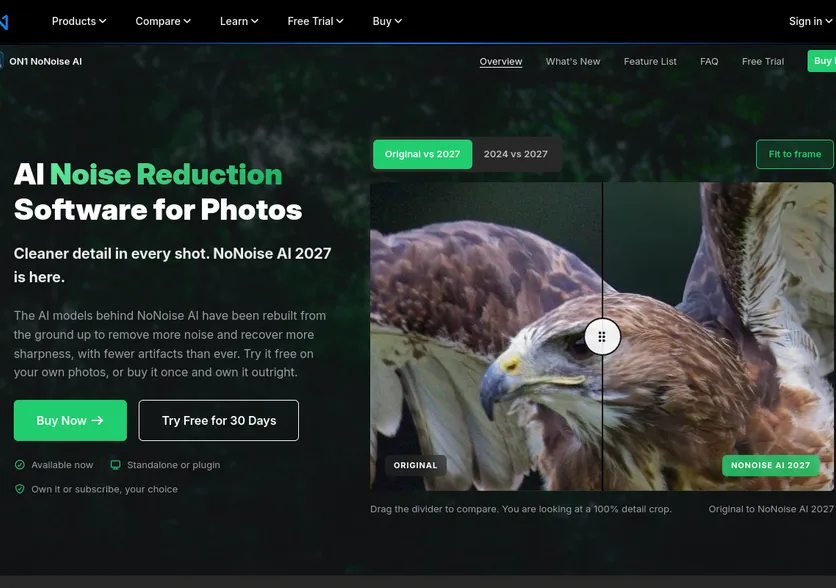
Paid tool Starting price: $69.99 one-time · Sixty-nine dollars and ninety-nine cents one time at list; the vendor page recently showed thirty-nine dollars and ninety-nine cents with the list price struck through, so the promo may still be live at checkout
Free plan: 30-day free trial
Noise and softness usually arrive together on a high-ISO file, and this ON1 NoNoise AI licence costs sixty-nine dollars and ninety-nine cents one time. Its AI separates noise from real detail, so sharpening lifts edges without amplifying grain, and batch processing clears a whole shoot in one pass. It runs standalone or as a plugin, which makes it a cheap add-on to any existing catalogue.
What we like
- AI noise reduction keeps detail that heavy smoothing destroys
- Runs as a standalone app or a plugin for Lightroom and Photoshop
- Batch processing handles a whole shoot in one pass
Watch out for
- The promo price on the vendor page may end without warning
- Fewer editing tools than a full raw processor
How to try it
- Open the photo and let the AI analyse noise and sharpness
- Adjust the noise and sharpening sliders to taste
- Export the cleaned file or return it to your editor
5. Luminar Neo
Best for: Photographers who want AI editing with sharpening built in
Paid tool Starting price: $119 one-time · One hundred and nineteen dollars one time for the Desktop edition; the cross-device edition is one hundred and fifty-nine dollars and Max is one hundred and seventy-nine; some November 2026 reads show lower Black Friday figures, so confirm at checkout
Free plan: 7-day free trial
A photographer who wants fast results without learning a raw processor will like this Luminar Neo licence, which costs one hundred and nineteen dollars one time for the Desktop edition. Its AI tools sharpen, relight and clean up a photo in seconds, and the same app handles skies, portraits and backgrounds without masks drawn by hand. It works standalone or as a plugin, so it can sit beside Lightroom rather than replace it.

What we like
- AI tools sharpen, relight and clean up photos in seconds
- Works as a standalone editor or a plugin
- Sky and portrait tools save hours of manual masking
Watch out for
- Black Friday reads show lower prices that may not last
- Skylum has renamed the product to Luminar, so older guides may confuse
How to try it
- Import the photo and open the Enhance AI panel
- Adjust sharpening and detail until the subject looks crisp
- Export the finished image or send it to your catalogue
6. Capture One
Best for: Studio and tethered photographers who need precise colour
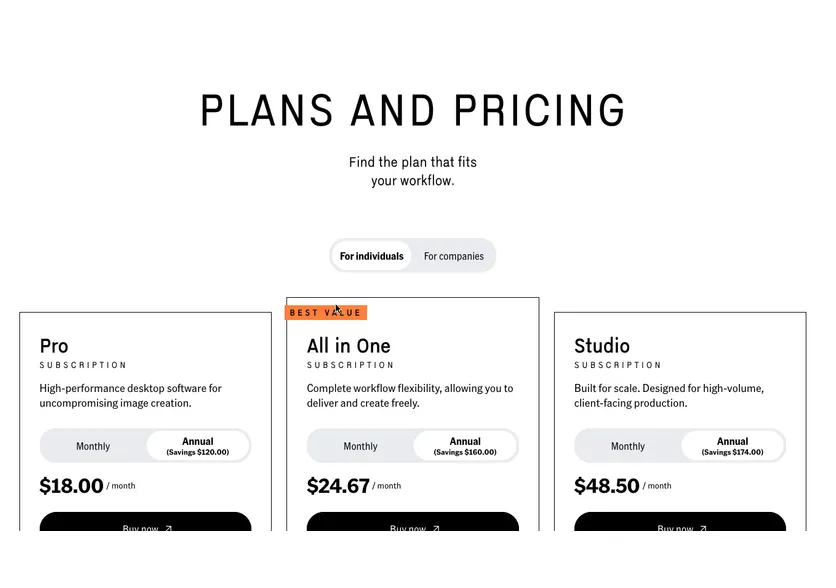
Paid tool Starting price: $18/month · Eighteen dollars a month billed annually for Pro; twenty-eight dollars month to month; All in One is twenty-four dollars and sixty-seven cents and Studio is forty-eight dollars and fifty cents; a perpetual licence is three hundred and forty-nine dollars
Free plan: 30-day free trial
Studio photographers who shoot tethered need sharpening they can trust on a big screen, and this Capture One plan costs eighteen dollars a month billed annually. Its detail panel pairs sharpening with some of the best colour tools in any raw editor, and layers let the photographer sharpen the product and soften the background in the same file. It costs more than most editors here, but for colour-critical work it earns the price.
What we like
- Superb colour tools and tethered capture for studio work
- Sharpening controls sit beside industry-leading raw processing
- Layers and masks give precise local control
Watch out for
- The subscription costs more than most editors on this list
- The learning curve is steeper than Lightroom for beginners
How to try it
- Import the raw files and pick a colour profile
- Apply sharpening and clarity in the Details panel
- Export the finished files or send them to Photoshop
7. ACDSee Photo Studio
Best for: Photographers who want editing and asset management together
Paid tool Starting price: $119.99 one-time · One hundred and nineteen dollars and ninety-nine cents one time for Photo Studio Professional 2027; the vendor store recently showed ninety-nine dollars and ninety-five cents on sale; Ultimate 2027 is one hundred and seventy-nine dollars and ninety-nine cents
Free plan: 30-day free trial
Photographers who want one app for organising and editing will find this ACDSee Photo Studio licence costs one hundred and nineteen dollars and ninety-nine cents one time. Its catalogue keeps every shoot searchable, while the Develop mode sharpens with AI masking and detail controls that rival dearer editors. The perpetual licence means no monthly bill, which suits photographers who dislike subscriptions.

What we like
- Digital asset management and editing in one app
- AI tools for masking, sky replacement and sharpening
- Perpetual licence with no subscription required
Watch out for
- The sale price on the vendor store may end without warning
- Fewer third-party plugins than the Adobe ecosystem
How to try it
- Import the photos into the ACDSee catalogue
- Open Develop mode and adjust sharpening and detail
- Export the finished files in your chosen format
8. Focus Magic
Best for: Photographers rescuing blurred or out-of-focus shots
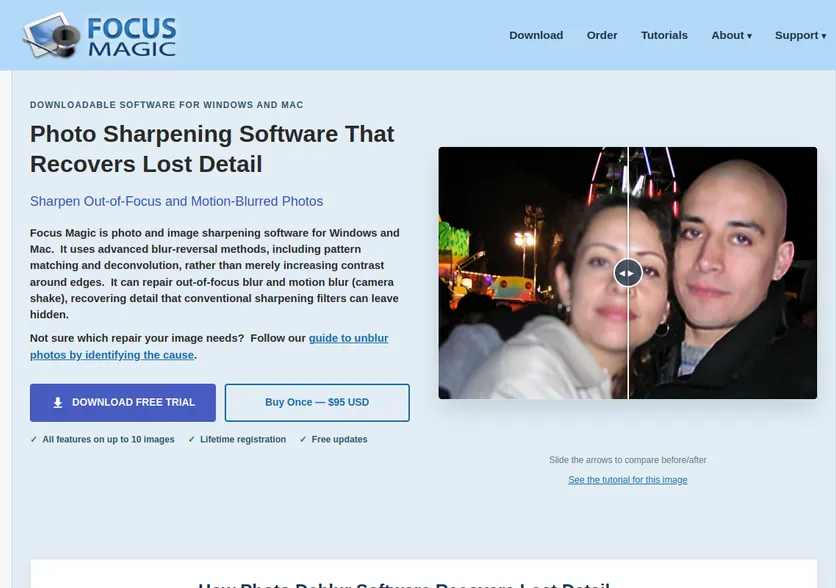
Paid tool Starting price: $95 one-time · Ninety-five dollars one time for a lifetime licence; older listings show forty-five and sixty-five dollars, which are stale against the current vendor pricing page
Free plan: Free trial with watermarked output
A shot that is genuinely out of focus is usually deleted, but this Focus Magic licence costs ninety-five dollars one time and uses deconvolution to recover detail other sharpeners cannot reach. It asks for the blur type and width, then reverses the blur mathematically instead of just boosting contrast along edges. It does one job and nothing else, so it belongs beside a full editor rather than instead of one.
What we like
- Deconvolution sharpening recovers detail other tools cannot
- Lifetime licence with no subscription
- Simple interface that does one job well
Watch out for
- A specialised tool, not a full photo editor
- The interface looks dated next to modern editors
How to try it
- Open the blurred photo in Focus Magic
- Choose the blur type and set the blur width
- Preview the result and save the sharpened image
Prices above were checked on each vendor’s own website on Nov 28, 2026 and can change — the vendor’s page is the final word. Vendor links are editorial: nobody paid to be listed or ranked here. Vendors who want a featured listing can see how it works on our Get listed page.
How to sharpen a photo without wrecking it
Sharpen last, after exposure, colour and noise are settled, because sharpening amplifies whatever noise is left in the file. Work at full size when you judge the result, since a thumbnail hides the halos that ruin a print. Mask the sharpening onto the subject and keep it off smooth skies and skin, where it only adds grit. Compare the before and after at one hundred percent, then export a copy and keep the original untouched. Save the sharpened version as a new file, so the original stays available when the client asks for a different crop.
Before you buy
- Check the tool sharpens raw files, not just JPEGs, before you pay
- Confirm the licence covers upgrades, or the one-time price is misleading
- Test it on a noisy high-ISO file, not only a clean studio shot
- Make sure it works as a plugin for the editor you already use
- Compare the sharpened result at full size, not on a small preview
Official websites
Official websites of the products reviewed above. Features and prices were checked against these sites when this guide was written, and they can change, so confirm on the vendor site before you buy.
Frequently asked questions
What is the best sharpening software for photography in 2026?
Topaz Photo AI is the best overall choice, at one hundred and ninety-nine dollars one time, because it sharpens, denoises and upscales in one pass and works as a plugin for Lightroom and Photoshop. DxO PhotoLab is the best raw sharpening option for photographers who want lens-corrected detail, while ON1 NoNoise AI is the best value at sixty-nine dollars and ninety-nine cents one time. The right pick depends on whether you need a standalone sharpener or a full raw workflow.
Can sharpening software fix a blurry photo?
It can improve a slightly soft photo a lot, especially with AI tools such as Topaz Photo AI and Focus Magic, which rebuild detail rather than just boosting contrast. A photo that is badly out of focus or shaken will only get a little better, because the detail was never captured. Sharpening works best on photos that are nearly sharp already, with noise cleaned first and sharpening applied last.
Is Topaz Photo AI worth one hundred and ninety-nine dollars?
Yes, if you sharpen photos every week, because it replaces three separate tools for sharpening, denoise and upscaling in one app. The one-time price includes a year of upgrades, and the renewal is ninety-nine dollars a year after that. Photographers who sharpen rarely will get more value from ON1 NoNoise AI at sixty-nine dollars and ninety-nine cents one time.
Does Lightroom sharpen photos well enough on its own?
Yes, for most photographers, because its AI Denoise sharpens noisy raw files in one click and the detail panel gives fine control over radius and masking. Lightroom is the best pick when sharpening is one step inside a bigger workflow of cataloguing and editing. Photographers who need the strongest possible sharpening should add Topaz Photo AI as a plugin.
What is the cheapest good sharpening software?
ON1 NoNoise AI is the cheapest good option here, at sixty-nine dollars and ninety-nine cents one time, and the vendor page recently showed it at thirty-nine dollars and ninety-nine cents on promotion. It sharpens and removes noise in one pass and works as a plugin for Lightroom and Photoshop. Focus Magic is the cheapest specialist at ninety-five dollars one time, but it only rescues blurred photos.
Compare the eight tools above, then start with a free trial of the sharpener that matches how you already edit, whether that is a one-click AI tool or a full raw processor, before paying for a full year.
Browse Image Tools tools