On this page
A construction firm cannot afford to find a defect after the concrete has set. The best site inspection software for a construction firm turns a walk around the site into a report before the inspector has left, with photos, checklists and tasks pinned to the exact spot. We compared seven tools on price, free plans, offline working and how fast a crew can learn them. SafetyCulture came out first for its easy rollout to a whole crew, with Fieldwire and GoCanvas close behind for firms that live on drawings or paper forms. Here is the full comparison.
How we researched this
We checked each vendor's own pricing page in November 2026 and took the entry paid plan as the headline price, with monthly figures noted beside annual billing. We weighed the free plan, whether the tool works offline on site, and whether a crew can learn it without training. Tools with no published price were left out, and every price below comes from the vendor's own site.
Compare the tools
| Name | Best for | Starting price | Free plan | |
|---|---|---|---|---|
 SafetyCulture | Construction firms that want inspections on every phone | $24/user/month | Free plan (up to 10 users) | Visit |
 Fieldwire | Firms that run inspections from drawings | $39/user/month | Free Basic plan (5 users) | Visit |
| Fulcrum | Firms inspecting where the signal does not reach | $43/user/month | No free plan; 30-day free trial | Visit |
| GoCanvas | Firms moving paper checklists to phones | $29/user/month | No free plan; 14-day free trial | Visit |
| SiteDocs | Contractors that must prove safety compliance | $1,500/year | No free plan; free trial | Visit |
| TrueContext | Firms whose inspections feed back-office systems | $400/month | No free plan; free trial | Visit |
 BuildBook | Small residential builders and remodelers | $79/month | Free plan (1 user) | Visit |
The 7 site inspection tools for construction firms, compared
1. SafetyCulture
Best for: Construction firms that want inspections on every phone
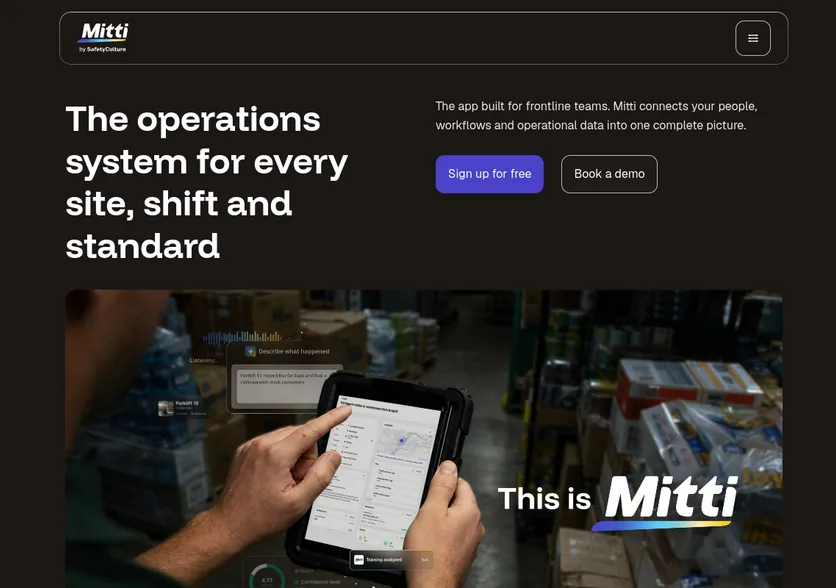
Paid tool Starting price: $24/user/month · Twenty-four dollars per user a month on Premium billed annually (twenty-nine dollars billed monthly); Enterprise is quoted; the free plan covers up to ten users and five templates. Note: the company rebranded to Mitti in August 2026 and safetyculture.com now leads to Mitti
Free plan: Free plan (up to 10 users)
A construction firm that wants inspections on every phone will find this SafetyCulture plan costs twenty-four dollars per user a month billed annually. Its templates, checklists and photo capture turn a site walk into a report before the inspector leaves the site, and the free plan covers ten users and five templates for a firm testing the idea. It is the best-known inspection tool in this list, and the easiest to roll out to a whole crew.
What we like
- Templates and checklists ready to use
- Photo capture turns a walk into a report
- Free plan for ten users
Watch out for
- Reporting depth is below enterprise EHS suites
- The brand is now Mitti, which confuses buyers
How to try it
- Pick a template that matches the inspection
- Walk the site and capture photos as you go
- Send the finished report from the phone
2. Fieldwire
Best for: Firms that run inspections from drawings
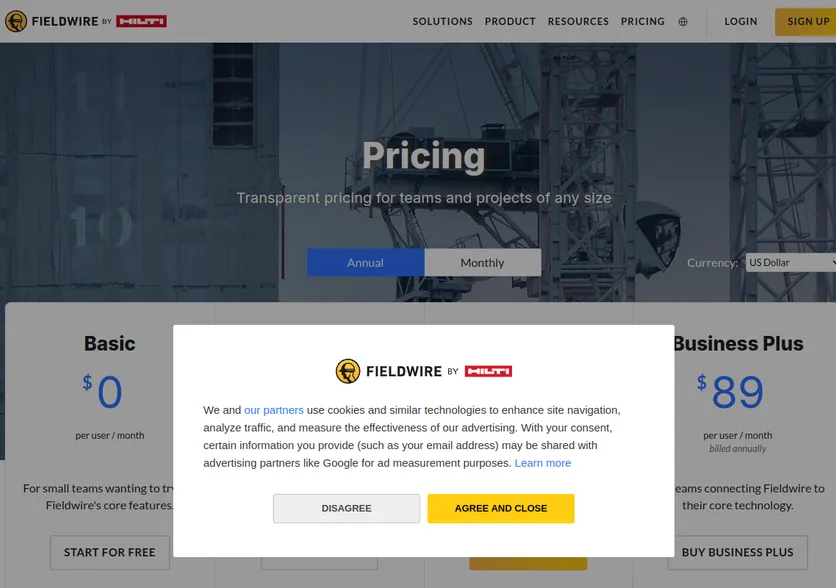
Paid tool Starting price: $39/user/month · Thirty-nine dollars per user a month on Pro billed annually (fifty-four dollars billed monthly); Business is sixty-four dollars and Business Plus is eighty-nine dollars billed annually; the free Basic plan covers five users and three projects
Free plan: Free Basic plan (5 users)
A firm that runs inspections from its drawings will find this Fieldwire plan costs thirty-nine dollars per user a month billed annually. Its plan markups, tasks and punch lists keep defects pinned to the exact drawing location, and the free Basic plan covers five users and three projects for a firm trying it out. It is the best pick here for a team that lives on drawings.
What we like
- Defects pinned to the exact drawing location
- Tasks and punch lists built in
- Free Basic plan for five users
Watch out for
- Inspections are drawing-first, not form-first
- Offline use is limited on the free plan
How to try it
- Upload the drawings for the project
- Mark defects on the plan as you walk
- Assign each task and track it to close
3. Fulcrum
Best for: Firms inspecting where the signal does not reach
Paid tool Starting price: $43/user/month · Forty-three dollars per user a month on Professional billed annually (fifty-five dollars billed monthly); Elite is fifty-five dollars billed annually; Enterprise is custom; a five-user minimum applies and an annual subscription is required
Free plan: No free plan; 30-day free trial
A firm that collects field data in rough conditions will find this Fulcrum plan costs forty-three dollars per user a month billed annually. Its offline forms, GPS capture and photo notes work where the signal does not, and the data syncs when the crew is back in range. It is the most field-hardened option here for inspections far from the office.
What we like
- Offline forms with GPS and photo capture
- Data syncs when the crew is back in range
- Custom forms for any inspection type
Watch out for
- Five-user minimum and annual subscription required
- Reporting needs the dearer Elite plan
How to try it
- Build the inspection form once
- Collect data offline on site
- Sync and review the results back at the office
4. GoCanvas
Best for: Firms moving paper checklists to phones
Paid tool Starting price: $29/user/month · Twenty-nine dollars per user a month on Essentials billed annually; Pro is thirty-nine dollars and Max is forty-nine dollars billed annually; a three-user minimum applies; no free plan, fourteen-day free trial
Free plan: No free plan; 14-day free trial
A firm that wants its own inspection forms without a developer will find this GoCanvas plan costs twenty-nine dollars per user a month billed annually. Its drag-and-drop form builder turns a paper checklist into a mobile form in an afternoon, and submissions arrive as clean PDFs ready for the client. It is the easiest form builder in this list for a firm moving off paper.
What we like
- Drag-and-drop form builder, no developer needed
- Submissions arrive as clean client-ready PDFs
- Works offline on site
Watch out for
- Three-user minimum applies
- No free plan, only a fourteen-day trial
How to try it
- Build the inspection form with the drag-and-drop builder
- Send it to the crew's phones
- Review the PDF submissions as they arrive
5. SiteDocs
Best for: Contractors that must prove safety compliance
Paid tool Starting price: $1,500/year · One thousand five hundred dollars a year is the vendor's published starting annual subscription, priced by company size, and the final figure is a custom quote; the subscription includes logins for all workers, unlimited forms and signatures. Note: third-party pages report conflicting per-user figures around twenty-five, twenty-nine and forty-nine dollars a month, none of which the vendor publishes
Free plan: No free plan; free trial
A contractor that wants safety paperwork handled properly will find this SiteDocs subscription starts at one thousand five hundred dollars a year, priced by company size. Its worker profiles hold training records and certifications beside the forms each worker signs, and the subscription includes logins for all workers with unlimited forms and signatures. It is the most safety-focused option here for a firm that must prove compliance.

What we like
- Worker profiles hold training and certifications
- Unlimited forms and signatures included
- Logins for every worker in the price
Watch out for
- Final price is a custom quote, not a list price
- No scheduling or payroll-style time tracking
How to try it
- Add each worker with their training records
- Send the safety forms to their phones
- Check certifications before the shift starts
6. TrueContext
Best for: Firms whose inspections feed back-office systems
Paid tool Starting price: $400/month · Four hundred dollars a month for the whole team on the Digital plan billed annually; Intelligent and Elite are custom-quoted. Note: third-party listings still show older per-license figures of twenty-five dollars for Essentials and forty-five dollars for Advanced; the vendor's current page lists a single team-priced Digital plan
Free plan: No free plan; free trial
A firm with complex field workflows will find this TrueContext plan costs four hundred dollars a month for the whole team billed annually. Its conditional forms, dispatch and back-office integrations carry an inspection from the site into the company's systems without retyping, and its offline mode keeps working where the signal drops. It is the deepest workflow tool here for a firm whose forms are only the start.

What we like
- Conditional forms that adapt to answers
- Dispatch and back-office integrations
- Offline mode for remote sites
Watch out for
- Team-priced, so small crews pay the same floor
- Setup takes longer than simple checklist apps
How to try it
- Build the form with conditional logic
- Dispatch it to the field team
- Push the results into the back-office system
7. BuildBook
Best for: Small residential builders and remodelers
Paid tool Starting price: $79/month · Seventy-nine dollars a month on Solo billed annually (ninety-nine dollars billed monthly) for one user; Team is one hundred and forty-nine dollars a month billed annually for two to nine users; Business starts at two hundred and forty-nine dollars a month billed annually; extra users cost twenty dollars a month beyond the band. Note: the Business starting price is listed as two hundred and forty-nine to two hundred and seventy-nine dollars across the vendor's annual and monthly bands
Free plan: Free plan (1 user)
A residential builder that wants inspections beside the schedule will find this BuildBook plan costs seventy-nine dollars a month billed annually on Solo for one user. Its Gantt scheduling, client dashboard and branded proposals keep the job, the client and the paperwork in one place, and the free plan covers a single user getting started. It is the best pick here for a small residential builder, though it is not built for large commercial firms.
What we like
- Scheduling, CRM and proposals in one place
- Client dashboard homeowners actually use
- Flat package price, no per-seat surprises
Watch out for
- Built for residential work, not commercial firms
- Inspection depth is thinner than Fieldwire
How to try it
- Set up the project with its Gantt schedule
- Add the client to the dashboard
- Track inspections and change orders together
Prices above were checked on each vendor’s own website on Nov 28, 2026 and can change — the vendor’s page is the final word. Vendor links are editorial: nobody paid to be listed or ranked here. Vendors who want a featured listing can see how it works on our Get listed page.
How to pick the right inspection tool for your firm
Start with where the inspection happens. A firm that inspects from drawings needs Fieldwire, where defects sit on the plan itself, while a firm that inspects from checklists needs SafetyCulture or GoCanvas, where forms are the centre of the work. Next, check offline working. Fulcrum and TrueContext keep working where the signal does not, which matters on remote sites, while the simpler tools need a connection to sync. Finally, count the crew honestly. Most tools here charge per user with a minimum, so a small firm should check the floor price, while SiteDocs charges a yearly subscription that includes logins for every worker.
Before you buy
- Check offline working before you buy, because a tool that needs signal will fail on a remote site.
- Count the crew honestly, since most tools charge per user with a minimum.
- Test the tool on a real site walk during the trial, not on a demo.
- Confirm the annual price, because the monthly figure is always higher and the headline rarely says so.
- Make sure the reports look right for the client, since a good inspection is useless if the PDF is a mess.
Official websites
Official websites of the products reviewed above. Features and prices were checked against these sites when this guide was written, and they can change, so confirm on the vendor site before you buy.
Frequently asked questions
What is the cheapest site inspection software for a construction firm?
GoCanvas is the cheapest per-user plan in this list at twenty-nine dollars per user a month billed annually, though it has a three-user minimum. SafetyCulture is next at twenty-four dollars per user a month, with a free plan for ten users. BuildBook is the cheapest flat price at seventy-nine dollars a month on Solo, but it is built for residential builders rather than large commercial firms.
Is there free site inspection software for construction firms?
Yes. SafetyCulture offers a free plan for up to ten users and five templates, Fieldwire offers a free Basic plan for five users and three projects, and BuildBook offers a free plan for a single user. GoCanvas, Fulcrum and SiteDocs have no free plan, only a free trial, so a firm on a tight budget should start with SafetyCulture or Fieldwire.
Which site inspection tool is best for a small construction firm?
SafetyCulture is the best fit for most small firms, because its templates, checklists and photo capture turn a site walk into a report, and the free plan covers ten users. Fieldwire is better for a firm that works from drawings, while GoCanvas is better for a firm moving paper checklists to phones. A residential builder should look at BuildBook instead.
Do site inspection tools work offline?
Yes, most of them do. Fulcrum and TrueContext are built for offline work, collecting forms, GPS and photos where the signal does not reach and syncing when the crew is back in range. SafetyCulture, Fieldwire and GoCanvas also work offline on mobile. The key is to check the offline limits on the plan you buy, because some features need a connection.
What is the difference between SafetyCulture and Fieldwire?
SafetyCulture is built around checklists and forms, with templates and photo capture that turn a walk into a report. Fieldwire is built around drawings, with defects, tasks and punch lists pinned to the exact location on the plan. A firm that inspects from checklists should pick SafetyCulture, while a firm that inspects from drawings should pick Fieldwire.
Try SafetyCulture free with up to ten users, or compare the other tools in this list to find the inspection tool that fits how your firm works.
Browse Business Tools tools