
On this page
Architectural visualization turns a model into a picture a client can feel, and the seven tools below span real-time walkthroughs to film-quality animation. Every price was checked on the vendor site on November 26, 2026, and the range runs from a free tier for smaller firms to more than a thousand dollars a year. Real-time tools show changes instantly, while production renderers trade speed for photographic light. Match the renderer to the way you present, and to the design app you already model in. Twinmotion is our first pick — the fastest route from a model to a living scene.
How we researched this
We started with the renderers architects actually buy, then read each price on the vendor pricing page on November 26, 2026 and noted the free trial or free tier each plan carries. We judged them for an architect who models in SketchUp, Revit or Rhino and needs client-ready images and walkthroughs, and we kept only tools with a published price in US dollars. We flagged the Black Friday discount on V-Ray, because the list price is what you pay once the sale ends.
Compare the tools
| Name | Best for | Starting price | Free plan | |
|---|---|---|---|---|
 Twinmotion | Architects who want fast real-time renders with a free tier for smaller firms | $445/seat/year | Free for revenue under $1M a year | Visit |
 D5 Render | Architects who want fast renders with a free community tier | $360/year | Free Community plan for non-commercial use | Visit |
 SketchUp Pro | Architects who need 3D modelling with layout and documentation tools | $399/year | No free plan; 7-day free trial | Visit |
 Chaos Corona | Visualizers who want photographic renders with simple settings | $414/year | No free plan; 30-day free trial | Visit |
 V-Ray | Studios that need production rendering across many design apps | $540/year | No free plan; 30-day free trial | Visit |
 Enscape | Architects who want one-click real-time renders inside Revit and SketchUp | $574.80/year | No free plan; 14-day free trial | Visit |
 Lumion | Firms that need cinematic animations and the richest scene library | $1,149/year | No free plan; 14-day free trial | Visit |
The architectural visualization software, compared
1. Twinmotion
Best for: Architects who want fast real-time renders with a free tier for smaller firms
Paid tool Starting price: $445/seat/year · Twinmotion, $445 per seat a year; free for annual gross revenue under $1M, and for students, educators and hobbyists
Free plan: Free for revenue under $1M a year
Twinmotion is the real-time visualization app from Epic Games that turns a 3D model into a walkable scene with light, weather and people in minutes. This Twinmotion license costs four hundred forty-five dollars per seat a year, and it is free for firms with annual gross revenue under one million dollars. An architect can present a living building to a client instead of a still image and a floor plan.
What we like
- Real-time rendering with drag-and-drop light and weather
- Free for smaller firms under one million dollars of revenue
- One-click export to images, video and virtual reality
Watch out for
- Four hundred forty-five dollars per seat a year once revenue passes one million
- Large projects need a strong graphics card to stay smooth
How to try it
- Import your model from SketchUp or Revit into Twinmotion
- Set the sun, sky and materials for the scene
- Export a still image or a walkthrough video for the client
2. D5 Render
Best for: Architects who want fast renders with a free community tier
Paid tool Starting price: $360/year · Pro, $360 a year; $38 a month billed monthly; Teams $708 per seat a year
Free plan: Free Community plan for non-commercial use
D5 Render is a real-time rendering app built for architects, with a large library of materials, plants and people that drop straight into a scene. This D5 Render Pro plan costs three hundred sixty dollars a year, with a free Community plan for non-commercial work. A small firm can produce client-ready images without buying a full visualization suite.
What we like
- Large library of materials, plants and people
- Real-time global illumination that looks photographic
- Free Community plan for learning and personal work
Watch out for
- Three hundred sixty dollars a year with no free trial of Pro
- Community plan cannot be used for commercial work
How to try it
- Download the free Community plan from the D5 Render site
- Import a model and apply materials from the library
- Render a still image and compare it with the Pro features
3. SketchUp Pro
Best for: Architects who need 3D modelling with layout and documentation tools
Paid tool Starting price: $399/year · Pro, $399 a year; Go $129 a year; Studio $859 a year
Free plan: No free plan; 7-day free trial
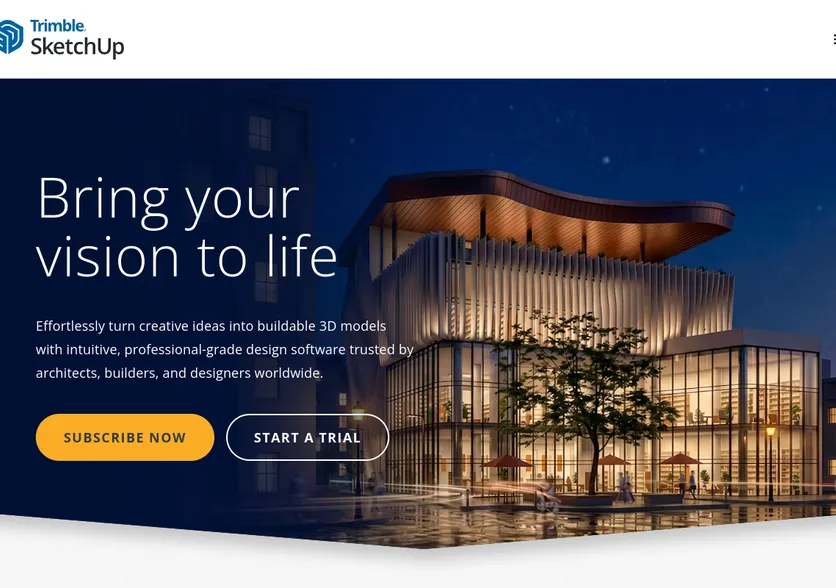
SketchUp Pro is the 3D modelling app architects sketch in first, with Layout tools that turn models into construction documents. This SketchUp Pro plan costs three hundred ninety-nine dollars a year, with a seven-day trial to test the modelling tools. A designer can move from a quick massing study to a documented set of drawings in one app.
What we like
- Fast sketch-style modelling that anyone can learn
- Layout turns models into construction documents
- Huge 3D Warehouse of ready-made components
Watch out for
- Three hundred ninety-nine dollars a year with no free plan
- Rendering needs a separate extension or app
How to try it
- Start the seven-day trial from the SketchUp plans page
- Model a simple room and add windows and doors
- Send the model to Layout and print a plan sheet
4. Chaos Corona
Best for: Visualizers who want photographic renders with simple settings
Paid tool Starting price: $414/year · Solo, $414 a year; $34.50 a month billed annually
Free plan: No free plan; 30-day free trial
Chaos Corona is the photorealistic renderer architects pair with 3ds Max and Cinema 4D for images that look like photographs. This Chaos Corona Solo plan costs four hundred fourteen dollars a year, with a thirty-day trial to render a test scene. A visualizer can get realistic light and materials without tuning dozens of render settings.

What we like
- Photorealistic light and materials with simple controls
- Works inside 3ds Max and Cinema 4D
- Fast interactive rendering while you adjust a scene
Watch out for
- Four hundred fourteen dollars a year with no free plan
- Needs a host app, so it is not a standalone tool
How to try it
- Start the thirty-day trial from the Chaos pricing page
- Open a model in 3ds Max and apply Corona materials
- Render a test image and adjust the light until it looks real
5. V-Ray
Best for: Studios that need production rendering across many design apps
Paid tool Starting price: $540/year · Solo, $540 a year list price; the vendor page currently shows a Black Friday discount to $432 a year
Free plan: No free plan; 30-day free trial
V-Ray is the production renderer behind countless architectural images, running inside SketchUp, Rhino, Revit and 3ds Max with matching materials. This V-Ray Solo plan lists at five hundred forty dollars a year, with a thirty-day trial to test the quality on your own models. A studio can keep one material library across every design app its team uses.

What we like
- One material library across SketchUp, Rhino and Revit
- Production-quality renders trusted by large studios
- CPU and GPU rendering with cloud options
Watch out for
- Five hundred forty dollars a year is the list price, not the sale price
- Full power needs time to learn the settings
How to try it
- Start the thirty-day trial from the Chaos pricing page
- Apply V-Ray materials to a model in your design app
- Render a test image and check the light and shadows
6. Enscape
Best for: Architects who want one-click real-time renders inside Revit and SketchUp
Paid tool Starting price: $574.80/year · Solo, $574.80 a year; $47.90 a month billed annually; Premium costs more
Free plan: No free plan; 14-day free trial
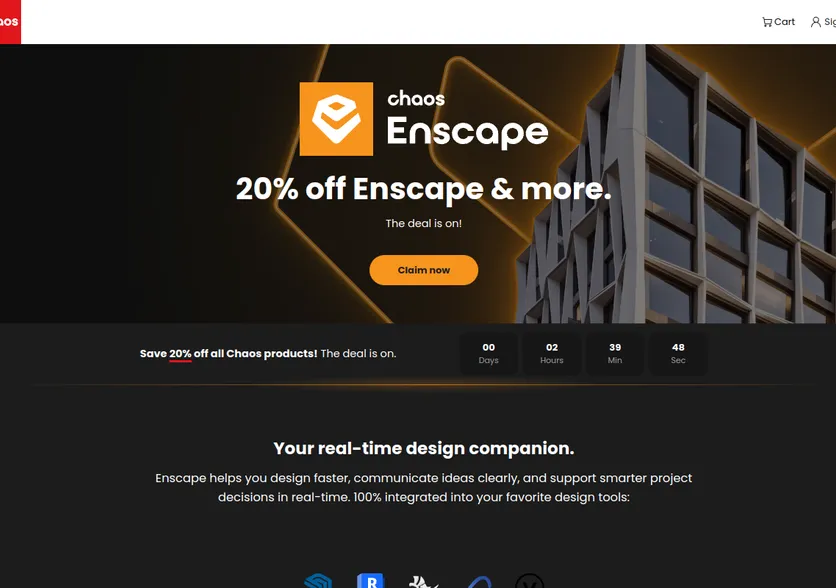
Enscape is the real-time rendering plugin that runs inside Revit, SketchUp, Rhino and Archicad, updating the image as you model. This Enscape Solo plan costs five hundred seventy-four dollars and eighty cents a year, with a fourteen-day trial to walk a client through a model. An architect can show a live design review without exporting a single file.
What we like
- Live rendering inside Revit, SketchUp and Rhino
- One-click walkthroughs and virtual reality exports
- Simple controls that need almost no training
Watch out for
- Five hundred seventy-four dollars and eighty cents a year with no free plan
- Solo covers one user, so teams pay per seat
How to try it
- Start the fourteen-day trial from the Enscape pricing page
- Open a Revit model and launch the Enscape window
- Walk through the model and export a video for the client
7. Lumion
Best for: Firms that need cinematic animations and the richest scene library
Paid tool Starting price: $1,149/year · Pro, $1,149 a year per named user; floating licenses cost $1,499 a year
Free plan: No free plan; 14-day free trial
Lumion is the rendering app architects use for cinematic animations, with thousands of trees, people and vehicles that fill a scene in seconds. This Lumion Pro plan costs one thousand one hundred forty-nine dollars a year per named user, with a fourteen-day trial to test the library. A firm can produce a film-quality animation of a building before a single brick is laid.
What we like
- Cinematic animation tools with a huge scene library
- Fast renders that keep up with design changes
- Easy enough for a junior architect to learn quickly
Watch out for
- One thousand one hundred forty-nine dollars a year is the highest price here
- A floating license costs even more per year
How to try it
- Start the fourteen-day trial from the Lumion pricing page
- Import a model and populate the scene with trees and people
- Render a short animation and share it with the client
Prices above were checked on each vendor’s own website on Nov 26, 2026 and can change — the vendor’s page is the final word. Vendor links are editorial: nobody paid to be listed or ranked here. Vendors who want a featured listing can see how it works on our Get listed page.
What architectural visualization software costs in 2026
Most renderers charge per seat per year, and the range here runs from three hundred sixty dollars to more than a thousand dollars a year. A free tier changes the math completely, because Twinmotion costs nothing for firms under one million dollars of revenue and D5 Render has a free Community plan for personal work. A subscription renderer looks dear until you count the hours it saves, because a real-time tool lets a client approve a design in one meeting instead of three rounds of still images.
Start with the free tier or trial on two tools and render the same building in each, from the same model file. Compare how long the first image takes, how real the light looks, and whether the material library covers what you draw. Pick the renderer that fits your design app, because a tool that cannot read your model files will cost you more time than it saves.
Before you buy
- Check the free tier first, because Twinmotion is free for firms under one million dollars of revenue.
- Confirm the renderer works inside your design app, because Corona needs 3ds Max or Cinema 4D.
- Count the trial days, because Enscape gives fourteen days while Corona and V-Ray give thirty.
- Compare list and sale prices, because V-Ray shows a Black Friday discount below its five hundred forty dollar list.
- Test the material library, because a renderer with few materials will slow every new project.
Official websites
Official websites of the products reviewed above. Features and prices were checked against these sites when this guide was written, and they can change, so confirm on the vendor site before you buy.
Frequently asked questions
Which architectural visualization software is best in 2026?
Twinmotion, at four hundred forty-five dollars per seat a year with a free tier for smaller firms, is the safest default for real-time work. D5 Render is the cheapest Pro plan at three hundred sixty dollars a year, with a free Community plan for personal projects. Lumion wins for cinematic animation at one thousand one hundred forty-nine dollars a year, with the richest scene library here.
How much does architectural visualization software cost?
Prices here run from three hundred sixty dollars a year for D5 Render Pro to one thousand one hundred forty-nine dollars a year for Lumion Pro, with most tools between four hundred and six hundred dollars a year. Twinmotion is free for firms under one million dollars of revenue. Expect to pay per seat, so a team of five pays five times the single-user price.
Is there a free architectural visualization software?
Twinmotion is free for firms with annual gross revenue under one million dollars, and for students, educators and hobbyists. D5 Render offers a free Community plan for non-commercial work. The other tools here offer free trials from fourteen to thirty days, which is long enough to render a real project before you pay.
What should I look for in architectural visualization software?
Look for real-time rendering, a material library and direct support for your design app first, because those three decide how fast a render happens. Check whether the license is per seat or per firm, and whether the trial covers the features you need. Test the render quality on your own model, because a demo scene always looks better than a real project.
Do I need a powerful computer for architectural visualization?
Real-time tools like Twinmotion, D5 Render and Enscape need a strong graphics card to stay smooth on large models, while production renderers like V-Ray and Corona can run on a CPU. A weak graphics card turns a live walkthrough into a slideshow. Check the vendor hardware guide before you buy, and budget for a graphics card if your current machine struggles.
Need everyday image help too? Try Toolsvine's free image tools right in your browser.
Browse Image Tools tools


