On this page
Backlog refinement is the weekly work that keeps a sprint honest: the team reviews upcoming stories, splits the big ones, estimates the effort and drops what no longer matters. Jira leads this list at nine dollars and seventy cents a user a month because it remains the standard for teams that run Scrum seriously, while the other six tools range from a free Trello board to a ten dollar a month Linear plan. Every price below was checked on the vendor site, and the best tool is the one the team will actually groom in every week.
How we researched this
We checked every price on the vendor pricing page on November 28, 2026, and only included tools with a published US dollar list price. All seven tools in this list publish their prices, so no candidate was excluded for being quote-only. Prices change, so confirm the current figure on the vendor site before you buy.
Compare the tools
| Name | Best for | Starting price | Free plan | |
|---|---|---|---|---|
 Jira | Product teams that run Scrum with proper estimation and reporting | $9.70/user/month | Free plan (up to 10 users) | Visit |
| Azure DevOps | Development teams that already build and deploy on Microsoft Azure | $6/user/month | Free plan (first 5 users free) | Visit |
 Linear | Modern development teams that want fast issue tracking | $10/user/month | Free plan | Visit |
 Asana | Cross-functional teams where product, design and marketing share a backlog | $10.99/user/month | Free plan (Personal, up to 2 users) | Visit |
| monday.com | Teams that want a visual, easy-to-read backlog board | $9/seat/month | Free plan (up to 2 seats) | Visit |
 ClickUp | Teams that want backlog, docs and goals in one workspace | $9/user/month | Free plan | Visit |
 Trello | Small teams that want a simple, visible backlog board | $5/user/month | Free plan (up to 10 collaborators) | Visit |
The software for backlog refinement, compared
1. Jira
Best for: Product teams that run Scrum with proper estimation and reporting
Paid tool Starting price: $9.70/user/month · $9.70 a user a month for Standard (1-100 users); Premium is $19.60 a user a month; the $8.48 figure seen elsewhere is a blended average, not the list price
Free plan: Free plan (up to 10 users)
At nine dollars and seventy cents a user a month, Jira Standard is the backlog tool most product teams already know, and it remains the standard for teams that run Scrum properly. It holds the backlog, the sprint board and the reports in one place, with estimation, story points and burndown charts built in. The free plan covers up to ten users, which is enough for a small team to run real sprints. It fits a product team that wants the full Scrum workflow rather than a simple board.

What we like
- The full Scrum workflow, from backlog to burndown chart
- Estimation, story points and sprint reports built in
- A free plan covers a team of up to ten users
Watch out for
- Can feel heavy for a team that only needs a simple board
- Configuration takes time before the first sprint runs well
How to try it
- Create the backlog with real stories from the current roadmap
- Run one refinement session and estimate every story in it
- Start the sprint and check the burndown after the first week
2. Azure DevOps
Best for: Development teams that already build and deploy on Microsoft Azure
Paid tool Starting price: $6/user/month · $6 a user a month for Basic; Basic plus Test Plans is $52 a user a month; the first five users are free
Free plan: Free plan (first 5 users free)
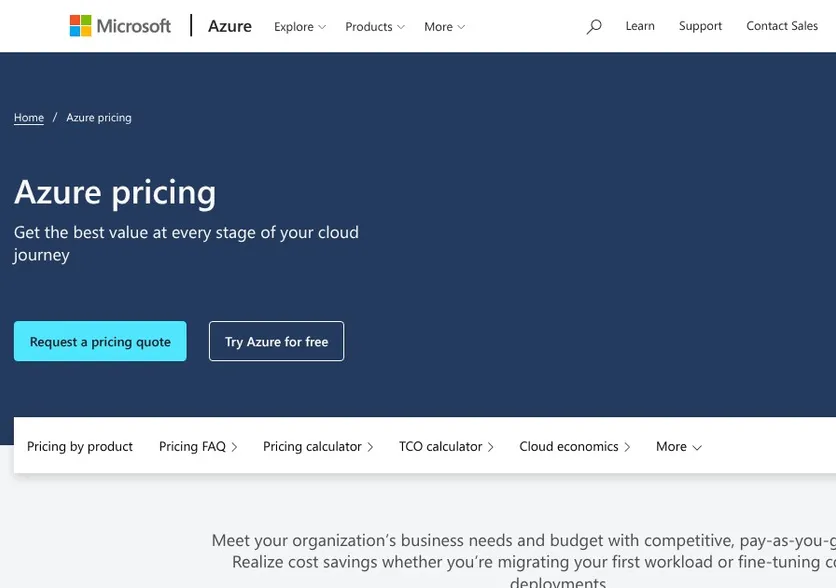
At six dollars a user a month, Azure DevOps Boards is the cheapest paid backlog tool in this list, and the first five users cost nothing at all. It holds work items, backlogs and sprint boards inside the Microsoft ecosystem, with boards, queries and dashboards that suit a team already living in Azure. The Basic plan covers the backlog and sprint work most teams need, while Test Plans costs fifty-two dollars a user a month for teams that need formal testing. It fits a development team that already builds and deploys on Azure.
What we like
- The cheapest paid plan here, with the first five users free
- Backlogs, boards and dashboards inside the Azure ecosystem
- Queries and work item tracking scale to large programmes
Watch out for
- Feels dated next to the newer tools in this list
- Best suited to teams already committed to Microsoft
How to try it
- Import the current backlog as work items
- Set up one sprint board and run a refinement session in it
- Check the dashboard reporting against what the team actually reviews
3. Linear
Best for: Modern development teams that want fast issue tracking
Paid tool Starting price: $10/user/month · $10 a user a month for Standard; Plus is $16 a user a month
Free plan: Free plan
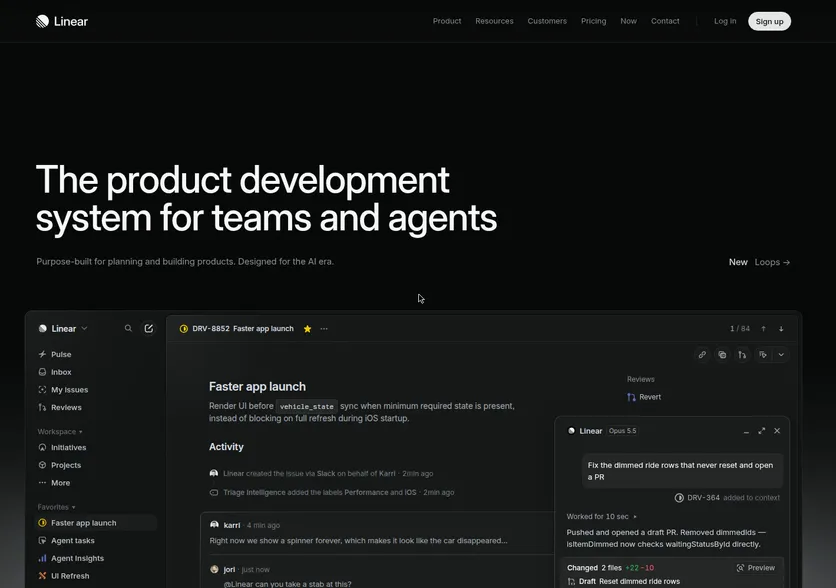
At ten dollars a user a month, Linear Standard is the fastest backlog tool in this list, and it is built for development teams that hate slow software. It tracks issues, cycles and projects with keyboard-first speed, and its triage workflow keeps the backlog clean by forcing a decision on every new issue. The free plan covers a small team, and the Plus tier costs sixteen dollars a user a month for teams that need more. It fits a modern development team that wants refinement to feel quick rather than ceremonial.
What we like
- Keyboard-first speed makes grooming feel effortless
- Triage keeps the backlog clean by forcing decisions early
- Cycles and projects map neatly onto real sprint work
Watch out for
- Fewer reporting options than Jira for large programmes
- The free plan is small, so a growing team pays quickly
How to try it
- Import the current issues and set up one project
- Run triage on the inbox and clear it in one session
- Start a cycle and check the velocity after two weeks
4. Asana
Best for: Cross-functional teams where product, design and marketing share a backlog
Paid tool Starting price: $10.99/user/month · $10.99 a user a month billed annually for Starter ($13.49 monthly); Advanced is $24.99 a month billed annually; seats have a two-seat minimum
Free plan: Free plan (Personal, up to 2 users)
At ten dollars and ninety-nine cents a user a month billed annually, Asana Starter is the backlog tool for teams that want project work and refinement in the same place. It holds the backlog as a list or board, tracks dependencies between stories, and shows the whole programme on a timeline. The free Personal plan covers up to two users, and seats are sold with a two-seat minimum in blocks. It fits a cross-functional team where product, design and marketing all work from the same backlog.

What we like
- Lists, boards and timelines in one flexible workspace
- Dependencies show what blocks each story clearly
- A free plan exists for a pair of users to start with
Watch out for
- Less purpose-built for Scrum than Jira or Linear
- Seats are sold in blocks, so the price steps up in jumps
How to try it
- Build the backlog as a project with sections for each sprint
- Add dependencies between the stories that block each other
- Run one refinement session and reprioritise the top ten items
5. monday.com
Best for: Teams that want a visual, easy-to-read backlog board
Paid tool Starting price: $9/seat/month · $9 a seat a month billed annually for Basic ($12 monthly); Standard is $12 and Pro is $19 a seat a month; a three-seat minimum applies and seats are sold in blocks of five
Free plan: Free plan (up to 2 seats)
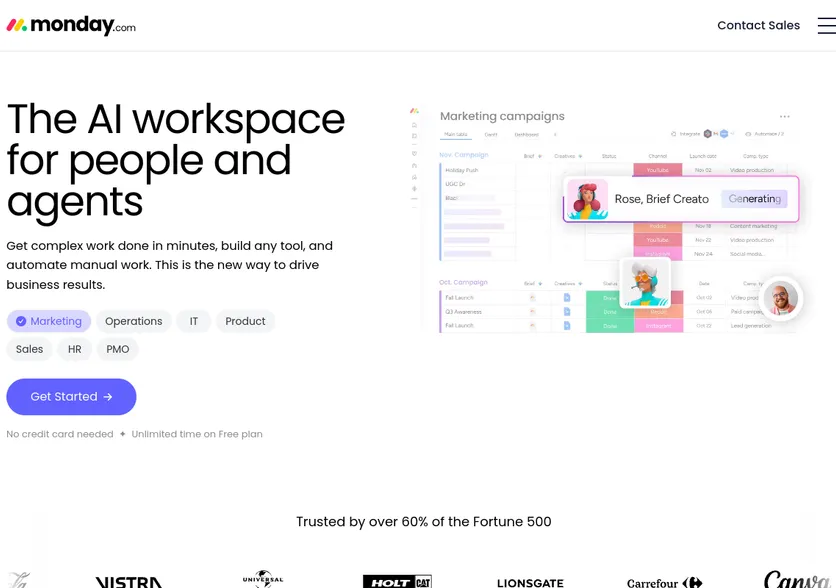
At nine dollars a seat a month billed annually, monday.com Basic is the most visual backlog tool in this list, and it turns the backlog into a colourful board the whole team can read at a glance. It tracks stories, owners and dates with automations that move items between stages without manual work, and the free plan covers up to two seats. It fits a team that wants refinement to feel visual and easy rather than technical.
What we like
- The most visual boards in this list, readable at a glance
- Automations move stories between stages without manual work
- A free plan covers two seats to start with
Watch out for
- Seats are sold in blocks of five, so the price steps up fast
- Less depth for Scrum estimation than Jira or Linear
How to try it
- Build the backlog board with the columns the team actually uses
- Set one automation to move finished stories to done
- Run a refinement session and check the board afterwards
6. ClickUp
Best for: Teams that want backlog, docs and goals in one workspace
Paid tool Starting price: $9/user/month · $9 a user a month billed annually for Core; Business is $17 a user a month
Free plan: Free plan
At nine dollars a user a month billed annually, ClickUp Core is the most feature-packed backlog tool in this list for the price. It holds lists, boards, docs, goals and time tracking in one workspace, so the backlog, the sprint and the documentation never live in separate tools. The free plan is generous enough for a small team to run real work in it. It fits a team that wants everything in one place and does not mind a busier interface in exchange for the breadth.

What we like
- Lists, boards, docs and goals in a single workspace
- A generous free plan for a small team to start with
- Custom fields and views suit almost any workflow
Watch out for
- The breadth can overwhelm a team that only needs a board
- Configuration takes time before the workspace feels clean
How to try it
- Create one space with the backlog and the sprint board
- Set up custom fields for story points and priority
- Run one refinement session and check the views afterwards
7. Trello
Best for: Small teams that want a simple, visible backlog board
Paid tool Starting price: $5/user/month · $5 a user a month billed annually for Standard ($6 monthly); Premium is $10 and Enterprise is $17.50 a user a month
Free plan: Free plan (up to 10 collaborators)
At five dollars a user a month billed annually, Trello Standard is the cheapest and simplest backlog tool in this list, and it works because a board of cards is all most small teams need. It holds the backlog as columns, moves cards with a drag, and adds checklists, labels and due dates without any training. The free plan covers up to ten collaborators, which is enough for a small team to groom a real backlog. It fits a team that wants refinement to stay simple and visible rather than formal.

What we like
- The simplest backlog tool here, with no training needed
- Cards, checklists and labels cover most grooming needs
- A free plan covers up to ten collaborators
Watch out for
- No real estimation or sprint reporting built in
- Large backlogs become hard to manage on cards alone
How to try it
- Create a board with columns for the backlog stages
- Add story cards with checklists for the acceptance criteria
- Run a refinement session by dragging cards between columns
Prices above were checked on each vendor’s own website on Nov 28, 2026 and can change — the vendor’s page is the final word. Vendor links are editorial: nobody paid to be listed or ranked here. Vendors who want a featured listing can see how it works on our Get listed page.
How to run backlog refinement that actually prepares the sprint
Refine little and often rather than in one long meeting, because a weekly hour keeps the backlog fresh while a monthly marathon leaves it stale. Keep the backlog short: if a story will not reach the top in three sprints, it does not belong in the refined list. Estimate in the same session, and split any story the team cannot estimate, since an unestimated story is a story nobody understands yet. Drop work that no longer matters instead of carrying it forward, and end every session with the next sprint's stories ready to start.
Before you buy
- Confirm the tool supports estimation, since a backlog without estimates cannot plan a sprint
- Check whether the free plan covers the whole team or only a few seats
- Ask how the tool handles dependencies between stories that block each other
- Make sure the sprint board and the backlog live in the same place, not two tools
- Test the tool in one real refinement session before moving the whole backlog
Official websites
Official websites of the products reviewed above. Features and prices were checked against these sites when this guide was written, and they can change, so confirm on the vendor site before you buy.
Frequently asked questions
What is backlog refinement software?
Backlog refinement software holds the product backlog and gives the team a place to review, split, estimate and prioritise stories before they reach a sprint. The team works through the upcoming stories in regular sessions, breaking big items into smaller ones and dropping work that no longer matters. Good refinement means the next sprint starts with stories the team already understands, so the sprint planning meeting becomes a formality rather than a debate.
How much does backlog refinement software cost?
The seven tools here range from free on Trello, Linear, ClickUp and Jira's small-team plans to ten dollars and ninety-nine cents a user a month for Asana Starter. Most paid plans sit between five and eleven dollars a user a month, which makes the choice more about fit than price. The real cost to watch is the seat minimum, since a three-seat minimum or seats sold in blocks of five can double the bill for a small team.
How often should a team refine its backlog?
A team should refine its backlog weekly, in a session of about an hour, rather than in one long monthly meeting. Weekly refinement keeps the top of the backlog ready for the next sprint and stops stories going stale. The session should cover the stories that will enter the next two sprints, and it should end with those stories estimated and understood. A backlog that is only refined once a month is usually a backlog that nobody trusts.
Which backlog tool is best for a small team?
Trello at five dollars a user a month is the best pick for a small team that wants a simple visible board, and the free plan covers ten collaborators. Linear at ten dollars a user a month suits a small development team that wants speed and proper triage. Jira is the better choice once the team runs formal Scrum, since the free plan covers ten users and Standard costs nine dollars and seventy cents a user a month.
Do I need Jira, or will a simpler board work?
A simpler board such as Trello or Linear works well when the team is small, the work is straightforward and nobody needs formal sprint reports. Jira earns its complexity when the team runs proper Scrum with estimation, story points, burndown charts and reporting across several teams. The honest test is whether the team misses reporting after a month on a simple board: if it does, move to Jira, and if it does not, stay simple.
Compare the seven tools above, then start with a free plan on the tool that matches how the team already runs sprints before paying for a full year.
Browse Productivity Tools tools