On this page
A home service business grows by booking more jobs, not by adding paperwork, so the software has to carry quoting, scheduling and invoicing without slowing the crew down. The seven tools below cover that job for crews of every size, from a one-person outfit that charges by the job to a multi-truck firm that needs dispatch and fleet tracking. Jobber leads because it quotes, schedules and invoices in the app most crews already know for twenty-nine dollars a month, and the rest are ranked on how well they turn a busy diary into paid work.
How we researched this
We checked every price on the vendor pricing page on November 28, 2026, and only included tools with a published US dollar list price. The big enterprise platforms that sell field service by quote, including ServiceTitan, Simpro, Vonigo and Dispatch, publish no prices, so they are not in this list. Prices change, so confirm the current figure on the vendor site before you buy.
Compare the tools
| Name | Best for | Starting price | Free plan | |
|---|---|---|---|---|
 Jobber | Field service teams that want quoting and scheduling in one app | $29/month | No free plan; 14-day free trial | Visit |
 Housecall Pro | Home service firms that want strong customer messaging | $59/month | No free plan; 14-day free trial | Visit |
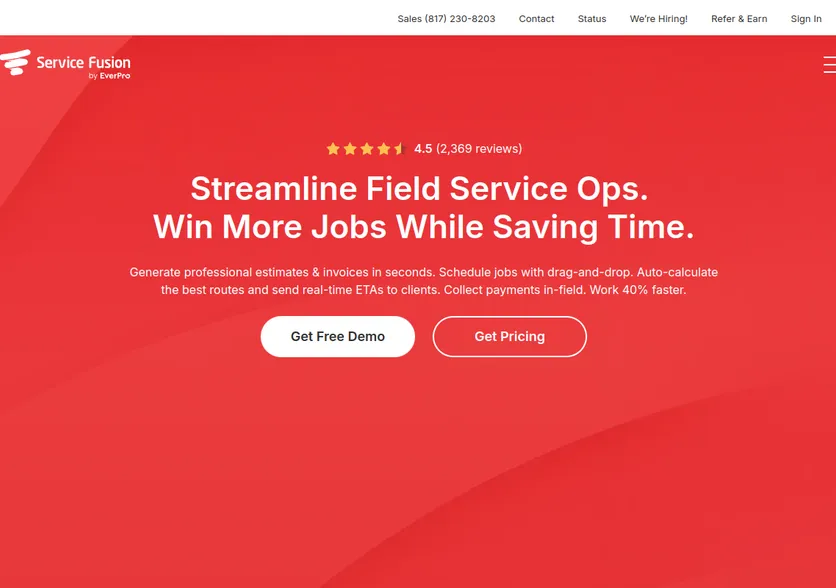
 Service Fusion | Growing field service firms that need dispatch and fleet tools | $192/month | No free plan; 14-day free trial | Visit |
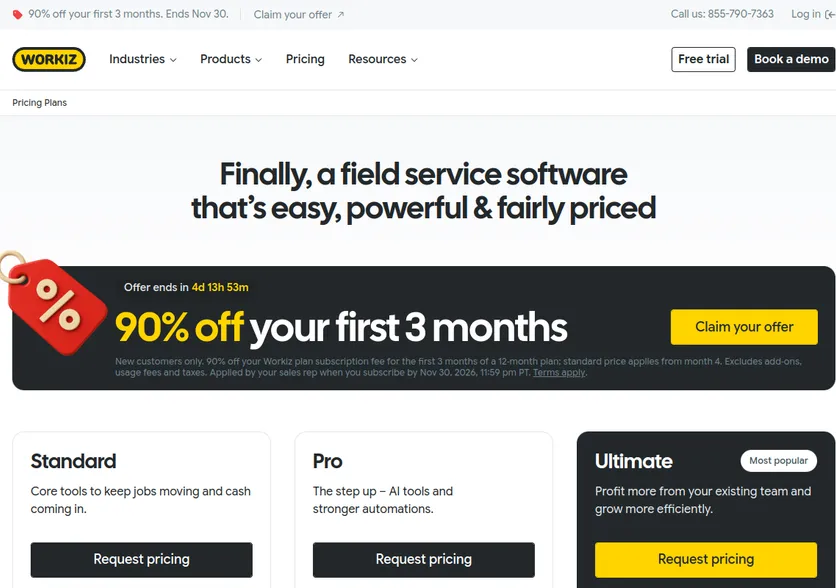
 Workiz | Field service teams that want AI call handling built in | $225/month | Free plan (Lite, up to 2 users) | Visit |
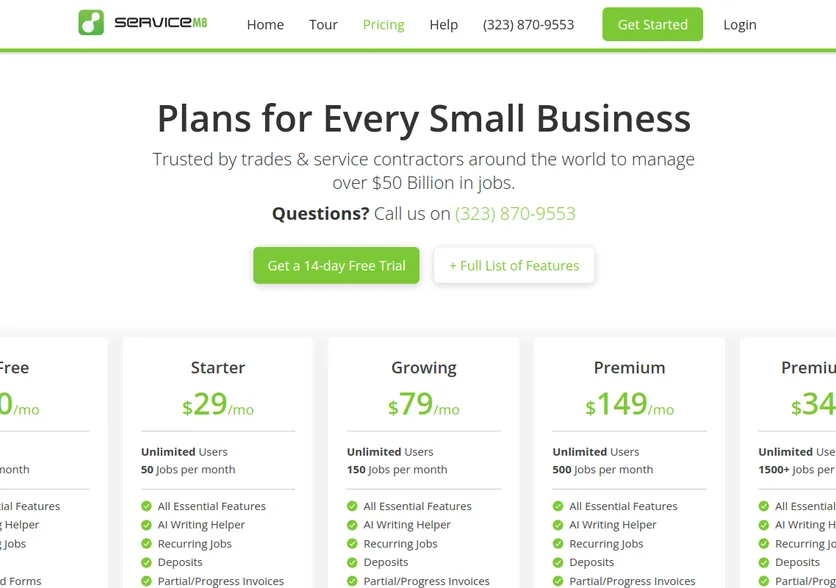
 ServiceM8 | Small trade businesses that charge by the job | $29/month | Free plan ($0, 1 user, 30 jobs) | Visit |
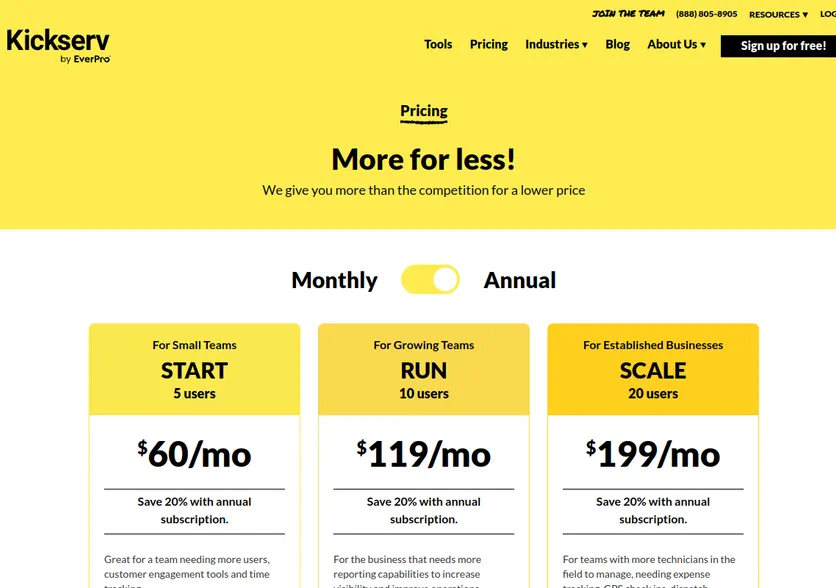
 Kickserv | Small service firms that want simple job tracking | $60/month | No free plan; 30-day free trial | Visit |
 RazorSync | Service firms that want scheduling plus field forms | $85/month | No free plan; 14-day free trial | Visit |
The software for growing a home service business, compared
1. Jobber
Best for: Field service teams that want quoting and scheduling in one app
Paid tool Starting price: $29/month · Twenty-nine dollars a month billed annually on Core (forty-nine dollars billed monthly); higher tiers add more users, automation and AI features
Free plan: No free plan; 14-day free trial
A home service crew that wants quoting, scheduling and invoicing in one app gets it here, since this Jobber plan costs twenty-nine dollars a month billed annually. The client hub lets customers approve quotes and pay online without a phone call, and the mobile app keeps techs on schedule from the first job to the last. It is the most polished all-rounder in this list for a crew that wants to grow without adding office staff.

What we like
- Quotes, scheduling, invoicing and payments in one app
- Client hub lets customers approve quotes and pay online
- Mobile app works well for techs in the field
Watch out for
- No free plan, only a fourteen-day trial
- Core covers one user, so a two-person crew pays for a higher tier
How to try it
- Create a quote from the job details and send it to the customer
- Schedule the job and dispatch it to the right technician
- Invoice from the finished job and take payment online
2. Housecall Pro
Best for: Home service firms that want strong customer messaging
Paid tool Starting price: $59/month · Fifty-nine dollars a month billed annually on Basic; a seventy-nine dollar figure appears in the vendor trade view, so confirm the billing basis at checkout; Essentials and MAX add marketing and dispatch features at higher rates
Free plan: No free plan; 14-day free trial
A home service firm that loses jobs to missed calls and slow replies will feel the difference here, because this Housecall Pro plan costs fifty-nine dollars a month billed annually. Online booking, automated reminders and review requests run in the background while the crew works, and the dispatch board shows where every tech is. It suits a firm that wants the customer experience to sell the next job as much as the work itself.

What we like
- Online booking and automated reminders cut no-shows
- Built-in review requests and marketing tools
- Dispatch board and GPS tracking for the whole crew
Watch out for
- The entry plan limits the number of users
- Add-ons such as dispatch and financing raise the monthly bill
How to try it
- Set up online booking so customers schedule themselves
- Send estimates and invoices from the mobile app
- Turn on automated reminders and review requests after each job
3. Service Fusion
Best for: Growing field service firms that need dispatch and fleet tools
Paid tool Starting price: $192/month · One hundred and ninety-two dollars a month billed annually on Starter (two hundred and twenty-five dollars billed monthly); third-party reads of $208 and $245 a month are superseded by the vendor's own page
Free plan: No free plan; 14-day free trial
A growing home service firm that needs dispatch, fleet tracking and invoicing in one dashboard finds it here, since this Service Fusion plan costs one hundred and ninety-two dollars a month billed annually. The drag-and-drop board moves jobs between techs in seconds, and the customer portal lets clients book and pay without calling the office. It is the most complete operations tool in this list, and the price reflects that depth.
What we like
- Dispatch, scheduling and invoicing in one dashboard
- Fleet tracking and inventory management included
- Customer portal and online booking built in
Watch out for
- The entry price is high for a one-truck business
- Some features need the higher tiers to unlock
How to try it
- Import customers and build the service schedule
- Dispatch jobs to techs from the drag-and-drop board
- Invoice completed jobs and track payments in the dashboard
4. Workiz
Best for: Field service teams that want AI call handling built in
Paid tool Starting price: $225/month · Two hundred and twenty-five dollars a month on Kickstart for up to five users ($275 Standard, $325 Pro); annual billing saves about seventeen percent (about $187, $228 and $270 a month); a free Lite plan covers up to two users and twenty jobs a month
Free plan: Free plan (Lite, up to 2 users)
A home service business that misses after-hours calls will like the AI answering here, because this Workiz plan costs two hundred and twenty-five dollars a month. The assistant books jobs while the office is closed, and online booking plus real-time dispatch keep the diary full through the week. It is the dearest entry plan in this list, but the flat rate covers five users and the AI handling is genuinely useful.
What we like
- AI phone answering books jobs after hours
- Online booking and real-time dispatch in one place
- Flat pricing covers up to five users on the entry plan
Watch out for
- The entry price is steep for a solo operator
- Annual billing is the only way to get the discounted rate
How to try it
- Connect the phone line so the AI assistant answers calls
- Build the service catalogue and set the online booking page live
- Dispatch jobs from the board and invoice from the mobile app
5. ServiceM8
Best for: Small trade businesses that charge by the job
Paid tool Starting price: $29/month · Twenty-nine dollars a month on Starter for fifty jobs a month with unlimited users; Growing is $79 a month for one hundred and fifty jobs, Premium is $149 for five hundred and Premium Plus is $349; a free plan covers one user and thirty jobs
Free plan: Free plan ($0, 1 user, 30 jobs)
A small trade business that wants to pay by the job rather than by the seat gets a fair deal here, since this ServiceM8 plan costs twenty-nine dollars a month. Every paid plan allows unlimited users, so the whole crew can log jobs without extra seat fees, and the add-ons cover forms, assets and stock control. It is the cheapest way onto a real job system for a one-to-five-person crew.
What we like
- Unlimited users on every paid plan
- Job pricing by the job, not by the seat
- Add-ons for forms, assets and stock control
Watch out for
- Job caps push busy months onto a higher tier
- Some features, such as asset tracking, cost extra as add-ons
How to try it
- Create a job card with the customer and site details
- Send the quote and book the visit in the diary
- Complete the job on the mobile app and raise the invoice
6. Kickserv
Best for: Small service firms that want simple job tracking
Paid tool Starting price: $60/month · Sixty dollars a month on Start for up to five users; Run is $119 a month for ten users and Scale is $199 for twenty; annual billing saves twenty percent (about $48, $95.20 and $159.20 a month); most reads put the sixty-dollar figure on monthly billing, but one November 2026 read lists it as the annual rate, so confirm at checkout
Free plan: No free plan; 30-day free trial
A small service firm that wants simple scheduling without a steep learning curve will settle in fast here, because this Kickserv plan costs sixty dollars a month. The dashboard covers scheduling, dispatch and invoicing in a few clicks, and QuickBooks sync keeps the books straight without double entry. It is the most straightforward tool in this list for a crew that just wants the jobs done and billed.
What we like
- Simple scheduling, dispatch and invoicing in one place
- Customer portal and online payments included
- QuickBooks sync keeps the books straight
Watch out for
- Fewer automation features than the bigger platforms
- User caps mean growing teams move up a tier quickly
How to try it
- Add customers and create the first job from the dashboard
- Schedule the visit and assign it to a technician
- Send the invoice and record the payment when the job closes
7. RazorSync
Best for: Service firms that want scheduling plus field forms
Paid tool Starting price: $85/month · Eighty-five dollars a month billed annually on Solo for up to two users ($90 billed monthly); Team is $195 a month billed annually ($225 monthly) and Pro is $439 ($499 monthly); Enterprise is quoted, and extra users cost fifty dollars a user a month
Free plan: No free plan; 14-day free trial
A service firm that still runs on paper job sheets will find the structure here a relief, since this RazorSync plan costs eighty-five dollars a month billed annually. Scheduling, dispatch and custom field forms sit in one app, and GPS tracking shows where every tech is during the day. It suits a firm that wants field forms and signatures as much as a calendar.
What we like
- Scheduling, dispatch and custom forms in one app
- GPS tracking shows where every tech is
- QuickBooks and Stripe integrations built in
Watch out for
- The price jumps sharply between Solo and Team
- The interface looks dated next to newer rivals
How to try it
- Set up services, prices and technician schedules
- Book jobs and dispatch them from the calendar
- Collect signatures and payment in the field app
Prices above were checked on each vendor’s own website on Nov 28, 2026 and can change — the vendor’s page is the final word. Vendor links are editorial: nobody paid to be listed or ranked here. Vendors who want a featured listing can see how it works on our Get listed page.
How to grow a home service business without drowning in admin
Start with the job, not the software, because the tool has to fit how the crew already works. Map one week of jobs from first call to final payment and look for the step that eats the most time, which is usually quoting, scheduling or chasing payment. Pick the tool that fixes that step first, then add the rest later, because a system the crew actually uses beats a suite nobody opens. Trial it on real jobs with real customers before paying for a year, and check the mobile app in the field, not just the desktop dashboard in the office. Finally, agree on who owns the diary, because a shared schedule only works when one person is responsible for keeping it true.
Before you buy
- Confirm the plan covers enough users and jobs for the crew today and next year
- Check whether quotes, scheduling and invoicing all sit in the one plan
- Test the mobile app in the field before paying, not just the desktop dashboard
- Ask what happens to the price when the crew grows past the entry tier
- Make sure the tool connects to the accounting software the business already uses
Official websites
Official websites of the products reviewed above. Features and prices were checked against these sites when this guide was written, and they can change, so confirm on the vendor site before you buy.
Frequently asked questions
What is the best software for growing a home service business?
Jobber is the best overall pick, at twenty-nine dollars a month billed annually, because it covers quoting, scheduling, invoicing and payments in one app the crew already knows. Housecall Pro suits firms that want stronger customer messaging, and ServiceM8 is the best value for a small crew that charges by the job. The right choice depends on whether the firm needs dispatch depth, customer experience or the lowest entry price.
How much does Jobber cost for a home service business?
Jobber Core costs twenty-nine dollars a month billed annually, or forty-nine dollars billed monthly. That plan covers quoting, scheduling, invoicing and payments for one user, with a fourteen-day free trial and no free plan. Higher tiers add more users, automation and AI features, so a growing crew should check the Connect and Grow prices on the vendor page before choosing.
Can I use field service software for free?
Yes, with ServiceM8, which offers a free plan for one user and thirty jobs a month, and Workiz, which offers a free Lite plan for up to two users and twenty jobs a month. Both are genuine free tiers rather than trials, so a small crew can run real jobs without paying. Busy firms will outgrow either free tier quickly and should compare the paid plans above.
Which field service tool has the best AI features?
Workiz has the strongest AI feature in this list, because its AI phone assistant answers calls and books jobs while the office is closed. Jobber and Housecall Pro also add AI to quoting, scheduling and customer messaging on their higher tiers. A firm that misses after-hours calls should trial Workiz first, since a booked call is revenue the other tools cannot recover.
Do I need dispatch software for a one-person home service business?
Not necessarily, because a solo operator can run on ServiceM8 free or Jobber Core and add dispatch later. Dispatch boards, fleet tracking and GPS earn their keep once there are two or more techs to coordinate, which is when Service Fusion and Housecall Pro start to pay. Start with quoting and invoicing, then add dispatch when the diary gets too busy to hold in one head.
Compare the seven tools above, then start with a free trial or the free ServiceM8 plan on the tool that matches how the crew already runs its jobs before paying for a full year.
Browse Business Tools tools