On this page
Shifts change during the day, not just at the start of the week, and a schedule that cannot keep up leaves floors uncovered. The seven tools below plan shifts, breaks and cover in real time, so a sick call at noon does not become a gap at six. When I Work leads because it covers a single location for two dollars and fifty cents per user a month, and the rest are ranked on how well they handle same-day changes for the price.
How we researched this
We checked every price on the vendor pricing page on November 28, 2026, and only included tools with a published US dollar list price. Playvox sells by quote, so it is not in this list. Prices change, so confirm the current figure on the vendor site before you buy.
Compare the tools
| Name | Best for | Starting price | Free plan | |
|---|---|---|---|---|
 When I Work | Single-location teams scheduling shifts weekly | $2.50/user/month | 14-day free trial | Visit |
 Deputy | Teams wanting scheduling plus time tracking | $5/user/month | 31-day free trial | Visit |
 7shifts | Restaurants scheduling around covers and tips | $29.99/location/month | Free plan (1 location, up to 30 employees) | Visit |
 Homebase | Small businesses wanting scheduling plus hiring | $24.95/location/month | Free plan (1 location, up to 20 employees) | Visit |
| Humanity | Mid-size teams scheduling around leave and skills | $3/user/month | No free plan; free trial available | Visit |
 Connecteam | Frontline teams needing scheduling plus chat | $29/month | Free plan (up to 10 users, all hubs) | Visit |
 Sling | Budget teams that just need the rota done | $1.70/user/month | Free plan (up to 30 users) | Visit |
The software for intraday scheduling, compared
1. When I Work
Best for: Single-location teams scheduling shifts weekly
Paid tool Starting price: $2.50/user/month · Two dollars and fifty cents per user a month for a single location and schedule; multiple locations cost five dollars per user a month; there is no free plan, and a fourteen-day free trial is included
Free plan: 14-day free trial
For a small business that needs shifts planned and swaps handled without fuss, this When I Work plan costs two dollars and fifty cents per user a month, and it builds schedules, sends shift reminders and lets staff swap shifts from a phone. Its time clock and messaging keep the whole team on the same page. It is the simplest scheduling tool here for a single-location team.

What we like
- Shift swaps handled from the phone
- Reminders cut down on no-shows
- Time clock and messaging in the same app
Watch out for
- Multi-location teams pay double per user
- No free plan, only a fourteen-day trial
How to try it
- Add staff and set their availability
- Build the weekly schedule and publish it
- Let staff request swaps from the mobile app
2. Deputy
Best for: Teams wanting scheduling plus time tracking
Paid tool Starting price: $5/user/month · Five dollars per user a month on Lite; Core is six dollars and fifty cents and Pro is nine dollars per user a month; there is a thirty dollar monthly minimum spend, and the older three dollar and fifty cent scheduling figure is retired
Free plan: 31-day free trial
For a business that wants scheduling, time tracking and compliance in one place, this Deputy plan costs five dollars per user a month, and it auto-schedules shifts around availability, leave and labour costs. Its demand forecasting suggests how many staff each shift really needs. It is the most complete scheduling tool here for teams that also track hours and pay.

What we like
- Auto-scheduling respects availability and leave
- Demand forecasting sizes each shift correctly
- Labour cost tracking sits beside the schedule
Watch out for
- A thirty dollar monthly minimum applies
- The interface has more settings than simpler rivals
How to try it
- Import staff, roles and availability
- Let auto-scheduling build the first roster
- Publish the schedule and track hours against it
3. 7shifts
Best for: Restaurants scheduling around covers and tips
Paid tool Starting price: $29.99/location/month · Twenty-nine dollars and ninety-nine cents per location a month billed annually (thirty-four dollars and ninety-nine cents month to month); The Works is sixty-nine dollars and ninety-nine cents and Gourmet is one hundred and fifty dollars per location a month; the free Comp plan covers one location with up to thirty employees
Free plan: Free plan (1 location, up to 30 employees)
For a restaurant that schedules around covers, tips and labour cost, this 7shifts plan costs twenty-nine dollars and ninety-nine cents per location a month billed annually, and it builds rotas from sales forecasts with tip pooling and payroll built in. Its team app handles shift swaps, availability and messaging for the whole crew. It is the best restaurant scheduling tool here by a clear margin.

What we like
- Rotas built from sales forecasts
- Tip pooling and payroll in the same system
- Team app handles swaps and availability
Watch out for
- Payroll is a separate paid add-on
- Priced per location, so chains pay per site
How to try it
- Add locations, roles and the team
- Build rotas from the sales forecast
- Publish to the team app and manage swaps there
4. Homebase
Best for: Small businesses wanting scheduling plus hiring
Paid tool Starting price: $24.95/location/month · Twenty-four dollars and ninety-five cents per location a month on Essentials billed annually; Plus is fifty-nine dollars and ninety-five cents and All-in-One is ninety-nine dollars and ninety-five cents; a shop listing shows Essentials at two hundred and forty dollars a year, which conflicts with the vendor page figure
Free plan: Free plan (1 location, up to 20 employees)
For a small business that wants scheduling, hiring and payroll in one free-to-start app, this Homebase plan costs twenty-four dollars and ninety-five cents per location a month billed annually, and it covers scheduling, time clocks, team messaging and hiring. Its free plan handles a single location with up to twenty employees. It is the best starter tool here for a business that wants everything in one place.

What we like
- Free plan covers a small single location
- Scheduling, hiring and payroll in one app
- Team messaging keeps everyone informed
Watch out for
- Payroll is a separate paid add-on
- Per-location pricing adds up for chains
How to try it
- Add the location and the team
- Build the schedule and publish it to the app
- Use the time clock to track hours worked
5. Humanity
Best for: Mid-size teams scheduling around leave and skills
Paid tool Starting price: $3/user/month · Three dollars per user a month on Essentials billed annually; Professional is around four dollars and fifty cents per user a month; one directory lists two dollars and seventy-five cents billed monthly, which appears to reverse the billing labels
Free plan: No free plan; free trial available
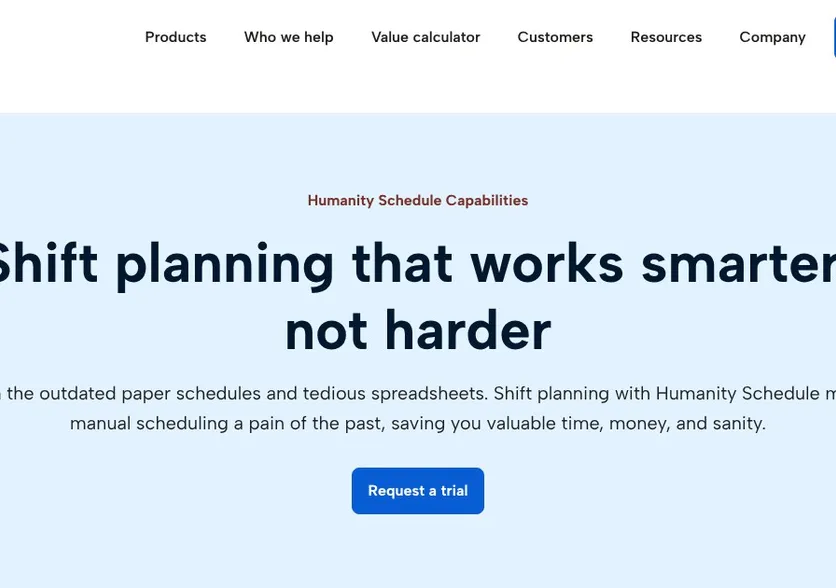
For a team that needs shift planning with leave and availability built in, this Humanity plan costs three dollars per user a month billed annually, and it schedules shifts around time off, skills and labour rules. Its drag-and-drop roster makes same-day changes fast. It is the most affordable full-featured scheduler here for mid-size teams.
What we like
- Drag-and-drop roster for fast same-day changes
- Leave and availability built into scheduling
- Labour rules enforced as shifts are built
Watch out for
- No free plan, only a trial
- The brand is now sold as TCP Humanity Scheduling
How to try it
- Add staff with their skills and availability
- Drag shifts onto the roster for the week
- Publish and handle same-day swaps from the app
6. Connecteam
Best for: Frontline teams needing scheduling plus chat
Paid tool Starting price: $29/month · Twenty-nine dollars a month per hub billed annually (thirty-five dollars month to month) for the first thirty users; Advanced is forty-nine dollars and Expert is ninety-nine dollars a month; the free Small Business plan covers up to ten users across all hubs
Free plan: Free plan (up to 10 users, all hubs)
For a business with deskless staff who need schedules, forms and chat in one app, this Connecteam plan costs twenty-nine dollars a month per hub billed annually, and it combines scheduling with time tracking, forms and team chat. Its operations hub handles the rota while other hubs cover HR and communications. It is the best all-in-one app here for frontline teams.

What we like
- Scheduling, forms and chat in one app
- Free plan covers ten users across all hubs
- Per-hub pricing lets teams buy only what they need
Watch out for
- Priced per hub, so costs grow with each module
- Extra users beyond thirty are billed separately
How to try it
- Pick the hubs the team needs and add staff
- Build the schedule in the operations hub
- Publish shifts to the team app with chat
7. Sling
Best for: Budget teams that just need the rota done
Paid tool Starting price: $1.70/user/month · One dollar and seventy cents per user a month on Premium billed annually (two dollars month to month); Business is three dollars and forty cents a month billed annually; the free plan covers up to thirty users, and one November 2026 roundup reported two dollars and seventy cents as the starting price, which appears to be an outlier
Free plan: Free plan (up to 30 users)
For a team that wants the cheapest paid scheduling here, this Sling plan costs one dollar and seventy cents per user a month billed annually, and it covers shift scheduling, time clocks and team messaging. Its free plan handles up to thirty users, so small teams may never pay at all. It is the best budget pick here for a team that just needs the rota done.

What we like
- Cheapest paid plan in this list
- Free plan covers up to thirty users
- Time clock and messaging included
Watch out for
- Fewer integrations than the bigger platforms
- Advanced reporting needs the Business plan
How to try it
- Add the team and set availability
- Build the rota and publish it
- Track hours with the built-in time clock
Prices above were checked on each vendor’s own website on Nov 28, 2026 and can change — the vendor’s page is the final word. Vendor links are editorial: nobody paid to be listed or ranked here. Vendors who want a featured listing can see how it works on our Get listed page.
How to handle same-day schedule changes without chaos
Publish the schedule early and freeze it, because a rota that keeps moving is worse than one with a gap. Agree the swap rules in advance: who can swap, who approves it and how late a swap can happen. Keep one channel for changes, so nobody misses a shift because the message went to the wrong group chat. When someone calls in sick, check availability before seniority, and log the change so payroll matches the hours actually worked. Review the week every Friday: the shifts that always break are the ones to redesign.
Before you buy
- Check whether the price is per user, per location or per hub, since the same team can cost very different amounts
- Confirm the tool handles same-day swaps and sick calls, not just the weekly rota
- Ask whether time tracking and payroll are included or sold as separate add-ons
- Make sure staff can see shifts and swap from a phone, since deskless teams live on mobile
- Test the tool on a real week before paying, including a sick call and a last-minute swap
Official websites
Official websites of the products reviewed above. Features and prices were checked against these sites when this guide was written, and they can change, so confirm on the vendor site before you buy.
Frequently asked questions
What is software for intraday scheduling?
It is software that plans shifts, breaks and cover within the working day, and it handles the changes that happen after the rota is published, such as sick calls, swaps and late finishes. The tools here build weekly rotas, send shift reminders, track hours and let staff swap shifts from a phone. Prices start at one dollar and seventy cents per user a month, with free plans for small teams.
How much does When I Work cost?
When I Work costs two dollars and fifty cents per user a month for a single location and schedule, or five dollars per user a month for multiple locations. There is no free plan, but a fourteen-day free trial is included. The plan covers scheduling, shift swaps, reminders, a time clock and team messaging in one app.
Can I schedule shifts for free?
Yes. 7shifts offers a free plan for one location with up to thirty employees, Homebase is free for one location with up to twenty employees, Sling is free for up to thirty users, and Connecteam is free for up to ten users across all hubs. A free plan suits a single small location. Chains and larger teams need a paid plan, which starts at one dollar and seventy cents per user a month here.
Which tool is best for restaurants?
7shifts is the best pick for restaurants, at twenty-nine dollars and ninety-nine cents per location a month billed annually, with rotas built from sales forecasts, tip pooling and payroll. Homebase is the best budget pick for a single small restaurant, with a free plan for up to twenty employees. When I Work suits restaurants that want simple scheduling without restaurant-specific features.
How do I handle a sick call on the day?
Use the swap and cover features rather than phoning around. Publish the open shift to available staff in the app, let someone claim it, and confirm the change in the same channel so everyone sees it. The best tools here show who is available, who is qualified and who would hit overtime before the shift is offered. Log the change so payroll matches the hours worked.
Compare the seven tools above, then test the one that fits the team size and location count on a real week, including a sick call, before paying for a full year.
Browse Business Tools tools