
On this page
A magazine lives or dies on its layout, and the software you pick decides how fast each issue comes together. The eight tools below run from a seven-dollar monthly flipbook to a three-hundred-fourteen-dollar yearly desktop publisher, and every price was checked on the vendor site on November 27, 2026. Some are built for print, others for digital flipbooks, so match the tool to where your readers will open the issue. Canva is our first pick — the fastest route from a blank page to a finished magazine.
How we researched this
We started with the magazine design tools publishers and creators actually buy, then checked each price on the vendor pricing page on November 27, 2026 and noted the free plan or trial each one offers. We judged them for a small team producing a regular issue, weighing layout control, export quality and the price of the plan you actually need. We dropped Affinity because it is now free, Scribus because it costs nothing, and VivaDesigner because it publishes no list price.
Compare the tools
| Name | Best for | Starting price | Free plan | |
|---|---|---|---|---|
 Canva | Small teams and creators who want fast magazine layouts with templates, photos and print-ready export | $144/year | Free plan with basic templates and design tools | Visit |
 Adobe InDesign | Professional designers who need precise typography, grids and print production control | $22.99/month | No free plan; 7-day free trial | Visit |
 Designrr | Authors and marketers who turn blog posts and documents into flipbook magazines fast | $29/month | No free plan; 7-day free trial | Visit |
 Swift Publisher | Mac users who want a simple one-time desktop publisher for newsletters and magazines | $19.99 one-time | No free plan; trial available | Visit |
 QuarkXPress | Publishers who want a long-running desktop layout tool with strong print output | $314/year | No free plan; free trial available | Visit |
 Issuu | Publishers who want to turn a finished PDF into a polished digital magazine | $21/month | Free Basic plan | Visit |
 FlipHTML5 | Creators who want an interactive flipbook magazine with page-turn animation | $12/month | Free plan with basic publishing | Visit |
 Publuu | Small publishers who want a cheap flipbook with tracking and branding | $7/month | No free plan; 14-day free trial | Visit |
The magazine design software, compared
1. Canva
Best for: Small teams and creators who want fast magazine layouts with templates, photos and print-ready export
Paid tool Starting price: $144/year · Pro plan at twelve dollars a month billed yearly, one hundred forty-four dollars a year; month-to-month is eighteen dollars a month
Free plan: Free plan with basic templates and design tools
Canva is the fastest way to lay out a magazine without hiring a designer, with thousands of templates, a photo library and drag-and-drop grids that keep every page on brand. This Canva Pro plan costs twelve dollars a month billed yearly, and it adds brand kits, background removal and print-ready PDF export to the free plan. A small team can design a whole issue in an afternoon and send it straight to print or publish it online.

What we like
- Thousands of magazine templates ready to customize
- Brand kits keep every issue visually consistent
- Print-ready PDF export included on the Pro plan
Watch out for
- Template layouts can look generic without custom fonts and photos
- Print quality depends on the resolution of the images you upload
How to try it
- Open Canva and pick a magazine template that fits your page size
- Drop in your photos and text, then set your brand fonts and colors
- Export a print-ready PDF or publish the issue as a link
2. Adobe InDesign
Best for: Professional designers who need precise typography, grids and print production control
Paid tool Starting price: $22.99/month · Annual plan billed monthly at twenty-two dollars and ninety-nine cents a month; month-to-month is thirty-four dollars and forty-nine cents, prepaid is two hundred sixty-three dollars and eighty-eight cents a year
Free plan: No free plan; 7-day free trial
Adobe InDesign is the layout standard for print magazines, with precise grids, master pages and typography controls no template tool can match. This Adobe InDesign subscription costs twenty-two dollars and ninety-nine cents a month on the annual plan, and it pairs with the rest of the Adobe suite for photos and illustration. A professional designer who ships print issues every month will feel at home here, though beginners face a real learning curve.
What we like
- The industry standard for print magazine layout
- Precise grids, master pages and typography control
- Pairs with Photoshop and Illustrator in one workflow
Watch out for
- Steep learning curve for anyone new to desktop publishing
- Per-user pricing multiplies fast across a design team
How to try it
- Open InDesign and set up master pages with your grid and margins
- Place text and images, then style them with paragraph and character styles
- Preflight the document and export a print-ready PDF
3. Designrr
Best for: Authors and marketers who turn blog posts and documents into flipbook magazines fast
Paid tool Starting price: $29/month · Standard plan at twenty-nine dollars a month; Pro is thirty-nine dollars a month and Premium is forty-nine dollars a month
Free plan: No free plan; 7-day free trial
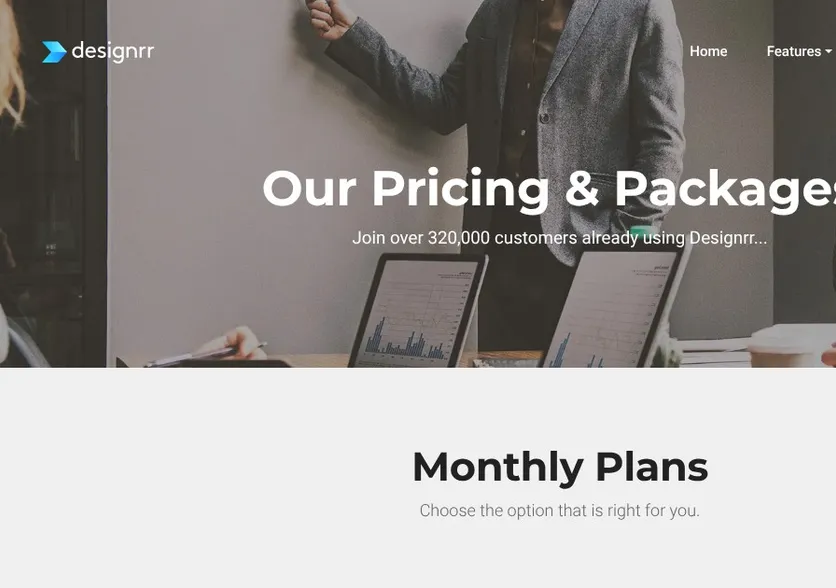
Designrr turns existing content into a magazine-style flipbook in minutes, importing blog posts, Word files and PDFs and pouring them into designed layouts. This Designrr Standard plan costs twenty-nine dollars a month and includes templates, images and one-click publishing to a hosted link. It suits marketers who repurpose content more than designers who build pages from scratch.
What we like
- Turns existing content into a magazine in minutes
- Templates built for lead magnets and digital issues
- One-click publishing to a hosted flipbook link
Watch out for
- Layout control is limited next to a true desktop publisher
- Best for repurposed content rather than original design
How to try it
- Open Designrr and import a blog post, Word file or PDF
- Pick a magazine template and adjust the cover and chapter breaks
- Publish the flipbook to a hosted link or export the PDF
4. Swift Publisher
Best for: Mac users who want a simple one-time desktop publisher for newsletters and magazines
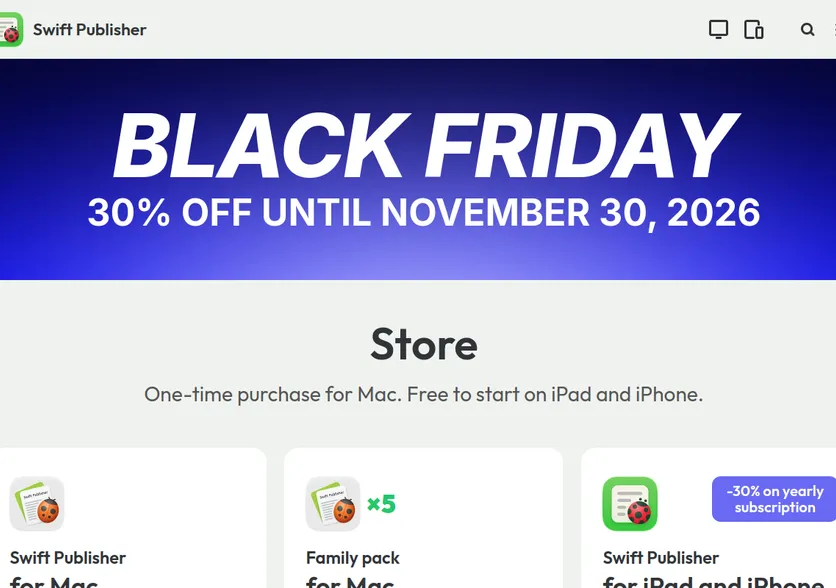
Paid tool Starting price: $19.99 one-time · One-time purchase at nineteen dollars and ninety-nine cents; the vendor store page also shows a lower sale figure
Free plan: No free plan; trial available
Swift Publisher is a Mac-only desktop publisher that keeps magazine layout simple, with master pages, text frames and image tools in a clean single-window app. This Swift Publisher license costs nineteen dollars and ninety-nine cents once, with no subscription and no renewal to track. It fits a small newsletter or club magazine better than a glossy commercial title.
What we like
- One-time purchase with no subscription to renew
- Simple single-window layout that beginners learn fast
- Master pages and text frames for consistent issues
Watch out for
- Mac only, so Windows users need a different tool
- Fewer advanced typography tools than InDesign or QuarkXPress
How to try it
- Open Swift Publisher and start from a magazine or newsletter template
- Lay out text frames and images on master pages
- Export the finished issue as a print-ready PDF
5. QuarkXPress
Best for: Publishers who want a long-running desktop layout tool with strong print output
Paid tool Starting price: $314/year · Annual subscription at three hundred fourteen dollars a year; a perpetual license is six hundred thirty-seven dollars
Free plan: No free plan; free trial available
QuarkXPress has laid out magazines for decades, and the current version still pairs deep typography control with digital publishing export. This QuarkXPress subscription costs three hundred fourteen dollars a year, and the perpetual license suits publishers who would rather pay once. It is a serious alternative to InDesign for print-first teams that already know the workflow.
What we like
- Deep typography and print production controls
- Perpetual license available for publishers who hate subscriptions
- Digital publishing export built into the same app
Watch out for
- Smaller user community than InDesign, so help is harder to find
- Yearly subscription costs more than some rivals over time
How to try it
- Open QuarkXPress and build your page grid and master pages
- Set text and images with the typography and color tools
- Export a print-ready PDF or a digital edition
6. Issuu
Best for: Publishers who want to turn a finished PDF into a polished digital magazine
Paid tool Starting price: $21/month · Starter plan at twenty-one dollars a month billed yearly; month-to-month is thirty-one dollars a month
Free plan: Free Basic plan
Issuu takes a finished PDF and turns it into a readable digital magazine with page-turn animation, links and reading statistics. This Issuu Starter plan costs twenty-one dollars a month billed yearly and adds custom branding, full-screen reading and detailed analytics. It is the simplest route from a print-ready file to a magazine readers can open on any device.
What we like
- Turns any PDF into a readable digital magazine
- Reading statistics show which pages get attention
- Free Basic plan for testing the format
Watch out for
- It publishes finished PDFs rather than designing layouts
- Branding and analytics sit on paid plans only
How to try it
- Upload your finished PDF to Issuu
- Add your branding and links to the digital edition
- Share the reading link or embed the magazine on your site
7. FlipHTML5
Best for: Creators who want an interactive flipbook magazine with page-turn animation
Paid tool Starting price: $12/month · Pro plan at twelve dollars a month billed yearly, one hundred forty-nine dollars a year; month-to-month is fifteen dollars a month
Free plan: Free plan with basic publishing
FlipHTML5 converts a PDF into an interactive flipbook magazine with animated pages, video embeds and links, hosted on its own platform. This FlipHTML5 Pro plan costs twelve dollars a month billed yearly and adds branding control, lead capture and download options. A creator who publishes online-only issues gets a polished result without touching layout software.
What we like
- Animated page-turn flipbooks from any PDF
- Video embeds and links inside the pages
- Lead capture forms built into the reader
Watch out for
- It converts PDFs rather than designing pages from scratch
- Advanced branding and lead capture need the Pro plan
How to try it
- Upload your PDF to FlipHTML5
- Add videos, links and a branded cover to the flipbook
- Publish the link and track reader engagement
8. Publuu
Best for: Small publishers who want a cheap flipbook with tracking and branding
Paid tool Starting price: $7/month · Basic plan at seven dollars a month; Optimum is twenty-four dollars a month and Professional is higher
Free plan: No free plan; 14-day free trial
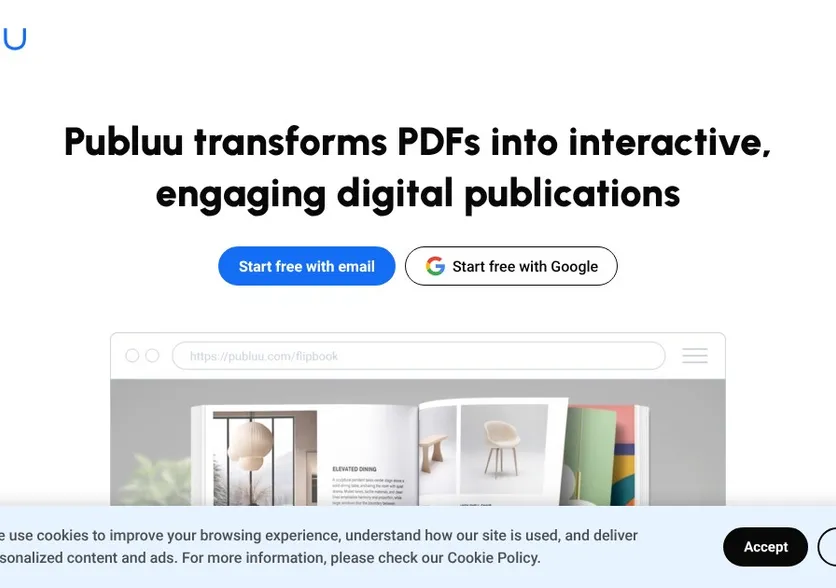
Publuu publishes PDF magazines as flipbooks with tracking, letting a publisher see which pages readers actually open and how long they stay. This Publuu Basic plan costs seven dollars a month and includes custom branding, hotspots and reader analytics. It is the cheapest paid route here for a small publisher who cares about readership data.
What we like
- Cheapest paid plan in this comparison
- Reader analytics show real engagement per page
- Hotspots and links make the magazine interactive
Watch out for
- It publishes PDFs rather than designing magazine layouts
- No free plan, so testing needs the trial
How to try it
- Upload your PDF to Publuu
- Add hotspots, links and your branding to the flipbook
- Share the link and check which pages readers open
Prices above were checked on each vendor’s own website on Nov 27, 2026 and can change — the vendor’s page is the final word. Vendor links are editorial: nobody paid to be listed or ranked here. Vendors who want a featured listing can see how it works on our Get listed page.
What magazine design software costs in 2026
Magazine software splits into two kinds, and the price follows the kind. Desktop publishers like InDesign and QuarkXPress charge per user and per year for deep layout control, while flipbook tools like Publuu and FlipHTML5 charge a small monthly fee to publish a finished PDF online. A one-time license like Swift Publisher can be the cheapest route over three years, but only if you stay on one Mac and never need the newest features.
Start with the free plan or trial on two tools and lay out one real issue in each. Check how your own photos and text behave in the templates, how the print PDF looks, and whether the plan covers the branding you want. Pick the tool that makes your second issue faster than your first, because a magazine is a habit, not a one-off project.
Before you buy
- Decide print or digital first, because InDesign and QuarkXPress serve print while Issuu and FlipHTML5 serve online readers.
- Check the export options, because a tool that cannot produce a print-ready PDF will cost you a second tool.
- Count the seats you need, because per-user subscriptions like InDesign multiply fast across a team.
- Test the free plan or trial on a real issue, because templates look different once your own text and photos are in them.
- Compare the yearly total, because a twelve-dollar monthly plan and a one-time license cross over after about two years.
Official websites
Official websites of the products reviewed above. Features and prices were checked against these sites when this guide was written, and they can change, so confirm on the vendor site before you buy.
Frequently asked questions
Which magazine design software is best in 2026?
Canva is the best overall pick for most teams, because templates, brand kits and print-ready export cover a whole issue at twelve dollars a month billed yearly. Adobe InDesign is the best choice for professional print work, with grids and typography no template tool can match. Issuu is the best route for digital publishing, turning a finished PDF into a readable magazine.
How much does magazine design software cost?
Prices in this list run from seven dollars a month for Publuu to three hundred fourteen dollars a year for QuarkXPress, with InDesign at twenty-two dollars and ninety-nine cents a month and Canva Pro at one hundred forty-four dollars a year. One-time licenses like Swift Publisher cost nineteen dollars and ninety-nine cents once. Add print costs separately, since none of these tools prints the magazine for you.
Can I design a magazine for free?
Yes, Canva Free covers basic magazine layouts with templates and photos, Issuu Basic publishes a finished PDF as a digital magazine, and FlipHTML5 has a free plan for basic flipbooks. Free plans limit branding, export quality or analytics, so a regular publisher usually outgrows them. Start free, then pay once the magazine earns its keep.
What is the best software for print magazines?
Adobe InDesign is the standard for print magazines, with master pages, grids and preflight checks built for press output. QuarkXPress is the main alternative, with deep typography control and a perpetual license option. Both export print-ready PDFs, while Canva Pro also exports print files for simpler titles.
Do I need InDesign to make a magazine?
No, you can build a good magazine in Canva with templates, or publish a flipbook with Issuu and FlipHTML5 from a finished PDF. InDesign earns its price when you ship print issues every month and need precise control over typography, grids and color. For a small digital magazine, the cheaper tools in this list do the job.
Need everyday image help too? Try Toolsvine's free image tools right in your browser.
Browse Image Tools tools


