On this page
When the team works from different cities and time zones, the software becomes the office: it holds the conversations, the tasks and the plans. The seven tools below cover that job for teams of every size, from a free chat app for a tiny startup to a full workspace for a company spread across continents. Slack leads because its channels keep every project searchable for seven dollars and twenty-five cents a user a month, and the rest are ranked on how well they keep a scattered team in step.
How we researched this
We checked every price on the vendor pricing page on November 28, 2026, and only included tools with a published US dollar list price. The seven tools below are the full Toolnimba list for this topic, and every one of them publishes a price. Prices change, so confirm the current figure on the vendor site before you buy.
Compare the tools
| Name | Best for | Starting price | Free plan | |
|---|---|---|---|---|
 Slack | Teams that live in chat all day | $7.25/user/month | Free plan | Visit |
 Microsoft Teams | Microsoft 365 teams that meet and chat in one app | $4/user/month | Free plan | Visit |
| Zoom Workplace | Teams that meet by video every day | $14.16/user/month | Free plan (Basic) | Visit |
 Asana | Teams that plan work in tasks and timelines | $10.99/user/month | Free plan (up to 2 users) | Visit |
 Trello | Small teams that want simple visual boards | $5/user/month | Free plan (up to 10 collaborators) | Visit |
 Notion | Teams that keep docs and tasks together | $10/member/month | Free plan | Visit |
 Miro | Teams that plan on a shared whiteboard | $8/member/month | Free plan (3 editable boards) | Visit |
The software for managing distributed teams, compared
1. Slack
Best for: Teams that live in chat all day
Paid tool Starting price: $7.25/user/month · Seven dollars and twenty-five cents per user a month billed annually on Pro ($8.75 month to month); Business+ is fifteen dollars and Enterprise+ forty-five dollars; a fifty percent discount for three months is a promo, not the list price
Free plan: Free plan
A distributed team that chats all day will move fastest here, because this Slack plan costs seven dollars and twenty-five cents per user a month billed annually on Pro and keeps every conversation in searchable channels. Huddles turn a thread into a voice call in one click, and thousands of integrations pull alerts from the tools the team already uses. It is the default chat hub for distributed teams that want everyone in the same room, virtually.

What we like
- Channels keep every project conversation searchable
- Huddles turn a thread into a voice call in one click
- Thousands of integrations pull alerts into chat
Watch out for
- Message history is limited on the free plan
- Costs grow with every seat, including part-time staff
How to try it
- Create a workspace and set up channels for each team and project
- Invite the team and connect the apps they already use
- Set channel names and pins so new joiners find things fast
2. Microsoft Teams
Best for: Microsoft 365 teams that meet and chat in one app
Paid tool Starting price: $4/user/month · Four dollars per user a month billed annually on Teams Essentials; higher Microsoft 365 bundles that include Teams cost more
Free plan: Free plan
A team already paying for Microsoft 365 gets the cheapest route here, since this Microsoft Teams plan costs four dollars per user a month billed annually on Teams Essentials. Chat, meetings, calls and shared files live in one app, and the Office documents open without leaving the conversation. It is the obvious pick for a Microsoft shop that wants distributed work inside the suite it already owns.

What we like
- Chat, meetings and files in one app
- Office documents open inside the conversation
- Cheapest paid entry in this list at four dollars a user
Watch out for
- The interface can feel heavy for a small team
- Some features need a wider Microsoft 365 licence
How to try it
- Set up a team for each department and add channels
- Schedule the first meeting and share the agenda in chat
- Connect SharePoint so files live beside the conversation
3. Zoom Workplace
Best for: Teams that meet by video every day
Paid tool Starting price: $14.16/user/month · Fourteen dollars and sixteen cents per user a month billed annually on Pro ($16.99 month to month); Business is eighteen dollars and thirty-three cents; Basic is free with a forty-minute meeting cap
Free plan: Free plan (Basic)
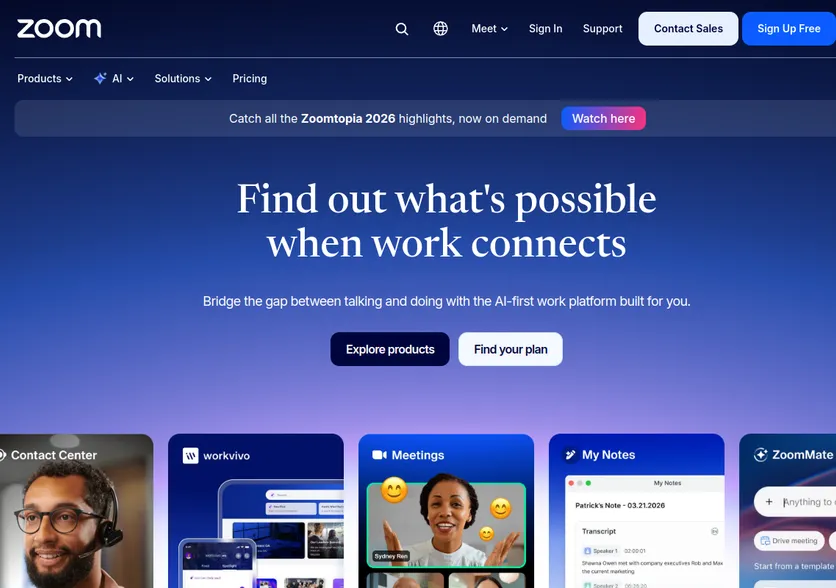
A team that meets by video every day gets the most polished calls here, because this Zoom Workplace plan costs fourteen dollars and sixteen cents per user a month billed annually on Pro. Meetings run with no time cap, whiteboards and docs sit beside the call, and the AI companion writes the summary when the meeting ends. It is the best pick for a distributed team whose working day is mostly video.
What we like
- Reliable video with no time cap on paid plans
- Whiteboards and docs sit beside the call
- AI companion writes meeting summaries automatically
Watch out for
- Chat and docs feel thinner than the chat-first rivals
- The free plan caps group meetings at forty minutes
How to try it
- Install the desktop app and test audio and video
- Set up recurring meetings for the team's daily standup
- Turn on AI summaries so nobody has to take notes
4. Asana
Best for: Teams that plan work in tasks and timelines
Paid tool Starting price: $10.99/user/month · Ten dollars and ninety-nine cents per user a month billed annually on Starter ($13.49 month to month); Advanced is twenty-four dollars and ninety-nine cents; Personal is free for up to two users
Free plan: Free plan (up to 2 users)
A distributed team that plans in tasks will stay organised here, because this Asana plan costs ten dollars and ninety-nine cents per user a month billed annually on Starter. Projects, timelines and goals show who owns what and when it is due, and the inbox collects every update in one place. It is the strongest task manager in this list for a team spread across time zones.

What we like
- Timelines and goals show who owns what
- Templates cover most common team projects
- The inbox collects every update in one place
Watch out for
- The free plan covers only two users
- Advanced reporting needs the dearer Advanced tier
How to try it
- Create the first project from a template
- Assign tasks with due dates and owners
- Set up a weekly status view so nothing slips
5. Trello
Best for: Small teams that want simple visual boards
Paid tool Starting price: $5/user/month · Five dollars per user a month billed annually on Standard ($6 month to month); Premium is ten dollars and Enterprise seventeen dollars and fifty cents; the free plan covers up to ten collaborators
Free plan: Free plan (up to 10 collaborators)
A small team that wants the simplest possible board finds it here, because this Trello plan costs five dollars per user a month billed annually on Standard and turns work into cards on a board. Cards move by drag and drop, checklists break big jobs into steps, and power-ups add calendars, voting and automation. It is the easiest tool in this list to learn, and the cheapest paid plan for a small distributed team.

What we like
- The simplest board in this list to learn
- Cards, checklists and due dates in one view
- Free plan covers up to ten collaborators
Watch out for
- Simple boards can feel thin for complex projects
- Reporting and admin controls need Premium or Enterprise
How to try it
- Create a board for the team's main workflow
- Add cards for each task with a due date and owner
- Turn on the calendar power-up to see the week ahead
6. Notion
Best for: Teams that keep docs and tasks together
Paid tool Starting price: $10/member/month · Ten dollars per member a month billed annually on Plus ($12 month to month); Business is twenty dollars ($24 month to month); the free plan covers individuals
Free plan: Free plan
A team that keeps its docs and its tasks in the same place will settle here, because this Notion plan costs ten dollars per member a month billed annually on Plus. Pages, databases and tasks link together, so a project plan, its notes and its to-do list live on one page. It is the most flexible tool in this list for a distributed team that documents as it works.

What we like
- Docs, databases and tasks live on one page
- Flexible templates for almost any team workflow
- Free plan is generous for individuals and small teams
Watch out for
- Flexibility means setup takes longer than a fixed tool
- Offline access is weaker than the desktop-first rivals
How to try it
- Build a teamspace for the project and its docs
- Create a database for tasks with owners and dates
- Link the project page to meeting notes and files
7. Miro
Best for: Teams that plan on a shared whiteboard
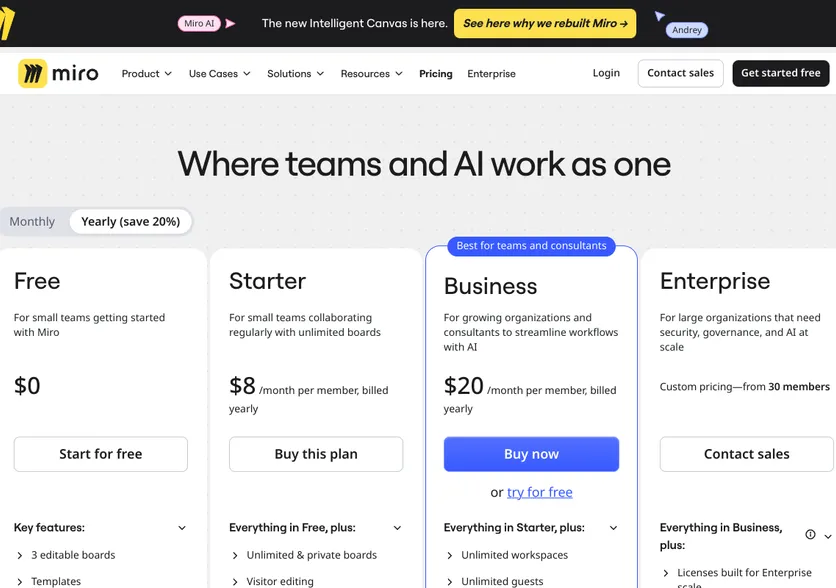
Paid tool Starting price: $8/member/month · Eight dollars per member a month billed annually on Starter ($10 month to month); Business is twenty dollars ($25 month to month); the free plan includes three editable boards
Free plan: Free plan (3 editable boards)
A team that thinks out loud on a whiteboard gets its canvas here, because this Miro plan costs eight dollars per member a month billed annually on Starter. Infinite boards hold sticky notes, diagrams and workshops, and everyone edits at the same time from any time zone. It is the best pick for a distributed team that brainstorms, maps and plans together on one board.
What we like
- Infinite canvas for workshops and planning
- Real-time editing for the whole team
- Hundreds of templates for common sessions
Watch out for
- The free plan allows only three editable boards
- Large boards can feel slow on older machines
How to try it
- Start a board from a workshop or planning template
- Invite the team and set editing permissions
- Run the first live session with timers and voting
Prices above were checked on each vendor’s own website on Nov 28, 2026 and can change — the vendor’s page is the final word. Vendor links are editorial: nobody paid to be listed or ranked here. Vendors who want a featured listing can see how it works on our Get listed page.
How to keep a distributed team in step without more meetings
Write the decision down before the call, because a team spread across time zones cannot rely on hallway chats to remember what was agreed. Keep one home for tasks and one for chat, and stop the work from scattering across email, docs and five apps. Agree on core hours when everyone is online, and let the rest of the day run async, so nobody waits up for a reply. Finally, review the tool stack every quarter: a team that outgrows its free plan usually needs one paid tier, not three new apps.
Before you buy
- Confirm the per-user price and whether guests or external collaborators cost extra
- Check whether video calls, file storage and search history are included or capped
- Ask if the tool works offline or on poor connections for travelling staff
- Make sure the admin controls cover the whole team, not just one workspace
- Test the tool with the real team for a week before rolling it out company-wide
Official websites
Official websites of the products reviewed above. Features and prices were checked against these sites when this guide was written, and they can change, so confirm on the vendor site before you buy.
Frequently asked questions
What is the best software for managing distributed teams?
Slack is the best overall pick for distributed teams, because channels keep every project conversation searchable and huddles turn a thread into a call in one click. It costs seven dollars and twenty-five cents per user a month billed annually on Pro. Trello is the cheapest paid start at five dollars a user a month, and Notion suits teams that keep docs and tasks together at ten dollars a member a month.
How much does distributed team software cost?
A small distributed team can pay from four dollars a user a month for Microsoft Teams Essentials to about fifteen dollars for Zoom Workplace Pro, with most tools in this list between five and eleven dollars a user. Slack Pro is seven dollars and twenty-five cents, Trello Standard is five dollars and Asana Starter is ten dollars and ninety-nine cents. Free plans cover small teams, but message history and user limits bite fast.
Is there free software for distributed teams?
Yes, every tool in this list offers a free plan. Slack, Microsoft Teams, Notion and Miro all have free tiers, Trello is free for up to ten collaborators, Zoom Basic is free with a forty-minute meeting cap, and Asana Personal is free for up to two users. Free plans work for a tiny team, but growing teams will need a paid tier for history, storage and admin controls.
Do I need separate tools for chat and tasks?
Slack and Microsoft Teams cover chat best, while Asana and Trello cover tasks and Miro covers whiteboard planning. Most distributed teams need two tools: one for talking and one for tracking work. Notion is the closest to doing both, since docs, databases and tasks live on one page. Pick the pair that matches how the team already works, not the one with the longest feature list.
How do I choose between Slack and Microsoft Teams?
Start with the inbox and calendar the team already uses, because a tool that fights the daily workflow gets ignored within a week. Test with the real team for a week, not with a demo account, and check the per-user price at the team's real size. Confirm that guests, storage and message history are included, since those limits are what force most teams onto a dearer tier.
Compare the seven tools above, then start with a free plan or trial on the one that matches how the team already chats and plans before paying for a full year.
Browse Productivity Tools tools