On this page
Expense policies only work when the software enforces them, because a policy in a document never stopped a receipt from being filed late. The seven tools below cover that job for teams of every size, from a free plan for a three-person startup to a platform that pairs cards with real-time spend controls. Expensify leads because SmartScan reads receipts for five dollars per unique member a month, and the rest are ranked on how much control you get for the price.
How we researched this
We checked every price on the vendor pricing page on November 28, 2026, and only included tools with a published US dollar list price. SAP Concur, Certify and Chrome River publish no prices, so they are not in this list. Prices change, so confirm the current figure on the vendor site before you buy.
Compare the tools
| Name | Best for | Starting price | Free plan | |
|---|---|---|---|---|
 Expensify | Teams that want expense reports to run themselves | $5/unique member/month | Free plan (individuals) | Visit |
 Rydoo | Teams that travel and spend across borders | $9/user/month | No free plan; 14-day free trial | Visit |
 Zoho Expense | Zoho users who want the cheapest paid plan | $3/user/month | Free plan (up to 3 users) | Visit |
 Brex | Startups that want cards and expenses free | $12/user/month | Free plan (Essentials) | Visit |
 Ramp | Teams that want cards, spend and savings in one place | $15/user/month | Free plan | Visit |
 Fyle | Sage users who want AI receipt capture | $11.99/active user/month | No free plan; 14-day free trial | Visit |
| Navan | Teams that book travel and expenses together | $15/user/month | Free plan (first 5 expensing users) | Visit |
The software for managing expense policies, compared
1. Expensify
Best for: Teams that want expense reports to run themselves
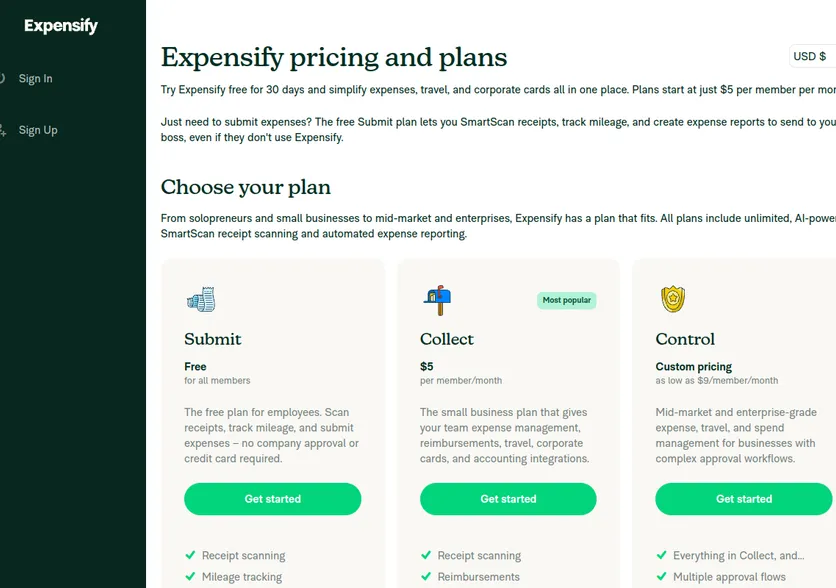
Paid tool Starting price: $5/unique member/month · Five dollars per unique member a month on Collect; Control is nine dollars per active member a month annually with the Expensify Card, eighteen dollars without it, and thirty-six dollars pay per use
Free plan: Free plan (individuals)
A finance team drowning in paper receipts gets relief here, because this Expensify plan costs five dollars per unique member a month on Collect and scans receipts automatically. Its SmartScan reads the amount, vendor and date, and the card and approval rules flag out-of-policy spending before it is paid. It is the most proven expense tool in this list for a team that wants reports to build themselves.
What we like
- SmartScan reads receipts automatically with high accuracy
- Card and approval rules flag bad spending early
- The most proven expense platform in this list
Watch out for
- The price depends on card usage, so the bill varies
- Control costs double without the Expensify Card
How to try it
- Connect the company card and set the approval chain
- Scan the first receipts and check the SmartScan results
- Set policy rules that flag out-of-policy spending
2. Rydoo
Best for: Teams that travel and spend across borders
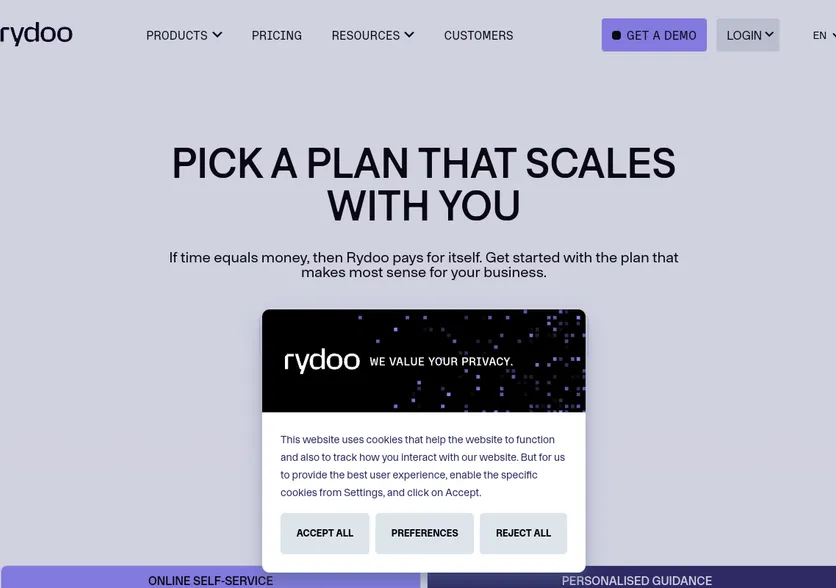
Paid tool Starting price: $9/user/month · Nine dollars per user a month billed annually on Essentials ($12 month to month); Pro is eleven dollars ($14 month to month); a five-user minimum applies
Free plan: No free plan; 14-day free trial
A team that files expenses from different countries will move faster here, because this Rydoo plan costs nine dollars per user a month billed annually on Essentials. Receipts scan in seconds, per diems and mileage calculate themselves, and multi-currency support handles trips abroad. It is the best pick in this list for a team whose spending crosses borders every week.
What we like
- Fast receipt scanning from the phone app
- Per diems and mileage calculate automatically
- Multi-currency support for international travel
Watch out for
- A five-user minimum shuts out the smallest teams
- Higher tiers are quoted rather than published
How to try it
- Add the team and set expense categories and limits
- Scan receipts from the phone app after each trip
- Set per diem rates for the countries the team visits
3. Zoho Expense
Best for: Zoho users who want the cheapest paid plan
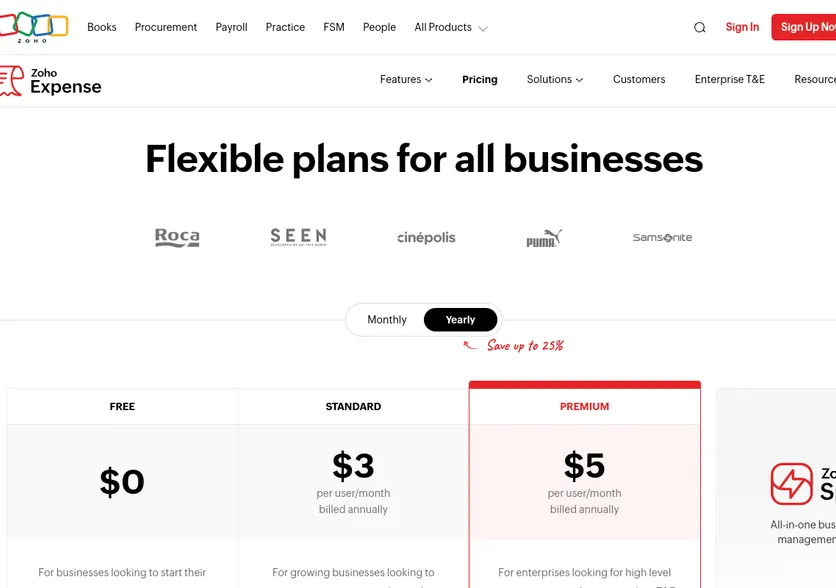
Paid tool Starting price: $3/user/month · Three dollars per user a month billed annually on Standard ($4 month to month); Premium is five dollars ($6 month to month); some older listings show five dollars for Standard, which looks stale
Free plan: Free plan (up to 3 users)
A team already running Zoho apps gets the lowest price here, because this Zoho Expense plan costs three dollars per user a month billed annually on Standard. Receipts scan from the phone, approvals flow to the right manager, and the free plan covers up to three users. It is the best value in this list for a small team that wants proper expense policies at the lowest headline price.
What we like
- Lowest headline price in this list with a free plan
- Receipt scanning and approvals work from the phone
- Deep integration with Zoho Books and the Zoho suite
Watch out for
- Some features need the dearer Premium plan
- Outside the Zoho suite it offers less than the rivals
How to try it
- Connect Zoho Expense to the company Zoho account
- Set expense categories and approval rules
- Scan the first receipts and submit a test report
4. Brex
Best for: Startups that want cards and expenses free
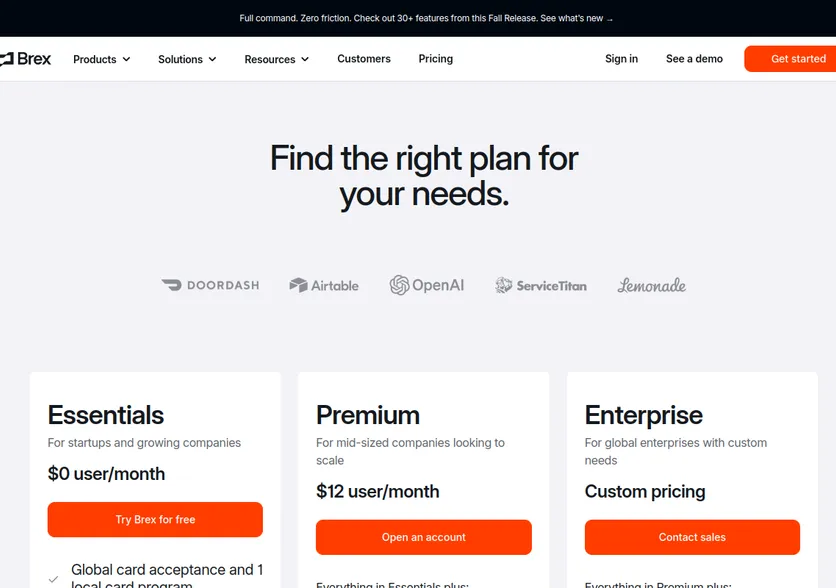
Paid tool Starting price: $12/user/month · Twelve dollars per user a month on Premium; Essentials is free and Enterprise is quoted
Free plan: Free plan (Essentials)
A startup that wants corporate cards without a subscription finds the best deal here, because this Brex plan costs twelve dollars per user a month on Premium, while the Essentials plan is free. Cards, budgets and expense policies share one dashboard, and spending controls block purchases before they happen. It is the best pick in this list for a young company that wants cards and controls at no cost to start.
What we like
- Essentials plan is genuinely free
- Cards, budgets and policies in one dashboard
- Spending controls block bad purchases in advance
Watch out for
- Premium features need the paid tier
- Approval is stricter than the simpler expense tools
How to try it
- Sign up for Essentials and issue the first cards
- Set budgets and spending limits per team
- Turn on policy rules that block out-of-policy purchases
5. Ramp
Best for: Teams that want cards, spend and savings in one place
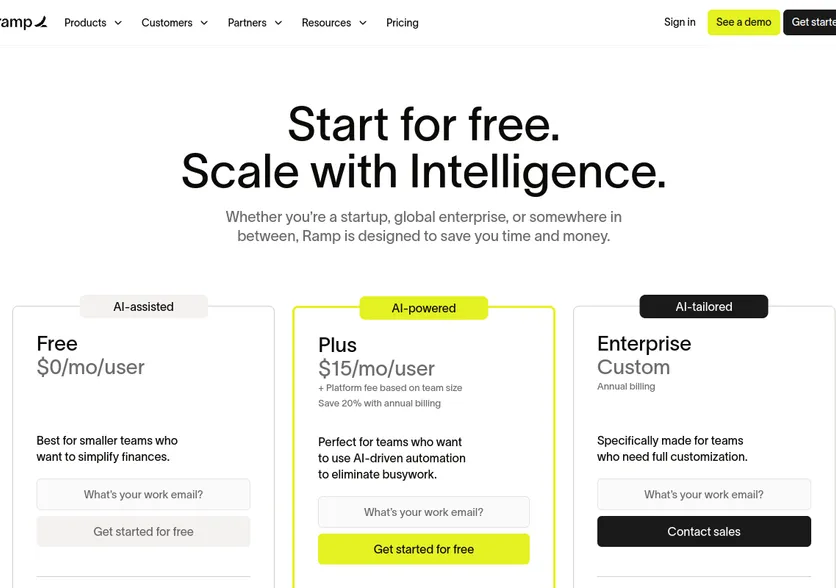
Paid tool Starting price: $15/user/month · Fifteen dollars per user a month on Plus, with twenty percent off annual billing; an unpublished platform fee based on team size applies on top; the free plan costs nothing
Free plan: Free plan
A finance team that wants to see every dollar before it is spent will like it here, because this Ramp plan costs fifteen dollars per user a month on Plus and pairs cards with real-time spend controls. Its AI flags duplicate subscriptions and negotiates vendor savings, and the free plan costs nothing to start. It is the best pick in this list for a team that wants expense control and cost savings in the same tool.
What we like
- Real-time spend controls on every card
- AI finds duplicate subscriptions and savings
- Free plan costs nothing to start
Watch out for
- An unpublished platform fee sits on top of the per-user price
- Approval can take longer than the simpler tools
How to try it
- Sign up for the free plan and issue cards
- Set spend limits and approval rules per team
- Review the savings report for duplicate subscriptions
6. Fyle
Best for: Sage users who want AI receipt capture
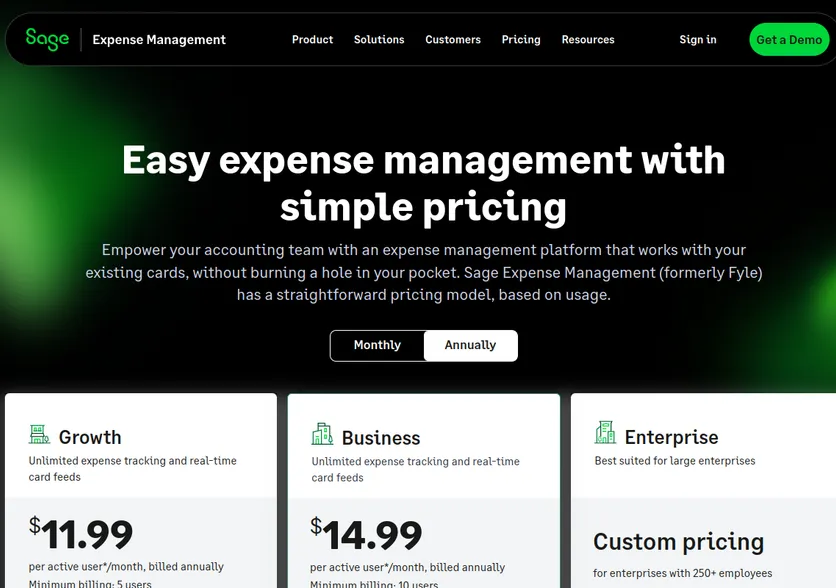
Paid tool Starting price: $11.99/active user/month · Eleven dollars and ninety-nine cents per active user a month billed annually on Growth, with a five-user minimum; Business is fourteen dollars and ninety-nine cents with a ten-user minimum; Enterprise is quoted; Fyle is now Sage Expense Management
Free plan: No free plan; 14-day free trial
A team that runs Sage accounting gets the smoothest fit here, because this Fyle plan costs eleven dollars and ninety-nine cents per active user a month billed annually on Growth. Receipts arrive by text, email or the app, the AI codes them automatically, and only active users are billed. It is the best pick in this list for a Sage shop that wants expenses to flow straight into the books.
What we like
- Only active users are billed each month
- Receipts arrive by text, email or app
- AI codes expenses automatically for the books
Watch out for
- A five-user minimum applies on the Growth plan
- No free plan, only a fourteen-day trial
How to try it
- Connect Fyle to the Sage accounting system
- Set expense policies and approval chains
- Submit receipts by text, email or the app
7. Navan
Best for: Teams that book travel and expenses together
Paid tool Starting price: $15/user/month · Fifteen dollars per user a month on Navan Expense after the first five monthly expensing users, who are free; travel is free for companies up to three hundred employees; Enterprise is quoted
Free plan: Free plan (first 5 expensing users)
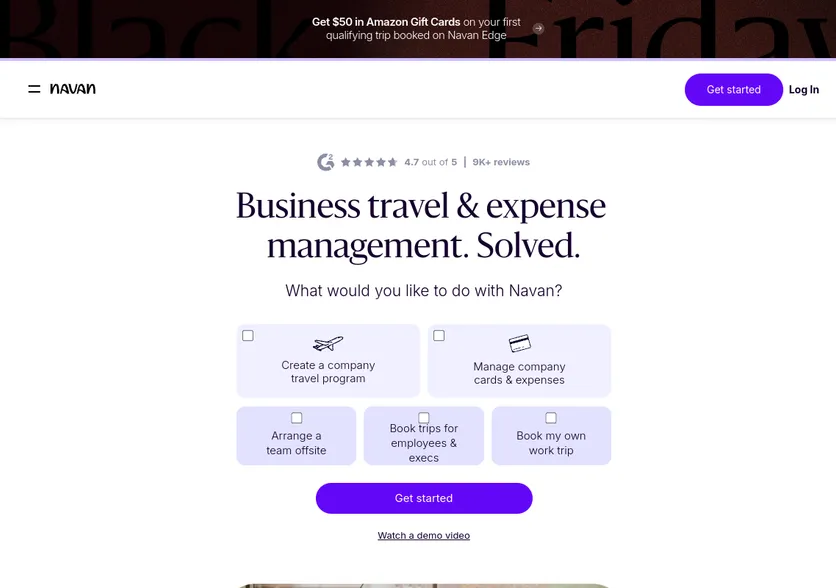
A team that books trips and files expenses in the same place saves a step here, because this Navan plan costs fifteen dollars per user a month on Navan Expense after the first five monthly expensing users, who are free. Travel booking and expense reports share one record, so a flight and its hotel receipt never drift apart. It is the best pick in this list for a team whose spending starts with a trip.
What we like
- Travel booking and expenses share one record
- First five monthly expensing users are free
- Travel is free for companies up to three hundred employees
Watch out for
- Expense-only teams pay for travel features they may not use
- Enterprise pricing is quoted, not published
How to try it
- Set up the company travel policy and budgets
- Book the first trip inside Navan
- File the expenses against the same trip record
Prices above were checked on each vendor’s own website on Nov 28, 2026 and can change — the vendor’s page is the final word. Vendor links are editorial: nobody paid to be listed or ranked here. Vendors who want a featured listing can see how it works on our Get listed page.
How to write an expense policy the team will follow
Keep the policy to one page, because nobody reads a ten-page document before booking a hotel. Set clear limits per category and per trip, and let the software enforce them at the moment of spending rather than in a monthly argument. Approve reports within two working days, since slow approvals teach staff to file late and sloppily. Finally, review the policy every quarter against real spending data, and fix the categories that keep getting flagged instead of blaming the team. And keep the receipt habit simple: staff should scan every receipt on the day they spend, not at month end, when details fade and paper vanishes.
Before you buy
- Confirm the price per user and whether a card or minimum spend changes the rate
- Check whether receipt capture, approvals and policy flags are included or add-ons
- Ask if the tool syncs with the accounting system the finance team already uses
- Make sure expense policies can block out-of-policy spending before it happens
- Test the receipt scan on a real crumpled receipt, not a clean demo image
Official websites
Official websites of the products reviewed above. Features and prices were checked against these sites when this guide was written, and they can change, so confirm on the vendor site before you buy.
Frequently asked questions
What is the best software for managing expense policies?
Expensify is the best overall pick, because SmartScan reads receipts automatically and policy rules flag out-of-policy spending before it is paid. Collect costs five dollars per unique member a month. Zoho Expense is the best value at three dollars a user a month with a free plan for three users, and Brex suits startups with a genuinely free Essentials plan. The right choice depends on cards, travel and team size.
How much does expense management software cost?
A small team can pay from three dollars a user a month for Zoho Expense Standard to fifteen dollars for Ramp Plus or Navan Expense, with most tools in this list between five and twelve dollars a user. Expensify Collect is five dollars per unique member a month, and Brex Essentials and Ramp both offer free plans. Card usage, minimums and platform fees are what move the real bill.
Is there free expense management software?
Yes. Brex Essentials is free, Ramp has a free plan, Zoho Expense is free for up to three users, and Expensify offers a free plan for individuals. Navan Expense is free for the first five monthly expensing users. Free plans cover basic receipt capture and approvals, while policy controls, cards and accounting syncs usually need a paid tier.
Do these tools scan receipts automatically?
Most tools in this list scan receipts from the phone and code them automatically, including Expensify SmartScan, Rydoo, Zoho Expense and Fyle. The scan reads the amount, vendor and date, and flags duplicates. Test the scan on a real crumpled receipt during the trial, because a clean demo image hides the failures that matter on a busy travel day.
Can expense software enforce spending policies automatically?
Yes, if the policy is set up before spending starts. Expensify, Brex, Ramp and Navan all let finance set limits per category, per team or per trip, and block or flag purchases that break the rules. The strongest setups combine card limits with approval chains, so out-of-policy spending is stopped before it is paid rather than argued about after the trip.
Compare the seven tools above, then start with a free plan or trial on the one that matches the team's size and card setup before paying for a full year.
Browse Finance Calculators tools