On this page
A newsletter lives or dies on whether it lands in the inbox, and the difference between tools is deliverability, automation and how fast the price grows as the list grows. The eight tools below send, automate and measure newsletters for lists of every size. Mailchimp leads because it is the best-known sender in the world and its Standard plan starts at twenty dollars a month for five hundred contacts. Pick the tool whose price at your list size still makes sense a year from now.
How we researched this
We checked every price on the vendor pricing page on November 28, 2026, and only included tools with a published US dollar list price. Newsletter platforms without a subscription price, including Substack, which takes a revenue share instead, are not in this list. Prices change, so confirm the current figure on the vendor site before you buy.
Compare the tools
| Name | Best for | Starting price | Free plan | |
|---|---|---|---|---|
 Mailchimp | Growing lists that want a proven sender | $20/month | Free plan | Visit |
| beehiiv | Creators who monetise their newsletter | $49/month | Free plan | Visit |
 MailerLite | Small lists that want good design cheaply | $19/month | Free plan | Visit |
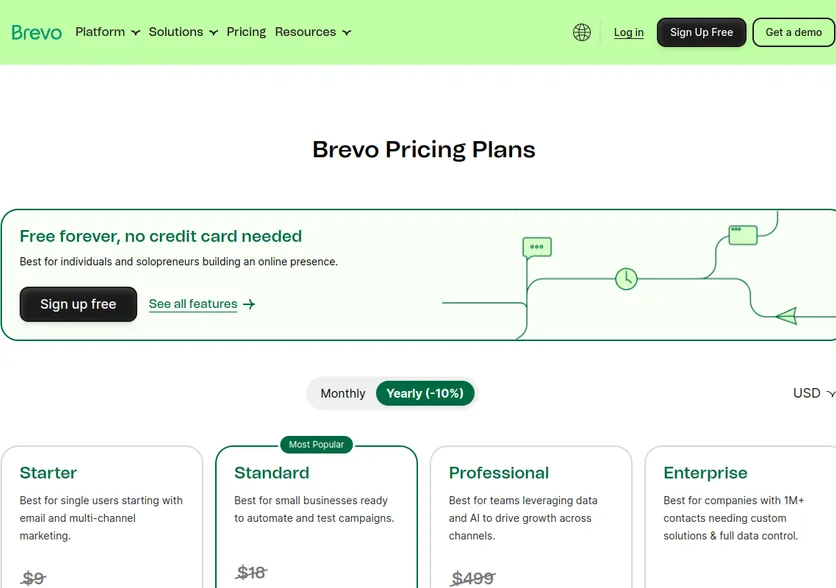
 Brevo | Budget senders with a large, quiet list | $9/month | Free plan | Visit |
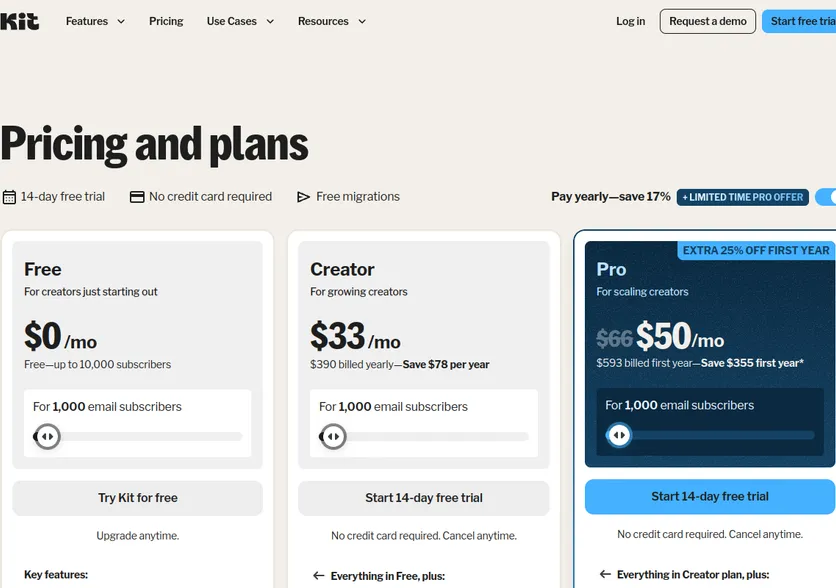
 Kit | Creators who sell through email sequences | $39/month | Free plan | Visit |
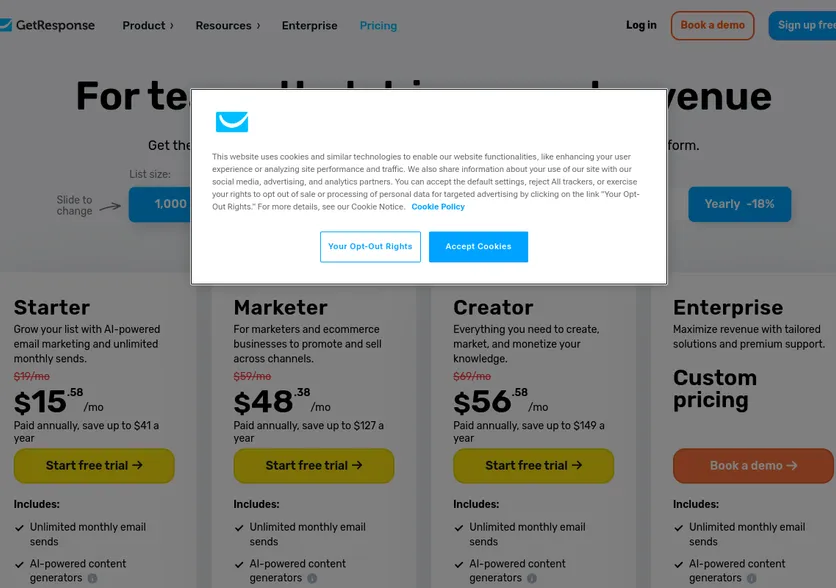
 GetResponse | Small businesses that want email plus funnels | $19/month | Free plan | Visit |
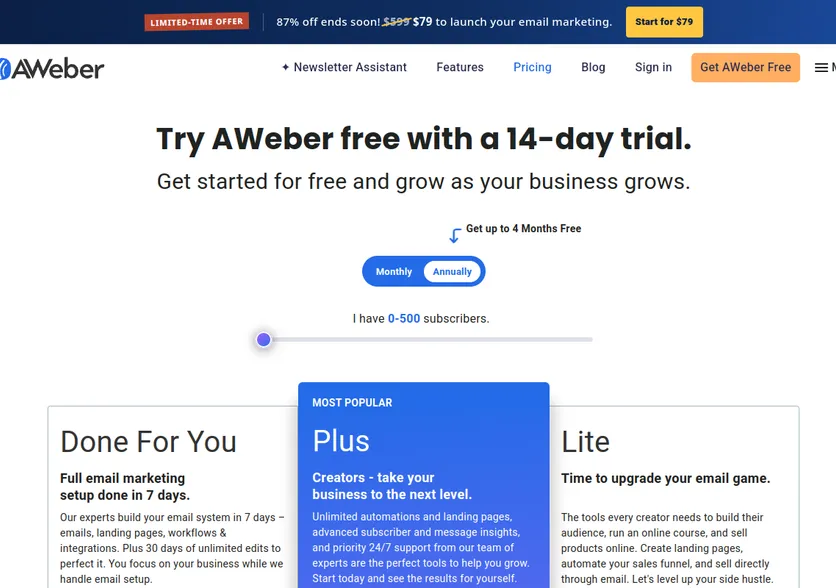
 AWeber | Small businesses that value helpful support | $15/month | Free plan | Visit |
 Constant Contact | Local businesses sending a simple weekly newsletter | $12/month | No free plan | Visit |
The software for newsletter distribution, compared
1. Mailchimp
Best for: Growing lists that want a proven sender
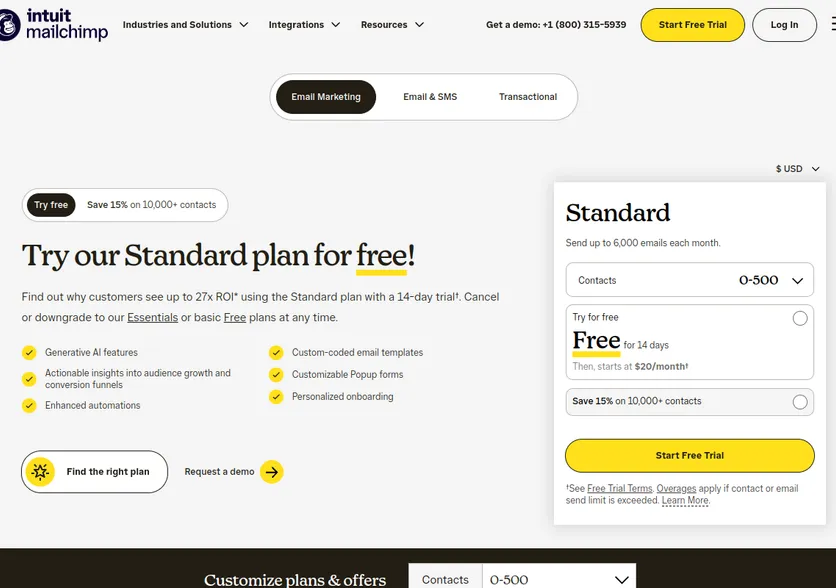
Paid tool Starting price: $20/month · Twenty dollars a month on the Standard plan at five hundred contacts; Essentials is thirteen dollars a month; Premium starts at three hundred and fifty dollars a month; a fifteen percent first-year discount for ten thousand plus contacts is a promotion
Free plan: Free plan
Mailchimp is the default newsletter tool for a reason, and this Mailchimp plan costs twenty dollars a month on the Standard plan at five hundred contacts, covering campaigns, automation, segmentation and reporting. The template builder is quick, the deliverability is proven at scale, and the free plan covers two hundred and fifty contacts to start. It is the safest pick for a growing list.
What we like
- Proven deliverability at very large scale
- Automation and segmentation on Standard
- Free plan for up to two hundred and fifty contacts
Watch out for
- The price climbs steeply as contacts grow
- Premium support needs the top tier
How to try it
- Import your contacts and set up segments
- Build your first campaign from a template
- Send a test, then schedule the send
2. beehiiv
Best for: Creators who monetise their newsletter
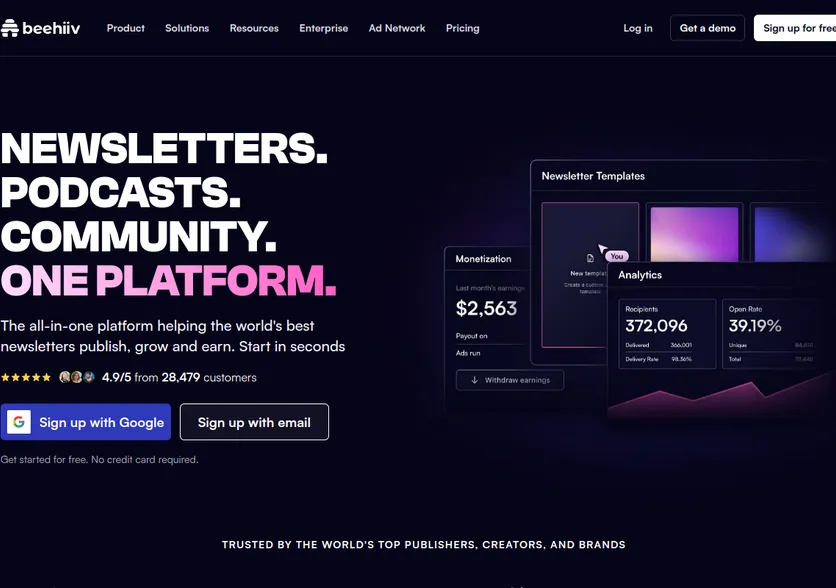
Paid tool Starting price: $49/month · Forty-nine dollars a month on the Lite plan billed annually; Pro is one hundred and nine dollars a month; the plans were renamed in October 2026
Free plan: Free plan
beehiiv is built for newsletters that make money, and this beehiiv plan costs forty-nine dollars a month on the Lite plan billed annually, covering publishing, monetisation, referrals and analytics. The ad network and paid subscriptions turn readers into revenue, and the recommendation network grows the list for free. It suits a creator who treats the newsletter as a business.
What we like
- Ad network and paid subscriptions built in
- Referral programme grows the list for free
- Clean writing and publishing experience
Watch out for
- The free plan limits automations
- Less ecommerce depth than the generalists
How to try it
- Import your subscribers and set up your site
- Turn on monetisation and referrals
- Publish your first issue and track growth
3. MailerLite
Best for: Small lists that want good design cheaply
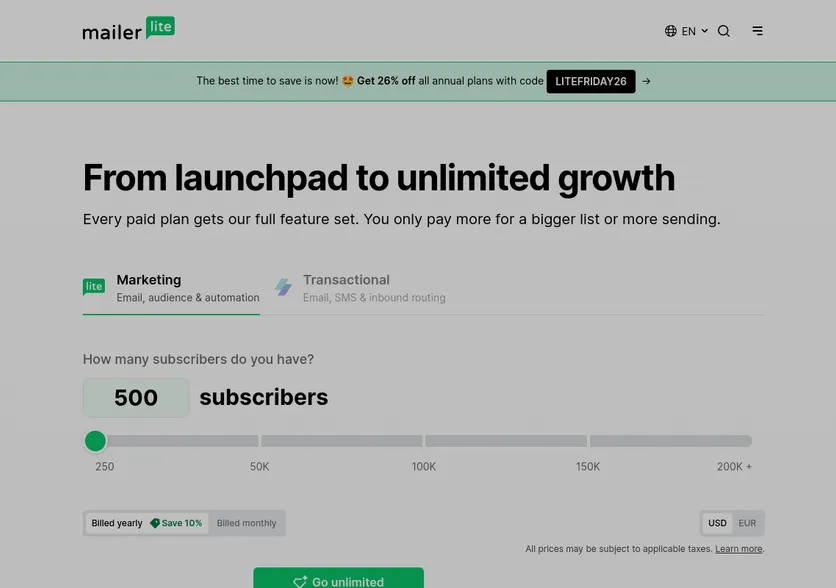
Paid tool Starting price: $19/month · Nineteen dollars a month on the Comfort plan billed annually; Power is thirty-nine dollars a month; the free plan now covers two hundred and fifty subscribers; the plans were renamed in June 2026
Free plan: Free plan
MailerLite is the simple, affordable newsletter tool, and this MailerLite plan costs nineteen dollars a month on the Comfort plan billed annually, covering campaigns, automation, landing pages and forms. The editor is genuinely easy, the price stays low as the list grows, and the free plan covers two hundred and fifty subscribers. It is the best pick for a small list that wants good design cheaply.
What we like
- Easy editor with clean templates
- Landing pages and forms included
- Price stays low as the list grows
Watch out for
- The free plan now covers only two hundred and fifty subscribers
- Advanced automation needs the Power plan
How to try it
- Import subscribers and create a group
- Build a campaign in the drag-and-drop editor
- Send a test and schedule the send
4. Brevo
Best for: Budget senders with a large, quiet list
Paid tool Starting price: $9/month · Nine dollars a month on the Starter plan for five thousand emails a month, or eight dollars and eight cents billed yearly; Standard is eighteen dollars a month; the free plan allows three hundred emails a day
Free plan: Free plan
Brevo is the cheapest paid plan in this list, and this Brevo plan costs nine dollars a month on the Starter plan for five thousand emails a month, covering campaigns, automation and reporting. The pricing is based on emails sent rather than contacts, which suits a large list that sends rarely, and the free plan allows three hundred emails a day. It is the best value for a budget sender.
What we like
- Cheapest paid plan in this list
- Pricing by emails sent suits a quiet list
- Free plan with three hundred emails a day
Watch out for
- Removing Brevo branding costs twelve dollars extra
- The interface is less polished than rivals
How to try it
- Import contacts and set up a list
- Build your campaign from a template
- Send a test and schedule delivery
5. Kit
Best for: Creators who sell through email sequences
Paid tool Starting price: $39/month · Thirty-nine dollars a month on the Creator plan at one thousand subscribers, or thirty-three dollars billed yearly; Creator Pro is seventy-nine dollars a month; a Black Friday fifty percent off offer is a promotion, not the list price
Free plan: Free plan
Kit, formerly ConvertKit, is the creator favourite, and this Kit plan costs thirty-nine dollars a month on the Creator plan at one thousand subscribers, or thirty-three dollars billed yearly, covering automations, sequences and landing pages. The visual automation builder makes welcome sequences and tagging easy, and the free plan covers up to ten thousand subscribers without automations. It suits a creator who sells through email.
What we like
- Visual automation builder for sequences
- Landing pages and forms included
- Free plan up to ten thousand subscribers
Watch out for
- Automations need a paid plan
- The old fifteen dollar tier is gone
How to try it
- Import subscribers and set up tags
- Build a welcome sequence visually
- Send your first broadcast to the list
6. GetResponse
Best for: Small businesses that want email plus funnels
Paid tool Starting price: $19/month · Nineteen dollars a month on the Starter plan at one thousand contacts, or fifteen dollars and fifty-eight cents billed yearly; Marketer is fifty-nine dollars and Creator is sixty-nine dollars a month
Free plan: Free plan
GetResponse is the all-in-one in this list, and this GetResponse plan costs nineteen dollars a month on the Starter plan at one thousand contacts, or fifteen dollars and fifty-eight cents billed yearly, covering email, automation, landing pages and webinars. The breadth suits a small business that wants one tool for email and funnels, and the free plan covers five hundred contacts. It is the best pick for a business that needs more than email.
What we like
- Email, automation, pages and webinars in one tool
- Good value at one thousand contacts
- Free plan for five hundred contacts
Watch out for
- The interface packs a lot into small screens
- Higher tiers are needed for ecommerce depth
How to try it
- Import contacts and build a list
- Set up an automation for new subscribers
- Send your first campaign and track opens
7. AWeber
Best for: Small businesses that value helpful support
Paid tool Starting price: $15/month · Fifteen dollars a month on the Lite plan up to five hundred subscribers, or twelve dollars and fifty cents billed yearly; Plus is thirty dollars a month
Free plan: Free plan
AWeber is the veteran newsletter tool, and this AWeber plan costs fifteen dollars a month on the Lite plan up to five hundred subscribers, or twelve dollars and fifty cents billed yearly, covering campaigns, automation and landing pages. The support is famously helpful, the templates are solid, and the free plan covers five hundred subscribers with three thousand sends a month. It suits a small business that values support.
What we like
- Support is famously helpful and fast
- Free plan with five hundred subscribers
- Solid templates and automation
Watch out for
- The interface feels older than rivals
- Plus is needed for advanced automation
How to try it
- Import subscribers into a list
- Pick a template and build a campaign
- Send a test and schedule the send
8. Constant Contact
Best for: Local businesses sending a simple weekly newsletter
Paid tool Starting price: $12/month · Twelve dollars a month on the Lite plan up to five hundred contacts, or ten dollars and twenty cents billed yearly; Standard is thirty-five dollars and Premium is eighty dollars a month; there is a thirty-day trial instead of a free plan
Free plan: No free plan
Constant Contact is the small-business staple, and this Constant Contact plan costs twelve dollars a month on the Lite plan up to five hundred contacts, or ten dollars and twenty cents billed yearly, covering email, templates and basic automation. The event and survey tools are handy extras, and the thirty-day trial lets you test before paying. It suits a local business that sends a simple newsletter every week.
What we like
- Event and survey tools included
- Simple templates a beginner can use
- Thirty-day trial to test before paying
Watch out for
- No free plan, only a thirty-day trial
- The send cap is ten times the contact count on Lite
How to try it
- Import contacts and pick a template
- Build your weekly newsletter
- Send a test and schedule the send
Prices above were checked on each vendor’s own website on Nov 28, 2026 and can change — the vendor’s page is the final word. Vendor links are editorial: nobody paid to be listed or ranked here. Vendors who want a featured listing can see how it works on our Get listed page.
How to pick a newsletter tool that still fits in a year
Work out the price at your list size a year from now, because newsletter pricing climbs with contacts and the cheapest tool today can be the most expensive at ten thousand subscribers. Test deliverability with a real send to your own inboxes, including Gmail and Outlook, and check whether the mail lands in the inbox or the promotions tab. Make sure the automation you actually need is on the plan you would buy, since welcome sequences and tagging often sit on a higher tier. Check the free plan limits carefully, including how many subscribers and sends it covers, and confirm that moving your list out later is free and easy. Finally, send a test campaign end to end before paying, because a confusing editor costs you time on every single issue.
Before you buy
- Work out the price at your list size a year from now, not just today
- Test deliverability with a real send to Gmail and Outlook inboxes
- Check whether welcome sequences and tagging are on the plan you would buy
- Confirm the free plan limits for subscribers, sends and automations
- Make sure exporting your list later is free and easy before you commit
Official websites
Official websites of the products reviewed above. Features and prices were checked against these sites when this guide was written, and they can change, so confirm on the vendor site before you buy.
Frequently asked questions
What is newsletter distribution software?
It is software that sends newsletters to a subscriber list, tracks opens and clicks, and automates welcome sequences and follow-ups. Good tools also help the list grow with forms and landing pages, keep the mail out of spam, and show which issues perform best. The best tools charge by contacts or by emails sent, so the right pick depends on how big your list is and how often you send.
How much does newsletter software cost?
Prices in this list run from nine dollars a month for Brevo to forty-nine dollars a month for beehiiv at the entry tier. Most senders land between twelve and thirty-nine dollars a month for a list of around one thousand contacts. Free plans cover two hundred and fifty to ten thousand subscribers depending on the tool, but they usually limit automations.
Which newsletter tool has the best deliverability?
Mailchimp and Constant Contact have the longest track records at scale, and both invest heavily in deliverability. But deliverability also depends on your own list: a clean list of engaged subscribers beats any vendor advantage. Use double opt-in, remove bounces promptly, and avoid spam trigger words in subject lines, whichever tool you choose.
Should I pay by contacts or by emails sent?
Pay by contacts when you send often to a list that reads most issues, since the price stays flat no matter how many emails you send. Pay by emails sent, as Brevo does, when your list is large but you send rarely, because you only pay for what you use. Work out both bills at your real list size and sending frequency before choosing.
Can I move my list to another tool later?
Yes, every tool in this list lets you export your subscriber list, usually as a CSV file with tags and custom fields. Check before you buy that export is free and includes everything, including tags and segments, since rebuilding those by hand is painful. Keep a fresh export of your list every month as a backup, whichever tool you use.
Compare the eight tools above, then start with a free trial or the free plan on the tool that fits your list size before paying for a full year.
Browse Marketing & Ads Calculators tools