
On this page
Good slides do more than hold text, and the right slideshow tool can turn a rough outline into a deck that holds a room. This guide compares seven paid presentation tools, from AI deck builders to classic slide editors, with prices from nine dollars a month to about twenty-two. Every figure comes from the vendor's own pricing page. For most people making regular decks, Canva is the easiest first pick.
How we researched this
We checked each vendor's own pricing page on November 27, 2026, and kept only slideshow tools with a published price in dollars. Apple Keynote and Google Slides were dropped because both are free with no paid tier to compare. Pitch's pricing page changed on November 23, 2026, so its Pro figure comes from the newest published rates.
Compare the tools
| Name | Best for | Starting price | Free plan | |
|---|---|---|---|---|
 Visme | Marketers who want charts, infographics, and presentations from one editor. | $12.25/month | Free Basic plan with unlimited projects and no downloads | Visit |
 Beautiful.ai | Consultants who need clean client decks without hiring a designer. | $14.50/month | No free plan; fourteen-day free trial | Visit |
 Canva | Anyone who wants fast, polished decks with templates for every occasion. | $12/month | Free plan with templates and five gigabytes of storage | Visit |
 Pitch | Sales and marketing teams that present together and track viewers. | $22/month | Free plan with unlimited presentations | Visit |
 Prezi | Live presenters who want a zoomable canvas instead of linear slides. | $19/month | Free Basic plan with public presentations | Visit |
 Gamma | Solo creators who want AI to draft a whole deck from a prompt. | $9/month | Free plan with four hundred starter credits that never refresh | Visit |
 Microsoft PowerPoint | Business users who need the standard deck format with full desktop power. | $99.99/year | Free PowerPoint for the web with five gigabytes of storage | Visit |
The best software for slideshow presentation, compared
1. Visme
Best for: Marketers who want charts, infographics, and presentations from one editor.
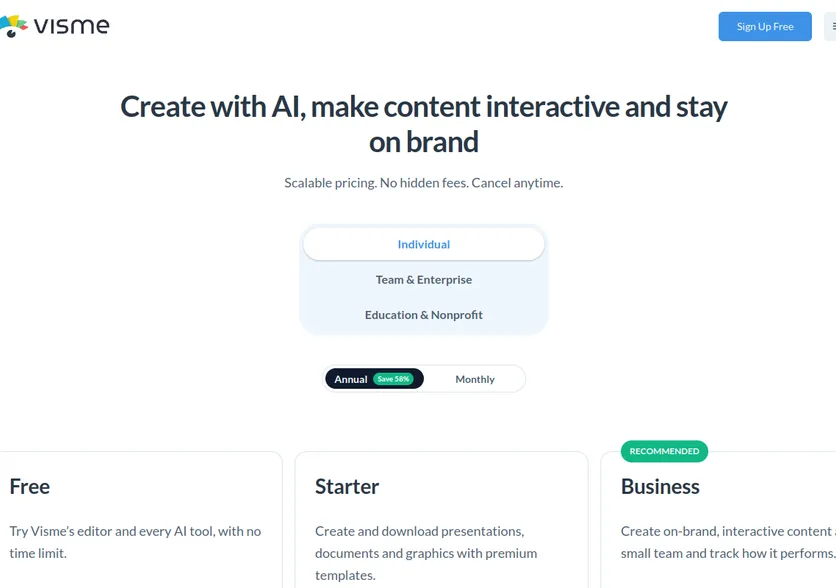
Paid tool Starting price: $12.25/month · Starter plan at twelve dollars and twenty-five cents a month when billed annually; twenty-nine dollars a month on monthly billing
Free plan: Free Basic plan with unlimited projects and no downloads
Visme is a visual design tool that builds presentations, infographics, and documents from one editor with charts and data widgets built in. Its Starter plan unlocks downloads in JPG, PNG, and PDF formats plus premium templates and assets. The Business tier adds PowerPoint and HTML5 exports, a Brand Kit, and presentation analytics. Explore the plans on the Visme website to compare Starter and Business.
What we like
- Charts and data widgets built into the slide editor
- Starter plan unlocks downloads at a low entry price
- Business tier adds PowerPoint export and a Brand Kit
Watch out for
- Free Basic plan blocks downloads and adds Visme branding
- Pro plan was renamed Business, so older reviews use the old name
How to try it
- Pick a template and add your content with the drag-and-drop editor
- Insert charts and data widgets for numbers that need visuals
- Download the finished deck as a PDF or PowerPoint file
2. Beautiful.ai
Best for: Consultants who need clean client decks without hiring a designer.
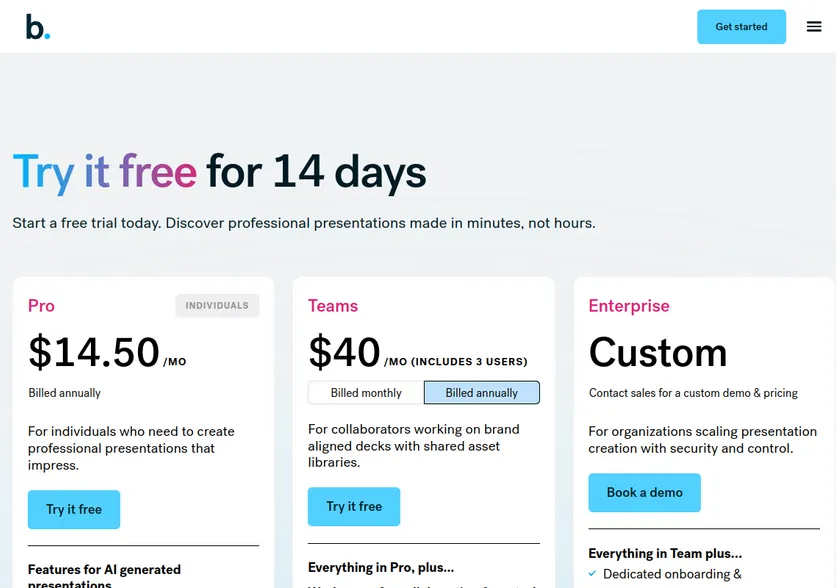
Paid tool Starting price: $14.50/month · Pro plan at fourteen dollars and fifty cents a month when billed annually; forty-five dollars a month on monthly billing
Free plan: No free plan; fourteen-day free trial
Beautiful AI builds decks from Smart Slides that reformat themselves as you type, so layouts stay clean without manual nudging. Its Pro plan includes unlimited AI content generation, AI images, a writing assistant, and PowerPoint import and export. The tool also offers viewer analytics and a custom theme builder for on-brand decks. See the pricing on the Beautiful AI website before you start a trial.
What we like
- Smart Slides reformat layouts automatically as you type
- Unlimited AI content generation on the Pro plan
- PowerPoint import and export included on Pro
Watch out for
- No free plan, and the trial needs a credit card
- Monthly billing costs forty-five dollars, triple the annual rate
How to try it
- Start the fourteen-day trial and describe your deck to the AI
- Pick a theme and let Smart Slides lay out each slide
- Export to PowerPoint or share a live link with viewers
3. Canva
Best for: Anyone who wants fast, polished decks with templates for every occasion.
Paid tool Starting price: $12/month · Pro plan at twelve dollars a month when billed annually at one hundred forty-four dollars a year; eighteen dollars a month on monthly billing
Free plan: Free plan with templates and five gigabytes of storage
Canva turns a blank page into a polished deck with thousands of templates, a Brand Kit, and Magic Studio AI tools for text, images, and resizing. Its Pro plan unlocks premium assets, background removal, and Magic Resize for every slide size. The platform also handles social posts, documents, and videos from the same account. Check the plans on the Canva website to compare Free and Pro.

What we like
- Thousands of templates for decks, posts, and documents
- Magic Resize adapts one design to every slide size
- Brand Kit keeps colors and fonts consistent across decks
Watch out for
- Pro is a single-seat license, so teams need the Business plan
- First three months are half price on monthly billing, then the full rate applies
How to try it
- Choose a presentation template and add your content
- Apply your Brand Kit colors and fonts
- Present from Canva or download the deck as a PDF or PowerPoint file
4. Pitch
Best for: Sales and marketing teams that present together and track viewers.
Paid tool Starting price: $22/month · Pro plan at about twenty-two dollars a month when billed annually; twenty-five dollars a month on monthly billing
Free plan: Free plan with unlimited presentations
Pitch is a team-first presentation workspace with live co-editing, slide assignments, and viewer analytics built for sales and marketing teams. Its Pro plan adds Pitch Rooms, custom fonts, and advanced links for client-facing decks. The platform also tracks who views each deck and how long they stay on every slide. Learn more on the Pitch website to see the current plans.
What we like
- Live co-editing and slide assignments for team decks
- Viewer analytics show who opened each deck
- Pitch Rooms create personalized decks for each client
Watch out for
- Pricing page changed in late November, so confirm the rate before paying
- AI credits are shared across the team and can run out
How to try it
- Start with the free plan and invite your team
- Build a deck with shared templates and brand assets
- Upgrade to Pro when you need Pitch Rooms and custom fonts
5. Prezi
Best for: Live presenters who want a zoomable canvas instead of linear slides.
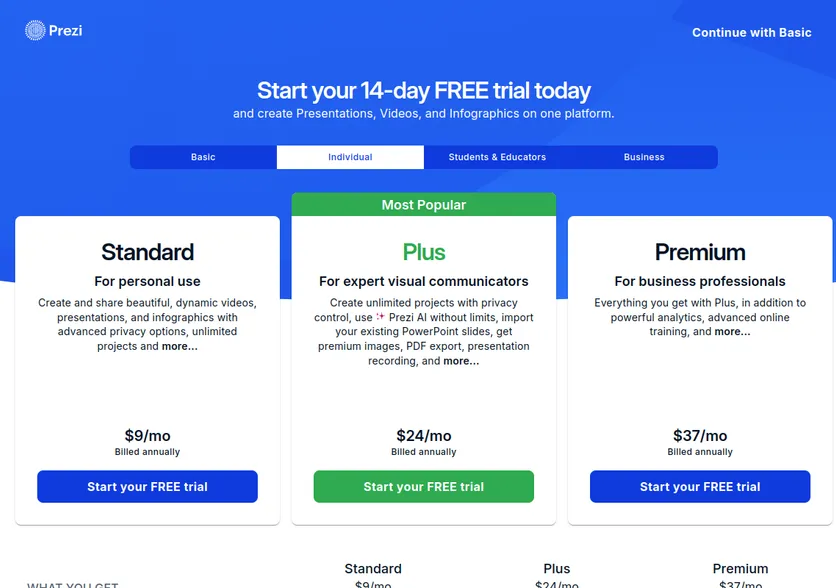
Paid tool Starting price: $19/month · Plus plan at nineteen dollars a month when billed annually
Free plan: Free Basic plan with public presentations
Prezi replaces linear slides with a zoomable canvas that moves through ideas instead of flipping pages. Its Plus plan adds unlimited AI generation, offline access, PDF export, and presentation recording. The platform also imports PowerPoint files and exports decks for offline presenting. Explore the plans on the Prezi website to compare Standard, Plus, and Premium.
What we like
- Zoomable canvas makes live talks more engaging than linear slides
- Plus plan includes unlimited AI generation and offline access
- PowerPoint import lets you convert old decks to Prezi
Watch out for
- Plus price rose from fifteen to nineteen dollars a month in 2026
- Zooming style does not suit every audience or topic
How to try it
- Start the fourteen-day free trial on the Plus plan
- Import a PowerPoint deck or start from a template
- Present from the desktop app with offline access
6. Gamma
Best for: Solo creators who want AI to draft a whole deck from a prompt.
Paid tool Starting price: $9/month · Plus plan at nine dollars a seat a month when billed annually; twelve dollars a seat a month on monthly billing
Free plan: Free plan with four hundred starter credits that never refresh
Gamma turns a prompt or outline into a full deck of web-style cards in minutes, with AI images and layouts included. Its Plus plan removes Gamma branding, raises the credit allowance to one thousand a month, and unlocks advanced image models. The tool also exports to PowerPoint and Google Slides when you need a standard file. See the plans on the Gamma website to compare Free, Plus, and Pro.
What we like
- Turns a prompt into a full deck in minutes
- Plus plan removes branding for nine dollars a month
- Unused credits roll over up to twice the monthly amount
Watch out for
- AI credits cap how much you can generate each month
- Card format exports can break layouts in PowerPoint
How to try it
- Enter a prompt or paste an outline to generate a deck
- Edit cards and images until the deck reads right
- Export to PowerPoint or share a live Gamma link
7. Microsoft PowerPoint
Best for: Business users who need the standard deck format with full desktop power.
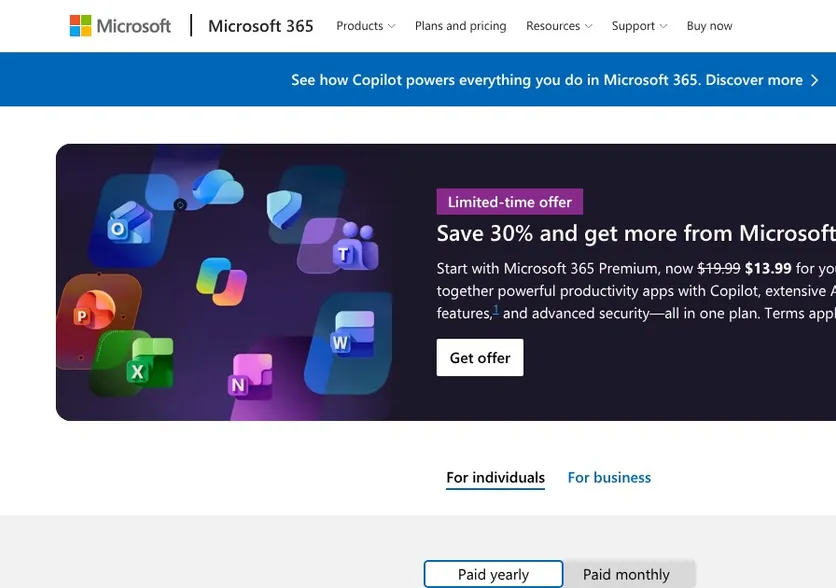
Paid tool Starting price: $99.99/year · Microsoft 365 Personal at ninety-nine dollars and ninety-nine cents a year, or nine dollars and ninety-nine cents a month; first-year discounts are promotions, not the list price
Free plan: Free PowerPoint for the web with five gigabytes of storage
Microsoft PowerPoint remains the standard for business decks, with slide masters, Morph transitions, and presenter tools that other tools still chase. The desktop app comes with Microsoft 365 Personal, which adds one terabyte of cloud storage and Copilot AI features. PowerPoint for the web stays free for basic editing and real-time co-authoring. Check the plans on the Microsoft website to compare Personal and Family.
What we like
- Industry-standard format that every client can open
- Morph transitions and presenter tools are unmatched
- One terabyte of storage and Copilot included with Personal
Watch out for
- First-year discount hides the real ninety-nine-dollar annual price
- Desktop app needs a subscription, unlike the free web version
How to try it
- Try PowerPoint for the web free with a Microsoft account
- Upgrade to Personal for the desktop app and Copilot
- Build your deck with slide masters and present with presenter view
Prices above were checked on each vendor’s own website on Nov 27, 2026 and can change — the vendor’s page is the final word. Vendor links are editorial: nobody paid to be listed or ranked here. Vendors who want a featured listing can see how it works on our Get listed page.
What slideshow software really costs
Entry prices in this guide run from nine dollars a month on Gamma to about twenty-two dollars a month on Pitch, with most tools landing between nine and fifteen dollars a month on annual billing. Microsoft PowerPoint costs ninety-nine dollars and ninety-nine cents a year through Microsoft 365 Personal, which also adds a terabyte of storage and the full Office apps.
The real cost hides in billing choices and credit caps. Monthly billing costs far more than annual on Beautiful AI, Visme, and Canva, while Gamma and Pitch meter AI generation by credits that run out on busy months. Start with a free plan or trial, build a real deck, and only pay once the export and AI limits fit your workload.
Before you buy
- Compare annual and monthly rates before you commit, since Beautiful AI charges forty-five dollars a month without the yearly plan.
- Check whether AI generation is unlimited or metered by credits, because Gamma and Pitch cap monthly use.
- Confirm the free plan limits, since Visme blocks downloads and Gamma caps starter credits.
- Ask whether PowerPoint export is included, because several tools lock it behind higher tiers.
- Watch for first-year discounts on Microsoft 365 and Canva, since the list price returns after the offer ends.
Official websites
Official websites of the products reviewed above. Features and prices were checked against these sites when this guide was written, and they can change, so confirm on the vendor site before you buy.
Frequently asked questions
How much does slideshow presentation software cost?
Entry prices in this guide run from nine dollars a month for Gamma to about twenty-two dollars a month for Pitch, with most tools between nine and fifteen dollars a month on annual billing. Microsoft PowerPoint costs ninety-nine dollars and ninety-nine cents a year through Microsoft 365 Personal. Monthly billing costs far more than annual on most tools, so compare both rates before you commit.
Is there free slideshow software?
Yes, with limits. Canva, Pitch, Prezi, Gamma, Visme, and PowerPoint for the web all offer free plans, although downloads, branding, and AI credits are restricted. Beautiful AI is the only tool here with no free plan, offering a fourteen-day trial instead. Free tiers work for occasional decks, while regular presenters usually need a paid plan.
Which slideshow tool has the best AI?
Gamma is the fastest AI deck builder here, turning a prompt into a full deck in minutes, although its credits cap monthly output. Beautiful AI offers unlimited AI generation on Pro with layouts that reformat as you type. Prezi Plus also includes unlimited AI generation, while Canva adds Magic Studio tools for text, images, and resizing across the whole design suite.
Can I export my deck to PowerPoint?
Most tools here export to PowerPoint, although the tier matters. Visme unlocks PowerPoint export on Business, Beautiful AI includes it on Pro, and Gamma exports to PowerPoint and Google Slides on paid plans. Pitch and Canva also export to PowerPoint, while Prezi imports PowerPoint files and exports to PDF. Check the export list on your plan before you buy.
Which slideshow software is best for teams?
Pitch is built for teams, with live co-editing, slide assignments, and viewer analytics on every deck. Canva Business adds shared Brand Kits and team controls for larger groups. Gamma and Prezi also support team workspaces, although their entry plans suit solo presenters better. Pick the tool whose collaboration features match how your team actually builds decks.
Need everyday productivity help too? Try Toolsvine's free productivity tools right in your browser.
Browse Productivity Tools tools


