
On this page
Designers need tools that sketch an idea in the morning and hand a developer a finished screen by lunch, and the wrong tool slows every handoff. The eight tools below cover wireframes, prototypes and production design, from ten dollars a month to twenty nine dollars a user a month, and every price was checked on the vendor site on November 26, 2026. Most offer a free plan or trial, so you can test a real project before paying. Figma is our first pick — the team design standard from sixteen dollars an editor a month.
How we researched this
We started with the UI UX design tools teams actually buy, then read each price on the vendor pricing page on November 26, 2026 and checked the cost for one designer. We judged them for a designer who needs wireframes, interactive prototypes and developer handoff in one workflow. We kept only tools with a published price, and we dropped any tool whose price we could not verify on the vendor site.
Compare the tools
| Name | Best for | Starting price | Free plan | |
|---|---|---|---|---|
 Figma | Teams that design together in the browser | $16/editor/month | Free Starter plan | Visit |
 Framer | Designers who publish websites straight from the canvas | $10/month | Free plan | Visit |
 Balsamiq | Teams that wireframe fast and sketchy on purpose | $16/editor/month | 30-day free trial | Visit |
 Sketch | Mac designers who want a focused desktop tool | $12/editor/month | 30-day free trial | Visit |
 Axure RP | Designers who prototype complex logic and conditional flows | $29/user/month | 30-day free trial | Visit |
 ProtoPie | Designers who prototype realistic motion and interactions | $25/month | Free trial available | Visit |
| UXPin | Teams that prototype with code components and design systems | $29/seat/month | 14-day free trial | Visit |
| Marvel | Beginners who want simple prototypes and user testing | $12/user/month | Free plan | Visit |
The software for UI UX design, compared
1. Figma
Best for: Teams that design together in the browser
Paid tool Starting price: $16/editor/month · Professional Full seat, $16 an editor a month billed annually or $20 billed monthly; Dev seat $12, Collab seat $3
Free plan: Free Starter plan
Figma is the team design standard, a browser tool where designers, writers and developers work on the same file at the same time. This Figma Professional plan adds unlimited files, shared libraries and version history to the free starter tools. A team that hands designs to developers every week will like the comments, components and live collaboration.

What we like
- Real-time collaboration in the browser
- Components and shared libraries scale well
- Developer handoff built into every file
Watch out for
- Professional costs sixteen dollars an editor a month billed annually
- Per-editor pricing grows with the team
How to try it
- Open the Figma pricing page and start the free plan
- Create a file and build your first component library
- Share the file with a developer and check the handoff
2. Framer
Best for: Designers who publish websites straight from the canvas
Paid tool Starting price: $10/month · Basic plan, $10 a month billed annually or $15 billed monthly; Pro $30; per site, not per user; extra editors $20 a month
Free plan: Free plan
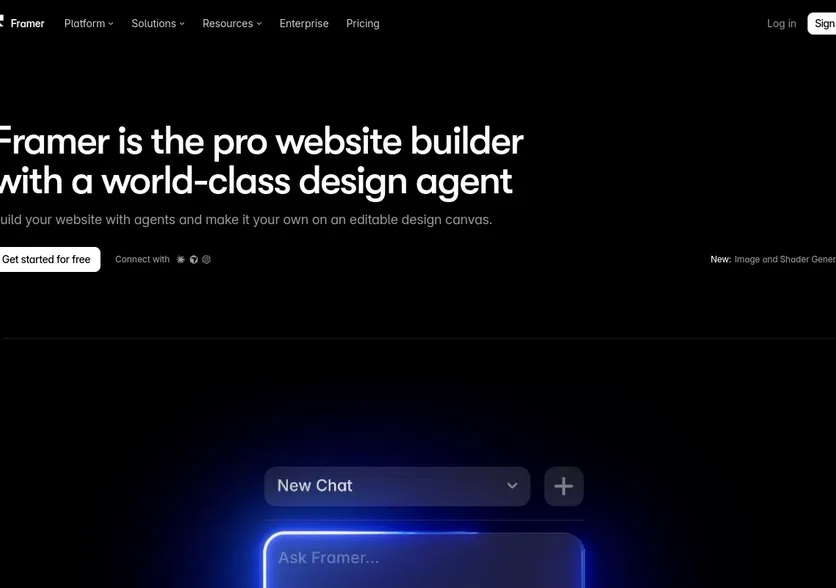
Framer turns a design canvas into a live website, so a designer can publish without waiting on a developer. This Framer Basic plan covers a custom domain, analytics and a published site from your design file. A designer who ships landing pages will like skipping the handoff entirely and publishing in an afternoon.
What we like
- Design and publish in one tool
- Per-site pricing, not per user
- Interactions work without code
Watch out for
- Basic costs ten dollars a month billed annually
- Built for websites, not app prototypes
How to try it
- Open the Framer pricing page and start the free plan
- Design a page on the canvas and add interactions
- Publish the site to your own domain
3. Balsamiq
Best for: Teams that wireframe fast and sketchy on purpose
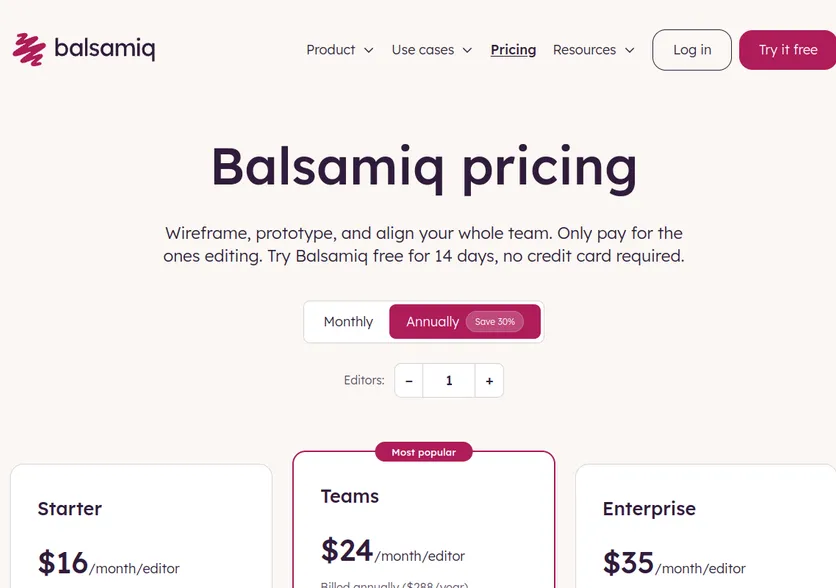
Paid tool Starting price: $16/editor/month · Starter plan, $16 an editor a month billed annually; Teams $24 and Enterprise $35; plans changed November 1, 2026
Free plan: 30-day free trial
Balsamiq keeps wireframes deliberately rough, so a team talks about the idea instead of arguing over colors and fonts. This Balsamiq Starter plan gives editors a shared workspace with reusable components and a library of interface elements. A team that sketches ten ideas before lunch will like how fast a rough wireframe becomes a shared discussion.
What we like
- Rough style keeps focus on the idea
- Fastest wireframes on this list
- Shared components speed up repeat screens
Watch out for
- Starter costs sixteen dollars an editor a month billed annually
- Not a tool for polished final designs
How to try it
- Open the Balsamiq pricing page and start the free trial
- Sketch a wireframe from the interface library
- Share it with the team and collect comments
4. Sketch
Best for: Mac designers who want a focused desktop tool
Paid tool Starting price: $12/editor/month · Standard plan, $12 an editor a month billed annually or $14 billed monthly; Professional $24 and Enterprise $44; Mac-only licence $120 one-time per seat
Free plan: 30-day free trial
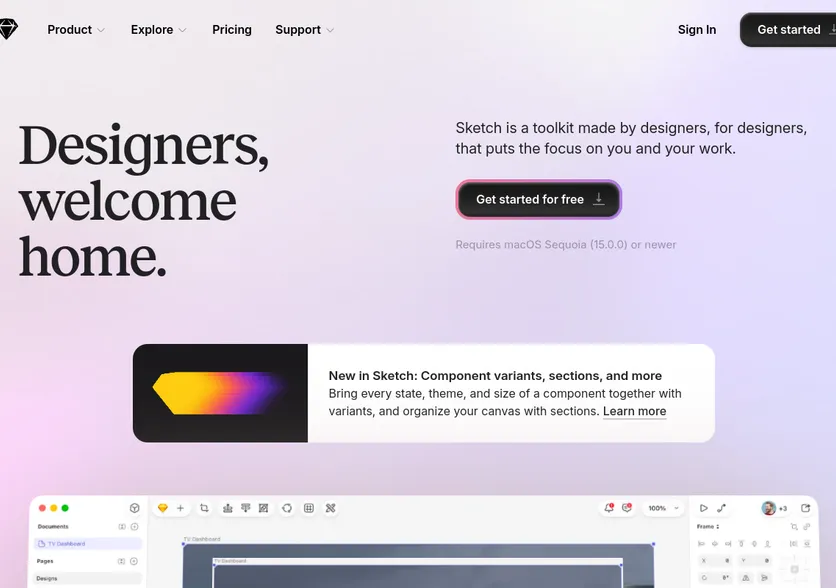
Sketch is the Mac-native design tool that defined modern interface design, with a focused desktop app and a huge plugin library. This Sketch Standard plan covers the desktop editor, shared libraries and cloud workspaces for a small team. A Mac designer who wants a fast native app will like the plugins and the clean interface.
What we like
- Fast native Mac app
- Huge plugin library
- Symbols and libraries work well
Watch out for
- Standard costs twelve dollars an editor a month billed annually
- Mac only, so Windows teams need another tool
How to try it
- Open the Sketch pricing page and start the free trial
- Install the Mac app and open a sample file
- Build a symbol library and share it with the team
5. Axure RP
Best for: Designers who prototype complex logic and conditional flows
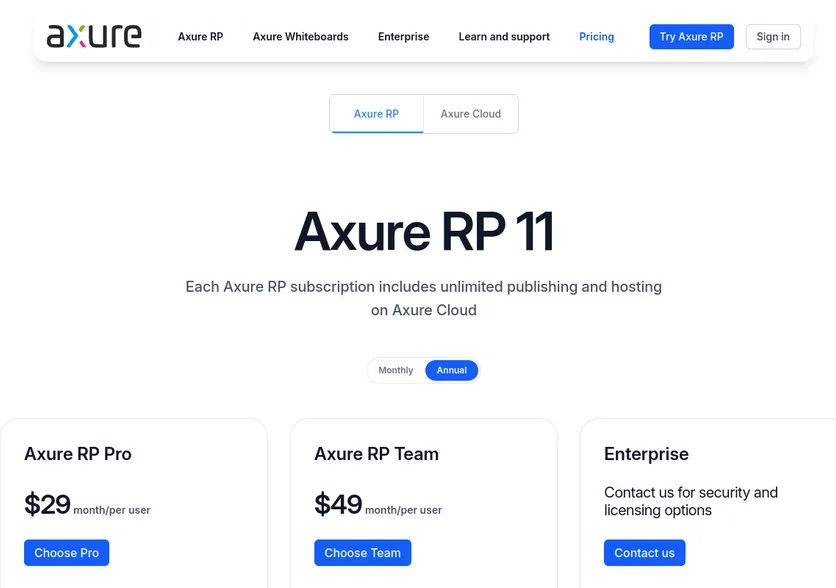
Paid tool Starting price: $29/user/month · Pro plan, $29 a user a month billed annually or $34 billed monthly; Team $49; RP 11 is current
Free plan: 30-day free trial
Axure RP is the power tool for prototypes with real logic, where a click can change data, show a panel or branch a flow. This Axure RP Pro plan covers conditional logic, dynamic panels and team projects for serious prototyping. A designer testing a complex product flow will like the depth that simpler tools cannot match.
What we like
- Deepest prototyping logic on this list
- Dynamic panels model real product behavior
- Team projects for shared work
Watch out for
- Pro costs twenty nine dollars a user a month billed annually
- Steeper learning curve than Figma or Framer
How to try it
- Open the Axure pricing page and start the free trial
- Build a page with a dynamic panel
- Add a conditional interaction and preview the flow
6. ProtoPie
Best for: Designers who prototype realistic motion and interactions
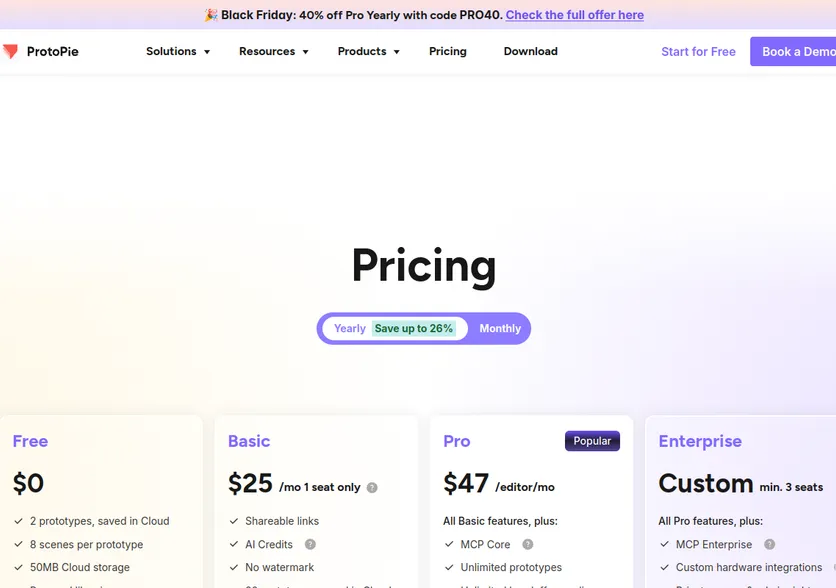
Paid tool Starting price: $25/month · Basic plan, $25 a month for 1 seat; Pro $47 an editor a month; Enterprise quoted
Free plan: Free trial available
ProtoPie makes prototypes that feel like real apps, with motion, sensors and conditional logic that mirror the finished product. This ProtoPie Basic plan covers interactive prototypes with variables, formulas and device sensors for one seat. A designer who needs stakeholders to feel the product will like prototypes that behave like the real thing.
What we like
- Prototypes feel like real apps
- Sensors and variables add realism
- Works with designs from Figma and Sketch
Watch out for
- Basic costs twenty five dollars a month for one seat
- A prototyping tool, not a full design suite
How to try it
- Open the ProtoPie pricing page and start a trial
- Import a design and add a trigger
- Preview the prototype on a real device
7. UXPin
Best for: Teams that prototype with code components and design systems
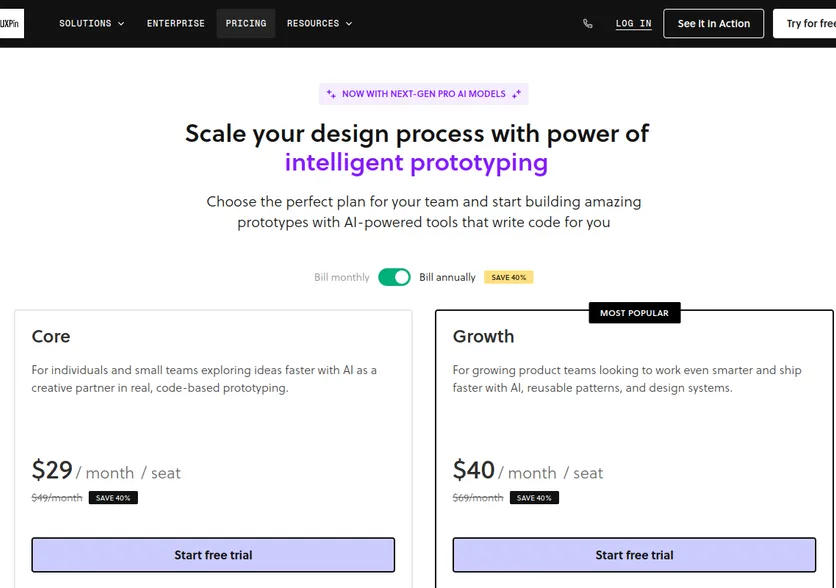
Paid tool Starting price: $29/seat/month · Core plan, $29 a seat a month billed annually or $49 billed monthly; Growth $40 a seat a month billed annually
Free plan: 14-day free trial
UXPin bridges design and code by letting teams prototype with real components from their design system. This UXPin Core plan covers interactive prototypes, design system libraries and developer handoff. A team with a mature design system will like building prototypes from the same components developers ship.
What we like
- Prototypes use real design system components
- Good developer handoff
- States and variables model real behavior
Watch out for
- Core costs twenty nine dollars a seat a month billed annually
- Best with a design system already in place
How to try it
- Open the UXPin pricing page and start the free trial
- Import your design system library
- Build a prototype from real components
8. Marvel
Best for: Beginners who want simple prototypes and user testing
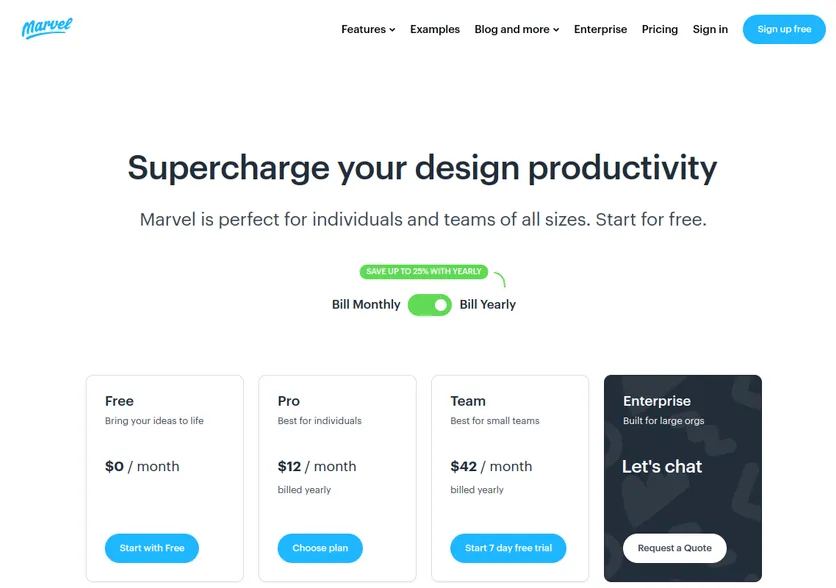
Paid tool Starting price: $12/user/month · Pro plan, $12 a user a month billed annually or $16 billed monthly; Team $42 a month for 3 users
Free plan: Free plan
Marvel is the simplest tool here, turning sketches and screens into clickable prototypes in minutes. This Marvel Pro plan covers unlimited projects, user testing and team sharing for a single user. A beginner who wants a first prototype today will like the gentle learning curve and the built-in testing.
What we like
- Simplest tool on this list
- User testing built in
- Fast first prototype for beginners
Watch out for
- Pro costs twelve dollars a user a month billed annually
- Too simple for complex product flows
How to try it
- Open the Marvel pricing page and start the free plan
- Upload screens and link them with hotspots
- Run a user test and read the results
Prices above were checked on each vendor’s own website on Nov 26, 2026 and can change — the vendor’s page is the final word. Vendor links are editorial: nobody paid to be listed or ranked here. Vendors who want a featured listing can see how it works on our Get listed page.
What UI UX design software costs in 2026
Design software bills per editor, per seat or per site, so compare the bill for your team before choosing. This list runs from ten dollars a month to twenty nine dollars a user a month, and per-editor pricing grows fast when the whole team designs, while per-site pricing stays flat. The headline plan each vendor shows on its own pricing page is the number in the table above, checked on November 26, 2026.
Start with the free plan or trial on two tools and build the same screen in both. Compare the workflow, the prototype and the developer handoff, then pick the tool your team will actually open every day. A tool that speeds handoff pays for itself the first week it saves a developer a round of questions.
Before you buy
- Count your editors first, because per-editor pricing grows with the team while per-site pricing stays flat.
- Check the handoff tools, because a design that developers cannot read will cost more than the subscription.
- Test a real project first, because a demo file never shows how the tool handles your design system.
- Ask about prototyping depth, because a static mockup cannot test the flows your users actually follow.
- Add up the yearly total, because a cheap monthly plan can cost more than a yearly plan over twelve months.
Official websites
Official websites of the products reviewed above. Features and prices were checked against these sites when this guide was written, and they can change, so confirm on the vendor site before you buy.
Frequently asked questions
Which UI UX design software is best in 2026?
Figma Professional, at sixteen dollars an editor a month billed annually, is the safest default because it pairs real-time collaboration with components, libraries and developer handoff. Framer is better when you publish websites, at ten dollars a month for a design that goes live without a developer. Balsamiq wins for fast wireframes, at sixteen dollars an editor a month for rough sketches that spark discussion.
What is the cheapest UI UX design software?
Framer Basic, at ten dollars a month billed annually, is the cheapest paid plan here and publishes real websites from the canvas. Sketch Standard, at twelve dollars an editor a month billed annually, is the next cheapest for Mac designers. Marvel Pro, at twelve dollars a user a month billed annually, is the cheapest for beginners who want simple prototypes with user testing.
Can I use UI UX design software for free?
Yes. Figma, Framer and Marvel all offer free plans that cover real projects, and Sketch, Axure RP, Balsamiq and UXPin offer free trials from their pricing pages. Start with a free plan on two tools and build the same screen in each one, so you can compare the workflow and the handoff before paying.
Is Figma or Sketch better for UI design?
Figma wins for most teams, because it runs in the browser with real-time collaboration and works on any operating system. Sketch wins for Mac-only designers who want a fast native app with a huge plugin library. Figma costs sixteen dollars an editor a month billed annually, Sketch costs twelve, so try both free plans with a real project.
What is the difference between Figma and Framer?
Figma is a design and prototyping tool for teams, with collaboration, components and developer handoff at its core. Framer is a design tool that publishes websites, so a designer can ship a live landing page without a developer. Use Figma for app design and team workflows, Framer when the design itself becomes the website.
Designing something? Try Toolsvine's free image tools right in your browser.
Browse Image Tools tools


