On this page
A startup that cannot see all its projects at once keeps funding the loudest idea instead of the best one, so portfolio management is a survival tool, not a luxury. The eight tools below give a small team one view of every project, its cost and its progress, without enterprise prices. monday.com leads because its boards and dashboards make a whole portfolio readable at a glance for nine dollars a seat a month billed annually, and the rest are ranked on how well they turn scattered projects into a strategy.
How we researched this
We checked every price on the vendor pricing page on November 29, 2026, and only included tools with a published US dollar list price. The dedicated portfolio suites that sell by quote, including Planview, OnePlan, Meisterplan and Sciforma, publish no prices, so they are not in this list. Prices change, so confirm the current figure on the vendor site before you buy.
Compare the tools
| Name | Best for | Starting price | Free plan | |
|---|---|---|---|---|
 monday.com | Startups that want the portfolio visible at a glance | $9/seat/month | Free plan (up to 2 seats) | Visit |
 Smartsheet | Startups that plan in spreadsheets and grids | $9/member/month | No free plan; 30-day free trial | Visit |
 Asana | Startups that tie every project to a company goal | $10.99/user/month | Free plan (up to 2 users) | Visit |
 Wrike | Startups that want serious reporting on a budget | $9.80/user/month | Free plan | Visit |
 Airtable | Startups that want a flexible portfolio database | $20/seat/month | Free plan | Visit |
 Productboard | Product-led startups ranking work by customer feedback | $19/maker/month | Free plan | Visit |
 Aha! Roadmaps | Startups whose roadmap is the whole business | $59/user/month | No free plan; 30-day free trial | Visit |
 ClickUp | Startups that want tasks, docs and goals in one app | $9/user/month | Free plan | Visit |
The strategic portfolio management software for startups, compared
1. monday.com
Best for: Startups that want the portfolio visible at a glance
Paid tool Starting price: $9/seat/month · Nine dollars per seat a month billed annually for Basic; $12 billed monthly; Standard $12 billed annually; Pro $19; paid plans carry a 3-seat minimum
Free plan: Free plan (up to 2 seats)
For a startup that needs the whole portfolio visible on one screen, this monday.com plan costs nine dollars per seat a month billed annually and turns projects into colour-coded boards with dashboards on top. A founder can see which bets are on track, which are stuck and where the money is going, without opening five spreadsheets. It is the most readable portfolio view in this list for a small team.

What we like
- Colour-coded boards with dashboards across projects
- Unlimited items and free viewers on Basic
- Automations and integrations from Standard up
Watch out for
- Paid plans start at three seats, so a two-person team buys a third
- Basic has no automations or integrations at all
How to try it
- Create a board for each project in the portfolio
- Add status, owner and budget columns to every board
- Build a dashboard that rolls the boards into one view
2. Smartsheet
Best for: Startups that plan in spreadsheets and grids
Paid tool Starting price: $9/member/month · Nine dollars per member a month billed annually for Pro; $12 billed monthly; Business $19 billed annually; Pro caps at 10 members
Free plan: No free plan; 30-day free trial
For a startup that already runs its plans in spreadsheets, this Smartsheet plan costs nine dollars per member a month billed annually and adds Gantt charts, reports and dashboards to a familiar grid. Formulas, dependencies and roll-ups work the way a finance-minded founder expects, and the portfolio view pulls every sheet into one report. It suits a team that trusts rows and columns more than coloured cards.

What we like
- Familiar grid with formulas, Gantt and reports built in
- Portfolio reports roll every sheet into one view
- Two hundred and fifty automations a month on Pro
Watch out for
- No free plan for new sign-ups, only a thirty-day trial
- Pro stops at ten members, so growth forces a tier jump
How to try it
- Build one sheet per project with budget and dates
- Link the sheets into a portfolio report
- Share the dashboard with investors and the team
3. Asana
Best for: Startups that tie every project to a company goal
Paid tool Starting price: $10.99/user/month · Ten dollars and ninety-nine cents per user a month billed annually for Starter; $13.49 billed monthly; Advanced $24.99 billed annually
Free plan: Free plan (up to 2 users)
For a startup that needs goals tied to the work, this Asana plan costs ten dollars and ninety-nine cents per user a month billed annually and connects portfolios to company goals with timelines and reporting. A founder sets the goal, the team links projects to it, and the portfolio view shows whether the goal is actually moving. It is the most structured planning tool in this list for a team that wants discipline.

What we like
- Portfolios linked to goals with timeline and Gantt views
- Reporting dashboards and unlimited automations on Starter
- Free plan covers a two-person founding team
Watch out for
- Seats are sold in bundles of five once the team grows past five
- Advanced features such as workload need the dearer tier
How to try it
- Set company goals and link projects to each one
- Build a portfolio view for the leadership team
- Review progress against goals every week
4. Wrike
Best for: Startups that want serious reporting on a budget
Paid tool Starting price: $9.80/user/month · Nine dollars and eighty cents per user a month for Team; Business is $24.80 per user a month
Free plan: Free plan
For a startup that wants heavy reporting without enterprise prices, this Wrike plan costs nine dollars and eighty cents per user a month and brings cross-project dashboards, request forms and time tracking to a small team. Custom workflows fit a startup that runs several workstreams at once, and the reporting shows where hours and budget actually go. It suits a team that outgrows simple boards but cannot yet afford an enterprise suite.

What we like
- Cross-project dashboards with request forms built in
- Custom workflows for several workstreams at once
- Time tracking included for budget control
Watch out for
- The interface is dense, so new starters need a week to settle
- Portfolio reporting needs the Business tier
How to try it
- Create a space for each workstream in the portfolio
- Set custom workflows for how work moves
- Build a dashboard for hours, budget and status
5. Airtable
Best for: Startups that want a flexible portfolio database
Paid tool Starting price: $20/seat/month · Twenty dollars per seat a month billed annually for Team; $24 billed monthly in older reads; Business $45; Airtable agreed to be acquired by Bending Spoons in August 2026
Free plan: Free plan
For a startup that wants its portfolio as a database it can slice any way, this Airtable plan costs twenty dollars per seat a month billed annually and turns projects into tables with views, filters and linked records. A founder can flip between a Kanban view, a calendar and a gallery without re-entering data, and automations move records between stages. It is the most flexible portfolio store in this list, and the dearest entry price.

What we like
- Tables with Kanban, calendar and gallery views
- Linked records connect projects, people and budgets
- Automations move work between stages
Watch out for
- The dearest entry price in this list at twenty dollars a seat
- Ownership changed in August 2026, so long-term plans deserve a check
How to try it
- Build a base with one table per project area
- Link records for owners, budgets and deadlines
- Create a view for the weekly portfolio review
6. Productboard
Best for: Product-led startups ranking work by customer feedback
Paid tool Starting price: $19/maker/month · Nineteen dollars per maker a month billed annually for Essentials; Pro $59 per maker a month; contributors and viewers are free
Free plan: Free plan
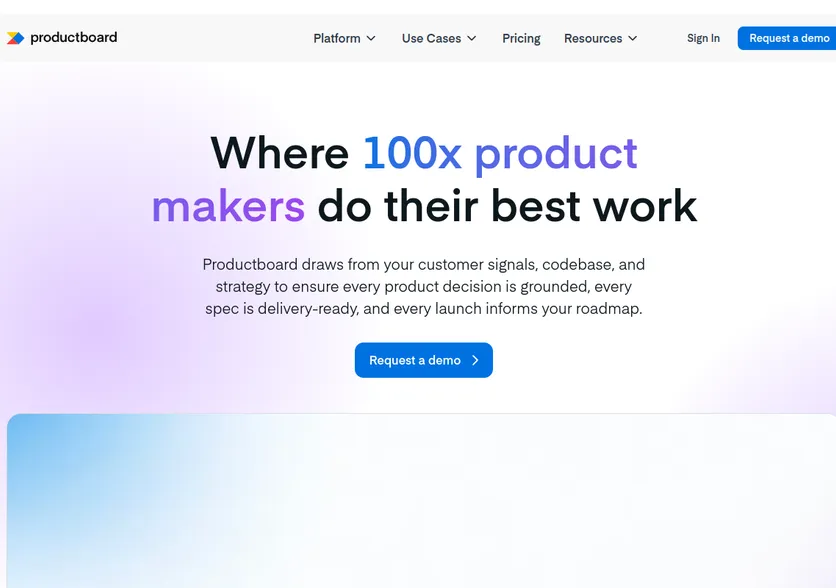
For a startup whose portfolio is really a product roadmap, this Productboard plan costs nineteen dollars per maker a month billed annually and ranks features by customer feedback instead of by who shouts loudest. Feedback, features and roadmaps live in one place, so the team can show investors why a feature made the cut. It suits a product-led startup that builds what customers actually ask for.
What we like
- Feedback, features and roadmaps in one place
- Only makers pay, so contributors and viewers are free
- Release planning shows what ships and when
Watch out for
- Only product work fits, so other projects live elsewhere
- The AI add-on costs twenty dollars per maker extra
How to try it
- Collect customer feedback into one inbox
- Score features and rank them by impact
- Publish the roadmap for the team and investors
7. Aha! Roadmaps
Best for: Startups whose roadmap is the whole business
Paid tool Starting price: $59/user/month · Fifty-nine dollars per user a month billed annually for Premium; $74 billed monthly; Enterprise $99; Enterprise+ $149
Free plan: No free plan; 30-day free trial
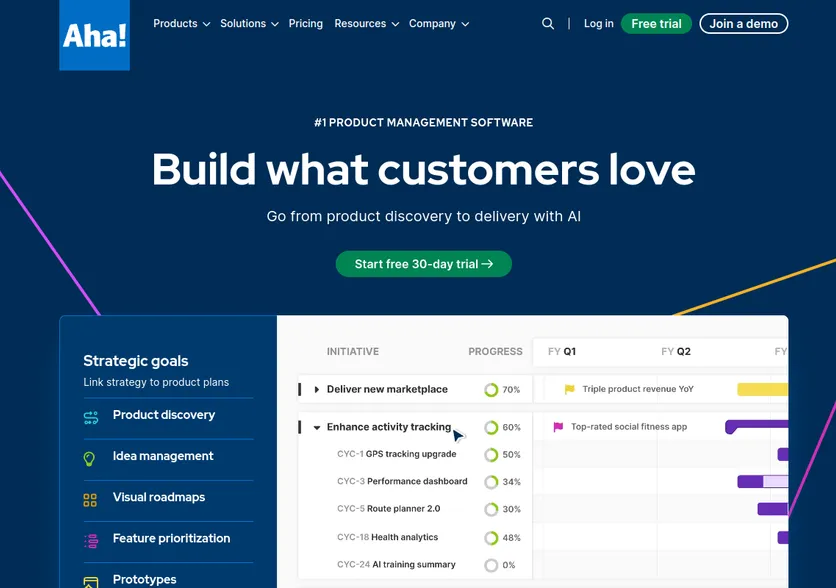
For a startup that needs strategy, roadmaps and portfolios in one system, this Aha! Roadmaps plan costs fifty-nine dollars per user a month billed annually and is the most complete product strategy tool in this list. Goals, initiatives, releases and ideas connect in a single hierarchy, so a founder can trace every feature back to the strategy it serves. It is the dearest tool here, and the right pick when the roadmap is the business.
What we like
- Strategy, roadmaps and portfolios in one hierarchy
- Ideas portals gather customer input in the open
- Presentation-ready roadmaps for investors and the board
Watch out for
- Fifty-nine dollars a user is steep for a small startup
- Free read-only reviewers only come on enterprise tiers
How to try it
- Set the strategy and the goals it must hit
- Build initiatives and link features to each one
- Share the roadmap with the team and investors
8. ClickUp
Best for: Startups that want tasks, docs and goals in one app
Paid tool Starting price: $9/user/month · Nine dollars per user a month billed annually for Core; $12 billed monthly; Business $17 billed annually
Free plan: Free plan
For a startup that wants one app for tasks, docs, goals and time, this ClickUp plan costs nine dollars per user a month billed annually and covers the whole portfolio in a single workspace. Goals, Gantt charts, custom fields and a thousand automation actions a month come with the entry plan, so a small team rarely needs an add-on. It is the most complete all-in-one in this list at the lowest price.

What we like
- Tasks, docs, goals and Gantt in one workspace
- A thousand automation actions a month on Core
- Unlimited storage and guests with permission control
Watch out for
- So many features that setup takes real time
- The interface can feel cluttered for a tiny team
How to try it
- Create a space for the portfolio and lists for projects
- Set goals and link tasks to each one
- Build a Gantt view for the whole portfolio
Prices above were checked on each vendor’s own website on Nov 29, 2026 and can change — the vendor’s page is the final word. Vendor links are editorial: nobody paid to be listed or ranked here. Vendors who want a featured listing can see how it works on our Get listed page.
How to run a portfolio review that kills weak projects
Start with the strategy on one page, because a portfolio review without a strategy is just a status meeting with better slides. Score every project on the same three measures: progress against its goal, money spent against its budget, and evidence that customers want it. Kill or pause anything that fails two of the three, and say so in the meeting, since a zombie project eats the budget of a live one. End by naming the one project that gets more resource next month and the one that loses it, then write both decisions down before anyone leaves the room.
Before you buy
- Confirm the portfolio view rolls every project into one screen, not one report per project
- Check whether goals link to projects, so progress means something beyond tasks ticked off
- Ask if the tool charges per seat, per maker or per member, since the same team can cost double
- Make sure the free plan or trial covers a real portfolio review with the whole team, not one user
- Test the reporting on a real week of data before paying, including a project that is behind schedule
Official websites
Official websites of the products reviewed above. Features and prices were checked against these sites when this guide was written, and they can change, so confirm on the vendor site before you buy.
Frequently asked questions
What is strategic portfolio management software for startups?
It is software that shows every project in a startup in one place, with its cost, progress and link to the company strategy, so founders fund the best bets instead of the loudest ones. Good tools add goals, roadmaps, dashboards and reporting, and they stay cheap enough for a small team, unlike the enterprise suites that sell by quote and start at five figures.
How much does monday.com cost for a startup portfolio?
monday.com Basic costs nine dollars per seat a month billed annually, or twelve dollars billed monthly, with a three-seat minimum, so the smallest paid bill is twenty-seven dollars a month. Standard is twelve dollars a seat billed annually and adds timelines, Gantt views and automations, while Pro is nineteen dollars and adds time tracking and private boards.
Is Aha! Roadmaps worth fifty-nine dollars a user a month?
It is worth it for a product-led startup whose roadmap is the business, because it ties strategy, goals, initiatives and releases into one hierarchy no cheaper tool matches. It is too dear for a startup that only needs to track a handful of projects, where monday.com, Asana or ClickUp does the job for under eleven dollars a user a month.
Can a startup manage a portfolio for free?
Yes, with the free plans on monday.com, Asana, Airtable, Productboard and ClickUp, which all cover a small team without paying. monday.com is free for up to two seats, Asana for up to two users, and ClickUp and Airtable have free tiers with real limits, so a founding team can run its portfolio free until the headcount grows.
Which tool is best for a product roadmap?
Productboard is the best pick for a roadmap driven by customer feedback, at nineteen dollars per maker a month billed annually with contributors free. Aha! Roadmaps is the deeper strategy tool at fifty-nine dollars a user, and Asana is the best all-round pick when the roadmap must also carry goals, timelines and reporting for the whole company.
Compare the eight tools above, then start with the free plan or trial on the tool that matches how the startup already plans its work before paying for the whole team.
Browse Business Tools tools