On this page
A project engineer who chases submittals by email loses weeks to missing cutsheets, unanswered comments and packages nobody can find. The seven tools below build the package, route it through review and keep the record straight, with prices a small firm can actually read. Submittal.app leads because it builds the whole package from a spec with AI and starts free, with Starter at twenty-five dollars a seat a month, and the rest are ranked on how well they carry a submittal from spec to approval.
How we researched this
We checked every price on the vendor pricing page on November 29, 2026, and only included tools with a published US dollar list price. Procore, Newforma ConstructEx and Trimble ProjectSight publish no dollar figure, so they are not in this list, and Autodesk Forma Build is excluded because its published price is in euros, not dollars. Prices change, so confirm the current figure on the vendor site before you buy.
Compare the tools
| Name | Best for | Starting price | Free plan | |
|---|---|---|---|---|
 Submittal.app | Subcontractors and suppliers building packages weekly | $25/seat/month | Free plan (3 packages a month) | Visit |
 SubmittalLink | Small general contractors who want one flat price | $150/month | No free plan; free trial | Visit |
 Fieldwire | Field teams that need submittals with drawings and tasks | $89/user/month | Free plan (Basic) | Visit |
 Bluebeam Revu | Engineers reviewing and marking up PDF submittals | $260/user/year | No free plan; 14-day free trial | Visit |
 Egnyte | Engineers who need governed submittal file control | $22/user/month | No free plan; 15-day free trial | Visit |
 Box | Engineers who need secure storage with workflows | $15/user/month | No free plan; 14-day free trial | Visit |
 Microsoft 365 Business Basic | Engineers whose firm already lives in Microsoft 365 | $7/user/month | No free plan; 30-day free trial | Visit |
The submittal software for project engineers, compared
1. Submittal.app
Best for: Subcontractors and suppliers building packages weekly
Paid tool Starting price: $25/seat/month · Twenty-five dollars per seat a month for Starter; Pro $149 a month with 5 seats included; Team $349 a month with 10 seats included; 7-day free trial
Free plan: Free plan (3 packages a month)
For a subcontractor or supplier who builds packages every week, this Submittal.app plan costs twenty-five dollars per seat a month for Starter and is the only tool here that builds the package itself. Its AI reads the schedule or spec section, finds the right manufacturer cutsheets, matches part numbers and assembles a formatted package with a compliance check. It is the default pick in this list for a team that builds more than it tracks.

What we like
- AI builds the package from the spec or schedule
- Free plan builds three real packages a month
- Compliance check and AI quotes built in
Watch out for
- A focused workflow tool, not a full project suite
- Packages per seat are capped at five a month on Starter
How to try it
- Upload the spec section or schedule
- Let the AI match cutsheets and part numbers
- Review the package and send it for approval
2. SubmittalLink
Best for: Small general contractors who want one flat price
Paid tool Starting price: $150/month · One hundred and fifty dollars a month for contractors under $5M in annual volume; Pro $250 a month for $5M to $25M; unlimited users, projects and file storage
Free plan: No free plan; free trial
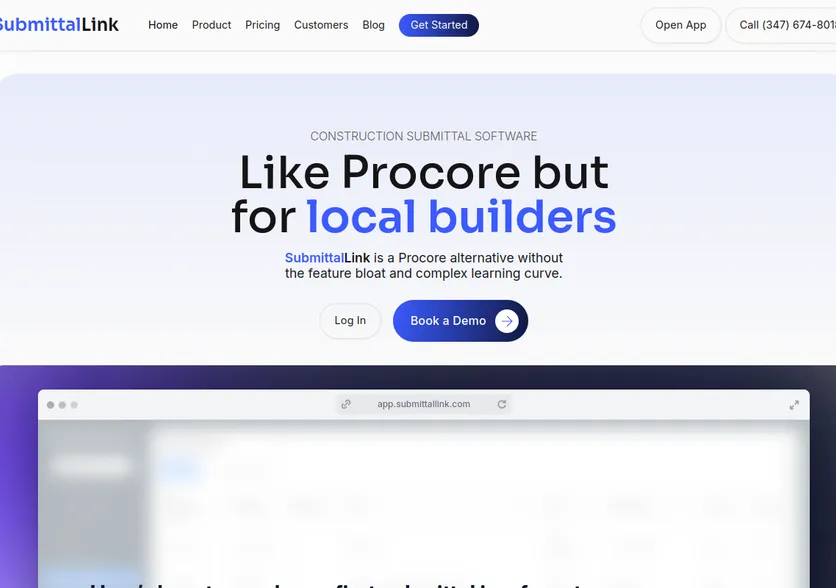
For a small general contractor that wants one flat monthly figure, this SubmittalLink plan costs one hundred and fifty dollars a month for work under five million dollars in annual volume and covers submittals, RFIs, drawings, punch lists, daily reports and contracts in one place. Unlimited users, projects and file storage mean the whole team works in it without seat maths, and the formal multi-step approval workflow fits commercial work. It is the budget pick in this list for a small GC.
What we like
- Flat price with unlimited users and projects
- Submittals, RFIs and contracts in one place
- Formal multi-step approval workflows
Watch out for
- Lighter AI than the dedicated builders
- No free plan, only a trial
How to try it
- Create the project and invite the whole team
- Build the submittal log from the spec
- Route packages through review and approval
3. Fieldwire
Best for: Field teams that need submittals with drawings and tasks
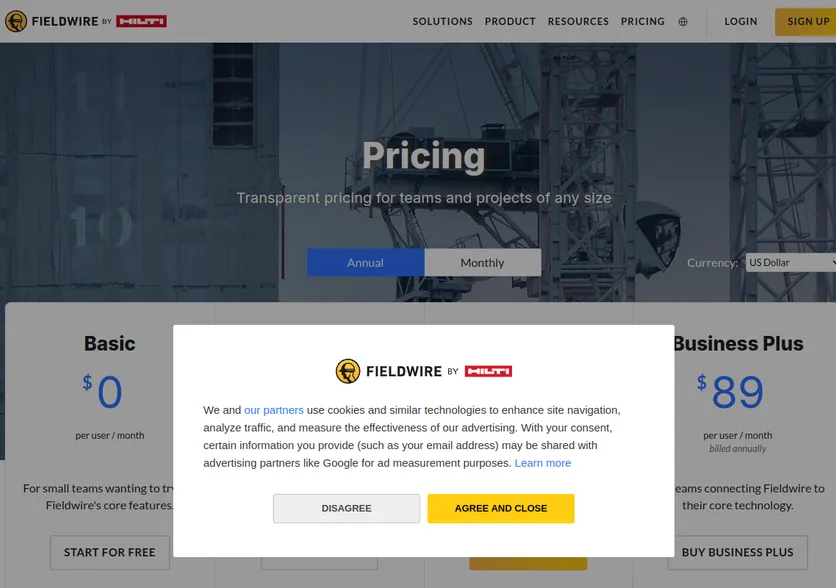
Paid tool Starting price: $89/user/month · Eighty-nine dollars per user a month billed annually for Business Plus, where full submittal management lives; Pro is $39 and Business is $64; forms start on Business
Free plan: Free plan (Basic)
For a field team that needs submittals beside drawings and tasks, this Fieldwire plan costs eighty-nine dollars per user a month billed annually for Business Plus and is the tier where full submittal management actually lives. The crew works from current drawings on site, links submittals to the tasks they belong to, and the office tracks approvals from the same data. It suits a builder already running Fieldwire in the field.
What we like
- Submittals linked to drawings and field tasks
- Drawings stay current on every crew phone
- Free Basic plan to start without paying
Watch out for
- Full submittal management needs the dearest tier
- Per-user pricing grows fast with a big crew
How to try it
- Upload the drawings and create the submittal log
- Link each submittal to its field task
- Track approvals from the office dashboard
4. Bluebeam Revu
Best for: Engineers reviewing and marking up PDF submittals
Paid tool Starting price: $260/user/year · Two hundred and sixty dollars per user a year for Basics; Core $330; Complete $440, all billed annually per named user
Free plan: No free plan; 14-day free trial
For an engineer who reviews submittals as marked-up PDFs, this Bluebeam Revu plan costs two hundred and sixty dollars per user a year for Basics and is the standard for PDF creation, markup, measurement and review on construction drawings. Length and area measurement, cloud storage and Studio Sessions for live review come with the higher tiers, and the markups are the language every reviewer already speaks. It is the review standard in this list.
What we like
- The standard for PDF markup and measurement
- Studio Sessions for live review with the team
- Cloud storage keeps every version in one place
Watch out for
- No free plan, only a fourteen-day trial
- Measurement beyond length and area needs Core
How to try it
- Open the submittal PDF in Revu
- Mark up comments and measure the drawings
- Share the marked-up file in a Studio Session
5. Egnyte
Best for: Engineers who need governed submittal file control
Paid tool Starting price: $22/user/month · Twenty-two dollars per user a month billed annually for Business; the Team plan at $10 was removed in November 2026
Free plan: No free plan; 15-day free trial
For a project engineer who needs governed file sharing with permissions, this Egnyte plan costs twenty-two dollars per user a month billed annually for Business and keeps submittal files, drawings and transmittals under version control with audit trails. Permissions decide who sees what, so a submittal package goes to the right reviewer and nobody else, and the history proves what was sent and when. It is the governed-storage pick in this list.

What we like
- Version control with audit trails on every file
- Permissions decide who sees each package
- Works for drawings, transmittals and RFIs alike
Watch out for
- No free plan, only a fifteen-day trial
- The cheaper Team plan was removed in November 2026
How to try it
- Create a folder for the project submittals
- Set permissions for each reviewer
- Share the package and track who opened it
6. Box
Best for: Engineers who need secure storage with workflows
Paid tool Starting price: $15/user/month · Fifteen dollars per user a month billed annually for Business; $20 billed monthly; Business Starter $5; Business Plus $25; 3-user minimum
Free plan: No free plan; 14-day free trial
For a project engineer who needs secure cloud storage with workflows, this Box plan costs fifteen dollars per user a month billed annually for Business and gives unlimited storage with Box AI for single-file insights. Submittal packages, drawings and transmittals move through review workflows with signatures built in, and external collaborators can be added without a full seat. It is the cheapest governed storage in this list.

What we like
- Unlimited storage with review workflows built in
- Box AI gives insights on single files
- External collaborators without a full seat
Watch out for
- Business plans need at least three users
- Unlimited storage only starts on Business
How to try it
- Upload the submittal package to a project folder
- Start a review workflow with the approvers
- Collect signatures and file the approved package
7. Microsoft 365 Business Basic
Best for: Engineers whose firm already lives in Microsoft 365
Paid tool Starting price: $7/user/month · Seven dollars per user a month billed annually for Business Basic; $8.40 billed monthly; includes SharePoint and Teams
Free plan: No free plan; 30-day free trial
For a project engineer whose whole firm already lives in SharePoint and Teams, this Microsoft Business Basic plan costs seven dollars per user a month billed annually and turns the tools the team already has into a submittal system. Document libraries hold the packages with version history, Teams carries the review conversation, and the price is the lowest in this list. It suits a firm that wants submittals inside Microsoft, not another login.
What we like
- Cheapest price in this list at seven dollars a user
- SharePoint libraries with version history built in
- Teams carries the review conversation
Watch out for
- No dedicated submittal log, so the team builds its own
- Needs SharePoint setup before it works well
How to try it
- Create a document library for the submittals
- Set version history and permissions on the library
- Review packages in Teams and file the approvals
Prices above were checked on each vendor’s own website on Nov 29, 2026 and can change — the vendor’s page is the final word. Vendor links are editorial: nobody paid to be listed or ranked here. Vendors who want a featured listing can see how it works on our Get listed page.
How to run a submittal log that never loses a package
Start with the log, because a submittal without a log entry is a submittal that does not exist. Give every package a number, a spec section, a due date and a status, and update the status the day it changes, not the week after. Attach the cutsheet, the transmittal and the reviewer comments to the same record, so the package, the question and the answer travel together. Chase the oldest open item first every morning, and close the log entry the day the approval lands, because a log that is a week stale is a log nobody trusts.
Before you buy
- Confirm the tool builds the package from the spec, or only tracks packages built elsewhere
- Check whether the approval workflow matches the contract, including multi-step review and resubmittal
- Ask if the log exports to a spreadsheet or PDF the GC and the owner will accept
- Make sure version history proves what was sent and when, since that is the record in a dispute
- Test the tool on one real spec section before paying, including a package that needs a resubmittal
Official websites
Official websites of the products reviewed above. Features and prices were checked against these sites when this guide was written, and they can change, so confirm on the vendor site before you buy.
Frequently asked questions
What is submittal software for project engineers?
It is software that builds, tracks and approves submittal packages, the documents that prove a product meets the project specification, from the spec section through review to closeout. Good tools add a submittal log, AI package building, version control and approval workflows, so the engineer always knows which packages are open, which are approved and which need a resubmittal.
How much does Submittal.app cost for a project engineer?
Submittal.app Starter costs twenty-five dollars per seat a month, with a seven-day free trial and five packages per seat each month. The free plan builds three packages a month with no card required, Pro is one hundred and forty-nine dollars a month with five seats included, and Team is three hundred and forty-nine dollars a month with ten seats included.
Is SubmittalLink worth one hundred and fifty dollars a month?
It is worth it for a small general contractor that wants submittals, RFIs, drawings and contracts in one place for one flat price with unlimited users. It is poor value for a subcontractor who only builds packages, where Submittal.app does the building itself for twenty-five dollars a seat, and it has no free plan at all.
Can a project engineer manage submittals for free?
Yes, with the free plans on Submittal.app and Fieldwire, which both cover real work without paying. Submittal.app builds three packages a month free, and Fieldwire Basic is free for field tasks and drawings, though full submittal management needs the Business Plus tier at eighty-nine dollars a user a month billed annually.
Which tool is best for reviewing submittal PDFs?
Bluebeam Revu is the best pick for PDF review, at two hundred and sixty dollars per user a year for Basics, because its markup and measurement tools are the standard every reviewer already knows. Egnyte and Box are the better picks when the job is governed storage and permissions, and Microsoft 365 is the cheapest route when the firm already lives in SharePoint and Teams.
Compare the seven tools above, then start with the free plan or trial on the tool that matches how the engineer already builds a package before paying for a full year.
Browse Business Tools tools