On this page
Subscription billing looks simple until the first expired card, the first failed payment and the first tax question arrive in the same week. The eight tools below handle recurring billing, dunning and invoicing, with entry prices from no monthly fee at all to two hundred forty-nine dollars a month. Every price was checked on the vendor site on November 26, 2026, and most tools offer a trial so you can test billing on real subscribers. Chargebee is our first pick — the most complete subscription platform here, from ninety-nine dollars a month.
How we researched this
We started with the subscriber management tools small businesses actually buy, then read each price on the vendor pricing page on November 26, 2026 and noted the free trial or free plan each one carries. We judged them for a team that bills customers every month and needs dunning, trials and tax handling without a billing specialist. We kept only tools with a published price, and we dropped FastSpring because it publishes no price, and Lemon Squeezy because it closed new sign-ups in November 2026.
Compare the tools
| Name | Best for | Starting price | Free plan | |
|---|---|---|---|---|
 Chargebee | Growing subscription businesses that need flexible billing models | $99/month | No free tier published on the pricing page | Visit |
 Recurly | Subscription businesses that need strong retention and dunning tools | $249/month | 90-day free trial | Visit |
 Stripe Billing | Businesses already on Stripe that want billing without a new platform | 0.7% of billing volume | No monthly fee; pay as you go with no free tier | Visit |
 Paddle | Sellers who want a merchant of record that handles tax and compliance | 5% + $0.50 per transaction | No monthly fee; no free tier | Visit |
 Zoho Billing | Small businesses already using Zoho apps for billing | $59/month | Free plan available for small teams | Visit |
 MemberPress | WordPress sites that sell memberships and subscriptions | $399/year | No free tier published on the pricing page | Visit |
 SamCart | Creators and course sellers who want checkout pages that convert | $59/month | 14-day free trial | Visit |
 PayKickstart | Sellers whose revenue grows and who want pricing that scales with it | $79/month | 14-day free trial | Visit |
The subscriber management software tools, compared
1. Chargebee
Best for: Growing subscription businesses that need flexible billing models
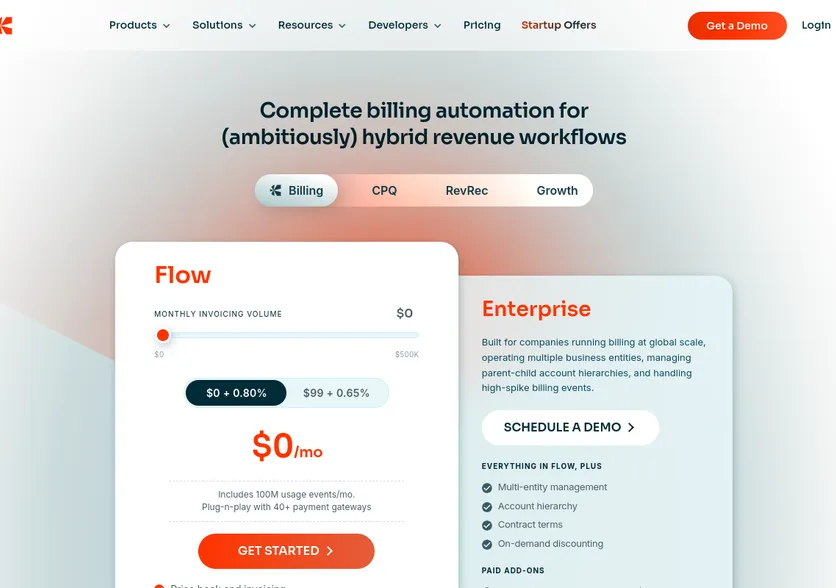
Paid tool Starting price: $99/month · Flow plan, $99 a month plus 0.65% of billing, or pay as you go at 0.80% with no platform fee
Free plan: No free tier published on the pricing page
Chargebee is the most complete subscription billing platform here, handling plans, add-ons, trials and prorations without custom code. This Chargebee Flow plan covers recurring billing, invoicing and dunning, with revenue recognition available on higher tiers. A subscription business can launch a new plan in an afternoon instead of waiting on a developer.
What we like
- Handles trials, add-ons and prorations out of the box
- Strong dunning tools recover failed payments
- Scales from a first plan to complex billing
Watch out for
- Flow costs $99 a month plus a percentage of billing
- Advanced features move to higher priced tiers
How to try it
- Open the Chargebee pricing page and start a trial
- Set up your plans, trials and billing rules
- Connect your payment gateway and send the first invoice
2. Recurly
Best for: Subscription businesses that need strong retention and dunning tools
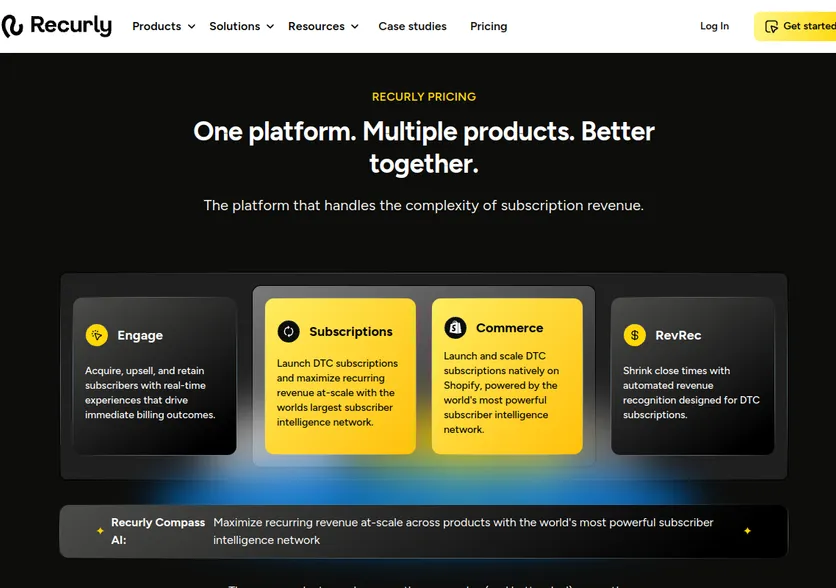
Paid tool Starting price: $249/month · Starter plan, $249 a month plus 0.9% of billing volume above $40,000 a month; 90-day free trial
Free plan: 90-day free trial
Recurly is built around keeping subscribers, with billing, dunning and revenue recovery in one place. This Recurly Starter plan covers recurring billing and automated retries for failed payments, plus analytics on churn and lifetime value. A team losing subscribers to expired cards can recover revenue without hiring a billing specialist.
What we like
- Ninety-day free trial to test the full platform
- Automated dunning recovers failed payments
- Clear analytics on churn and lifetime value
Watch out for
- Starter costs $249 a month plus a percentage of billing
- The percentage fee applies above $40,000 a month
How to try it
- Open the Recurly pricing page and start the trial
- Import your subscribers and set up plans
- Turn on dunning and watch failed payments recover
3. Stripe Billing
Best for: Businesses already on Stripe that want billing without a new platform
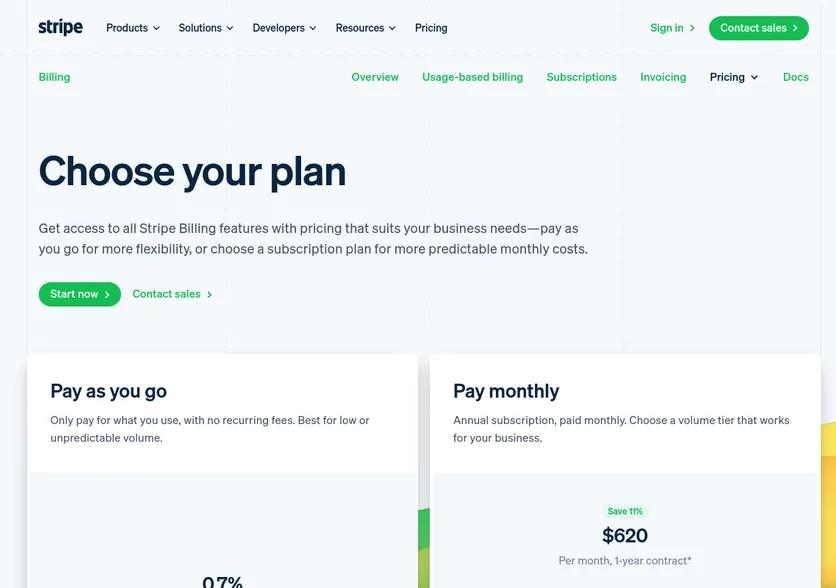
Paid tool Starting price: 0.7% of billing volume · Pay as you go, 0.7% of billing volume with no monthly fee; annual tiers from $620 a month
Free plan: No monthly fee; pay as you go with no free tier
Stripe Billing is the subscription layer on top of Stripe payments, so a team already taking cards can add recurring billing without a second vendor. This Stripe Billing pay-as-you-go plan charges a share of billing volume and includes invoicing, trials and proration. A developer can launch subscriptions with an API call instead of bolting on a separate billing tool.
What we like
- No monthly fee, so small volumes cost almost nothing
- Deep API for custom billing logic
- Invoicing, trials and proration included
Watch out for
- The percentage fee grows with your revenue
- Annual tiers start at $620 a month
How to try it
- Open the Stripe Billing pricing page and sign in
- Create a subscription product with prices and trials
- Connect checkout and start billing subscribers
4. Paddle
Best for: Sellers who want a merchant of record that handles tax and compliance
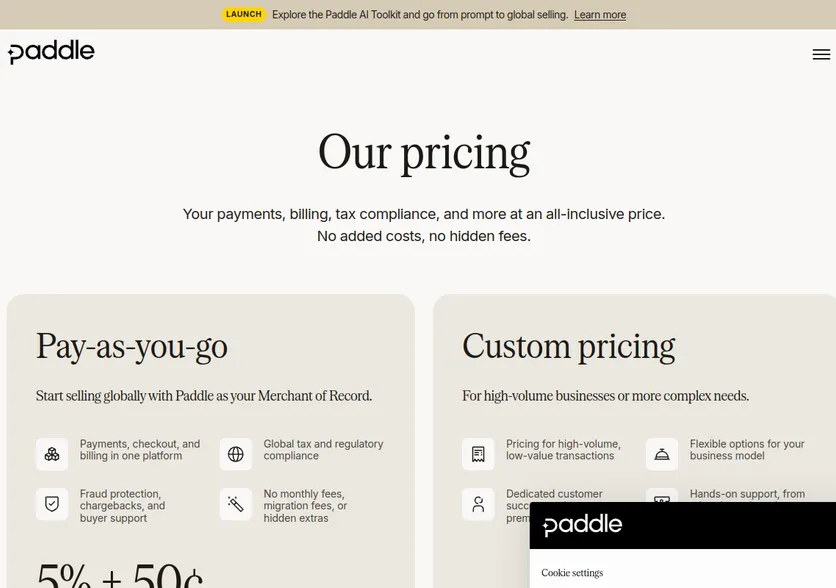
Paid tool Starting price: 5% + $0.50 per transaction · No monthly fee; 5% plus $0.50 per checkout transaction
Free plan: No monthly fee; no free tier
Paddle is a merchant of record, which means it sells your product, collects tax and handles compliance while you focus on the product itself. This Paddle checkout plan charges a share of each transaction and includes subscriptions, invoicing and global tax handling. A solo seller can go global without registering for tax in every country.
What we like
- Merchant of record handling tax and compliance
- No monthly fee, so you pay only when you sell
- Subscriptions and invoicing built in
Watch out for
- Five percent plus fifty cents per transaction adds up
- You give up direct control of the checkout
How to try it
- Open the Paddle pricing page and create an account
- Set up your product and subscription plans
- Send customers to checkout and let Paddle handle tax
5. Zoho Billing
Best for: Small businesses already using Zoho apps for billing
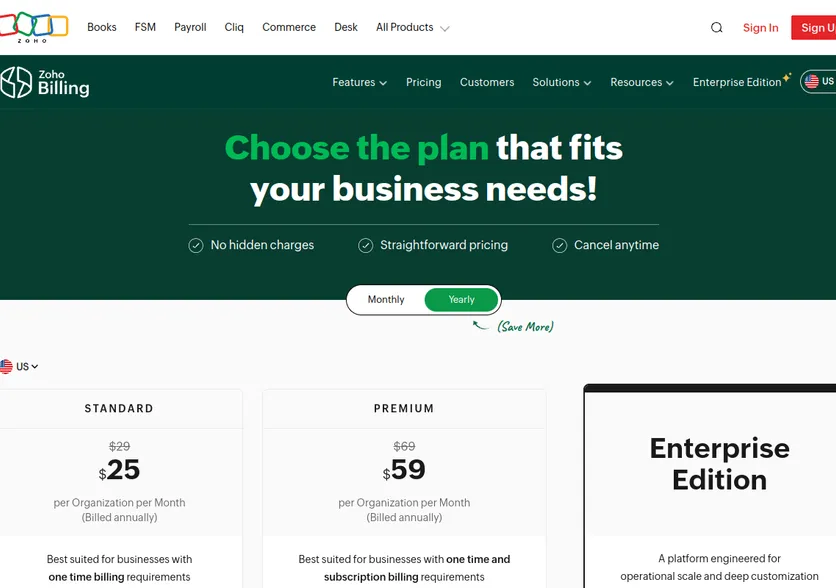
Paid tool Starting price: $59/month · Premium plan, $59 a month billed annually or $69 month to month; Standard at $25 a month does not include subscription billing
Free plan: Free plan available for small teams
Zoho Billing is the subscription arm of the Zoho suite, built for teams that already run their business on Zoho. This Zoho Billing Premium plan adds subscription billing, dunning and customer portals on top of invoicing. A small business can keep billing inside the Zoho apps it already pays for.
What we like
- Fits naturally with other Zoho apps
- Customer portal and dunning on the Premium plan
- Free plan for the smallest teams
Watch out for
- Premium costs $59 a month billed annually
- Standard plan does not include subscription billing
How to try it
- Open the Zoho Billing pricing page and start a trial
- Set up subscription plans and billing cycles
- Connect your payment gateway and invite customers
6. MemberPress
Best for: WordPress sites that sell memberships and subscriptions
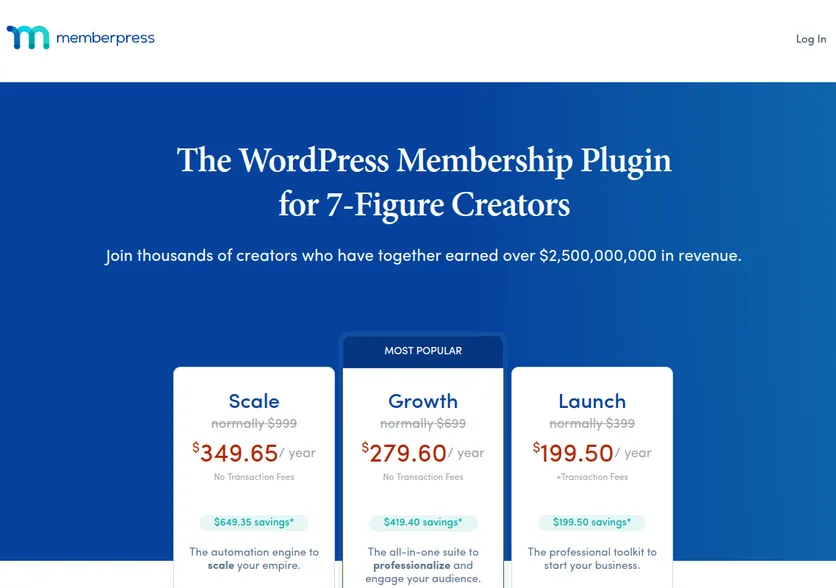
Paid tool Starting price: $399/year · Launch plan, $399 a year list price; first-year introductory price is $199.50, renewals are at list price
Free plan: No free tier published on the pricing page
MemberPress turns a WordPress site into a membership business, with subscriptions, content restriction and payment handling in one plugin. This MemberPress Launch plan covers one site with unlimited members and rules for locking content behind a paywall. A creator can sell access to courses and articles without leaving WordPress.
What we like
- Built for WordPress, with no extra platform to learn
- Unlimited members on every plan
- Content restriction rules are easy to set up
Watch out for
- Launch costs $399 a year at list price
- Works only on WordPress sites
How to try it
- Open the MemberPress pricing page and buy a plan
- Install the plugin on your WordPress site
- Set up membership levels and lock your content
7. SamCart
Best for: Creators and course sellers who want checkout pages that convert
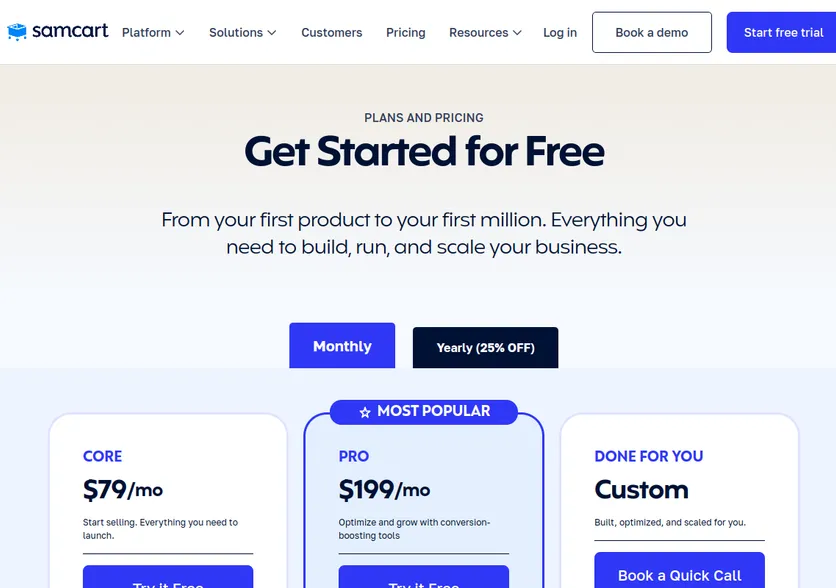
Paid tool Starting price: $59/month · Launch plan, $59 a month billed annually or $79 month to month; Grow $119, Scale $239 billed annually
Free plan: 14-day free trial
SamCart is a checkout platform for creators, with high-converting order pages, upsells and subscription billing in one place. This SamCart Launch plan covers checkout pages, payment plans and basic subscriptions for a single store. A course seller can build a checkout page in minutes and add an order bump that pays for the tool.
What we like
- Checkout pages built to convert
- Order bumps and upsells are easy to add
- Payment plans and subscriptions included
Watch out for
- Launch costs $59 a month billed annually
- Advanced features sit on the Grow and Scale plans
How to try it
- Open the SamCart pricing page and start a trial
- Build a checkout page for your product
- Add an order bump and start selling
8. PayKickstart
Best for: Sellers whose revenue grows and who want pricing that scales with it
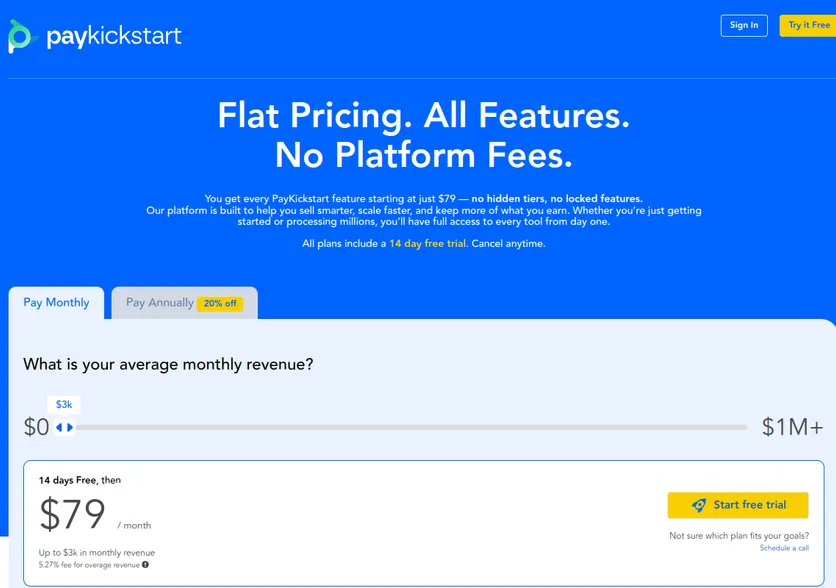
Paid tool Starting price: $79/month · Single plan, $79 a month for up to $3,000 a month in sales; yearly billing cuts it about 20%; the rate rises with sales volume
Free plan: 14-day free trial
PayKickstart prices by revenue instead of by plan, so a small seller starts cheap and pays more only as sales grow. This PayKickstart single plan covers checkout, subscriptions, affiliate management and dunning for up to three thousand dollars a month in sales. A new store can start selling without committing to a big monthly fee.
What we like
- Revenue-based pricing starts low for new sellers
- Affiliate management included at every level
- Checkout, subscriptions and dunning in one tool
Watch out for
- The rate rises as your sales grow
- Old flat-rate tiers were retired in 2026
How to try it
- Open the PayKickstart pricing page and start a trial
- Set up your products and checkout pages
- Connect your payment gateway and launch
Prices above were checked on each vendor’s own website on Nov 26, 2026 and can change — the vendor’s page is the final word. Vendor links are editorial: nobody paid to be listed or ranked here. Vendors who want a featured listing can see how it works on our Get listed page.
What subscriber management software costs in 2026
Subscriber tools charge in two ways, and the cheaper one depends on your volume. Flat-rate plans run from fifty-nine dollars a month for a creator checkout tool to two hundred forty-nine dollars a month for a full billing platform, while percentage plans take a share of every payment and cost almost nothing at low volume. The headline plan each vendor shows on its own pricing page is the number in the table above, checked on November 26, 2026.
Work out your real monthly billing volume first, then compare a flat plan against a percentage plan at that number. A percentage plan wins below a few thousand dollars a month, and a flat plan wins once volume grows. Pick the tool whose dunning and checkout you trust, because recovered payments pay for the plan many times over.
Before you buy
- Count your monthly billing volume first, because percentage pricing beats a flat fee only below a certain revenue line.
- Check what counts as a subscriber, because some tools bill on active customers and others bill on every account ever created.
- Ask whether dunning and failed-payment retries are included, because chasing expired cards by hand costs more than the plan.
- Test the checkout flow yourself, because a clunky payment page loses subscribers at the last step.
- Add up the fees at your real volume, because a low monthly price with a high percentage costs more as you grow.
Official websites
Official websites of the products reviewed above. Features and prices were checked against these sites when this guide was written, and they can change, so confirm on the vendor site before you buy.
Frequently asked questions
Which subscriber management software is best in 2026?
Chargebee, at ninety-nine dollars a month, is the safest default because it handles plans, trials, add-ons and prorations without custom code. Stripe Billing is better for a team already on Stripe, since it charges less than one percent of billing volume with no monthly fee. SamCart wins for creators, at fifty-nine dollars a month with checkout pages built to convert.
What is the cheapest subscriber management software?
Stripe Billing, with no monthly fee, is the cheapest way to start, since you pay only a share of billing volume. Paddle is the same idea for sellers who want tax handled, at five percent plus fifty cents per transaction. Zoho Billing has a free plan for the smallest teams, and MemberPress costs three hundred ninety-nine dollars a year for WordPress sites.
Can these tools recover failed payments automatically?
Yes, and it is one of the biggest money leaks in subscription businesses. Chargebee, Recurly and Zoho Billing all retry failed payments automatically and email customers to update expired cards. Recurly is the strongest here, with a ninety-day free trial and analytics that show exactly how much revenue dunning recovers.
What is the difference between a billing platform and a merchant of record?
Use a merchant of record like Paddle when you want tax and compliance handled for you, since it sells the product and collects tax on your behalf. Use a billing platform like Chargebee or Stripe Billing when you want to keep your own checkout and payment setup. The merchant of record costs more per transaction but removes the tax paperwork entirely.
What should I look for in subscriber management software?
Look for dunning and failed-payment retries first, since expired cards are the biggest cause of involuntary churn. Check how the tool counts subscribers, because some bill on active customers and others bill on every account ever created. Test the checkout flow yourself, and run the numbers at your real monthly volume before committing.
Need everyday finance help too? Try Toolsvine's free finance calculators for small teams right in your browser.
Browse Finance Calculators tools