On this page
A new startup does not need five tools to talk and plan, it needs one place where the team can see the work and discuss it. The eight tools below cover that job at every budget, from a free board for two founders to a workspace that replaces docs, chat and trackers. Slack leads because it keeps channels, threads and file sharing in one searchable home for seven dollars and twenty-five cents per user a month, and the rest are ranked on how much they give a small team for the price.
How we researched this
We checked every price on the vendor pricing page on November 29, 2026, and only included tools with a published dollar list price. Any tool that sells only by quote publishes no price a startup can compare. Prices change, so confirm the current figure on the vendor site before you buy.
Compare the tools
| Name | Best for | Starting price | Free plan | |
|---|---|---|---|---|
 Slack | Startups that want one chat home for everyone | $7.25/user/month | Free plan (limited message history) | Visit |
 Trello | Startups that want the simplest possible board | $5/user/month | Free plan | Visit |
 ClickUp | Startups that want one workspace for everything | $9/user/month | Free plan | Visit |
 Smartsheet | Spreadsheet-first startups that need Gantt plans | $9/member/month | No free plan; 30-day free trial | Visit |
 monday.com | Visual teams that plan on colorful boards | $9/seat/month | Free plan | Visit |
 Notion | Startups that want docs and tracking together | $10/member/month | Free plan | Visit |
 Asana | Startups that run launches on timelines | $10.99/user/month | Free plan | Visit |
 Airtable | Data-driven startups that live in tables | $20/user/month | Free plan | Visit |
The team collaboration software for startups, compared
1. Slack
Best for: Startups that want one chat home for everyone
Paid tool Starting price: $7.25/user/month · Seven dollars and twenty-five cents per user a month billed annually ($8.75 billed monthly); Business Plus is $15 per user a month billed annually; Enterprise Grid is quoted
Free plan: Free plan (limited message history)
A startup that needs one chat home for the whole team gets it here, since this Slack plan costs seven dollars and twenty-five cents per user a month billed annually, and it keeps channels, threads and file sharing in one searchable place. Huddles give the team a quick voice room without a meeting, and the app directory connects the tools the startup already pays for. The free plan suits a tiny team, while the per-user price is the cost to watch as headcount grows.

What we like
- Channels keep every project conversation in one searchable place
- Thousands of integrations connect the apps a team already uses
- Huddles and clips make quick voice and video check-ins easy
Watch out for
- Message history and storage are capped on the free plan
- Costs climb fast as headcount grows on per-user billing
How to try it
- Create a channel for each project or team and invite the people on it
- Connect the apps the team already uses from the app directory
- Pin the key files and decisions so new joiners catch up fast
2. Trello
Best for: Startups that want the simplest possible board
Paid tool Starting price: $5/user/month · Five dollars per user a month billed annually on Standard ($6 billed monthly); Premium is $10 per user a month billed annually ($12.50 billed monthly); Enterprise is $17.50 per user a month billed annually
Free plan: Free plan
The cheapest way onto a proper board for a young startup is here, since this Trello plan costs five dollars per user a month billed annually, and it turns a wall of tasks into columns anyone can read at a glance. Cards hold checklists, attachments and comments, and Power-Ups add calendars, voting and integrations. It is the fastest tool here to set up, and the one a small team is least likely to abandon.

What we like
- Kanban boards are the fastest way to see work at a glance
- Power-Ups add calendar voting and integrations without complexity
- Cards hold checklists attachments and comments in one place
Watch out for
- Large programmes outgrow boards and need a heavier tool
- Reporting is basic unless a Power-Up or higher tier is added
How to try it
- Create a board with columns for each stage of the work
- Add cards with checklists owners and due dates
- Use labels to sort cards by priority client or project
3. ClickUp
Best for: Startups that want one workspace for everything
Paid tool Starting price: $9/user/month · Nine dollars per user a month billed annually on Core ($12 billed monthly); Business is $17 per user a month billed annually
Free plan: Free plan
Startups that want tasks, docs and goals in one workspace rather than three apps find it here, because this ClickUp plan costs nine dollars per user a month billed annually, and it replaces a tracker, a wiki and a goal sheet in one login. Views switch between list, board, calendar and timeline, and automations handle routine status changes. The features take days to learn, but a startup that sticks with it rarely needs a second tool.

What we like
- Tasks docs goals and time tracking live in one workspace
- Views switch between list board calendar and timeline in one click
- Automations handle routine status changes without manual work
Watch out for
- The range of features takes new teams a while to learn
- Some views and automations are locked behind higher tiers
How to try it
- Set up a space for the startup and add a list per workstream
- Pick a view per list and add the fields the team actually needs
- Turn on one automation for status changes and test it for a week
4. Smartsheet
Best for: Spreadsheet-first startups that need Gantt plans
Paid tool Starting price: $9/member/month · Nine dollars per member a month billed annually on Pro ($12 billed monthly) for one to ten members; Business is $19 per member a month billed annually ($24 billed monthly) with a three-seat minimum
Free plan: No free plan; 30-day free trial
Spreadsheet-first startups that need Gantt charts and approvals on top of their grids get them here, since this Smartsheet plan costs nine dollars per member a month billed annually, and it feels familiar to spreadsheet users. The same plan reads as a grid, a Gantt chart or a card board, and automated update requests keep it current without chasing people. It suits a startup that plans in rows and columns and wants structure without a whole new system.

What we like
- Grids feel familiar to anyone who lives in spreadsheets
- Gantt and card views show the same plan different ways
- Automated approval and update requests keep plans current
Watch out for
- The interface feels dated next to newer collaboration tools
- The Pro plan caps at ten members before the price steps up
How to try it
- Import the existing plan into a grid from a template
- Add predecessors and a Gantt view to see the critical path
- Set an update request so owners confirm status every week
5. monday.com
Best for: Visual teams that plan on colorful boards
Paid tool Starting price: $9/seat/month · Nine dollars per seat a month billed annually on Basic ($12 billed monthly); Standard is $14 per seat a month billed annually; Pro is $19 per seat a month billed annually; a three-seat minimum applies
Free plan: Free plan
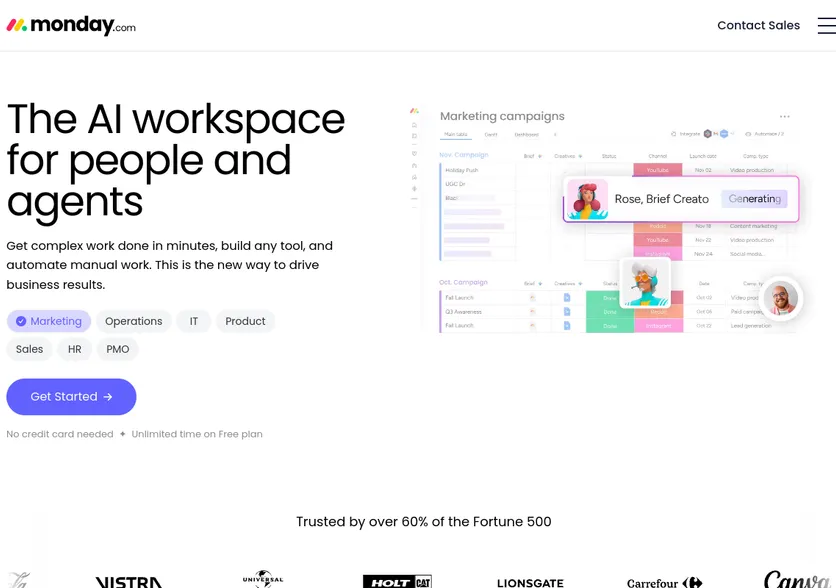
A visual startup team that thinks in boards will feel at home here, since this monday.com plan costs nine dollars per seat a month billed annually, and its boards are easy to reshape without training. Automations move items and send alerts with no code, and dashboards combine boards into one status screen. The three-seat minimum makes the entry bill higher than the headline suggests, so count the real monthly total first.
What we like
- Boards are visual and easy to reshape without training
- Automations move items and send alerts with no code
- Dashboards combine several boards into one status screen
Watch out for
- The three-seat minimum makes the entry bill higher than it looks
- Advanced reporting and time tracking sit on the higher plans
How to try it
- Pick a board template for the work the team runs most
- Add the columns that track status owner and due date
- Build one dashboard that shows every active board at once
6. Notion
Best for: Startups that want docs and tracking together
Paid tool Starting price: $10/member/month · Ten dollars per member a month billed annually on Plus ($12 billed monthly); Business is $20 per member a month billed annually ($24 billed monthly); full AI features start on Business
Free plan: Free plan
Startups that live in docs and want their wiki and project tracker in one place get both here, because this Notion plan costs ten dollars per member a month billed annually, and it blends pages, databases and tasks without a second app. Relations link work across databases, and templates cover meeting notes, roadmaps and wikis. The open structure needs discipline, since pages drift when nobody owns the layout.

What we like
- Docs wikis and databases live in the same flexible workspace
- Templates cover meeting notes roadmaps and team wikis
- Relations and rollups link work across databases cleanly
Watch out for
- The open structure needs discipline or pages drift everywhere
- Offline access is limited compared with desktop-first tools
How to try it
- Start from the team wiki template and add the core pages
- Build one database for projects with status and owner fields
- Link meeting notes to projects so decisions stay attached to the work
7. Asana
Best for: Startups that run launches on timelines
Paid tool Starting price: $10.99/user/month · Ten dollars and ninety-nine cents per user a month billed annually on Starter ($13.49 billed monthly); Advanced is $24.99 per user a month billed annually; Personal is free for up to two users
Free plan: Free plan
For a startup that runs launches on a timeline with real dependencies, this Asana plan costs ten dollars and ninety-nine cents per user a month billed annually, and it shows the critical path at a glance instead of hiding it in a task list. Templates cover launches, sprints and onboarding, and portfolios roll projects into one status view. It is the most structured option here, which suits a startup that plans in phases.

What we like
- Timelines and dependencies show the critical path at a glance
- Templates cover launches sprints and onboarding out of the box
- Portfolios roll many projects into one status view
Watch out for
- Advanced reporting and proofing need the higher tiers
- Heavy projects can feel slow when boards hold hundreds of tasks
How to try it
- Create a project from a template that matches the work
- Add tasks with owners due dates and dependencies
- Open the timeline weekly and rebalance anything that slips
8. Airtable
Best for: Data-driven startups that live in tables
Paid tool Starting price: $20/user/month · Twenty dollars per user a month billed annually on Team ($24 billed monthly); Business is $45 per user a month billed annually ($54 billed monthly); the per-user price applies to editors
Free plan: Free plan
A startup that tracks work in tables and wants them to behave like an app finds it here, because this Airtable plan costs twenty dollars per user a month billed annually, and it pairs spreadsheet ease with database power for linked records. Views filter, sort and group the same data many ways, and interfaces turn a base into a simple app for the team. It is the most expensive tool here, so it earns its place only for a startup that runs on structured data.

What we like
- Spreadsheet ease with database power for linked records
- Views filter sort and group the same data many ways
- Interfaces turn a base into a simple app for the team
Watch out for
- The per-editor price makes large teams expensive quickly
- Complex bases need careful design to stay usable
How to try it
- Start from a base template close to the data the team tracks
- Link records between tables instead of copying values
- Build one filtered view per team so each sees only its work
Prices above were checked on each vendor’s own website on Nov 29, 2026 and can change — the vendor’s page is the final word. Vendor links are editorial: nobody paid to be listed or ranked here. Vendors who want a featured listing can see how it works on our Get listed page.
How a startup picks one collaboration home without buying twice
Start with how the team already works, not the feature list, because a tool that fights the team's habits will be abandoned in a month. Count the real users first, since per-seat pricing makes a cheap plan expensive at twenty people, and test the free plan on a real project before paying. Pick one home for discussion and one for the plan, so work stops splitting across chat, docs and email. Revisit the choice after three months, when the team is bigger and the gaps are obvious.
Before you buy
- Count every person who will log in, including founders and contractors, before comparing prices
- Test the free plan on a real project for two weeks, not on a demo workspace
- Check whether chat, docs and tasks live in one app or need three paid subscriptions
- Make sure the tool exports the team's work, so leaving later does not mean starting over
- Ask who owns the workspace if a founder leaves, and set the admin roles before launch
Official websites
Official websites of the products reviewed above. Features and prices were checked against these sites when this guide was written, and they can change, so confirm on the vendor site before you buy.
Frequently asked questions
What is the cheapest team collaboration software for a startup?
Trello is the cheapest paid option here, at five dollars per user a month billed annually on Standard, with a free plan for a tiny team. Slack costs seven dollars and twenty-five cents per user a month on Pro, and Smartsheet and monday.com both start at nine dollars a month. A two-founder startup can run on free plans alone, and the cheapest paid step is usually Trello rather than a full suite.
Does Slack offer a free plan for startups?
Yes, Slack offers a free plan with limited message history, which suits a very small team just getting started. Pro costs seven dollars and twenty-five cents per user a month billed annually and adds full history, more integrations and huddles. Startups that outgrow the free history limit should compare Pro with the cheaper plans from Trello and Smartsheet before committing.
Is ClickUp or Asana better for a startup?
ClickUp is better for a startup that wants tasks, docs, goals and time tracking in one workspace, at nine dollars per user a month on Core. Asana is better for a startup that runs launches on timelines with dependencies, at ten dollars and ninety-nine cents per user a month on Starter. Both offer free plans, so trial each on the same real project and keep the one the team opens every day.
Can a startup collaborate for free?
Yes, Trello, Notion, ClickUp, Asana and monday.com all offer free plans, and Slack offers one with limited message history. A two-person startup can run on a free plan for months, though limits on history, guests and integrations appear as the team grows. The paid step is worth it when the team needs full history, more guests or admin controls that the free plans do not include.
Which tool grows best with a startup?
Slack grows best for chat-first teams, because channels scale from two people to two hundred without changing how the team talks. ClickUp grows best for teams that want one workspace, since it replaces several apps as the team hires. Airtable is the strongest choice when the startup tracks structured data, though its twenty-dollar per-user price makes it the most expensive option here at scale.
Compare the eight tools above, then start with a free trial or the free plan on the tool that matches how the startup works.
Browse Business Tools tools