On this page
An agency lives in chat: client updates, internal reviews, quick questions that cannot wait for email. The eight tools below cover that job for agencies of every size, from a free workspace for a two-person shop to a self-hosted system a larger firm controls. Slack leads because clients already know it, and its channels and integrations cost seven dollars and twenty-five cents per user a month, while the rest are ranked on how cleanly they separate client work from internal talk.
How we researched this
We checked every price on the vendor pricing page on November 29, 2026, and only included tools with a published dollar list price. Twist is left out because its maker is closing it in March 2027, and Zoho Cliq is left out because its published prices disagree across sources. Prices change, so confirm the current figure before you buy.
Compare the tools
| Name | Best for | Starting price | Free plan | |
|---|---|---|---|---|
 Slack | Agencies whose clients already use Slack | $7.25/user/month | Free plan (limited message history) | Visit |
 Pumble | Agencies that want free unlimited chat | $2.49/seat/month | Free plan with unlimited users and message history | Visit |
 Zulip | Agencies that juggle many client threads | $6.67/user/month | Free plan on Zulip Cloud; self-hosting free | Visit |
 Chanty | Small agencies that want chat plus tasks | $3/user/month | Free plan for up to 5 members | Visit |
 Microsoft Teams | Agencies already on Microsoft 365 | $4/user/month | Free plan (limited meetings and chat) | Visit |
 Flock | Agencies that want light chat with polls | $4.50/user/month | Free plan (Starter, up to 20 members) | Visit |
 Google Chat | Agencies already on Google Workspace | $7/user/month | Free with a personal Google account; paid plans start at seven dollars per user a month | Visit |
 Mattermost | Agencies that must self-host client chat | $10/user/month | Free self-hosted Team Edition | Visit |
The team messaging software for agencies, compared
1. Slack
Best for: Agencies whose clients already use Slack
Paid tool Starting price: $7.25/user/month · Seven dollars and twenty-five cents per user a month billed annually ($8.75 billed monthly); Business Plus is $15 per user a month billed annually; Enterprise Grid is quoted
Free plan: Free plan (limited message history)
Clients already know this tool, which is why it leads for agencies, since this Slack plan costs seven dollars and twenty-five cents per user a month billed annually, and it keeps channels, threads and file sharing in one searchable place. A channel per client keeps the work separate, huddles give the team a quick voice room without booking a meeting, and the app directory connects the tools the agency already pays for. The per-user price is the cost to watch as the agency hires.

What we like
- Channels keep every project conversation in one searchable place
- Thousands of integrations connect the apps a team already uses
- Huddles and clips make quick voice and video check-ins easy
Watch out for
- Message history and storage are capped on the free plan
- Costs climb fast as headcount grows on per-user billing
How to try it
- Create a channel for each project or team and invite the people on it
- Connect the apps the team already uses from the app directory
- Pin the key files and decisions so new joiners catch up fast
2. Pumble
Best for: Agencies that want free unlimited chat
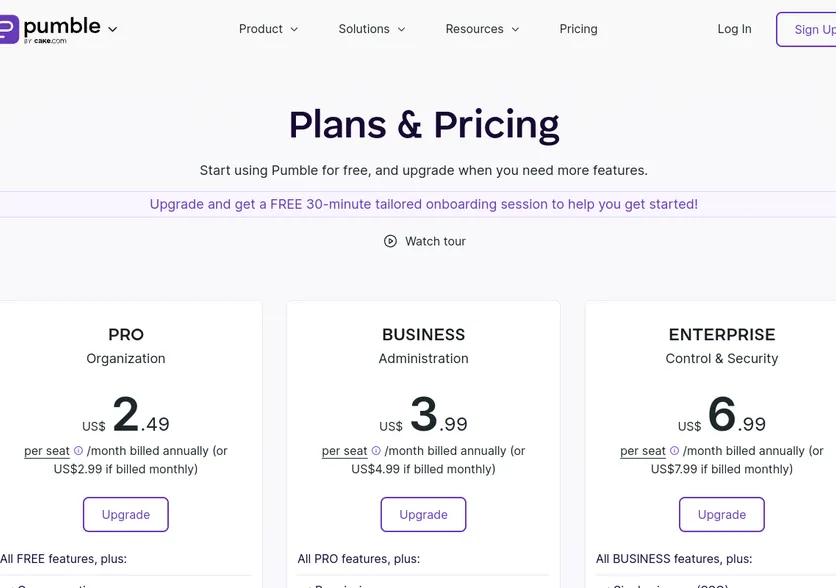
Paid tool Starting price: $2.49/seat/month · Two dollars and forty-nine cents per seat a month billed annually on Pro ($2.99 billed monthly); Business is $3.99 ($4.99 billed monthly) and Enterprise is $6.99 ($7.99 billed monthly)
Free plan: Free plan with unlimited users and message history
An agency that wants unlimited users and history without paying a cent starts here, because this Pumble plan costs two dollars and forty-nine cents per seat a month billed annually, and the free plan already covers unlimited users and message history. Channels, threads and calls cover everyday team chat, and the interface is clean enough to learn in an afternoon. It lacks some integrations the big chat apps offer, but for client chat on a tight budget it is the best value here.
What we like
- Unlimited users and message history even on the free plan
- Channels threads and calls cover everyday team chat
- The interface is clean and quick to learn
Watch out for
- Integrations are fewer than Slack or Teams offer
- Admin controls are basic on the lower tiers
How to try it
- Create a workspace and invite the whole agency for free
- Set up a channel per client and one per internal team
- Use threads to keep client discussions from tangling
3. Zulip
Best for: Agencies that juggle many client threads
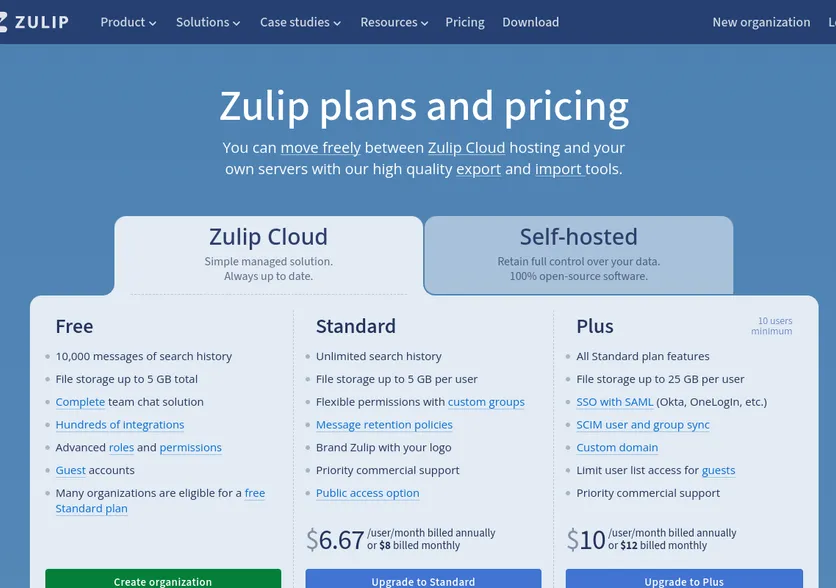
Paid tool Starting price: $6.67/user/month · Six dollars and sixty-seven cents per user a month billed annually on Cloud Standard ($8 billed monthly); Plus is $10 per user a month billed annually ($12 billed monthly) with a ten-user minimum; the free Cloud plan keeps ten thousand searchable messages
Free plan: Free plan on Zulip Cloud; self-hosting free
Agencies that lose threads in busy channels will like the topic model here, since this Zulip plan costs six dollars and sixty-seven cents per user a month billed annually, and every channel splits into topics that keep each client discussion separate. A thread about one deliverable never tangles with another, and search finds either one in seconds. The model takes a day or two to learn, but an agency that juggles many clients will feel the difference within a week.
What we like
- Topics keep every thread separate inside a channel
- Open source code can be self-hosted for full control
- Keyboard shortcuts make power users fast
Watch out for
- The topic model takes new users a day or two to learn
- The mobile app is functional rather than polished
How to try it
- Create a stream per client and topics per work item
- Teach the team to reply in topics so threads stay separate
- Star the key messages and check the unread view daily
4. Chanty
Best for: Small agencies that want chat plus tasks
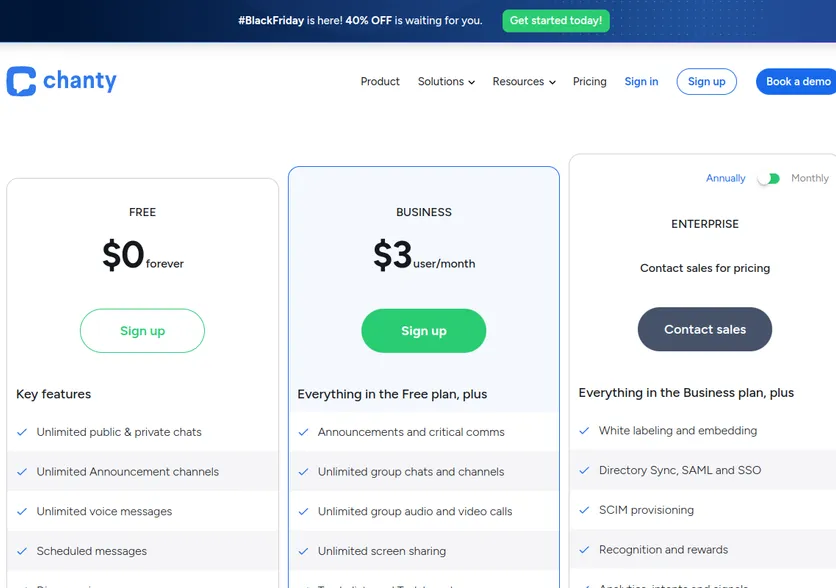
Paid tool Starting price: $3/user/month · Three dollars per user a month billed annually on Business ($4 billed monthly); the free plan covers up to five members; Enterprise is quoted
Free plan: Free plan for up to 5 members
A small agency that wants chat, tasks and calls in one simple window finds it here, because this Chanty plan costs three dollars per user a month billed annually, and it covers the daily work without a maze of settings. The free plan covers up to five members, audio and video calls start from any conversation, and messages turn into tasks with owners and due dates. It is the cheapest paid chat here after Pumble, and the easiest for a two-person shop to adopt.
What we like
- Chat tasks and calls live in one simple window
- The free plan covers a small team without a card
- Audio and video calls start from any conversation
Watch out for
- Integrations are fewer than the big chat platforms offer
- Search and history limits show on the free plan
How to try it
- Create a team and add a channel per client
- Turn messages into tasks with owners and due dates
- Start a call from the channel when text stops being enough
5. Microsoft Teams
Best for: Agencies already on Microsoft 365
Paid tool Starting price: $4/user/month · Four dollars per user a month billed annually on Teams Essentials; the monthly figure is reported as four dollars and eighty cents in one November 2026 read and four dollars and fifty cents in another, so confirm it at checkout; Teams is also included in the Microsoft 365 Business plans
Free plan: Free plan (limited meetings and chat)
An agency that already lives in the Microsoft suite gets its chat here, since this Microsoft Teams plan costs four dollars per user a month billed annually, and it puts chat, meetings and files in the same place the team already works. Channels keep client work separate from internal talk, and recording and transcription are built into every meeting. It is the cheapest paid option here, though an agency on Google Workspace will usually prefer Google Chat instead.

What we like
- Chat meetings and files sit in the same Microsoft home
- Channels keep client work separate from internal talk
- Recording and transcription are built into every meeting
Watch out for
- The interface can feel crowded with many teams and channels
- Some admin controls need the wider Microsoft 365 plans
How to try it
- Create a team per client and a channel per workstream
- Add the shared files to the channel so nothing lives in email
- Schedule recurring meetings from inside the channel
6. Flock
Best for: Agencies that want light chat with polls
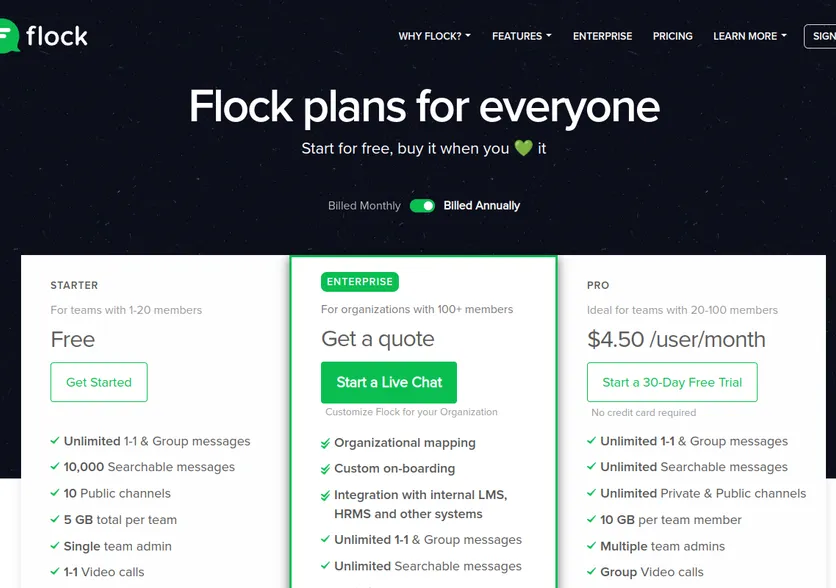
Paid tool Starting price: $4.50/user/month · Four dollars and fifty cents per user a month billed annually on Pro, aimed at teams of twenty to one hundred members; the free Starter plan covers up to twenty members with ten thousand searchable messages; one older live post lists the free cap as ten users
Free plan: Free plan (Starter, up to 20 members)
Agencies that want a light chat app with polls and reminders built in find it here, because this Flock plan costs four dollars and fifty cents per user a month billed annually, and it covers channels, video calls and to-dos without a learning curve. The free Starter plan covers up to twenty members, so a small agency can run client chat for nothing. It lacks the deep integrations of the bigger apps, which matters once the agency connects many tools.
What we like
- Channels polls and reminders cover daily team chat
- Video and audio calls start inside any conversation
- The free plan suits a small team getting started
Watch out for
- The app ecosystem is smaller than the leading chat tools
- Some teams find the interface less polished than rivals
How to try it
- Create a team and add channels for each client
- Use polls to settle small decisions without a meeting
- Add the to-do app to track follow-ups inside chat
7. Google Chat
Best for: Agencies already on Google Workspace
Paid tool Starting price: $7/user/month · Seven dollars per user a month billed annually on Google Workspace Business Starter ($8.40 billed monthly); Standard is $14 and Plus is $22 per user a month billed annually
Free plan: Free with a personal Google account; paid plans start at seven dollars per user a month
An agency that runs on Google Workspace gets its messaging here, since this Google Chat plan costs seven dollars per user a month billed annually, and it sits beside Gmail and Drive in the same account. Spaces group messages, files and tasks per client or project, and search across Gmail, Drive and Chat finds anything fast. Video calls open in Meet with one click, which suits an agency that already meets clients there.
What we like
- Spaces group messages files and tasks per client or project
- Search across Gmail Drive and Chat finds anything fast
- Video calls open in Meet with one click from any message
Watch out for
- Threading is lighter than dedicated chat apps offer
- Admin controls are thinner than enterprise chat platforms
How to try it
- Create a space for each client and invite the delivery team
- Pin the brief and key files at the top of the space
- Assign tasks inside the space so follow-ups stay visible
8. Mattermost
Best for: Agencies that must self-host client chat
Paid tool Starting price: $10/user/month · Ten dollars per user a month billed annually on Professional; the self-hosted Team Edition is free; Enterprise is quoted
Free plan: Free self-hosted Team Edition
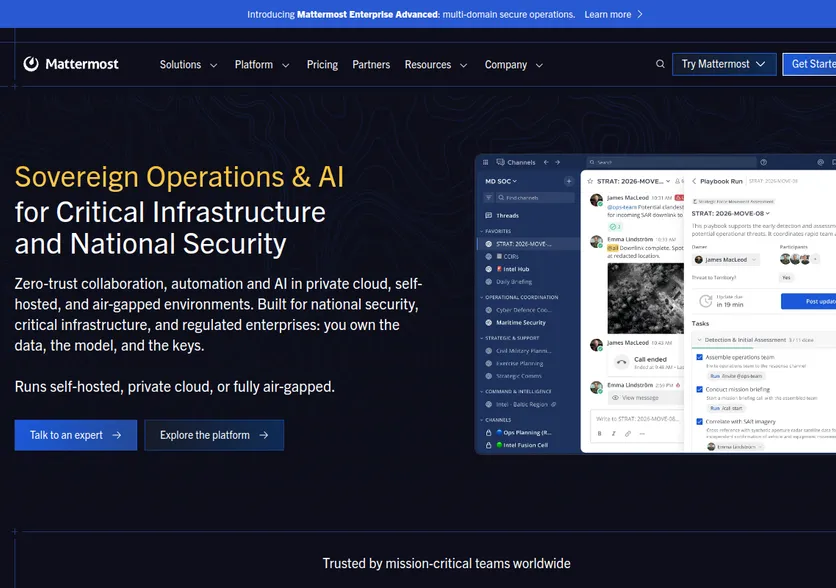
An agency that must keep client messages on its own servers finds the answer here, since this Mattermost plan costs ten dollars per user a month billed annually, and the self-hosted Team Edition is free. Channels, playbooks and boards cover chat and incident work, and the open source code can be audited and extended to fit the agency. Self-hosting needs someone to run updates and backups, so it suits an agency with technical staff.
What we like
- Self-hosting keeps every message on the team's own servers
- Channels playbooks and boards cover chat and incident work
- Open source code can be audited and extended
Watch out for
- Self-hosting needs someone to run updates and backups
- The free edition lacks some enterprise compliance features
How to try it
- Deploy the server or start a cloud workspace
- Create channels per team and playbooks for repeat incidents
- Connect the tools the team uses through webhooks
Prices above were checked on each vendor’s own website on Nov 29, 2026 and can change — the vendor’s page is the final word. Vendor links are editorial: nobody paid to be listed or ranked here. Vendors who want a featured listing can see how it works on our Get listed page.
How an agency keeps client chat and internal chat from tangling
Give every client its own channel and never let internal talk leak into it, because a client who reads the wrong thread loses trust. Name channels the same way every time, with the client first, so anyone can find the right conversation without asking. Keep decisions in the channel where they were made, and pin the brief and deadlines at the top so new joiners catch up without a meeting. Once a month, archive the channels for finished work, since a workspace with two hundred dead channels is one nobody searches.
Before you buy
- Give every client a separate channel so internal talk never leaks
- Check the guest and history limits, since clients count toward the bill
- Make sure the tool keeps a searchable history long enough for project handovers
- Test the mobile app, because agency staff answer clients from their phones
- Confirm the tool exports messages, so leaving later does not strand the client record
Official websites
Official websites of the products reviewed above. Features and prices were checked against these sites when this guide was written, and they can change, so confirm on the vendor site before you buy.
Frequently asked questions
What is the best team messaging software for a small agency?
Slack is the best overall pick for a small agency, at seven dollars and twenty-five cents per user a month on Pro, because clients already know it. Pumble is the best value, with unlimited users and message history free and Pro from two dollars and forty-nine cents a seat a month. An agency that wants threaded discussions should look at Zulip, which keeps every client topic separate for six dollars and sixty-seven cents.
Can an agency use team messaging software for free?
Yes, Pumble offers unlimited users and history free, Chanty covers up to five members free, and Slack offers a free plan with limited history. Google Chat is free with a personal Google account, and Zulip offers a free Cloud plan plus free self-hosting. A small agency can run client chat for free, though history limits and guest controls are the usual reason to start paying.
How do agencies keep client messages separate from internal chat?
The cleanest method is one channel per client, with internal channels kept in a separate section of the workspace. Slack, Pumble, Chanty and Flock all support this pattern, and Zulip goes further by splitting every channel into topics. Guests should be limited to their own client channel, and the brief and deadlines should be pinned at the top so nobody posts in the wrong place.
Is Microsoft Teams good for agencies?
Microsoft Teams is a good fit for an agency that already lives in Microsoft 365, at four dollars per user a month billed annually on Teams Essentials. Chat, meetings and files sit in the same place, and channels keep client work separate from internal talk. An agency that runs on Google Workspace will usually prefer Google Chat instead, since both tools are strongest inside their own ecosystem.
What is the cheapest messaging tool for agencies?
Pumble is the cheapest route, with unlimited users and message history free and Pro from two dollars and forty-nine cents a seat a month. Chanty follows at three dollars per user a month on Business, with a free plan for up to five members. Slack costs more at seven dollars and twenty-five cents, but agencies pick it anyway when clients already use it, since familiarity saves more than the price gap costs.
Compare the eight tools above, then start with a free trial or the free plan on the tool that matches how the agency already talks to clients.
Browse Business Tools tools