
On this page
Content teams plan, draft and publish across writers, designers and editors, and the right software keeps every piece moving without lost files or missed deadlines. The eight tools below run from eight dollars per member a month to twenty dollars per user a month, and every price was checked on the vendor site on November 27, 2026. Most pair boards, docs and timelines with comments and approvals, so compare per-user pricing, views and integrations rather than the headline price alone. Miro is our first pick — the best visual workspace for a creative team.
How we researched this
We started with the team tools content creators actually buy, then read each price on the vendor pricing page on November 27, 2026 and noted the free trial each plan carries. We judged them for teams that plan, draft and publish content together, and we kept only tools with a published dollar price. We dropped Canva because its team pricing changed during 2026 and the published figures conflict, so we could not verify one list price.
Compare the tools
| Name | Best for | Starting price | Free plan | |
|---|---|---|---|---|
 Miro | Creative teams that plan content visually on an infinite whiteboard | $8/member/month | Free plan, three editable boards | Visit |
 Notion | Content teams that want briefs, drafts and publishing calendars in one workspace | $10/user/month | Free plan available | Visit |
 Monday | Content teams that want visual pipelines from idea to published post | $9/seat/month | Free plan for up to two seats | Visit |
 Airtable | Content teams that manage structured content databases with linked records | $20/user/month | Free plan available | Visit |
 ClickUp | Content teams that want tasks, docs and goals in one workspace | $9/user/month | Free Forever plan available | Visit |
 Asana | Content teams that want clear timelines and approvals for every piece | $10.99/user/month | Free Personal plan for individuals and small teams | Visit |
 Milanote | Creative teams that plan content visually with mood boards and notes | $9.99/person/month | Free plan, one hundred items and ten uploads | Visit |
 Lucidspark | Content teams that brainstorm and plan together on a shared whiteboard | $9/month | Free plan, three editable boards; 7-day free trial | Visit |
The team software for content creation, compared
1. Miro
Best for: Creative teams that plan content visually on an infinite whiteboard
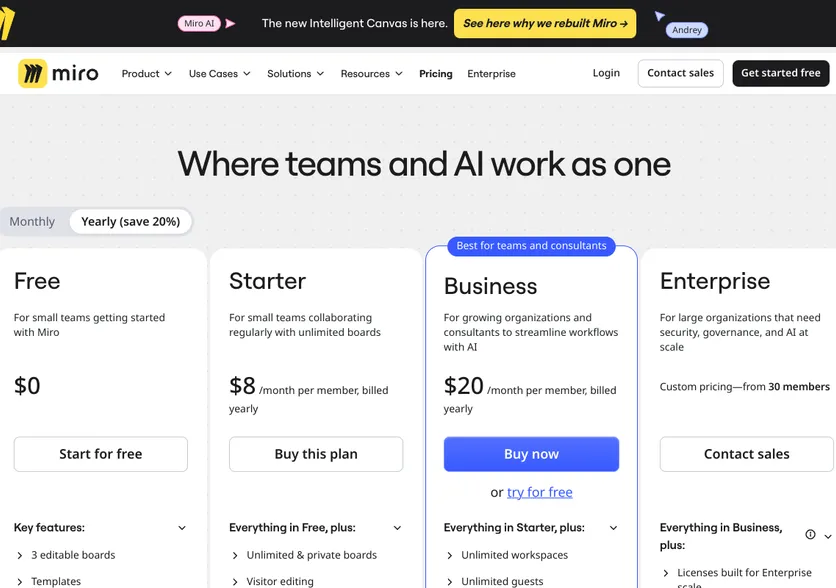
Paid tool Starting price: $8/member/month · Starter plan, eight dollars per member a month billed annually, or ten dollars billed monthly
Free plan: Free plan, three editable boards
Miro gives a content team an infinite whiteboard where ideas, mood boards and content calendars live side by side. This Miro Starter plan costs eight dollars per member a month billed annually and includes unlimited boards, templates and integrations with the tools teams already use. A creative team can brainstorm a campaign, map the content calendar and review designs in one visual space.
What we like
- Infinite whiteboard for brainstorms and content calendars
- Hundreds of templates for creative teams
- Free plan with three editable boards
Watch out for
- Not a task manager, so deadlines need another tool
- Large boards can slow down on older devices
How to try it
- Open the Miro pricing page and claim the free plan
- Start a board from a content calendar template
- Invite your team and run one brainstorm before you buy
2. Notion
Best for: Content teams that want briefs, drafts and publishing calendars in one workspace
Paid tool Starting price: $10/user/month · Plus plan, ten dollars per user a month billed annually, or twelve dollars billed monthly
Free plan: Free plan available
Notion works as a content hub, holding briefs, drafts, style guides and publishing calendars in one linked workspace. This Notion Plus plan costs ten dollars per user a month billed annually and includes unlimited blocks, version history and collaborative workspaces. A content team can draft an article next to its brief, track the publishing calendar and keep every asset linked.

What we like
- Briefs, drafts and calendars in one linked workspace
- Unlimited blocks for teams on the Plus plan
- Templates for editorial calendars and style guides
Watch out for
- Flexibility means setup takes longer than simpler tools
- No built-in whiteboard for visual brainstorming
How to try it
- Open the Notion pricing page and claim the free plan
- Start from an editorial calendar template
- Draft one article next to its brief and share it
3. Monday
Best for: Content teams that want visual pipelines from idea to published post
Paid tool Starting price: $9/seat/month · Basic plan, nine dollars per seat a month billed annually, or twelve dollars billed monthly, with a three-seat minimum
Free plan: Free plan for up to two seats
Monday tracks content from idea to published post on visual boards, with status columns, deadlines and automations that move work forward. This Monday Basic plan costs nine dollars per seat a month billed annually and includes unlimited boards, docs and basic dashboards. A content team can see every article, video and social post at a glance, then automate the handoffs between writers and editors.

What we like
- Visual boards show every piece from idea to publish
- Automations move work between writers and editors
- Unlimited boards and docs on the Basic plan
Watch out for
- A three-seat minimum applies, so solo creators pay for three
- Advanced dashboards need the pricier Standard plan
How to try it
- Open the Monday pricing page and claim the free plan
- Build a board for your content pipeline
- Set up one automation that assigns the next step
4. Airtable
Best for: Content teams that manage structured content databases with linked records
Paid tool Starting price: $20/user/month · Team plan, twenty dollars per user a month billed annually, or twenty-four dollars billed monthly
Free plan: Free plan available
Airtable blends a spreadsheet with a database, so a content team can track articles, assets and campaigns as linked records instead of flat rows. This Airtable Team plan costs twenty dollars per user a month billed annually and includes unlimited bases, advanced views and automations. A content team can link each article to its author, assets and publish date, then view the same data as a calendar, a kanban board or a gallery.

What we like
- Spreadsheet ease with database power
- Linked records connect articles, authors and assets
- Only editors are billed, so readers join free
Watch out for
- The priciest tool in this comparison
- Learning the database model takes time
How to try it
- Open the Airtable pricing page and claim the free plan
- Start from a content calendar template
- Link an article to its author and assets
5. ClickUp
Best for: Content teams that want tasks, docs and goals in one workspace
Paid tool Starting price: $9/user/month · Core plan, nine dollars per user a month billed annually, or twelve dollars billed monthly; Core replaced the Unlimited plan in October 2026
Free plan: Free Forever plan available
ClickUp runs a content team from brief to publish, with tasks, docs, chat and goals in one workspace that replaces several tools. This ClickUp Core plan costs nine dollars per user a month billed annually and includes unlimited tasks, storage and integrations with time tracking. A content team can assign articles, draft them in docs, discuss them in chat and track the publishing goal on one dashboard.

What we like
- Tasks, docs, chat and goals in one workspace
- Unlimited tasks and storage on the Core plan
- Strong views for calendars and timelines
Watch out for
- The interface can overwhelm a small team at first
- The Unlimited plan became Core at nine dollars in October 2026
How to try it
- Open the ClickUp pricing page and claim the Free Forever plan
- Set up a content calendar with a timeline view
- Draft one article in docs and assign it for review
6. Asana
Best for: Content teams that want clear timelines and approvals for every piece
Paid tool Starting price: $10.99/user/month · Starter plan, ten dollars and ninety-nine cents per user a month billed annually, or thirteen dollars and forty-nine cents billed monthly
Free plan: Free Personal plan for individuals and small teams
Asana keeps a content team on schedule, turning the publishing calendar into projects, tasks and deadlines with approvals built in. This Asana Starter plan costs ten dollars and ninety-nine cents per user a month billed annually and includes timeline, board and calendar views with automation. A content team can plan a month of articles, route each one for approval and see the whole schedule at a glance.

What we like
- Timeline view shows the whole publishing schedule
- Approvals built into the workflow
- Automation removes routine admin work
Watch out for
- The priciest per-seat tool here alongside Airtable
- Advanced reporting needs the pricier Advanced plan
How to try it
- Open the Asana pricing page and claim the free Personal plan
- Build a content calendar project with a timeline
- Set up an approval step for one article
7. Milanote
Best for: Creative teams that plan content visually with mood boards and notes
Paid tool Starting price: $9.99/person/month · Pay per person plan, nine dollars and ninety-nine cents per person a month billed annually, or twelve dollars and fifty cents billed monthly
Free plan: Free plan, one hundred items and ten uploads
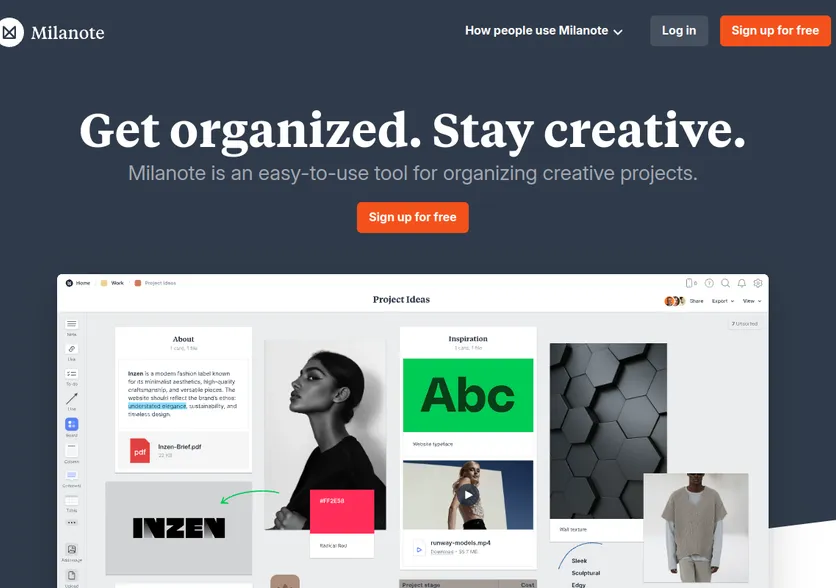
Milanote is the visual planning board for creative teams, with mood boards, notes and links arranged freely on a canvas. This Milanote pay per person plan costs nine dollars and ninety-nine cents per person a month billed annually and includes unlimited boards and uploads. A creative team can gather inspiration, plan a shoot and organise research in one beautiful workspace.
What we like
- Visual boards for mood boards and research
- Free plan with one hundred items
- Beautiful interface creative teams love
Watch out for
- No task management or deadlines built in
- The Team plan costs forty-nine dollars a month for up to ten people
How to try it
- Open the Milanote plans page and claim the free plan
- Start a board for your next campaign
- Add images, notes and links to plan the content
8. Lucidspark
Best for: Content teams that brainstorm and plan together on a shared whiteboard
Paid tool Starting price: $9/month · Individual plan, nine dollars a month billed annually
Free plan: Free plan, three editable boards; 7-day free trial
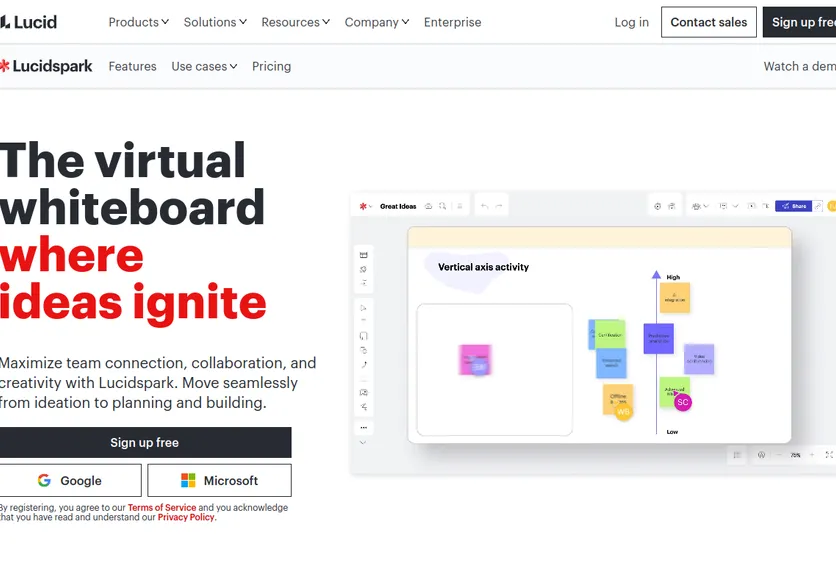
Lucidspark is the shared whiteboard for content brainstorms, where a team can sketch ideas, group them and turn the best ones into a plan. This Lucidspark Individual plan costs nine dollars a month billed annually and includes unlimited boards, templates and integrations. A content team can brainstorm a campaign live, vote on the best ideas and export the plan to the tools that publish it.
What we like
- Shared whiteboard built for live brainstorms
- Voting and grouping turn ideas into plans
- Free plan with three editable boards
Watch out for
- Only a seven-day free trial
- Not a publishing or task tool, so work moves elsewhere
How to try it
- Open the Lucidspark pricing page and claim the free plan
- Start a brainstorm board from a template
- Invite your team and vote on the best ideas
Prices above were checked on each vendor’s own website on Nov 27, 2026 and can change — the vendor’s page is the final word. Vendor links are editorial: nobody paid to be listed or ranked here. Vendors who want a featured listing can see how it works on our Get listed page.
What team software for content creation costs in 2026
Team software for content creation prices per user, so the monthly bill is the seat price times the team size, and the range here is narrow. Plans run from eight dollars per member a month to twenty dollars per user a month, and the gap usually buys structure, automation and reporting rather than more boards. A small content team can run on the cheapest plans, while a team that needs linked databases and approvals should budget for the higher tiers.
Start with the free plan on two tools and plan one real piece of content on each. Compare how the team brainstorms, how the calendar shows the schedule and how approvals move work forward. Pick the tool the team enjoys planning in, because a content tool nobody opens cannot keep a publishing schedule on track.
Before you buy
- Count every writer, designer and editor who needs a seat, because per-user pricing multiplies with each hire.
- Check whether the plan includes approvals, because review steps decide how fast content ships.
- Confirm the tool fits your workflow, because whiteboards, databases and task lists serve different teams.
- Test the calendar view before you buy, because a publishing schedule lives or dies on it.
- Compare annual and monthly billing, because most tools here cut the price on annual billing.
Official websites
Official websites of the products reviewed above. Features and prices were checked against these sites when this guide was written, and they can change, so confirm on the vendor site before you buy.
Frequently asked questions
Which team software is best for content creation in 2026?
Miro is the best overall pick, with an infinite whiteboard for planning and brainstorms from eight dollars per member a month. Notion is the best all-in-one at ten dollars a month, while Airtable is the best structured option at twenty dollars a month for linked content databases.
How much does team software for content creation cost?
Plans in this list run from eight dollars to twenty dollars per user a month, so a five-person team pays roughly forty to one hundred dollars a month. Free plans cover three boards on Miro and Lucidspark, while paid plans add unlimited boards, automation and reporting. Annual billing cuts the monthly rate on most tools here.
Do I need a whiteboard or a task manager for content?
A whiteboard suits the planning stage, where a team brainstorms ideas and maps a campaign. A task manager suits the production stage, where deadlines, approvals and publishing dates matter. Most content teams use both, which is why Miro and Asana or ClickUp pair well together.
Can I plan content for free?
Yes, Miro, Notion, Monday, ClickUp, Asana, Milanote and Lucidspark all offer free plans, though limits range from three boards to five projects. Free plans suit a small team or a trial, while paid plans add unlimited work, automation and collaboration for a growing team.
Need everyday image help too? Try Toolsvine's free image tools right in your browser.
Browse Image Tools tools


