
On this page
Unpatched software is the easiest way into a network, and the tools that fix it range from free for small fleets to a few dollars per device a month. The seven tools below patch operating systems and third-party apps, with entry prices from free to nineteen hundred fifty dollars an admin a year. Every price was checked on the vendor site on November 26, 2026, and most tools offer a free tier or trial. Automox is our first pick — cloud patching from a dollar an endpoint a month.
How we researched this
We started with the third-party patch management tools IT teams actually buy, then read each price on the vendor pricing page on November 26, 2026 and noted the free tier or trial each one carries. We judged them for a small team that needs every machine patched on schedule without a dedicated admin. We kept only tools with a published price, and we dropped NinjaOne, Patch My PC and SecPod SanerNow because their prices are quoted, not published.
Compare the tools
| Name | Best for | Starting price | Free plan | |
|---|---|---|---|---|
 Automox | Small IT teams that want cloud patching per endpoint | $1/endpoint/month | Free trial available | Visit |
 ManageEngine Patch Manager Plus | Windows shops that want a fixed yearly price for patching | $245/year | Free edition for up to 20 workstations and 5 servers | Visit |
 Action1 | Small teams that want full patching free for their first 200 endpoints | $0/endpoint/month | Free for the first 200 endpoints, fully featured | Visit |
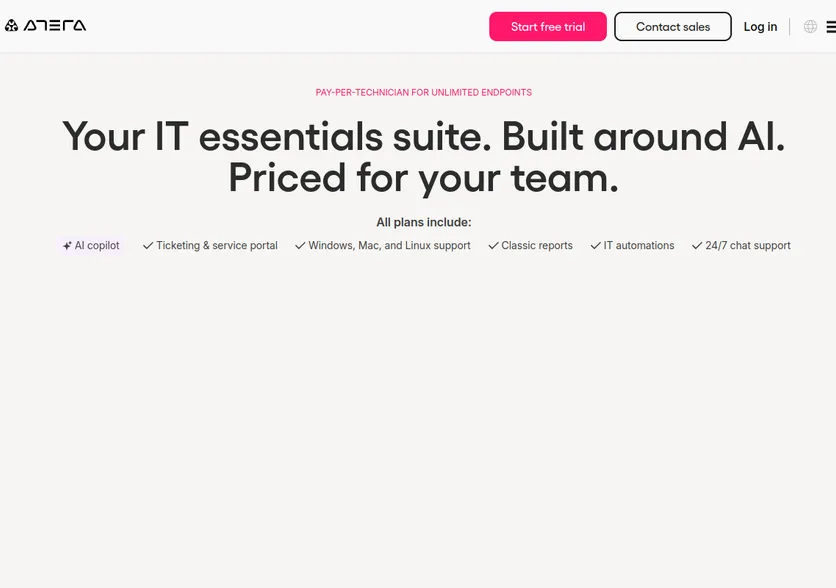
 Atera | IT providers that manage many clients with unlimited devices | $129/tech/month | 30-day free trial | Visit |
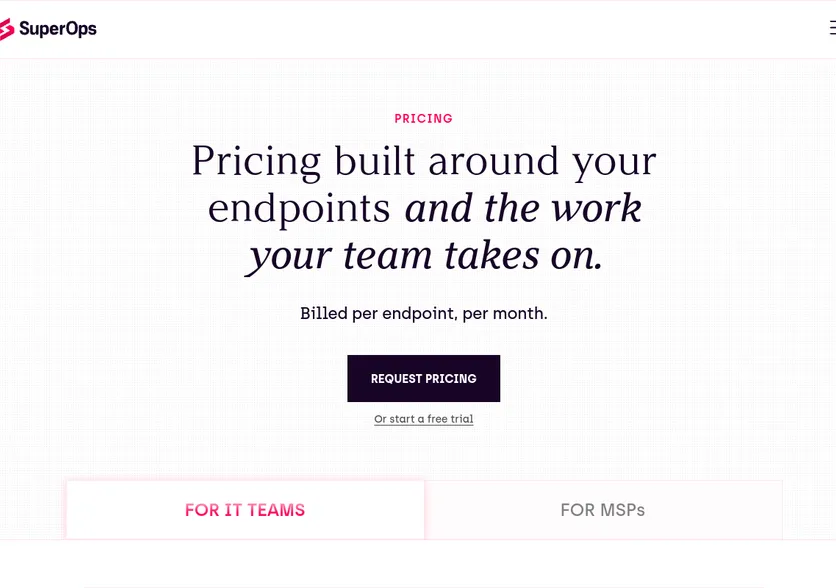
 SuperOps | Managed service providers that want RMM and patching together | $99/tech/month | 14-day free trial | Visit |
 PDQ Deploy | Windows admins who want on-premises deployment and software installs | $1,950/admin/year | 14-day free trial | Visit |
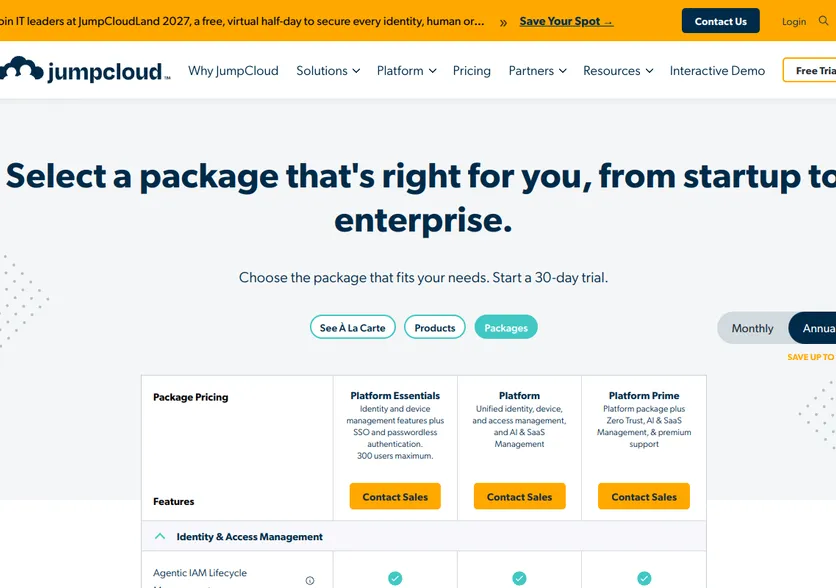
 JumpCloud | Teams that want patching bundled with identity and device management | $9/user/month | Free for up to 10 users and 10 devices | Visit |
The third party software patch management tools, compared
1. Automox
Best for: Small IT teams that want cloud patching per endpoint
Paid tool Starting price: $1/endpoint/month · Patch OS plan, $1 an endpoint a month billed annually; monthly billing adds 25%; higher tiers are quoted
Free plan: Free trial available
Automox is a cloud patch management platform that patches Windows, Mac and Linux from one dashboard, with no server to run. This Automox Patch OS plan covers operating system patching for a dollar an endpoint a month billed annually. A small IT team can push patches to every machine overnight instead of visiting each desk.

What we like
- Cloud dashboard with no server to run
- Patches Windows, Mac and Linux from one place
- Low per-endpoint price for small fleets
Watch out for
- Patch OS costs $1 an endpoint a month billed annually
- Higher tiers are quoted, not published
How to try it
- Open the Automox pricing page and start a trial
- Install the agent on a test group of machines
- Set a patch policy and schedule your first run
2. ManageEngine Patch Manager Plus
Best for: Windows shops that want a fixed yearly price for patching
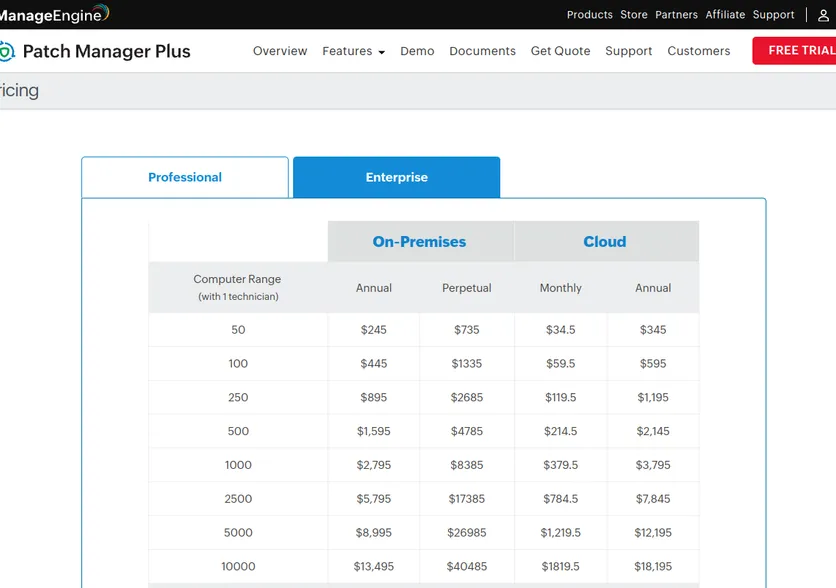
Paid tool Starting price: $245/year · Professional edition, $245 a year for 50 endpoints; Enterprise $345 a year for 50 endpoints; free edition for up to 20 workstations and 5 servers
Free plan: Free edition for up to 20 workstations and 5 servers
ManageEngine Patch Manager Plus is a dedicated patching tool for Windows, Mac and Linux, with a fixed yearly price per endpoint block. This ManageEngine Patch Manager Plus Professional edition covers fifty endpoints for two hundred forty-five dollars a year. A Windows-heavy shop can patch its whole fleet on a budget it can plan a year ahead.
What we like
- Fixed yearly price per endpoint block
- Free edition for small networks
- Strong Windows patch coverage
Watch out for
- Professional costs $245 a year for 50 endpoints
- Cloud-managed pricing runs higher
How to try it
- Open the ManageEngine pricing page and download the free edition
- Scan your network to find missing patches
- Approve patches and push them to a test group first
3. Action1
Best for: Small teams that want full patching free for their first 200 endpoints
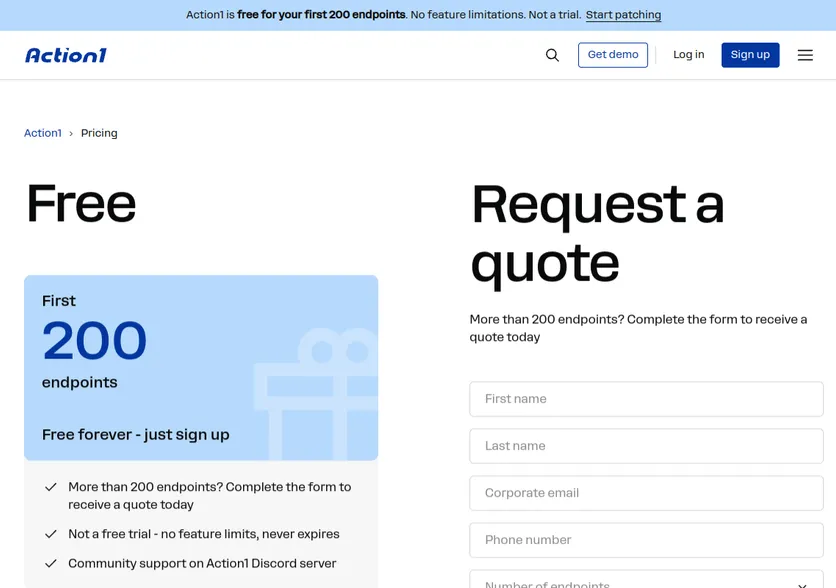
Paid tool Starting price: $0/endpoint/month · Free for the first 200 endpoints, fully featured, forever; paid tiers above 200 endpoints are custom-quoted
Free plan: Free for the first 200 endpoints, fully featured
Action1 is a cloud patch management platform that is free for the first two hundred endpoints, fully featured, forever. This Action1 free tier covers operating system and third-party patching, remote access and reporting for a small fleet. A small business can patch every machine it owns without spending a dollar.
What we like
- Free for the first two hundred endpoints
- Third-party app patching included
- Cloud dashboard with no server to run
Watch out for
- Paid tiers above 200 endpoints are custom-quoted
- No published price for larger fleets
How to try it
- Open the Action1 pricing page and create an account
- Install the agent on your machines
- Set a patch policy and let it run on schedule
4. Atera
Best for: IT providers that manage many clients with unlimited devices
Paid tool Starting price: $129/tech/month · Pro plan, $129 a technician a month billed annually with unlimited devices
Free plan: 30-day free trial
Atera is an all-in-one IT platform that bundles patch management with remote monitoring, helpdesk and remote access for a flat per-technician price. This Atera Pro plan covers unlimited devices for a hundred twenty-nine dollars a technician a month billed annually. An IT provider can manage every client from one dashboard without counting endpoints.
What we like
- Unlimited devices per technician
- Patching plus monitoring and helpdesk in one tool
- Flat per-technician pricing, not per device
Watch out for
- Pro costs $129 a technician a month billed annually
- Per-technician pricing suits providers, not single teams
How to try it
- Open the Atera pricing page and start a trial
- Install agents on your client machines
- Set patch policies per client and schedule runs
5. SuperOps
Best for: Managed service providers that want RMM and patching together
Paid tool Starting price: $99/tech/month · RMM Standard plan, $99 a technician a month billed annually for 150 endpoints a technician; PSA-only from $79
Free plan: 14-day free trial
SuperOps is a modern RMM platform that pairs patch management with remote monitoring and professional services automation for IT providers. This SuperOps RMM Standard plan covers a hundred fifty endpoints per technician for ninety-nine dollars a technician a month billed annually. A growing provider can run patching, monitoring and ticketing from one clean dashboard.
What we like
- RMM and patching in one modern dashboard
- One hundred fifty endpoints per technician
- PSA tools for ticketing and billing included
Watch out for
- RMM Standard costs $99 a technician a month billed annually
- Endpoint cap per technician on the Standard plan
How to try it
- Open the SuperOps pricing page and start a trial
- Install agents on your client machines
- Set patch policies and monitor results in the dashboard
6. PDQ Deploy
Best for: Windows admins who want on-premises deployment and software installs
Paid tool Starting price: $1,950/admin/year · Deploy and Inventory, $1,950 an admin a year with unlimited devices; PDQ Connect cloud plans start at $12 a device a year
Free plan: 14-day free trial
PDQ Deploy and Inventory is the on-premises workhorse for Windows admins, pushing software and patches to every machine on the network. This PDQ Deploy bundle covers unlimited devices for nineteen hundred fifty dollars an admin a year. A Windows shop can deploy apps, push patches and track inventory without a cloud subscription.
What we like
- Unlimited devices per admin
- Strong Windows deployment and inventory tools
- One-time yearly fee with no per-device math
Watch out for
- Deploy and Inventory costs $1,950 an admin a year
- Windows-focused, with limited Mac support
How to try it
- Open the PDQ pricing page and start a trial
- Scan your network to build an inventory
- Create a deployment package and push it to machines
7. JumpCloud
Best for: Teams that want patching bundled with identity and device management
Paid tool Starting price: $9/user/month · Device Management package, $9 a user a month billed annually or $11 month to month; includes patch management, MDM and software deployment
Free plan: Free for up to 10 users and 10 devices
JumpCloud is a cloud directory platform that also manages devices, so patching sits next to identity, SSO and access control in one place. This JumpCloud Device Management package covers MDM, patch management and software deployment for nine dollars a user a month billed annually. A team already managing users in JumpCloud can patch their laptops without buying a second tool.
What we like
- Patching bundled with identity and SSO
- Manages Windows, Mac and Linux devices
- Free tier for up to ten users and devices
Watch out for
- Device Management costs $9 a user a month billed annually
- Patching is one part of a wider platform
How to try it
- Open the JumpCloud pricing page and create an account
- Enroll your devices and users in the directory
- Turn on patch management and set a schedule
Prices above were checked on each vendor’s own website on Nov 26, 2026 and can change — the vendor’s page is the final word. Vendor links are editorial: nobody paid to be listed or ranked here. Vendors who want a featured listing can see how it works on our Get listed page.
What patch management software costs in 2026
Patch tools charge in three ways, and the cheapest one depends on your fleet. Per-endpoint plans run from free to a dollar an endpoint a month, per-technician plans run from ninety-nine to a hundred twenty-nine dollars a month with unlimited devices, and per-admin plans cost around nineteen hundred fifty dollars a year. The headline plan each vendor shows on its own pricing page is the number in the table above, checked on November 26, 2026.
Count your endpoints, your admins and your users, then compare the three models at your real numbers. A fleet of fifty machines costs fifty dollars a month on a per-endpoint plan, while a provider with five hundred machines pays far less per device on a per-technician plan. Trial one tool on a small group first, and check third-party app coverage before you commit.
Before you buy
- Count your endpoints first, because per-endpoint pricing beats per-admin pricing only below a certain fleet size.
- Check which operating systems are covered, because some tools patch Windows only and others cover Mac and Linux too.
- Ask whether third-party app patching is included, because the operating system is only half the risk.
- Test the tool on a small group of machines first, because a bad patch can break more than it fixes.
- Add up the cost at twice your current fleet size, because per-endpoint pricing adds up as devices grow.
Official websites
Official websites of the products reviewed above. Features and prices were checked against these sites when this guide was written, and they can change, so confirm on the vendor site before you buy.
Frequently asked questions
Which patch management software is best for a small team in 2026?
Automox, at a dollar an endpoint a month, is the safest default because it patches Windows, Mac and Linux from a cloud dashboard with no server to run. Action1 is better for a small fleet, since it is free for the first two hundred endpoints. ManageEngine Patch Manager Plus wins on a fixed yearly budget, at two hundred forty-five dollars a year for fifty endpoints.
What is the cheapest patch management software?
Action1 is free for the first two hundred endpoints, fully featured, so a small business can patch its whole fleet without paying. JumpCloud has a free tier for up to ten users and ten devices, and ManageEngine offers a free edition for up to twenty workstations and five servers. Automox, at a dollar an endpoint a month, is the cheapest paid plan here.
Do these tools patch third-party apps too?
Yes, and it is the most common gap in patching. Automox, Action1 and ManageEngine all patch third-party apps like browsers and office suites, not just the operating system. Check the app list before you buy, because some tools cover hundreds of apps while others cover only a handful.
Should I pay per endpoint, per admin or per user?
Per-endpoint pricing suits small fleets, since you pay only for the machines you own, while per-admin pricing suits providers with many devices. Per-user pricing, like JumpCloud, suits teams that already manage users and devices together. Count your endpoints, your admins and your users, then compare the three models at your real numbers.
What should I look for in patch management software?
Count your endpoints first, since per-endpoint pricing beats per-admin pricing only below a certain fleet size. Check which operating systems are covered, because some tools patch Windows only. Test the tool on a small group of machines first, and always check whether third-party app patching is included.
Need everyday security help too? Try Toolsvine's free security and privacy tools for small teams right in your browser.
Browse Security & Privacy tools


