On this page
Pharmacies run on shift rosters with strict coverage rules, so the tracker has to handle dispensary and counter teams under one roof, prove who opened the shop, and keep part-time staff inside labor rules. The eight tools below cover that job for pharmacies of every size, from a single independent shop to a small group. Deputy leads because its auto-scheduler and biometric clocking fit pharmacy rosters for five dollars per user a month, and the rest are ranked on how well they cover a pharmacy day.
How we researched this
We checked every price on the vendor pricing page on November 29, 2026, and only included tools with a published US dollar list price. Quote-only time trackers and tools that publish no prices are not in this list, and prices change, so confirm the current figure on the vendor site before you buy.
Compare the tools
| Name | Best for | Starting price | Free plan | |
|---|---|---|---|---|
 Deputy | Shift teams that need labor rules | $5/user/month | No free plan; 30-day free trial | Visit |
 Homebase | Single-location hourly teams | $24/location/month | Free Basic plan (1 location, up to 10 employees) | Visit |
 When I Work | Small teams that want cheap scheduling | $2.50/user/month | No free plan; 14-day free trial | Visit |
 Connecteam | Deskless teams that need a time clock | $29/month | Free plan (up to 10 users) | Visit |
 7shifts | Restaurants that schedule around sales | $39.99/location/month | Free Comp plan (1 location, up to 15 employees) | Visit |
 Hubstaff | Remote teams that need proof of work | $4.99/user/month | No free plan; 14-day free trial | Visit |
 QuickBooks Time | Field crews already on QuickBooks | $20/month + $10/user/month | No free plan; 30-day free trial | Visit |
 Clockify | Small teams that want a low entry price | $3.99/user/month | Free plan (up to 5 users) | Visit |
The time tracking software for pharmacies, compared
1. Deputy
Best for: Shift teams that need labor rules
Paid tool Starting price: $5/user/month · Five dollars per user a month on Lite billed annually ($5.50 billed monthly); Core is $6.50 a user a month billed annually ($7.25 monthly); Pro is $9 ($10 monthly); monthly plans carry a thirty-dollar minimum spend per invoice; HR is a two-dollar add-on
Free plan: No free plan; 30-day free trial
Pharmacies run on shift rosters with strict coverage rules, and this Deputy plan costs five dollars per user a month billed annually for an auto-scheduler that rebuilds them in minutes. Its biometric clocking proves who opened the pharmacy, and labor law compliance rules keep part-time staff inside the rules. It is the best scheduling-first pick here for a pharmacy.

What we like
- AI auto-scheduler builds rosters in minutes
- Biometric clocking stops buddy punching
- Labor law compliance rules are built in
Watch out for
- Per-user pricing adds up fast at forty-plus staff
- Add-ons for HR and messaging sit outside the base price
How to try it
- Import staff and set their roles and pay rates
- Publish the roster and open shift swaps
- Approve timesheets and export to payroll
2. Homebase
Best for: Single-location hourly teams
Paid tool Starting price: $24/location/month · Twenty-four dollars per location a month on Essentials billed annually ($30 billed monthly); Plus is $56 per location a month billed annually ($70 monthly); All-in-One is $96 ($120 monthly); paid tiers cover unlimited employees; payroll is a forty-nine-dollar add-on plus six dollars per employee
Free plan: Free Basic plan (1 location, up to 10 employees)
A single pharmacy location gets scheduling and time tracking free here, because this Homebase plan costs twenty-four dollars per location a month billed annually on Essentials, with a free Basic tier for up to ten employees. Its per-location pricing stays flat as headcount grows, and the hiring and onboarding tools on higher tiers suit a high-turnover counter team. It is the cheapest honest start here for an independent pharmacy.

What we like
- Free plan covers scheduling and time tracking for ten staff
- Per-location pricing stays flat as headcount grows
- POS integrations tie schedules to sales
Watch out for
- Paid tiers are per location, so multi-site costs multiply
- Payroll is a separate add-on on every plan
How to try it
- Add the team and set availability and roles
- Publish the schedule and let staff swap shifts
- Review labor costs against sales before payroll
3. When I Work
Best for: Small teams that want cheap scheduling
Paid tool Starting price: $2.50/user/month · Two dollars and fifty cents per user a month on Essentials; Pro is $5 per user a month and Premium is $8; the vendor page does not state whether the listed prices are monthly or annual billing; time and attendance is a separate add-on at one dollar and fifty cents per user a month on Essentials and two dollars on Pro and Premium
Free plan: No free plan; 14-day free trial
Small pharmacies want the cheapest workable roster, and this When I Work plan costs two dollars and fifty cents per user a month for auto scheduling, shift swaps and team messaging. Its time and attendance add-on turns the scheduler into a time clock for a small extra fee per user, and the app is simple enough for counter staff. It is the lowest-priced scheduling tool in this list.

What we like
- Cheapest paid scheduling in this list
- Auto scheduling builds the week in minutes
- Shift swaps and team messaging included
Watch out for
- Time tracking is a paid add-on, not included
- No permanent free tier, only a trial
How to try it
- Add staff with roles and availability
- Auto-generate the schedule and publish it
- Let staff swap shifts inside the app
4. Connecteam
Best for: Deskless teams that need a time clock
Paid tool Starting price: $29/month · Twenty-nine dollars a month per hub for the first thirty users on Basic billed annually ($35 billed monthly); Advanced is $49 a month billed annually ($59 monthly) and Expert is $99 ($119 monthly); each hub is billed separately, so all three hubs on Basic cost $87 a month
Free plan: Free plan (up to 10 users)
Pharmacies with delivery drivers and counter staff need one app for both, and this Connecteam plan costs twenty-nine dollars a month for the first thirty users on the Operations hub billed annually. Its GPS time clock covers drivers, while scheduling and checklists cover the counter, and the free plan suits a team of ten or fewer. It is the best all-rounder here for a pharmacy with deliveries.

What we like
- Free plan covers ten users with every feature
- GPS time clock with geofencing built in
- Scheduling, forms and checklists in one app
Watch out for
- Each hub is billed separately, so costs stack
- Per-user fees kick in above thirty users
How to try it
- Set up the Operations hub with jobs and locations
- Publish the schedule and open shift swaps
- Review clock-in GPS data before approving payroll
5. 7shifts
Best for: Restaurants that schedule around sales
Paid tool Starting price: $39.99/location/month · Thirty-nine dollars and ninety-nine cents per location a month on Essentials billed annually ($44.99 billed monthly); Pro is $79.99 per location a month billed annually ($89.99 monthly); Premium is $134.99 ($149.99 monthly); Essentials caps at thirty employees per location and Premium is unlimited
Free plan: Free Comp plan (1 location, up to 15 employees)
Pharmacies with a front shop and a dispensary run two teams under one roof, and this 7shifts plan costs thirty-nine dollars and ninety-nine cents per location a month billed annually for scheduling built around sales forecasts. Its time clock, labor budgeting and team communication cover both teams, and the free Comp plan suits a single small site. It is the best fit here for a pharmacy with a busy retail floor.

What we like
- Built for restaurants, with POS and sales forecasting
- Tip management and payroll on Premium
- Labor compliance tools for multi-state teams
Watch out for
- Per-location pricing multiplies across sites
- Payroll and tip payouts are priced separately
How to try it
- Connect the POS and import the team
- Build the schedule against the sales forecast
- Approve the time clock data before payroll
6. Hubstaff
Best for: Remote teams that need proof of work
Paid tool Starting price: $4.99/user/month · Four dollars and ninety-nine cents per seat a month on Starter billed annually ($7 billed monthly); Grow is $7.50 a seat a month billed annually ($9 monthly); Team is $10 ($12 monthly) and Enterprise is $25; every plan has a two-seat minimum
Free plan: No free plan; 14-day free trial
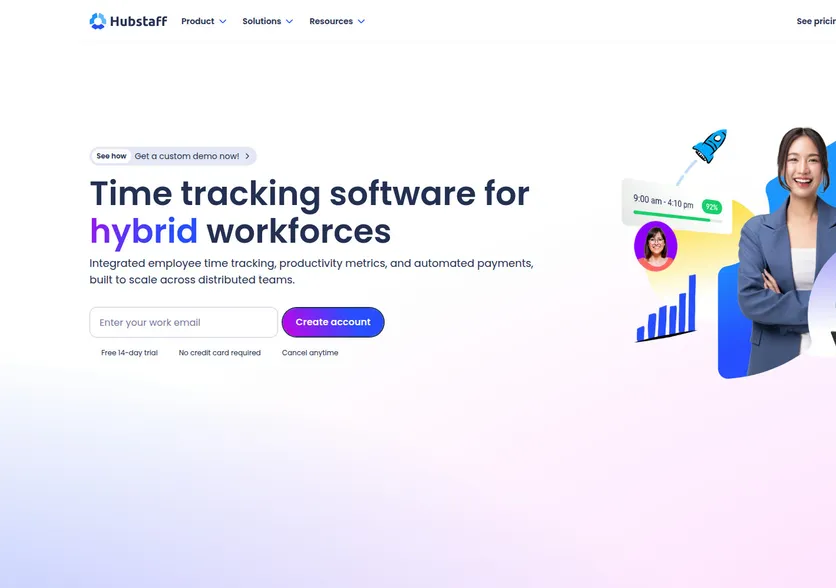
Pharmacies with head office staff and branch teams need one view of both, and this Hubstaff plan costs four dollars and ninety-nine cents per seat a month billed annually for time tracking with screenshots and activity levels. Its GPS options cover delivery drivers, and payroll runs from the same dashboard. It is the best pick here for a pharmacy group with office and branch staff.
What we like
- Screenshots and activity levels show remote work clearly
- Payroll and payments run from the same dashboard
- GPS and geofencing options for field staff
Watch out for
- Owners and managers count as paid seats
- Screenshot monitoring can feel intrusive to staff
How to try it
- Invite the team and set the screenshot frequency
- Assign each person to projects with hourly rates
- Review activity levels and approve the timesheets
7. QuickBooks Time
Best for: Field crews already on QuickBooks
Paid tool Starting price: $20/month + $10/user/month · Twenty dollars a month base plus ten dollars per user a month on Time Premium; Time Elite is forty dollars a month base plus twelve dollars per user a month; the base fee includes one admin; the base fee is discounted for the first three months; a QuickBooks Online account is required
Free plan: No free plan; 30-day free trial
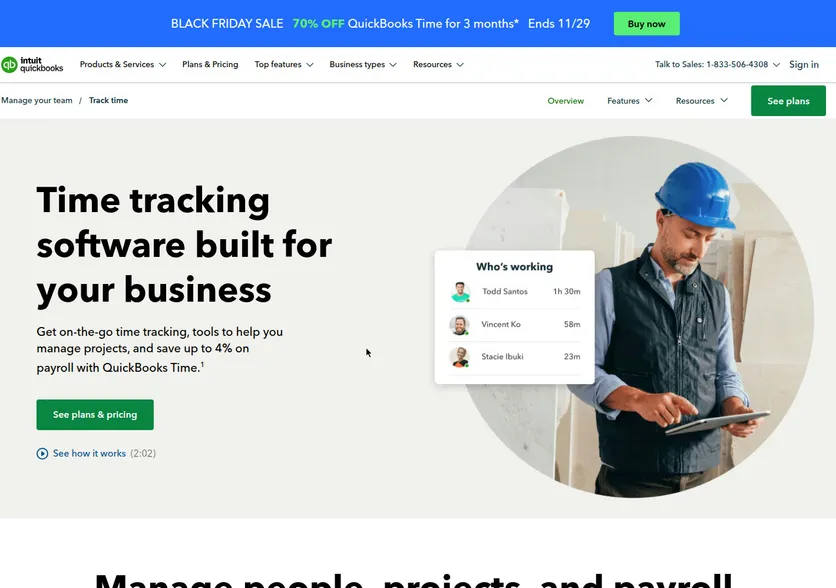
Pharmacies already running QuickBooks should track time inside it, and this QuickBooks Time plan costs twenty dollars a month base plus ten dollars per user a month for GPS-stamped mobile clock-ins that flow into payroll. Its time kiosk and photo attachments prove who was on shift, and the Elite tier adds geofencing and mileage tracking for drivers. It is the only tool here that closes the loop with the accounting the pharmacy already uses.
What we like
- GPS-stamped mobile clock-ins with geofencing on Elite
- Time flows straight into QuickBooks payroll
- Photo attachments prove who was on site
Watch out for
- Base fee applies before anyone clocks in
- Requires a QuickBooks Online account
How to try it
- Set up jobs and schedules in the Workforce app
- Have staff clock in from the mobile app on site
- Approve timesheets and sync them to payroll
8. Clockify
Best for: Small teams that want a low entry price
Paid tool Starting price: $3.99/user/month · Three dollars and ninety-nine cents per user a month on Basic billed annually ($4.99 billed monthly); Standard is $5.49 a user a month billed annually ($6.99 monthly); Pro is $7.99 ($9.99 monthly) and Enterprise is $11.99 ($14.99 monthly)
Free plan: Free plan (up to 5 users)
A pharmacy that only needs hours logged can start free here, because this Clockify plan costs three dollars and ninety-nine cents per user a month billed annually, with a free tier for five users. Its kiosk mode turns a shared tablet at the counter into a time clock, and the Pro tier adds GPS for delivery staff. It is the cheapest pure time tracker in this list for a pharmacy.

What we like
- Free plan covers five users with unlimited projects
- Kiosk mode turns a shared device into a time clock
- Invoicing starts on the Standard tier
Watch out for
- Every invited user takes a paid seat, including admins
- Reports feel basic next to pricier rivals
How to try it
- Start the timer or enter hours on the timesheet
- Tag each entry with a project and a billable rate
- Approve the week and export the report for payroll
Prices above were checked on each vendor’s own website on Nov 29, 2026 and can change — the vendor’s page is the final word. Vendor links are editorial: nobody paid to be listed or ranked here. Vendors who want a featured listing can see how it works on our Get listed page.
The time tracking software for pharmacies, compared
Start by mapping the dispensary and counter rosters separately before you choose, because the two teams follow different coverage rules. Trial the tool through one full roster cycle, including a sick day and a swapped shift, and check that cover is easy to arrange from a phone. If counter staff cannot swap a shift in seconds, the tool will be ignored. Pick the one the team actually likes, since their adoption decides whether the hours are real.
Before you buy
- Confirm the tool handles dispensary and counter rosters with different coverage rules
- Check whether the time clock works at the counter, on a kiosk or from a staff phone
- Test that cover for a sick team member can be arranged without calling the manager
- Ask if the price is per location or per user, since the two scale very differently
- Make sure the free tier or trial covers a full roster cycle before you pay
Official websites
Official websites of the products reviewed above. Features and prices were checked against these sites when this guide was written, and they can change, so confirm on the vendor site before you buy.
Frequently asked questions
What is the best time tracking software for pharmacies?
Deputy is the best overall pick for pharmacies, at five dollars per user a month billed annually, because its auto-scheduler, biometric clocking and labor law compliance rules fit shift rosters with strict coverage. Homebase is the best value, with a free plan for ten employees. Connecteam is the best choice for a pharmacy with delivery drivers.
How much does Deputy cost per user?
Deputy costs five dollars per user a month on Lite billed annually, or five dollars and fifty cents billed monthly, and that plan includes basic scheduling, timesheets and time clocking. Core costs six dollars and fifty cents a user a month billed annually and adds auto-scheduling and biometric clocking. Pro costs nine dollars and adds location hierarchies and single sign-on.
Can a pharmacy track time for free?
Yes, with Homebase, whose free Basic plan covers one location and up to ten employees with scheduling and time tracking, and Connecteam, whose free Small Business plan covers up to ten users. Clockify is free for up to five users, and 7shifts has a free Comp plan for one location and up to fifteen employees. Free tiers suit a single pharmacy well.
Do pharmacies need biometric clocking?
It helps when the pharmacy opens early and closes late with lone staff, since a fingerprint or face check proves who was actually on site. Deputy adds biometric clocking on Core, and Buddy Punch uses webcam photos on every punch. A small trusted team can skip it, but a pharmacy with early-morning shifts should consider it.
Which tool is best for a small pharmacy?
Homebase is the best pick for a small pharmacy, because its free Basic plan covers scheduling and time tracking for up to ten employees at one location, and Essentials costs twenty-four dollars per location a month billed annually. Deputy suits a pharmacy that needs auto-scheduling, and When I Work is the cheapest paid scheduling option.
Compare the eight tools above, then trial one through a full roster cycle before paying for a full year.
Browse Productivity Tools tools