On this page
Restaurant shifts run on tight margins and tighter schedules, so a time clock has to survive the dinner rush, catch late clock-ins and feed payroll without extra admin. The eight tools below cover that job for single cafes and multi-site groups alike, from a one-dollar-seventy-cent timer to a full scheduling suite built for restaurants. 7shifts leads because it is built for restaurant teams and starts at thirty-nine dollars and ninety-nine cents per location a month, and the rest are ranked on how well they handle shifts, tips and payroll.
How we researched this
We checked every price on the vendor pricing page on November 29, 2026, and only included tools with a published US dollar list price. The big enterprise workforce suites that sell by quote, including ADP Workforce Now, Workday and UKG, publish no prices, so they are not in this list. Prices change, so confirm the current figure on the vendor site before you buy.
Compare the tools
| Name | Best for | Starting price | Free plan | |
|---|---|---|---|---|
 7shifts | Restaurants that want scheduling built for the floor | $39.99/location/month | Free plan (1 location, up to 15 employees) | Visit |
 Deputy | Restaurant groups that must prove compliance across sites | $5/user/month | No free plan; 14-day free trial | Visit |
 Homebase | Cafes and single-site restaurants paying per location | $24/location/month | Free plan (1 location, up to 10 employees) | Visit |
 When I Work | Restaurants that want the cheapest per-person timer | $2.50/user/month | No free plan; 14-day free trial | Visit |
 Sling | Small restaurants and food trucks on a tight margin | $1.70/user/month | Free plan (up to 30 users, scheduling only) | Visit |
 Connecteam | Restaurants mixing kitchen, floor and delivery staff | $29/month | Free plan (up to 10 users, all hubs) | Visit |
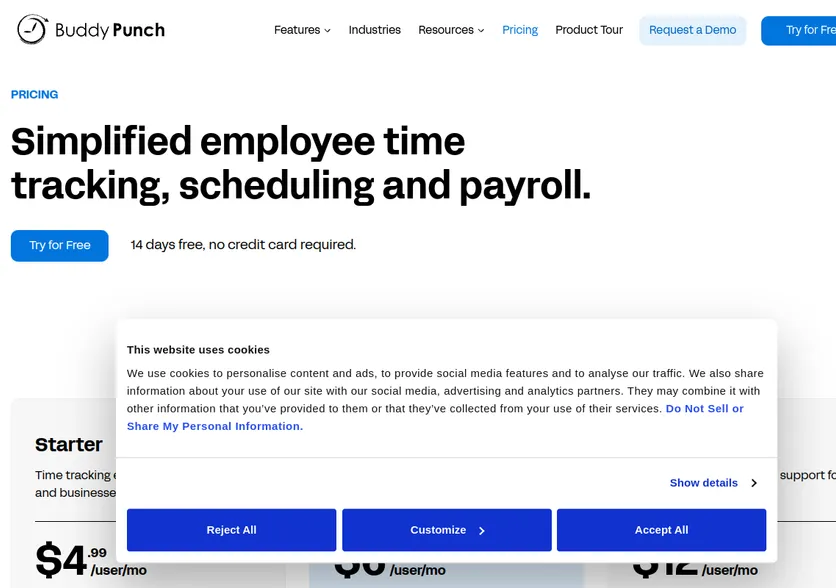
 Buddy Punch | Restaurants that want photo proof of every clock-in | $4.99/user/month + $19/month | No free plan; 14-day free trial | Visit |
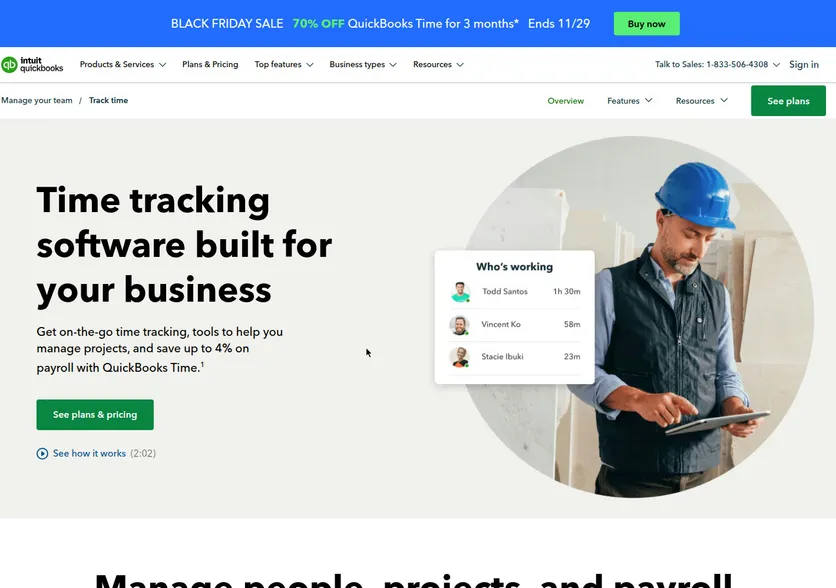
 QuickBooks Time | Restaurants already running QuickBooks Online | $20/month + $10/user | No free plan; 30-day free trial | Visit |
The timesheet software for restaurants, compared
1. 7shifts
Best for: Restaurants that want scheduling built for the floor
Paid tool Starting price: $39.99/location/month · Thirty-nine dollars and ninety-nine cents per location a month billed annually on Essentials ($44.99 month to month); Pro is $79.99 and Premium is $134.99; Comp is free for one location with up to 15 employees; payroll adds about $6 per employee a month
Free plan: Free plan (1 location, up to 15 employees)
A restaurant that lives and dies by its rota needs a tool built for the floor, and this 7shifts plan costs thirty-nine dollars and ninety-nine cents per location a month billed annually. Its scheduling, time clock and tip management are made for restaurant teams, and the mobile app lets staff swap shifts and clock in from the kitchen door. It is the best overall pick here because nothing else in this list understands restaurant work this well.

What we like
- Scheduling, time clock and tip management made for restaurants
- Staff can swap shifts and clock in from the mobile app
- Free Comp plan covers one location with up to 15 employees
Watch out for
- Per-location pricing adds up fast for multi-site groups
- Payroll is an add-on at about $6 per employee a month
How to try it
- Add the location and set up departments and roles
- Publish the first rota and invite the team
- Turn on the time clock and review hours daily
2. Deputy
Best for: Restaurant groups that must prove compliance across sites
Paid tool Starting price: $5/user/month · Five dollars per user a month billed annually on Lite ($5.50 month to month); Core is $6.50 and Pro is $9; a $30 minimum monthly spend applies per invoice; payroll is an $8 per user a month add-on plus a $49 base fee
Free plan: No free plan; 14-day free trial
A restaurant group that must prove compliance across several sites will like the audit trail here, because this Deputy plan costs five dollars per user a month billed annually. Its scheduling, time clock and leave tools cover every site in one account, and the thirty dollar monthly minimum keeps the bill predictable for small teams. It is the best compliance pick in this list for a restaurant that answers to labour inspectors as well as customers.

What we like
- Scheduling, time clock and leave across every site
- Audit trail proves who worked each shift
- Mobile app lets staff clock in from any site
Watch out for
- A $30 minimum monthly spend applies per invoice
- Payroll is a separate add-on with its own base fee
How to try it
- Add every site and role the team works in
- Publish the rota and let staff swap shifts in the app
- Approve the timesheets each week from the dashboard
3. Homebase
Best for: Cafes and single-site restaurants paying per location
Paid tool Starting price: $24/location/month · Twenty-four dollars per location a month billed annually on Essentials ($30 month to month); Plus is $56 and All-in-One is $96; Basic is free for one location with up to ten employees; paid tiers cover unlimited employees per location
Free plan: Free plan (1 location, up to 10 employees)
A cafe or single-site restaurant that pays per location will find the maths simple here, since this Homebase plan costs twenty-four dollars per location a month billed annually. Its time clock, scheduling and team messaging cover unlimited employees at that one site, and the free Basic plan handles a location with up to ten employees. It is the best per-location value here for a restaurant that works from one address.

What we like
- One flat fee covers unlimited employees per location
- Free Basic plan handles a location with up to 10 employees
- Time clock, scheduling and messaging in one app
Watch out for
- Per-location pricing gets costly with several sites
- Advanced hiring and HR tools sit on the dearer tiers
How to try it
- Add the location and invite the team
- Set the time clock rules for the site
- Approve hours weekly from the dashboard
4. When I Work
Best for: Restaurants that want the cheapest per-person timer
Paid tool Starting price: $2.50/user/month · Two dollars and fifty cents per user a month on Essentials; Pro is $5 and Premium is $8; the time tracking and attendance toggle adds $1.50 a user on Essentials and $2 on Pro and Premium, though the vendor FAQ says time tracking is included, so confirm at checkout; no free plan, 14-day trial
Free plan: No free plan; 14-day free trial
A restaurant that needs the cheapest per-person timer will find it here, because this When I Work plan costs two dollars and fifty cents per user a month. Its scheduling and time clock are built for shift teams, and the mobile app puts the rota in every pocket on the floor. It is the cheapest per-user option in this list, though the time tracking toggle adds a dollar fifty on the Essentials plan, so check the total before buying.

What we like
- Cheapest per-user price in this list
- Scheduling and time clock built for shift teams
- Mobile app puts the rota in every pocket
Watch out for
- The time tracking toggle adds $1.50 a user on Essentials
- No free plan, only a 14-day trial
How to try it
- Invite the team and build the first rota
- Turn on the time tracking toggle and check the total
- Review hours daily and approve them before payroll
5. Sling
Best for: Small restaurants and food trucks on a tight margin
Paid tool Starting price: $1.70/user/month · One dollar and seventy cents per user a month billed annually on Premium ($2 month to month); Business is $3.40 ($4 month to month); free plan covers up to 30 users for scheduling only, with no time clock; 15-day trial
Free plan: Free plan (up to 30 users, scheduling only)
A small restaurant that wants a working time clock for almost nothing will like this option, since this Sling plan costs one dollar and seventy cents per user a month billed annually. Its time clock, scheduling and team chat sit in one simple app, and the free plan covers up to thirty users for scheduling only. It fits a cafe or food truck that needs a reliable clock without a monthly bill that eats the margin.

What we like
- Cheapest paid time clock in this list
- Free plan covers up to 30 users for scheduling
- Team chat sits beside the rota in one app
Watch out for
- The free plan has no time clock at all
- Reporting is basic next to the dearer tools
How to try it
- Invite the team and set up the first rota
- Turn on the time clock for the paid plan
- Check the weekly hours report before payroll
6. Connecteam
Best for: Restaurants mixing kitchen, floor and delivery staff
Paid tool Starting price: $29/month · Twenty-nine dollars a month billed annually on Operations Basic ($35 month to month) for the first 30 users; Advanced is $49 and Expert is $99; each hub is priced separately, so three hubs on Basic cost $87 a month; free Small Business plan covers up to 10 users across all hubs
Free plan: Free plan (up to 10 users, all hubs)
A restaurant with kitchen, floor and delivery staff in one team gets a whole operations app here, because this Connecteam plan costs twenty-nine dollars a month billed annually for the first thirty users. Its time clock, scheduling, forms and chat live in one mobile app, and the free Small Business plan covers up to ten users across every hub. It suits a restaurant that wants forms and checklists beside the clock, not just a timer.

What we like
- Time clock, scheduling, forms and chat in one app
- Free plan covers up to 10 users across every hub
- Mobile-first design suits staff who rarely sit at a desk
Watch out for
- Each hub is priced separately, so costs add up
- The interface can feel busy for teams that only need a timer
How to try it
- Pick the hubs the team needs and invite everyone
- Set up the time clock and the first forms
- Run the hours report at the end of the week
7. Buddy Punch
Best for: Restaurants that want photo proof of every clock-in
Paid tool Starting price: $4.99/user/month + $19/month · Four dollars and ninety-nine cents per user a month billed annually on Starter ($5.99 month to month) plus a $19 a month base fee on every plan; Pro is $6.99 and Advanced is $12.99; scheduling is a $1 a user add-on on Starter; admin users who do not track hours are free
Free plan: No free plan; 14-day free trial
A restaurant that needs photo proof of every clock-in will find it here, since this Buddy Punch plan costs four dollars and ninety-nine cents per user a month billed annually, plus a nineteen dollar a month base fee. Its photo clock-in and GPS tracking stop buddy punching at the door, and the scheduling add-on covers the rota for a dollar a user. It is the best pick here for an owner who wants to see exactly who arrived and when.
What we like
- Photo clock-in and GPS tracking stop buddy punching
- Scheduling add-on covers the rota for $1 a user
- Admin users who do not track hours are free
Watch out for
- A $19 a month base fee applies on every plan
- No free plan, only a 14-day trial
How to try it
- Set up the photo clock-in at the staff entrance
- Add the rota with the scheduling add-on
- Review the photo log each week before payroll
8. QuickBooks Time
Best for: Restaurants already running QuickBooks Online
Paid tool Starting price: $20/month + $10/user · Twenty dollars a month base fee plus ten dollars per user a month on Premium; Elite is $40 plus $12 per user; the base fee is discounted for the first three months as a promotion, not the list price; requires QuickBooks Online, which starts at $38 a month; the classic tsheets.intuit.com site is being retired
Free plan: No free plan; 30-day free trial
A restaurant that already runs QuickBooks will save the most admin here, because this QuickBooks Time plan costs twenty dollars a month plus ten dollars per user a month. Its time tracking feeds straight into QuickBooks payroll and invoicing, so the weekly pay run takes minutes, and the GPS tracking shows where field staff actually worked. It is the natural pick for a restaurant that already pays for QuickBooks Online.
What we like
- Time tracking feeds straight into QuickBooks payroll
- GPS tracking shows where field staff worked
- Invoicing and expenses live beside the clock
Watch out for
- Requires QuickBooks Online, which starts at $38 a month
- The classic site is being retired, so migrate soon
How to try it
- Connect the QuickBooks Online account first
- Invite staff and set their pay rates
- Sync the hours to payroll each week
Prices above were checked on each vendor’s own website on Nov 29, 2026 and can change — the vendor’s page is the final word. Vendor links are editorial: nobody paid to be listed or ranked here. Vendors who want a featured listing can see how it works on our Get listed page.
How to run restaurant timesheets without slowing the dinner rush
Put the time clock where staff actually enter the building, because a clock hidden in the office gets used late and logged from memory. Set the grace period and overtime rules before the first shift, so the payroll run never depends on a manager remembering the policy. Approve hours every day, not every fortnight, since a missed clock-out on Monday is easy to fix and a mystery on Friday. Keep the schedule and the clock in the same app, so a no-show is obvious the moment the shift starts, and review labour cost against sales weekly to catch the rota drifting over budget.
Before you buy
- Confirm the time clock works on a shared tablet at the door, not just on personal phones
- Check whether tip tracking and overtime rules are included or cost extra per month
- Ask if scheduling and the time clock live in one app or need two subscriptions
- Make sure payroll exports match the system the restaurant already uses for pay runs
- Test the mobile app on a busy shift before committing the whole team to it
Official websites
Official websites of the products reviewed above. Features and prices were checked against these sites when this guide was written, and they can change, so confirm on the vendor site before you buy.
Frequently asked questions
What is the best timesheet software for restaurants?
7shifts is the best overall pick for restaurants, at thirty-nine dollars and ninety-nine cents per location a month billed annually, because its scheduling, time clock and tip management are built for restaurant teams. Deputy is the better compliance pick for multi-site groups, and Sling is the cheapest, at one dollar and seventy cents per user a month billed annually.
What is the cheapest timesheet software for a restaurant?
Sling is the cheapest, at one dollar and seventy cents per user a month billed annually, with a free plan for up to thirty users for scheduling. When I Work is next, at two dollars and fifty cents per user a month, though its time tracking toggle adds a dollar fifty on Essentials. Both beat the per-location tools for a tiny cafe with few staff.
How much does 7shifts cost?
7shifts costs thirty-nine dollars and ninety-nine cents per location a month billed annually on Essentials, or forty-four dollars and ninety-nine cents month to month. Pro is seventy-nine dollars and ninety-nine cents a location a month billed annually, and Premium is one hundred and thirty-four dollars and ninety-nine cents. The free Comp plan covers one location with up to fifteen employees.
Can restaurant staff clock in on their phones?
Yes, every tool in this list offers a mobile time clock, and most add GPS or photo proof of the clock-in location. Buddy Punch is the strongest for proof, with photo clock-in and GPS tracking, while 7shifts and Deputy keep the clock beside the schedule in one app. A shared tablet at the door works too, and suits kitchens where phones stay in lockers.
Does timesheet software connect to restaurant payroll?
Yes, QuickBooks Time feeds straight into QuickBooks payroll, and 7shifts and Homebase both offer payroll add-ons for about six dollars per employee a month. Deputy and When I Work export hours to the common payroll systems, so the weekly pay run takes minutes instead of hours. Check the export format matches the payroll system the restaurant already uses before buying.
Compare the eight tools above, then start with 7shifts on the free plan or the Essentials trial and run one real pay week before paying for a full year.
Browse Business Tools tools