
On this page
Unpatched software is the easiest way into a network, and the patch list only grows while nobody is watching it. Action1 is the pick that makes patching free to start: the first 200 endpoints cost nothing, with no feature limits and no expiry. This guide compares seven software patch management tools, from a free 200-endpoint plan to a $1,950-a-year admin license, with live 2026 prices and free plans or trials, so an IT team can close the patch gap before an attacker finds it.
How we researched this
We checked the pricing page of every vendor on this list on November 26, 2026, and kept only tools that publish a real dollar price. Each tool had to scan for missing operating system and third-party patches, deploy them on a schedule, and report compliance across the fleet, and we compared entry prices, billing units and free limits, because per-device, per-admin and per-technician pricing scale very differently.
Compare the tools
| Name | Best for | Starting price | Free plan | |
|---|---|---|---|---|
 Action1 | Small teams that want full patching at no cost up to 200 endpoints | $0/month | Free for first 200 endpoints | Visit |
 Automox | Distributed teams wanting cloud patching without on-prem servers | $1/endpoint/month | 15-day free trial | Visit |
 ManageEngine Patch Manager Plus | Teams that need broad third-party app coverage with cloud or on-premises deployment | $245/year | Free edition up to 25 computers | Visit |
 PDQ Deploy | Windows-centric IT teams managing hundreds or thousands of endpoints | $1,950/admin/year | Free version with limited features | Visit |
 Atera | MSPs and internal IT teams wanting RMM, ticketing and patching on one bill | $129/tech/month | 30-day free trial | Visit |
 NinjaOne | Teams that want patching inside a broader endpoint management platform | $3.75/device/month | 14-day free trial | Visit |
 Microsoft Intune | Microsoft 365 shops that want patching inside device management | $8/user/month | 30-day free trial | Visit |
The patch management tools, compared
1. Action1
Best for: Small teams that want full patching at no cost up to 200 endpoints
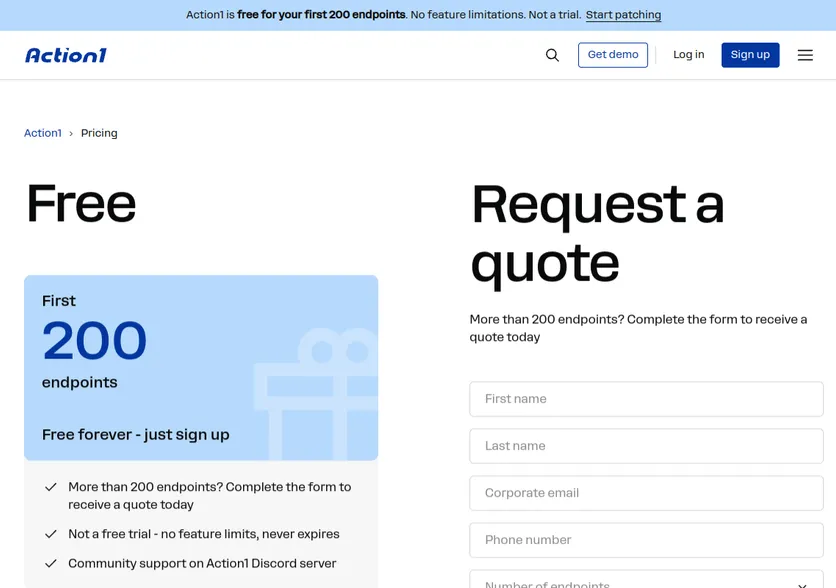
Paid tool Starting price: $0/month · Free for the first 200 endpoints with no feature limits; above 200 endpoints by quote
Free plan: Free for first 200 endpoints
Action1 is a cloud console built around patch management first, handling Windows, macOS and Linux from one dashboard with approval rules for sensitive servers. This Action1 plan costs nothing for the first 200 endpoints, with no feature limits and no expiry, and only support stays community based. It is the pick when the fleet is under 200 devices and the budget for patching is zero.
What we like
- Free for the first 200 endpoints
- No feature limits on the free tier
- Cloud console ready in minutes
Watch out for
- Above 200 endpoints the price is a quote
- Support is community based unless paid
How to try it
- Open the Action1 pricing page and create a free account
- Install the agent on the first endpoints
- Scan for missing patches and approve the first deployment
2. Automox
Best for: Distributed teams wanting cloud patching without on-prem servers
Paid tool Starting price: $1/endpoint/month · Patch OS $1 per endpoint a month with an annual commitment; third-party patching is priced by quote
Free plan: 15-day free trial
Automox is the simplicity pick: lightweight agents, policy-based automation and cross-OS coverage from a single web console, with setup measured in hours. This Automox Patch OS plan costs $1 per endpoint a month with an annual commitment, the cheapest paid per-endpoint price on this list. It fits a distributed team that wants cloud-only OS patching with no server to run.

What we like
- Lowest paid per-endpoint price here
- Cloud-only with no infrastructure
- Windows, macOS and Linux in one console
Watch out for
- Third-party patching needs a quote
- No RMM or offline patching included
How to try it
- Open the Automox pricing page and start the trial
- Install the lightweight agent on endpoints
- Create a patch policy and schedule the first run
3. ManageEngine Patch Manager Plus
Best for: Teams that need broad third-party app coverage with cloud or on-premises deployment
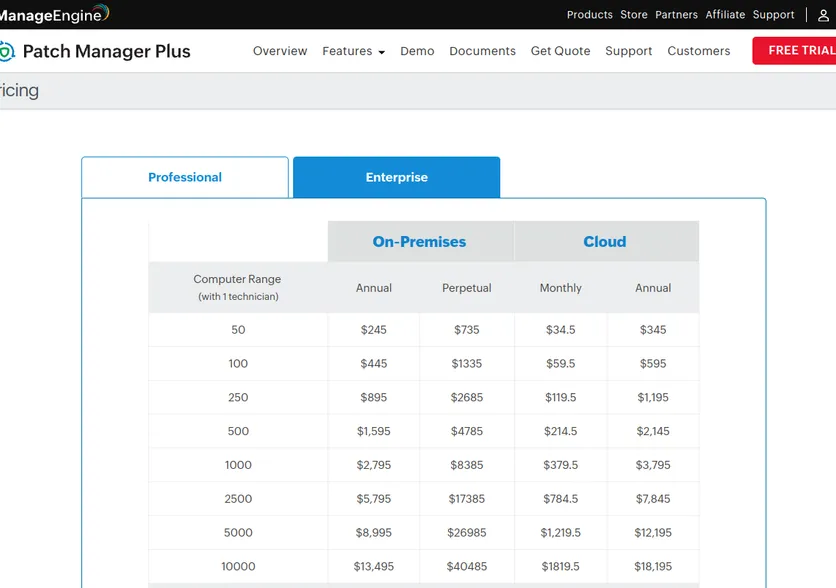
Paid tool Starting price: $245/year · Professional $245 a year for 50 computers on-premises, or $345 a year in the cloud; free edition covers 20 workstations and 5 servers
Free plan: Free edition up to 25 computers
ManageEngine Patch Manager Plus is one of the most established names in patching, with one of the broadest third-party patch catalogs in the industry. This ManageEngine Patch Manager Plus Professional edition starts at $245 a year for 50 computers on-premises, or $345 a year in the cloud. It fits a team that patches specialist software as well as operating systems and wants a fixed yearly price.
What we like
- Broadest third-party catalog here
- Fixed yearly price, no per-device meter
- Cloud or on-premises deployment
Watch out for
- Pricing varies by computer and technician count
- Interface feels dated next to cloud rivals
How to try it
- Open the Patch Manager Plus pricing page and start the free edition
- Scan the fleet for missing OS and third-party patches
- Test and approve patches before scheduled deployment
4. PDQ Deploy
Best for: Windows-centric IT teams managing hundreds or thousands of endpoints
Paid tool Starting price: $1,950/admin/year · Deploy and Inventory $1,950 per admin a year for unlimited endpoints; PDQ Connect from $12 per device a year
Free plan: Free version with limited features
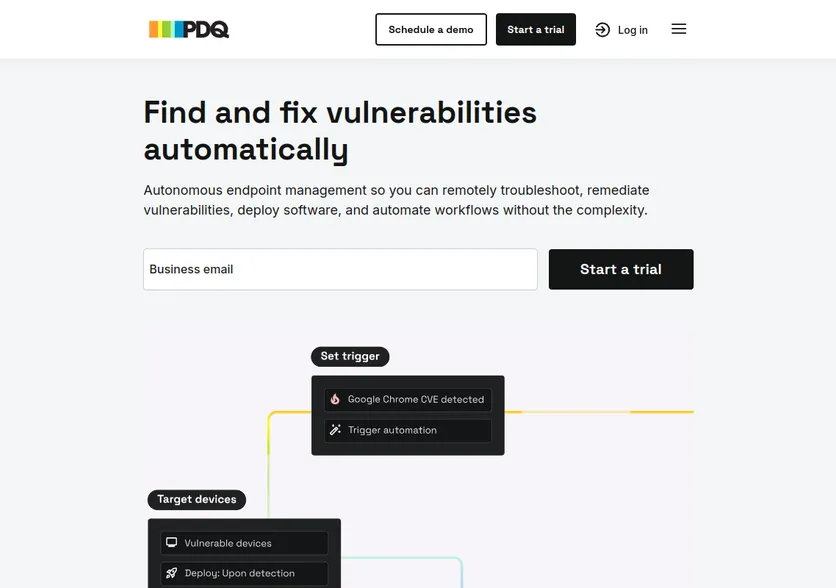
PDQ Deploy and Inventory is the tool Windows administrators reach for first, and its licensing math is unbeatable at scale: one admin license covers unlimited endpoints. This PDQ Deploy bundle costs $1,950 per admin a year, so the cost per device approaches zero for large fleets with small teams. It is the pick when the fleet is Windows-heavy and one admin manages hundreds of machines.
What we like
- Unlimited endpoints per admin license
- Fastest Windows deployment workflow
- Free version for basic use
Watch out for
- Deploy and Inventory are Windows only
- Cloud Connect costs extra per device
How to try it
- Open the PDQ pricing page and download the free version
- Build the first deployment package
- Schedule patch deployments across the fleet
5. Atera
Best for: MSPs and internal IT teams wanting RMM, ticketing and patching on one bill
Paid tool Starting price: $129/tech/month · Pro $129 per technician a month billed annually; Growth $159 a month; Power $209 a month
Free plan: 30-day free trial
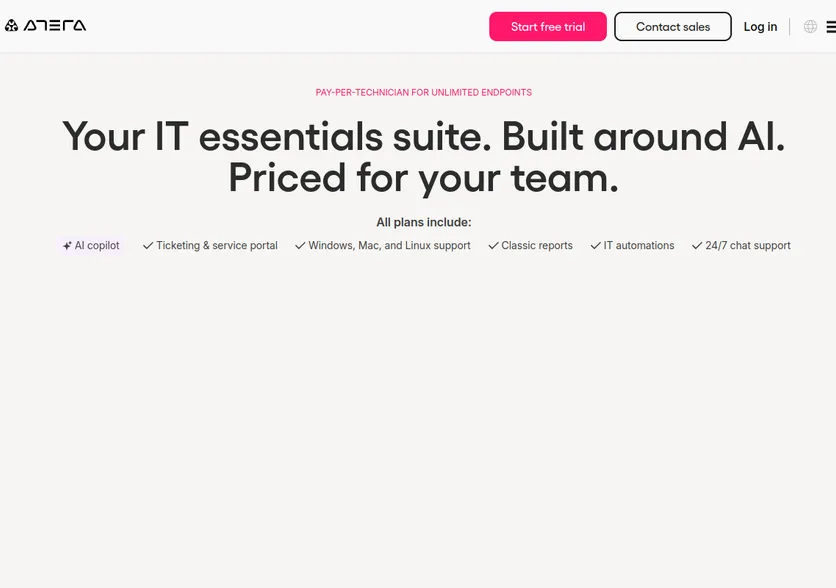
Atera bundles RMM, PSA and patching under one per-technician price, so patching sits beside remote access, ticketing and automation on a single bill. This Atera Pro plan costs $129 per technician a month billed annually, with unlimited endpoints per technician. It fits a small IT team or MSP that wants patching inside a complete platform rather than as a standalone tool.
What we like
- Per-technician pricing with unlimited endpoints
- RMM, PSA and patching in one bill
- Costs stay predictable as devices grow
Watch out for
- Mac and Linux support starts on Growth
- Overkill if patching is the only need
How to try it
- Open the Atera pricing page and start the trial
- Add endpoints under one technician license
- Turn on patching policies for the fleet
6. NinjaOne
Best for: Teams that want patching inside a broader endpoint management platform
Paid tool Starting price: $3.75/device/month · Published range $1.50 to $3.75 per device a month by endpoint volume; exact price by sales quote
Free plan: 14-day free trial
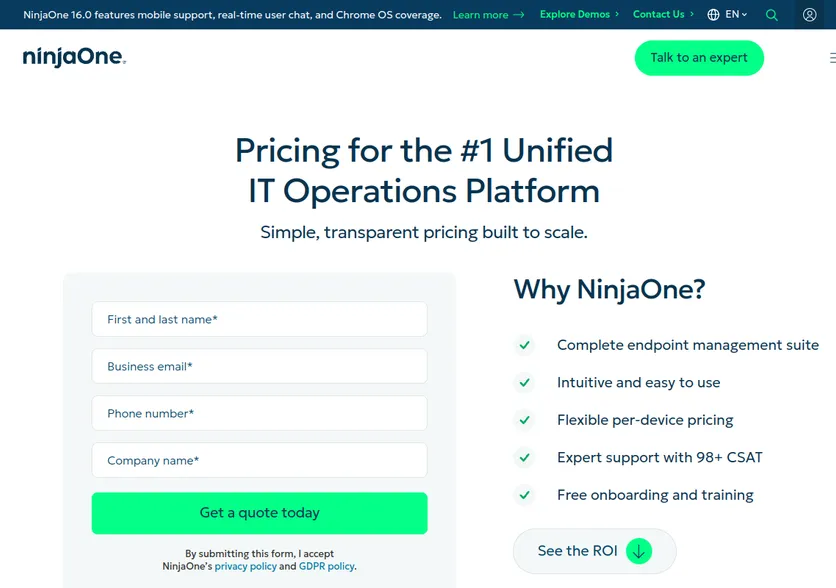
NinjaOne merges patch management with remote monitoring, automation and remote access in one cloud console, and it patches Windows, macOS and Linux. This NinjaOne pricing is published as a range from about four dollars per device a month at 50 or fewer endpoints down to about a dollar fifty at 10,000 endpoints, with the exact rate set by a sales quote. It is the pick when patching is one part of a full endpoint platform rather than the whole job.
What we like
- Full endpoint platform in one console
- Automation engine chains patching with scripts
- Free implementation and unlimited support
Watch out for
- Exact price comes only from a quote
- No native PSA for contracts and quoting
How to try it
- Open the NinjaOne pricing page and start the trial
- Enroll endpoints and enable patch policies
- Chain patching with scripts and maintenance tasks
7. Microsoft Intune
Best for: Microsoft 365 shops that want patching inside device management
Paid tool Starting price: $8/user/month · Plan 1 $8 per user a month; Plan 2 and Suite add features at higher rates
Free plan: 30-day free trial
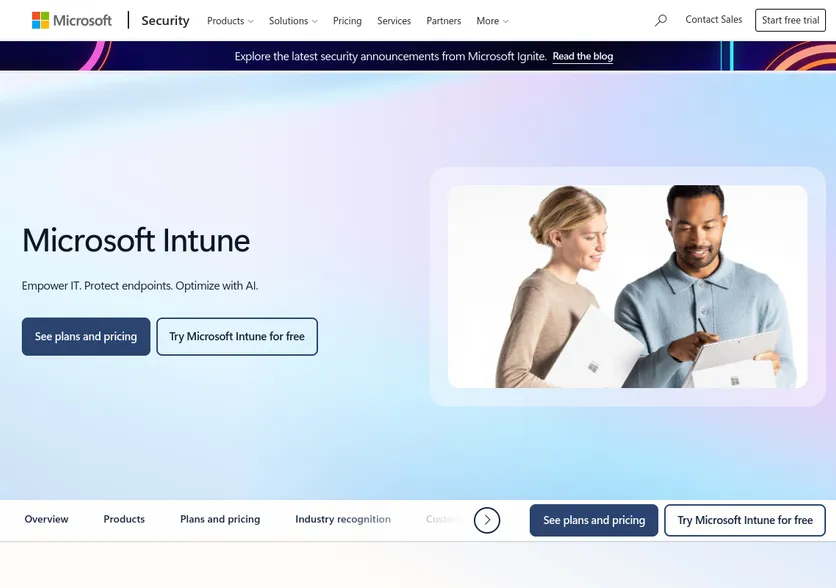
Microsoft Intune is the device management layer for Microsoft 365 shops, with patching, compliance policies and app deployment in one console. This Microsoft Intune Plan 1 costs $8 per user a month and covers update rings, compliance and device configuration. It fits a team that already runs Microsoft 365 and wants patching governed by the same policies as the rest of the device estate.
What we like
- Built into the Microsoft 365 stack
- Update rings and compliance in one console
- Strongest for Windows and Microsoft apps
Watch out for
- Weaker third-party app catalog
- Needs Microsoft 365 to make sense
How to try it
- Open the Intune pricing page and start the trial
- Create update rings for the device groups
- Set compliance policies for patch deadlines
Prices above were checked on each vendor’s own website on Nov 26, 2026 and can change — the vendor’s page is the final word. Vendor links are editorial: nobody paid to be listed or ranked here. Vendors who want a featured listing can see how it works on our Get listed page.
How to read the price before you commit
Prices on this list run from free to $1,950 a year, and the billing unit decides the real cost: per-device tools are cheap for small fleets and expensive for large ones, while per-admin and per-technician tools flip that math. A $1 Automox endpoint looks tiny until the fleet holds 2,000 devices, and a $1,950 PDQ admin license looks steep until it covers unlimited endpoints. Before paying, count the endpoints and the technicians separately, then run the free tier or trial against the real fleet for two weeks, because the first scan shows how many patches are actually missing. Check whether third-party patching is included or quoted separately, and whether the free tier caps endpoints or features.
Before you buy
- Count endpoints and technicians separately, because per-device and per-technician pricing scale very differently.
- Confirm whether third-party application patching is included or priced by quote on the plan.
- Run the free tier or trial against the real fleet for two weeks to see how many patches are actually missing.
- Check the free tier caps: endpoint counts and feature limits decide how long free actually lasts.
- Ask how the price changes when the fleet crosses 200 endpoints or a second technician joins the team.
Official websites
Official websites of the products reviewed above. Features and prices were checked against these sites when this guide was written, and they can change, so confirm on the vendor site before you buy.
Frequently asked questions
What is the cheapest patch management tool?
Action1 is the cheapest start, free forever for the first 200 endpoints with no feature limits and no expiry. Automox is the cheapest paid route at $1 per endpoint a month on the annual Patch OS plan. The right cheap pick depends on fleet size: under 200 endpoints Action1 costs nothing, while above that Automox or a flat-rate admin license usually wins.
Do I need third-party patching or is OS patching enough?
Operating system patching alone leaves the biggest attack surface open, because browsers, Java, Zoom and similar apps carry their own vulnerabilities. ManageEngine Patch Manager Plus has the broadest third-party catalog on this list, while Automox sells third-party patching by quote. Check the catalog for the exact apps the fleet runs before choosing a tool that only patches the operating system.
How long does patch management take to set up?
Cloud tools such as Action1 and Automox are ready in hours: create an account, install the agent, and run the first scan. On-premises tools such as PDQ Deploy and ManageEngine take longer, because a server must be installed and configured first. Budget a day for cloud setup and a week for on-premises, including testing the first deployment ring.
Can I patch servers on the same schedule as workstations?
No, and no tool here recommends it. Servers need approval rings, maintenance windows and rollback plans, because a bad patch can take down a service. Every tool on this list supports separate policies and approval rules for servers, so workstations can patch automatically while servers wait for a human sign-off.
Which tool is best for a small team with under 50 devices?
Action1 is the best small-team pick: free for the first 200 endpoints, with the full feature set and no expiry. ManageEngine Patch Manager Plus is the other strong small-team pick at $245 a year for 50 computers, with the widest third-party catalog. Both let a small team patch properly without a per-device bill that grows with every new laptop.
Still patching by hand? Try free security and privacy tools on Toolsvine right in your browser.
Browse Security & Privacy tools


