On this page
A university webinar can be a lecture for a thousand students, an admissions session for parents or an alumni event, and the room must hold the crowd without fuss. Zoom Webinars leads this list because it covers five hundred seats for eighty-three dollars and thirty-three cents a host a month billed annually, with registration and recording included. Microsoft Teams is the cheapest route for universities already on Microsoft 365, and Webex is the best choice for a thousand-seat lecture on one licence. The other tools cover community events, paid courses and cheap department seminars.
How we researched this
We checked every price on the vendor pricing page on November 29, 2026, and only included tools with a published US dollar list price. ON24, BigMarker and Accelevents publish no usable price, so they are not in this list, and WebinarGeek bills in euros rather than dollars. Prices change, so confirm the current figure on the vendor site before you buy.
Compare the tools
| Name | Best for | Starting price | Free plan | |
|---|---|---|---|---|
 Zoom Webinars | Teams already running meetings on Zoom | $83.33/host/month | No free plan; free trial available | Visit |
 GoTo Webinar | Recurring webinar programmes that must not fail | $59/organizer/month | No free plan; 7-day free trial | Visit |
 Microsoft Teams Webinars | Companies already standardized on Microsoft 365 | $14/user/month | No free plan; free trial available | Visit |
 Webex Webinars | Large live audiences on a single licence | $675/year | No free plan; Webex Free covers meetings only | Visit |
 Crowdcast | Community events and ticketed live sessions | $34.30/month | Free plan | Visit |
 ClickMeeting | Paid training and small live classes | $37/month | No free plan; 14-day free trial | Visit |
 Zoho Webinar | Small teams that want the cheapest paid room | $8/host/month | Free plan (20 attendees, 60 minutes) | Visit |
 RingCentral Events | Marketing teams running many virtual events a year | $99/organizer/month | No free plan; 30-day free trial | Visit |
The webinar software for universities, compared
1. Zoom Webinars
Best for: Teams already running meetings on Zoom
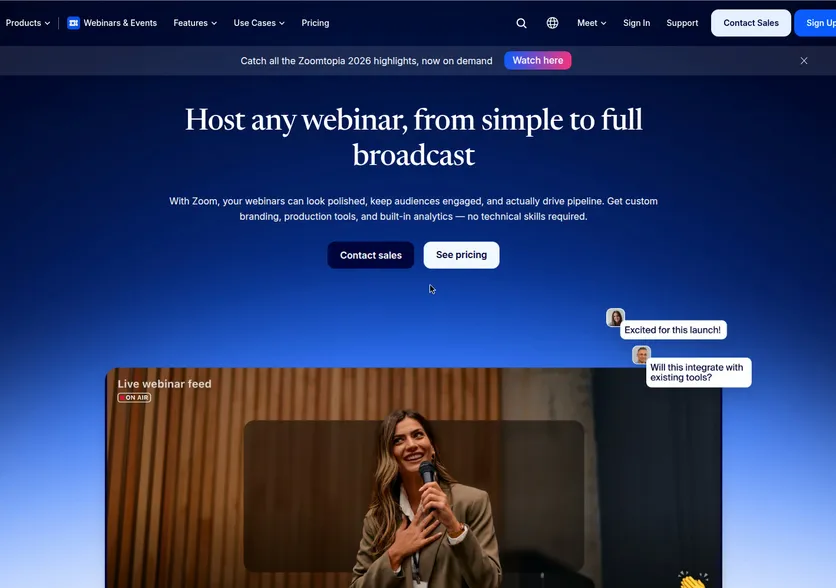
Paid tool Starting price: $83.33/host/month · Eighty-three dollars and thirty-three cents per host a month billed annually for webinars up to 500 attendees ($999.96 a year); the 300-attendee tier is $66.67 a month billed annually ($89 monthly); Webinars Plus is $290.83 a month billed annually; a paid Zoom Workplace plan is also required
Free plan: No free plan; free trial available
A university team that already teaches on Zoom and wants registration pages and recordings for large lectures gets the simplest setup here, since this Zoom Webinars plan costs eighty-three dollars and thirty-three cents a host a month billed annually for a room of five hundred. Registration pages, reminder emails, polls and Q and A come with the plan, and the audience joins from the Zoom app most of them already have installed. It is the safe default when the audience is large and the session cannot afford a glitch, though the two-licence cost adds up.
What we like
- Registration pages, reminders and follow-up emails built in
- Up to 100,000 attendees on the largest rooms
- Polls, Q and A, breakout rooms and cloud recording included
Watch out for
- Needs a paid Zoom Workplace plan beside the webinar licence
- The cheapest room still costs more than most rivals once both licences are counted
How to try it
- Create the webinar and set the registration page and reminders
- Rehearse with panellists in the practice session before going live
- Run the session, then send the recording and the attendance report
2. GoTo Webinar
Best for: Recurring webinar programmes that must not fail
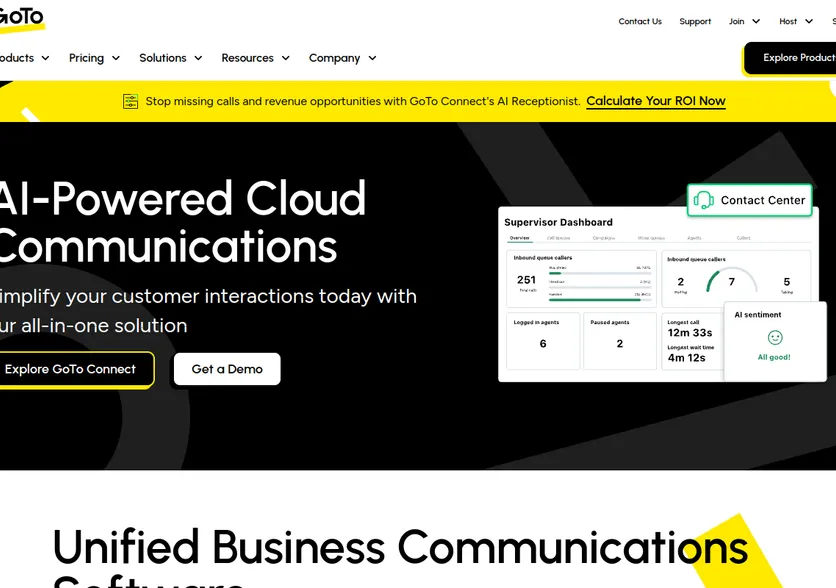
Paid tool Starting price: $59/organizer/month · Fifty-nine dollars per organizer a month billed annually on Reach for up to 500 participants ($69 billed monthly); Elevate is $103 a month billed annually for 1,000 participants; Complete is quoted
Free plan: No free plan; 7-day free trial
A university team that runs recurring guest lectures and open days and needs a room that holds hundreds without fuss gets the most dependable room here, since this GoTo Webinar plan costs fifty-nine dollars per organizer a month billed annually for up to five hundred participants. It has run business webinars for years, and the workflow of scheduling, reminders, polls and reporting feels settled rather than experimental. It suits a team that runs the same session every week and values reliability over flash, though the entry plan keeps branding basic.
What we like
- Twenty years of dependable live delivery at scale
- Automated emails, polls, handouts and detailed reports
- One organizer seat covers a 500-person room on Reach
Watch out for
- Custom branding and cloud recording need the higher tiers
- No automated webinars on the entry Reach plan
How to try it
- Schedule the webinar and build the registration page
- Send the automated reminders and rehearse the presenters
- Go live, run polls, then share the recording and reports
3. Microsoft Teams Webinars
Best for: Companies already standardized on Microsoft 365
Paid tool Starting price: $14/user/month · Fourteen dollars per user a month billed annually on Microsoft 365 Business Standard ($16.80 billed monthly), which includes webinar hosting for up to 1,000 attendees; Business Basic at $7 does not include webinars; Teams Premium is $10 a user a month extra
Free plan: No free plan; free trial available
A university team that already runs on Microsoft 365 and wants webinars for staff and students alike gets the cheapest route here, since this Microsoft Teams Webinars plan costs fourteen dollars per user a month billed annually on Microsoft 365 Business Standard. It brings registration, co-organizer roles and reporting into the Teams account a company already pays for, with no second subscription. It is the cheapest choice for a Microsoft shop, though the webinar features are plainer than the dedicated tools.

What we like
- Webinars included in the Business Standard licence
- Registration, co-organizer roles and attendance reports
- Town halls up to 10,000 viewers on higher plans
Watch out for
- Webinars are not in Business Basic, only Standard and above
- Advanced branding needs the Teams Premium add-on
How to try it
- Schedule the webinar from Teams and set registration
- Add co-organizers and rehearse the presenters
- Run the session and download the attendance report
4. Webex Webinars
Best for: Large live audiences on a single licence
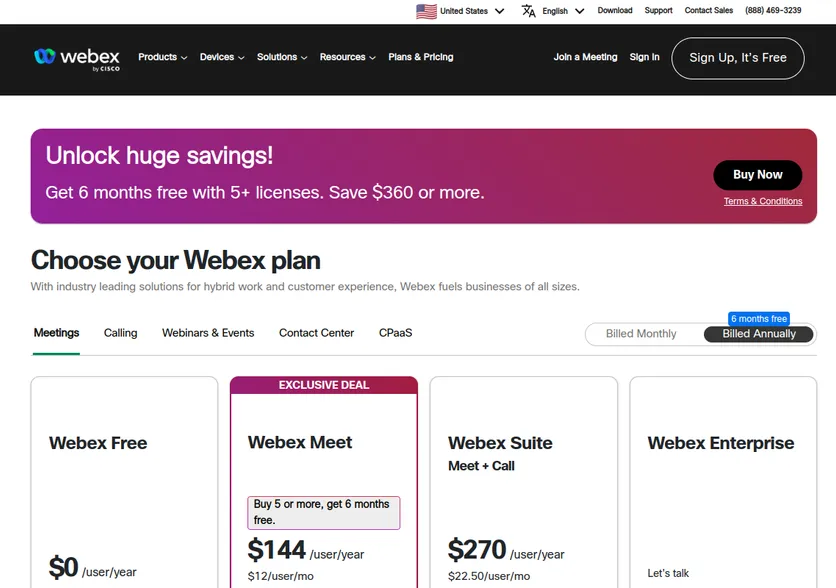
Paid tool Starting price: $675/year · Six hundred and seventy-five dollars per license a year for up to 1,000 attendees, shown as 75 percent off a $2,700 list price, or fifty-six dollars and twenty-five cents a month equivalent; larger rooms run to $47,400 a year for 10,000 attendees; confirm the renewal rate, since the discount may not last
Free plan: No free plan; Webex Free covers meetings only
A university team that runs lectures for a thousand students and wants one licence to cover them gets the biggest room here, since this Webex Webinars plan costs six hundred and seventy-five dollars a year per license for up to one thousand attendees. One licence covers a thousand attendees with unlimited webinars, branded registration, breakout rooms and simulive streaming. It is the cheapest route to a very large room, though the renewal price after the promotion is not published.
What we like
- One licence covers 1,000 attendees
- Unlimited webinars with branded registration and breakout rooms
- Simulive and on-demand streaming included
Watch out for
- The $675 figure is a promotion off a $2,700 list price
- Rooms above 1,000 attendees jump sharply in price
How to try it
- Buy the licence for the room size needed
- Build the branded registration page and practice session
- Go live and send the recording and analytics afterwards
5. Crowdcast
Best for: Community events and ticketed live sessions
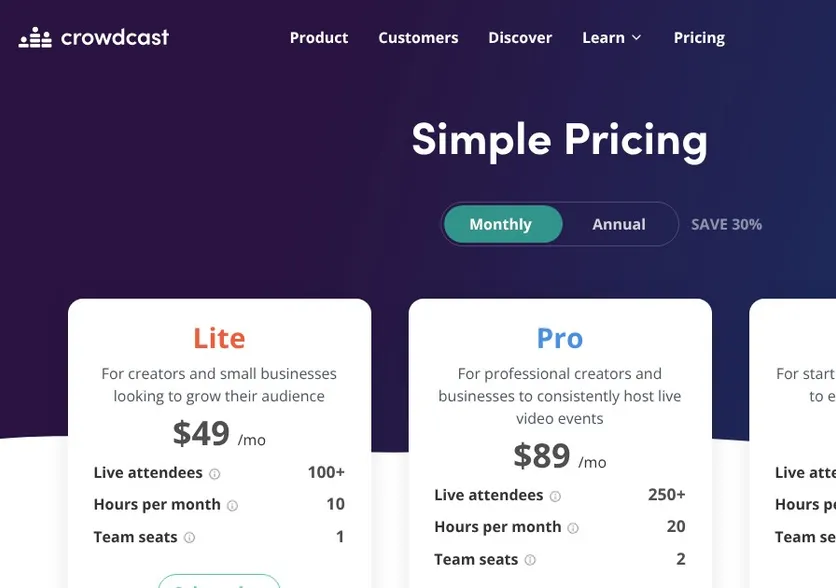
Paid tool Starting price: $34.30/month · Thirty-four dollars and thirty cents a month billed annually on Lite ($49 billed monthly); Pro is $62.30 a month billed annually and Business is $136.50; paid events carry a 5 percent transaction fee on Lite
Free plan: Free plan
A university team that runs alumni events and student sessions where the chat matters as much as the talk gets the friendliest community room here, since this Crowdcast plan costs thirty-four dollars and thirty cents a month billed annually on Lite for one hundred live attendees. It is built for creators who run live events with their community, with chat, polls, ticket sales and multi-streaming in one place. It fits a team that treats webinars as community gatherings rather than broadcasts, though the monthly hour cap needs watching.
What we like
- Built-in ticketing with Stripe payments
- Chat, polls, Q and A and multi-streaming included
- Sessions up to 4 hours with replays and clips
Watch out for
- Lite caps at 10 live hours a month
- A 5 percent fee applies to paid events on Lite
How to try it
- Create the event page and set tickets if the session is paid
- Go live and run polls and Q and A with the audience
- Share the replay and the clips with everyone who registered
6. ClickMeeting
Best for: Paid training and small live classes
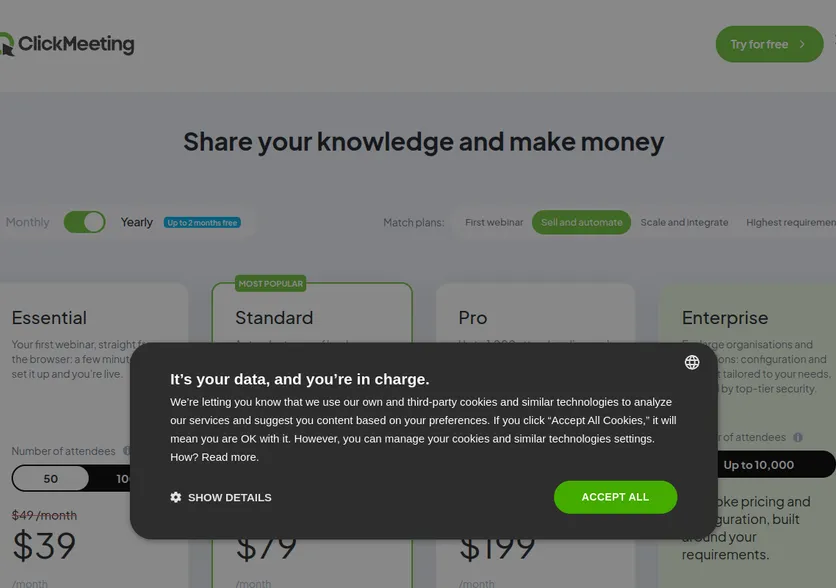
Paid tool Starting price: $37/month · Thirty-seven dollars a month billed annually on Live for 50 attendees ($48 billed monthly); Automated is $48 a month billed annually; the price rises with room size, so confirm the figure for larger rooms
Free plan: No free plan; 14-day free trial
A university team that runs paid short courses and workshops alongside its free lectures gets the most practical room here, since this ClickMeeting plan costs thirty-seven dollars a month billed annually on Live for fifty attendees. It covers live and automated webinars, meetings and paid events from one account, with registration, polls and screen sharing included. It fits a team that charges for training and wants the payment handled in the same tool, though big rooms get expensive.
What we like
- Paid webinars with ticketing built in
- Automated webinars and on-demand replays on the higher plan
- Whiteboard, screen sharing and breakout rooms included
Watch out for
- The entry room holds only 50 attendees
- The price climbs steeply as the room grows
How to try it
- Create the event and set the price if it is a paid session
- Invite attendees and share the handouts before the start
- Run the live session and send the recording afterwards
7. Zoho Webinar
Best for: Small teams that want the cheapest paid room
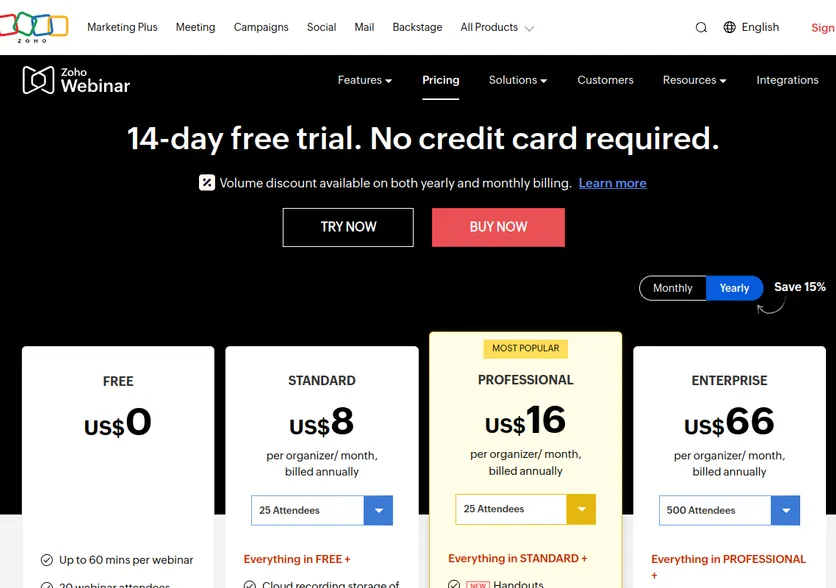
Paid tool Starting price: $8/host/month · Eight dollars per host a month billed annually on Standard for 25 attendees ($9 billed monthly); Pro is $16 and Plus is $40; the price rises with room size
Free plan: Free plan (20 attendees, 60 minutes)
A university team that runs small department seminars and wants a room that costs less than lunch gets the cheapest room here, since this Zoho Webinar plan costs eight dollars per host a month billed annually on Standard for twenty-five attendees. It gives a small team a real webinar room for the price of a lunch, with registration, recording and follow-up emails included. It is the budget pick in this list, though the small room means growing teams move up the ladder quickly.
What we like
- The cheapest paid webinar room in this list
- A genuine free plan for 20 attendees
- Registration, recording, polls and follow-up emails included
Watch out for
- The entry room holds only 25 attendees
- Larger rooms cost much more per host than the headline suggests
How to try it
- Create the webinar and customise the registration page
- Run the session with polls and Q and A
- Send the recording and the automated follow-up emails
8. RingCentral Events
Best for: Marketing teams running many virtual events a year
Paid tool Starting price: $99/organizer/month · Ninety-nine dollars per organizer a month billed annually on Events Pro ($119 billed monthly); Pro+ is $199 and Enterprise is $299; onsite and hybrid tools start on Pro+
Free plan: No free plan; 30-day free trial
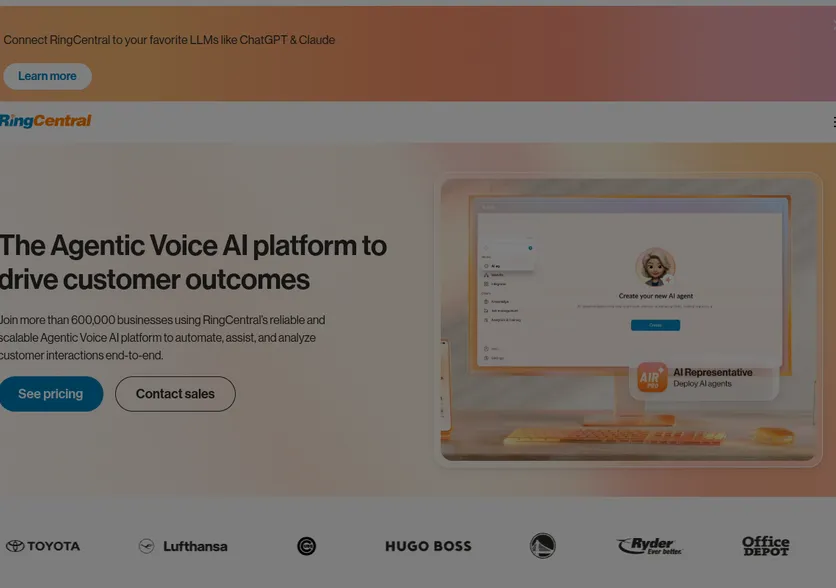
A university team that runs virtual open days and conferences and wants one venue for the whole year gets the fullest venue here, since this RingCentral Events plan costs ninety-nine dollars per organizer a month billed annually on Events Pro with unlimited events. It gives a team a full virtual venue with a stage, networking areas and expo booths, plus unlimited events and registrations. It suits a team that runs virtual events all year, though hybrid and onsite work costs extra.
What we like
- Unlimited events and registrations on every plan
- Virtual venue with stage, networking and expo booths
- Production studio and AI clips included
Watch out for
- Onsite and hybrid tools need Pro+ at $199
- Ticket sales add processing and application fees
How to try it
- Create the event in the virtual venue and set registration
- Build the stage, booths and networking areas
- Go live, then share the recordings and AI clips
Prices above were checked on each vendor’s own website on Nov 29, 2026 and can change — the vendor’s page is the final word. Vendor links are editorial: nobody paid to be listed or ranked here. Vendors who want a featured listing can see how it works on our Get listed page.
How to run a university webinar for a full lecture hall
A university team should check the room capacity against the largest lecture before the term starts, because a full room on day one is a bad look. Registration pages should ask for the student ID or the department, since that is the data that makes the follow-up useful. Recordings should be posted to the course page the same day, because students who miss a lecture need it fast. Alumni events should use a tool with good chat, since the conversation matters as much as the talk. Test the whole flow once with a colleague as a student before the first real lecture.
Before you buy
- Confirm the room holds the largest lecture, not just the average class
- Check whether student pricing or education discounts are available
- Test the recording quality and the storage limit during the free trial
- Confirm the price covers all lecturers, not just the first host
- Check the attendance report shows who joined for how long
Official websites
Official websites of the products reviewed above. Features and prices were checked against these sites when this guide was written, and they can change, so confirm on the vendor site before you buy.
Frequently asked questions
What is the best webinar software for universities?
Zoom Webinars is the best overall pick for universities, because it covers five hundred seats with registration and recording for eighty-three dollars and thirty-three cents a host a month billed annually. Microsoft Teams is the cheapest route for universities already on Microsoft 365. Webex is the best choice for a thousand-seat lecture, with one licence covering the whole room.
Which webinar tool is cheapest for a university?
Zoho Webinar is the cheapest paid room in this list at eight dollars per host a month billed annually, with a free plan for twenty attendees. Microsoft Teams is effectively free for universities that already pay for Microsoft 365 Business Standard. Either way, confirm the room size first, because the price rises with the number of seats.
Can webinar software handle a lecture for a thousand students?
Yes. Webex covers a thousand attendees on a single licence, and Zoom Webinars reaches a hundred thousand on its largest rooms. Microsoft Teams hosts webinars for a thousand attendees on Business Standard. Check the exact room size on the plan before the term starts, and keep a margin above the enrolment count.
Do universities get discounts on webinar software?
Some vendors offer education pricing, though it is not always published on the public pricing page. Zoom, Microsoft and Cisco all run education programmes, so ask the vendor directly before buying. The list prices in this post are the published figures from November 29, 2026, and a discount would lower them further.
Is there a free webinar tool for universities?
Zoho Webinar offers a free plan for twenty attendees and sixty-minute sessions, which covers a small department seminar. Microsoft Teams is free for universities that already hold a Microsoft 365 Business Standard licence. A free plan suits small sessions, but a paid plan is worth the cost for lectures, because it adds larger rooms, branding and proper reporting.
Compare the webinar tools above, then start a free trial with the room that fits your largest lecture.
Browse Education & Learning tools