

On this page
Systems architecture lives on a whiteboard long before it lives in code, and the drawing has to survive the meeting it was made in. Miro is the pick that anchors the workshop: unlimited private boards from $8 a member a month, while FigJam offers the cheapest seat at $3 a month inside a Figma plan. This guide compares seven whiteboard tools for systems architecture design, from a $3-a-seat board to a $10-an-editor canvas, with live 2026 prices and free plans, so an architecture team can sketch, debate and keep the diagram that everyone agreed on.
How we researched this
We checked the pricing page of every vendor on this list on November 26, 2026, and kept only tools that publish a real dollar price. Each tool had to offer an infinite canvas, shapes and connectors for architecture diagrams, and real-time collaboration, and we compared entry prices, seat rules and free limits, because per-member, per-user and per-editor pricing behave very differently across a team.
Compare the tools
| Name | Best for | Starting price | Free plan | |
|---|---|---|---|---|
 Miro | Large workshops and product teams that need unlimited private boards | $8/member/month | Free plan | Visit |
 FigJam | Figma teams running meetings and architecture sketches | $3/collab seat/month | Free Starter plan | Visit |
 Mural | Facilitated workshops and sprints with outside participants | $9.99/member/month | Free plan | Visit |
 Lucidspark | Lucidchart teams and facilitated retrospectives | $9/user/month | Free plan | Visit |
 Whimsical | Product teams that mix boards, docs and wireframes | $10/editor/month | Free plan | Visit |
 Stormboard | Structured brainstorming and reporting for architecture sessions | $8.33/user/month | Free plan | Visit |
 Excalidraw | Quick hand-drawn sketches and architecture diagrams | $6/user/month | Free editor | Visit |
The whiteboard tools, compared
1. Miro
Best for: Large workshops and product teams that need unlimited private boards
Paid tool Starting price: $8/member/month · Starter $8 per member a month billed annually ($10 billed monthly); Business $20 a month; Enterprise by quote
Free plan: Free plan
Miro is the default pick for most teams, because it is a standalone whiteboard with an infinite canvas, sticky notes, templates, voting and timers for architecture workshops. This Miro Starter plan costs $8 per member a month billed annually and adds unlimited private boards, visitor editing and high-resolution exports. It fits a team that runs big architecture sessions and needs the board to hold everything.

What we like
- Infinite canvas with 250 plus apps
- Voting, timer and facilitation tools
- Unlimited private boards on Starter
Watch out for
- Free plan caps at 3 editable boards
- Guests need Business and above
How to try it
- Open the Miro pricing page and start the free plan
- Pick an architecture diagram template
- Invite the team and run the first workshop
2. FigJam
Best for: Figma teams running meetings and architecture sketches
Paid tool Starting price: $3/collab seat/month · Collab seat $3 a month billed annually on the Professional plan ($5 billed monthly); free Starter plan with 3 files
Free plan: Free Starter plan
FigJam is Figma whiteboard, sold through Figma seats, and it is the cheapest seat on this list for a team that already pays for Figma. This FigJam Collab seat costs $3 a month billed annually on the Professional plan and adds unlimited files, voting, open sessions and audio. It fits a design-led team that sketches architecture in the same tool it designs interfaces in.
What we like
- Cheapest seat on this list
- Unlimited files on a Collab seat
- Voting and open sessions included
Watch out for
- No standalone plan, needs a Figma seat
- Lighter diagramming than Miro
How to try it
- Open the Figma pricing page and start the free plan
- Create a FigJam board for the system diagram
- Add sticky notes and connectors for the flows
3. Mural
Best for: Facilitated workshops and sprints with outside participants
Paid tool Starting price: $9.99/member/month · Team+ $9.99 per member a month billed annually ($12 billed monthly); Business $17.99 a month
Free plan: Free plan
Mural sells structure, with facilitation controls and private rooms built for a facilitator who runs the session, rather than breadth for its own sake. This Mural Team+ plan costs $9.99 per member a month billed annually and adds unlimited murals, open and private rooms, unlimited guests and Mural AI. It fits an architecture review where a facilitator guides the room and outside participants need to join.
What we like
- Facilitation controls on every plan
- Private rooms for focused sessions
- Visitors are free on every plan
Watch out for
- Smaller template library than Miro
- Business tier needed for SSO
How to try it
- Open the Mural pricing page and start the free plan
- Create a mural from a facilitation template
- Open a private room for the review session
4. Lucidspark
Best for: Lucidchart teams and facilitated retrospectives
Paid tool Starting price: $9/user/month · Individual $9 per user a month billed annually; Team $10 a month with a 3-user minimum; Enterprise by quote
Free plan: Free plan
Lucidspark is Lucid virtual whiteboard, built for brainstorming and facilitated sessions that later become formal Lucidchart diagrams. This Lucidspark Individual plan costs $9 per user a month billed annually, while Team costs $10 and adds guest contributors and facilitator controls. It fits a team that already diagrams in Lucidchart and wants the whiteboard to feed straight into the diagram.
What we like
- Feeds straight into Lucidchart diagrams
- Facilitator tools on Team
- Guest contributors on Team
Watch out for
- Team plan needs a 3-user minimum
- Free plan caps at 3 editable documents
How to try it
- Open the Lucidspark pricing page and start the free plan
- Start a board from a brainstorming template
- Turn the best ideas into a Lucidchart diagram
5. Whimsical
Best for: Product teams that mix boards, docs and wireframes
Paid tool Starting price: $10/editor/month · Pro $10 per editor a month; viewers are free; free plan available
Free plan: Free plan
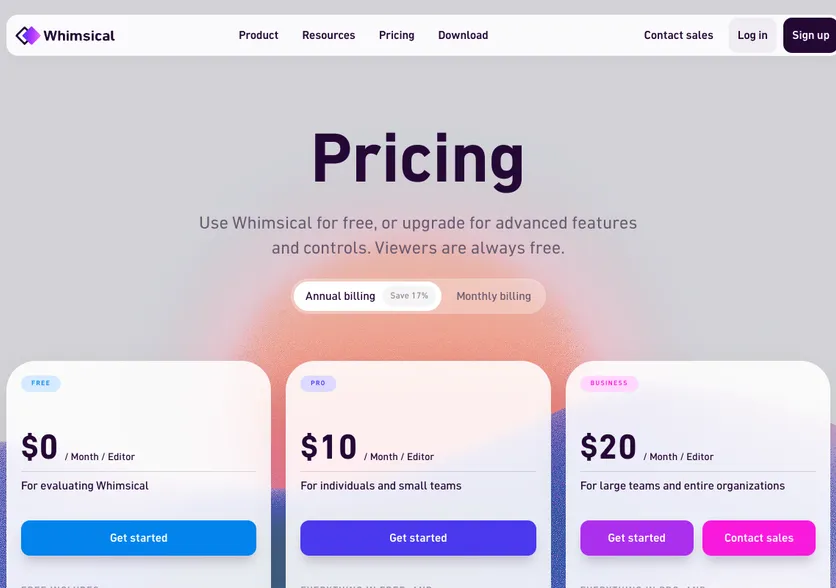
Whimsical mixes boards, docs and wireframes in one fast tool, so an architecture sketch can sit beside the written decision that explains it. This Whimsical Pro plan costs $10 per editor a month, and only editors pay while viewers are free. It fits a product team that wants diagrams, flowcharts and docs in one place instead of three.
What we like
- Boards, docs and wireframes together
- Only editors pay, viewers free
- Fastest diagramming feel here
Watch out for
- Smaller template library than Miro
- Fewer facilitation controls
How to try it
- Open the Whimsical pricing page and start the free plan
- Draw the system flow with shapes and connectors
- Add a doc beside the board for the decision record
6. Stormboard
Best for: Structured brainstorming and reporting for architecture sessions
Paid tool Starting price: $8.33/user/month · From $8.33 per user a month billed annually; free plan available
Free plan: Free plan
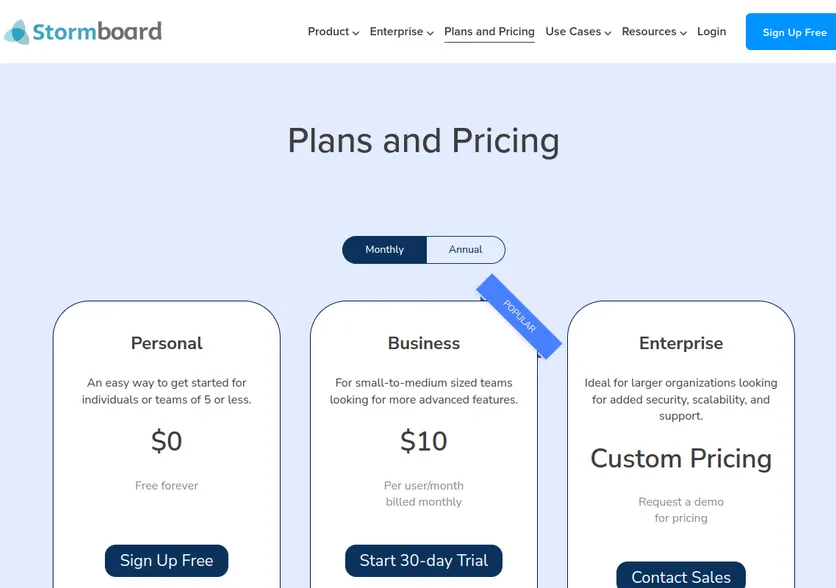
Stormboard is built for structured brainstorming, with templates that turn sticky notes into reports and action items after the session ends. This Stormboard plan starts at $8.33 per user a month billed annually, with a free plan for trying the canvas. It fits an architecture team that wants the workshop to produce a report, not just a picture of sticky notes.
What we like
- Structured templates with reporting
- Sticky notes become action items
- Good for distributed workshops
Watch out for
- Smaller user community than Miro
- Fewer third-party integrations
How to try it
- Open the Stormboard pricing page and start the free plan
- Pick a structured brainstorming template
- Export the session report after the workshop
7. Excalidraw
Best for: Quick hand-drawn sketches and architecture diagrams
Paid tool Starting price: $6/user/month · Excalidraw+ $6 per user a month billed annually; free editor available with no account
Free plan: Free editor
Excalidraw is the quickest sketch tool on this list: a hand-drawn style canvas that needs no account and opens ready to draw. This Excalidraw Excalidraw+ plan costs $6 per user a month billed annually and adds cloud storage, collaboration and libraries. It fits an architect who wants to sketch a system in five minutes and share a link, without learning a platform first.
What we like
- Cheapest standalone subscription here
- No account needed to start drawing
- Hand-drawn style reads well in docs
Watch out for
- No facilitation tools
- Lighter than full workshop platforms
How to try it
- Open the Excalidraw pricing page and try the free editor
- Sketch the system with hand-drawn shapes
- Upgrade to Plus for cloud storage and collaboration
Prices above were checked on each vendor’s own website on Nov 26, 2026 and can change — the vendor’s page is the final word. Vendor links are editorial: nobody paid to be listed or ranked here. Vendors who want a featured listing can see how it works on our Get listed page.
How to read the price before you commit
Prices on this list run from $3 a seat a month to $10 an editor a month, and the seat rule decides the real cost: per-member tools charge for everyone on the board, while per-editor tools charge only for the people who draw. A $3 FigJam seat looks cheap until the team has no Figma plan, and an $8 Miro member looks steep until it covers unlimited private boards. Before paying, count the drawers separately from the viewers, then run the free plan on a real architecture session for two weeks, because the first session shows whether the team actually returns to the board. Check whether facilitation tools, voting and exports are included or gated behind a higher tier.
Before you buy
- Count drawers separately from viewers, because most tools charge only for people who edit the board.
- Confirm whether facilitation tools, voting and high-resolution exports are included or gated behind a higher tier.
- Run the free plan on a real architecture session for two weeks to see whether the team returns to the board.
- Check the free plan caps: editable board counts decide how long free actually lasts.
- Ask how the price changes when a fifth member or a second workspace is added to the account.
Official websites
Official websites of the products reviewed above. Features and prices were checked against these sites when this guide was written, and they can change, so confirm on the vendor site before you buy.
Frequently asked questions
What is the cheapest whiteboard for systems architecture?
FigJam is the cheapest seat here at $3 a month on a Figma Professional Collab seat, but only for teams that already pay for Figma. Excalidraw+ is the cheapest standalone subscription at $6 per user a month billed annually. The right cheap pick depends on the stack: Figma teams should use FigJam, while everyone else should start with Excalidraw or Miro.
Do whiteboard tools replace diagramming tools?
For early architecture work, yes. Whiteboards are faster for sketching, debating and changing a system design in a live session. Formal diagramming tools such as Lucidchart still win for the final, versioned diagram that goes into documentation. Most teams sketch on a whiteboard first, then redraw the agreed design in a diagramming tool.
How many editable boards does a free plan allow?
Miro, FigJam, Mural and Lucidspark all cap their free plans at 3 editable boards or files, so the free plan is a trial space rather than a home for past work. Excalidraw has no board cap on its free editor, because it is a single canvas rather than a workspace. Plan on paying once the team keeps more than three boards live.
Can outside participants join a whiteboard session for free?
Usually, yes. Miro allows visitor editing on Starter, Mural keeps visitors free on every plan, and Whimsical charges only editors while viewers are free. Guests and visitors do not use a paid seat on most tools here, which matters for architecture reviews with stakeholders who only need to look and comment.
Which tool is best for a remote architecture workshop?
Miro is the best remote workshop pick: unlimited private boards from $8 a member a month, with voting, timers and more than 250 apps and templates. Mural is the other strong pick at $9.99 a member a month, with facilitation controls and private rooms built for a facilitator. Both handle distributed teams well, while Mural suits sessions that need a firmer hand.
Still sketching systems on paper? Try free design tools on Toolsvine right in your browser.
Browse CSS & Web Design Generators tools


