On this page
Small teams feel every hour of manual work, because the same five people handle sales, support and operations. The eight tools below take the repetitive steps off their plates, from moving leads between apps to chasing approvals and updating records. Make leads because ten thousand credits a month for nine dollars is the best value in this list, and the rest are ranked on how much busywork they remove for the price.
How we researched this
We checked every price on the vendor pricing page on November 29, 2026, and only included tools with a published US dollar or euro list price. The enterprise platforms that sell automation by quote, including Workato, UiPath and Automation Anywhere, publish no prices, so they are not in this list. Prices change, so confirm the current figure on the vendor site before you buy.
Compare the tools
| Name | Best for | Starting price | Free plan | |
|---|---|---|---|---|
 Zapier | Small teams automating their first workflows | $19.99/month | Free plan (100 tasks a month) | Visit |
 Make | Small teams with multi-step flows to map | $9/month | Free plan (1,000 credits a month) | Visit |
 n8n | Technical small teams that want full control | €20/month | Free self-hosted Community edition | Visit |
 ClickUp | Teams that want automation inside project work | $9/user/month | Free plan (unlimited tasks) | Visit |
 monday.com | Small teams that plan on visual boards | $9/user/month | Free plan (up to 2 seats) | Visit |
 Asana | Teams that run projects on timelines and rules | $10.99/user/month | Free Personal plan (up to 2 users) | Visit |
 Pabbly Connect | Budget-tight teams that need lots of runs | $16/month | Free plan (100 tasks a month) | Visit |
 Activepieces | Teams that want one flat monthly price | $20/month | Free plan (1,000 credits) | Visit |
The workflow automation software for small teams, compared
1. Zapier
Best for: Small teams automating their first workflows
Paid tool Starting price: $19.99/month · Nineteen dollars and ninety-nine cents a month billed annually on Professional for 750 tasks a month ($29.99 month to month); Team is $69 a month billed annually; older listings show a $49 Professional tier, which is now the 2,000-task tier
Free plan: Free plan (100 tasks a month)
For a small team that needs its first automation live today, this Zapier plan costs nineteen dollars and ninety-nine cents a month billed annually and connects more than seven thousand apps with no code. A new lead in the CRM can create a task, ping Slack and send a welcome email before anyone touches it. The free plan covers a hundred tasks a month, so a team can prove the value on one workflow before paying.

What we like
- Connects to more than 7,000 apps, the widest library in this list
- Multi-step Zaps with filters, paths and formatting built in
- No code needed, so a small team can ship its first flow in an afternoon
Watch out for
- Task counts grow fast when a flow runs on every new row or email
- The cheaper plan caps at 750 tasks a month, so busy months cost more
How to try it
- Pick the trigger app and event that starts the flow
- Add the action steps and test the Zap with real data
- Turn the Zap on and watch the first runs for errors
2. Make
Best for: Small teams with multi-step flows to map
Paid tool Starting price: $9/month · Nine dollars a month billed annually on Core for 10,000 credits ($10.59 month to month); Pro is $16 and Teams is $29; earlier reads listed $12, $21 and $38, so confirm the current ladder at checkout
Free plan: Free plan (1,000 credits a month)
Small teams that outgrow simple two-app links will get more from this Make plan, which costs nine dollars a month billed annually and covers ten thousand credits a month. Its visual canvas makes a multi-step flow easy to read, and error handling keeps a failed step from killing the whole run. The free plan is generous enough to automate a real process before the team commits.

What we like
- Visual canvas shows every step of a scenario at a glance
- Ten thousand credits on Core covers far more runs than most rivals at this price
- Built-in error handling and data stores keep long flows running
Watch out for
- Credits expire at the end of each term and do not roll over
- The canvas can feel complex for a first-time builder
How to try it
- Choose a trigger module and connect the app
- Drag in the action modules and map the fields between them
- Run the scenario once, fix any mapping errors, then schedule it
3. n8n
Best for: Technical small teams that want full control
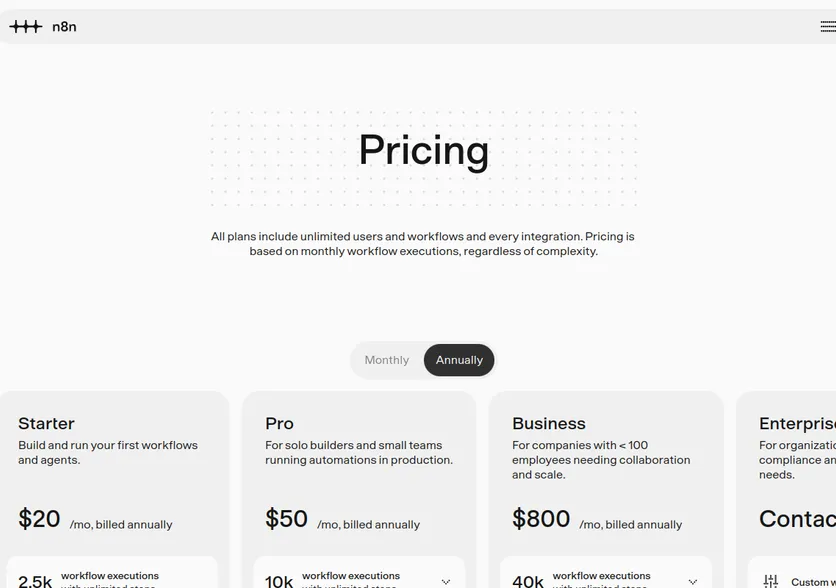
Paid tool Starting price: €20/month · Twenty euros a month billed annually on Starter for 2,500 executions (€24 month to month); Pro is €50 and Business is €667; self-hosting is free under the fair-code licence
Free plan: Free self-hosted Community edition
A technical small team that wants full control can self-host this n8n plan for free, while the cloud Starter plan costs twenty euros a month billed annually for two thousand five hundred executions. Code nodes handle the edge cases that no-code builders cannot, like transforming messy API responses. The fair-code licence means the team owns its workflows outright, with no vendor lock-in.
What we like
- Fair-code model lets technical teams self-host for free
- More than 400 integrations plus custom HTTP and code nodes
- Visual workflows stay readable even with branching logic
Watch out for
- The cloud plans bill in euros, so US buyers see currency swings
- Self-hosting means owning updates, backups and uptime yourself
How to try it
- Start from a template or add a trigger node
- Connect the apps and set the data each node passes on
- Test the workflow, then activate it or deploy it self-hosted
4. ClickUp
Best for: Teams that want automation inside project work
Paid tool Starting price: $9/user/month · Nine dollars per user a month billed annually on Core ($12 month to month); Business is $17 a user a month billed annually
Free plan: Free plan (unlimited tasks)
Teams that want automation inside their project workspace, not as a separate tool, should look at this ClickUp plan, which costs nine dollars per user a month billed annually. Its automations move tasks between lists, reassign work and send reminders as statuses change. Docs, whiteboards and goals live in the same workspace, so the team stops paying for three separate apps.

What we like
- Tasks, docs, whiteboards and goals in one workspace
- Automations with fifty-plus actions on paid plans
- Generous free plan for small teams getting started
Watch out for
- The feature list is so wide that setup can take a while
- Some advanced automations need the Business tier
How to try it
- Create a Space and add the Lists the team needs
- Set up statuses, assignees and due dates for each workflow
- Add automations for handoffs and reminders
5. monday.com
Best for: Small teams that plan on visual boards
Paid tool Starting price: $9/user/month · Nine dollars per user a month billed annually on Basic ($12 month to month); Standard is $12 and Pro is $19; a three-seat minimum applies and one outlier lists Standard at $14 and Pro at $22
Free plan: Free plan (up to 2 seats)
A small team that plans work on visual boards will feel at home with this monday.com plan, which costs nine dollars per user a month billed annually and automates status changes, due dates and notifications. Its two hundred plus templates cover most team workflows, so setup takes an afternoon rather than a week. The three-seat minimum means a solo buyer pays for three seats, so teams of two should budget for that.

What we like
- Boards, timelines and dashboards are easy to read at a glance
- Two hundred plus templates cover most team workflows
- Automations and integrations work without code
Watch out for
- Paid plans have a three-seat minimum, so a solo user pays for three
- Seats come in fixed bundles, which can push the bill up
How to try it
- Pick a board template that matches the workflow
- Add the columns, owners and due dates the team needs
- Turn on automations for status changes and reminders
6. Asana
Best for: Teams that run projects on timelines and rules
Paid tool Starting price: $10.99/user/month · Ten dollars and ninety-nine cents per user a month billed annually on Starter ($13.49 month to month); Advanced is $24.99 a user a month billed annually
Free plan: Free Personal plan (up to 2 users)
For a team that runs projects on timelines and rules, this Asana plan costs ten dollars and ninety-nine cents per user a month billed annually and turns handoffs into automatic steps. Rules move tasks forward, reassign work and update due dates as soon as a status changes. Goal tracking ties the daily work to the team's objectives, which helps a small team stay focused.

What we like
- Timeline, board and list views suit different working styles
- Rules automate handoffs, approvals and due-date changes
- Strong goal tracking ties work to team objectives
Watch out for
- Starter has a two-seat minimum, so solo buyers pay double
- Advanced reporting needs the dearer Advanced tier
How to try it
- Create a project and choose the board or timeline view
- Add tasks, owners and dependencies for each step
- Set up rules to move work forward automatically
7. Pabbly Connect
Best for: Budget-tight teams that need lots of runs
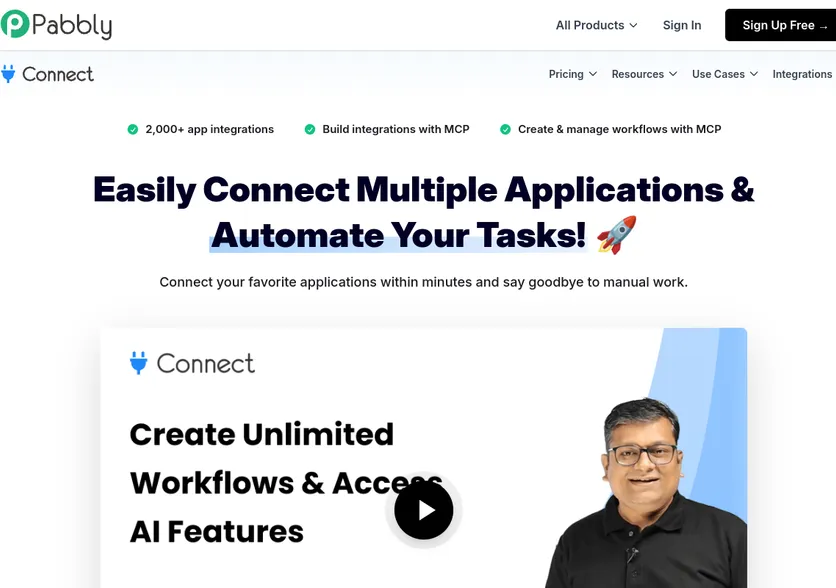
Paid tool Starting price: $16/month · Sixteen dollars a month billed annually on Standard for 10,000 tasks ($19 month to month); Unlimited is $69 a month billed annually; a November 26, 2026 read showed a $14 promo, so confirm the list price at checkout
Free plan: Free plan (100 tasks a month)
A small team on a tight budget gets the most runs per dollar here, since this Pabbly Connect plan costs sixteen dollars a month billed annually and includes ten thousand tasks a month. It connects the CRM, email and spreadsheets the team already uses, with no per-seat charges to multiply the bill. The lifetime plan suits a team that would rather pay once than carry another subscription.
What we like
- Ten thousand tasks on Standard for sixteen dollars a month billed annually
- Unlimited premium apps included, with no per-app upgrade
- One-time lifetime plans exist for teams that hate subscriptions
Watch out for
- A November 2026 read showed a fourteen dollar promo, so confirm the list price at checkout
- The interface is functional rather than polished
How to try it
- Create a workflow and pick the trigger app and event
- Add the action steps and map the data fields
- Save the workflow, test it, then switch it on
8. Activepieces
Best for: Teams that want one flat monthly price
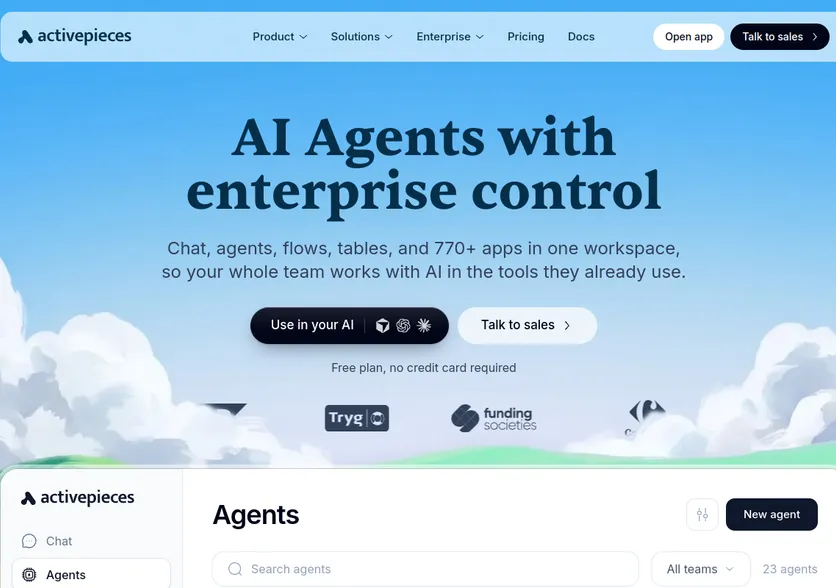
Paid tool Starting price: $20/month · Twenty dollars a month flat on Plus for 10,000 credits; Team is $200 a month for 50,000 credits; the older per-active-flow model is retired
Free plan: Free plan (1,000 credits)
Teams that want a flat price with no per-seat maths will like this Activepieces plan, which costs twenty dollars a month flat for ten thousand credits. The open-source core means a technical team can self-host it, and the pieces marketplace adds ready-made templates for common flows. It is the simplest bill in this list: one price, no matter how many people use it.
What we like
- Flat twenty dollars a month for ten thousand credits, with no per-seat fees
- Open-source core that technical teams can self-host
- Pieces marketplace adds ready-made flow templates
Watch out for
- The old per-active-flow pricing is retired, so older reviews quote the wrong model
- Smaller app library than the biggest rivals
How to try it
- Choose a trigger from the piece library
- Add action pieces and connect the data between them
- Publish the flow and check the run history
Prices above were checked on each vendor’s own website on Nov 29, 2026 and can change — the vendor’s page is the final word. Vendor links are editorial: nobody paid to be listed or ranked here. Vendors who want a featured listing can see how it works on our Get listed page.
How to automate a small team without creating a mess
Pick the one process that eats the most time each week, usually lead follow-up or status updates, and automate it end to end before adding more. Write down what each automation does and who owns it, because a flow nobody remembers becomes a mystery when it breaks. Start on a free plan or trial and count the real runs for a month, then buy the tier that fits the actual volume rather than the guess. Review the automations every quarter and switch off the ones the team no longer needs, since dead flows still burn tasks and credits.
Before you buy
- Count the real monthly runs before choosing a tier, since task and credit limits are the hidden cost
- Check that the tool connects to the apps the team already pays for, not just the popular ones
- Confirm the free plan covers a real workflow, not just a demo with a handful of runs
- Make sure someone on the team can read and fix a flow when it breaks at the wrong moment
- Test the tool on the busiest weekly process before committing to a full year of billing
Official websites
Official websites of the products reviewed above. Features and prices were checked against these sites when this guide was written, and they can change, so confirm on the vendor site before you buy.
Frequently asked questions
What is workflow automation software for small teams?
It is software that connects the apps a small team uses so repetitive steps happen on their own. A new form submission can create a task, notify the owner and update the CRM without anyone copying details between apps. The best tools for small teams are easy to set up, charge per team rather than per seat where possible, and log every run.
How much does Make cost for a small team?
Make Core costs nine dollars a month billed annually, or ten dollars and fifty-nine cents month to month, and covers ten thousand credits a month. That is usually enough for a small team automating several daily processes, and the free plan covers one thousand credits a month for a trial. Teams should watch the credit count, since credits expire at the end of each term.
Can a small team automate workflows for free?
Yes, with Zapier, Make, Integrately, Pabbly Connect, Activepieces and Zoho Flow all offering free plans, though each caps the monthly tasks or credits. A small team can automate one or two core processes, such as lead follow-up or status updates, without paying. Busy teams will outgrow the free tiers and should compare the paid plans above.
Is Zapier or Make better for a small team?
Make is better value, at nine dollars a month for ten thousand credits against Zapier's nineteen dollars and ninety-nine cents for 750 tasks. Zapier wins on app coverage, connecting to more than seven thousand apps, and on ease of use for non-technical staff. A team with simple two-app flows should pick Zapier, while a team with multi-step flows should pick Make.
Which tool is best for a small team on a budget?
Pabbly Connect is the cheapest way to run lots of automations, at sixteen dollars a month for ten thousand tasks with no per-seat fees. Make is close behind at nine dollars a month for ten thousand credits, with a stronger visual builder. Activepieces suits teams that want one flat twenty-dollar bill no matter how many people use it.
Compare the eight tools above, then start with a free plan or trial on the tool that fits the team's busiest process before paying for a full year.
Browse Business Tools tools