On this page
Accounting firms run on recurring work: the same returns, the same bookkeeping, the same deadlines, for dozens of clients at once. The eight tools below keep that work tracked and on time, from specialist practice platforms to general workspaces. Karbon leads because it is built for accounting firms for fifty-nine dollars per user a month, and the rest are ranked on how well they run a practice for the price.
How we researched this
We checked every price on the vendor pricing page on November 29, 2026, and only included tools with a published US dollar list price. The practice platforms that sell by quote publish no prices, so they are not in this list. Prices change, so confirm the current figure on the vendor site before you buy.
Compare the tools
| Name | Best for | Starting price | Free plan | |
|---|---|---|---|---|
 Karbon | Accounting firms that live in client work | $59/user/month | No free plan; demo on request | Visit |
 Jetpack Workflow | Firms running recurring tax and bookkeeping checklists | $40/user/month | No free plan; 14-day free trial | Visit |
 Financial Cents | Small bookkeeping firms on a tight budget | $19/month | No free plan; 14-day free trial | Visit |
 Canopy | Tax firms doing IRS resolution work | $74/user/month | No free plan; demo on request | Visit |
 TaxDome | Tax firms that would rather pay by client | $1,500/year | No free plan; demo on request | Visit |
 monday.com | Accounting firms that plan work on boards | $9/user/month | Free plan (up to 2 seats) | Visit |
 Asana | Accounting firms running engagements on timelines | $10.99/user/month | Free Personal plan (up to 2 users) | Visit |
 ClickUp | Firms that want client work and docs together | $9/user/month | Free plan (unlimited tasks) | Visit |
The workflow software for accountants, compared
1. Karbon
Best for: Accounting firms that live in client work
Paid tool Starting price: $59/user/month · Fifty-nine dollars per user a month billed annually on Team ($79 month to month); Business is $89 a user a month billed annually
Free plan: No free plan; demo on request
For an accounting firm that lives in client work, this Karbon plan costs fifty-nine dollars per user a month billed annually and puts every job, task and email in one place. Its triage inbox turns client messages into tracked work, so nothing gets lost in a shared mailbox. Capacity planning shows who is overloaded before tax season hits, which is when a firm needs it most.

What we like
- Built for accounting firms, with client tasks and jobs in one place
- Email triage turns client messages into tracked work
- Capacity planning shows who is overloaded before deadlines hit
Watch out for
- Fifty-nine dollars a user a month adds up fast for a large firm
- Monthly billing only for teams of four or more
How to try it
- Set up the client list and the recurring job templates
- Assign work items and due dates across the team
- Use the triage inbox to turn emails into tasks
2. Jetpack Workflow
Best for: Firms running recurring tax and bookkeeping checklists
Paid tool Starting price: $40/user/month · Forty dollars per user a month billed annually on Starter ($49 month to month); Premium is $50 a user a month billed annually; onboarding is $1,500 one time
Free plan: No free plan; 14-day free trial
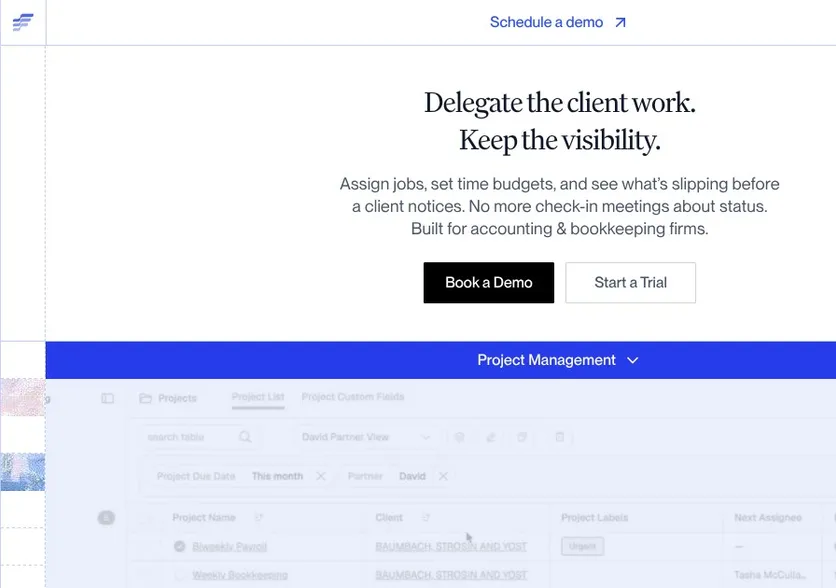
A firm that runs on recurring tax and bookkeeping checklists will like this Jetpack Workflow plan, which costs forty dollars per user a month billed annually and turns each client engagement into a tracked job. Its templates cover the cycles a firm repeats every year, and the client portal handles document requests without email chains. Onboarding support helps the firm migrate its old checklists, though the one thousand five hundred dollar fee is worth budgeting for.
What we like
- Recurring task templates built for tax and accounting cycles
- Client portal and document requests included
- Onboarding support helps firms migrate their checklists
Watch out for
- A one thousand five hundred dollar onboarding fee applies to new firms
- Fewer integrations than the bigger practice tools
How to try it
- Import the client list and set up recurring jobs
- Assign templates to each client and staff member
- Track job progress through the tax season dashboard
3. Financial Cents
Best for: Small bookkeeping firms on a tight budget
Paid tool Starting price: $19/month · Nineteen dollars a month billed annually on Solo for a single user, annual-only; Team is $49 a user a month and Scale is $69; the $39 and $59 figures in older listings are pre-2025 and stale
Free plan: No free plan; 14-day free trial
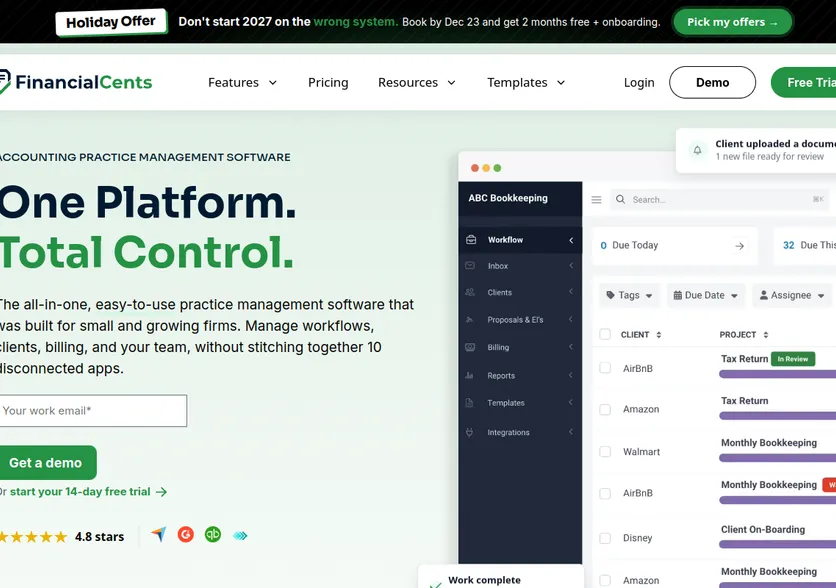
Small bookkeeping firms get the lowest entry price in this list with this Financial Cents plan, which costs nineteen dollars a month billed annually for a single user. Its workflow templates are designed for bookkeeping and tax work, and the client portal covers documents, chat and signatures. Solo is annual-only with no monthly option, so a solo firm should be sure before signing the twelve-month agreement.
What we like
- Lowest entry price among the accountant tools here
- Workflow templates designed for bookkeeping and tax firms
- Client portal, chat and document sharing included
Watch out for
- Solo is annual-only with no monthly option
- All plans run on a twelve-month agreement
How to try it
- Create the client list and the service templates
- Set up recurring workflows for each client
- Use the client portal for documents and messages
4. Canopy
Best for: Tax firms doing IRS resolution work
Paid tool Starting price: $74/user/month · Seventy-four dollars per user a month billed annually on Standard ($93 month to month); Plus is $109 and Premium is $149, badged coming soon; the vendor blog lists monthly as $89, which conflicts with the $93 on the pricing page
Free plan: No free plan; demo on request
A tax firm that does IRS resolution work will get the most from this Canopy plan, which costs seventy-four dollars per user a month billed annually and pulls transcripts and notices automatically from the IRS. Its client portal, e-signatures and payments sit in one platform, so the firm stops stitching tools together. The Tax Resolution add-on covers work that no other tool here touches, though it costs extra.

What we like
- Client portal, e-signatures and payments in one platform
- Tax resolution add-on covers IRS work other tools skip
- Transcripts and notices pulled automatically from the IRS
Watch out for
- Monthly billing is ninety-three dollars a user, not the eighty-nine the vendor blog lists
- Premium is badged coming soon, so Plus is the top live tier
How to try it
- Add the client list and connect the IRS transcript service
- Set up the tax workflow templates for the firm
- Send engagement letters and collect e-signatures through the portal
5. TaxDome
Best for: Tax firms that would rather pay by client
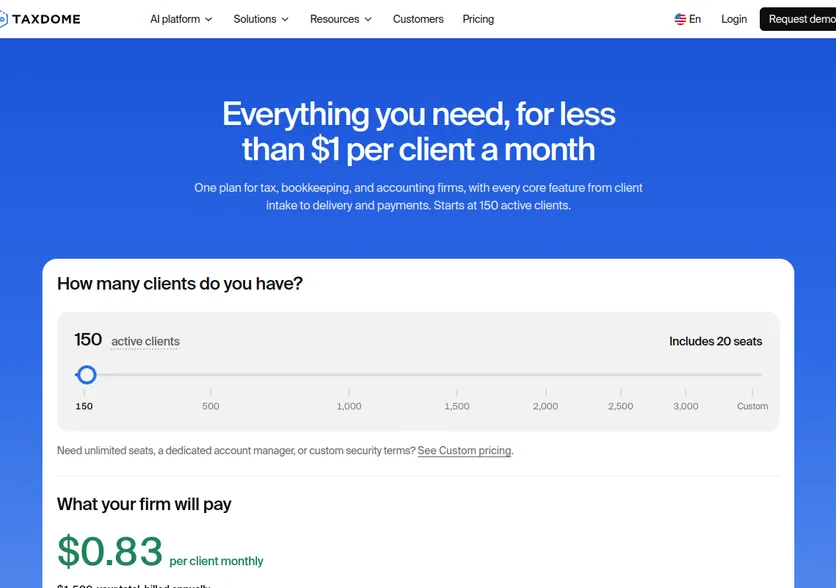
Paid tool Starting price: $1,500/year · One thousand five hundred dollars a year for up to 150 active clients, paid upfront, with 20 seats included; 400 clients cost $4,125 a year and 1,000 cost $9,000; verified on the vendor pricing page in November 2026
Free plan: No free plan; demo on request
For a tax firm that would rather pay by client than by seat, this TaxDome plan costs one thousand five hundred dollars a year for up to one hundred and fifty active clients, with twenty seats included. One plan covers intake, CRM, e-signatures and payments, so a firm of twenty pays the same as a solo preparer with the same client list. Unused active clients roll into the next plan year, which softens the upfront annual bill.
What we like
- Priced by clients, not seats, so a twenty-person team pays the same as a solo firm
- One plan covers intake, CRM, e-signatures and payments
- Unused active clients roll into the next plan year
Watch out for
- One thousand five hundred dollars a year is the minimum even for fewer than one hundred and fifty clients
- Existing customers move to the new pricing at renewal from January 2027
How to try it
- Set the client count and start the annual plan
- Import the client list and set up the service pipeline
- Send proposals and collect signatures through the portal
6. monday.com
Best for: Accounting firms that plan work on boards
Paid tool Starting price: $9/user/month · Nine dollars per user a month billed annually on Basic ($12 month to month); Standard is $12 and Pro is $19; a three-seat minimum applies and one outlier lists Standard at $14 and Pro at $22
Free plan: Free plan (up to 2 seats)
An accounting firm that plans work on boards will like this monday.com plan, which costs nine dollars per user a month billed annually and tracks every client job with owners, dates and status. Its templates cover onboarding and monthly close work, and automations chase the routine follow-ups. It is a general tool rather than an accounting specialist, so firms should check it handles client work the way they need.

What we like
- Boards, timelines and dashboards are easy to read at a glance
- Two hundred plus templates cover most team workflows
- Automations and integrations work without code
Watch out for
- Paid plans have a three-seat minimum, so a solo user pays for three
- Seats come in fixed bundles, which can push the bill up
How to try it
- Pick a board template that matches the workflow
- Add the columns, owners and due dates the team needs
- Turn on automations for status changes and reminders
7. Asana
Best for: Accounting firms running engagements on timelines
Paid tool Starting price: $10.99/user/month · Ten dollars and ninety-nine cents per user a month billed annually on Starter ($13.49 month to month); Advanced is $24.99 a user a month billed annually
Free plan: Free Personal plan (up to 2 users)
For an accounting firm that runs engagements on timelines, this Asana plan costs ten dollars and ninety-nine cents per user a month billed annually and keeps every return, report and deadline in one project. Rules move work between preparers and reviewers automatically, so a return never waits for someone to remember the handoff. It lacks the client portal and IRS tools of the specialist platforms, so it works best as the firm's internal tracker.

What we like
- Timeline, board and list views suit different working styles
- Rules automate handoffs, approvals and due-date changes
- Strong goal tracking ties work to team objectives
Watch out for
- Starter has a two-seat minimum, so solo buyers pay double
- Advanced reporting needs the dearer Advanced tier
How to try it
- Create a project and choose the board or timeline view
- Add tasks, owners and dependencies for each step
- Set up rules to move work forward automatically
8. ClickUp
Best for: Firms that want client work and docs together
Paid tool Starting price: $9/user/month · Nine dollars per user a month billed annually on Core ($12 month to month); Business is $17 a user a month billed annually
Free plan: Free plan (unlimited tasks)
A firm that wants client work, docs and goals in one workspace should look at this ClickUp plan, which costs nine dollars per user a month billed annually. Its automations move jobs through preparation, review and filing, and reminders chase owners before deadlines slip. It is a general workspace rather than a practice tool, so firms that need e-signatures or IRS transcripts should pair it with a specialist.

What we like
- Tasks, docs, whiteboards and goals in one workspace
- Automations with fifty-plus actions on paid plans
- Generous free plan for small teams getting started
Watch out for
- The feature list is so wide that setup can take a while
- Some advanced automations need the Business tier
How to try it
- Create a Space and add the Lists the team needs
- Set up statuses, assignees and due dates for each workflow
- Add automations for handoffs and reminders
Prices above were checked on each vendor’s own website on Nov 29, 2026 and can change — the vendor’s page is the final word. Vendor links are editorial: nobody paid to be listed or ranked here. Vendors who want a featured listing can see how it works on our Get listed page.
How to run an accounting practice without missing a deadline
Build a template for each service the firm sells, from monthly bookkeeping to annual returns, and reuse it for every client instead of starting fresh. Put the client portal at the centre of the workflow, so documents, signatures and messages live in one place rather than scattered across email. Review capacity every week during tax season, because the work always grows faster than the team expects. Close each engagement properly when it finishes, so a return that is filed does not sit open on someone's list for months.
Before you buy
- Check that the tool handles the firm's own services, from bookkeeping to tax returns and payroll
- Confirm the client portal covers documents, e-signatures and payments in one place
- Count the real cost per user, since per-seat pricing multiplies fast in a growing firm
- Make sure recurring templates cover the tax-season cycles the firm repeats every year
- Test the tool on one real client engagement before moving the whole firm onto it
Official websites
Official websites of the products reviewed above. Features and prices were checked against these sites when this guide was written, and they can change, so confirm on the vendor site before you buy.
Frequently asked questions
What is workflow software for accountants?
It is software that tracks an accounting firm's client work from intake to delivery in one place. Each engagement becomes a job with tasks, deadlines and an owner, so the firm can see what is done, what is late and who is overloaded. Good tools also include a client portal for documents and signatures, so the firm stops chasing paperwork by email.
How much does Karbon cost for an accounting firm?
Karbon Team costs fifty-nine dollars per user a month billed annually, or seventy-nine dollars month to month, and covers client tasks, email triage and capacity planning. Business is eighty-nine dollars a user a month billed annually, adding more automation and reporting. A firm with ten staff should budget about seven thousand dollars a year on the Team plan.
Can accountants manage workflows for free?
Not with the specialist practice tools, since Karbon, Jetpack Workflow, Financial Cents, Canopy and TaxDome all charge by subscription with no free plan. monday.com, Asana and ClickUp offer free plans that cover a small firm's internal tracking, though they lack client portals and IRS tools. A firm on a tight budget should start with Financial Cents at nineteen dollars a month.
Is Karbon or TaxDome better for accountants?
Karbon is better for firms that want a workflow tool built around client work, at fifty-nine dollars per user a month with email triage and capacity planning. TaxDome is better for tax firms that want one plan for everything, at one thousand five hundred dollars a year for up to 150 clients with twenty seats included. A firm with many staff and few clients should pick TaxDome, while a firm that bills by the hour should pick Karbon.
Which tool is cheapest for accountants?
Financial Cents is the cheapest practice tool here, at nineteen dollars a month for a solo firm on the annual plan. TaxDome can be cheaper for larger firms, since one thousand five hundred dollars a year covers twenty seats and up to 150 clients. monday.com is the cheapest general option, at nine dollars a user a month with a free plan for two seats.
Compare the eight tools above, then start with a free trial or demo on the tool that fits how the firm already serves clients before paying for a full year.
Browse Finance Calculators tools