On this page
Running rosters for hundreds of hourly staff across many sites is a different job from scheduling one shop, because labour cost, compliance and overtime rules all have to hold at scale. The seven tools below cover that job from a free single-location start to a full enterprise suite, and each one is priced from the vendor site. NICE CXone Workforce Management leads for large operations that need forecasting and intraday management, while the cheaper tools below suit enterprises that want scheduling and time tracking without the enterprise price tag.
How we researched this
We checked every price on the vendor pricing page on November 29, 2026, and only included tools with a published US dollar list price. The big enterprise suites that sell workforce management by quote, including UKG Pro, Workday, ADP Workforce Now, SAP SuccessFactors and Infor, publish no prices, so they are not in this list. Prices change, so confirm the current figure on the vendor site before you buy.
Compare the tools
| Name | Best for | Starting price | Free plan | |
|---|---|---|---|---|
 NICE CXone Workforce Management | Large contact centres that forecast and re-plan daily | $110/agent/month | No free plan; free demo | Visit |
 Deputy | Multi-site teams that want scheduling plus compliance | $5/user/month | Free trial | Visit |
 When I Work | Hourly teams that want the cheapest auto-scheduling | $2.50/user/month | No free plan; 14-day free trial | Visit |
 Connecteam | Deskless teams that live on their phones | $29/month | Free plan (up to 10 users) | Visit |
 7shifts | Restaurant groups that schedule against sales | $39.99/location/month | Free plan (Comp, 1 location) | Visit |
 Homebase | Small businesses that want a free scheduling start | $24/location/month | Free plan (Basic, 1 location) | Visit |
 Sling | Small teams that want the lowest per-user price | $1.70/user/month | Free plan (up to 30 users) | Visit |
The workforce management software for enterprise, compared
1. NICE CXone Workforce Management
Best for: Large contact centres that forecast and re-plan daily
Paid tool Starting price: $110/agent/month · One hundred and ten dollars per agent a month on the Omnichannel Suite; Essential is one hundred and thirty-five dollars, Core is one hundred and sixty-nine dollars, Complete is two hundred and nine dollars and Ultimate is two hundred and forty-nine dollars per agent a month, billed monthly in arrears with usage on top; workforce management features sit in the higher suites and add-ons, not the entry suite
Free plan: No free plan; free demo
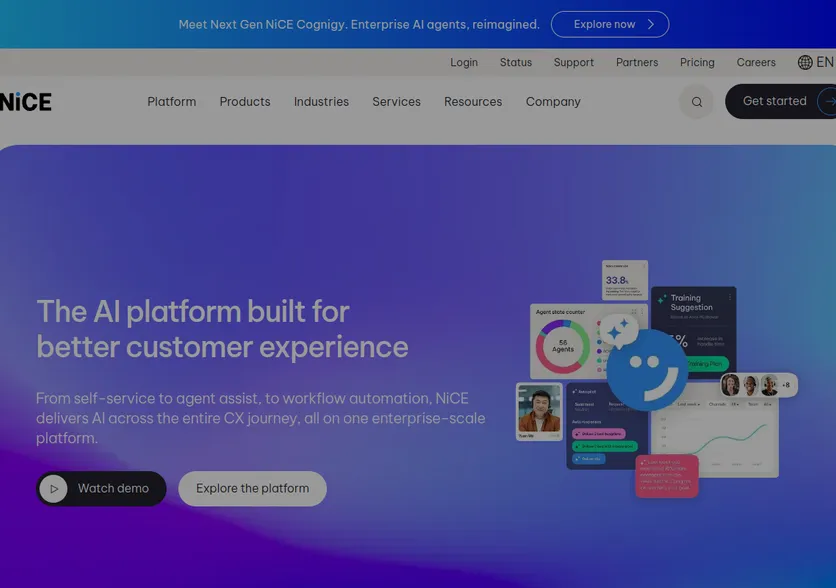
A contact centre that forecasts demand and manages hundreds of agents in real time needs a purpose-built suite, and this NICE CXone Workforce Management plan costs one hundred and ten dollars per agent a month on the entry Omnichannel Suite. It forecasts volume, builds schedules against it and re-plans intraday when queues move, which is the work a spreadsheet cannot do at enterprise scale. The catch is that the deeper workforce management features live in the higher suites and add-ons, so budget above the entry figure.
What we like
- Forecasting, scheduling and intraday management in one suite
- Re-plans automatically when queues and volumes move
- Deep reporting on adherence, shrinkage and service levels
Watch out for
- Workforce management features need the higher suites or add-ons
- Monthly billing in arrears plus usage makes the bill hard to predict
How to try it
- Import historical contact volumes and set your service level targets
- Generate the forecast and publish schedules against it
- Watch intraday adherence and re-plan when queues move
2. Deputy
Best for: Multi-site teams that want scheduling plus compliance
Paid tool Starting price: $5/user/month · Five dollars per user a month billed annually on Lite (five dollars and fifty cents billed monthly); Core is six dollars and fifty cents billed annually and Pro is nine dollars billed annually; thirty-dollar minimum monthly invoice; HR add-on is two dollars per user a month; Enterprise is by quote
Free plan: Free trial
An enterprise that wants scheduling, time tracking and compliance in one app without an enterprise price finds it here, since this Deputy plan costs five dollars per user a month billed annually on Lite. It auto-schedules against demand, flags overtime before it happens and keeps the audit trail that labour law requires. The thirty-dollar monthly minimum keeps tiny teams out, but a multi-site operation clears it easily.

What we like
- Auto-scheduling against demand with overtime flags
- Time clock, leave and compliance in the same app
- Works across retail, hospitality, healthcare and services
Watch out for
- The thirty-dollar monthly minimum rules out very small teams
- The HR add-on costs extra on every plan
How to try it
- Add your locations, roles and pay rules for each site
- Build the roster with auto-scheduling and publish it to the team
- Review timesheets and approve payroll-ready hours each week
3. When I Work
Best for: Hourly teams that want the cheapest auto-scheduling
Paid tool Starting price: $2.50/user/month · Two dollars and fifty cents per user a month on Essentials for scheduling only; Pro is five dollars and Premium is eight dollars; time tracking is a paid add-on of one dollar and fifty cents per user on Essentials, which lifts Essentials with time tracking to four dollars per user a month; no annual discount is published
Free plan: No free plan; 14-day free trial
The cheapest way onto proper auto-scheduling is this When I Work plan, which costs two dollars and fifty cents per user a month on Essentials for scheduling alone. Auto-scheduling, shift swaps, availability requests and multi-location rosters are included even at that entry price, with no base fee and no minimum. Time tracking costs extra, so a team that needs the clock should budget four dollars per user a month instead.

What we like
- Auto-scheduling included even on the cheapest plan
- No base fee and no minimum user count
- Shift swaps and availability requests in the app
Watch out for
- Time tracking is a paid add-on, not included at entry
- No free plan, only a fourteen-day trial
How to try it
- Add staff, roles and availability for each location
- Let auto-scheduling build the roster and publish it
- Handle swaps and time-off requests inside the app
4. Connecteam
Best for: Deskless teams that live on their phones
Paid tool Starting price: $29/month · Twenty-nine dollars a month for the first thirty users on Basic billed annually (thirty-five dollars billed monthly); Advanced is forty-nine dollars billed annually and Expert is ninety-nine dollars billed annually; extra users are eighty cents a month on Operations and fifty cents on Communications and HR billed annually
Free plan: Free plan (up to 10 users)
A deskless workforce that needs scheduling, a time clock, forms and team chat in one phone app gets it here, because this Connecteam plan costs twenty-nine dollars a month for the first thirty users on Basic billed annually. The hub pricing means the first thirty users are covered by one flat fee, and extra users cost under a dollar each. It suits enterprises whose staff never sit at a desk and live on their phones.

What we like
- Scheduling, time clock, forms and chat in one app
- Flat fee covers the first thirty users on every hub
- Free Small Business plan for up to ten users
Watch out for
- Pricing is per hub, so the bill grows with each hub added
- Deeper HR and payroll features sit on the dearer plans
How to try it
- Pick the hubs you need and invite staff to the mobile app
- Build schedules and set up the GPS time clock
- Share updates, forms and training through the team feed
5. 7shifts
Best for: Restaurant groups that schedule against sales
Paid tool Starting price: $39.99/location/month · Thirty-nine dollars and ninety-nine cents per location a month billed annually on Essentials; Pro is seventy-nine dollars and ninety-nine cents and Premium is one hundred and thirty-four dollars and ninety-nine cents billed annually; some older listings still show the retired Entree plan at twenty-nine dollars and ninety-nine cents a month
Free plan: Free plan (Comp, 1 location)
Restaurants that schedule by sales and watch labour cost every shift will feel at home here, since this 7shifts plan costs thirty-nine dollars and ninety-nine cents per location a month billed annually on Essentials. It ties the roster to sales forecasts, flags overtime and late clock-ins, and plugs into the point-of-sale systems restaurants already run. The free Comp plan covers one location, so a single restaurant can start without paying.

What we like
- Rosters tied to sales forecasts and labour budgets
- Point-of-sale and payroll integrations built in
- Free Comp plan for a single location
Watch out for
- Priced per location, so the bill multiplies with each site
- Older listings show a cheaper retired plan that no longer exists
How to try it
- Connect your point-of-sale system and import the team
- Build the roster against the sales forecast for the week
- Track labour cost live and adjust shifts before overtime bites
6. Homebase
Best for: Small businesses that want a free scheduling start
Paid tool Starting price: $24/location/month · Twenty-four dollars per location a month billed annually on Essentials (thirty dollars billed monthly); Plus is fifty-six dollars billed annually and All-in-One is ninety-six dollars billed annually; Basic is free for one location with up to ten employees
Free plan: Free plan (Basic, 1 location)
A small business that wants scheduling, a time clock and hiring in one free start will like this Homebase plan, which costs twenty-four dollars per location a month billed annually on Essentials. The free Basic plan covers one location with up to ten employees, so a single shop can run scheduling and the time clock for nothing. Paid plans add messaging, hiring and payroll as the business grows.

What we like
- Free Basic plan with scheduling and time clock
- Hiring, onboarding and payroll grow with the business
- Simple enough for a team with no HR staff
Watch out for
- Free plan is limited to one location and ten employees
- Payroll and deeper HR tools need the dearer plans
How to try it
- Create your location and add the team with their roles
- Publish the schedule and let staff clock in on the app
- Approve timesheets and run payroll from the same dashboard
7. Sling
Best for: Small teams that want the lowest per-user price
Paid tool Starting price: $1.70/user/month · One dollar and seventy cents per user a month billed annually on Premium (two dollars billed monthly); Business is three dollars and forty cents billed annually (four dollars billed monthly); fifteen-day free trial on paid plans
Free plan: Free plan (up to 30 users)
The lowest per-user price in this list belongs to this Sling plan, which costs one dollar and seventy cents per user a month billed annually on Premium. The free plan covers up to thirty users, so a small team can schedule, message and track time without paying at all. It is owned by Toast, which makes it a natural fit for restaurants already on that platform.

What we like
- Cheapest per-user price in this comparison
- Free plan covers up to thirty users
- Built-in messaging and task lists for the shift
Watch out for
- Fewer compliance and payroll features than the dearer tools
- Labour cost controls need the Business plan
How to try it
- Add the team and set their roles and availability
- Build the schedule and share it through the app
- Track hours and labour cost as the week runs
Prices above were checked on each vendor’s own website on Nov 29, 2026 and can change — the vendor’s page is the final word. Vendor links are editorial: nobody paid to be listed or ranked here. Vendors who want a featured listing can see how it works on our Get listed page.
How to roll out workforce management across a large enterprise
Start with one location and one team, because a rollout that works for thirty people will scale to three hundred, while a rollout that fails everywhere at once is hard to rescue. Map the rules before you buy: overtime thresholds, break rules, union agreements and local labour law all shape which plan you need, and the cheapest tier often drops the rule that matters most. Bring payroll into the decision early, since a schedule that cannot export clean hours costs more in manual fixes than the software saves. Finally, train managers first, because they build the rosters, and a tool only managers understand will never reach the floor staff who clock in on it.
Before you buy
- Confirm the plan covers overtime, breaks and local labour rules for every state or country you operate in
- Check whether time tracking is included or a paid add-on, since that changes the real per-user price
- Ask if the price is per user, per location or per hub, and model the total for your actual headcount
- Make sure payroll and point-of-sale integrations work with the systems you already run
- Run a pilot at one location with real rosters before rolling the tool out to every site
Official websites
Official websites of the products reviewed above. Features and prices were checked against these sites when this guide was written, and they can change, so confirm on the vendor site before you buy.
Frequently asked questions
What is workforce management software for enterprise?
It is software that plans, schedules and tracks a large hourly workforce across many locations, covering demand forecasting, rostering, time clocks, leave and labour cost control. Enterprise tools add compliance rules, overtime alerts and payroll integrations, so a company with hundreds of staff can keep every site legal and on budget without running rosters in spreadsheets.
How much does NICE CXone Workforce Management cost?
NICE CXone Workforce Management costs one hundred and ten dollars per agent a month on the Omnichannel Suite, with higher suites at one hundred and thirty-five, one hundred and sixty-nine, two hundred and nine and two hundred and forty-nine dollars per agent a month. Billing is monthly in arrears with usage on top, and the deeper workforce management features sit in the higher suites, so the real enterprise bill runs above the entry figure.
Which workforce management tool is cheapest for enterprise?
Sling is cheapest per user at one dollar and seventy cents a user a month billed annually, with a free plan for up to thirty users. When I Work follows at two dollars and fifty cents a user a month for scheduling only. Both suit small teams inside a larger business, while Deputy at five dollars a user a month adds the compliance depth a bigger enterprise usually needs.
Is there free workforce management software for enterprise?
Homebase offers a free Basic plan for one location with up to ten employees, and Sling is free for up to thirty users, while Connecteam is free for up to ten users. These free plans suit a single site or a pilot team, but a multi-site enterprise will outgrow them and should compare the paid plans above, which start at one dollar and seventy cents a user a month.
Why do UKG, Workday and ADP not appear in this list?
UKG Pro, Workday, ADP Workforce Now, SAP SuccessFactors and Infor all sell workforce management by quote and publish no list prices, so they cannot be compared on verified prices in this guide. They are the right shortlist for a very large enterprise that wants a full HR suite, but budgeting for them needs a sales conversation rather than a published price page.
Compare the seven tools above, then start with a free plan or trial at one location and check the real per-user cost, including time tracking, before rolling out to every site.
Browse Business Tools tools