On this page
A novel is a long project, and the right software keeps every scene, chapter and character in order while you focus on the writing itself. The eight tools below run from about six dollars a month to a one-time formatting license, and every price was checked on the vendor site on November 26, 2026. Most offer a free plan or trial, so you can write a real chapter before paying anything. Scrivener is our first pick — the writing studio novelists actually finish books in.
How we researched this
We started with the writing apps novelists actually use, then read each price on the vendor pricing page on November 26, 2026 and noted the free plan or trial each one carries. We judged them for a novelist who writes long manuscripts and needs structure, sync and clean exports. We kept only tools with a published price and dropped any tool whose price we could not verify on the vendor site.
Compare the tools
| Name | Best for | Starting price | Free plan | |
|---|---|---|---|---|
 Scrivener | Novelists who want a full writing studio for long manuscripts | $59.99 one-time | 30-day free trial of actual use days | Visit |
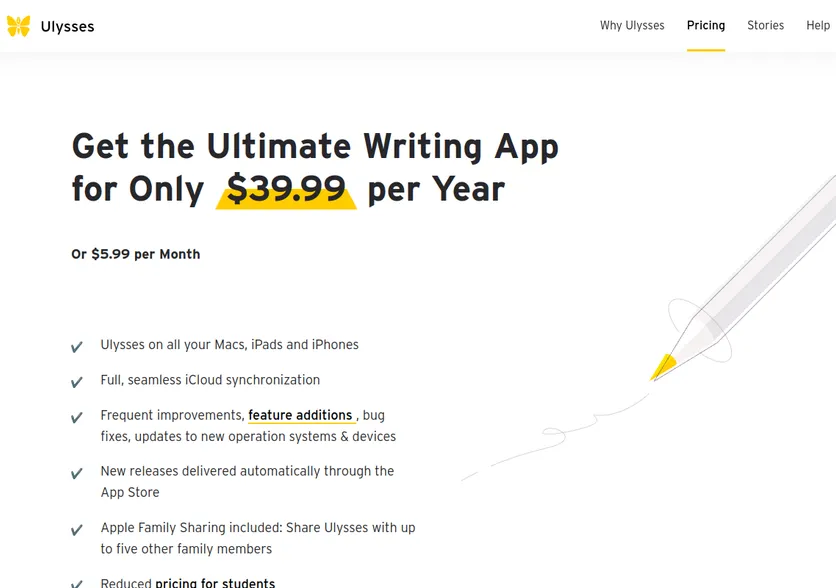
 Ulysses | Mac writers who want a clean, distraction-free editor | $5.99/month | 14-day free trial; no free plan | Visit |
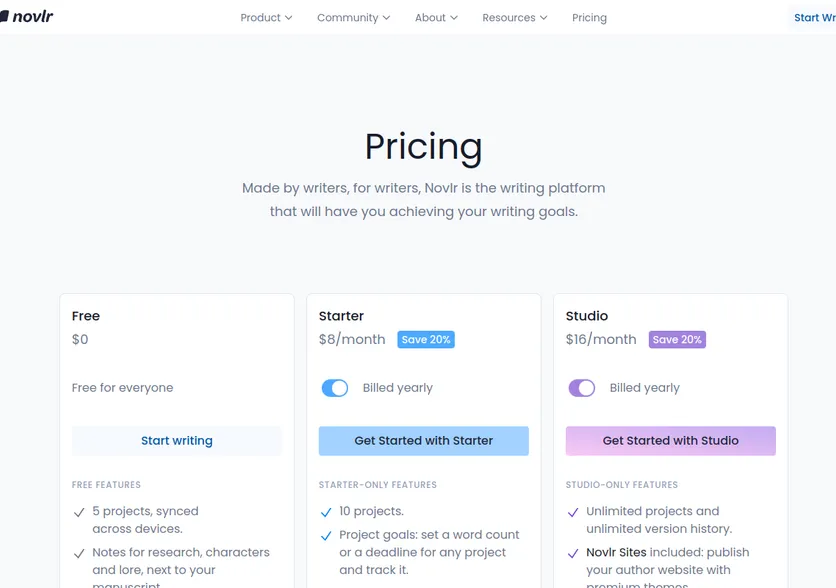
 Novlr | Novelists who want a simple cloud app with progress tracking | $8/month | Free plan with 2 projects | Visit |
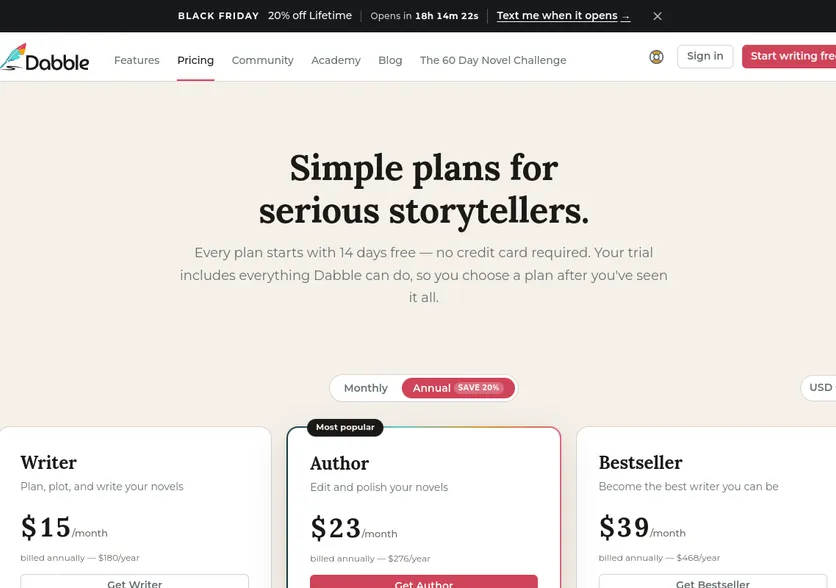
 Dabble | Novelists who want plotting tools and a clean writing space | $15/month | 14-day free trial; no free plan | Visit |
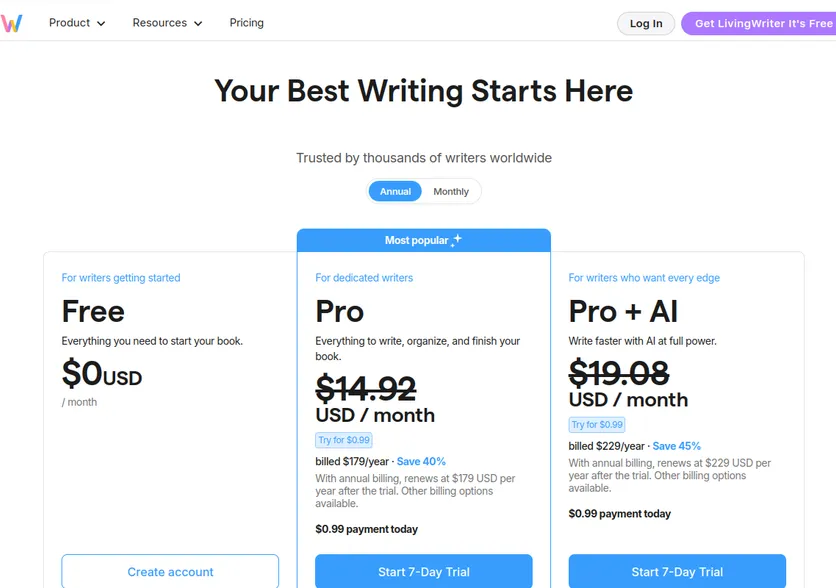
 LivingWriter | Novelists who want an all-in-one app with AI help | $19.99/month | Free plan for your first book | Visit |
 Plottr | Plotters who want visual story planning for novels and series | $60/year | 30-day free trial; no free plan | Visit |
 Atticus | Novelists who want to format ebooks and print books themselves | $147 one-time | No free trial; 30-day money-back guarantee | Visit |
 Vellum | Mac novelists who want beautiful ebook formatting | $199.99 one-time | Free to download and try; pay when you export | Visit |
The writing software for novelists, compared
1. Scrivener
Best for: Novelists who want a full writing studio for long manuscripts
Paid tool Starting price: $59.99 one-time · License per platform, $59.99 one-time for macOS or Windows; bundle $95.98, iOS $23.99, Educational $50.99; 30-day trial of actual use days
Free plan: 30-day free trial of actual use days
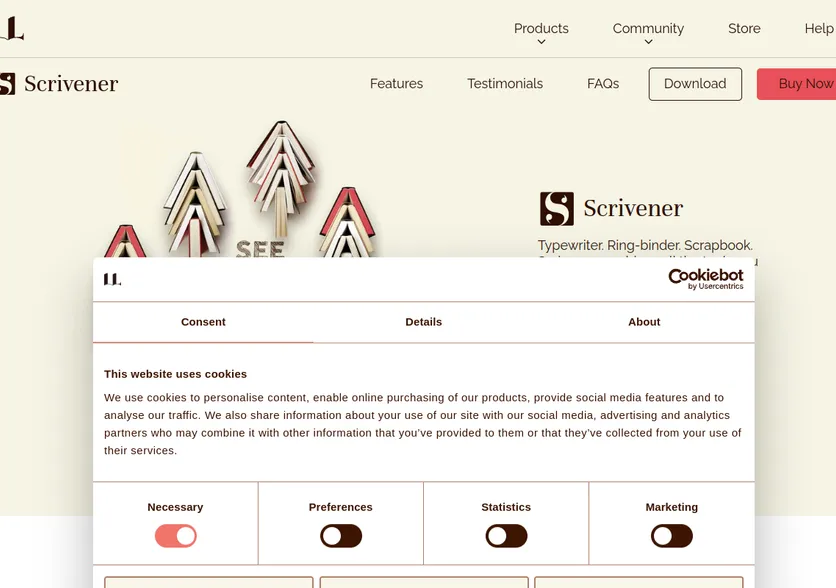
Scrivener is the writing app most novelists swear by, built to hold a whole manuscript, research and notes in one organized project. This Scrivener license covers one platform, Mac or Windows, with a one-time payment and no subscription. A novelist with a long manuscript will find Scrivener the best place to keep every scene, chapter and idea in order.
What we like
- Built for long manuscripts and research
- Corkboard and outlining keep structure clear
- One-time payment with no subscription
Watch out for
- License costs about sixty dollars paid once
- Interface takes a weekend to learn
How to try it
- Open the Scrivener overview page and start a trial
- Create a new novel project and outline your chapters
- Write a scene and use the corkboard to arrange it
2. Ulysses
Best for: Mac writers who want a clean, distraction-free editor
Paid tool Starting price: $5.99/month · Subscription, $5.99 a month or $39.99 a year; covers all Mac, iPad and iPhone devices, Family Sharing up to 5 people; Student $10.99 for 6 months; $199.99 perpetual license in-app
Free plan: 14-day free trial; no free plan
Ulysses is the elegant writing app for Mac, iPhone and iPad, with a calm editor, goals and publishing tools in one place. This Ulysses subscription covers all your Apple devices with Family Sharing for up to five people. A writer who drafts on a Mac and edits on an iPad will find Ulysses the smoothest writing experience here.
What we like
- Beautiful distraction-free editor
- Syncs across Mac, iPad and iPhone
- Built-in goals keep you writing daily
Watch out for
- Subscription costs about six dollars a month
- Apple devices only, no Windows version
How to try it
- Open the Ulysses pricing page and start a trial
- Create a new project and set a daily writing goal
- Write a chapter and publish it straight to your blog
3. Novlr
Best for: Novelists who want a simple cloud app with progress tracking
Paid tool Starting price: $8/month · Starter plan, $8 a month billed yearly ($96 a year; $10 billed monthly); Studio $16 a month billed annually; Lifetime Studio $499 once; free plan with 2 projects
Free plan: Free plan with 2 projects
Novlr is the cloud writing app for novelists, with a clean editor, chapter organisation and writing statistics that keep you moving. This Novlr Starter plan adds unlimited projects, offline writing and the full statistics suite. A novelist who writes on different computers will find Novlr the easiest way to keep a manuscript in sync.
What we like
- Clean cloud editor with no install
- Writing statistics keep you motivated
- Works on any computer with a browser
Watch out for
- Starter costs eight dollars a month billed yearly
- Fewer advanced features than desktop apps
How to try it
- Open the Novlr pricing page and create an account
- Start a new novel and set a word count goal
- Write a chapter and check your progress stats
4. Dabble
Best for: Novelists who want plotting tools and a clean writing space
Paid tool Starting price: $15/month · Writer plan, $15 a month billed annually ($180 a year; $19 month-to-month); Author $23 a month billed annually, Bestseller $39 a month billed annually; Lifetime Author $699 once
Free plan: 14-day free trial; no free plan
Dabble is the writing app that pairs a calm editor with plotting tools, character sheets and a goal tracker for novelists. This Dabble Writer plan adds unlimited projects, plotting boards and cloud sync across devices. A novelist who plans before writing will find Dabble the best balance of structure and simplicity here.
What we like
- Plotting tools built for novelists
- Clean editor with no distractions
- Cloud sync across all devices
Watch out for
- Writer costs fifteen dollars a month billed annually
- No free plan, only a trial
How to try it
- Open the Dabble pricing page and start a trial
- Create a new novel and build a plot board
- Write a chapter and track your daily goal
5. LivingWriter
Best for: Novelists who want an all-in-one app with AI help
Paid tool Starting price: $19.99/month · Pro plan, $19.99 a month or $149 a year; Pro plus AI $29.99 a month or $199 a year; free plan for the first book; vendor shows two price sets per visitor, second set $24.99 a month or $179 a year
Free plan: Free plan for your first book
LivingWriter is the modern novel app with templates, outlining and AI assistance built into a clean browser editor. This LivingWriter Pro plan adds unlimited books, the full template library and AI writing help. A novelist who wants structure, templates and a little AI help will find LivingWriter the most complete cloud option here.
What we like
- Templates for every kind of novel
- AI help for outlines and story ideas
- Clean browser editor with no install
Watch out for
- Pro costs about twenty dollars a month
- Price varies by visitor on the vendor site
How to try it
- Open the LivingWriter pricing page and create an account
- Pick a novel template and outline your story
- Write a chapter and try the AI suggestions
6. Plottr
Best for: Plotters who want visual story planning for novels and series
Paid tool Starting price: $60/year · Base desktop plan, $60 a year with no monthly option; lifetime $150 once; Pro $9.99 a month or $99 a year; Pro plus Community $14.99 a month or $129 a year; 30-day trial
Free plan: 30-day free trial; no free plan
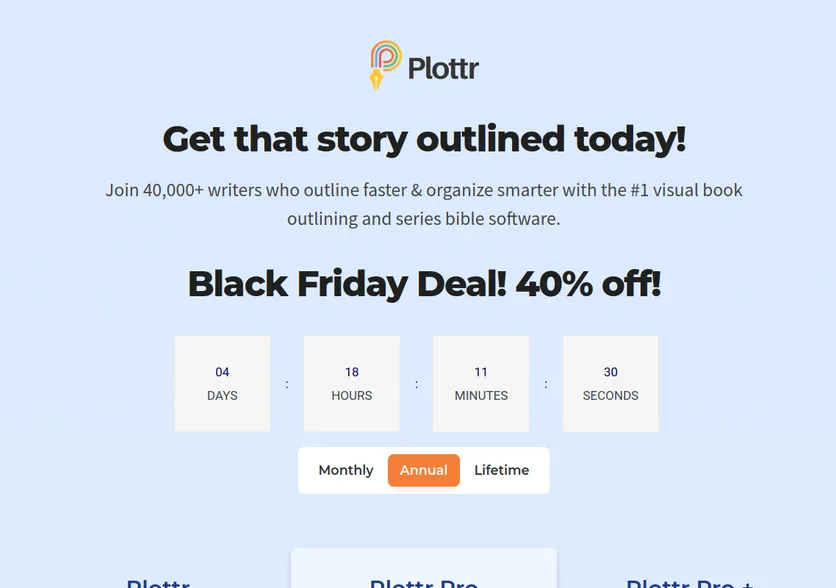
Plottr is the visual plotting tool for novelists, with timeline boards, character sheets and series bibles that keep a long story straight. This Plottr Base plan covers the desktop app with unlimited timelines and templates for one yearly payment. A plotter who thinks in timelines will find Plottr the clearest way to plan a novel or a series.
What we like
- Visual timelines make plotting easy
- Templates for novels and series
- One yearly payment with no monthly billing
Watch out for
- Base costs sixty dollars a year
- Plotting tool, not a full word processor
How to try it
- Open the Plottr pricing page and start a trial
- Create a timeline and add your plot points
- Build character sheets and export your outline
7. Atticus
Best for: Novelists who want to format ebooks and print books themselves
Paid tool Starting price: $147 one-time · License, $147 one-time for ebook plus print, all future updates included; 30-day money-back guarantee, no trial
Free plan: No free trial; 30-day money-back guarantee
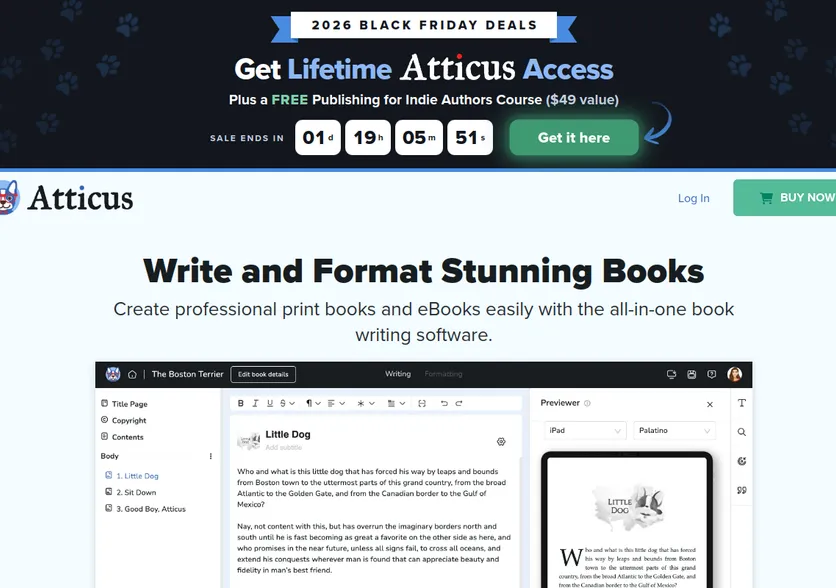
Atticus is the formatting app that turns a finished manuscript into a professional ebook and print book, with no design skills needed. This Atticus license covers ebook and print formatting for one payment, with all future updates included. A novelist ready to publish will find Atticus the cheapest way to a book that looks professionally made.
What we like
- Professional ebook and print formatting
- One-time payment with future updates included
- Works on Windows, Mac, Linux and Chromebook
Watch out for
- License costs one hundred forty-seven dollars once
- Formatting tool, not a writing editor
How to try it
- Open the Atticus pricing page and buy a license
- Import your finished manuscript
- Choose a theme and export your ebook and print files
8. Vellum
Best for: Mac novelists who want beautiful ebook formatting
Paid tool Starting price: $199.99 one-time · Vellum Ebooks license, $199.99 one-time for unlimited ebooks; Press $249.99 adds print; upgrade Ebooks to Press $69.99; Mac only, macOS 14 or later
Free plan: Free to download and try; pay when you export
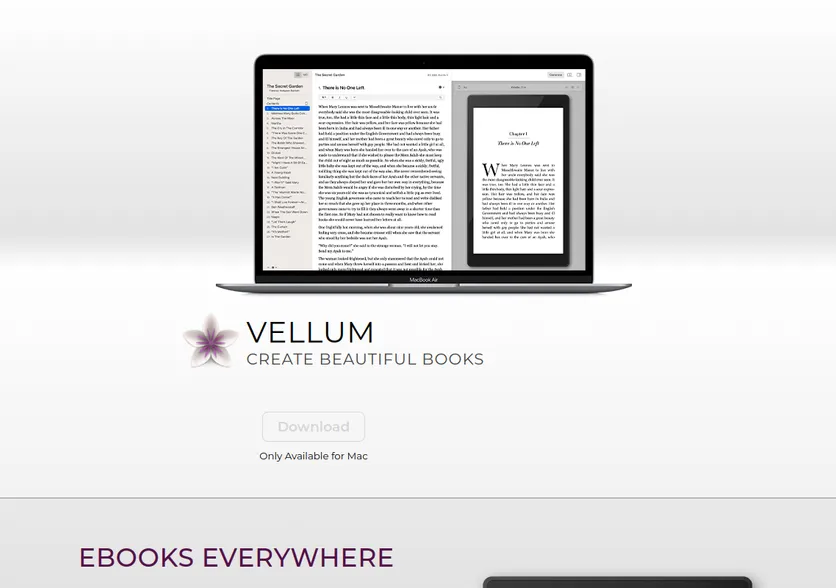
Vellum is the Mac app that turns a manuscript into a beautiful ebook, with elegant themes and typography that make self-published books look professional. This Vellum Ebooks license covers unlimited ebooks for one payment, with a print upgrade available. A Mac novelist ready to publish will find Vellum the most beautiful formatting tool here.
What we like
- Beautiful ebook themes and typography
- Easy to use with no design skills
- Free to try before you pay
Watch out for
- Ebooks license costs about two hundred dollars once
- Mac only, so Windows users cannot use it
How to try it
- Open the Vellum pricing page and download the app
- Import your manuscript and pick a theme
- Export your ebook when it looks right
Prices above were checked on each vendor’s own website on Nov 26, 2026 and can change — the vendor’s page is the final word. Vendor links are editorial: nobody paid to be listed or ranked here. Vendors who want a featured listing can see how it works on our Get listed page.
What writing software for novelists costs in 2026
Most novelists pay for one writing app, so the yearly price or the one-time license is the whole budget, and the free trial matters more than the paid features at first. This list runs from about six dollars a month for a clean editor to a one-time license near two hundred dollars for formatting, with yearly plans around sixty dollars in between. The headline plan each vendor shows on its own pricing page is the number in the table above, checked on November 26, 2026.
Start with the free trial on two tools and write the same chapter in both. Compare how the editor feels at two in the morning and how easy it is to find a scene, then pay for the one that disappears while you write. A sixty-dollar tool that helps you finish a novel beats a two-hundred-dollar app you never open.
Before you buy
- Try the free trial on a real chapter first, because a demo project never shows how the tool handles your writing habits.
- Check the export options, because a novel tool must export clean files for your editor or publisher.
- Ask whether the tool syncs between devices, because a novel written on two computers needs reliable sync.
- Look at the outlining tools, because a long novel needs structure more than a pretty editor.
- Add up the yearly cost, because a six-dollar monthly plan is really seventy-two dollars a year.
Official websites
Official websites of the products reviewed above. Features and prices were checked against these sites when this guide was written, and they can change, so confirm on the vendor site before you buy.
Frequently asked questions
What is the best writing software for novelists in 2026?
Scrivener, at about sixty dollars paid once, is the safest default because it holds a whole manuscript, research and notes in one organized project. Ulysses is better for Mac writers who want a clean editor, at about six dollars a month. Novlr wins for cloud writing, since it syncs your novel across any computer from eight dollars a month billed yearly.
What is the cheapest writing software for novelists?
Ulysses, at about six dollars a month or forty dollars a year, is the cheapest paid plan here. Novlr Starter, at eight dollars a month billed yearly, is the cheapest cloud option. Both offer free trials, and Novlr offers a free plan with two projects. Scrivener costs about sixty dollars paid once, which is cheaper than a year of most subscriptions.
Can I write a novel for free?
Yes, Novlr offers a free plan with two projects, and LivingWriter offers a free plan for your first book. Vellum is free to download and try, with payment only when you export. Scrivener, Ulysses, Dabble and Plottr offer free trials from fourteen to thirty days. Start free, write a real chapter, and pay only when the tool earns it.
Is Scrivener or Ulysses better for novelists?
Scrivener is better for most novelists because it holds research, notes and a whole manuscript in one project with a one-time payment. Ulysses is better when you write on Apple devices and want a calm, distraction-free editor with sync. Scrivener costs about sixty dollars once while Ulysses costs about six dollars a month, so Scrivener is cheaper over a year.
Which tool is best for publishing my novel as an ebook?
Atticus, at one hundred forty-seven dollars paid once, is the best value for ebook and print formatting because it covers both formats with future updates included. Vellum, at about two hundred dollars paid once, is the best value for beautiful ebook-only formatting on a Mac. Both are one-time payments, so you pay once and format as many books as you write.
Want free writing tools too? Try Toolsvine's free text tools right in your browser.
Browse Text Tools tools