
On this page
Accessibility tools make a website usable for everyone, from screen reader users to shoppers who need bigger text and stronger contrast. The seven tools below cover every approach, from accessiBe overlays to UserWay widgets and Pope Tech audits. accessiBe is our first pick, the most widely used widget at 59 dollars a month. Every price was checked on the vendor site on November 26, 2026, and every tool offers a free plan or a free trial.
How we researched this
We started with the AI accessibility tools website owners actually buy in 2026, then read each price on the vendor site on November 26, 2026 and noted the free plan or trial each one carries. We judged them for a small site owner who needs an accessibility widget, an audit and a fix list without hiring a consultant. We kept only tools with a published price and dropped the quote-only enterprise suites, keeping the list to tools a small team can buy today.
Compare the tools
| Name | Best for | Starting price | Free plan | |
|---|---|---|---|---|
 accessiBe | Site owners who want the most widely used widget | $59/mo | Free trial available | Visit |
 UserWay | Teams that want a widget plus an audit report | $49/mo | Free plan available | Visit |
 AudioEye | Sites that need human testing behind the automation | $49/mo | Free trial available | Visit |
 EqualWeb | Small sites that want a managed accessibility fix | $39/mo | Free trial available | Visit |
 Pope Tech | Teams that need a ranked fix list for their developers | $25/mo | Free trial available | Visit |
| All in One Accessibility | Sites that want a full widget at a low price | $25/mo | Free plan available | Visit |
 Accessibly | Small Shopify stores on a tight budget | $5/mo | 7-day free trial (no free plan) | Visit |
The AI accessibility tools, compared
1. accessiBe
Best for: Site owners who want the most widely used widget
Paid tool Starting price: $59/mo · accessWidget, from; higher tiers by quote
Free plan: Free trial available
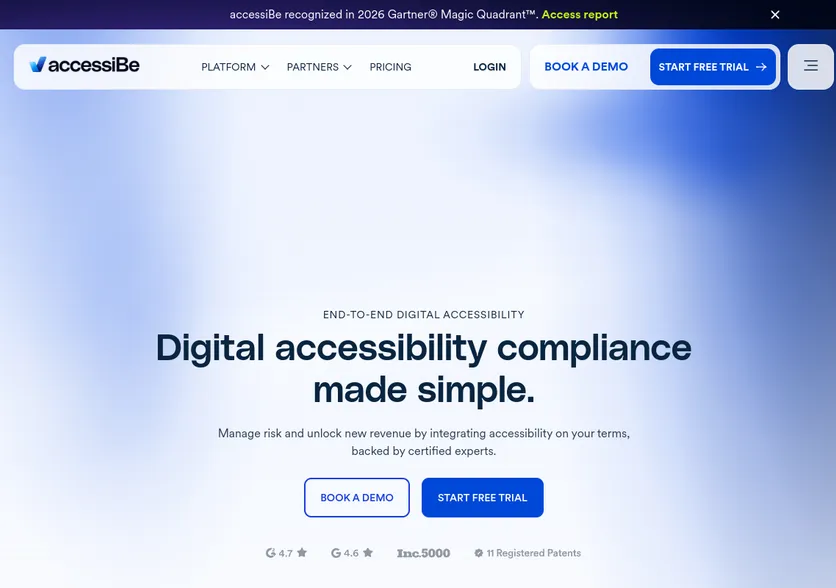
accessiBe adds an accessibility widget and AI remediation to any website, so visitors can adjust text, contrast and navigation in one click. This accessiBe plan scans the site daily, fixes common issues in the background and issues an accessibility statement. It is the most widely used tool on this list, though the overlay approach draws criticism from accessibility experts and the price is per site.
What we like
- Most widely used widget
- Daily AI scans and fixes
- Accessibility statement included
Watch out for
- Overlay approach draws criticism
- Price is per site
How to try it
- Install the accessiBe widget on your site
- Let the AI scan run and fix common issues
- Publish the accessibility statement it generates
2. UserWay
Best for: Teams that want a widget plus an audit report
Paid tool Starting price: $49/mo · Pro, $490 a year; Pro Plus $119, Ultimate $249
Free plan: Free plan available
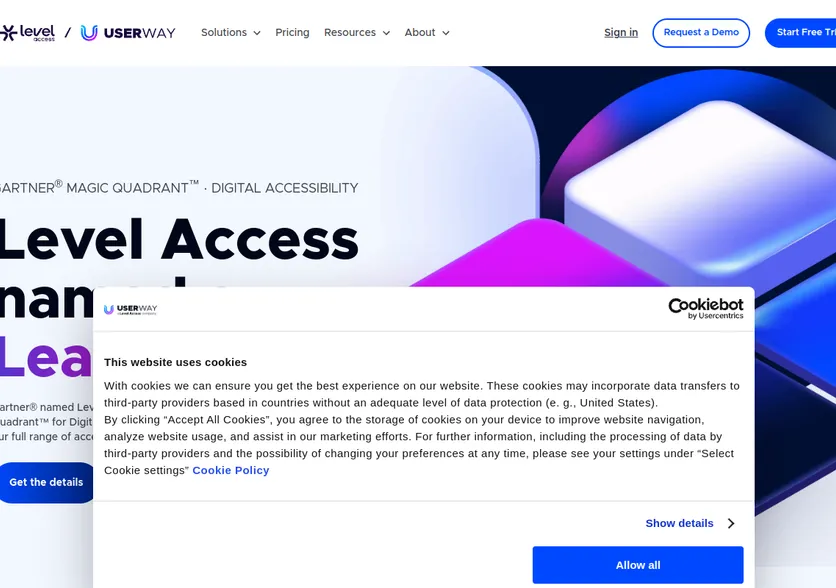
UserWay combines an accessibility widget with AI-powered fixes and audits, so a site gets both visitor controls and a compliance report. This UserWay plan adds screen reader support, keyboard navigation fixes and a monitoring dashboard. It is the best widget-plus-audit combo here, though the higher tiers climb fast and the AI fixes do not replace a real code audit.
What we like
- Widget and audit in one tool
- Screen reader and keyboard fixes
- Monitoring dashboard included
Watch out for
- Higher tiers climb fast
- AI fixes do not replace a code audit
How to try it
- Add the UserWay widget to your site
- Run the accessibility audit and read the report
- Fix the flagged issues and watch the score improve
3. AudioEye
Best for: Sites that need human testing behind the automation
Paid tool Starting price: $49/mo · Basic, from; higher plans by quote
Free plan: Free trial available
AudioEye pairs automated fixes with human testing, so issues the AI misses still get caught by real testers. This AudioEye plan adds a toolbar for visitors, continuous monitoring and legal support for accessibility claims. It is the most thorough pick on this list, though the entry plan is basic and the full service is priced by quote.
What we like
- Human testers behind the AI
- Legal support for claims
- Continuous monitoring included
Watch out for
- Entry plan is basic
- Full service is priced by quote
How to try it
- Install the AudioEye toolbar on your site
- Let automation fix issues and testers verify them
- Use the monitoring dashboard to track progress
4. EqualWeb
Best for: Small sites that want a managed accessibility fix
Paid tool Starting price: $39/mo · Small, up to 100 pages; Medium $49, Large $109
Free plan: Free trial available
EqualWeb scans a site for accessibility barriers and fixes many of them automatically, with a widget for visitors who need adjustments. This EqualWeb plan covers up to one hundred pages on the entry tier, with manual audits available on higher plans. It is the best pick for small sites that want a managed fix, though the page cap decides the real price and the widget alone is not a full audit.
What we like
- Automatic fixes for common barriers
- Managed service for small sites
- Manual audits on higher plans
Watch out for
- Page cap decides the real price
- Widget alone is not a full audit
How to try it
- Enter your site address and run the first scan
- Review the barriers it found and the automatic fixes
- Add the widget so visitors can adjust the page
5. Pope Tech
Best for: Teams that need a ranked fix list for their developers
Paid tool Starting price: $25/mo · Team, billed annually ($30 monthly), 50-page tier; Business Plus $225
Free plan: Free trial available
Pope Tech scans websites for accessibility errors and hands teams a clear fix list ranked by severity. This Pope Tech plan adds scheduled scans, team workflows and reports that show progress over time. It is the best auditing tool here, though it fixes nothing by itself and the entry tier covers only fifty pages.
What we like
- Clear fix list ranked by severity
- Scheduled scans and team workflows
- Progress reports over time
Watch out for
- Fixes nothing by itself
- Entry tier covers only fifty pages
How to try it
- Add your site and run the first scan
- Work the fix list from most severe down
- Schedule regular scans and track the trend
6. All in One Accessibility
Best for: Sites that want a full widget at a low price
Paid tool Starting price: $25/mo · Small Site, up to 50K pageviews; Medium $39, Large $99
Free plan: Free plan available
All in One Accessibility adds a widget with dozens of adjustment options to any site, from font size to reading guides and contrast. This All in One Accessibility plan also scans for issues and suggests fixes, with pricing that scales by monthly pageviews. It is the most affordable full-featured widget here, though the free tier is limited and the higher plans are needed for busy sites.
What we like
- Dozens of adjustment options
- Scales by pageviews, not seats
- Most affordable full widget here
Watch out for
- Free tier is limited
- Busy sites need higher plans
How to try it
- Install the widget on your site in minutes
- Turn on the adjustment options your visitors need
- Run the scanner and work through the suggestions
7. Accessibly
Best for: Small Shopify stores on a tight budget
Paid tool Starting price: $5/mo · Standard; Premium $25, Enterprise $75
Free plan: 7-day free trial (no free plan)
Accessibly is a Shopify app that adds an accessibility toolbar to a store, with AI alt text and background fixes for common issues. This Accessibly plan starts at five dollars a month, making it the cheapest real widget on this list. It is the best pick for small Shopify stores, though it only works on Shopify and the widget does not fix theme code.
What we like
- Cheapest real widget here
- AI alt text included
- Installs in minutes on Shopify
Watch out for
- Only works on Shopify
- Widget does not fix theme code
How to try it
- Install Accessibly from the Shopify App Store
- Turn on the toolbar and the AI alt text
- Check the analytics to see which tools shoppers use
Prices above were checked on each vendor’s own website on Nov 26, 2026 and can change — the vendor’s page is the final word. Vendor links are editorial: nobody paid to be listed or ranked here. Vendors who want a featured listing can see how it works on our Get listed page.
How to choose an AI accessibility tool
Start with what you need fixed, because widgets, audits and remediation are three different jobs. accessiBe, UserWay and All in One Accessibility add visitor controls, Pope Tech finds the errors for your developers, and AudioEye combines automation with human testing. If you run Shopify, Accessibly is the obvious cheap pick; if you run a content site, start with an audit before you buy a widget.
Remember that no widget guarantees legal compliance, because overlays adjust the page in the browser without fixing the underlying code. Budget for a developer to fix the real issues the audit finds, and treat the widget as a help for visitors, not a shield against claims.
Before you buy
- Decide what you need first, because widgets help visitors while audits give developers a fix list.
- Check the page or pageview cap, because EqualWeb and Pope Tech price by site size.
- Do not trust any widget alone, because overlays never fix the underlying code.
- Start with the cheapest real widget, because Accessibly covers Shopify stores for five dollars a month.
- Run a trial on your live site, because the toolbar must work with your theme and plugins.
Official websites
Official websites of the products reviewed above. Features and prices were checked against these sites when this guide was written, and they can change, so confirm on the vendor site before you buy.
Frequently asked questions
Which AI accessibility tool is best for 2026?
accessiBe is the best overall pick at $59 a month, because it is the most widely used widget and pairs AI remediation with daily scans. UserWay is better when you want a widget plus an audit report at $49 a month, and Accessibly wins for Shopify stores at $5 a month. Pick accessiBe for reach, UserWay for reporting and Accessibly when budget is the whole question.
Is an accessibility widget enough for compliance?
No, a widget alone is not enough. Widgets help visitors adjust text and contrast in the browser, but they do not fix the underlying code, and regulators and courts look at the site itself. Use an audit tool like Pope Tech to find the real errors, fix them with a developer, and treat the widget as a visitor aid rather than a legal shield.
What is the cheapest accessibility tool?
Accessibly is the cheapest paid plan on this list at $5 a month, but it only works on Shopify stores. For any other site, All in One Accessibility at $25 a month and Pope Tech at $25 a month are the cheapest real options. Compare the page or pageview cap before you buy, because a small site on a big plan pays more than it should.
Do overlays hurt accessibility?
Some accessibility experts criticize overlays, because they change the page in the browser and can interfere with screen readers that users already rely on. The safer approach is to fix the real code issues first, using an audit tool, and use the widget only as an extra help for visitors. If you buy a widget, test it with a screen reader before you publish it.
Do these tools offer free plans?
Some do and some do not. UserWay and All in One Accessibility offer free plans with limited features, while accessiBe, AudioEye, EqualWeb and Pope Tech offer trials instead. Accessibly offers a seven-day trial and no free plan, so every store pays from week two. Check the trial length first, because a week is short for testing a widget properly.
Make your whole site smarter — browse the full set of AI tools, free and running on your device.
Browse AI Tools (In-Browser, No API) tools


