
On this page
Enterprise IT teams no longer want a chatbot that answers questions; they want agents that open tickets, restart services and close the loop without a human in the middle. The eight platforms below do that work in different ways, from agents that live inside Microsoft 365 to AI layers that sit on top of monitoring and ticketing tools you already run. Prices range from nineteen dollars per agent a month to six hundred ninety-nine dollars a month for a dedicated add-on, so the right choice depends on your stack, not the marketing. Start with Microsoft Copilot Studio.
How we researched this
We kept only platforms with a published price on the vendor site and a real agent product, which ruled out ServiceNow and Moveworks because both are priced on a quote only. Dynatrace changed its branding in January 2026, so the old Davis AI name is listed here as Dynatrace Intelligence. Every price below is the vendor list price checked on November 27, 2026, with annual billing used where the vendor lists it.
Compare the tools
| Name | Best for | Starting price | Free plan | |
|---|---|---|---|---|
 Microsoft Copilot Studio | Enterprises already on Microsoft 365 that want agents inside Teams, SharePoint and Outlook | $200/month | No free plan; pay as you go through Azure | Visit |
 Datadog Bits AI | Engineering teams already monitoring infrastructure with Datadog that want AI investigations on top | $500/month | Fourteen-day free trial of the Datadog platform; Bits AI credits are billed on top | Visit |
 Dynatrace Intelligence | Large enterprises that want AI root-cause analysis across cloud, applications and infrastructure | $58/month | Fifteen-day free trial | Visit |
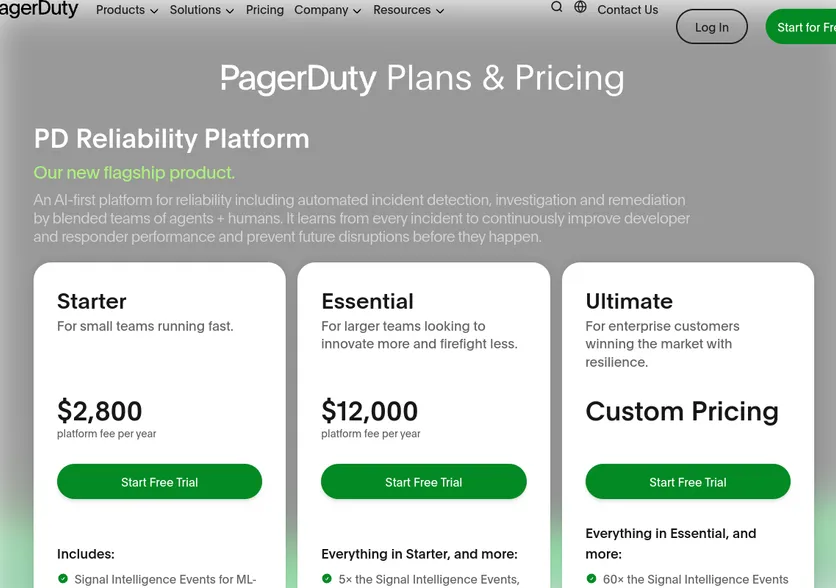
 PagerDuty AIOps | On-call teams that want AI to triage incidents and group related alerts before a human is paged | $699/month | Free plan for up to five users; the AIOps add-on is paid | Visit |
 Zendesk AI Agents | Support teams that want AI agents to resolve tickets across email, chat and voice | $55/agent/month | Fourteen-day free trial; no free plan | Visit |
 Freshservice | IT teams that want an AI service desk with a low starting price per agent | $19/agent/month | Fourteen-day free trial; no free plan | Visit |
 Intercom Fin | Companies that want to pay only when Fin actually resolves a customer conversation | $0.99/resolution | Fourteen-day free trial; no free plan | Visit |
 Jira Service Management | Teams already using Jira that want service management with AI inside the same workspace | $21.50/agent/month | Free for up to three agents | Visit |
The best AI IT agents software for enterprise, compared
1. Microsoft Copilot Studio
Best for: Enterprises already on Microsoft 365 that want agents inside Teams, SharePoint and Outlook
Paid tool Starting price: $200/month · Two hundred dollars a month per tenant for a pack of twenty-five thousand Copilot Credits; pay as you go costs one cent per credit through Azure
Free plan: No free plan; pay as you go through Azure
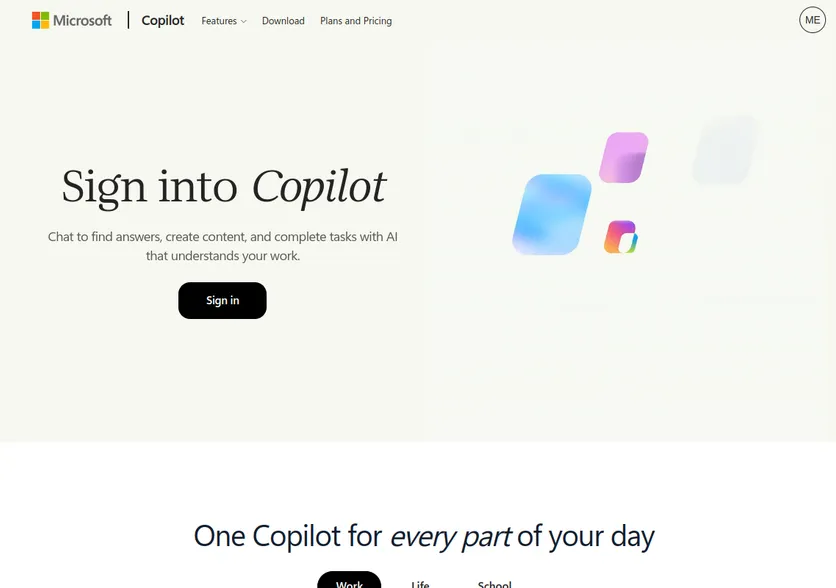
Microsoft Copilot Studio lets teams build agents that answer questions, trigger workflows and update records inside Teams, SharePoint and Outlook without writing code. This Microsoft Copilot Studio pack costs two hundred dollars a month per tenant for twenty-five thousand Copilot Credits, which covers a pilot team running everyday IT tasks. Agents draw on Microsoft 365 data, so answers stay grounded in your documents and tickets rather than the open web.
What we like
- Agents live inside Teams, SharePoint and Outlook
- Draws on Microsoft 365 data for grounded answers
- Pay as you go with Azure credits after the pack
Watch out for
- Credits burn fast on a busy team, so the pack is a starting point, not a ceiling
- No free plan, so every pilot hour is paid
How to try it
- Open the Copilot Studio page and check your Microsoft 365 license
- Build one agent for a common IT task such as password resets
- Publish it in Teams and watch the credit use for two weeks
2. Datadog Bits AI
Best for: Engineering teams already monitoring infrastructure with Datadog that want AI investigations on top
Paid tool Starting price: $500/month · Five hundred dollars a month for five hundred AI credits on an annual commit; six hundred dollars a month on a monthly commit; on-demand credits cost one dollar and thirty cents each
Free plan: Fourteen-day free trial of the Datadog platform; Bits AI credits are billed on top
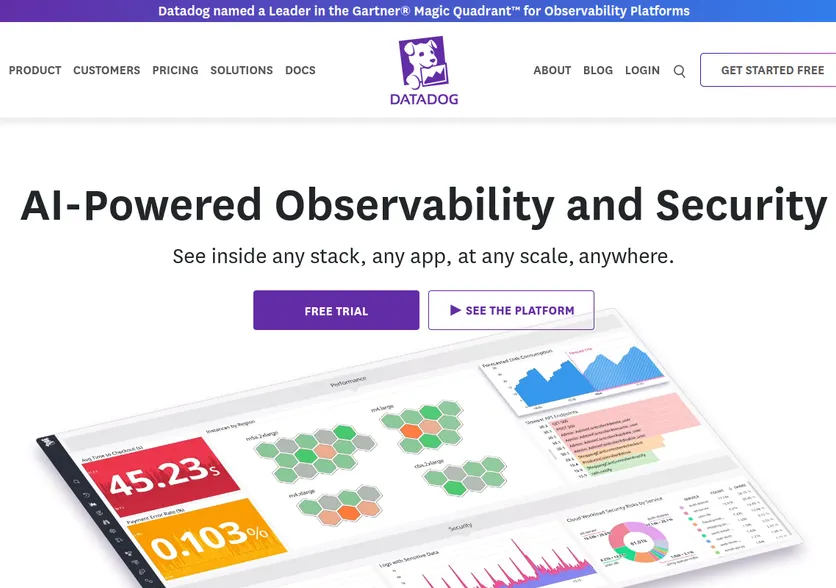
Datadog Bits AI watches your infrastructure, logs and traces, then investigates alerts on its own and suggests a fix with the evidence attached. This Datadog Bits AI add-on costs five hundred dollars a month for five hundred AI credits on an annual commit, billed on top of Datadog host monitoring. A team already paying for Datadog gets an investigator that never sleeps, though the credit meter means heavy incident weeks cost more.
What we like
- Investigates alerts with logs, traces and metrics attached
- Sits on top of the Datadog monitoring you already run
- On-demand credits let you burst past the monthly pack
Watch out for
- Host monitoring is a separate bill on top of the credit pack
- Heavy incident weeks can push you into on-demand credits
How to try it
- Open the Datadog pricing page and confirm your host monitoring plan
- Start the fourteen-day trial and connect your infrastructure
- Let Bits AI investigate one real alert and check its evidence
3. Dynatrace Intelligence
Best for: Large enterprises that want AI root-cause analysis across cloud, applications and infrastructure
Paid tool Starting price: $58/month · Full-Stack Monitoring costs fifty-eight dollars a month per eight-gigabyte host on an annual commit, with the AI included; Agentic Operations units cost ten cents each on top
Free plan: Fifteen-day free trial
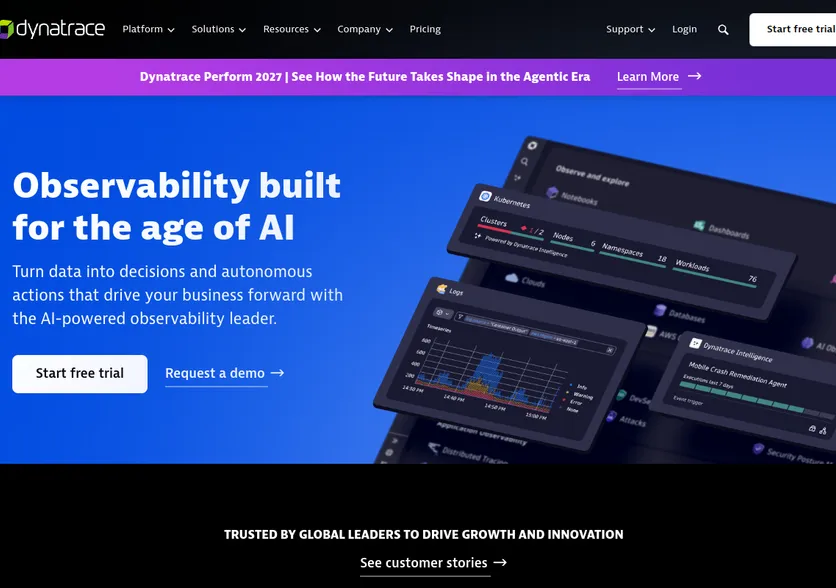
Dynatrace Intelligence, formerly Davis AI, traces every request across your cloud, applications and infrastructure, then points to the root cause of a slowdown before users complain. This Dynatrace Intelligence capability is included in Full-Stack Monitoring at fifty-eight dollars a month per eight-gigabyte host on an annual commit. Autonomous investigations cost about three dollars each in AI units, so teams that chase every alert should watch the meter.
What we like
- AI root-cause analysis included in the monitoring price
- Traces every request across cloud and applications
- Fifteen-day trial to test on real production traffic
Watch out for
- The fifty-eight-dollar figure is per host, so a large estate multiplies fast
- Autonomous investigations are metered separately in AI units
How to try it
- Open the Dynatrace pricing page and pick Full-Stack Monitoring
- Start the fifteen-day trial and install the agent on one host
- Review the first autonomous investigation and its root cause
4. PagerDuty AIOps
Best for: On-call teams that want AI to triage incidents and group related alerts before a human is paged
Paid tool Starting price: $699/month · The AIOps add-on starts at six hundred ninety-nine dollars a month on an annual plan and sits on top of a Professional plan at twenty-one dollars per user a month
Free plan: Free plan for up to five users; the AIOps add-on is paid
PagerDuty AIOps groups related alerts into one incident, suppresses noise and drafts a summary so the on-call engineer starts with context instead of a wall of pages. This PagerDuty AIOps add-on starts at six hundred ninety-nine dollars a month on an annual plan and sits on top of a paid PagerDuty plan. The price is steep, but a team drowning in alerts can cut pages sharply and recover the cost in saved engineer hours.
What we like
- Groups related alerts into one incident automatically
- Suppresses noise so engineers stop getting paged for duplicates
- Free plan covers up to five users on the base platform
Watch out for
- The add-on price sits on top of the base plan, so add both bills together
- Only worth it if alert noise is a real problem for your team
How to try it
- Open the PagerDuty pricing page and check your current plan
- Add the AIOps trial to your busiest service
- Compare the page count before and after for two weeks
5. Zendesk AI Agents
Best for: Support teams that want AI agents to resolve tickets across email, chat and voice
Paid tool Starting price: $55/agent/month · Suite Team costs fifty-five dollars per agent a month billed yearly and is the cheapest plan that includes AI agents; extra AI resolutions cost one dollar and fifty cents each when committed
Free plan: Fourteen-day free trial; no free plan
Zendesk AI Agents resolve customer conversations across email, chat and voice, handing over to a human only when a case needs judgment or a refund. This Zendesk AI Agents feature starts on Suite Team at fifty-five dollars per agent a month billed yearly, with extra resolutions at one dollar and fifty cents each when committed. The per-agent model suits a support team that already lives in Zendesk and wants automation without a second platform.

What we like
- Resolves conversations across email, chat and voice
- Hands over to humans only when judgment is needed
- Extra resolutions are cheap when committed in advance
Watch out for
- The nineteen-dollar Support Team plan has no AI agents, so do not buy the cheapest tier
- Pay-as-you-go resolutions cost more than committed ones
How to try it
- Open the Zendesk pricing page and compare Suite Team with Professional
- Start the fourteen-day trial and turn on AI agents for one channel
- Track the resolution rate for a week before rolling out further
6. Freshservice
Best for: IT teams that want an AI service desk with a low starting price per agent
Paid tool Starting price: $19/agent/month · Starter costs nineteen dollars per agent a month billed yearly; the Freddy AI Copilot add-on costs twenty-nine dollars per agent a month on Pro and Enterprise plans
Free plan: Fourteen-day free trial; no free plan
Freshservice pairs a service desk with Freddy AI, which drafts replies, suggests fixes and runs automations across tickets, assets and changes. This Freshservice Starter plan costs nineteen dollars per agent a month billed yearly, the lowest entry price in this comparison. The AI copilot costs extra on higher plans, so budget for the add-on if you want agents to act rather than just suggest.

What we like
- Lowest starting price per agent in this comparison
- Service desk, assets and changes in one product
- AI drafts replies and suggests fixes on tickets
Watch out for
- The AI copilot is a paid add-on, not part of the Starter price
- Monthly billing costs more per agent than the yearly rate
How to try it
- Open the Freshservice pricing page and start the fourteen-day trial
- Import your tickets and assets from the current service desk
- Turn on Freddy AI suggestions for one support team first
7. Intercom Fin
Best for: Companies that want to pay only when Fin actually resolves a customer conversation
Paid tool Starting price: $0.99/resolution · Fin costs ninety-nine cents per resolution, with a fifty-outcome monthly minimum when bought on its own; seats start at twenty-nine dollars a month on Essential
Free plan: Fourteen-day free trial; no free plan
Intercom Fin resolves customer conversations end to end and only charges when it finishes the job, which makes costs track value instead of seats. This Intercom Fin outcome costs ninety-nine cents per resolution, with a fifty-outcome monthly minimum when bought on its own. Companies that hate per-seat billing will like paying for finished conversations, though a busy inbox can make the monthly bill hard to predict.

What we like
- Pay per resolution, not per seat
- Works across chat, email and voice in one inbox
- Only charges when a conversation is actually resolved
Watch out for
- A busy inbox can make the monthly bill hard to predict
- Sales qualification outcomes cost nine dollars and ninety-nine cents each
How to try it
- Open the Intercom pricing page and check the Fin outcome price
- Start the fourteen-day trial and connect your help center
- Measure the resolution rate on real conversations for a week
8. Jira Service Management
Best for: Teams already using Jira that want service management with AI inside the same workspace
Paid tool Starting price: $21.50/agent/month · Standard costs twenty-one dollars and fifty cents per agent a month for a seventy-five-agent team on monthly billing; annual billing saves up to seventeen percent and the rate moves with team size
Free plan: Free for up to three agents
Jira Service Management brings IT service management into the same workspace as Jira, with AI that drafts replies, summarizes tickets and suggests the next step. This Jira Service Management Standard plan costs twenty-one dollars and fifty cents per agent a month for a seventy-five-agent team on monthly billing. The banded pricing means the per-agent rate moves with team size, so confirm your exact band before you commit.

What we like
- Free plan for up to three agents
- Service management inside the Jira workspace teams already know
- AI drafts replies and summarizes long tickets
Watch out for
- Banded pricing means the per-agent rate changes with team size
- Older twenty-dollar figures online are stale after the October repricing
How to try it
- Open the Jira Service Management pricing page and set your agent count
- Start with the free plan for up to three agents
- Add AI features and test ticket summaries on real requests
Prices above were checked on each vendor’s own website on Nov 27, 2026 and can change — the vendor’s page is the final word. Vendor links are editorial: nobody paid to be listed or ranked here. Vendors who want a featured listing can see how it works on our Get listed page.
What enterprise AI agents really cost
Credit packs and per-agent seats are the two cost traps in this category. A two-hundred-dollar Copilot Studio pack sounds cheap until a busy team burns through twenty-five thousand credits, and a six-hundred-ninety-nine-dollar AIOps add-on is a second bill on top of the base plan it requires. Always model a busy month, not a quiet one, and ask the vendor what happens when the credits run out.
Start with a pilot on one team and one workflow, such as password resets or ticket triage, and measure the hours saved before you roll out company-wide. A two-week pilot with real tickets tells you more than any demo, and it gives you the numbers to justify the annual commit when the trial ends.
Before you buy
- Confirm whether the price is a credit pack, a per-agent seat or an add-on, because Copilot Studio, Datadog and PagerDuty bill in three different ways.
- Ask what a resolution costs after the included allowance, because Intercom Fin and Zendesk charge ninety-nine cents and one dollar and fifty cents per extra outcome.
- Check the free tier before you pay, because Jira is free for three agents and PagerDuty is free for five users.
- Model a busy incident month, because Datadog credits and Dynatrace AI units both rise with the number of alerts investigated.
- Confirm the annual discount in writing, because Jira saves up to seventeen percent on annual billing and other vendors vary.
Official websites
Official websites of the products reviewed above. Features and prices were checked against these sites when this guide was written, and they can change, so confirm on the vendor site before you buy.
Frequently asked questions
What is an AI IT agent?
An AI IT agent is software that carries out IT work on its own, such as opening tickets, restarting a service, answering a user question or investigating an alert. Unlike a chatbot that only replies with text, an agent connects to your systems, takes actions and reports what it did. The tools in this list range from agents inside Microsoft 365 to AI layers on top of monitoring and ticketing platforms.
How much do enterprise AI IT agents cost?
Prices in this comparison run from nineteen dollars per agent a month for Freshservice Starter to six hundred ninety-nine dollars a month for the PagerDuty AIOps add-on. Credit-pack tools such as Copilot Studio and Datadog Bits AI charge by use, while Zendesk and Jira charge per agent. The right budget depends on whether you pay for seats, credits or finished resolutions, so model a busy month before you sign.
Do AI IT agents replace the service desk?
No, they handle the routine work and leave the hard cases to people. Agents in this list resolve password resets, group alerts, draft replies and summarize tickets, which frees engineers for outages and projects. Every tool here hands over to a human when a case needs judgment, a refund or a decision the AI cannot make safely on its own.
Which enterprise AI agent is cheapest to start?
Freshservice Starter at nineteen dollars per agent a month is the cheapest entry point, and Jira is free for up to three agents. Both let a small team try AI service management without a big contract. Copilot Studio costs two hundred dollars a month for a tenant pack, which suits a pilot team inside Microsoft 365 rather than a single agent.
Can AI agents work inside Microsoft 365?
Yes, if your team runs Microsoft 365. Copilot Studio builds agents that work inside Teams, SharePoint and Outlook, and they draw on your documents and tickets for grounded answers. Teams on other stacks should look at Datadog Bits AI for infrastructure, Zendesk AI Agents for support, or Jira Service Management for an IT service desk with AI built in.
Need everyday AI help too? Try Toolsvine's free AI tools right in your browser.
Browse AI Tools (In-Browser, No API) tools


