
On this page
Cutting your first video used to mean learning a timeline, but the AI editors below do the heavy lifting for you. They turn a rough recording into a captioned clip, pull out the silences, and suggest the cuts a beginner would miss. Prices run from about twelve dollars a month to fifty dollars a year, and every figure was checked on the vendor site on November 26, 2026. Most let you start free and test a real video before paying anything. Descript is our first pick — text-based editing that makes cutting video feel like editing a document.
How we researched this
We started with the AI video editors beginners actually buy, then read each price on the vendor pricing page on November 26, 2026 and noted the free plan or trial each one carries. We judged them for a first-time editor who wants a finished video without learning a professional timeline. We kept only tools with a published price, and we dropped any tool whose price we could not verify on the vendor site.
Compare the tools
| Name | Best for | Starting price | Free plan | |
|---|---|---|---|---|
 Descript | Beginners who want to edit video by editing text | $16/month | Free plan with one hour of transcription a month | Visit |
 Runway | Beginners who want to experiment with generative AI video | $12/month | Free plan with limited generative credits | Visit |
 CapCut | Beginners making vertical short video for social feeds | $19.99/month | Free plan with watermark-free 1080p exports | Visit |
 Filmora | Beginners who want a real desktop editor at a low yearly price | $49.99/year | Free plan with watermarked exports | Visit |
 Adobe Premiere Pro | Beginners who plan to edit client work one day | $22.99/month | 7-day free trial, no free tier | Visit |
 Pictory | Beginners who write more than they film | $25/month | 14-day free trial, no free tier | Visit |
 Kapwing | Beginners who subtitle and repurpose video in a browser | $16/member/month | Free plan with watermarked 720p exports | Visit |
 InVideo | Beginners who want a first video draft from a written prompt | $20/month | Free plan with watermarked exports | Visit |
The AI video editing software, compared
1. Descript
Best for: Beginners who want to edit video by editing text
Paid tool Starting price: $16/month · Hobbyist plan, $16 a month billed yearly or $24 billed monthly
Free plan: Free plan with one hour of transcription a month
Descript edits video through the transcript, so cutting a sentence in the text cuts it from the video at the same time. This Descript Hobbyist plan gives a beginner filler-word removal, studio sound, and captions without touching a timeline. A new creator can record a rough take, clean it up in an afternoon, and publish a video that sounds like it was edited by a professional.

What we like
- Editing text edits the video at the same time
- Filler-word removal and studio sound built in
- Captions generated automatically from the transcript
Watch out for
- Hobbyist costs sixteen dollars a month billed yearly
- Heavy AI features sit on higher plans
How to try it
- Open the Descript pricing page and start the free plan
- Record or upload a video and let Descript transcribe it
- Delete filler words in the transcript and export the video
2. Runway
Best for: Beginners who want to experiment with generative AI video
Paid tool Starting price: $12/month · Standard plan, $12 a month billed annually or $15 billed monthly
Free plan: Free plan with limited generative credits
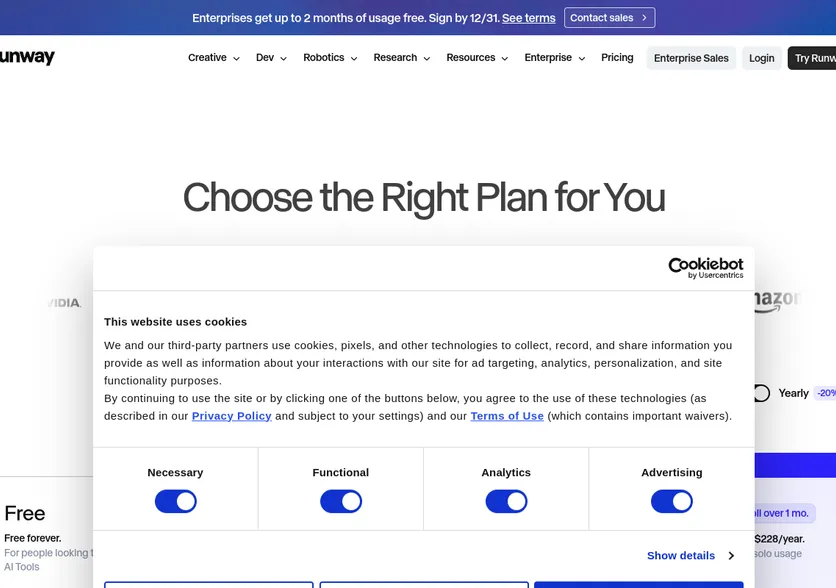
Runway is the creative playground of this list, built around generative tools that extend clips, remove backgrounds, and rebuild scenes from a prompt. This Runway Standard plan opens the full model library, unlimited projects, and higher-resolution exports for a small monthly fee. A beginner who wants to experiment with AI video rather than just trim clips will find more to play with here than anywhere else on the list.
What we like
- Generative tools no other editor on this list offers
- Unlimited projects on the Standard plan
- Low entry price for the full model library
Watch out for
- Generative credits can run out on a busy month
- Less of a classic timeline editor than the rest
How to try it
- Open the Runway pricing page and create a free account
- Try a generative tool on a short clip
- Upgrade to Standard when you need higher-resolution exports
3. CapCut
Best for: Beginners making vertical short video for social feeds
Paid tool Starting price: $19.99/month · Pro plan, $19.99 a month billed monthly or $179.99 a year
Free plan: Free plan with watermark-free 1080p exports
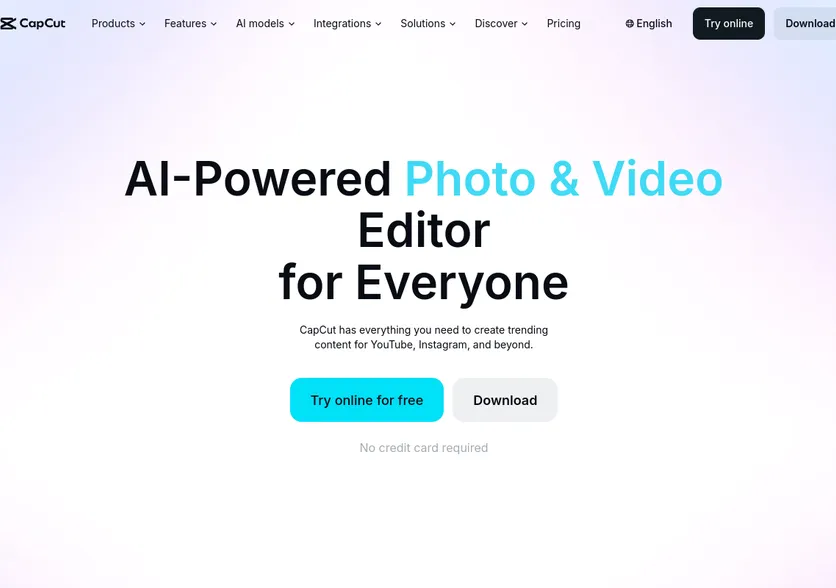
CapCut is the fastest way from a phone recording to a finished short video, with templates, auto captions, and one-tap effects built in. This CapCut Pro plan adds 4K export, the full AI toolkit, and a large cloud storage allowance for creators who post every day. A beginner making vertical video for social feeds can go from raw footage to a polished post in a single sitting.
What we like
- Templates and auto captions make fast work of shorts
- Works on phone and desktop with the same account
- Generous free tier for trying the editor
Watch out for
- Pro costs about twenty dollars a month billed monthly
- AI features run on monthly credits, not unlimited use
How to try it
- Open the CapCut pricing page and try the free editor
- Pick a template and add auto captions to a clip
- Upgrade to Pro for 4K export and the full AI toolkit
4. Filmora
Best for: Beginners who want a real desktop editor at a low yearly price
Paid tool Starting price: $49.99/year · Basic plan, $49.99 a year; Advanced is $59.99 a year with AI credits; perpetual license $79.99 one time
Free plan: Free plan with watermarked exports
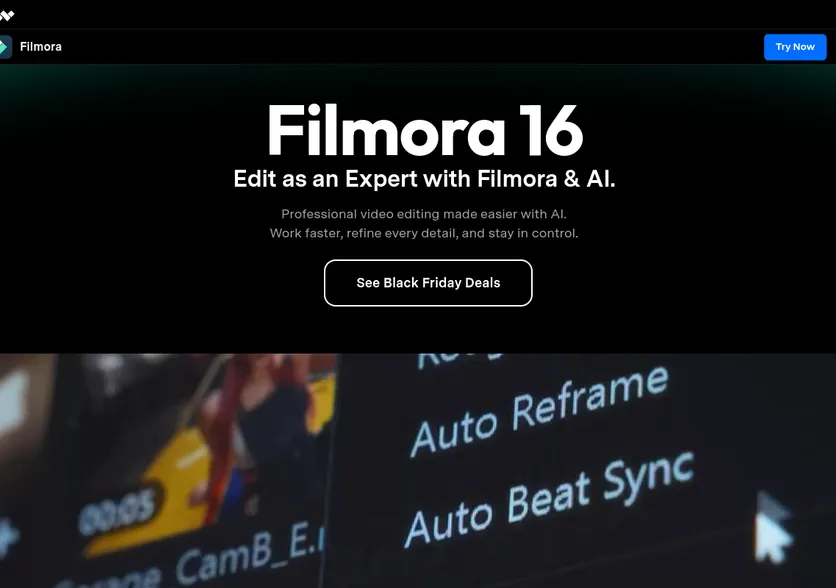
Filmora keeps the classic timeline but wraps it in AI helpers that cut silences, track moving objects, and generate captions automatically. This Filmora Basic plan covers watermark-free 4K export and the full effects library for less than five dollars a month on the yearly rate. A beginner who wants a real desktop editor without a steep learning curve gets the most editor for the least money here.
What we like
- Cheapest yearly price on this list for a desktop editor
- AI helpers cover captions, cutout and silence removal
- Perpetual license available for one-time buyers
Watch out for
- AI features run on credits bought separately on Basic
- Perpetual license covers only the current major version
How to try it
- Open the Filmora pricing page and download the free version
- Edit a video with the AI silence detection and auto captions
- Buy the Basic annual plan to remove the watermark
5. Adobe Premiere Pro
Best for: Beginners who plan to edit client work one day
Paid tool Starting price: $22.99/month · Single-app plan, $22.99 a month on an annual plan billed monthly; first-year price for new subscribers; about $34.49 a month month to month; 7-day free trial
Free plan: 7-day free trial, no free tier
Premiere Pro is the professional standard, and its AI tools now handle the beginner chores of reframing, captioning, and cleaning up audio. This Adobe Premiere Pro single-app plan includes the desktop and mobile apps, cloud storage, and a set of generative credits every month. A beginner who plans to edit client work one day should learn on the tool the industry already uses.
What we like
- The industry standard, so skills transfer to client work
- Text-based editing and auto reframe save hours
- Links directly to After Effects and Audition
Watch out for
- Lowest price is marked first year only for new subscribers
- Steeper learning curve than the other editors here
How to try it
- Open the Adobe Premiere Pro page and start the 7-day trial
- Try text-based editing and auto reframe on a sample clip
- Subscribe to the single-app plan if it fits your workflow
6. Pictory
Best for: Beginners who write more than they film
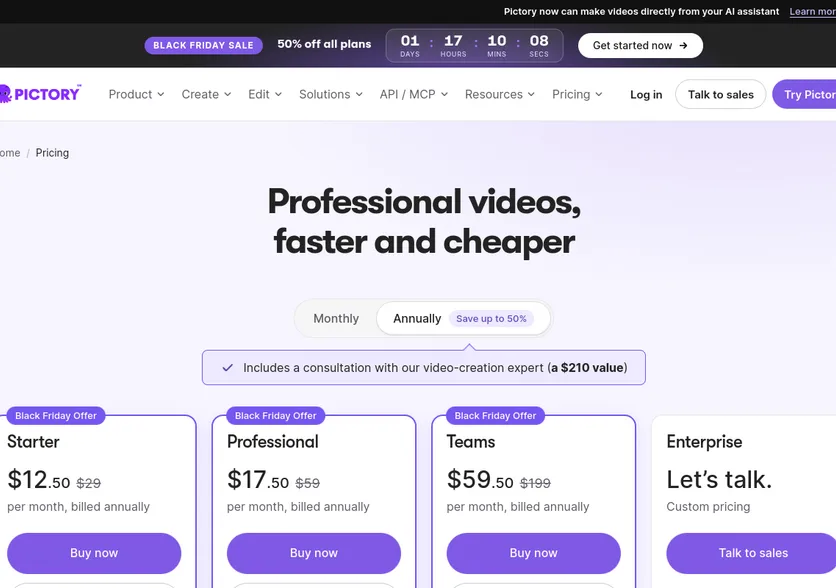
Paid tool Starting price: $25/month · Starter plan, $25 a month billed annually or $29 billed monthly; list price, ignoring the 50 percent Black Friday sale running in November
Free plan: 14-day free trial, no free tier
Pictory turns a script, article, or long recording into a short video built from stock footage, voiceover, and captions. This Pictory Starter plan gives one user enough credits for about thirty minutes of finished video a month. A beginner who writes more than they film can publish regular video without ever opening a camera app.
What we like
- Turns written content into video with no filming
- Large stock library from Getty Images and Storyblocks
- AI voiceover in several languages built in
Watch out for
- Starter costs twenty-five dollars a month billed annually
- Videos are built from stock, not your own footage
How to try it
- Open the Pictory pricing page and start the 14-day trial
- Paste a blog post and let Pictory build a first cut
- Pick a voiceover and export the finished video
7. Kapwing
Best for: Beginners who subtitle and repurpose video in a browser
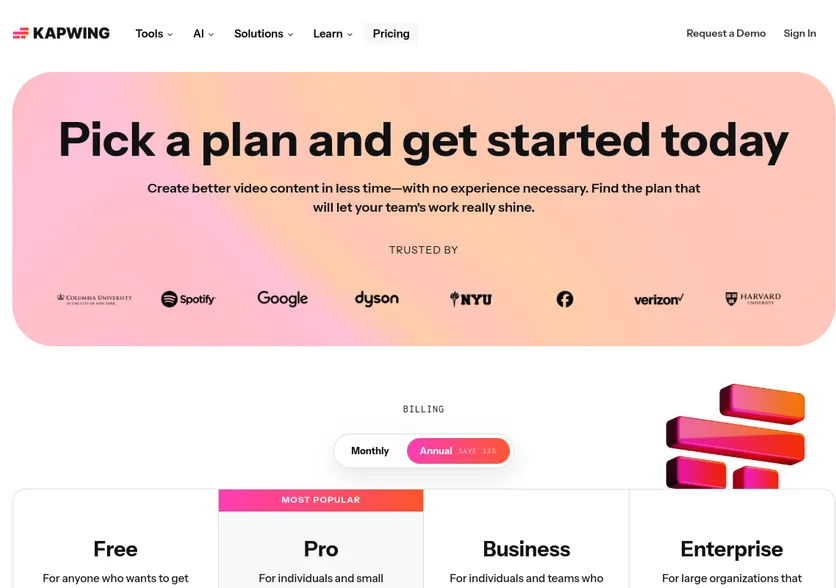
Paid tool Starting price: $16/member/month · Pro plan, $16 a member a month billed yearly or $24 billed monthly
Free plan: Free plan with watermarked 720p exports
Kapwing runs entirely in the browser, so a beginner can subtitle, translate, resize, and clip videos from any computer. This Kapwing Pro plan adds watermark-free 4K export, a thousand AI credits a month, and room for longer projects. A small team that subtitles and repurposes video every week will appreciate the shared workspace and brand kit.
What we like
- Nothing to install, works in any browser
- Subtitles, translation and dubbing in one place
- Real-time co-editing for small teams
Watch out for
- Pro costs sixteen dollars a member a month billed yearly
- Voice clones and lip sync need the Business plan
How to try it
- Open the Kapwing pricing page and try the free plan
- Upload a video and generate subtitles automatically
- Upgrade to Pro for watermark-free 4K export
8. InVideo
Best for: Beginners who want a first video draft from a written prompt
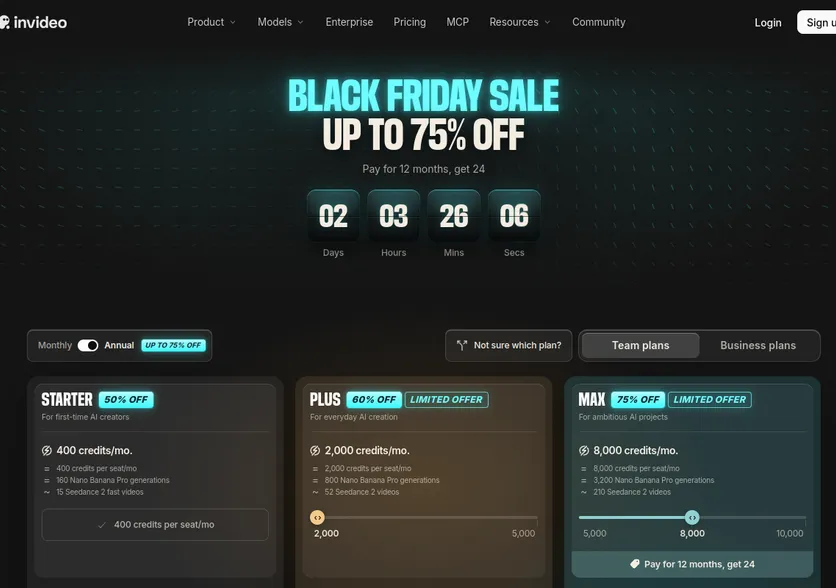
Paid tool Starting price: $20/month · Starter plan, $20 a seat a month billed monthly or $10 a month billed annually; 400 credits a month
Free plan: Free plan with watermarked exports
InVideo builds a video from a written prompt, pulling in stock footage, voiceover, and music, then leaves the timeline open for manual tweaks. This InVideo Starter plan includes four hundred credits a month and removes the watermark from exports. A beginner who needs a first draft fast can generate one in minutes and learn the editor by reshaping it.
What we like
- Prompt-to-video draft in minutes
- Watermark removed on the Starter plan
- Annual billing cuts the price in half
Watch out for
- Credit use is hard to predict before you try it
- Older plan names still appear on help pages
How to try it
- Open the InVideo pricing page and start the free plan
- Type a prompt and let InVideo generate a first draft
- Edit the timeline and export without a watermark
Prices above were checked on each vendor’s own website on Nov 26, 2026 and can change — the vendor’s page is the final word. Vendor links are editorial: nobody paid to be listed or ranked here. Vendors who want a featured listing can see how it works on our Get listed page.
What AI video editing costs a beginner in 2026
Most beginners pay for one seat, so the monthly price is the whole budget and the cheapest plan is not always the cheapest deal. This list runs from about twelve dollars a month for Runway to about fifty dollars a year for Filmora, and credit-based tools like CapCut and InVideo can cost more once the monthly allowance runs out. The headline plan each vendor shows on its own pricing page is the number in the table above, checked on November 26, 2026.
Start with the free plan on two tools and edit the same clip through both. Compare how long the finished video takes and how much you liked the result, then pick the tool you will actually open every week. A sixteen-dollar tool you use daily beats a fifty-dollar tool you open once.
Before you buy
- Count the exports first, because a cheap plan with a small credit allowance costs more once you publish every week.
- Check the watermark rule on the free plan, because a watermarked export is not usable for client work.
- Test the tool on your own footage first, because a demo clip never shows how it handles your lighting and audio.
- Ask whether you need a timeline or a prompt: Descript and Filmora edit clips, while Pictory and InVideo generate them.
- Add up the yearly cost, because a twelve-dollar monthly plan is really a hundred and forty-four dollars a year.
Official websites
Official websites of the products reviewed above. Features and prices were checked against these sites when this guide was written, and they can change, so confirm on the vendor site before you buy.
Frequently asked questions
Which AI video editing software is best for beginners in 2026?
Descript, at sixteen dollars a month billed yearly, is the safest default because editing the transcript edits the video, so a beginner never has to learn a timeline. Filmora is better when you want a classic desktop editor, at about fifty dollars a year with AI helpers included. CapCut wins for vertical social video, with templates and auto captions free and Pro at about twenty dollars a month.
What is the cheapest AI video editing software for a beginner?
Filmora Basic, at about fifty dollars a year, is the cheapest paid desktop editor here and works out to less than five dollars a month. Runway Standard, at twelve dollars a month billed annually, is the cheapest monthly plan for generative AI video. CapCut and Descript both have free plans, so you can edit real videos before paying anything at all.
Can I edit videos with AI for free?
Yes, most tools on this list have a free plan. CapCut exports watermark-free video at 1080p for free, Descript gives an hour of transcription a month, and Runway and Kapwing both offer free tiers with limited credits. Filmora exports free with a watermark, and Premiere Pro and Pictory offer free trials instead of a permanent free plan.
Do I need a powerful computer for AI video editing?
Not for most of these tools. Kapwing, Pictory and InVideo run entirely in the browser, so any modern laptop works, and Descript and CapCut run well on ordinary machines. Filmora and Premiere Pro are desktop editors, so they want more memory and a decent graphics card, but a beginner cutting short clips will manage on a mid-range laptop.
Which AI video editor is best for YouTube beginners?
Descript is the strongest pick for YouTube beginners, because text-based editing makes cutting talking-head videos fast and the captions help viewers follow along. Filmora is the better value when you want a full timeline and effects library for about fifty dollars a year. CapCut is the pick for Shorts, with vertical templates and auto captions built in.
Need everyday video help too? Try Toolsvine's free video tools for quick edits right in your browser.
Browse Video Tools tools


