
On this page
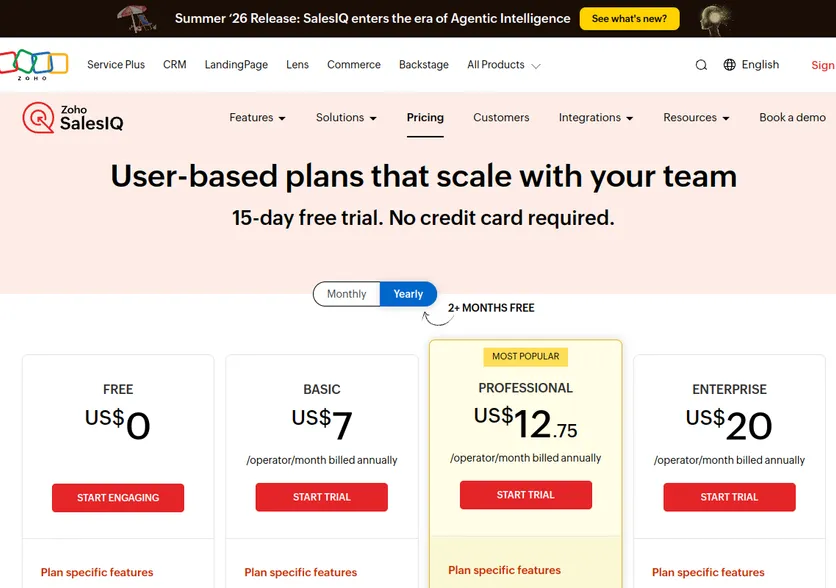
Nonprofits answer the same donor, volunteer and program questions around the clock, and a chatbot that handles them frees staff for the work that needs a human. The eight tools below run from seven dollars an operator a month to forty-five dollars a month, and every price was checked on the vendor site on November 27, 2026. The right pick is cheap, easy to run and kind to first-time visitors. Zoho SalesIQ is our first pick — seven dollars an operator with visitor tracking and a real bot, plus a free plan for three operators.
How we researched this
We started with chatbot platforms a small nonprofit can afford and run without technical staff, then read each price on the vendor pricing page on November 27, 2026 and noted the free plan or trial each one carries. We judged them for a nonprofit that needs the bot to answer donor and volunteer questions, point people to programs and hand sensitive conversations to a human. We dropped quote-only enterprise platforms and tools with no published dollar price, because a nonprofit budget needs a number it can defend.
Compare the tools
| Name | Best for | Starting price | Free plan | |
|---|---|---|---|---|
 Zoho SalesIQ | Nonprofits that need a real bot on the smallest budget | $7/operator/month | Free plan for 3 operators | Visit |
| HelpCrunch | Tiny teams that need chat and email for twelve dollars a seat | $12/member/month | No free plan; 14-day free trial | Visit |
 Crisp | Nonprofits that want a flat workspace price with a chatbot | $45/month | Free plan with 2 seats and basic live chat | Visit |
 Tidio | Nonprofits that want live chat, ticketing and Lyro AI in one widget | $33/month | Free plan with 50 human conversations a month | Visit |
 Freshchat | Nonprofits that want a free start for ten agents | $19/agent/month | Free plan for up to 10 agents | Visit |
 LiveChat | Nonprofits that want a fast inbox with an AI agent built in | $19/user/month | No free plan; 14-day free trial | Visit |
 Chatfuel | Nonprofits that reach supporters on WhatsApp and social | $18/month | No free plan; 7-day free trial with 15 dollars in credits | Visit |
| JivoChat | Nonprofits that want a free plan for five agents | $28/agent/month | Free plan for up to 5 agents | Visit |
The best chatbot software for nonprofits, compared
1. Zoho SalesIQ
Best for: Nonprofits that need a real bot on the smallest budget
Paid tool Starting price: $7/operator/month · Basic plan, seven dollars an operator a month billed annually, or ten dollars an operator a month billed monthly, with one chatbot and twenty-five thousand bot sessions a month
Free plan: Free plan for 3 operators
Nonprofits choose Zoho SalesIQ for small teams that need WhatsApp and a bot without a big bill. The Basic plan lists at seven dollars an operator a month billed annually and includes one chatbot with twenty-five thousand bot sessions. It fits cost-conscious teams that want a real bot for very little, though the Answer Bot that replies from articles needs Enterprise at twenty dollars.
What we like
- Cheapest paid chatbot here at seven dollars an operator
- Visitor tracking and lead scoring built into the chat
- Free plan covers three operators with basic live chat
Watch out for
- The Answer Bot that replies from articles is Enterprise-only
- Bot sessions and visitor caps rise only on higher plans
How to try it
- Open the Zoho SalesIQ pricing page and start with the free plan
- Install the widget and set up your first Zobot flow
- Connect Zoho CRM so chats land on the right contact record
2. HelpCrunch
Best for: Tiny teams that need chat and email for twelve dollars a seat
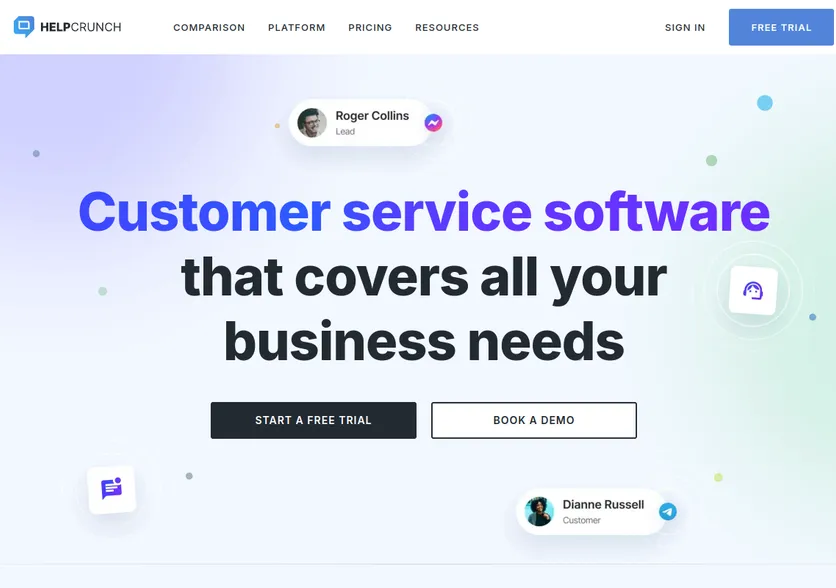
Paid tool Starting price: $12/member/month · Basic plan, twelve dollars a team member a month billed annually, or fifteen dollars a team member a month billed monthly, for one widget and the lowest email volume
Free plan: No free plan; 14-day free trial
Nonprofits choose HelpCrunch for teams that want unlimited contacts without a contact-based bill. The Basic plan lists at twelve dollars a team member a month billed annually for one widget and the lowest email volume. It fits tiny teams that need chat plus email on a shoestring, though chatbots and AI agents only start on the Pro plan at twenty dollars.
What we like
- Cheapest per-seat chatbot in this comparison
- Unlimited contacts on every plan
- Chat, inbox, knowledge base and email in one tool
Watch out for
- Basic has no chatbot or AI agents at all
- The shown price rises with more members and email volume
How to try it
- Open the HelpCrunch pricing page and start the fourteen-day trial
- Install the widget and build your knowledge base
- Move to Pro when you need chatbot flows and AI agents
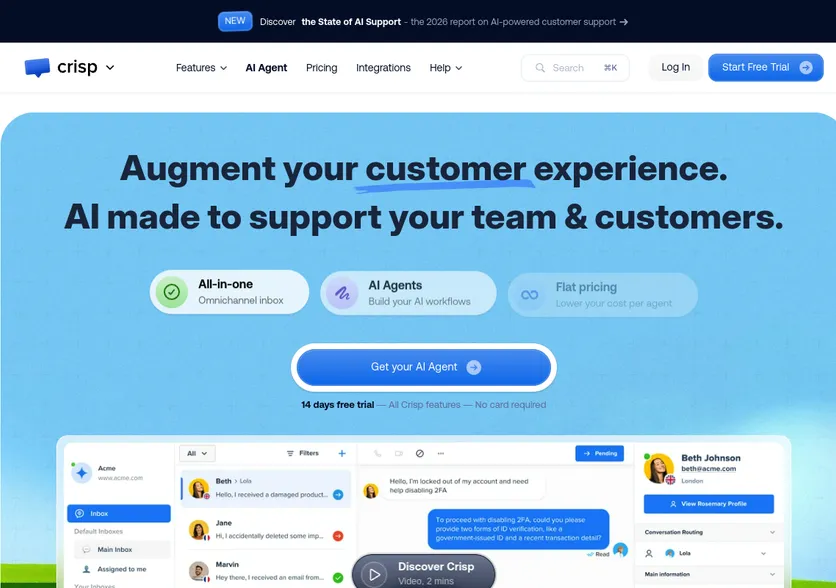
3. Crisp
Best for: Nonprofits that want a flat workspace price with a chatbot
Paid tool Starting price: $45/month · Mini plan, forty-five dollars a month per workspace, with four seats included and around ninety automated conversations; the old Pro plan at twenty-five dollars was replaced by Mini in the 2026 rebrand
Free plan: Free plan with 2 seats and basic live chat
Nonprofits choose Crisp for businesses that want unlimited conversations at a fixed price. The Mini plan lists at forty-five dollars a month per workspace, with four seats included and around ninety automated conversations. It fits teams of up to four who want one flat bill, though the AI chatbot and omnichannel inbox need the Essentials plan at ninety-five dollars.
What we like
- Flat workspace pricing with no per-seat charges
- Unlimited conversations on every plan
- Chatbot, knowledge base and CRM in one workspace
Watch out for
- Mini covers only four seats, so bigger teams pay more
- The AI chatbot needs the ninety-five dollar Essentials plan
How to try it
- Open the Crisp pricing page and start the fourteen-day trial
- Install the widget and build your knowledge base
- Set up the chatbot for FAQs and route the rest to your team
4. Tidio
Best for: Nonprofits that want live chat, ticketing and Lyro AI in one widget
Paid tool Starting price: $33/month · Starter plan, thirty-three dollars a month, or three hundred ninety dollars a year on annual billing, for fifty AI plus human conversations a month; Lyro AI answers routine questions and hands the rest to your team
Free plan: Free plan with 50 human conversations a month
Nonprofits choose Tidio for teams that want to test AI answers before paying for volume. The Starter plan lists at thirty-three dollars a month, or three hundred ninety dollars a year on annual billing, for fifty AI plus human conversations. It fits small teams that want Lyro AI answering first, though the conversation quota is small and overages push you up a tier fast.
What we like
- Lyro AI answers routine questions and hands off cleanly
- Free plan covers fifty conversations a month to test with
- Native Shopify actions sit inside the chat on Growth
Watch out for
- Starter covers only fifty conversations a month
- Flows, Help Center and Voice are paid add-ons
How to try it
- Open the Tidio pricing page and start the seven-day trial
- Install the widget and let Lyro learn from your site
- Set the conversation quota and handoff rules for your team
5. Freshchat
Best for: Nonprofits that want a free start for ten agents
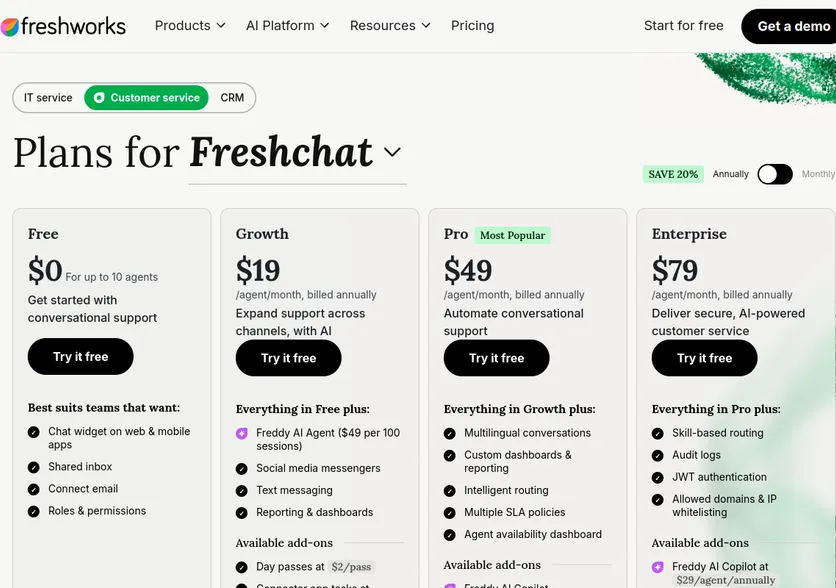
Paid tool Starting price: $19/agent/month · Growth plan, nineteen dollars an agent a month on annual billing, or twenty-three dollars an agent a month billed monthly; Freddy AI Agent costs forty-nine dollars per one hundred sessions after five hundred free sessions
Free plan: Free plan for up to 10 agents
Nonprofits choose Freshchat for support teams that already use Freshdesk and want one suite. The Growth plan lists at nineteen dollars an agent a month on annual billing and adds Freddy AI Agent plus WhatsApp, Instagram and text messaging. It fits small teams that want a real AI agent without enterprise pricing, though Freddy sessions are billed separately once the free allowance ends.
What we like
- Free plan covers up to ten agents with live chat and email
- Freddy AI Agent answers customers on paid plans
- WhatsApp and social messengers sit in the same inbox
Watch out for
- Freddy AI sessions cost extra after the free allowance
- Advanced routing and multilingual chat need the Pro plan
How to try it
- Open the Freshchat pricing page and start with the free plan
- Add your website widget and connect WhatsApp or Instagram
- Turn on Freddy AI Agent and train it on your help articles
6. LiveChat
Best for: Nonprofits that want a fast inbox with an AI agent built in
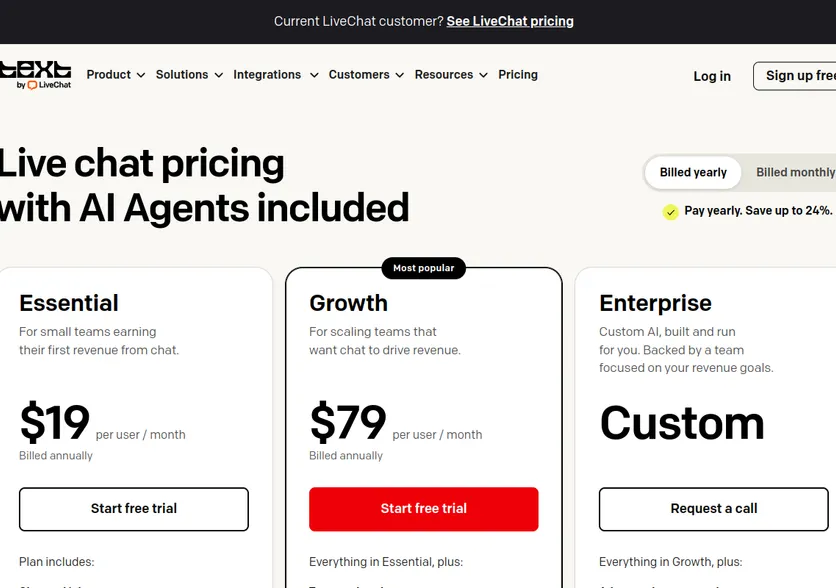
Paid tool Starting price: $19/user/month · Essential plan, nineteen dollars a user a month on annual billing, or twenty-five dollars a user a month billed monthly; new trials use the Text plans, while legacy LiveChat plans stay in place for existing customers
Free plan: No free plan; 14-day free trial
Nonprofits choose LiveChat for stores that sell through chat and need order details in the sidebar. The Essential plan lists at nineteen dollars a user a month on annual billing and includes one AI agent with ten AI resolutions a month. It fits teams that answer chats all day and want AI to take the easy ones, though extra AI resolutions are billed in packs of fifty.
What we like
- Fast live chat widget with ticketing and a shared inbox
- AI agent included on every plan with human takeover
- Shopify and CRM integrations show order details in chat
Watch out for
- No free plan, only a fourteen-day trial
- AI resolutions beyond the allowance are billed in packs
How to try it
- Open the LiveChat pricing page and start the 14-day trial
- Install the widget and connect your store or CRM
- Set the AI agent loose on FAQs and keep humans for the rest
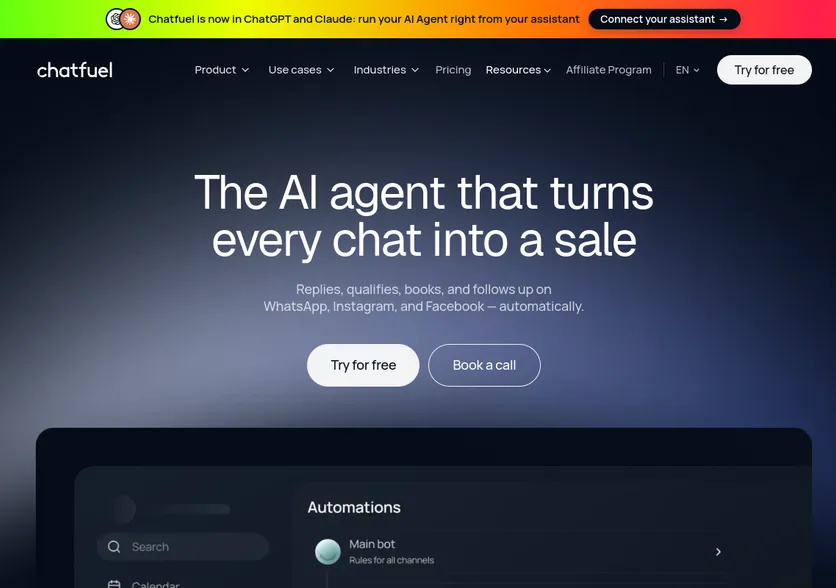
7. Chatfuel
Best for: Nonprofits that reach supporters on WhatsApp and social
Paid tool Starting price: $18/month · Business S plan, eighteen dollars a month billed annually, or twenty dollars a month billed monthly, with twenty dollars of AI credit included each month
Free plan: No free plan; 7-day free trial with 15 dollars in credits
Nonprofits choose Chatfuel for sellers who answer customers on Instagram, Messenger and TikTok. The Business S plan lists at eighteen dollars a month billed annually and includes twenty dollars of AI credit each month. It fits small businesses that want an AI agent everywhere for one low price, though heavy WhatsApp volume burns through the included credits.
What we like
- One low price covers WhatsApp, Instagram, Messenger and web chat
- AI Co-pilot sets the agent up by chatting with you
- Unlimited contacts and teammates on every plan
Watch out for
- Credits do not carry over, so unused credit is lost monthly
- No permanent free plan, only a seven-day trial
How to try it
- Open the Chatfuel pricing page and start the seven-day trial
- Connect WhatsApp and let the AI Co-pilot build your agent
- Watch credit usage and size the plan to your message volume
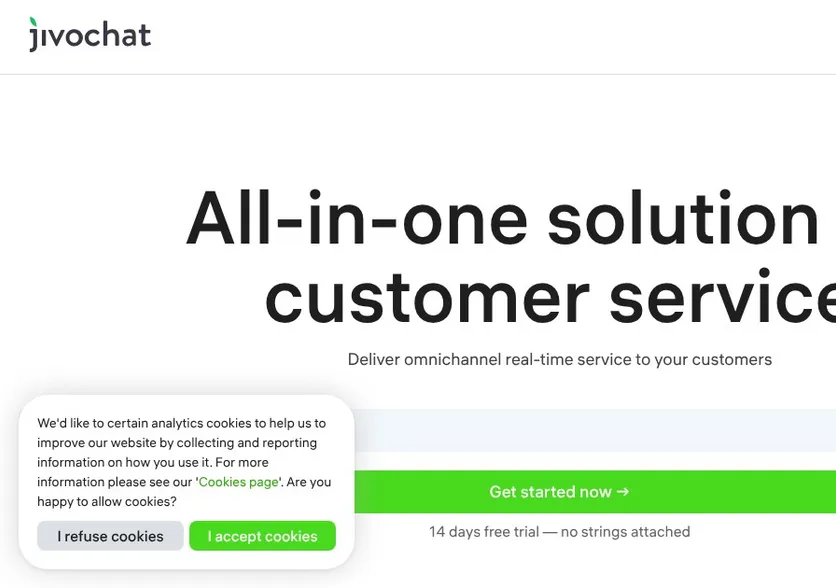
8. JivoChat
Best for: Nonprofits that want a free plan for five agents
Paid tool Starting price: $28/agent/month · Basic plan, twenty-eight dollars an agent a month billed annually, or forty dollars an agent a month billed monthly; the AI Agent is a separate module at sixty-nine dollars an agent a month
Free plan: Free plan for up to 5 agents
Nonprofits choose JivoChat for businesses that answer customers on Telegram, Viber and Facebook too. The Basic plan lists at twenty-eight dollars an agent a month billed annually and adds the CRM, proactive invitations and visitor monitoring. It fits teams that juggle chat and calls together, though the AI Agent is a separate module at sixty-nine dollars an agent a month.
What we like
- Free plan covers up to five agents
- Phone calls, chat and messengers share one app
- Licences cover concurrent agents, not named people
Watch out for
- AI Agent costs sixty-nine dollars extra per agent a month
- WhatsApp is a separate paid module on top of the plan
How to try it
- Open the JivoChat pricing page and start with the free plan
- Install the widget and connect your messengers
- Add the AI Agent module once chat volume justifies it
Prices above were checked on each vendor’s own website on Nov 27, 2026 and can change — the vendor’s page is the final word. Vendor links are editorial: nobody paid to be listed or ranked here. Vendors who want a featured listing can see how it works on our Get listed page.
What nonprofits should pay for a chatbot
A nonprofit chatbot should be judged on the questions it answers for free, not on the features it sells. Donors ask how to give, volunteers ask how to help and program visitors ask where to go, so train the bot on those three flows first and measure how many it resolves without staff. Ask vendors about nonprofit discounts before you pay the list price, since several offer reduced rates for registered charities and the discount is rarely advertised on the pricing page.
Keep the setup simple enough that a volunteer can maintain it. If the bot needs a developer to change an answer, it will go stale within a month, so pick a no-code builder and assign one person to review the missed questions every week. Start free where you can, prove the bot saves staff hours, and only then spend the seven or twelve dollars a month a paid plan costs.
Before you buy
- Ask every vendor about nonprofit discounts before you pay the list price.
- Check that the free plan covers your real monthly visitor volume before you rely on it.
- Test the bot on donor, volunteer and program questions, not on a demo script.
- Make sure a non-technical staff member can update the bot answers without a developer.
- Confirm the bot hands sensitive conversations, like crisis or complaint chats, to a human fast.
Official websites
Official websites of the products reviewed above. Features and prices were checked against these sites when this guide was written, and they can change, so confirm on the vendor site before you buy.
Frequently asked questions
Which chatbot software is best for nonprofits in 2026?
Zoho SalesIQ is the best overall pick at seven dollars an operator a month billed annually, with a real bot and a free plan for three operators. HelpCrunch is the best value pick at twelve dollars a team member a month for chat, inbox and email in one tool. Chatfuel is the best social pick at eighteen dollars a month for an AI agent on WhatsApp, Instagram, Messenger and web chat.
How much does chatbot software for nonprofits cost?
The eight tools here run from seven dollars an operator a month for Zoho SalesIQ to forty-five dollars a month for Crisp Mini. Most nonprofits land between seven and nineteen dollars a month, and several tools offer free plans that cover small teams entirely. Always ask about nonprofit discounts, since vendors often reduce the price for registered charities without advertising it.
Can a chatbot take donations for a nonprofit?
A chatbot can guide a donor to the donation page and answer questions about gift options, tax receipts and recurring giving, but the payment itself should happen on your secure donation platform, not inside the chat. Connect the bot to your donation pages and let it hand the donor over with the context attached. Never collect card details inside a chat widget.
What should a nonprofit chatbot answer first?
Train it on the three flows that eat staff time: how to donate, how to volunteer and how to find a program or service. Add office hours, location and contact details, then review the missed questions weekly and add the best answers. Keep crisis, complaint and safeguarding conversations on a fast path to a human, since those must never wait on a bot.
Is there a free chatbot for nonprofits?
Yes, and several are genuinely useful. Freshchat is free for up to ten agents with live chat and email, Zoho SalesIQ is free for three operators, JivoChat is free for up to five agents and Crisp is free for two seats. Free plans cover live chat well, but AI answering usually starts on a paid plan, so check what the free tier actually includes before you promise it to your team.
Need everyday AI help too? Try Toolsvine's free AI tools right in your browser.
Browse AI Tools (In-Browser, No API) tools


