On this page
A backup tool only proves itself on the worst day: the day a drive fails or ransomware locks the files. The seven tools below protect files, servers and cloud data with prices checked on the vendor site on November 27, 2026. Backblaze Computer Backup is our first pick — unlimited backup for one computer at eight dollars and twenty-five cents a month billed annually.
How we researched this
We started with the backup tools teams actually buy, then read each price on the vendor pricing page on November 27, 2026 and noted the free trial or free plan each one carries. We judged them for a team that needs to restore files, servers and cloud data after a failure without hiring a backup specialist. We dropped NAKIVO because its prices conflict across sources and no single figure could be verified, and we dropped Rubrik, Commvault and Cohesity because none of them publishes a list price, plus Druva inSync and BDRSuite which we did not verify.
Compare the tools
| Name | Best for | Starting price | Free plan | |
|---|---|---|---|---|
 Backblaze Computer Backup | Teams that want unlimited backup for every computer at a flat price | $8.25/month | No free plan; 15-day free trial | Visit |
 Veeam Data Cloud | Teams that run on Microsoft 365 and need mailbox and file backup | $3.50/user/month | No free plan; 30-day free trial | Visit |
| Acronis Cyber Protect | Teams that want backup and cyber protection in one agent | $85/year | No free plan; free trial available | Visit |
 IDrive | Teams that back up many devices into one account with five terabytes of storage | $9.99/month | Free Basic plan with 10 GB | Visit |
 Carbonite Safe | Teams that want automatic backup for one computer at the lowest price here | $6/month | No free plan; 15-day free trial | Visit |
 CrashPlan | Businesses that want endpoint backup at a flat annual price per user | $88/user/year | No free plan; 14-day free trial | Visit |
 MSP360 Backup | Teams that already pay for cloud storage and want backup into their own buckets | $2.50/workload/month | No free plan; 15-day free trial | Visit |
The data management software for backup, compared
1. Backblaze Computer Backup
Best for: Teams that want unlimited backup for every computer at a flat price
Paid tool Starting price: $8.25/month · Eight dollars and twenty-five cents a month billed annually, or ninety-nine dollars a year, for unlimited data per computer; monthly billing costs nine dollars a month and two years cost one hundred and eighty-nine dollars
Free plan: No free plan; 15-day free trial
Backblaze backs up one computer with unlimited data, so a team never has to choose which files are worth protecting. This Backblaze Computer Backup plan costs eight dollars and twenty-five cents a month billed annually, or ninety-nine dollars a year, with a fifteen-day free trial. A team that wants simple backup for every computer gets unlimited storage at a flat price.
What we like
- Unlimited data per computer at a flat price
- Simple setup that needs no configuration
- Restore from the web dashboard in a few clicks
Watch out for
- One licence covers one computer, so each extra machine adds cost
- No free plan, so the trial is the only way to test it
How to try it
- Open the Backblaze site and start the 15-day free trial
- Install the backup app on one computer and let the first backup run
- Restore one file from the web dashboard to check it works
2. Veeam Data Cloud
Best for: Teams that run on Microsoft 365 and need mailbox and file backup
Paid tool Starting price: $3.50/user/month · Three dollars and fifty cents per user a month billed annually for the Foundation plan covering ten to fifty users, falling to two dollars and sixty-three cents at two hundred and fifty-one users and above; Advanced costs three dollars and thirty-three cents and Premium costs seven dollars per user a month
Free plan: No free plan; 30-day free trial
Veeam Data Cloud backs up Microsoft 365 mail, files and chats, so a team can restore a deleted mailbox without calling support. This Veeam Data Cloud Foundation plan costs three dollars and fifty cents per user a month billed annually for ten to fifty users, with a thirty-day free trial. A team that runs on Microsoft 365 gets cloud backup built for the apps it uses every day.
What we like
- Backup built for Microsoft 365 mail, files and chats
- Fast restore of a single mailbox or file
- Thirty-day trial that covers a real backup run
Watch out for
- It backs up Microsoft 365 only, not local computers
- The Veeam Data Platform plans are quoted, not list priced
How to try it
- Open the Veeam site and start the 30-day free trial
- Connect your Microsoft 365 tenant and pick the mailboxes to protect
- Restore one deleted email to check the backup works
3. Acronis Cyber Protect
Best for: Teams that want backup and cyber protection in one agent
Paid tool Starting price: $85/year · Eighty-five dollars a year per workstation for the Standard plan, with fifty gigabytes of cloud storage included; servers start from five hundred and ninety-five dollars a year
Free plan: No free plan; free trial available
Acronis Cyber Protect backs up workstations and servers with cyber protection built in, so a team gets backup and security in one agent. This Acronis Cyber Protect Standard plan costs eighty-five dollars a year per workstation, with fifty gigabytes of cloud storage included and servers from five hundred and ninety-five dollars a year. A team that wants backup and security in one tool gets protection that covers both.
What we like
- Backup and cyber protection in one agent
- Cloud storage included in the Standard plan
- Covers workstations and servers from one console
Watch out for
- Cloud storage beyond the included fifty gigabytes costs extra
- Server licences cost far more than workstation licences
How to try it
- Open the Acronis site and start the free trial
- Install the agent on one workstation and run the first backup
- Restore one file and check the cyber protection report
4. IDrive
Best for: Teams that back up many devices into one account with five terabytes of storage
Paid tool Starting price: $9.99/month · Nine dollars and ninety-nine cents a month billed annually for the Personal five terabyte plan, or one hundred and nineteen dollars and eighty-eight cents a year; monthly billing costs eleven dollars and ninety-nine cents a month and first-year offers run lower
Free plan: Free Basic plan with 10 GB
IDrive backs up computers, phones and servers into one account with five terabytes of storage, so a team protects every device from a single dashboard. This IDrive Personal five terabyte plan costs nine dollars and ninety-nine cents a month billed annually, or eleven dollars and ninety-nine cents monthly, with a free Basic plan covering ten gigabytes. A team that backs up many devices gets one account that covers them all.
What we like
- One account that covers computers, phones and servers
- Five terabytes of storage on the Personal plan
- Free Basic plan that covers small backup needs
Watch out for
- First-year offers run lower, so the renewal price is the one to compare
- Older sources list ninety-nine dollars and fifty cents a year, but the most recent vendor read confirms the higher price
How to try it
- Open the IDrive site and start the free Basic plan
- Install the app on one computer and one phone
- Run the first backup and restore one file to check it works
5. Carbonite Safe
Best for: Teams that want automatic backup for one computer at the lowest price here
Paid tool Starting price: $6/month · Six dollars a month billed annually for the Basic plan, with a list price of ninety-five dollars and ninety-nine cents a year and a first-year offer of seventy-one dollars and ninety-nine cents a year; Plus costs seventy-eight dollars and ninety-nine cents and Prime costs one hundred and twenty-one dollars and forty-nine cents in the first year
Free plan: No free plan; 15-day free trial
Carbonite Safe backs up one computer automatically, so a team never has to remember to run a backup. This Carbonite Safe Basic plan costs six dollars a month billed annually, with a list price of ninety-five dollars and ninety-nine cents a year and a first-year offer of seventy-one dollars and ninety-nine cents a year. A team that wants backup that just runs gets automatic protection at the lowest price in this list.
What we like
- Automatic backup that needs no scheduling
- Lowest price in this comparison
- Simple setup for one computer
Watch out for
- One licence covers one computer, so each extra machine adds cost
- The list price is higher than the first-year offer, so compare the renewal price
How to try it
- Open the Carbonite site and start the 15-day free trial
- Install the app on one computer and let it back up automatically
- Restore one file from the web dashboard to check it works
6. CrashPlan
Best for: Businesses that want endpoint backup at a flat annual price per user
Paid tool Starting price: $88/user/year · Eighty-eight dollars per user a year for the Endpoints plan, or one hundred and fifty-eight dollars for two years; Servers cost one hundred and eighty-nine dollars per server a year and Microsoft 365 backup costs thirty dollars per user a year
Free plan: No free plan; 14-day free trial
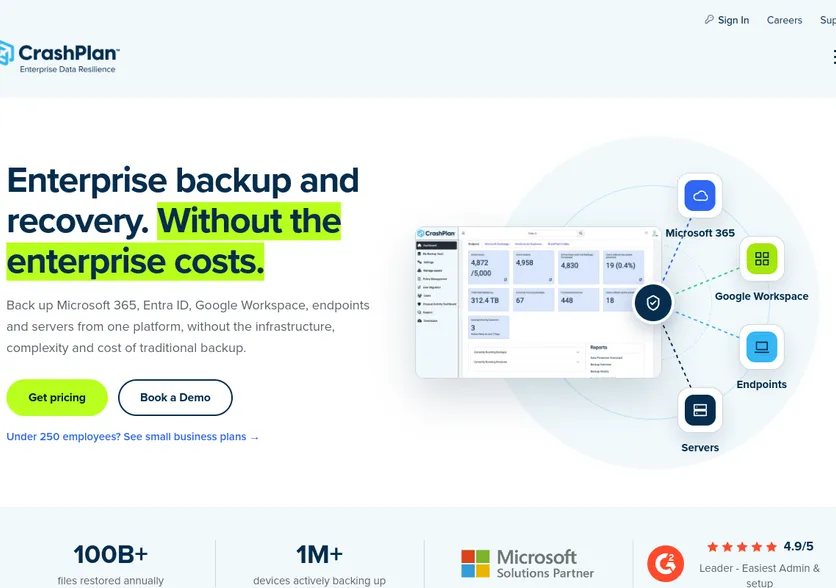
CrashPlan backs up endpoints and servers for businesses, with a simple annual price and no monthly billing. This CrashPlan Endpoints plan costs eighty-eight dollars per user a year, or one hundred and fifty-eight dollars for two years, with a fourteen-day free trial. A business that wants endpoint backup without per-device surprises gets a flat annual price per user.
What we like
- Flat annual price per user with no monthly billing
- Business-only backup with no personal plan confusion
- Simple restore from the web dashboard
Watch out for
- Annual billing only, so there is no monthly option
- Business only, with no personal plan available
How to try it
- Open the CrashPlan site and start the 14-day free trial
- Install the app on one endpoint and run the first backup
- Restore one file and check the backup report
7. MSP360 Backup
Best for: Teams that already pay for cloud storage and want backup into their own buckets
Paid tool Starting price: $2.50/workload/month · Two dollars and fifty cents per workload a month for Managed Backup, with storage billed separately to your own cloud account and a twenty-five dollar monthly minimum; server and virtual machine licences cost more
Free plan: No free plan; 15-day free trial
MSP360 Backup backs up workstations, servers and virtual machines into the cloud account a team already owns, so storage costs stay separate from the licence. This MSP360 Backup Managed Backup plan starts from two dollars and fifty cents per workload a month, with a twenty-five dollar monthly minimum and a fifteen-day free trial. A team that already pays for cloud storage gets a backup tool that uses its own buckets.
What we like
- Uses your own cloud storage, so storage costs stay separate
- Low per-workload price for teams with their own buckets
- Covers workstations, servers and virtual machines
Watch out for
- Storage is billed separately, so the total cost is higher than the licence price
- The monthly minimum means tiny teams pay more than the per-workload rate
How to try it
- Open the MSP360 site and start the 15-day free trial
- Connect your own cloud storage account as the destination
- Back up one workload and restore a file to check it works
Prices above were checked on each vendor’s own website on Nov 27, 2026 and can change — the vendor’s page is the final word. Vendor links are editorial: nobody paid to be listed or ranked here. Vendors who want a featured listing can see how it works on our Get listed page.
What backup software costs a team
Backup pricing follows the unit the vendor counts, so a team should match the unit to its estate before it compares plans. Per-computer tools charge by the device, per-user tools charge by the person, and per-workload tools charge by the machine protected. The cheapest paid entry here costs two dollars and fifty cents per workload a month, while the most expensive costs eighty-eight dollars per user a year, and the right choice depends on whether the team protects many devices or many people.
Start with a free trial on two tools and back up one real machine, not a test folder. Check how long the first backup takes, whether the restore finds the file you need, and whether the tool warns you when a backup fails. Pick the tool whose restore is fastest and clearest, because a backup that cannot restore is not a backup at all.
Before you buy
- Test a restore before you buy, because a backup that cannot restore is not a backup at all.
- Check what the plan actually covers, because some plans back up one computer and others cover the whole team.
- Ask how long the first backup takes, because a slow first backup can take days on a large drive.
- Confirm the tool warns you when a backup fails, because a silent failure leaves you unprotected.
- Test with a real machine, because a trial on a test folder hides the problems your data carries.
Official websites
Official websites of the products reviewed above. Features and prices were checked against these sites when this guide was written, and they can change, so confirm on the vendor site before you buy.
Frequently asked questions
Which data management software is best for backup in 2026?
Backblaze Computer Backup is the best overall pick at eight dollars and twenty-five cents a month billed annually, with unlimited data for one computer. CrashPlan is the best pick for businesses at eighty-eight dollars per user a year, with a flat annual price and no monthly billing. IDrive is the best pick for many devices at nine dollars and ninety-nine cents a month, covering computers, phones and servers in one account.
How much does data management software for backup cost?
Prices in this list run from two dollars and fifty cents per workload a month for MSP360 Backup to eighty-eight dollars per user a year for CrashPlan, with most tools landing between six and ten dollars a month. Per-computer and per-user plans charge by different units, so a team should count its devices and its people before comparing headline prices. Add storage costs where the vendor charges them separately before you compare totals.
What is the difference between cloud backup and cloud storage?
Cloud backup copies your files to a vendor's servers on a schedule and keeps past versions, so you can restore a file after a drive fails or ransomware strikes. Cloud storage just holds files you put there, with no automatic backup or version history. A team that needs to recover lost files should buy backup, while a team that only needs to share files can use storage.
How often should a backup run?
A backup should run continuously or at least once a day, because a weekly backup loses up to six days of work when a drive fails. Most of the tools here back up automatically once the first backup finishes, so the team never has to remember to run one. A business should set the schedule to continuous or daily and check the backup report every week.
Do I need backup if my files are already in the cloud?
Yes, because cloud apps keep your files in their own systems, not on your machines. A deleted mailbox or a ransomware attack on a cloud account can still lose data that no local backup covers. A team should back up its cloud apps too, which is why Veeam Data Cloud and CrashPlan both offer Microsoft 365 backup in this list.
Need everyday business help too? Try Toolsvine's free business tools right in your browser.
Browse Business Tools tools