On this page
SaaS apps hold the data a business cannot afford to lose, and the vendor's own recycle bin is not a backup strategy. The eight tools below protect cloud mail, files and databases for small teams, with prices checked on each vendor site on November 27, 2026. The list runs from two dollars and fifty cents a month to ninety-nine dollars a year per computer, and most tools offer a free trial to start. MSP360 Backup is our first pick — the cheapest per-workload backup that also covers Microsoft 365.
How we researched this
We started with the backup tools small teams actually buy for SaaS data, then read each price on the vendor site on November 27, 2026 and noted the free trial each plan carries. We judged them for a team whose mail, files and databases live in the cloud, weighing per-user pricing, retention and whether cloud mail is covered. We dropped Druva, Commvault, Rubrik and Cohesity because none publishes a list price, Keepit because it publishes no per-user price, NAKIVO because its published socket figures conflict, and Veeam Data Cloud because its Microsoft 365 Foundation figures conflict across sources.
Compare the tools
| Name | Best for | Starting price | Free plan | |
|---|---|---|---|---|
| Acronis True Image | Small teams that want a whole computer imaged and restored | $49.99/year | No free plan; 30-day free trial | Visit |
 Veeam Data Platform | Small businesses that want the backup standard for virtual machines | $95/workload/year | Free Community Edition: up to 10 workloads | Visit |
 IDrive | Teams that want every computer covered under one bill | $9.99/month | Free Basic plan: 10 GB | Visit |
 MSP360 Backup | Teams that want to choose their own cloud storage | $2.50/workload/month | No free plan; 15-day free trial | Visit |
 CrashPlan for Microsoft 365 | Teams whose mail and files live in Microsoft 365 | $2.50/user/month | No free plan; 14-day free trial | Visit |
 Backblaze Computer Backup | Teams with data-heavy laptops that want one flat price | $99/computer/year | No free plan; 15-day free trial | Visit |
 Zmanda Pro | Mid-sized teams with mixed workloads on one console | $5.99/workload/month | No free plan; 14-day free trial | Visit |
 Carbonite Safe | A single user who wants set-and-forget backup for one computer | $95.99/year | No free plan; 15-day free trial | Visit |
The database backup software for saas applications, compared
1. Acronis True Image
Best for: Small teams that want a whole computer imaged and restored
Paid tool Starting price: $49.99/year · Forty-nine dollars and ninety-nine cents a year for the Essentials plan covering one computer, with Advanced at fifty-seven dollars and ninety-nine cents a year adding malware protection and fifty gigabytes of cloud storage, and Premium at one hundred and twenty-four dollars and ninety-nine cents; the product is now sold as Acronis True Image
Free plan: No free plan; 30-day free trial
Acronis True Image is the backup tool for small teams that want a whole computer imaged and restored, with cloud storage and Microsoft 365 backup on the higher plans. This Acronis True Image Essentials plan costs forty-nine dollars and ninety-nine cents a year for one computer with local backup, disk cloning and universal restore. A team with one machine gets a complete image backup and a restore that works on different hardware.
What we like
- Full-disk imaging with universal restore
- Disk cloning included on the entry plan
- Thirty-day trial covers a full restore test
Watch out for
- Essentials has no cloud storage or malware protection
- Microsoft 365 backup starts on the Advanced plan
How to try it
- Open the Acronis site and start the thirty-day trial
- Create a full disk image of the computer
- Test a restore to a spare drive before you buy
2. Veeam Data Platform
Best for: Small businesses that want the backup standard for virtual machines
Paid tool Starting price: $95/workload/year · Ninety-five dollars per workload a year for the Essentials bundle sold in packs of five, for companies with fewer than two hundred and fifty employees and up to fifty workloads; the free Community Edition covers up to ten workloads
Free plan: Free Community Edition: up to 10 workloads
Veeam Data Platform is the backup standard for virtual machines and servers, and the Essentials bundle brings it within reach of small businesses. This Veeam Data Platform Essentials plan costs ninety-five dollars per workload a year in packs of five, for companies with fewer than two hundred and fifty employees. A small business gets Foundation-level protection plus monitoring, with a free Community Edition covering up to ten workloads.
What we like
- The backup standard for virtual machines
- Free Community Edition covers ten workloads
- Monitoring included in the Essentials bundle
Watch out for
- Essentials caps at fifty workloads and cannot be merged
- Microsoft 365 backup is a separate per-user add-on
How to try it
- Open the Veeam site and download the Community Edition
- Protect up to ten workloads free to test it
- Buy Essentials in packs of five when you outgrow it
3. IDrive
Best for: Teams that want every computer covered under one bill
Paid tool Starting price: $9.99/month · Nine dollars and ninety-nine cents a month billed yearly for the Team plan covering five users, five computers and five terabytes, or eleven dollars and ninety-nine cents a month billed monthly; new signups get thirty percent off the first year, so budget the list price at renewal
Free plan: Free Basic plan: 10 GB
IDrive is the cloud backup for teams that want every computer covered under one bill, with a Team plan that scales by users and terabytes. This IDrive Team plan costs nine dollars and ninety-nine cents a month billed yearly for five users, five computers and five terabytes. A small team gets five users and five computers with five terabytes, server backup as an add-on and cloud app backup for Microsoft 365 and Google Workspace.
What we like
- One bill covers users, computers and storage
- Cloud app backup for Microsoft 365 and Google Workspace
- Free Basic plan with ten gigabytes to start
Watch out for
- The first-year discount ends at renewal
- Server backup and cloud app backup cost extra
How to try it
- Open the IDrive site and start the free Basic plan
- Add the team computers and set the backup schedule
- Upgrade to Team when the free ten gigabytes run out
4. MSP360 Backup
Best for: Teams that want to choose their own cloud storage
Paid tool Starting price: $2.50/workload/month · Two dollars and fifty cents per workload a month with a twenty-five dollar monthly minimum, with storage billed separately to your own Wasabi, Backblaze B2, Amazon S3 or Azure account; a fifteen-day free trial is included
Free plan: No free plan; 15-day free trial
MSP360 Backup is the backup tool for teams that want to choose their own cloud storage, writing backups to Wasabi, Backblaze B2 or Amazon S3 instead of renting space from the vendor. This MSP360 Backup license costs two dollars and fifty cents per workload a month, with storage billed separately to the account you control. A team with its own storage gets image and file backup, Microsoft 365 coverage and one console for every machine.
What we like
- Cheapest per-workload license in this comparison
- Your own storage, so no vendor lock-in
- Microsoft 365 backup from the same console
Watch out for
- Storage is a second bill on top of the license
- Setup takes more effort than a fully hosted tool
How to try it
- Open the MSP360 site and start the fifteen-day trial
- Connect your own Wasabi, B2 or S3 storage account
- Set the backup policy and run a test restore
5. CrashPlan for Microsoft 365
Best for: Teams whose mail and files live in Microsoft 365
Paid tool Starting price: $2.50/user/month · Two dollars and fifty cents per user a month billed annually at thirty dollars a year for Microsoft 365 backup with fifty gigabytes of pooled storage per user; endpoint backup costs seven dollars and thirty-three cents per user a month billed annually and servers cost fifteen dollars and seventy-five cents a month
Free plan: No free plan; 14-day free trial
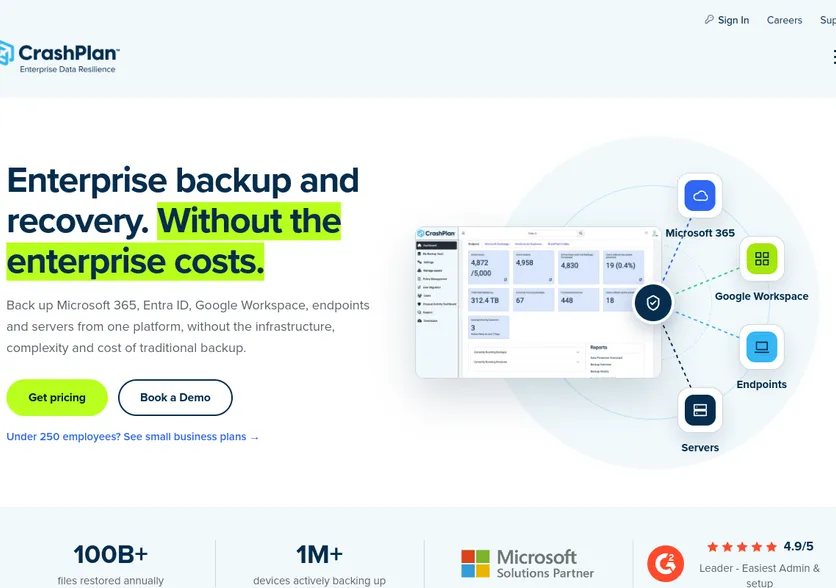
CrashPlan for Microsoft 365 is the cloud-to-cloud backup for teams whose mail and files live in Microsoft 365, with pooled storage per user and unlimited retention. This CrashPlan for Microsoft 365 Small Business plan costs two dollars and fifty cents per user a month billed annually, with fifty gigabytes of pooled storage per user. A team on Microsoft 365 gets Exchange, SharePoint and OneDrive backed up from the same vendor that covers its laptops.
What we like
- Cloud-to-cloud backup with no agent to install
- Pooled storage with unlimited retention
- Same vendor also covers laptops and servers
Watch out for
- Extra storage beyond the pool costs ninety dollars a year per two hundred and fifty gigabytes
- Small business pricing applies under two hundred and fifty employees
How to try it
- Open the CrashPlan site and start the fourteen-day trial
- Connect the Microsoft 365 tenant
- Run a first backup and test a mailbox restore
6. Backblaze Computer Backup
Best for: Teams with data-heavy laptops that want one flat price
Paid tool Starting price: $99/computer/year · Ninety-nine dollars per computer a year billed annually, or nine dollars a month billed monthly, or one hundred and eighty-nine dollars for two years, with unlimited data per computer; the Business plan adds an admin console at the same rate
Free plan: No free plan; 15-day free trial
Backblaze Computer Backup is the simplest backup in this list, with one flat price per computer and unlimited data from that machine. This Backblaze Computer Backup plan costs ninety-nine dollars per computer a year billed annually, with unlimited storage for the computer and its connected drives. A team with data-heavy laptops gets set-and-forget backup, an admin console on the Business plan and no storage tiers to work out.
What we like
- One flat price with unlimited data per computer
- Set-and-forget backup with no tiers to work out
- Business plan adds an admin console at the same rate
Watch out for
- Covers workstations only, not servers or cloud mailboxes
- Microsoft 365 backup needs a second vendor
How to try it
- Open the Backblaze site and start the fifteen-day trial
- Install the agent and let the first backup run
- Check the admin console and test a file restore
7. Zmanda Pro
Best for: Mid-sized teams with mixed workloads on one console
Paid tool Starting price: $5.99/workload/month · Five dollars and ninety-nine cents per workload a month for the Business plan with a ten-workload minimum, while Business Plus costs six dollars and ninety-nine cents; storage is billed separately and a fourteen-day free trial is included
Free plan: No free plan; 14-day free trial
Zmanda Pro is the backup tool for mixed estates, protecting virtual machines, servers, databases and Microsoft 365 seats at one flat per-workload price. This Zmanda Pro Business plan costs five dollars and ninety-nine cents per workload a month with a ten-workload minimum and flat pricing across renewals. A mid-sized team gets one console for every workload type, with storage billed separately to the cloud of its choice.
What we like
- One console for VMs, servers, databases and Microsoft 365
- Flat per-workload price with no renewal increase
- Runs as SaaS, self-hosted or fully offline
Watch out for
- Ten-workload minimum costs more for a tiny team
- Storage is a second bill on top of the license
How to try it
- Open the Zmanda site and start the fourteen-day trial
- Add the virtual machines, servers and databases to protect
- Set the schedule and test a database restore
8. Carbonite Safe
Best for: A single user who wants set-and-forget backup for one computer
Paid tool Starting price: $95.99/year · Ninety-five dollars and ninety-nine cents a year at list price for the Basic plan covering one computer with unlimited storage, while Plus costs one hundred and thirty-one dollars and ninety-nine cents a year and Prime costs one hundred and sixty-one dollars and ninety-nine cents; first-year promotions do not apply at renewal
Free plan: No free plan; 15-day free trial
Carbonite Safe is the set-and-forget cloud backup for one computer, with unlimited storage at a fixed yearly price. This Carbonite Safe Basic plan costs ninety-five dollars and ninety-nine cents a year at list price for one computer with unlimited backup of documents, photos and music. A single user gets automatic encrypted backup and remote file access, with external drives and video backup on the higher plans.
What we like
- Unlimited storage at a fixed yearly price
- Set-and-forget backup with no settings to tune
- Remote file access from any device
Watch out for
- One computer per plan, so three machines cost three times
- First-year promotions end at renewal
How to try it
- Open the Carbonite site and start the fifteen-day trial
- Install the app and let the first backup run
- Check remote file access from another device
Prices above were checked on each vendor’s own website on Nov 27, 2026 and can change — the vendor’s page is the final word. Vendor links are editorial: nobody paid to be listed or ranked here. Vendors who want a featured listing can see how it works on our Get listed page.
What SaaS backup costs a small team in 2026
SaaS backup charges by the user, by the workload or by the computer, and the meter decides the bill more than the headline price. CrashPlan for Microsoft 365 costs two dollars and fifty cents per user a month, MSP360 two dollars and fifty cents per workload a month, and Backblaze ninety-nine dollars per computer a year. A team of ten pays about twenty-five dollars a month for cloud mail backup, while the same team pays about eighty dollars a month to back up every laptop.
Start with a trial on two tools and restore one deleted email and one deleted file in each. Time the restore and check whether the file comes back with its original name and folder. Pick the tool that restores fastest, because a backup is only as good as the restore it delivers when something goes wrong.
Before you buy
- Check whether cloud mail is included, because an endpoint backup that skips Microsoft 365 leaves the real data unprotected.
- Confirm storage is included in the price, because a cheap license with storage billed separately can cost more overall.
- Test a restore before you buy, because a backup that cannot restore quickly is only a copy.
- Ask how long versions are kept, because a thirty-day retention window cannot undo a deletion found in month two.
- Check the per-seat minimum, because a ten-workload minimum costs more for a team of three.
Official websites
Official websites of the products reviewed above. Features and prices were checked against these sites when this guide was written, and they can change, so confirm on the vendor site before you buy.
Frequently asked questions
Which database backup software is best for SaaS applications in 2026?
MSP360 Backup is the best overall pick at two dollars and fifty cents per workload a month, pairing the cheapest license here with Microsoft 365 coverage. CrashPlan for Microsoft 365 is the best pick for cloud mail at two dollars and fifty cents per user a month, with pooled storage and unlimited retention. Backblaze is the best pick for simple laptop backup at ninety-nine dollars per computer a year with unlimited data.
How much does database backup software cost for SaaS applications?
Prices in this list run from two dollars and fifty cents per workload a month for MSP360 Backup to ninety-nine dollars per computer a year for Backblaze, with most tools landing between two dollars and fifty cents and ten dollars a month. Storage is sometimes a second bill, so add it to the license before you compare totals. Per-user SaaS backup is usually the cheapest way to protect cloud mail.
Is the recycle bin in Microsoft 365 enough as a backup?
No, because the recycle bin and version history in Microsoft 365 and Google Workspace expire, usually after thirty days. A deleted mailbox or a ransomware-encrypted file set is gone for good once that window closes. Cloud-to-cloud backup keeps an independent copy with its own retention, so recovery works months after the deletion.
What is the difference between cloud-to-cloud backup and endpoint backup?
Cloud-to-cloud backup copies data from one cloud service to another, such as from Microsoft 365 to an independent backup cloud, with no agent on your computers. Endpoint backup installs an agent on each laptop or server and copies its files to the cloud. SaaS data needs the first kind, because there is no machine to install an agent on.
What should a small team check before buying SaaS backup software?
Test a restore during the trial, because a backup that cannot restore quickly is only a copy. Check whether Microsoft 365 and Google Workspace are included, since endpoint-only tools leave cloud mail unprotected. Confirm retention length and whether storage is included, because a short retention window or a second storage bill changes the real cost.
Need everyday security help too? Try Toolsvine's free security and privacy tools right in your browser.
Browse Security & Privacy tools