On this page
Remote teams lose data when the database lives on one person's desktop, and a shared spreadsheet cannot enforce who edits what. The seven tools below move that database into the cloud, giving distributed teams shared tables, forms and automations that work from any laptop. Prices were checked on the vendor site on November 27, 2026, and run from five dollars a user a month to two hundred and seventy dollars a month. Airtable is our first pick, pairing spreadsheet-simple tables with the views, forms and automations a remote team needs.
How we researched this
We started with the desktop database tools remote teams actually buy, then read each price on the vendor pricing page on November 27, 2026 and noted the trial each plan carries. We judged them for a distributed team that shares tables, forms and automations from different time zones, with permissions that keep the wrong hands off the data. We dropped FileMaker because its pricing splits across a five-seat server minimum and a separate single licence, which makes a clean comparison hard, and we dropped Ninox because the vendor lists its prices in euros first.
Compare the tools
| Name | Best for | Starting price | Free plan | |
|---|---|---|---|---|
 Airtable | Remote teams that want spreadsheet-simple tables with views, forms and automations | $20/user/month | Free plan for small teams | Visit |
 AppSheet | Teams that want spreadsheet data as a working app on phones and laptops | $5/user/month | Free prototyping for up to 10 test users | Visit |
 Baserow | Teams that want an open database they can host themselves | $10/user/month | Free plan; self-hosted Community edition is free | Visit |
 Zoho Creator | Teams that already run Zoho apps and want custom apps on one login | $8/user/month | Free plan for one app | Visit |
| Knack | Teams that need a working database app this week without a developer | $49/month | No free plan; free trial available | Visit |
| Caspio | Teams that serve customers, not just staff, and need a database built for the web | $270/month | No free plan; 14-day free trial | Visit |
| Tadabase | Teams that grow headcount without growing the bill, thanks to unlimited users | $42/month | No free plan; 14-day free trial | Visit |
The desktop database software for remote teams, compared
1. Airtable
Best for: Remote teams that want spreadsheet-simple tables with views, forms and automations
Paid tool Starting price: $20/user/month · Twenty dollars per user a month billed annually for the Team plan, or twenty-four dollars billed monthly; Business costs forty-five dollars per user a month billed annually
Free plan: Free plan for small teams
Airtable is the spreadsheet a remote team outgrows into, with tables that link, views that filter and forms that collect without a developer. This Airtable Team plan costs twenty dollars per user a month billed annually and covers the shared workflows a remote team builds together. Remote teams get a database that feels like a spreadsheet, which is why people actually open it every day.

What we like
- Tables that link, filter and collect without code
- Views and forms a non-technical team learns fast
- Free plan that covers real small-team work
Watch out for
- Business costs forty-five dollars per user a month
- The free plan suits small teams, not whole companies
How to try it
- Open the Airtable pricing page and start the free plan
- Build one table from your real workflow and add a form
- Invite teammates from different time zones and test the views
2. AppSheet
Best for: Teams that want spreadsheet data as a working app on phones and laptops
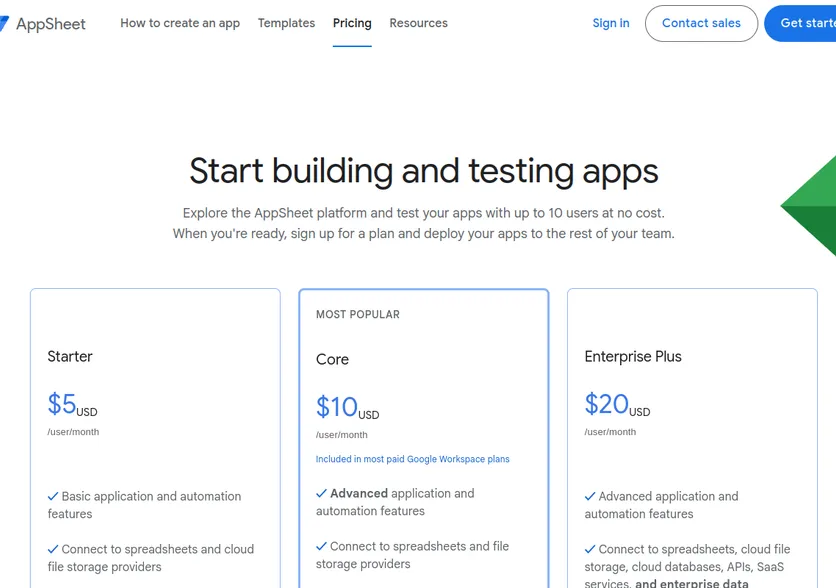
Paid tool Starting price: $5/user/month · Five dollars per user a month for the Starter plan; Core costs ten dollars per user a month and Enterprise Plus costs twenty dollars per user a month, and Core is included in most paid Google Workspace plans
Free plan: Free prototyping for up to 10 test users
AppSheet turns a spreadsheet into a working app, so a remote team stops emailing the same file back and forth. This AppSheet Starter plan costs five dollars per user a month and covers basic application and automation features with spreadsheet and cloud file connections. The apps run on phones and laptops, which suits field teams that never sit at a desk.
What we like
- Cheapest paid plan in this comparison
- Spreadsheet becomes a working app in minutes
- Core included in most paid Google Workspace plans
Watch out for
- Starter covers basic features, so advanced apps need Core
- Deployed apps need a paid plan, not the free prototype
How to try it
- Open the AppSheet pricing page and start building free
- Connect a spreadsheet and let AppSheet build the first app
- Test the app with up to ten users before you pay
3. Baserow
Best for: Teams that want an open database they can host themselves
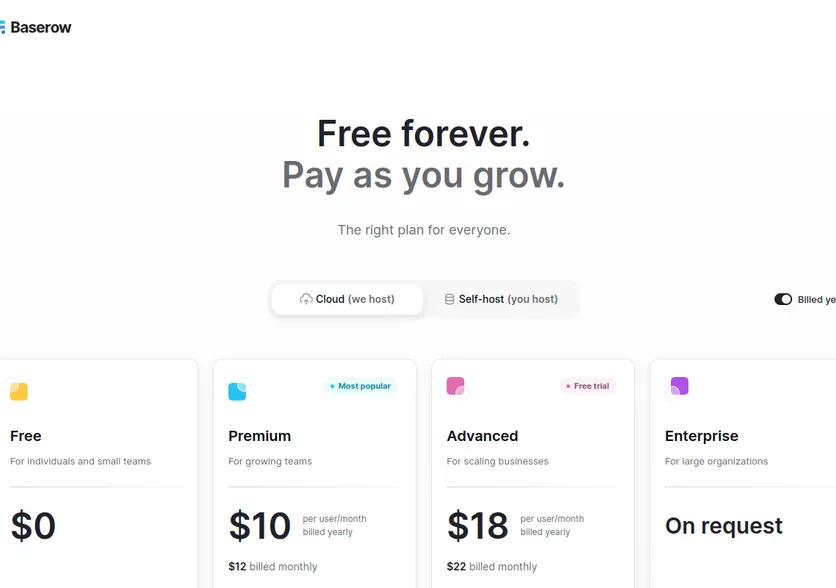
Paid tool Starting price: $10/user/month · Ten dollars per user a month billed annually for the Premium plan, or twelve dollars billed monthly; Advanced costs eighteen dollars per user a month billed annually and the self-hosted Community edition is free
Free plan: Free plan; self-hosted Community edition is free
Baserow is the open database a remote team can host itself, with tables, views and forms that work like the paid tools. This Baserow Premium plan costs ten dollars per user a month billed annually and covers growing teams on the hosted cloud. A team that wants its data on its own server can run the free Community edition instead.
What we like
- Open database with a free self-hosted edition
- Hosted cloud from ten dollars per user a month
- Tables, views and forms that work like the paid tools
Watch out for
- Advanced costs eighteen dollars per user a month
- Self-hosting needs someone to run the server
How to try it
- Open the Baserow pricing page and start the free plan
- Build a table from your real workflow and add a form
- Choose hosted cloud or self-host the Community edition
4. Zoho Creator
Best for: Teams that already run Zoho apps and want custom apps on one login
Paid tool Starting price: $8/user/month · Eight dollars per user a month billed annually for the Standard plan in US dollars, or twelve dollars billed monthly; Professional costs twenty dollars per user a month and Enterprise costs twenty-five dollars per user a month
Free plan: Free plan for one app
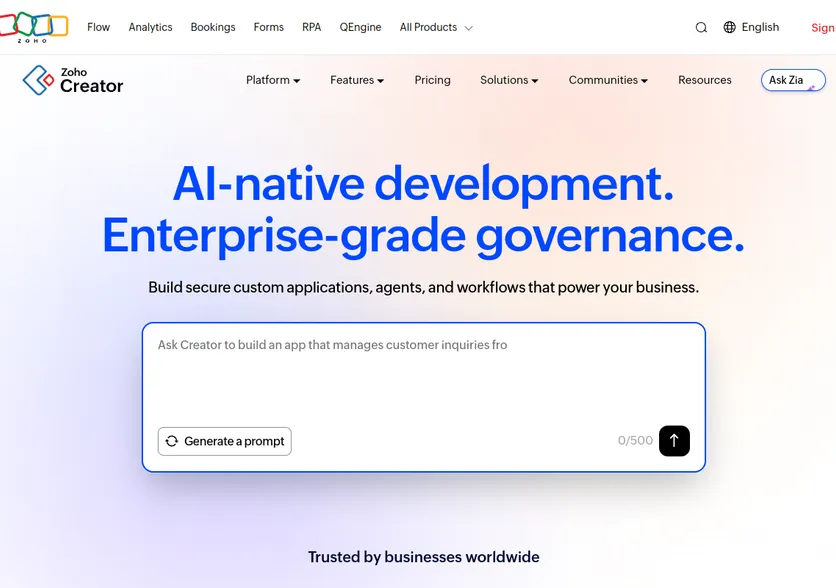
Zoho Creator builds custom apps from a prompt, so a remote team gets a database shaped around its own workflow instead of a generic template. This Zoho Creator Standard plan costs eight dollars per user a month billed annually in US dollars and covers custom applications with enterprise-grade governance. Teams that already run Zoho apps get one login across the whole suite.
What we like
- Apps built from a prompt, not a template
- Eight dollars per user a month on the entry plan
- One login across the Zoho suite
Watch out for
- The free plan covers one app only
- Professional costs twenty dollars per user a month
How to try it
- Open the Zoho Creator pricing page and start the free plan
- Describe your app in a prompt and check what it builds
- Connect your Zoho apps and invite the team
5. Knack
Best for: Teams that need a working database app this week without a developer
Paid tool Starting price: $49/month · Forty-nine dollars a month billed annually for the Starter plan, or fifty-nine dollars billed monthly, with twenty thousand records, two gigabytes of storage and unlimited users; Pro costs one hundred and ten dollars a month billed annually
Free plan: No free plan; free trial available
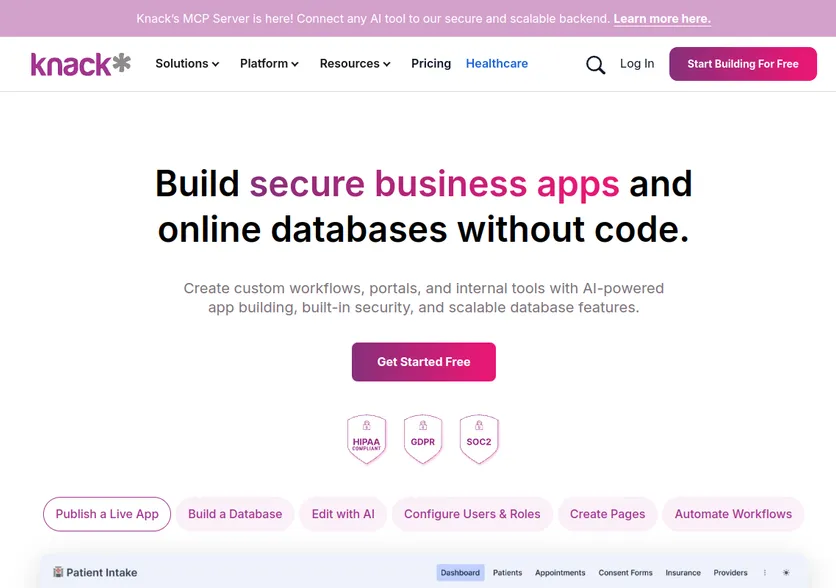
Knack is the no-code database for teams that need a working app this week, with tables, pages and user logins built without code. This Knack Starter plan costs forty-nine dollars a month billed annually and covers twenty thousand records with unlimited users. A remote team gets a real database app without hiring a developer or learning a query language.
What we like
- Working app in days without a developer
- Unlimited users on the Starter plan
- Pages and logins built without code
Watch out for
- Starter covers twenty thousand records, so large datasets need Pro
- No free plan, so the trial is the only way to test it
How to try it
- Open the Knack pricing page and start a free trial
- Build a table and a page from your real workflow
- Add user logins and invite the team to test it
6. Caspio
Best for: Teams that serve customers, not just staff, and need a database built for the web
Paid tool Starting price: $270/month · Two hundred and seventy dollars a month billed annually for the Team plan, or three hundred dollars billed monthly, with unlimited app users, five authors and two hundred and fifty thousand records; Business costs five hundred and forty dollars a month billed annually and a fourteen-day free trial is included
Free plan: No free plan; 14-day free trial
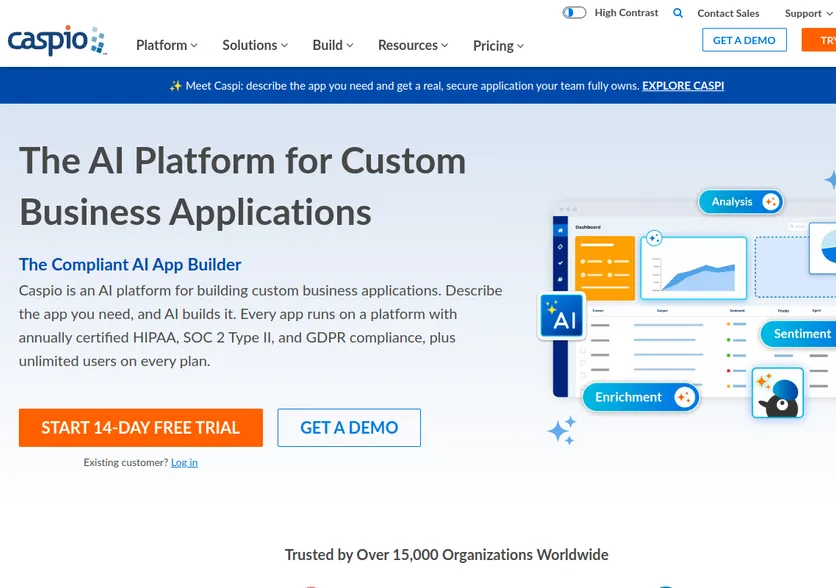
Caspio is the database for teams that outgrow spreadsheets and need real applications, with unlimited app users on every plan. This Caspio Team plan costs two hundred and seventy dollars a month billed annually and covers two hundred and fifty thousand records with five authors. A remote team that serves customers, not just staff, gets a database built for the public web.
What we like
- Unlimited app users on every plan
- Two hundred and fifty thousand records on Team
- Built for customer-facing web applications
Watch out for
- Team covers five authors, so larger builder teams need Business
- The most expensive plan in this comparison by a wide margin
How to try it
- Open the Caspio pricing page and start the 14-day trial
- Build a table from your customer workflow and add a form
- Publish the app and test it with real app users
7. Tadabase
Best for: Teams that grow headcount without growing the bill, thanks to unlimited users
Paid tool Starting price: $42/month · Forty-two dollars a month billed annually for the Business Starter plan, or fifty dollars billed monthly, with three apps, thirty thousand records and unlimited users; Growth costs one hundred and five dollars a month billed annually and a fourteen-day free trial is included
Free plan: No free plan; 14-day free trial
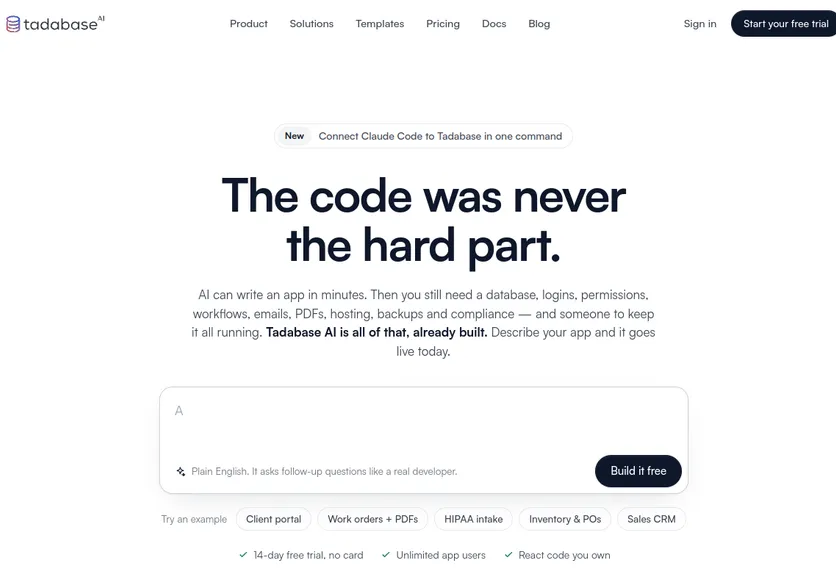
Tadabase is the low-code database for remote teams that need custom apps with unlimited users, without paying per seat. This Tadabase Business Starter plan costs forty-two dollars a month billed annually and covers three apps with thirty thousand records. A team that grows headcount without growing the bill gets the pricing model it actually wants.
What we like
- Unlimited users, so hiring never raises the bill
- Three apps included on the Starter plan
- Low-code builder for custom team apps
Watch out for
- Starter covers three apps, so larger teams need Growth
- No free plan, so the trial is the only way to test it
How to try it
- Open the Tadabase pricing page and start the 14-day trial
- Build an app from your real workflow with three apps included
- Invite the whole team, since users are unlimited
Prices above were checked on each vendor’s own website on Nov 27, 2026 and can change — the vendor’s page is the final word. Vendor links are editorial: nobody paid to be listed or ranked here. Vendors who want a featured listing can see how it works on our Get listed page.
What a remote team database costs in 2026
Remote databases bill by the user or by the month, and the unit decides whether a growing team pays more every time it hires. Per-user pricing suits a small team where everyone edits, while flat monthly pricing suits a team with many readers and a few editors. The cheapest plan here costs five dollars a user a month, while the most expensive costs two hundred and seventy dollars a month for the whole team.
Start with a trial on two tools and rebuild one real workflow in each, with the same tables, forms and permissions your team uses today. Invite two teammates from different time zones and watch how fast they find and edit a record. Pick the tool they open without asking how, because a database the team avoids is just a tidier spreadsheet.
Before you buy
- Check whether the price is per user or per month, because a team with many readers pays far more on per-user plans.
- Confirm the record limit on the entry plan, because twenty thousand records fill up faster than most teams expect.
- Test permissions on a real table, because a database where everyone can edit everything breaks within a month.
- Ask whether the free plan covers real work, because a one-app free plan cannot run a whole team.
- Check the export terms before you sign, because a database that locks your records behind a fee costs more later.
Official websites
Official websites of the products reviewed above. Features and prices were checked against these sites when this guide was written, and they can change, so confirm on the vendor site before you buy.
Frequently asked questions
Which desktop database software is best for remote teams in 2026?
Airtable is the best overall pick at twenty dollars per user a month, pairing spreadsheet-simple tables with the views, forms and automations a remote team needs. AppSheet is the best budget pick at five dollars per user a month for teams that want spreadsheet data as a working app. Caspio is the best pick for customer-facing apps at two hundred and seventy dollars a month with unlimited app users.
How much does desktop database software cost?
Prices in this list run from five dollars per user a month for AppSheet to two hundred and seventy dollars a month for Caspio, with most tools landing between eight and twenty dollars per user a month. Per-user pricing suits small teams where everyone edits, while flat monthly pricing suits teams with many readers and a few editors. Add record limits and author seats to the subscription before you compare totals.
Can a remote team share one database without a server?
Yes, because every tool in this list runs in the cloud, so the database lives online and every teammate opens the same tables from any laptop. Baserow is the exception that proves the rule, since a team that wants its data on its own server can run the free Community edition instead. A shared cloud database beats a file on one person's desktop the first time two people edit the same record.
Do remote teams need a no-code database or a real developer?
Most remote teams need no-code, because the database exists to track work, not to become a software project. Airtable, AppSheet and Baserow build apps from tables and forms without code, while Caspio and Tadabase cover the teams that need customer-facing apps. A team that hires a developer for a tracker has bought the wrong tool for the job.
What should remote teams check before buying a database?
Check the record limit first, since twenty thousand records fill up faster than most teams expect. Check permissions next, because a database where everyone can edit everything breaks within a month. Check the export terms last, because a database that locks your records behind a fee costs more later than the subscription ever did.
Need everyday business help too? Try Toolsvine's free business tools right in your browser.
Browse Business Tools tools