
On this page
A startup database has to do two jobs at once: stay cheap while traffic is light, and stay standing when traffic arrives. The seven tools below run from five dollars a month to about two hundred dollars a month, and every price was checked on the vendor site on November 26, 2026. Some bill a flat monthly fee, others bill by use, so compare the billing unit as well as the headline number. Supabase is our first pick — the most complete Postgres backend for a startup.
How we researched this
We started with the databases startups actually buy, then read each price on the vendor pricing page on November 26, 2026 and noted the free tier or trial each plan carries. We judged them for a small team that needs a production database, daily backups and a bill it can predict, and we kept only tools with a published price. We dropped Xano because its published prices conflict across sources and could not be verified to a single figure.
Compare the tools
| Name | Best for | Starting price | Free plan | |
|---|---|---|---|---|
 Supabase | Startups that want a full Postgres backend with auth, storage and realtime in one place | $25/month | Free plan with 500 MB database and 50,000 monthly active users | Visit |
 Neon | Startups whose database sleeps most of the day and should cost almost nothing while idle | $15/month | Free plan with 100 CU hours and 1 GB storage per project | Visit |
 PlanetScale | Startups that want a fixed low monthly price for Postgres or MySQL with branching built in | $5/month | No free plan; paid clusters start at $5 a month | Visit |
 MongoDB Atlas | Startups building on document data that need a managed MongoDB cluster | $56.94/month | Free M0 cluster for development and testing | Visit |
 Airtable | Startups that want a spreadsheet-like database the whole team can use without code | $20/user/month | Free plan with 1,000 records per base | Visit |
 Prisma Postgres | Startups that want serverless Postgres billed by the query, with no instance to size | $10/month | Free plan with 200,000 operations and 2 GB storage | Visit |
 CockroachDB | Startups planning for global scale that need a database that survives a region going down | $203/month | No free plan; 30-day trial with $400 in credit | Visit |
The database software for startups, compared
1. Supabase
Best for: Startups that want a full Postgres backend with auth, storage and realtime in one place
Paid tool Starting price: $25/month · Pro plan, $25 a month per organization, with a $10 compute credit included; Team from $599 a month
Free plan: Free plan with 500 MB database and 50,000 monthly active users
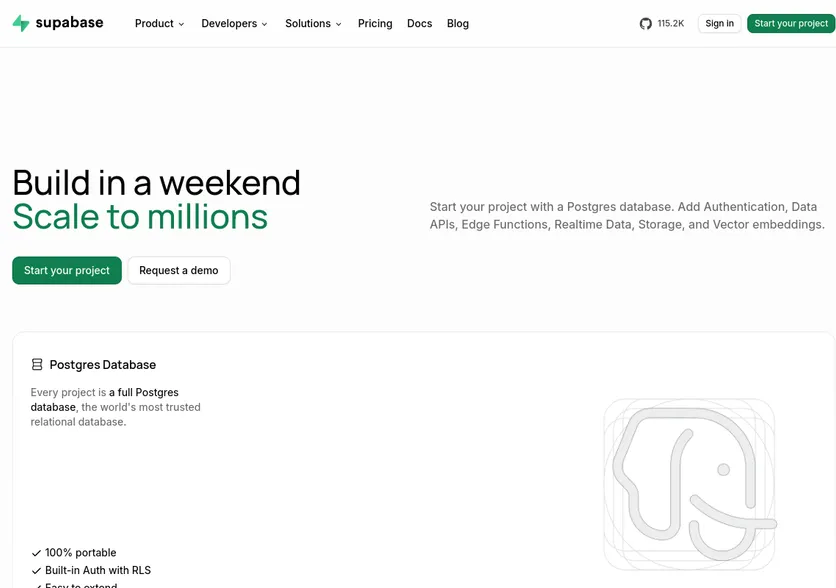
Supabase wraps Postgres with auth, file storage, realtime updates and edge functions in one dashboard, so a small team can ship a production backend without hiring a database administrator. This Supabase Pro plan starts at twenty-five dollars a month per organization and includes a ten dollar compute credit, which covers a small Micro instance. A startup building a software-as-a-service product gets a real database, user login and file uploads from day one, all on the same bill.
What we like
- Full Postgres backend with auth and storage included
- Generous free tier for prototypes and side projects
- Daily backups and no pausing on the Pro plan
Watch out for
- Each extra project adds its own compute cost beyond the credit
- Usage overages for storage and egress can grow the bill
How to try it
- Open the Supabase pricing page and create a free project
- Build one table and connect it to your app with the generated API
- Upgrade to Pro when you need daily backups and no pausing
2. Neon
Best for: Startups whose database sleeps most of the day and should cost almost nothing while idle
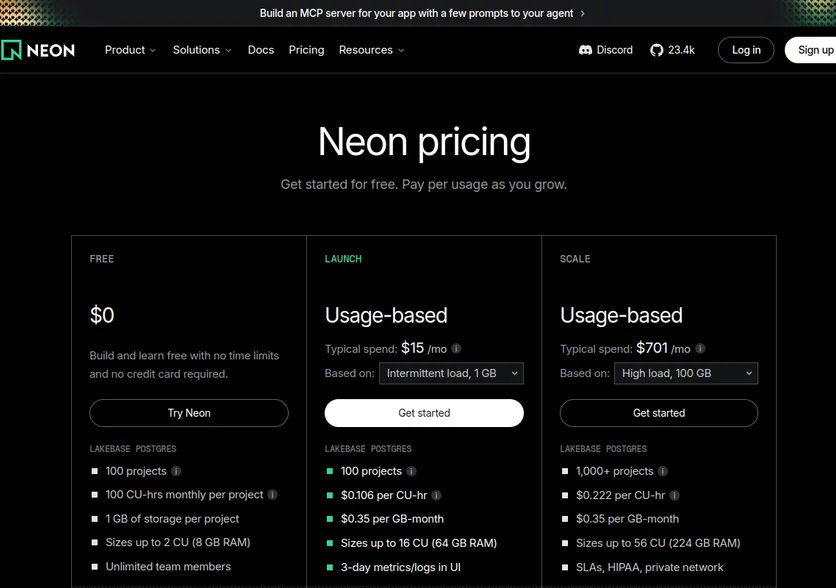
Paid tool Starting price: $15/month · Launch plan is usage-based with no monthly minimum and no plan fee; Neon lists a typical small database at about $15 a month
Free plan: Free plan with 100 CU hours and 1 GB storage per project
Neon is serverless Postgres that scales compute to zero when nobody is querying, so a startup with spiky traffic pays for awake hours instead of a server that runs all month. This Neon Launch plan has no monthly minimum and no plan fee, with billing by compute hour and storage, and Neon lists a typical small database at about fifteen dollars a month. Branching lets a developer spin up a copy of the database for every pull request and delete it when the work merges.
What we like
- Scales to zero, so idle databases cost almost nothing
- Database branching for every pull request
- No monthly minimum on paid plans
Watch out for
- An always-on database costs far more than the typical figure
- Billing is harder to predict than a flat monthly plan
How to try it
- Open the Neon pricing page and create a free project
- Connect your app with the pooled connection string
- Create a branch for your next feature and test against real data
3. PlanetScale
Best for: Startups that want a fixed low monthly price for Postgres or MySQL with branching built in
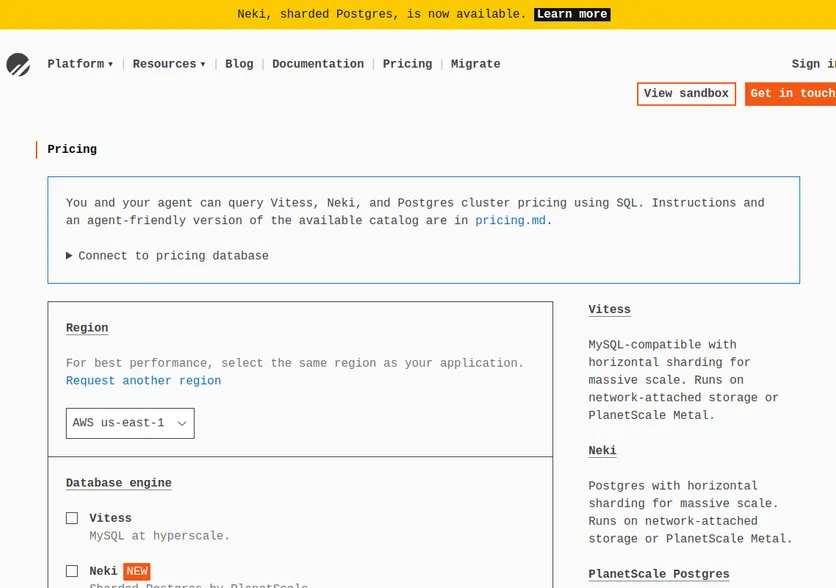
Paid tool Starting price: $5/month · Postgres PS-5 single node from $5 a month, with high availability from $15 a month; no free tier
Free plan: No free plan; paid clusters start at $5 a month
PlanetScale runs managed Postgres and MySQL on Vitess with database branching and deploy requests, so schema changes go through review like code. This PlanetScale Postgres cluster starts at five dollars a month for a single node, which is the cheapest fixed price in this list. A startup that wants predictable billing and a branching workflow for safe migrations gets both without a server to manage.
What we like
- Cheapest fixed starting price in this comparison
- Branching and deploy requests for safe schema changes
- Both Postgres and MySQL on one platform
Watch out for
- No free tier, so every test database costs money
- Storage and egress add to the cluster price
How to try it
- Open the PlanetScale pricing page and pick Postgres or MySQL
- Create a five dollar cluster in your region
- Open a branch, change the schema and deploy it when ready
4. MongoDB Atlas
Best for: Startups building on document data that need a managed MongoDB cluster
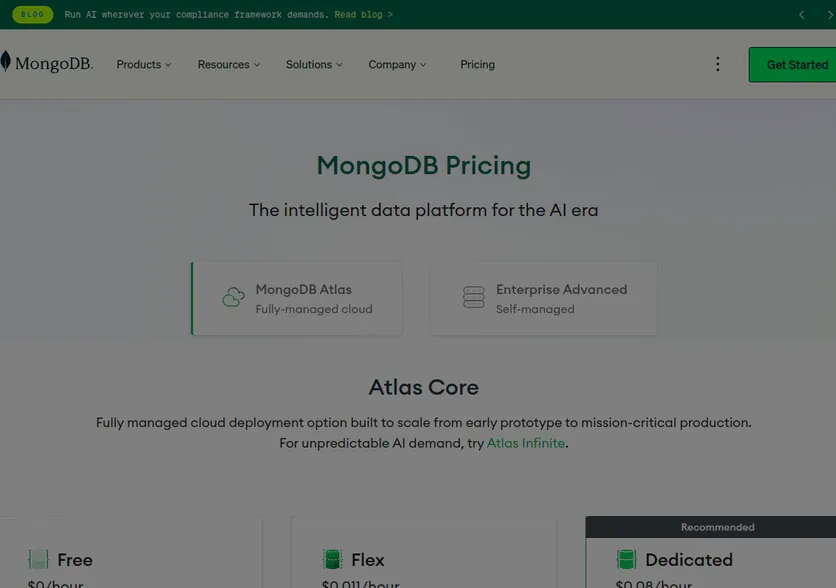
Paid tool Starting price: $56.94/month · Dedicated M10 cluster per cluster in US East, with 2 GB RAM and 2 vCPUs; Flex clusters run $8 to $30 a month
Free plan: Free M0 cluster for development and testing
MongoDB Atlas is the managed cloud version of MongoDB, with dedicated clusters, automated backups and scaling that a startup can run without operating a database server. This MongoDB Atlas Dedicated M10 cluster costs about fifty-seven dollars a month per cluster, with two gigabytes of RAM and two virtual CPUs. A team storing flexible JSON-like documents, from user profiles to product catalogs, gets a production database with monitoring and alerts from the first day.
What we like
- Managed MongoDB with automated backups and scaling
- Flexible document model fits fast-changing data
- Free M0 cluster for learning and prototypes
Watch out for
- Production needs three nodes for automatic failover, which triples the cost
- Storage, backups and transfer are billed on top of the cluster
How to try it
- Open the MongoDB Atlas pricing page and create a free cluster
- Load your first collection and build an index on the fields you query
- Move to a Dedicated M10 cluster when the app goes live
5. Airtable
Best for: Startups that want a spreadsheet-like database the whole team can use without code
Paid tool Starting price: $20/user/month · Team plan, $20 per user a month billed annually or $24 billed monthly; Business $45 per user a month
Free plan: Free plan with 1,000 records per base
Airtable pairs a relational database with spreadsheet views, forms and automations, so a non-technical founder can track customers, content and inventory in one base. This Airtable Team plan costs twenty dollars per user a month billed annually and lifts the record cap to fifty thousand per base. A startup that needs a shared source of truth before it can justify a developer-built database will find Airtable the fastest way to get there.

What we like
- Spreadsheet interface the whole team understands
- Automations and views without writing code
- Strong template library for common startup workflows
Watch out for
- Per-user pricing adds up fast as the team grows
- Not a replacement for a real database at high volume
How to try it
- Open the Airtable pricing page and start with the free plan
- Build a base for your customers with a form for new signups
- Upgrade to Team when you pass one thousand records or need automations
6. Prisma Postgres
Best for: Startups that want serverless Postgres billed by the query, with no instance to size
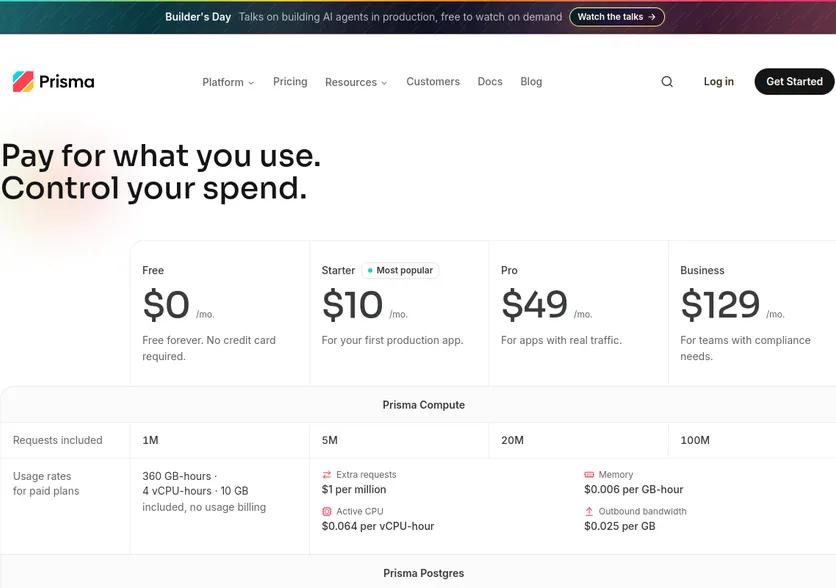
Paid tool Starting price: $10/month · Starter plan, $10 a month with 1M operations and 10 GB storage included; Pro $49 and Business $129 a month
Free plan: Free plan with 200,000 operations and 2 GB storage
Prisma Postgres is serverless Postgres that bills by database operation instead of by instance hour, so an idle app costs nothing beyond the plan base and a busy one scales without a migration. This Prisma Postgres Starter plan costs ten dollars a month and includes one million operations and ten gigabytes of storage, with daily backups kept for seven days. A TypeScript team already using Prisma gets a managed Postgres that any standard client can also connect to.
What we like
- Cheapest paid Postgres entry in this list
- Bills per operation, so idle time costs nothing
- Standard Postgres that any client can connect to
Watch out for
- Operations overage charges can surprise a chatty app
- No point-in-time recovery yet, only daily snapshots
How to try it
- Open the Prisma pricing page and create a free database
- Connect with the pooled connection string from any Postgres client
- Upgrade to Starter when you need daily backups and more operations
7. CockroachDB
Best for: Startups planning for global scale that need a database that survives a region going down
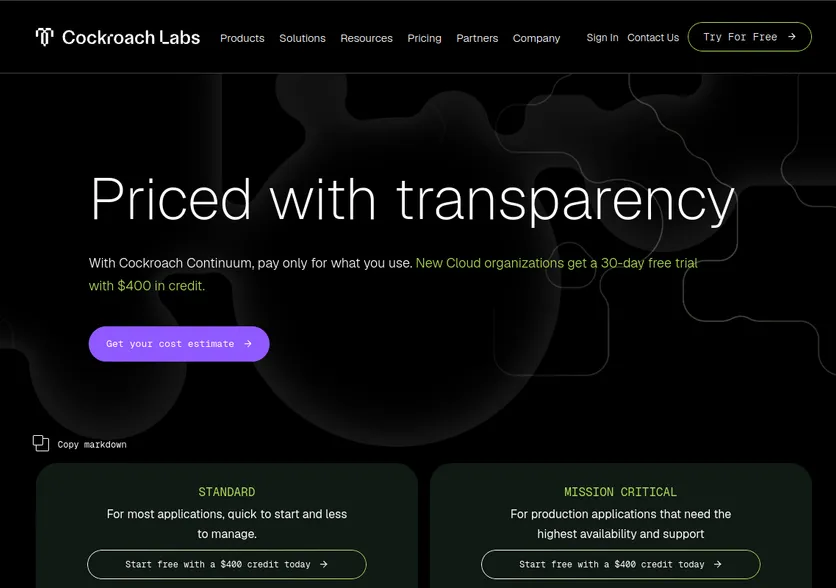
Paid tool Starting price: $203/month · Standard edition bills by virtual CPU hour, listed as about $203 a month for 2 vCPUs and 100 GB; usage-based with a 30-day trial
Free plan: No free plan; 30-day trial with $400 in credit
CockroachDB is distributed SQL built so an app stays online even if an entire cloud region fails, with Postgres compatibility for most existing tools. This CockroachDB Standard edition bills by virtual CPU hour, which Cockroach Labs lists as about two hundred and three dollars a month for two virtual CPUs and one hundred gigabytes. A startup with global users and strict uptime needs gets multi-region resilience that single-region databases cannot offer.
What we like
- Multi-region resilience with Postgres compatibility
- Strong availability SLA on the Standard edition
- Scales horizontally as the workload grows
Watch out for
- The most expensive starting point in this comparison
- Overkill for a startup with users in one region
How to try it
- Open the CockroachDB pricing page and start the trial
- Create a Standard cluster in the region closest to your users
- Test a failover by stopping one node and watching the app stay up
Prices above were checked on each vendor’s own website on Nov 26, 2026 and can change — the vendor’s page is the final word. Vendor links are editorial: nobody paid to be listed or ranked here. Vendors who want a featured listing can see how it works on our Get listed page.
What database software costs a startup in 2026
Most startups pay for one database, so the headline monthly price is the whole budget here, and this list runs from five dollars a month to about two hundred dollars a month. The cheapest plans are not always the cheapest deal, because usage-based tools like Neon charge by the hour the database stays awake, while flat plans like Supabase charge the same whether traffic is heavy or light. The headline plan each vendor shows on its own pricing page is the number in the table above, checked on November 26, 2026.
Start with the free tier on two tools and run one real workload through each, from signup to a backup restore. Compare how fast a query returns, how the bill moves when traffic doubles, and whether branching makes schema changes safe. Pick the database your team can operate at two in the morning, because that is when it will matter.
Before you buy
- Count the seats first, because per-user pricing doubles the bill the moment a second developer joins.
- Check what the free tier really covers, because usage limits and storage caps force the upgrade sooner than the headline price suggests.
- Compare annual and monthly billing, because most tools here cut the monthly rate by about a fifth on annual plans.
- Confirm backups and branching are included, because a startup database without daily backups is a single outage away from disaster.
- Test the free tier with a real project, because a database that feels slow in week one will not feel faster at scale.
Official websites
Official websites of the products reviewed above. Features and prices were checked against these sites when this guide was written, and they can change, so confirm on the vendor site before you buy.
Frequently asked questions
Which database software is best for startups in 2026?
Supabase, at twenty-five dollars a month on the Pro plan, is the safest default because it bundles Postgres, auth, storage and realtime in one dashboard with daily backups. Prisma Postgres is the cheapest paid start at ten dollars a month, and PlanetScale is the cheapest fixed-price option at five dollars a month for a small Postgres or MySQL cluster.
How much does database software cost for a startup?
Paid plans in this list run from five dollars a month for a small PlanetScale cluster to about two hundred and three dollars a month for a CockroachDB Standard example. Most early startups pay between ten and fifty-seven dollars a month, and usage-based tools like Neon can cost less than fifteen dollars a month while traffic is light.
Is there a free database for startups?
Yes, four tools here have a free tier: Supabase, Neon, MongoDB Atlas and Prisma Postgres, plus Airtable with a smaller free plan. Free tiers cap storage, records or operations, so they suit prototypes and early products, and most teams upgrade once real users arrive.
Should a startup choose Postgres or MongoDB?
Use Postgres through Supabase, Neon, PlanetScale or Prisma Postgres if your data is relational and your team knows SQL. Pick MongoDB Atlas if your data is document-shaped and changes often. Airtable fits when the database is really a shared tracker the whole team edits by hand.
What should a startup check before picking a database?
Check the backup story first: daily backups, point-in-time recovery and branching all matter when a bad deploy corrupts data. Then check the billing unit, because per-user, per-operation and per-hour pricing grow very differently as the team and traffic grow. Finally, test the free tier with a real workload before you commit.
Need more free developer help? Try Toolsvine's free developer tools right in your browser.
Browse Developer Tools tools


