
On this page
A database earns its keep when it talks to every app the team uses, and the tools below range from about five dollars a month to twenty-five dollars a month. The eight options cover Postgres backends, spreadsheet databases and instant APIs, and every price was checked on the vendor site on November 26, 2026. Seven of them offer a free plan, so you can connect your apps before you spend anything. Supabase is our first pick — a Postgres backend with an instant API for every app.
How we researched this
We started with the database tools teams actually use to connect apps, then read each price on the vendor pricing page on November 26, 2026 and noted the free plan or trial each one carries. We judged them for a team that needs data flowing between apps without manual work, and we kept only tools with a published price. We left out Fauna, because the hosted service wound down in 2025 and the vendor site no longer serves.
Compare the tools
| Name | Best for | Starting price | Free plan | |
|---|---|---|---|---|
 Supabase | Teams that want a Postgres database with an instant API and auth for every app | $25/month | Free tier, 500 MB and 2 projects | Visit |
 Airtable | Teams that want a spreadsheet-like database with hundreds of integrations | $20/user/month | Free plan, 1,000 records per base and up to 5 editors | Visit |
 Notion | Teams that want a wiki, docs and database in one connected workspace | $10/user/month | Free plan included | Visit |
 Hasura | Teams that want an instant GraphQL API on top of any database | $5/active model/month | Free DDN tier | Visit |
 Xata | Developers who want a Postgres database with a modern API and search built in | $9/month | Free self-hosted open source tier; 14-day cloud trial | Visit |
 Turso | Developers who want a fast edge database that plugs into any app | $4.99/month | Free tier, 100 databases and 5 GB | Visit |
 NocoDB | Teams that want an open source Airtable alternative on their own database | $12/seat/month | Free cloud tier, 3 editors, 1,000 records and 1 GB | Visit |
 Baserow | Teams that want an open source spreadsheet database with automations | $10/user/month | Free plan, 3,000 rows and 2 GB; self-hosted free | Visit |
The database software for integration, compared
1. Supabase
Best for: Teams that want a Postgres database with an instant API and auth for every app
Paid tool Starting price: $25/month · Pro plan, from $25 a month per organisation; Team from $599 a month; free tier included
Free plan: Free tier, 500 MB and 2 projects
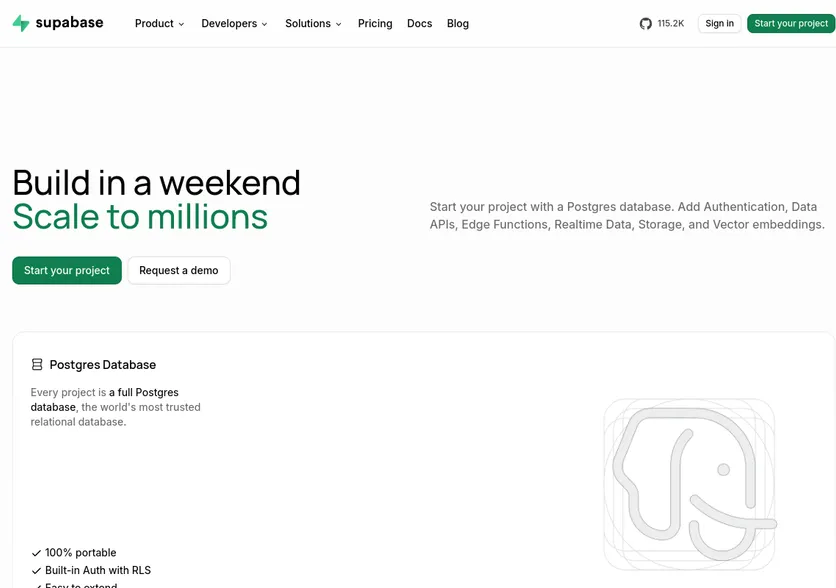
Integration starts with an API, and Supabase turns a Postgres database into a working backend the moment a table exists, with auth and storage already connected. This Supabase Pro plan starts at twenty-five dollars a month per organisation and includes eight gigabytes of disk, two hundred and fifty gigabytes of egress and one hundred thousand monthly active users. A team connecting a web app, a mobile app and a dashboard will like the single API, because every client reads the same data with the same rules.
What we like
- Instant API from any Postgres table
- Auth and storage built in
- Open source, self-hosting stays an option
Watch out for
- Free projects pause after a week idle
- Egress overage is billed on top
How to try it
- Open the Supabase pricing page and claim the free plan
- Create a project and add a table
- Connect your app to the auto-generated API
2. Airtable
Best for: Teams that want a spreadsheet-like database with hundreds of integrations
Paid tool Starting price: $20/user/month · Team plan, $20 a user a month billed annually or $24 billed monthly; Business $45 a month billed annually; free plan included
Free plan: Free plan, 1,000 records per base and up to 5 editors
Airtable looks like a spreadsheet and acts like a database, with hundreds of integrations that move rows into Slack, email and reporting tools automatically. This Airtable Team plan costs twenty dollars a user a month on annual billing and covers unlimited bases, automations and sync. A team that tracks projects, content or inventory will like the views, because the same data can look like a grid, a calendar or a kanban board for different people.

What we like
- Spreadsheet feel with database power
- Hundreds of ready integrations
- Views fit every team member
Watch out for
- Free plan caps at one thousand records per base
- Per-user pricing adds up with a big team
How to try it
- Open the Airtable pricing page and claim the free plan
- Build a base for your project or inventory
- Connect an automation that posts updates to Slack
3. Notion
Best for: Teams that want a wiki, docs and database in one connected workspace
Paid tool Starting price: $10/user/month · Plus plan, $10 a user a month billed annually or $12 billed monthly; Business $20 a month billed annually; free plan included
Free plan: Free plan included
Notion is the workspace where docs, wikis and databases live together, so a team can link a project page to the database that tracks it. This Notion Plus plan costs ten dollars a user a month on annual billing and covers unlimited blocks, file uploads and thirty-day page history. A team that plans in docs and tracks in tables will like the links, because a meeting note can pull live data from the project database.

What we like
- Docs, wikis and databases in one place
- Easy to link pages and live data
- Cheapest paid plan in this comparison
Watch out for
- Not a real database for heavy workloads
- AI now sits in Business and Enterprise only
How to try it
- Open the Notion pricing page and claim the free plan
- Create a database inside a project page
- Link the database to your meeting notes and dashboards
4. Hasura
Best for: Teams that want an instant GraphQL API on top of any database
Paid tool Starting price: $5/active model/month · DDN Base plan, from $5 per active model a month; Advanced from $30 per active model a month; free DDN tier included
Free plan: Free DDN tier
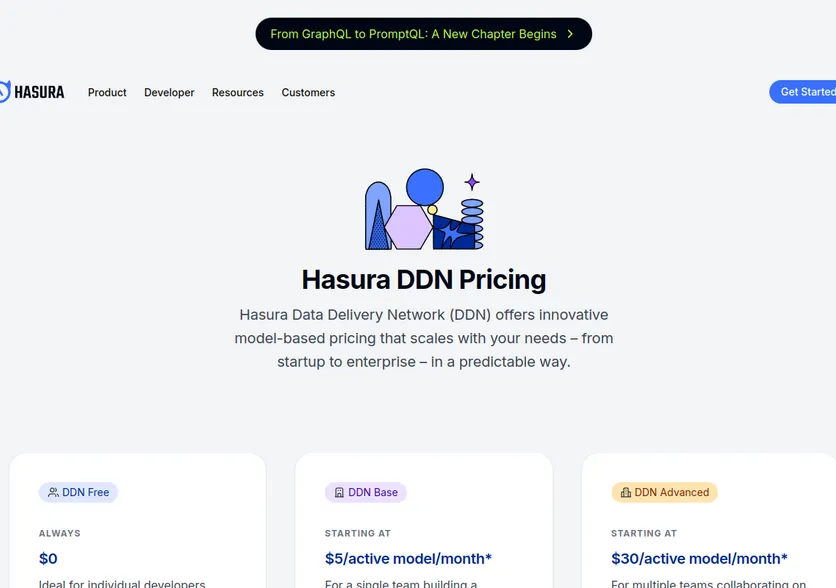
Hasura turns an existing database into a GraphQL API in minutes, with realtime subscriptions and permissions built in. This Hasura DDN Base plan starts at five dollars per active model a month and covers the core data delivery network. A team with a Postgres database and a frontend to feed will like the speed, because the API appears without writing a single resolver by hand.
What we like
- Instant GraphQL API from any database
- Realtime subscriptions built in
- Free tier covers real testing
Watch out for
- Old fixed-price Cloud plan is deprecated
- Active models are billed per model, which adds up
How to try it
- Open the Hasura pricing page and claim the free tier
- Connect your database and pick the models to expose
- Query the GraphQL API from your frontend
5. Xata
Best for: Developers who want a Postgres database with a modern API and search built in
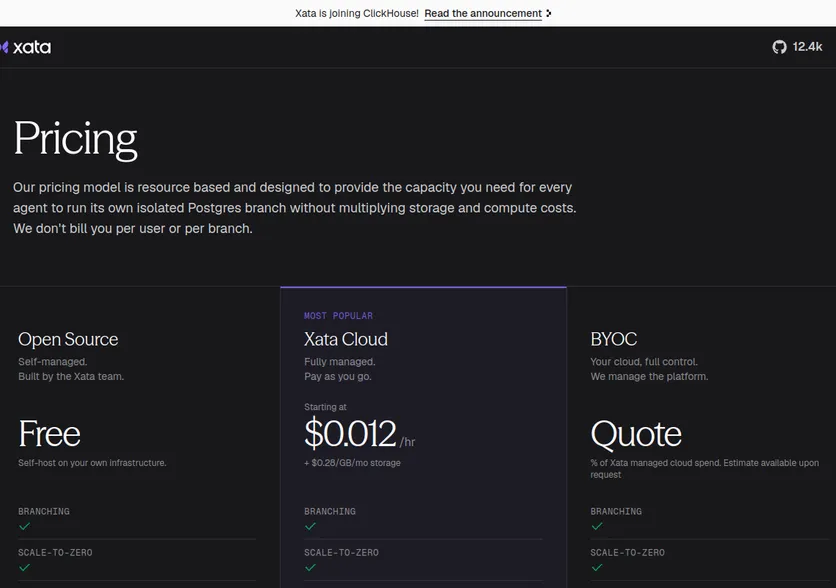
Paid tool Starting price: $9/month · Micro instance, about $9 a month if it runs all month, plus storage; old subscription plans are gone after a 2026 restructure; 14-day trial
Free plan: Free self-hosted open source tier; 14-day cloud trial
Xata is a serverless Postgres database with a modern API, full-text search and file attachments, built for developers who want the database to feel like an app platform. This Xata micro instance costs about nine dollars a month if it runs all month, plus storage, after a 2026 move to pure pay-as-you-go pricing. A developer building a search-heavy app will like the built-in search, because records can be found by text without adding another service.
What we like
- Search built into the database
- Modern API, easy to learn
- Pay only for what you use
Watch out for
- Pricing restructured in 2026, still settling
- Smaller community than the big databases
How to try it
- Open the Xata pricing page and start the 14-day trial
- Create a database and add a table with search
- Connect your app through the API
6. Turso
Best for: Developers who want a fast edge database that plugs into any app
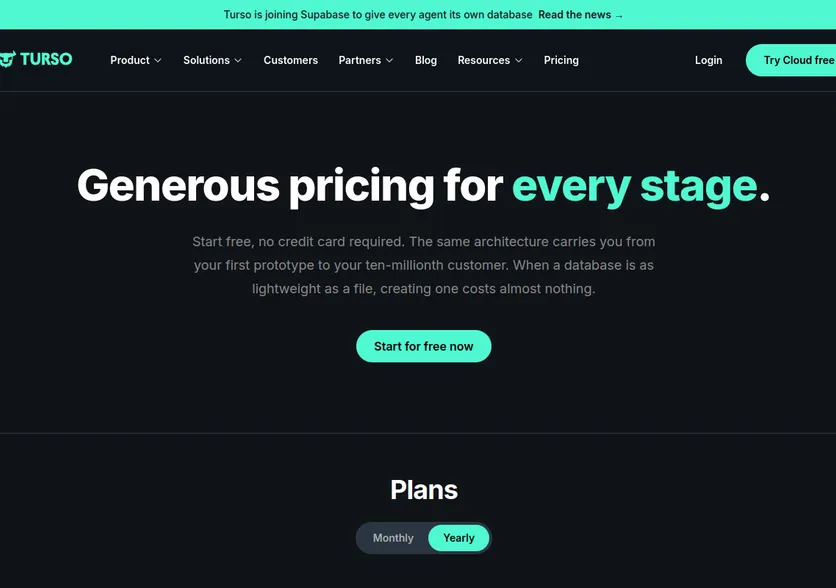
Paid tool Starting price: $4.99/month · Developer plan, $4.99 a month billed yearly or $5.99 billed monthly; Scaler $24.92 a month billed yearly; free tier included; Supabase announced an acquisition in October 2026 with pricing unchanged
Free plan: Free tier, 100 databases and 5 GB
Turso brings SQLite to the edge, replicating data close to users so an app reads fast from anywhere in the world. This Turso Developer plan costs four dollars and ninety-nine cents a month billed yearly and covers nine gigabytes, two and a half billion reads and twenty-five million writes. A developer connecting a global app will like the simplicity, because the database speaks SQLite and the API needs almost no setup.
What we like
- Cheapest paid plan in this comparison
- Edge replicas keep reads fast worldwide
- SQLite-compatible, easy to learn
Watch out for
- SQLite model suits some workloads poorly
- Acquisition news may change the roadmap
How to try it
- Open the Turso pricing page and claim the free tier
- Create a database and connect your app
- Add a replica close to your users and test the latency
7. NocoDB
Best for: Teams that want an open source Airtable alternative on their own database
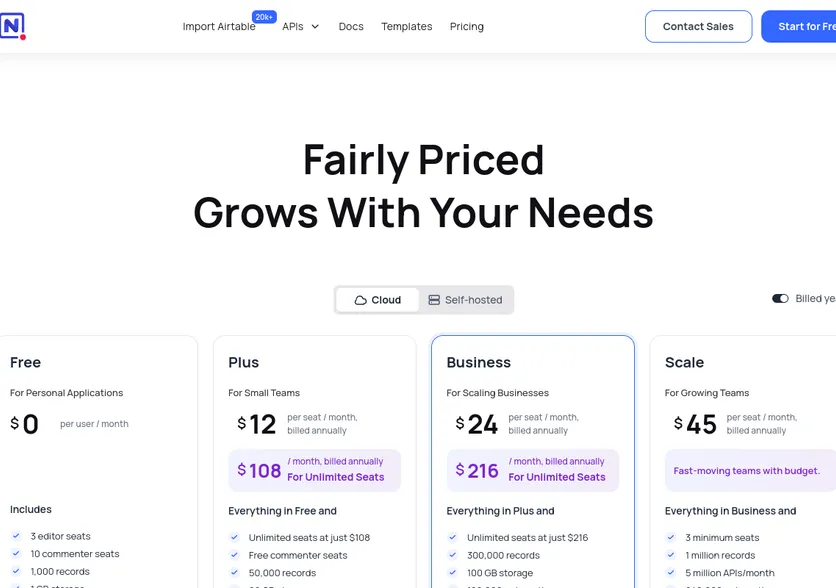
Paid tool Starting price: $12/seat/month · Cloud Plus plan, $12 a seat a month billed annually or $15 billed monthly, capped at $108 a month; Business $24 a month billed annually adds external database connections; free tier included
Free plan: Free cloud tier, 3 editors, 1,000 records and 1 GB
NocoDB turns any database into a smart spreadsheet with a no-code interface, so a team can edit rows, build views and automate without touching SQL. This NocoDB Cloud Plus plan costs twelve dollars a seat a month on annual billing and covers unlimited bases with a cap on the monthly total. A team that already runs MySQL or Postgres will like the control, because the data stays in their own database instead of moving to a new one.
What we like
- Works on your own existing database
- Open source, self-hosting stays an option
- Monthly cost caps at one hundred and eight dollars
Watch out for
- Plus plan has no external database connections
- Business plan is needed for outside databases
How to try it
- Open the NocoDB pricing page and claim the free tier
- Connect your existing database
- Build a grid view and share it with your team
8. Baserow
Best for: Teams that want an open source spreadsheet database with automations
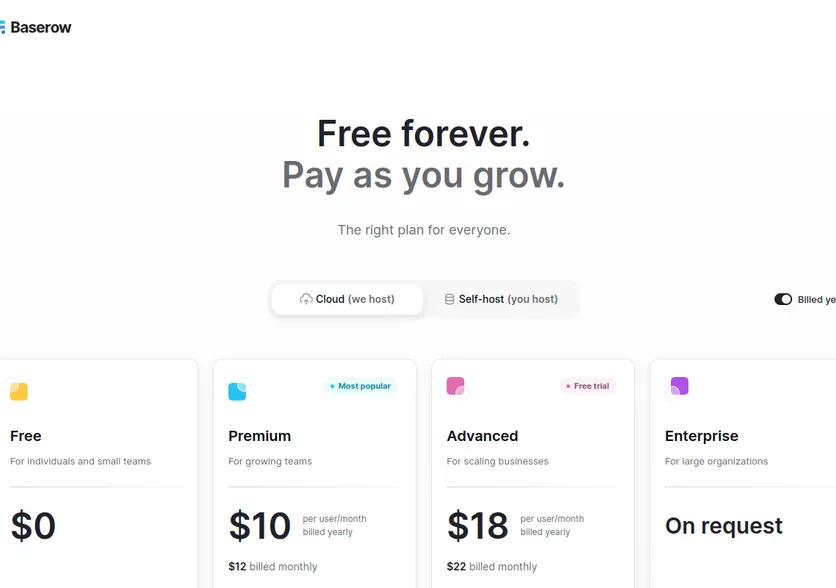
Paid tool Starting price: $10/user/month · Premium plan, $10 a user a month billed annually or $12 billed monthly; Advanced $18 a month billed annually; free plan included
Free plan: Free plan, 3,000 rows and 2 GB; self-hosted free
Baserow is an open source spreadsheet database with views, automations and an API, so a team can track work and connect it to other tools without code. This Baserow Premium plan costs ten dollars a user a month on annual billing and covers fifty thousand rows, twenty gigabytes and one hundred thousand automation credits. A team that outgrew a plain spreadsheet will like the structure, because rows gain types, links and permissions that a sheet cannot offer.
What we like
- Open source, self-hosting stays an option
- Automations built into the database
- Free plan covers small teams well
Watch out for
- Free plan caps at three thousand rows
- Smaller integration library than Airtable
How to try it
- Open the Baserow pricing page and claim the free plan
- Import a spreadsheet as a table
- Set up an automation that posts new rows to Slack
Prices above were checked on each vendor’s own website on Nov 26, 2026 and can change — the vendor’s page is the final word. Vendor links are editorial: nobody paid to be listed or ranked here. Vendors who want a featured listing can see how it works on our Get listed page.
What database software for integration costs in 2026
Integration database pricing splits in two, because some tools charge per user and others charge by usage. Airtable costs twenty dollars a user a month and Notion ten dollars a user a month, while Hasura charges five dollars per active model a month and Xata about nine dollars a month for a micro instance. The headline plan each vendor shows on its own pricing page is the number in the table above, checked on November 26, 2026.
Start with the free tier on two tools and connect your most important app to each one, then run a real workflow end to end. Compare how the data syncs, whether the API limits hold up, and how the bill grows as you add seats. Pick the database that keeps your apps in sync without manual work, because a cheap plan that drops a sync costs more than the subscription.
Before you buy
- Check the integration list, because a database that cannot talk to your apps is only a spreadsheet.
- Count the API limits, because rate caps decide whether automations keep working at scale.
- Confirm the auth story, because a shared database needs real permissions, not one password.
- Test with your real workflow, because a demo integration hides the fields that never sync.
- Compare annual and monthly billing, because most tools here cut the price by about a fifth on annual plans.
Official websites
Official websites of the products reviewed above. Features and prices were checked against these sites when this guide was written, and they can change, so confirm on the vendor site before you buy.
Frequently asked questions
Which database software is best for integration in 2026?
Supabase is the best overall pick for integration, because it turns Postgres into a full backend with an instant API, auth and storage from twenty-five dollars a month. Airtable is the best no-code pick, with hundreds of integrations and a spreadsheet feel from twenty dollars a user a month. Hasura is the best API pick, turning any database into a GraphQL API from five dollars per active model a month.
How much does database software for integration cost?
Entry prices here run from about five dollars a month for Hasura and Turso to twenty-five dollars a month for Supabase, with most tools between ten and twenty dollars a user a month. Per-user tools charge for every seat, so a big team pays far more than the headline. Always count the seats and the API limits before you budget.
Is there free database software for integration?
Supabase, Airtable, Notion, Hasura, Turso, NocoDB and Baserow all offer a free plan or free tier. Xata offers a free self-hosted open source tier and a fourteen-day cloud trial. A free tier is enough to connect your apps and test the workflow before you pay.
How do I choose a database for integration?
Start with your apps, because a database earns its keep only if it connects to the tools your team already uses. Then check the API, since a clean API with webhooks beats a long connector list with poor docs. Connect two tools in a trial, run a real workflow end to end, and pick the database that keeps the data in sync without manual work.
Do these databases offer an API?
Yes, most tools here expose an API and webhooks: Supabase and Hasura generate APIs automatically, Airtable and Baserow offer REST APIs with automations, and NocoDB works directly on your existing database. Check the rate limits on the plan you would buy, because a busy automation can hit a cap fast.
Need everyday developer help too? Try Toolsvine's free developer tools right in your browser.
Browse Developer Tools tools


